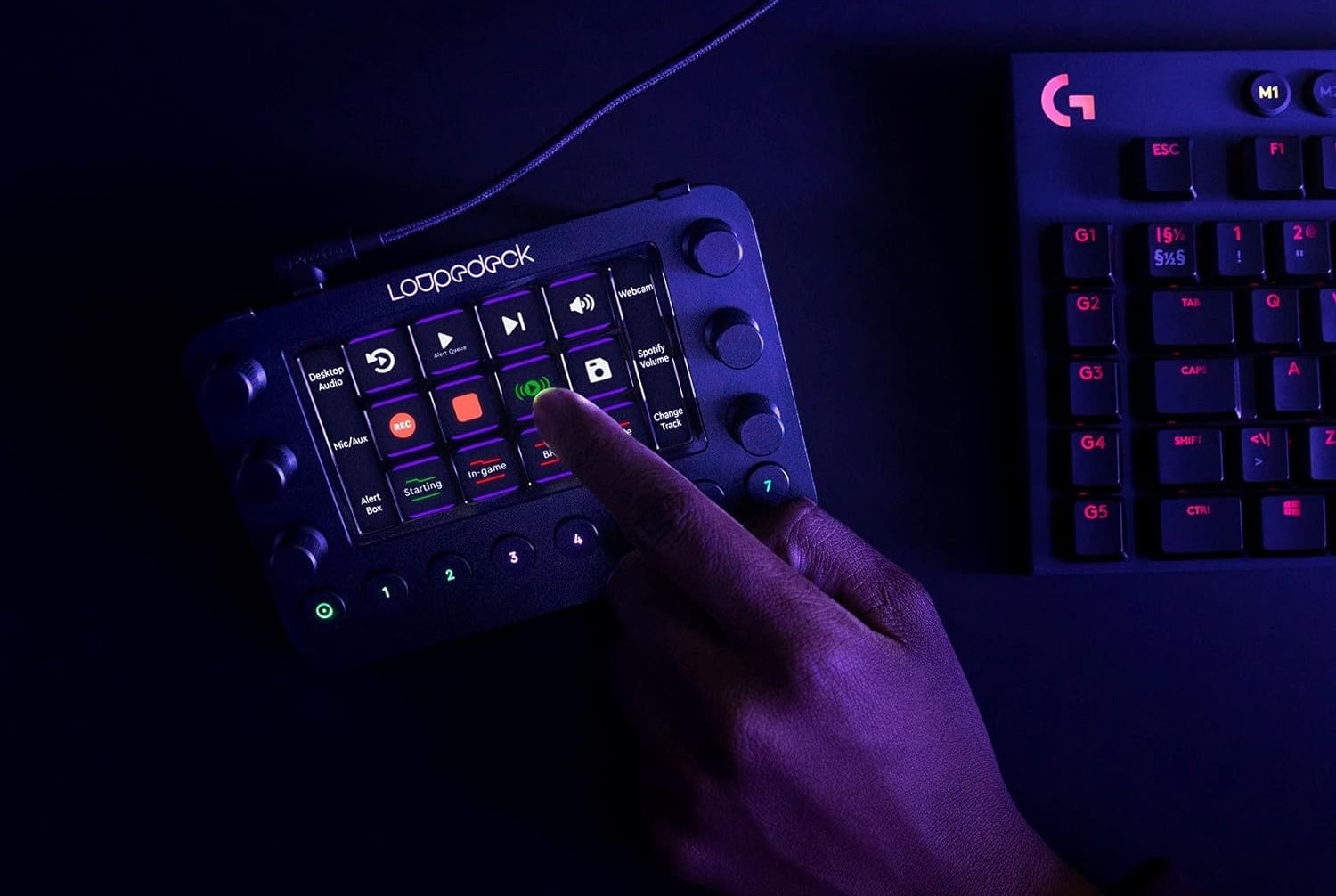
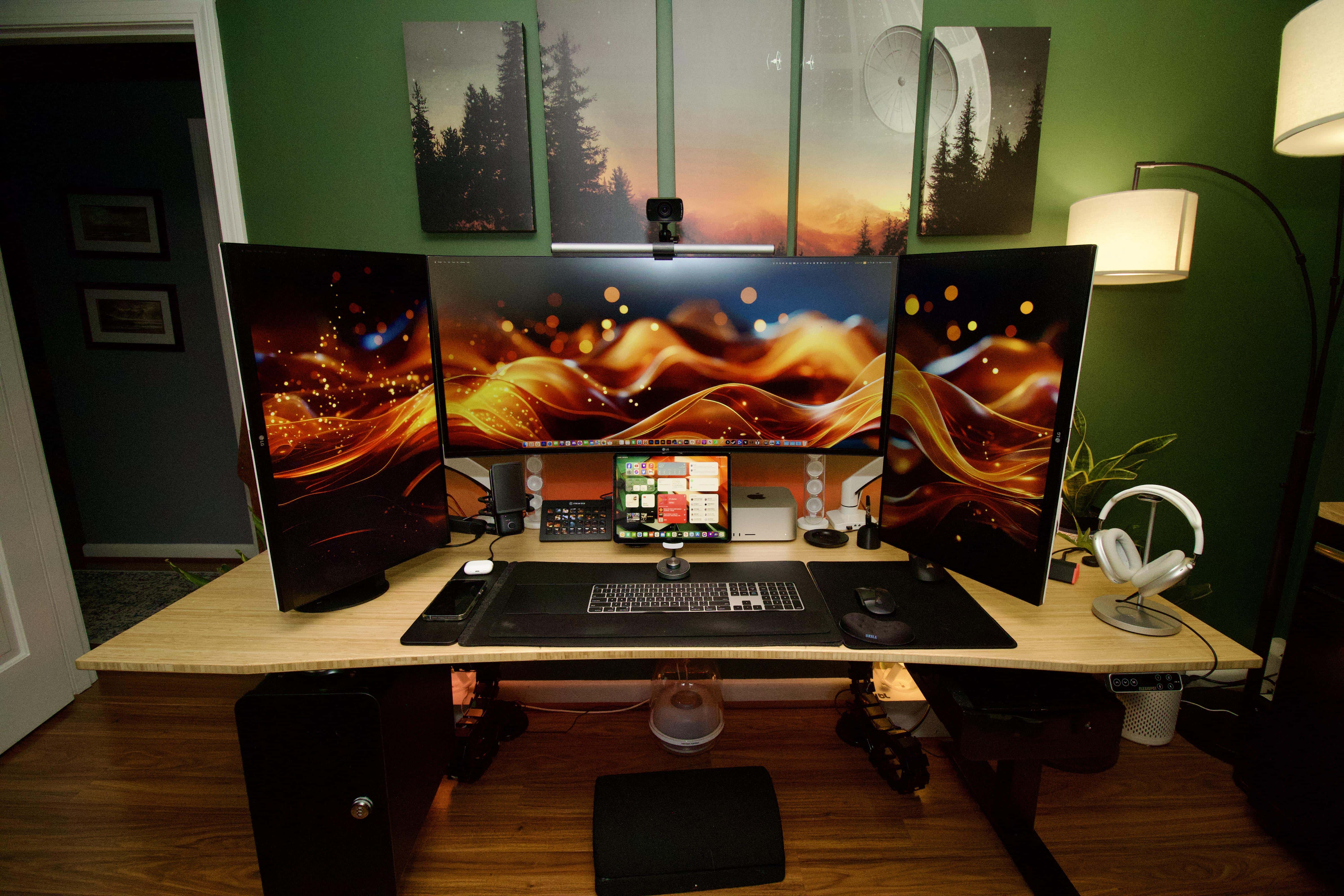
Today's user relies on Loupedeck Live for photo and video editing tasks. Photo: Loupedeck
The other day we featured an M1 Ultra Mac Studio setup. We wanted to loop back to call out a couple of cool components in it — namely, a Loupedeck streaming media console and a Keychron Q1 Pro Mechanical Keyboard. It turns out Loupedeck Live is great for video editing (photos, too!).
You'll find plenty of options in our guide to the best keyboards for Apple's pint-size Mac.
Photo: Teddy GR/Unsplash License/Cult of Mac
Apple’s smallest desktop computer is a powerhouse in a small package, but it doesn’t come with peripheral devices — so what are the best keyboards for Mac mini?
Whether you use a Mac mini for work or gaming, adding the right keyboard is crucial for maximizing your productivity and comfort.
I’ve always been fascinated with keyboards and have several. I’ll show you 10 of my favorite choices for great keyboards to use with Mac mini below.
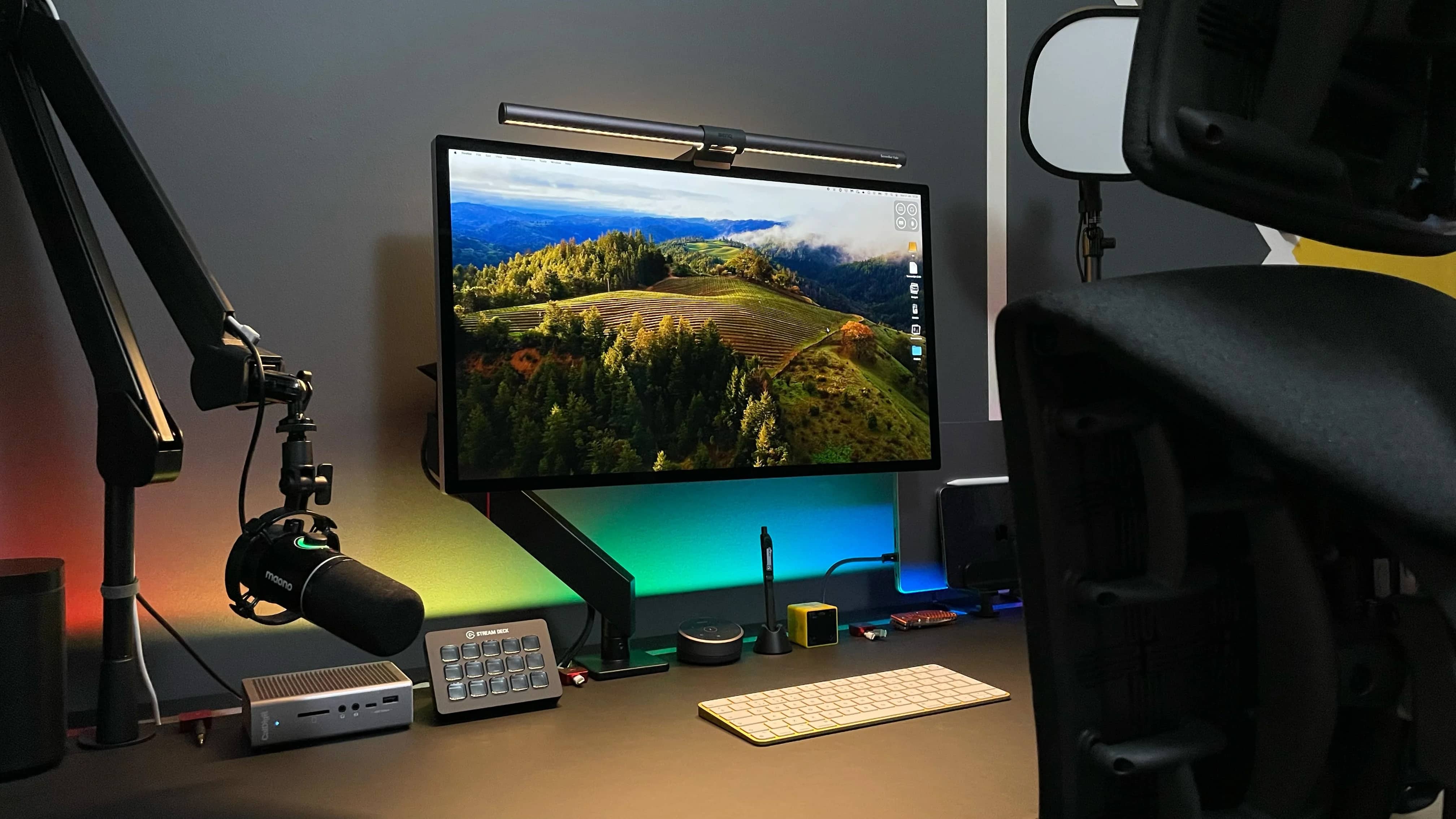
This setup produces many YouTube videos and occasional conference calls. Photo: [email protected]
One of the interesting gadgets we see more and more of in computer setups is the Elgato Stream Deck and its various interations. Today’s MacBook Pro user relies on one to make YouTube videos, and the company’s key light helps with pro-level lighting, too.
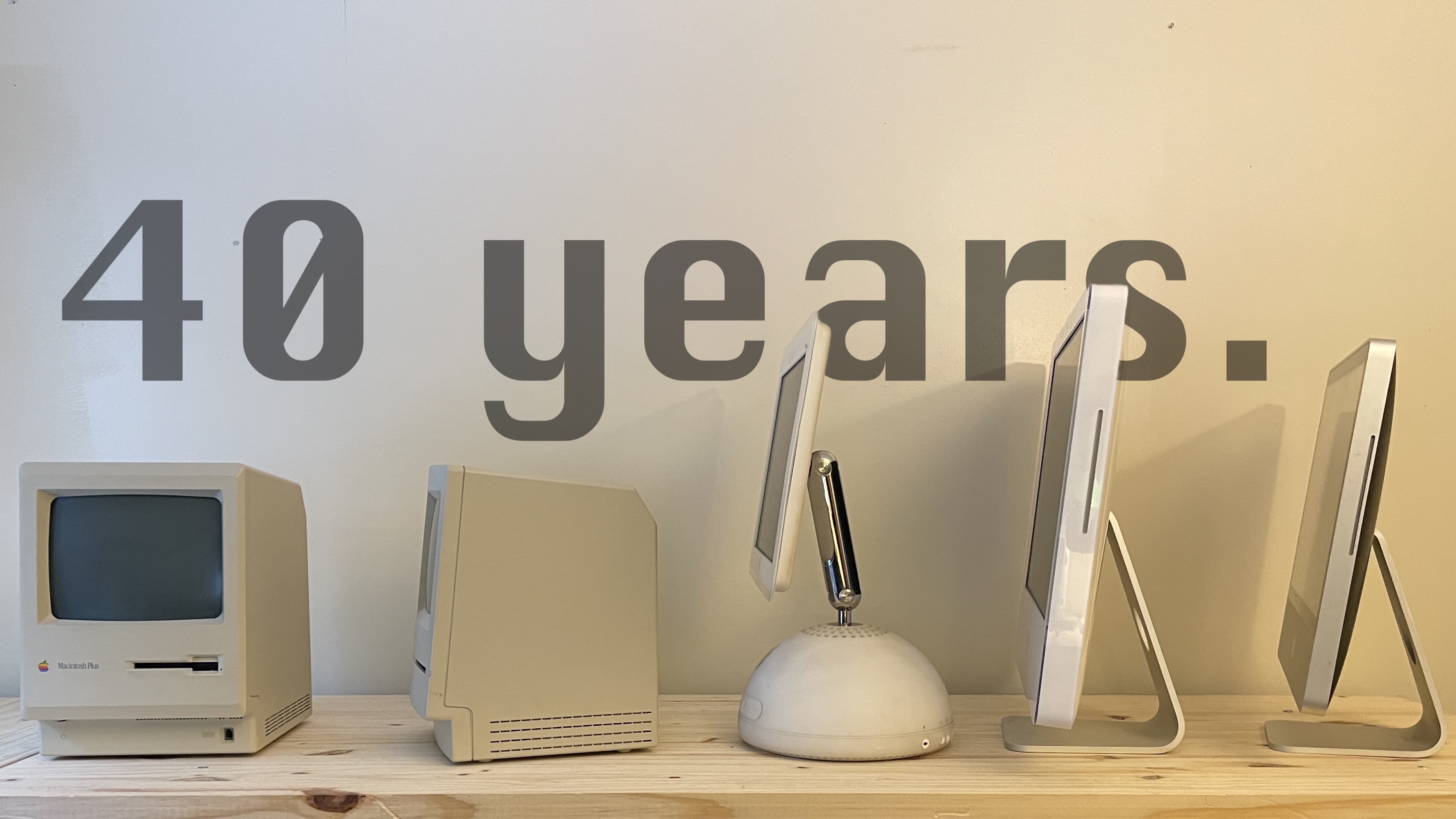
How has the Mac changed in the last 40 years? Photo: D. Griffin Jones/Cult of Mac
The 40-year history of Macintosh computers is a roller coaster of ages golden and dark.
Anything that lasts so long in the forefront of technology has to change to stay relevant. This once-plucky computer that began as an antithesis to the IBM PC, which dominated the world in 1984, is now itself a dominating force, ever pushing the needle in the world of technology.
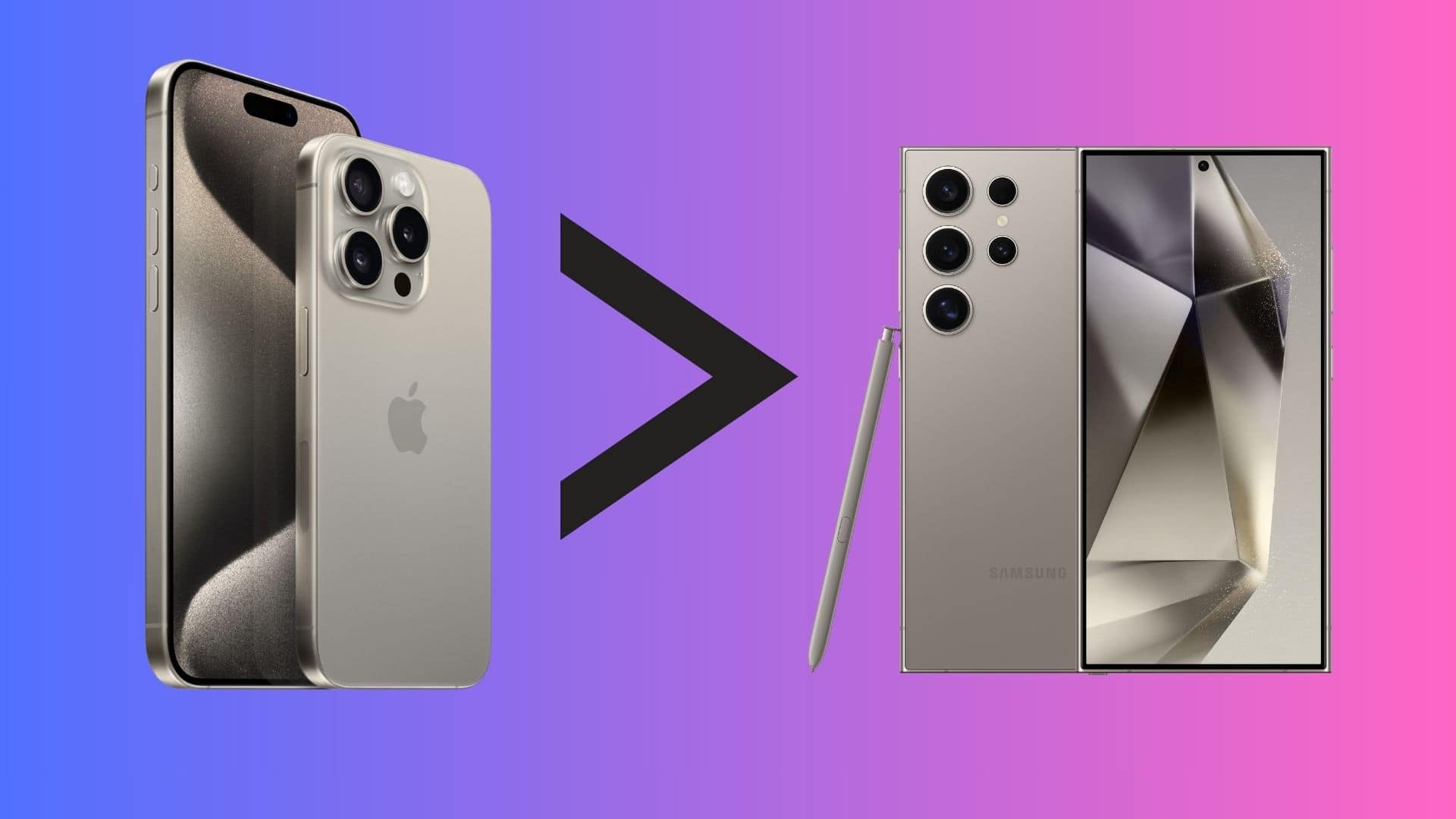
The iPhone 15 Pro Max beats the Galaxy S24 Ultra in several key aspects. Image: Apple/Samsung
Samsung’s 2024 flagship, the Galaxy S24 Ultra, is here to take on the iPhone 15 Pro Max. On paper, Samsung’s newest Galaxy packs superior hardware to the iPhone. But in a true smartphone smackdown — iPhone 15 Pro Max versus Samsung Galaxy S24 Ultra — which one would win?
It turns out that a phone is more than just its specs sheet. Below are five reasons why the iPhone 15 Pro Max is better than the Galaxy S24 Ultra.
Despite appearances, there's really a lot going on here. Photo: [email protected]
Isn’t it great when someone on social media humbly displays a well put-together and complete computer setup that makes yours look like random debris? Well, at least it’s a good learning opportunity. And today’s MacBook Pro setup is an exceptional example, as it doesn’t look like “all that” — even though it is.
At a glance you might not guess that it packs about two dozen components, and the user is happy to explain how he uses most of them.
This user swears by the arms his 4 displays are mounted on. Photo: [email protected]
Sure, you can buy a computer monitor and set it up on the stand that came in the box. But what if you want to easily move the external display around? And what if you want to have multiple screens and move them around?
Keeping monitors up off the desk and mobile can really improve your setup. And the best way to do that is to mount your screens on arms. It takes some effort, but as today’s user points out below, it’s worth it.
If you miss physical buttons and can get used to a much-bigger iPhone, this could be for you. Photo: Clicks Technology
Clicks Technology unveiled its first product Thursday — Clicks Creator Keyboard. It’s a case that fits around an iPhone, providing a full keyboard with physical buttons that may remind people of BlackBerry’s heyday.
“We use keyboards on our desktops, laptops and tablets every day – so it’s kind of odd that we abandoned physical buttons on the smartphone,” said Michael Fisher, Clicks Technology co-founder and a popular YouTube tech reviewer known as MrMobile.
“Clicks brings the tactility and precision of a physical keyboard to iPhone, so people don’t have to wait until they get back to their desks to create or communicate with the satisfying feedback only real buttons can provide,” he added.
Cleaned, reorganized and beautifully underlit, this MacBook Pro and Studio Display rig is ready for work in the new year. Photo: [email protected]
People often compare LG’s UltraFine 5K display to Apple’s Studio Display because they’re directly comparable, with the same size and resolution. But rarely do you find the two in the same setup. That makes today’s dual MacBook Pro and dual 5K display setup something of a rarity.
That, along with the rarely seen Wacom drawing tablet and the truly massive DIY desk, fashioned from a kitchen countertop and mechanized legs.
Sometimes the holiday season turns a half-empty desk into a powerful computer setup. Photo: TemporaryAd_4202@Reddit
Ah, the magic of Christmas. Even a grownup can get deliriously excited about unwrapping a rich haul of computer gear that turns a Charlie Brown Christmas tree of a setup into a powerful workstation that would intimidate Ebeneezer Scrooge. You can also relive the magic and watch Charlie Brown’s Christmas Tales free this season.
Today’s user had a decent MacBook Pro and iPad Pro to begin with, but ended up with a proper, highly functional setup. And commenters had further suggestions for additions, too. Hey, the more the merrier!