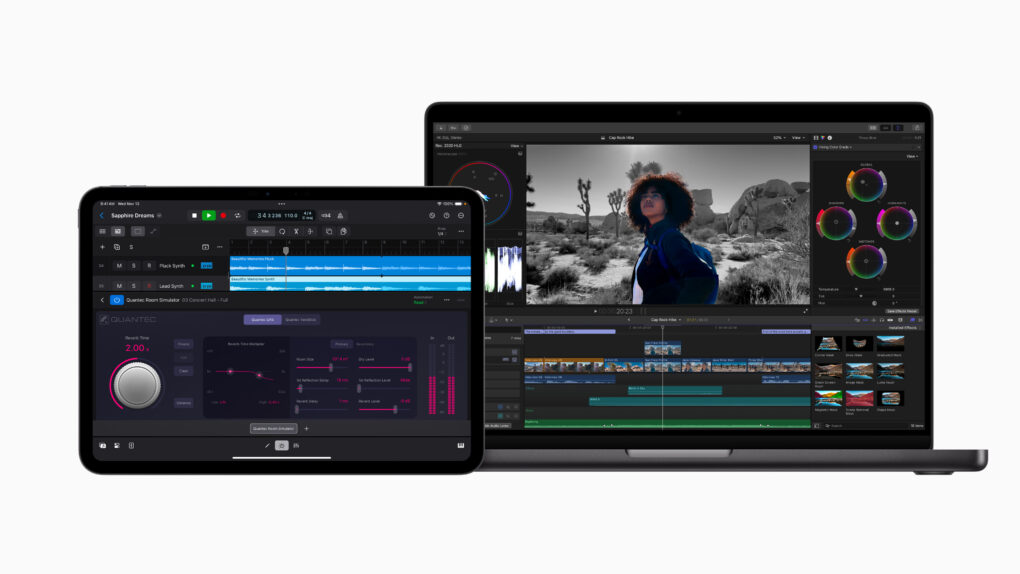
Final Cut Pro now works with Image Playground. Photo: Apple
Big updates across Apple’s Final Cut Pro video-editing software lineup introduce AI-driven Image Playground integration, plus improved workflows and enhanced recording options.
Apple released Final Cut Pro updates Thursday that add Image Playground for Mac and iPad users. Plus, iPad users can use the software in portrait orientation for the first time.
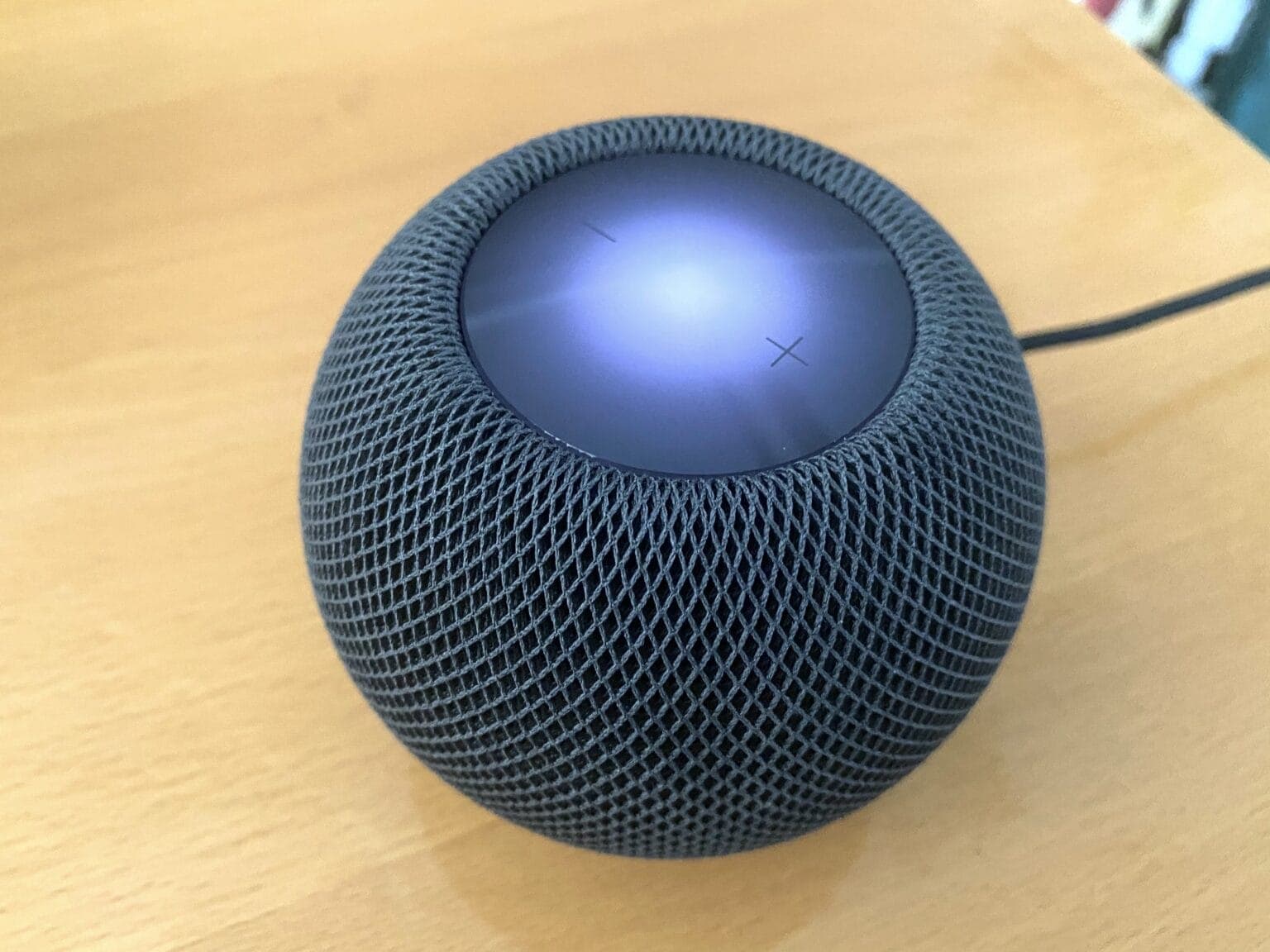
HomePod mini is tiny but will impress you with its sound quality. Photo: Leander Kahney/Cult of Mac
If you’ve been looking to buy a HomePod mini for a while, a new deal makes the rarely discounted smart speaker much more affordable. The HomePod mini discount slashes $15 off the price, dropping it to just $84.99.
It's time to get excited about new features coming soon in iOS 18.4. Logo/Graphics: Apple/Rajesh Pandey/CultOfMac
iOS 18.4 will be one of Apple’s biggest updates to iOS 18 since the operating system’s public release last September. It will pack plenty of changes and improvements, like a Vision Pro app, Apple News+ Food and new emoji.
That all sounds great, but these are the five iOS 18.4 features that I am most excited about.
Another year, another window management feature on the Mac. Image: Apple/D. Griffin Jones/Cult of Mac
Window snapping and tiling is a new way to quickly organize your Mac desktop. It lets you throw the two apps you’re working on side by side so you can focus on them.
Window snapping proves more versatile than fullscreen mode, which the Mac has had ever since OS X Lion. Using fullscreen mode comes with a few compromises. For one, fullscreen mode only supports two windows side by side. And while you’re in fullscreen mode, you can’t have any other apps visible — fullscreen apps exist in a separate space from everything else.
With window snapping, you can have your Mac windows tiled in halves, quarters or a mix — you pick the orderly layout that works best for the task at hand. You can use gestures or keyboard shortcuts for quick tiling. Or you can control the tiling from your Mac’s menu bar. Keep reading or watch our video to learn how this cool Mac productivity feature works.
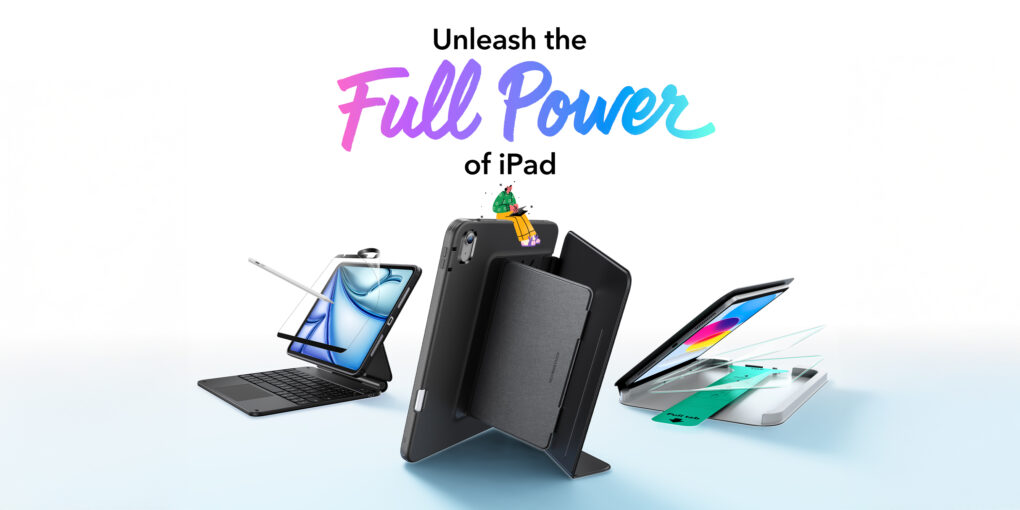
If you bought a new iPad, now you can enhance it. Photo: ESR
ESR rolled out a full range of accessories Wednesday designed for Apple’s newly released iPad models. The products offer enhanced functionality and protection for tablet users. The lineup, tailored for students, professionals and creatives, includes a new Apple Pencil alternative with Find My integration, magnetic cases, keyboard cases and screen protectors.
“With our latest lineup of iPad accessories, we’re reimagining versatility — delivering accessories that seamlessly integrate into any scenario, whether for study, work, or entertainment,” said Tim Wu, ESR’s CEO. “Designed for a new generation of users, this new lineup enhances the iPad experience, ensuring creativity, productivity, and enjoyment without limits.”
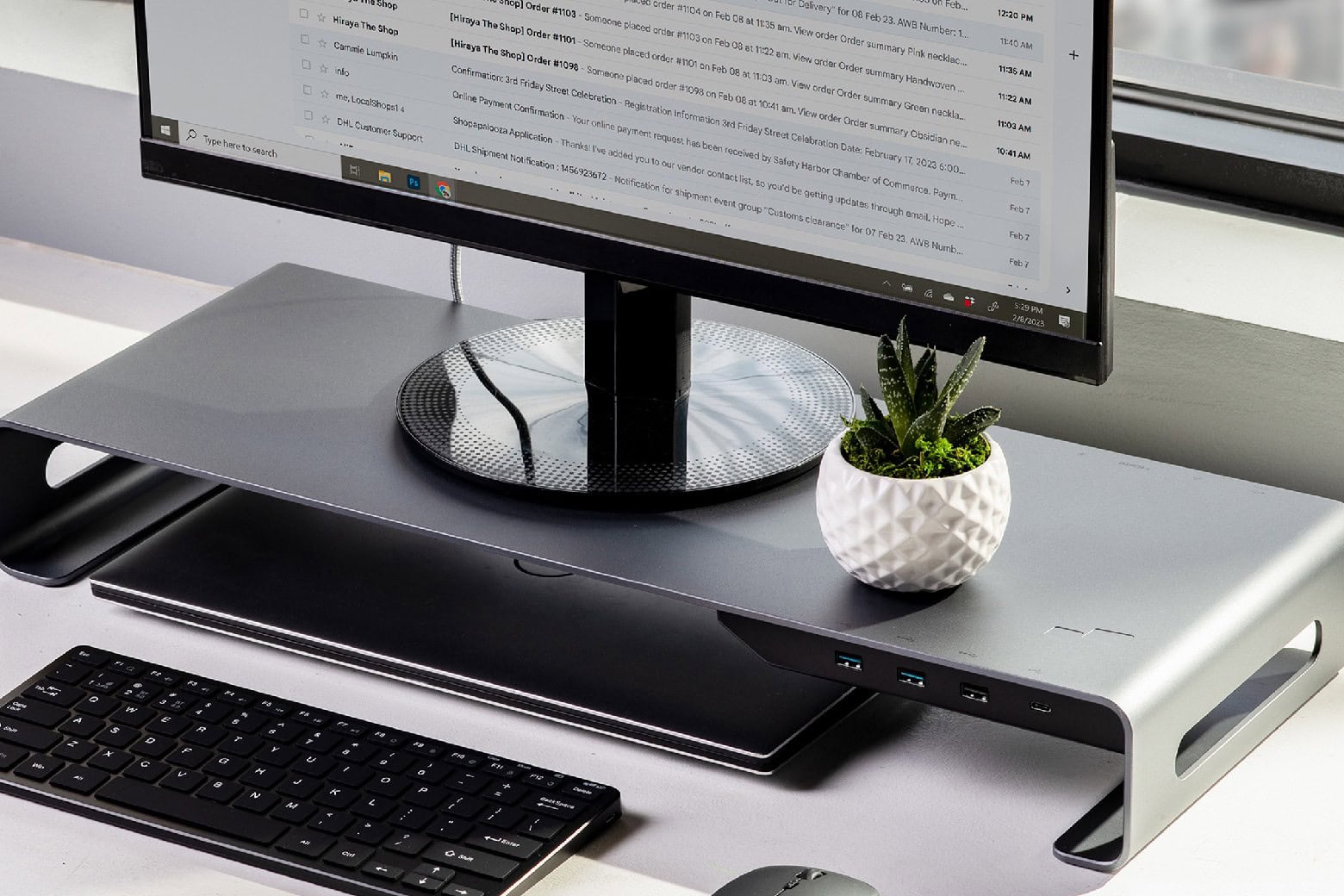
Optimize your workspace with this monitor stand that doubles as a docking port while it's on sale. Photo: Cult of Mac Deals
If your monitor sits low on your desk, that’s a recipe for bad posture. Instead of splurging on a new desk or a taller monitor, Mobile Pixels offers a smart solution. This aluminum monitor riser elevates your screen so you can sit up straight without staring at the space above your monitor.
This sleek monitor riser also packs a little something extra: a built-in, eight-port docking hub for charging, data transfers, extra monitors and more. And for a limited time, instead of paying the $199.99 list price, you can get this monitor riser on sale for just $129.99 with code POWER20.
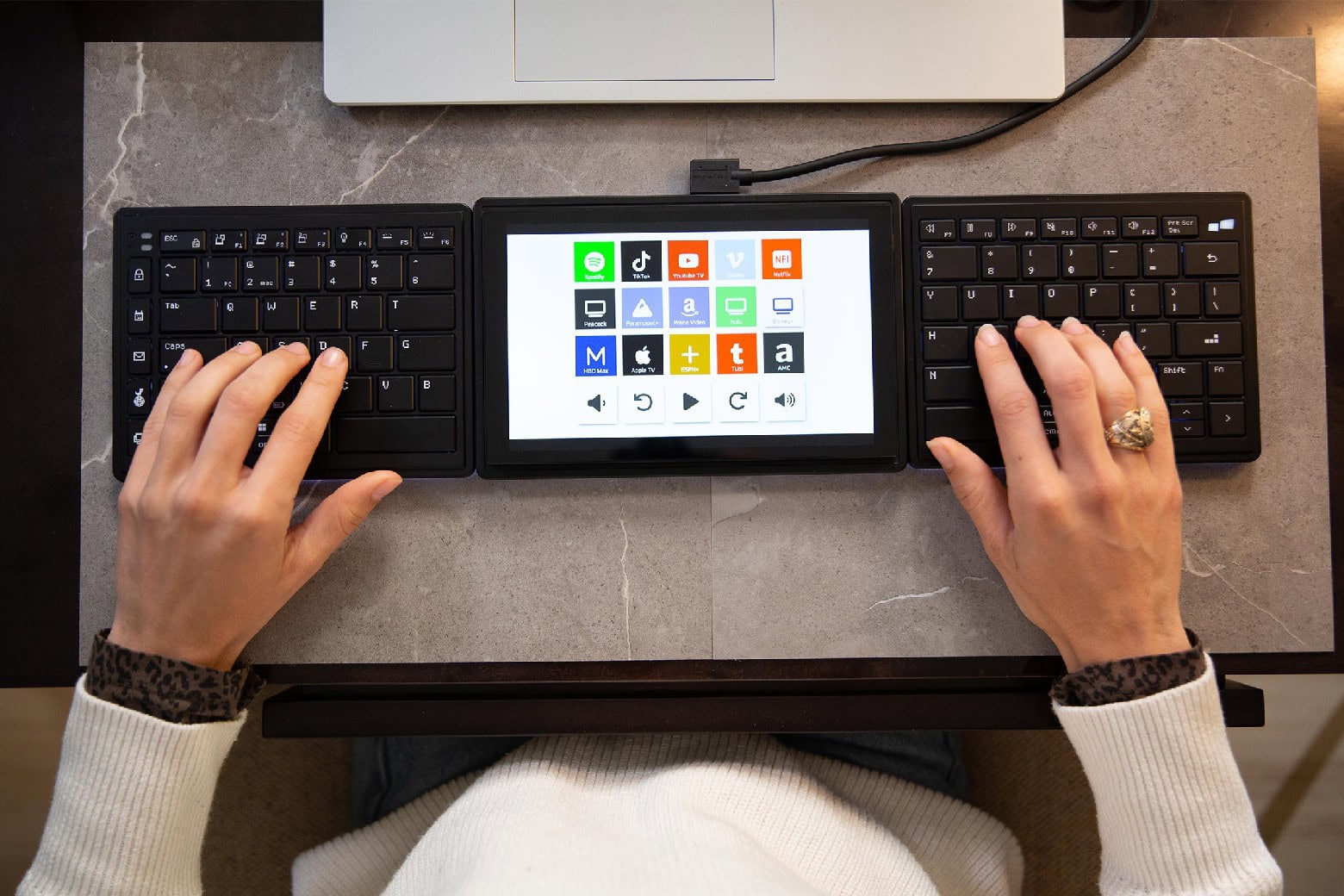
Upgrade your setup with this unique split keyboard that comes with a touchscreen. Photo: Cult of Mac Deals
We bet you never saw a keyboard like Mobile Pixels’ ergonomic Tetra Keyboard. You can put the two halves of this split keyboard anywhere you want to maximize comfort. Plus, it comes with an 8-inch, customizable touchscreen that lets you tap shortcuts to save time and effort.
Designed to transform typing and working habits, this sleek, portable device is great for anyone who spends a lot of time on a keyboard. For a limited time, you can grab one for just $269.98 with code TAKE40. That’s a hefty discount off the $399 list price.
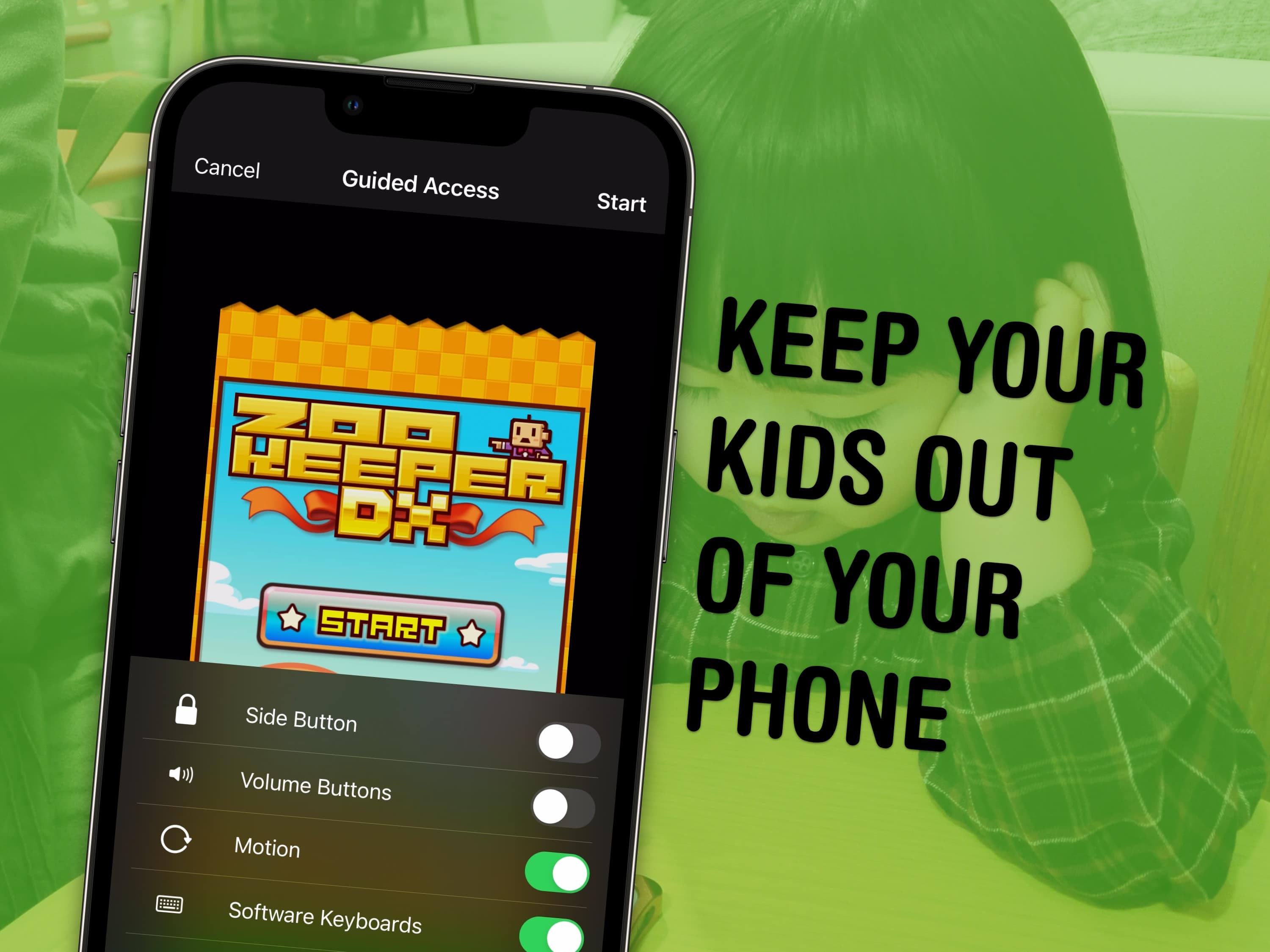
Lock your kids into a game (like Zookeeper) when they have your phone. Image: MIKI Yoshihito/Wikimedia Commons/D. Griffin Jones/Cult of Mac
You can use a feature called Guided Access to lock down your iPhone to a single app before you hand it to a kid or someone else. You might want to let your offspring play a game, or pass your phone around for controlling music, or hand it off to show someone a video … but you probably don’t want them going rogue and reading your texts or calling your mom.
In Accessibility settings, you can enable Guided Access to limit your iPhone to a single app before you hand it off. It’s a kind of quick and dirty “guest mode.”
This will help you keep your phone — and your privacy — safe. You can even disable features like the volume buttons and set up time limits.
Sometimes it can be hard reading your screen. Image: D. Griffin Jones/Cult of Mac
It’s easy to zoom in on your Mac screen and get a closer look at your display. If the text is just too small to read, or perhaps you’re making some graphics and you need pixel-perfect alignment, a simple tweak to your Mac settings is all you need.
Using your Mac’s zoom feature, you can hit a keyboard shortcut or use a multitouch gesture on your trackpad to zoom in on your screen. I’ll show you how to use this handy feature. Plus, I’ll cover Hover Text and Display Scaling, two more features that help you embiggen the words on your Mac screen.
There are a lot of ways to customize the Lock Screen in iOS 16. Image: D. Griffin Jones/Cult of Mac
You can radically customize the Lock Screen of your iPhone with a bunch of widgets, aesthetics and styles. If you liked the themed custom Home Screens people were putting together using Shortcuts and Widgetsmith, you’ll love the level of creativity you can express with customized Lock Screens.