Mobile menu toggle

Search results for: shortcuts

Mac Productivity Bundle—7 Apps And More [Ending Soon!]

By

The Mac Productivity Bundle - Cult of Mac Deals

You know what it takes to step up your game on your Mac? Apps. Great apps. This isn’t really news to you, is it? And one of the reasons that Cult of Mac brings you deals is so you can get a great deal on a great app. Recently we’ve had great-app-one-offs, you know one great app at one great price. Today we’re bringing you a slew of great apps at a fantastic price.

The Mac Productivity Bundle comes with 7 apps, two sets of icons & graphics, 6 ebooks on web development, and 4 WordPress themes for $50. I’ll understand if you don’t finish reading and go buy it.

Last chance! Deal ending soon!

TextExpander 4 Forced To Depart Mac App Store Over Apple’s Sandboxing Rules

By

TextExpander becomes the first high-profile casualty of Apple's sandboxing rules.

TextExpander from Smile Software is a wonderful tool that turns text strings and images into tiny little shortcuts, saving you time and effort every time you type. It’s a little like the Shortcuts feature Apple built into iOS 5, but a million times better. You can currently find it in the Mac App Store, but we’d advise you not to buy it there.

Why? Because the Mac App Store version is the older version 3.4.2 release, and Smile Software has chosen to depart Apple’s marketplace for version 4.0. It turns out that the Cupertino company’s strict sandboxing rules, which went into effect on June 1, don’t allow some of TextExpander’s core features.

Don’t Just Launch Apps, Launch Actions With Launch Center Pro For iPhone

By

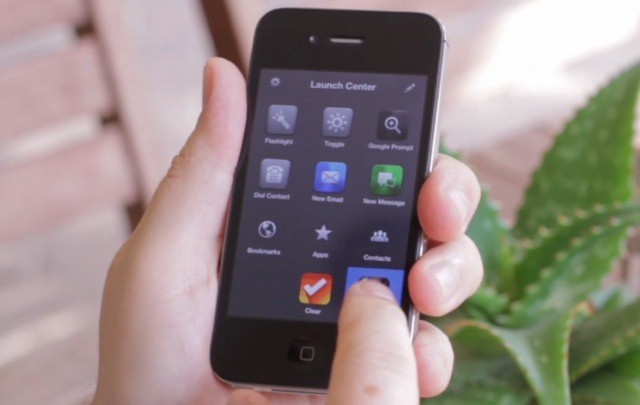
Launch Center Pro is like another home screen for your iPhone.

Do you find you spend too much time hunting around inside your apps for specific actions? With Launch Center Pro for iPhone, you can skip this process by launching the action instead of just launching the app. For example, instead of loading up Twitter and then tapping the new tweet button, you can just setup a shortcut within Launch Center Pro that takes you straight to that new tweet window.

You can also add shortcuts to new text messages to specific people, Instagram’s camera, Google searches in Safari, and lots more. The idea is to make a fast dial for all the actions you might use on your phone.

Mozilla Embraces WebKit To Create Junior, The iPad Browser Of The Future

By

mozillajunior

Once top dog next to Internet Explorer, Firefox has increasingly been losing its grasp on the desktop browsing experience, and consequently been spending more time paying attention to the possibilties of mobile. Firefox is already available for Android, and now it looks like it might come to iOS as well, but not as a mere port of the browser many of us have abandoned in favor of Chrome: it’s rebuilt for the ground up with iPad browsing in mind.

7 Awesome Features Apple Left Out Of iOS 6

By

iOS 6 has some awesome new features, but here's 7 things it's still missing.

We’re super excited for iOS 6. Although it isn’t the complete iOS overhaul many users were hoping for, it does deliver a whole host of new features — like a new Maps app, user interface enhancements, improvements to stock apps, and Siri support on iPad — that we’re certainly looking forward to.

However, it’s hard to ignore the fact that iOS 6 still has some things missing. Things we’ve been waiting for for some time. Here are seven of them.

Make Your Mac Speak To You With OS X [Feature]

By

Make Your Mac Speak To You

It’s the future, already, right? While we may not have flying cars or jetpacks, we do have computers ad mobile devices that we can speak to and that can speak to us.

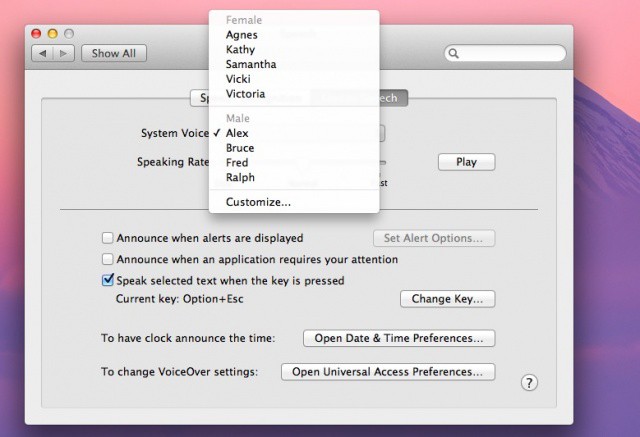
Here are a few ways to make your Mac speak to you in a variety of ways. Make it read books to you right from the Kindle app, change text documents into audio files for easy transport, and even let you know when your Terminal session is finished. If that isn’t enough, we’ll even show you how to get better voices to do all this with, even in different languages. So settle in and let us know what you think in the comments below.

The Logitech K760: Like Apple’s Wireless Keyboard, Only Better

By

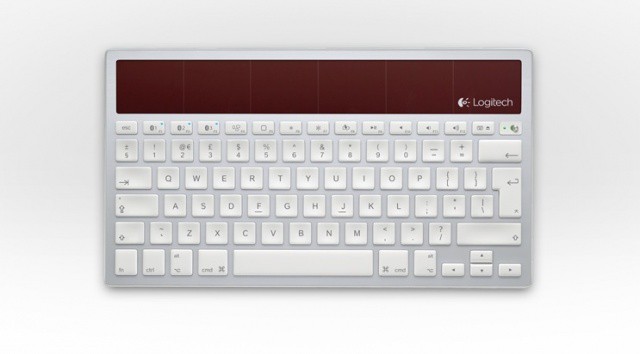
Isn't she pretty?
Isn't she pretty?

I love my Apple Wireless Keyboard, but I don’t love changing its darn batteries every couple of weeks. But the Logitech K760 Wireless Solar Keyboard could soon be taking its place on my desk. Powered entirely by ambient light (it doesn’t even need batteries as a backup), the K760 will run for three months on a full charge with eight hours of use a day.

It’s ideal for those with Mac and iOS devices, because it allows you to connect to three devices simultaneously and quickly switch between them using the function keys.

Make Your Mac Read Documents To You [OS X Tips]

By

Spoken Track iTunes

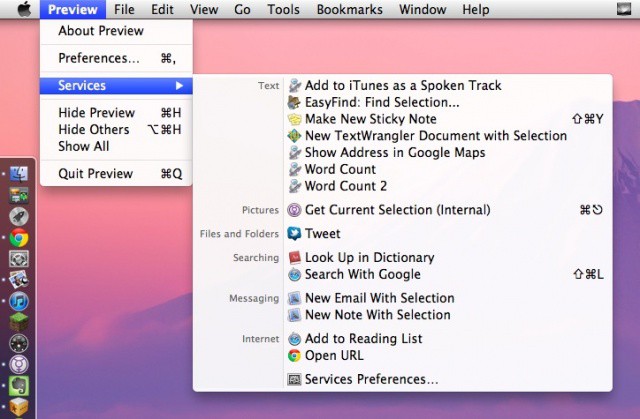
Sure would be great to listen to every day documents easily, say, on a long drive or airplane commute. There are a ton of ways to make this happen, including some third party apps, but this is a pretty slick, easy way to turn any text you can highlight into spoken text that can be put on an iPhone, iPad, or iPod, ready to go along with you.