Mobile menu toggle

Search results for: Apple One

Look things up with your iPhone’s camera using Visual Intelligence

By

Looking up a computer mouse using the camera with Visual Intelligence, captioned, “Look It Up With The Camera”
Search for products and get information with Visual Intelligence.
Image: D. Griffin Jones/Cult of Mac

Apple’s new Visual Intelligence feature provides a quick way to find information just by pointing an iPhone 16’s camera at an object in the real world. Then you can ask ChatGPT to explain what you’re looking at, do a reverse image search to find products and look things up visually, get information on a business as you walk down the street, quickly add events to your calendar and identify plants and animals.

With the release of iOS 18.4, Apple added the capability to use Visual Intelligence on iPhone 15 Pro models. Here’s how it works.


Meta, Match and Spotify join forces against Apple and Google

By

Meta Match and Spotify join forces against Apple and Google
Once again, conflicts arise over App Store practices.
Photo: Graham Bower/Cult of Mac

A new battle brews in the tech world as major app developers band together to challenge Apple and Google’s control over the mobile ecosystem, according to a new report. Meta, Match and Spotify join forces against Apple and Google, forming a lobbying coalition aimed at influencing policy around age verification requirements and addressing long-standing grievances about app store practices.

Behold ‘an Apple fan’s dream setup’ [Setups]

By

dream setup
This dream setup features an M4 Pro MacBook Pro and a Studio Display.
Photo: [email protected]

“Everything starts with a dream,” goes an old saying — and it even applies to computer setups. Today’s attractive and highly functional M4 Pro MacBook Pro, Mac mini and Studio Display setup amounts to a dream for its owner. But in expressing that dream on social media, its owner found commenters had plenty to say about their versions of “an Apple fan’s dream setup.”

Your wait for an amazingly affordable iPhone game controller ends now [Review] ★★★★★

By

GameSir X5 Lite★★★★★
The GameSir X5 Lite is fun and a great value.
Photo: Ed Hardy/Cult of Mac

The GameSir X5 Lite is the game controller for those who’ve hoped for a truly affordable way to add physical buttons and sticks to their iPhone. It costs a fraction of the price of its chief rival.

But don’t call it cheap. The accessory includes Hall Effect sticks plus a full set of the buttons and triggers needed for cloud gaming or on-device apps.

I enjoyed my time testing the GameSir X5 Lite — read the full review to find out why.

Get $180 off Beats Studio Pro headphones

By

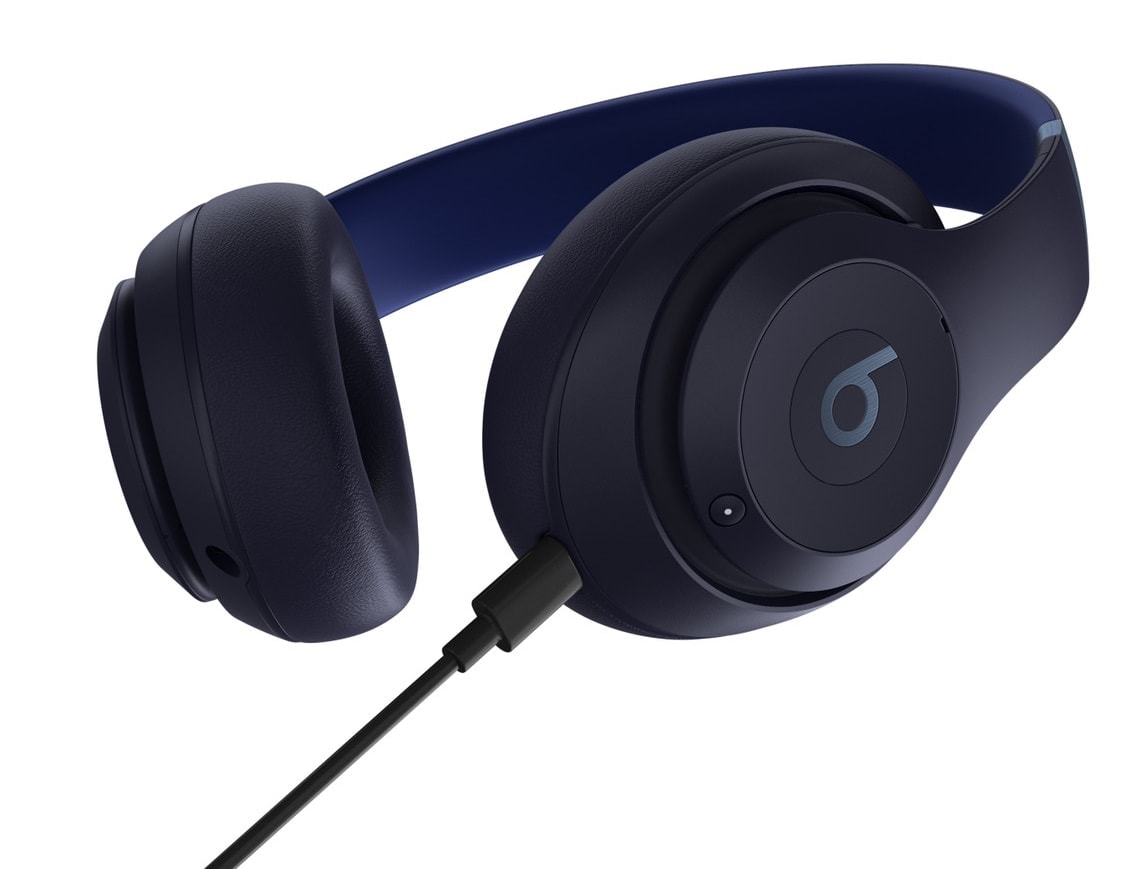
Beats Studio Pro deal
Beats Studio Pro are the first wireless headphones from Apple or Beats to offer lossless audio via USB-C cable.
Photo: Apple

The excellent Beats Studio Pro noise-canceling headphones from Apple subsidiary Beats by Dre normally cost $349 — though they’re often on sale at around $250. But right now you can grab a nice Beats Studio Pro deal on Amazon for just $169.99 in two colors, dune and matte white (51% 0ff). Meanwhile, Best Buy goes with the $250 price, as does Amazon for several colors.

And if you want to save even more, you can buy open-box Beats Studio Pro headphones for just $145 from Cult of Mac Deals.

Meta AI lands on iPhone with a dedicated app

By

Meta AI iPhone app
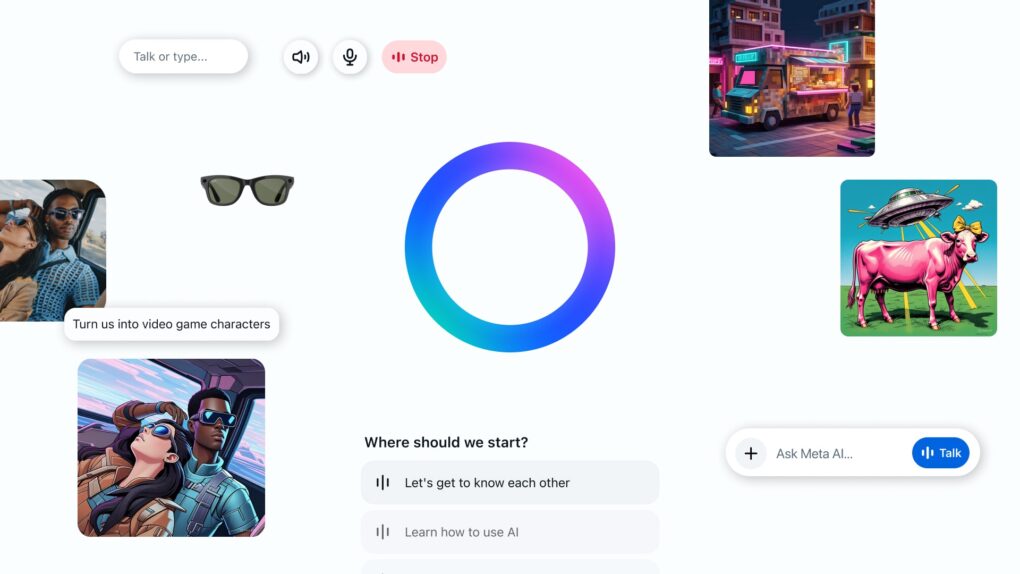
Meta AI's dedicated iPhone app now available on the App Store.
Photo: FB Blog

You can now access Meta AI through a dedicated iPhone app, bringing the Llama AI assistant right to your fingertips. Until now, you could only access Meta AI through WhatsApp, Facebook and Instagram.

Meta calls the app a first step toward creating a “more personal AI experience.”

How to use the iPhone 16 Camera Control

By

Image of an iPhone 16 with the words
The Camera Control packs in a lot of features, and they’re a little fiddly.
Image: D. Griffin Jones/Cult of Mac

The new Camera Control button on the iPhone 16 lineup opens the Camera app, takes pictures and adjusts camera settings on the fly. It offers a quick shortcut to using one of the most popular and important iPhone features.

Apple baked a lot of controls and interactivity into this innovative button. But while Cupertino’s designers are usually restrained, some people find this new user interface a little fiddly. The physically clicking button also accepts touch input when you swipe your finger along it. And it utilizes pressure sensitivity and haptic feedback as you maneuver through the iPhone’s camera settings.

Learn how to master the iPhone 16’s new Camera Control button in our guide below.

Today in Apple history: Steve Jobs trashes Adobe Flash in devastatingly blunt open letter

By

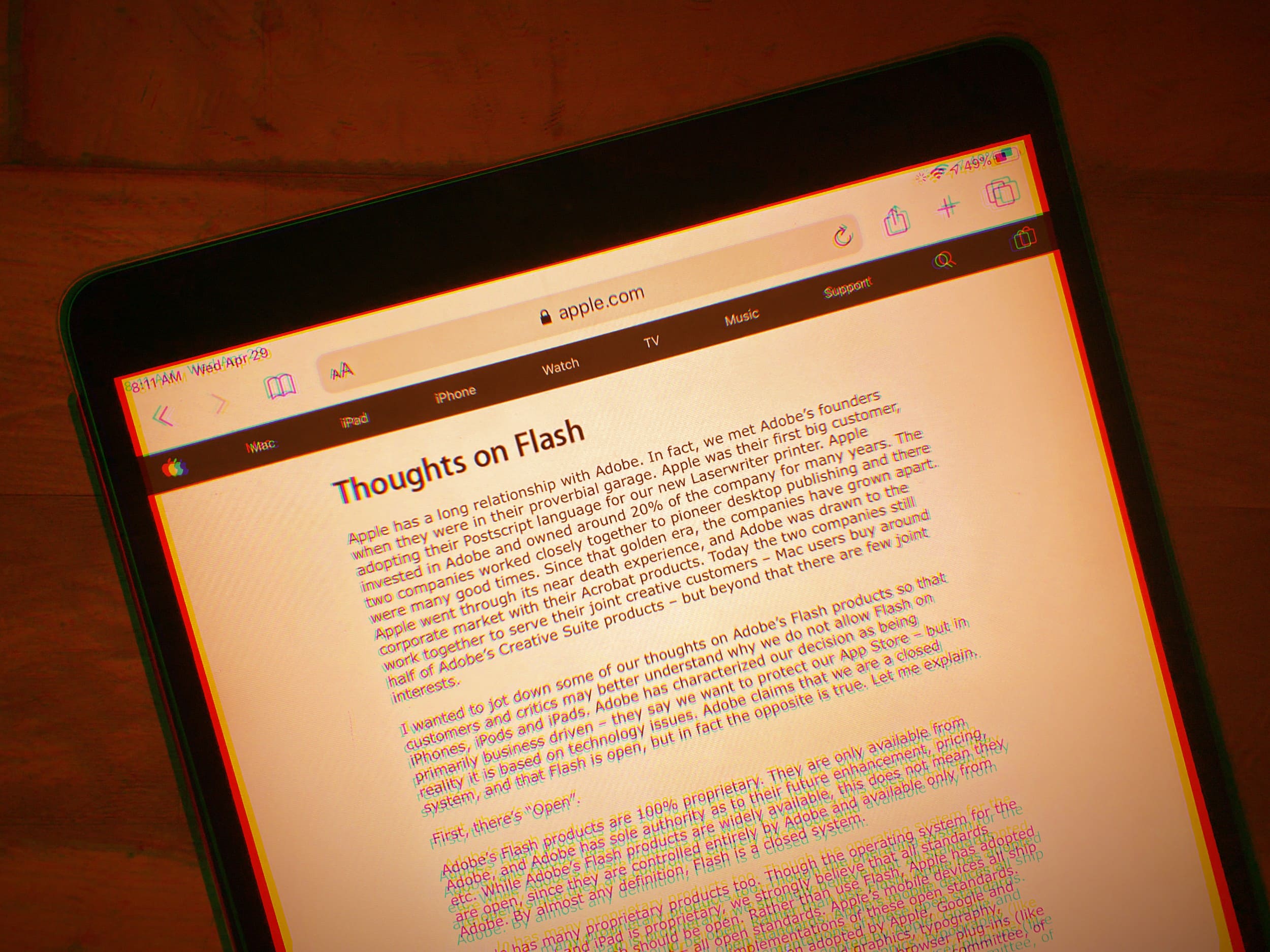
Photo of an iPad displaying Steve Jobs' open letter titled
Steve Jobs really didn't care for Flash.
Photo: Lewis Wallace/Cult of Mac
April 29: Today in Apple history: Steve Jobs pens letter to Flash

April 29, 2010: Apple CEO Steve Jobs pens “Thoughts on Flash,” an open letter to explain why, basically, Adobe Flash kind of sucks. The letter marks the beginning of the end for the once-omnipresent plugin that powered multimedia in internet browsers for years.

Following the devastatingly blunt broadside, Adobe Systems CEO Shantanu Narayen hits back at Apple, arguing against Jobs’ complaints. But the Apple leader has clearly made up his mind: iOS devices will never support Flash. The writing is on the wall.

Sound like a superhero with new wireless AI gaming microphone

By

Maono DM40 Pro Wireless Gaming Microphone
In white or black, Maono's new USB/Wireless microphone offers AI-powered voice effects and more.
Photo: Maono

The new Maono DM40 Pro Wireless Gaming Microphone brings professional-grade audio quality and cool features like AI voice effects, the company said Tuesday. Also sporting Apple-esque design sensibilities, the new mic looks like a great companion for your Mac gaming and streaming setup. And you can get 10% off right now, too.

How to manually add a workout to Apple Fitness+

By

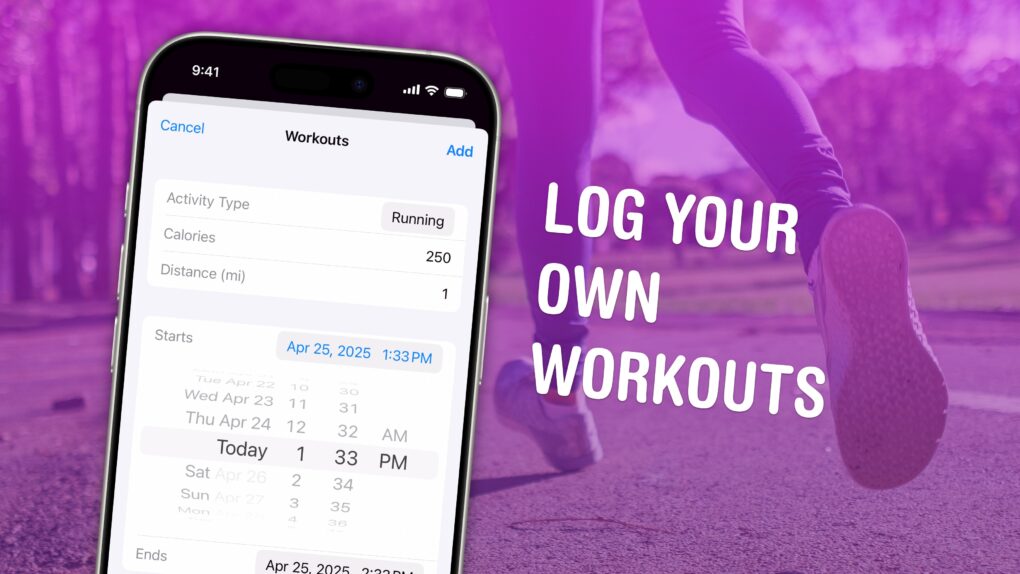
Log Your Own Workouts
Add workouts by hand if you’re missing some.
Image: D. Griffin Jones/Cult of Mac

You can manually add a workout to Apple Fitness+ if you need to log some exercise while you weren’t wearing your Apple Watch. Maybe your watch ran out of battery at the start of your run, or maybe you simply forgot to turn it on. By adding a missing workout, you can give yourself credit for the exercise you did.

This power could be used for evil as well as good. You could, hypothetically, say you ran a three-hour marathon every day last week. But you would only be fooling yourself.

To find out how to add a workout to Apple Fitness+, watch our short video or keep reading below.