The Retina MacBooks are fabulous machines. They’re super thin, powerful, and just plain sexy. But have you ever opened your Retina MacBook and watched the screen just sit there in limbo for a few seconds before it actually comes alive again? It’s frustrating that you can see the password box, but you can’t actually type anything until the MacBook fully wakes up.
Apple has baked a feature called “standby mode” into the Retina MacBook Pros and the post-2010 MacBook Airs. Standby mode is the reason newer MacBooks sometimes take a little longer to wake, and there happens to be a simple terminal command you can enter in OS X to change the timing.
As I never tire of telling people, I do all my work using an iPad. Research, communication, writing and photo editing – all of these are now second nature for me on both the iPad mini and the full-sized iPad 3. I love the portability, I love the stripped-down “workflow” which lets me get stuff done way faster than I can on the Mac, mostly due to lack of OS X’s inherent distractions.
In fact, I am so happy with the iPad as a work machine that I thought that I’d never buy another Mac. I figured that, by the time my iMac died, iOS would have caught up with most of the “truck” tasks I still need to do: keeping a big photo library, running a BitTorrent client.
So why am I writing this post on a brand-new MacBook Air? One thing: My arm is fucking killing me.
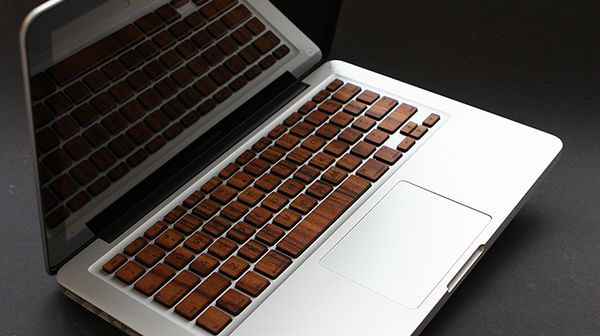
They look great, and Michael over at RAWBKNY says that while they are only designed for the non-Retina MacBook Pro right now, he’s tweaking it so it should work on the Retina MacBook Pro and MacBook Airs soon.
We’ve got a review unit on the way to see how well these work, but be warned: replacing every key on your MacBook is likely to be a time consuming process. $40 will get you a set.
It’s pretty much a forgone conclusion that any time we review a bag or case by Waterfield Designs, we’re going to love them. The San Francisco based company is such a maestro at stripping a cow to its bones then stitching the tanned hide up into a premier laptop or tablet case that dishing out an enthusiastic review of yet another one is starting to feel like a matter of course.
CitySlicker for MacBook by Waterfield Designs Category: Bags/Cases Works With: MacBook Air (11- & 13-inch), MacBook Pro (13- and 15-inch) Price: $129 – $149
So it’s with a profound sense of relief that I can report that Waterfield Design’s CitySlicker MacBook case is the worst thing anyone’s ever made, ever. That includes the Fredseries of movies. Scotch-taped together from what appears to be a beef jerky flavored Fruit Roll-Up, the City Slicker….
*snicker*
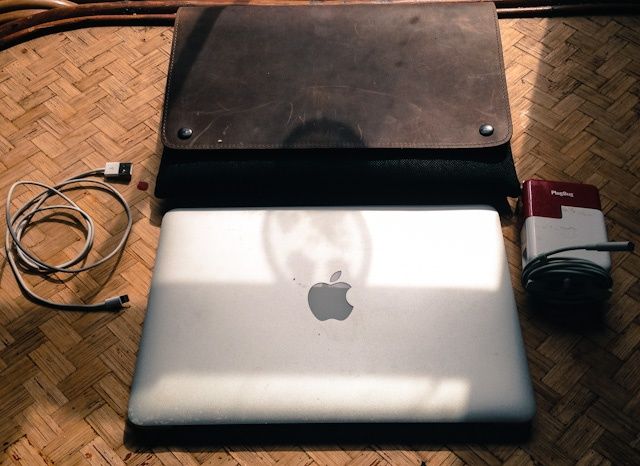
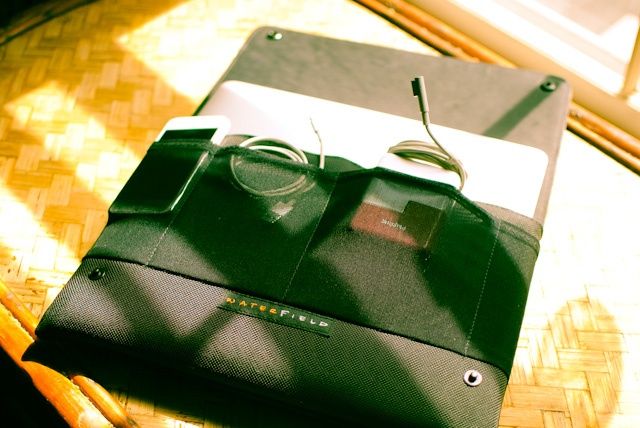
Sorry, I couldn’t keep a straight face. Just kidding! The CitySlicker is an awesomely stylish protective case for your MacBook Air that can double as a very streamlined laptop bag or attache case. Oh, and it also makes a pretty awesome lap desk. It’s just as good a product as any that Waterfield has ever made. But it’s definitely not for everyone.
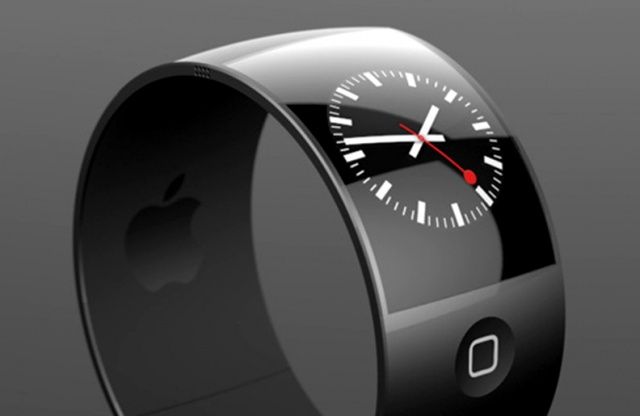
A third-party concept design for the iWatch might look.
We learned this week that Google, Samsung and LG are all planning smartwatches.
Sony, Pebble, Cookoo, I’m Smart, MetaWatch and Martian already have pretty sophisticated smartwatches available, all of which interoperate with the iPhone.
You can be sure that 100 Chinese companies will make inexpensive smartwatches that support either the iPhone or Android or both.
And, of course, Apple is rumored to be working on a curved-glass “iWatch.”
Here’s why I believe Apple’s smartwatch will have a market advantage.
Apple was caught last year selling Apple Certified refurbished hardware on eBay using the pseudonym Refurbished-Outlet. Allegedly.
The prices and details of these products were generally the same as refurbished products sold on the apple.com site. The products come with a one-year warranty and mobile devices contain a new battery.
But this week it emerged that Apple is lowering the prices on eBay, sometimes by quite a bit. For example, Apple normally charges $999 for a refurbed MacBook Air with 128 GB. But that same system with the same Apple inspection and one-year warranty went on sale in the eBay store for $899. Prices on other hardware products were slashed similarly.
(In addition, we learned, the company as been apparently working with “power sellers” on eBay to sell Apple hardware. For example, until they ran out of the 500 units put up for sale of 13-inch MacBook Pros selling for $999. These are new devices, not refurbished, and Apple is probably using the “channel” to clear out inventory.)
It seems to me that Apple is working behind the scenes to experiment with different models for selling refurbished and excess inventory. I wouldn’t be surprised if Apple was also trying other channels for doing the same thing that we don’t know about. And I also wouldn’t be surprised if refurbished gadgets vanished from the Apple site altogether, and for those items to be sold in the darker alleys of the Internet (like eBay) exclusively instead.
But I think there’s a ginormous opportunity here for embracing “used” in a big way — and it’s something only Apple could pull off.
It’s no secret that the best place to buy a MacBook or iMac is from the online Apple Store’s refurbished section. You get the same products, with the same warranty, for a few hundred bucks cheaper than buying it brand new.
But what you probably didn’t know is that Apple has a secret eBay store which sells the same refurbished items you can get from the online Apple Store, except they’re even cheaper.
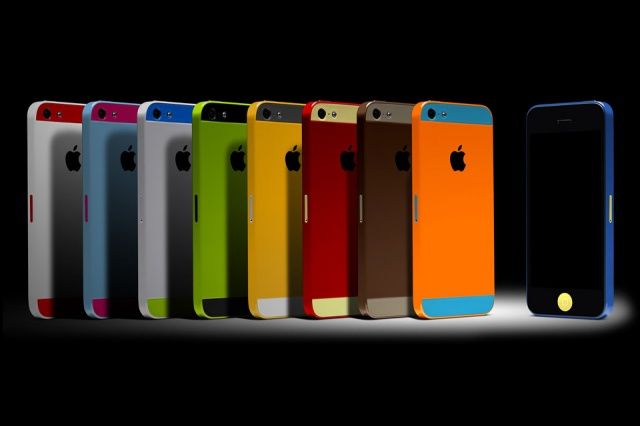
Now he’s making another prediction: that Apple will unveil a new iPhone 5S with a better camera and color-shifting flash, as well as iOS 7, at WWDC in June for a July release. Also? A colorful iPhone 5 will become Apple’s new $99 iPhone.
Apple is working on a 4.5-inch iPhone with a polycarbonate body, according to a new report from Japanese publication Macotakara. The device has reportedly been “postponed” for a 2014 release.
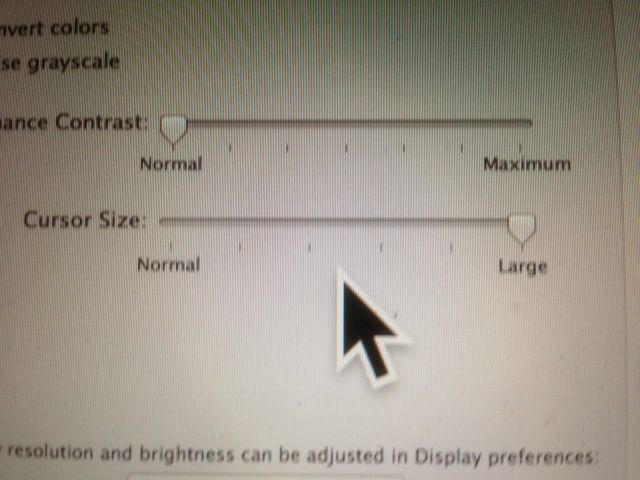
Obviously, not a Retina display, but you can't get that big mouse cursor into a screenshot.
You ever do that thing where you have to move your mouse around, jiggling the little thing just to find the dang cursor? I do it all the time these days, with my smaller screen Macbook Air and the Mac Mini that’s connected to the HDTV across the room from me, since there’s so much going on onscreen that I often lose track of it.
There’s an easy way to fix this problem, and it involves the Accessibility options that come built right in to your Mac OS X system.