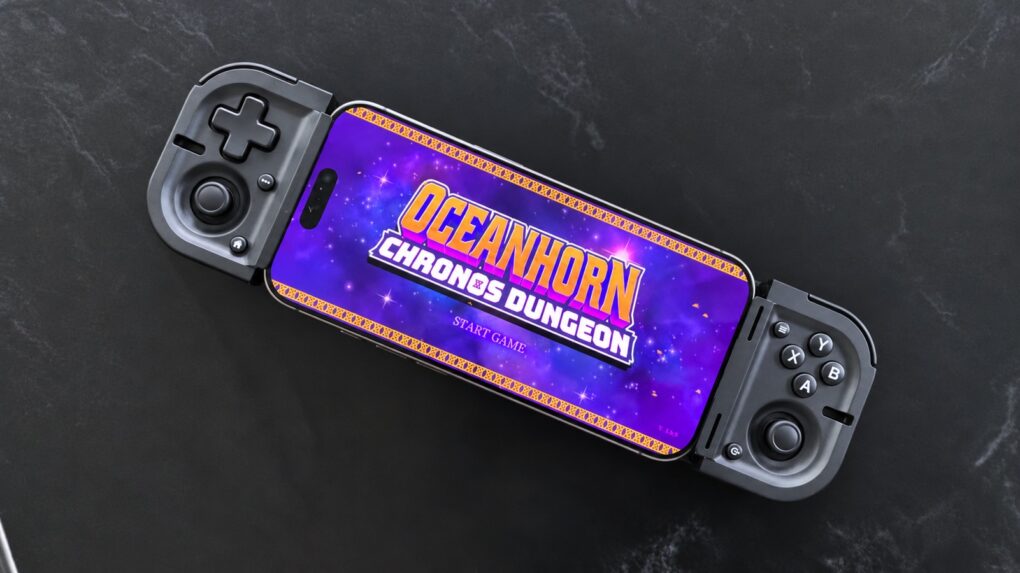
The Razer Prio is a new mobile game controller that’s small enough that you might actually carry it everywhere.
For travel, the accessory folds up to be not much larger than a deck of cards. When it’s time to play, unfold it then clip it to on either side of your iPhone to add physical buttons, triggers and sticks.
I tested the Prio with my iPhone 17 and came away impressed with how easy it is to carry around. It’s fun wherever you need it.
Razer Prio review
A clip-on game controller like the Razer Prio makes a big difference when playing on an iPhone.
With on-screen controls, my fingers often block important parts of the screen. Even worse, the controls lack the tactile feedback I get from pressing a real button. That means I need to keep looking down at my fingers.
A clip-on controller gives the iPhone a more traditional handheld-game-console feel, which is critical for console-quality games, especially RPGs and FPSs.
And because the controller holds the iPhone in place, I don’t have to prop the phone up separately while playing.
Take console-style gaming anywhere with a pocket-sized controller that unfolds in seconds, fitting phones up to 7 inches for gaming during commutes, travel, breaks and everyday downtime.
- Folds to be very small and light
- Full set of controls
- A bit cramped to use

Table of contents: Razer Prio review
- Very portable fun
- A full set of gaming controls
- No grips
- USB-C and no battery needed!
- Would you like to play a game?
- Razer Prio review: Final thoughts
- Pricing
Very portable fun
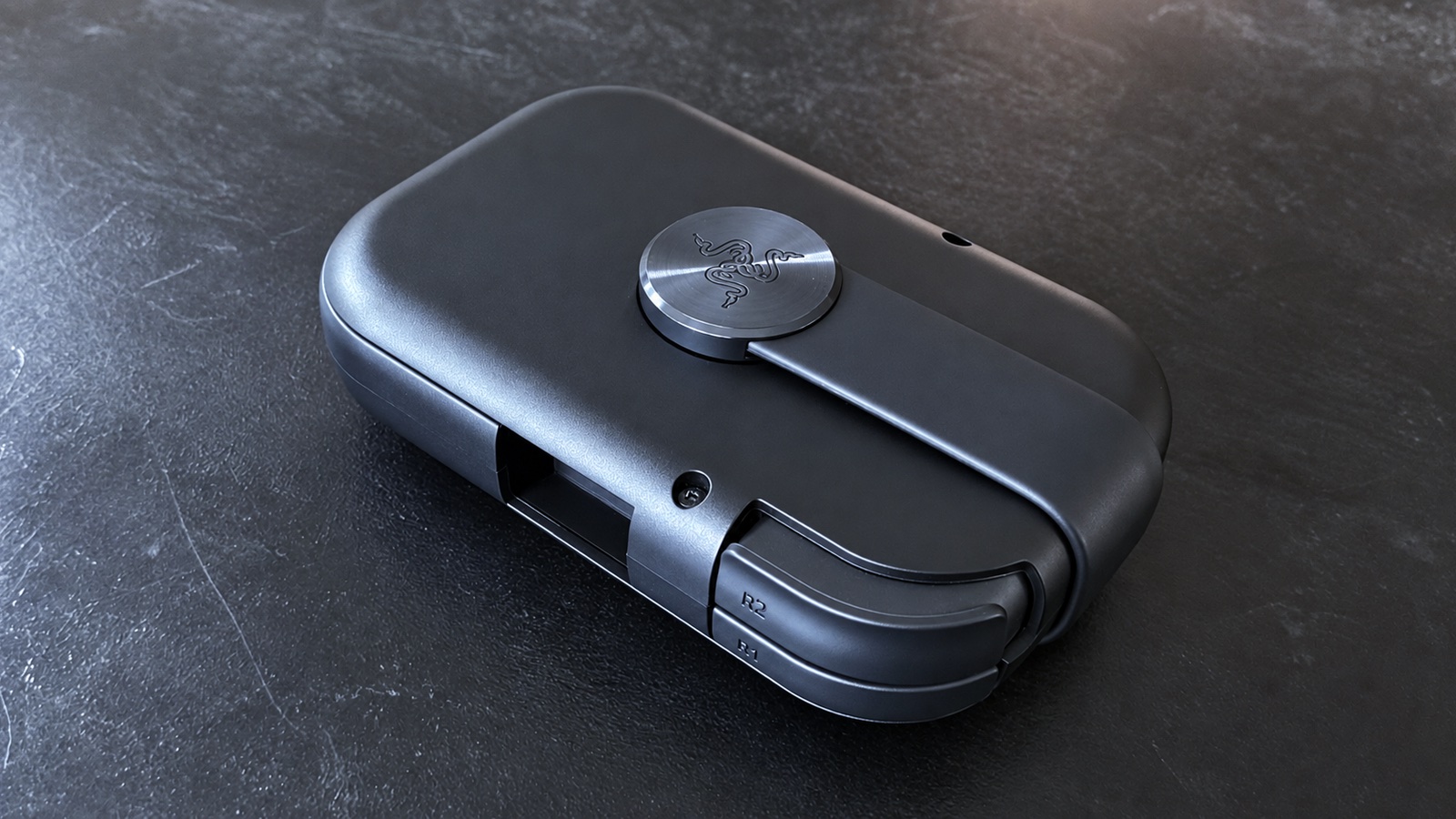
Photo: Ed Hardy/Cult of Mac
The Razer Prio comes folded up at only 4.2 inches by 2.6 inches by 1.25 inches. And it weighs a mere 0.23 pounds. It fits in the pocket of a loose pair of pants, or goes easily into a backpack or purse. Even better, the sticks and most of the buttons sit safely inside the casing, protected from damage.
When it’s time to play, the two halves of the Prio twist apart and unfold around an elastic bridge. The iPhone sits between them and connects through USB-C.
The controller fits around phones up to 7 inches and can even work with cases — as long as they aren’t too bulky.
There’s a little bit of a learning curve on figuring out how to unfold and connect the game controller to an iPhone, and then fold it back up again later. But once I understood how it works, the process became far easier.
A full set of gaming controls
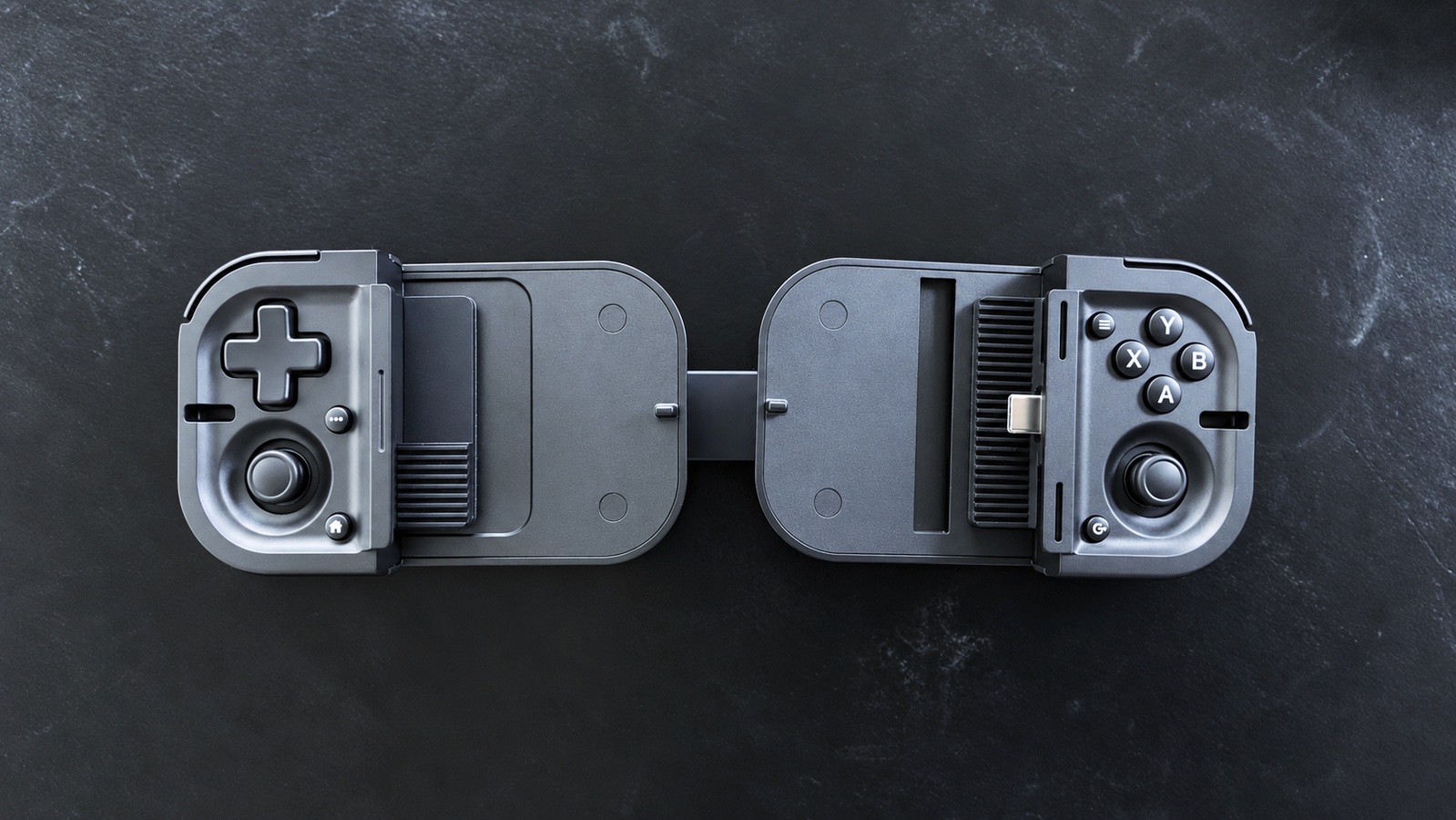
Photo: Ed Hardy/Cult of Mac
Despite the Razer Prio’s tiny size, it boasts all the standard controls of larger controllers. That includes two analog sticks, a four-way D-pad, XYAB buttons, bumpers, analog triggers and the usual menu and home controls. There’s also a dedicated button for Razer Cortex, the company’s mobile game launcher.
The buttons feel good to press and are unusually quiet, making this a good choice for playing games when I need to not bother people nearby.
Razer says the Prio uses capacitive, contactless sticks designed to provide precise movement while reducing the potential for stick drift. But they are quite small.
This is a very portable game controller, and some compromises are unavoidable, but I predict that you’ll definitely notice how small these sticks are.
The same goes for the shoulder buttons and triggers. There is plenty of travel, but the controls are not quite wide enough for real comfort.
While the XYAB buttons are smaller, too, and closer together, I don’t find that noticeable.
All in all, using the Razer Prio feels just a bit cramped after using it for a while. There’s no doubt it puts an emphasis on portability.
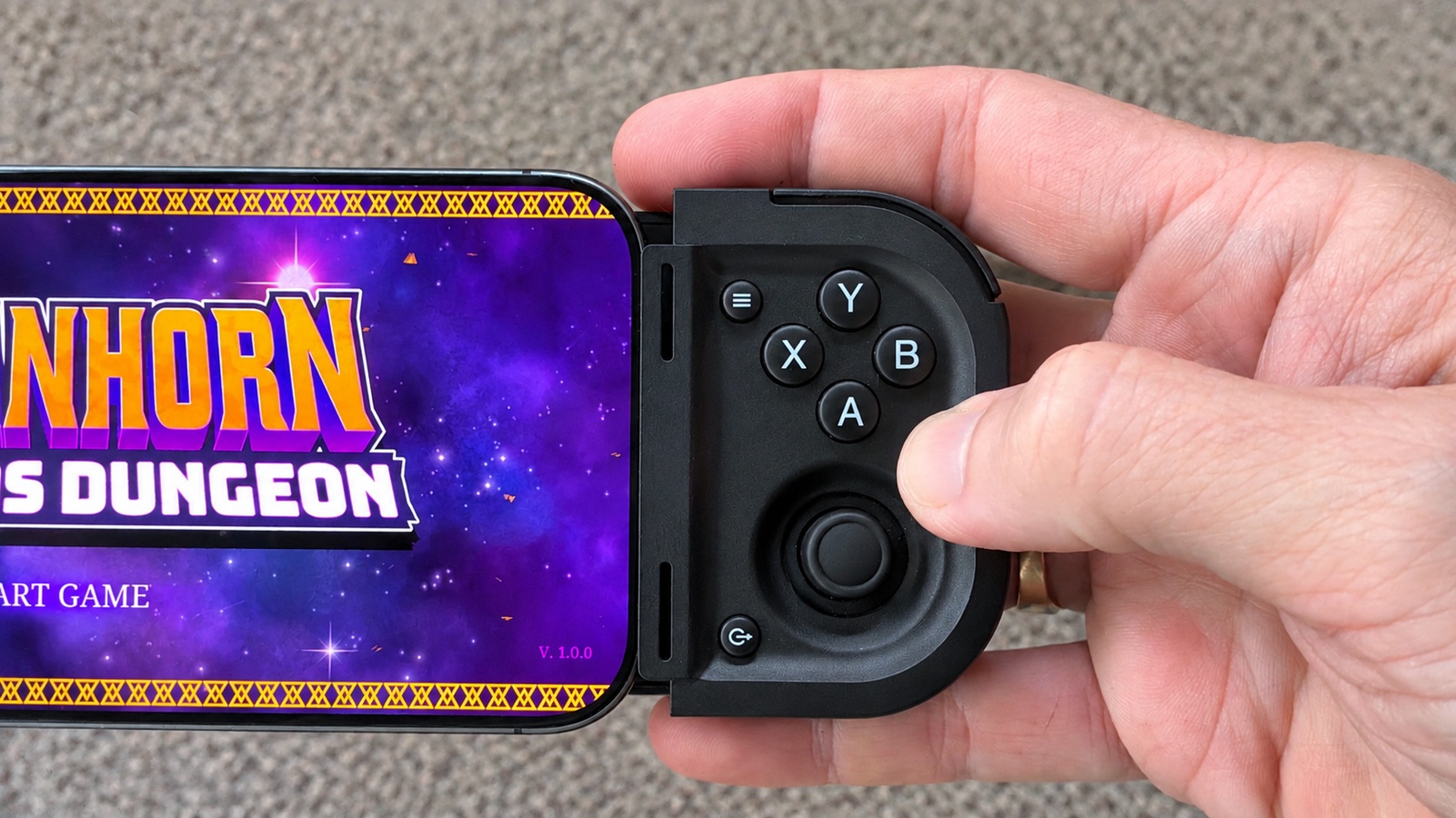
Photo: Ed Hardy/Cult of Mac
No grips
The other significant design compromise is the lack of grips. There are none.
That said, the grips on traditional controllers help balance the hardware, which is sometimes front-heavy. That’s not the case when the Razer Prio is clipped to my iPhone 17.
Still … no grips.
USB-C and no battery needed!
One of my favorite features of the accessory is that it plugs into the USB-C port on my iPhone — no Bluetooth pairing necessary.
And no battery needed, either — the Razer Prio draws power from the phone. That makes it convenient for quick gaming because it’s one less device to remember to charge.
The clip-on accessory supports iPhone models with USB-C ports, and Android handsets, too. But there’s definite size limit. Apple’s Pro Max models fit, but not the iPad mini. The elastic bridge won’t stretch that far.
Would you like to play a game?
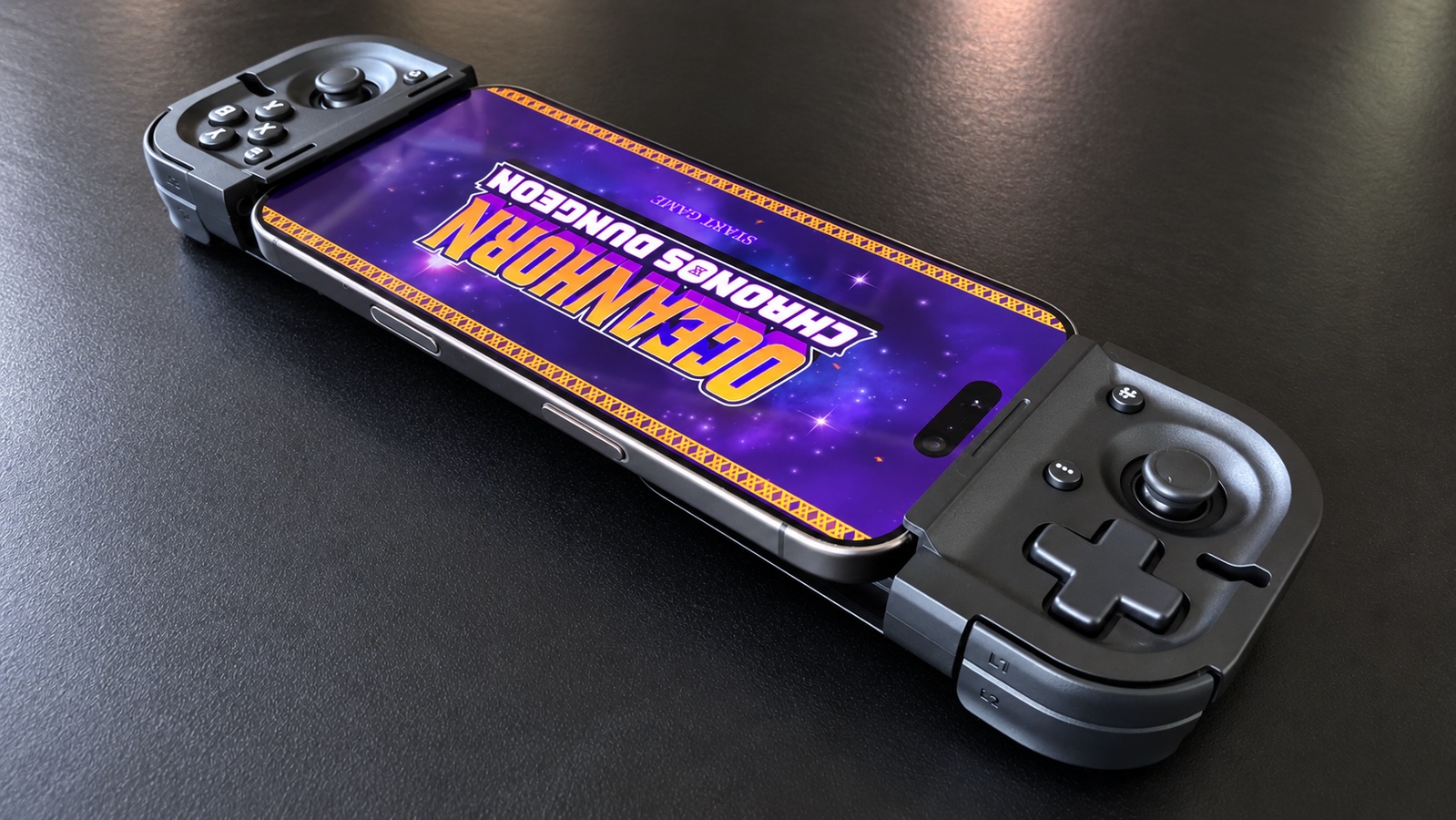
Photo: Ed Hardy/Cult of Mac
A game controller is unnecessary to play Solitaire or a match-three game, but I strongly recommend one for any RPG or FPS. So that’s the sort of games I used to test the Razer Prio.
I prefer to use my favorite classic games for this type of accessory because if there’s an issue, I know it’s with the controller, not the game. That’s why I started with Lego Star Wars, and then moved to Oceanhorn 2.
I wrapped up testing with something new — I played a few levels of Lara Croft and the Temple of Osiris, which was released for iOS in early September.
Everything performs just like it should. No problems. My fingers found the buttons and sticks without me ever needing to glance away from the screen.
For short gaming sessions, I found the Razer Prio to be brilliant. I’d much rather use it than touchscreen controls if I have 10 or 15 minutes to play.
But after a while, the small sticks and triggers, plus the lack of hand grips, started to cramp my hands.
Razer Prio review: Final thoughts
Razer’s new mobile controller is perfect for short gaming sessions. If I’m stuck waiting for 20 minutes, I can happily pull it out and play a few levels of something.
But when I want to spend two hours playing a game on my iPhone, a larger controller with full-size grips is much more comfortable.
The advantage of the Razer Prio is that I’m going to put it in my gear bag and keep it there. That’s not something I’ll do with a larger, heavier controller, no matter how comfortable it is to use.
What it comes down to is: the best game controller is the one I have with me. And that’s the Prio. My full-size controller does me no good after I left it at home because it weighs me down.
★★★★☆
Pricing
The list price at launch for the Razer Prio is $99.99.
Take console-style gaming anywhere with a pocket-sized controller that unfolds in seconds, fitting phones up to 7 inches for gaming during commutes, travel, breaks and everyday downtime.
- Folds to be very small and light
- Full set of controls
- A bit cramped to use
Razer provided Cult of Mac with a review unit for this article. See our reviews policy, and check out more in-depth reviews of Apple-related items.

Ed Hardy has been writing full-time about tech for 26 years, and using it for much longer than that. His intro to Apple was a Macintosh SE/30 (which he still has), but now he uses a 13-inch iPad Pro as his primary computer.
That’s because he’s a “tablet first” type of guy. Rather than use a Macbook, he connects a keyboard case to the iPad. And instead of a desktop Mac, he connects his tablet to a 27-inch display and full-size keyboard. (So don’t try to tell him that everyone has to use a Mac to be productive.)
Before coming to Cult of Mac, Ed wrote for NotebookReview, TabletPCReview and Brighthand, as well as other sites.

