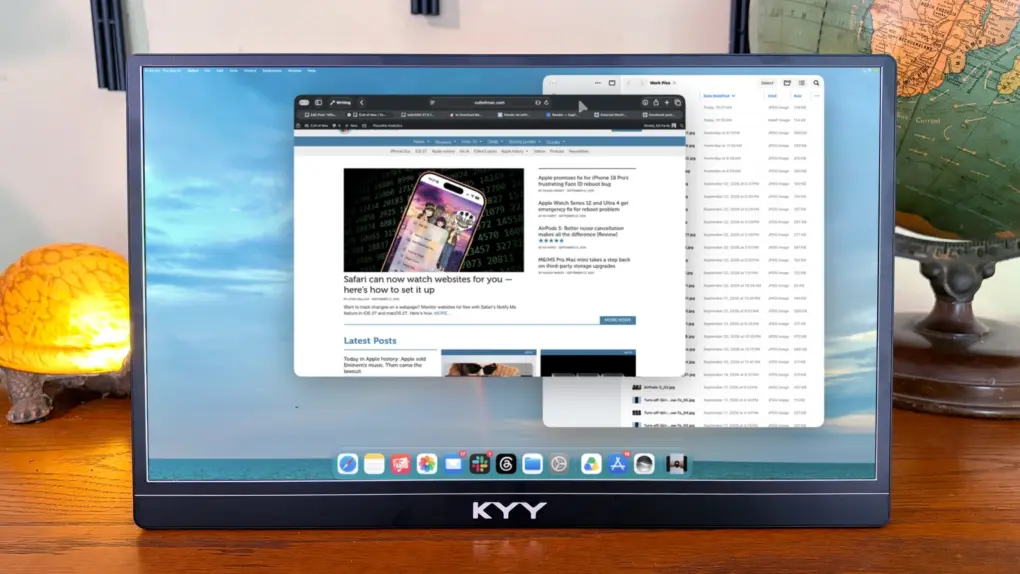
The KYY K1302R Portable Monitor stands out from its rivals with a rotating kickstand that makes switching between landscape and portrait modes a breeze.
The LCD is 1080P, but nevertheless looks bright and clear. And its modest resolution helps make this external display very affordable.
It also appears professional thanks to a slim chassis that’s all aluminum, not plastic. And connecting it to your Mac or iPad is as easy as plugging in a USB-C cable.
I’ve used the portable monitor for weeks as part of my mobile setup. Here’s why I like it.
KYY K1302R Portable Monitor review
Your MacBook is wonderfully portable, but its built-in display can feel cramped when you’re working with multiple apps, documents and browser windows. Adding a second screen gives you considerably more screen real estate, so it’s easier to keep everything in view without constantly switching windows.
A portable monitor such as the KYY K1302R makes adding extra workspace practical even when you’re away from your desk. You can use the MacBook’s built-in display for your main tasks while keeping email, reference material, chat or other apps on the second screen — essentially turning a compact laptop into a more capable dual-display workstation without giving up portability.
I’ve reviewed many KYY displays over the years — like this 14-inch one — and they’ve built a reputation for quality with me. I’m pleased the K1302R continues that trend.
This 15.6'' portable monitor features a built-in integrated stand with 65° forward/backward tilt and 180° left-right rotation, enabling seamless switching between landscape and portrait modes.
It measures just 0.2 inches thin and weighs 1.65 lbs. Whether commuting to the office or traveling for business, this ultra-slim portable monitor adds minimal bulk.
- Clear screen with bright colors
- Both portrait and landscape
- Cover rotating kickstand
- 1080P not 4K
- No flipcover

Table of contents:KYY K1302R Portable Monitor review
- 15.6-inch display looks great for 1080P
- A clever kickstand
- KYY K1302R looks more expensive than it is
- Provides easy connectivity
- But no flipcover
- Keep quiet about audio
- KYY K1302R Portable Monitor review: Final thoughts
- Pricing
15.6-inch display looks great for 1080P

Photo: Ed Hardy/Cult of Mac
When I started testing the KYY K1302R, I expected to use it for a few days then switch back to my usual 4K Espresso 15 Pro portable monitor. I mean, 1080P is nice and all, but I was sure the lower resolution would bother me.
Weeks later, I haven’t swapped back yet. There simply wasn’t a good reason to — the LCD looks good enough that I don’t often notice that it’s not the higher-priced model I regularly use.
I’m not trying to oversell it. The KYY K1302R’s 1080P display isn’t going to match the sharpness of a 4K monitor, and the colors look just a bit faded, but the image quality is surprisingly high for a budget monitor.
It’s more than adequate for the kind of work I do. I use it regularly for writing, browsing websites and juggling multiple windows, and I even watch video on it from time to time. Text is clear, images look clear and video is perfectly enjoyable.
The days when low-cost monitors were dark and muddy with bland colors are thankfully behind us.
Again, I’m not trying to oversell this screen. If you’re accustomed to a high-resolution display with really vivid colors, like the one in your MacBook, you’ll notice the difference. But for everyday work and entertainment, the K1302R’s 1080p screen gets the job done without feeling like a significant compromise.
Need a monitor to create art? This isn’t it. But to read emails or code from a classroom, hotel room or coffee shop, this gets the job done.
A clever kickstand
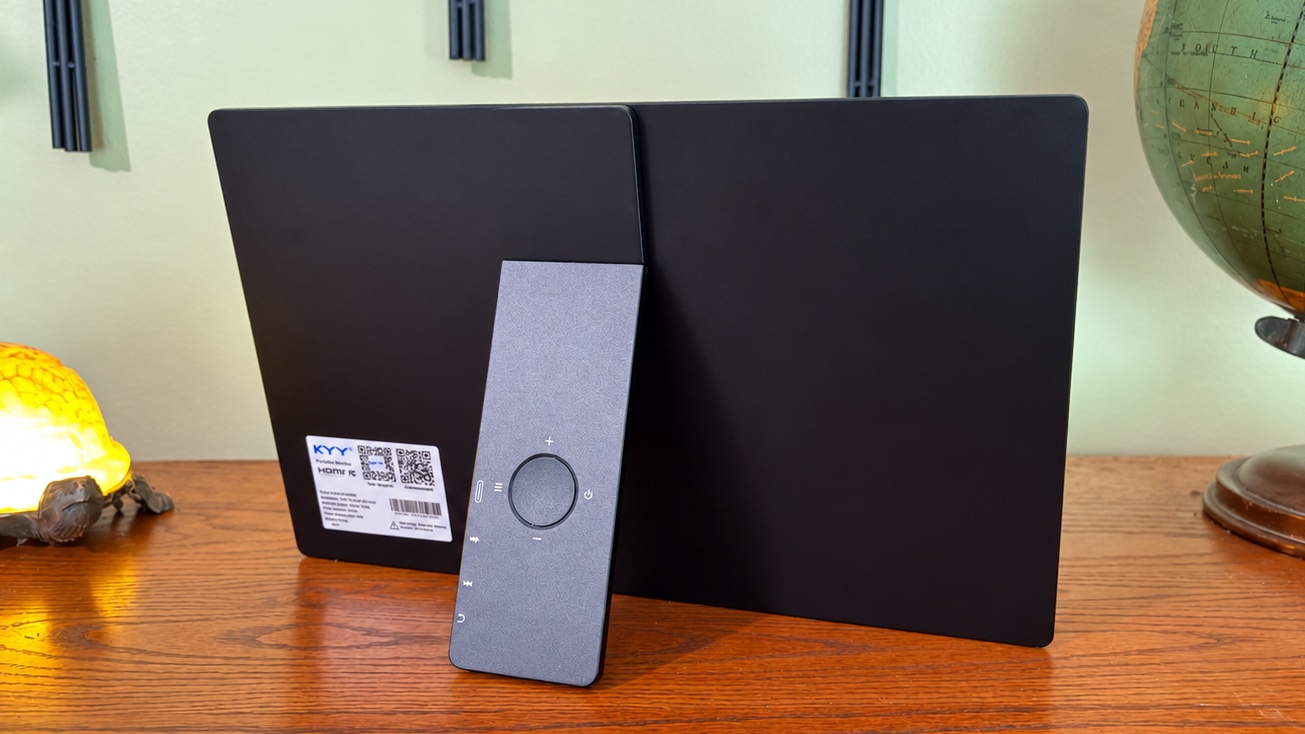
Photo: Ed Hardy/Cult of Mac
If you’ve used a portable monitor before, you know they usually come with a flipcover that does double duty as a stand. The KYY K1302R takes a completely different approach, with a sturdy metal kickstand built into the back of the monitor. It lets you tilt the display backward by up to 65 degrees so you can adjust it to your preference.
But the real trick is that the kickstand rotates 90 degrees, so you can flip the display between landscape and portrait orientations. That makes it useful for everything from a conventional second screen to reading long documents.
As a bonus, I like that the dual USB-C ports are on the kickstand, not the side of the monitor. I primarily use the display in landscape mode, and this design puts the cables mostly behind the screen where I don’t have to look at them.
KYY K1302R looks more expensive than it is
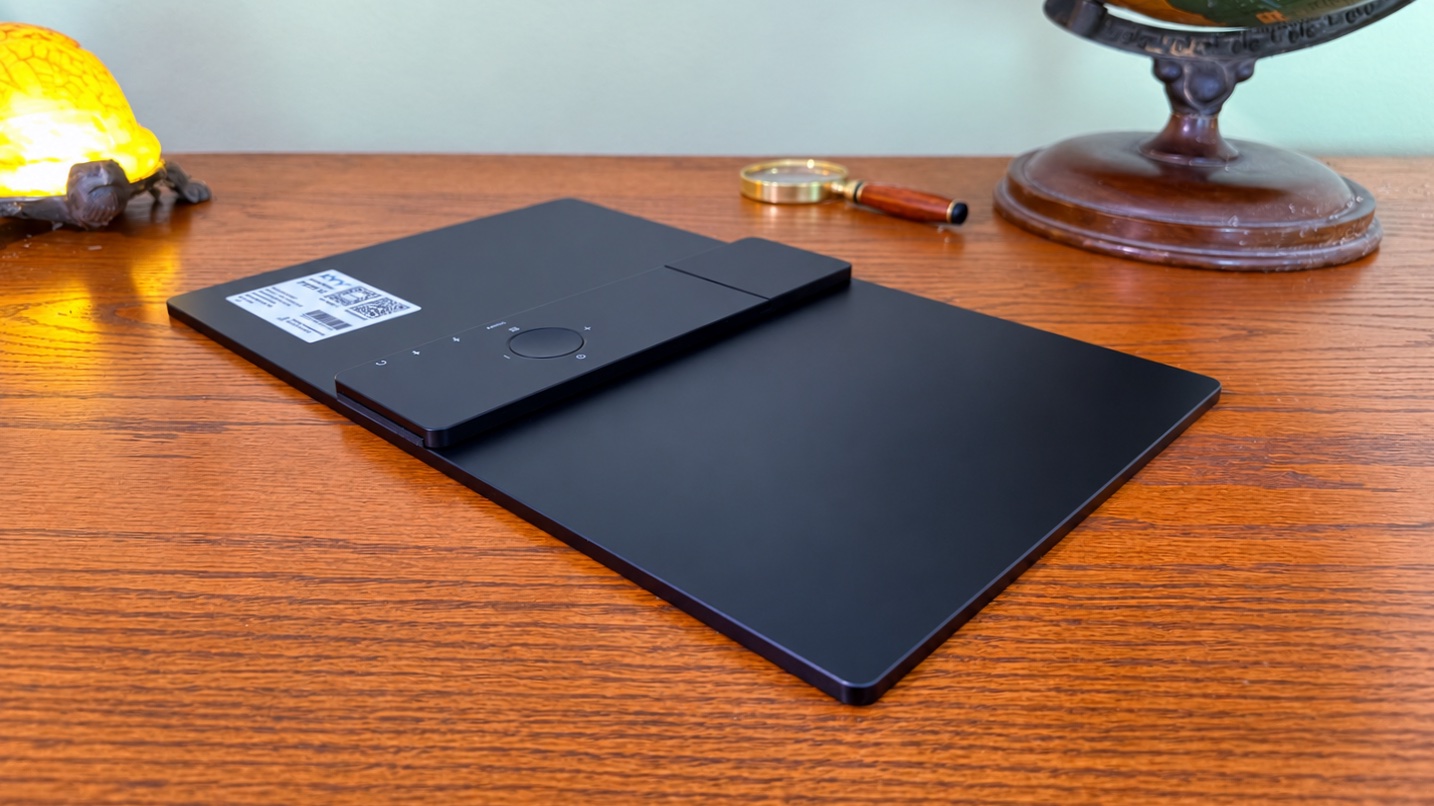
Photo: Ed Hardy/Cult of Mac
The clever kickstand is only part of the reason KYY K1302R looks more premium than it really is. Its black, aluminum-alloy body gives it a professional appearance.
Contributing to that impression is the remarkably thin profile: under a quarter of an inch thick.
Provides easy connectivity
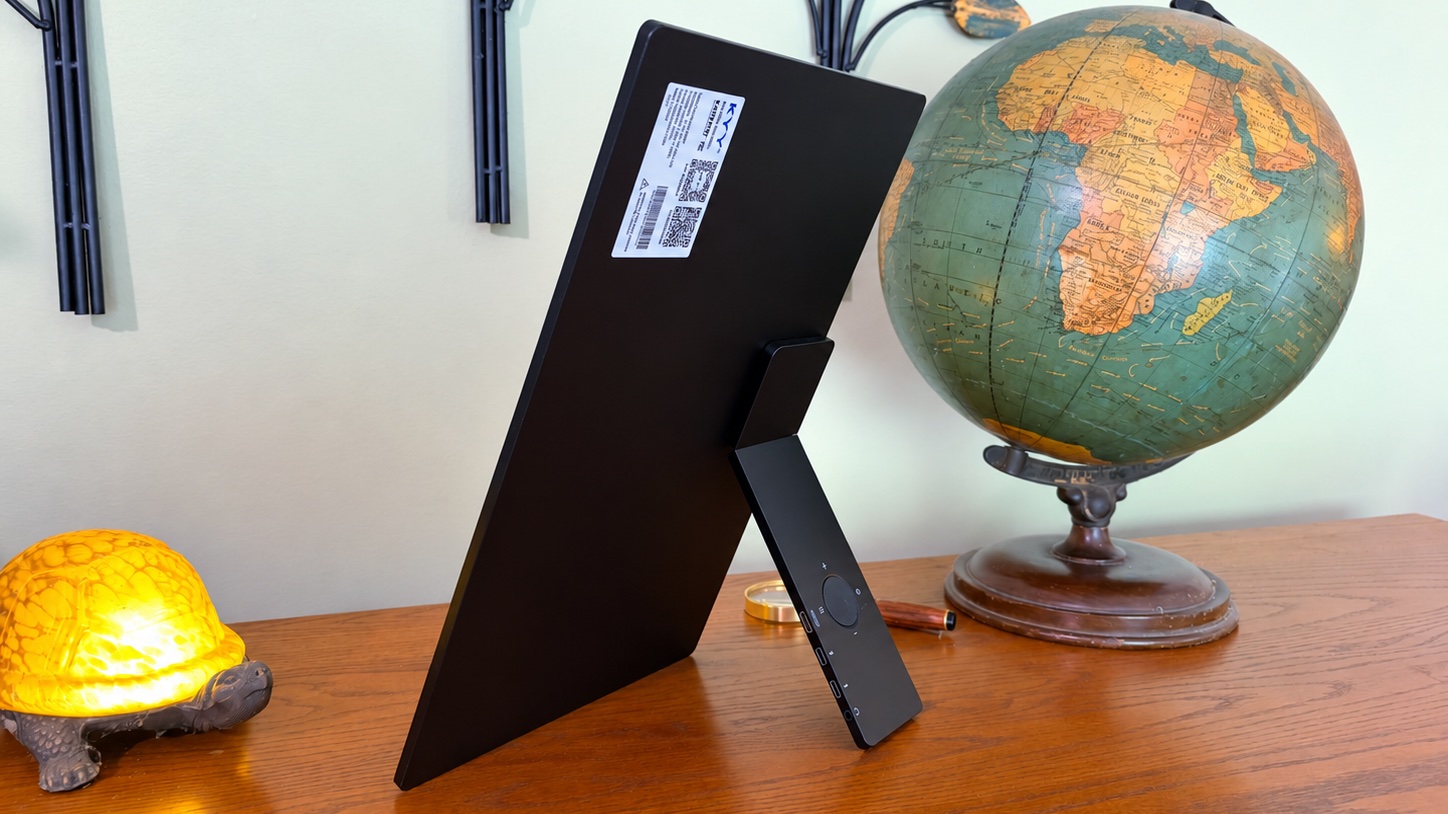
Photo: Ed Hardy/Cult of Mac
Connecting the KYY K1302R Portable Monitor to a Mac or iPad couldn’t be easier. And it doesn’t require an HDMI adapter. The device includes a pair of USB-C ports and the necessary cable.
The second USB port lets you run power to the display from a wall socket. Or your computer can supply power.
If you prefer HDMI, or want to use the K1302R with a game console that requires it, the port and cable you need are ready and waiting.
But no flipcover
Take note that, unlike some portable monitors, the KYY K1302R does not come with a cover of any kind. You’ll need to provide one to take it on the go. That’ll give you a place for the USB-C cable, too.
When I need to carry the accessory around, I found that it fits neatly into one of the inner pockets of the Casemade Leather Laptop Case that I love so much.
The external screen comes in at 1.7 pounds, so it won’t weigh you down.
Keep quiet about audio
The K1302R has built-in stereo speakers, which are a useful convenience when you want to watch a video without connecting headphones or another speaker. But don’t expect much from them.
Like the speakers in every portable monitor I’ve ever reviewed, they’re small and lack the volume and bass of the speakers in a MacBook or iPad. They’re fine for occasional YouTube videos, podcasts or spoken audio, but if you’re watching a movie or listening to music, you’ll probably want to use your MacBook’s speakers or connect headphones to the monitor’s 3.5mm jack.
KYY K1302R Portable Monitor review: Final thoughts
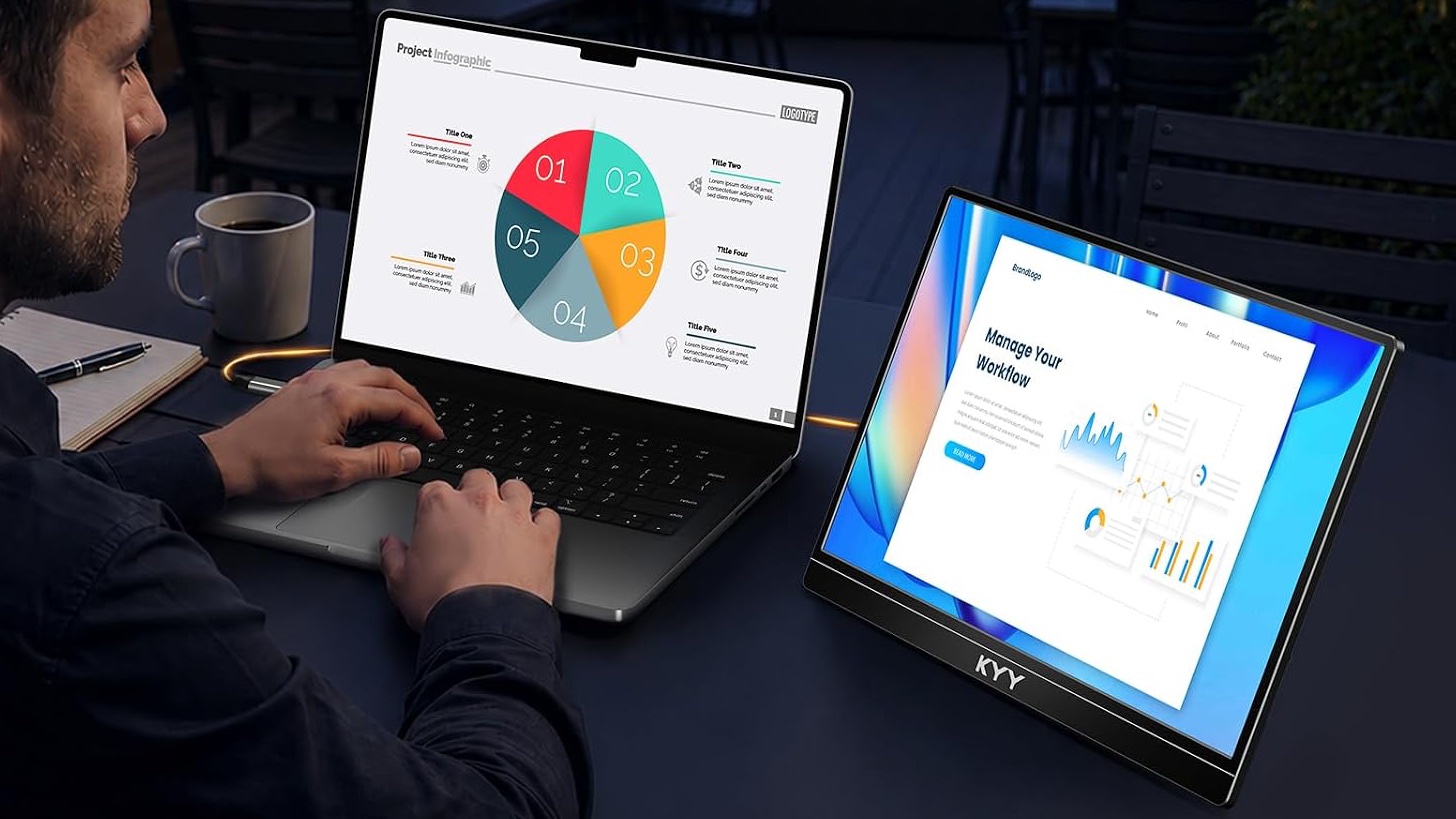
Photo: KYY
The KYY K1302R gets the important things right. Its 1080P LCD looks good, the clever built-in stand makes it easy to position and use and the slim aluminum design gives the whole thing a surprisingly professional appearance.
Most importantly, it won’t feel like you’re settling for a cheap accessory just because you’re paying a relatively low price.
This could be an attractive option for anyone who wants an extra screen for a MacBook or iPad without adding much bulk or expense.
★★★★☆
Pricing
A big factor behind the KYY K1302R Portable Monitor’s star rating was its strong affordability. The list price is $89.99, and finding it for less isn’t difficult.
This 15.6'' portable monitor features a built-in integrated stand with 65° forward/backward tilt and 180° left-right rotation, enabling seamless switching between landscape and portrait modes.
It measures just 0.2 inches thin and weighs 1.65 lbs. Whether commuting to the office or traveling for business, this ultra-slim portable monitor adds minimal bulk.
- Clear screen with bright colors
- Both portrait and landscape
- Cover rotating kickstand
- 1080P not 4K
- No flipcover
KYY provided Cult of Mac with a review unit for this article. See our reviews policy, and check out more in-depth reviews of Apple-related items.

Ed Hardy has been writing full-time about tech for 26 years, and using it for much longer than that. His intro to Apple was a Macintosh SE/30 (which he still has), but now he uses a 13-inch iPad Pro as his primary computer.
That’s because he’s a “tablet first” type of guy. Rather than use a Macbook, he connects a keyboard case to the iPad. And instead of a desktop Mac, he connects his tablet to a 27-inch display and full-size keyboard. (So don’t try to tell him that everyone has to use a Mac to be productive.)
Before coming to Cult of Mac, Ed wrote for NotebookReview, TabletPCReview and Brighthand, as well as other sites.

