Mobile menu toggle

How to reset your iPhone before trading in or selling
By

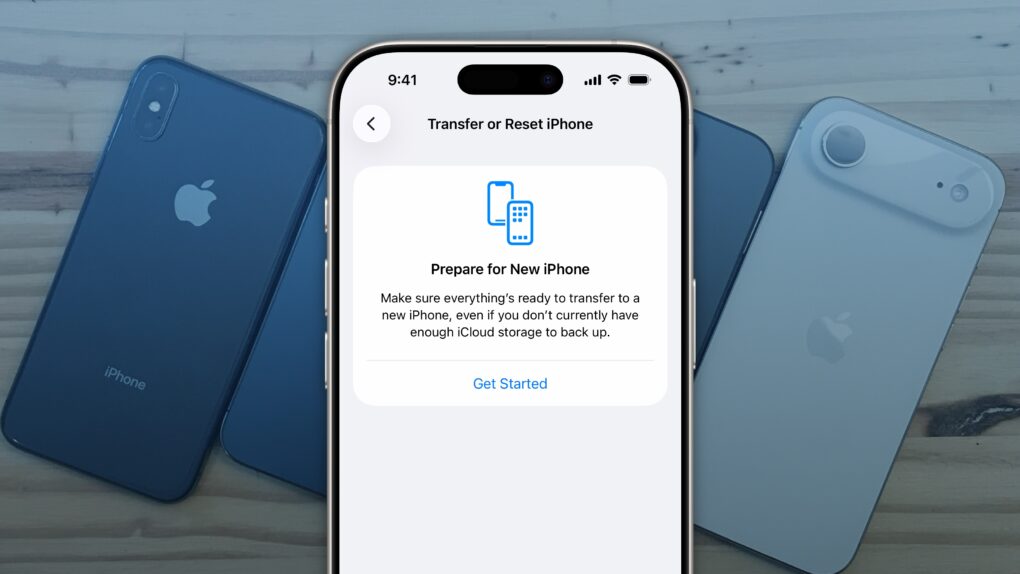
Factory Reset iPhone
It’s easy to factory reset your iPhone.
Image: D. Griffin Jones/Cult of Mac
You’ll want to reset your iPhone if you’re trading it in, selling it or passing it down to another family member. There’s a right way and a wrong way to do it.
If you don’t fully reset the phone, it’ll still be locked to your Apple Account — and the phone will be effectively useless to anyone who tries to use it.
Follow along to make sure you reset your iPhone the right way.

Today in Apple history: iTunes sales hit astonishing new heights

By

iPod silhouette ad, part of the marketing campaign that boosted iTunes Music Store sales
iTunes coming to Windows proved a smart move for Apple.
Photo: Apple

November 6: Today in Apple history: After porting iTunes to Windows, iTunes sales hit 1.5 million downloads in one week November 6, 2003: After porting iTunes to Windows, Apple sets a new record for digital music sales: a massive 1.5 million downloads in one week.
Bringing the iTunes Music Store to PC users opens up a new, lucrative market for Apple. The record-breaking sales clock in at five times more than the 300,000 downloads that peer-to-peer file-sharing service Napster achieved in its debut week (remember it?). And 1.5 million is more than double the 600,000 iTunes downloads per week Apple reported selling to Mac users prior to the Windows release.

Next iPhone Air could fix its camera problem

By

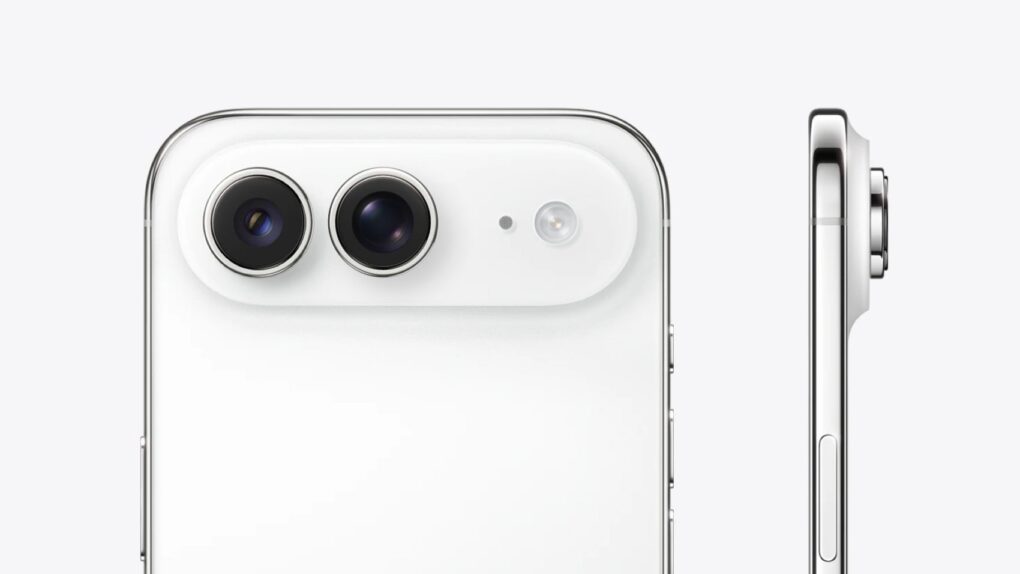
iPhone Air wide-angle camera
This mockup shows what the dual-camera system might look like.
Photo: Digital Chat Station via Weibo

Apple might address one of the biggest criticisms of its ultra-thin iPhone Air by adding a second camera to the next-generation model, according to a new leak Thursday from a reliable source with knowledge of the company’s supply chain. Unfortunately, it looks like the new addition to the iPhone Air will be a wide-angle camera, not the popular telephoto found in iPhone Pro models.
However, if the dual-camera system materializes, it would make the iPhone Air a more compelling option for users seeking an ultra-thin device without sacrificing essential photography features.

Google Chrome AI Mode shortcut finally lands on iPhone

By

AI Mode in Google Chrome
AI Mode in Google Chrome will change the way you search.
Graphics: Google/Rajesh Pandey

Google Chrome is getting a dedicated AI Mode button on iOS and Android. AI Mode is an AI-powered search solution from Google; think of it like the company’s take on ChatGPT.

Google rolled out AI Mode in Chrome for Windows and Mac earlier this year. 

Google Maps gets a Gemini boost for smarter navigation

By

Gemini comes to Google Maps.
Photo: Google

Google will integrate AI into Google Maps to make navigation even better. With Gemini integration in Google Maps, you’ll gain access to a smart co-passenger on your phone that can help you reach your destination easily.

Thanks to Gemini’s AI prowess, Google Maps can now proactively notify you of traffic disruptions. Or help find a fuel stop — all hands-free and through a natural conversation.

Upgrading Siri with Google Gemini will be $1 billion quick fix

By

Upgrading Siri with Google Gemini will be $1 billion quick fix
At the heart of the new Siri will be Google AI. But it’s not as bad as you might think.
Graphic: Apple/Google

The brains behind the upcoming AI-enhanced version of Siri will reportedly be provided by Google, not Apple’s own tech. For a hefty price.
Google’s software will supposedly run on Apple servers, so user data isn’t being handed over to Google.

How a battle for your dashboard threatens CarPlay’s future

By

CarPlay's future
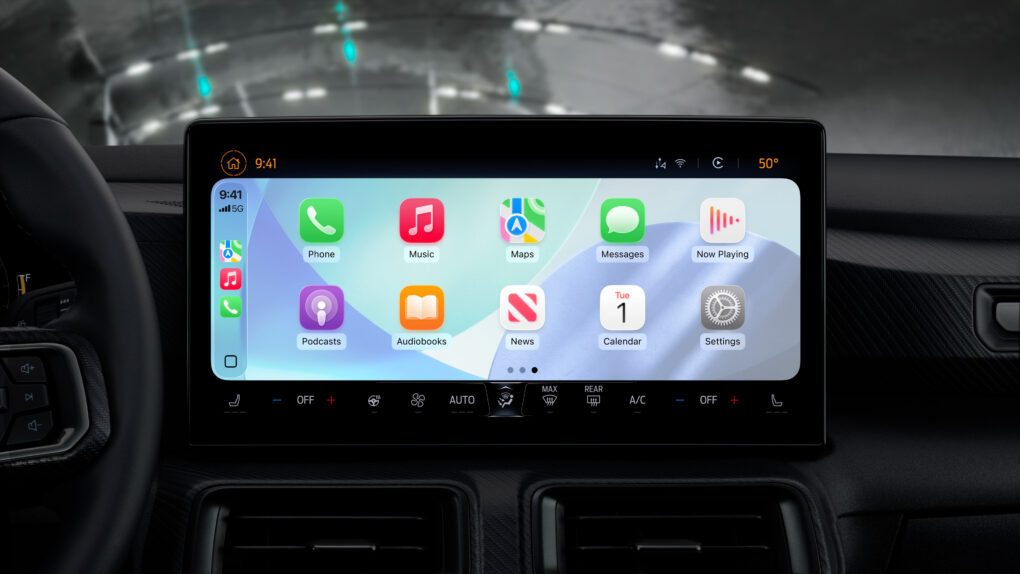
Nice CarPlay updates in iOS 26 aside, the system's future faces big challenges.
Photo: Apple

For millions of iPhone users, Apple’s CarPlay marries basic transportation with a satisfying technology experience for navigation, entertainment and more.
But an expert’s new report points to troubling reasons why CarPlay’s days may be numbered, thanks to a growing automotive industry profit motive. Yes, of course, it’s all about money. 

Apple quietly added this awesome feature in iOS 26.1

By

The best iOS 26.1 feature you probably haven’t noticed yet
Apple made a simple change in iOS 26.1 that you’ll probably love.
AI image: ChatGPT/Cult of Mac

My favorite change in iOS 26.1 has nothing to do with Liquid Glass, though cosmetic tweaks to the glossy user interface have drawn the most attention in the latest OS update. To me, the biggest improvement is the option to disable the Lock Screen swipe to open the iPhone’s Camera app.

I frequently pull out my iPhone to find the Camera app has been running in my pocket, draining the battery. It’s that damn Lock Screen swipe at fault. If this happens to you, too, here’s how to disable it in iOS 26.1.

Today in Apple history: Fortune names Steve Jobs ‘CEO of the decade’

By

Steve
Steve Jobs was rounding out a brilliant 10 years at Apple.
Photo: Stanford University

November 5: Today in Apple history: Fortune magazine names Steve Jobs CEO of the decade November 5, 2009: Fortune magazine names Steve Jobs “CEO of the decade.” The accolade comes just four months after Jobs returned to Apple after undergoing a liver transplant.
The business publication credits Jobs with transforming multiple industries, as well as continuing Apple’s meteoric rise. These achievements seem particularly noteworthy considering the tough economic conditions of the 2008 financial crash.

Sleek Nomad Stand One chargers for iPhone and more just got a lot faster

By

Nomad Stand One Qi2.2 chargers
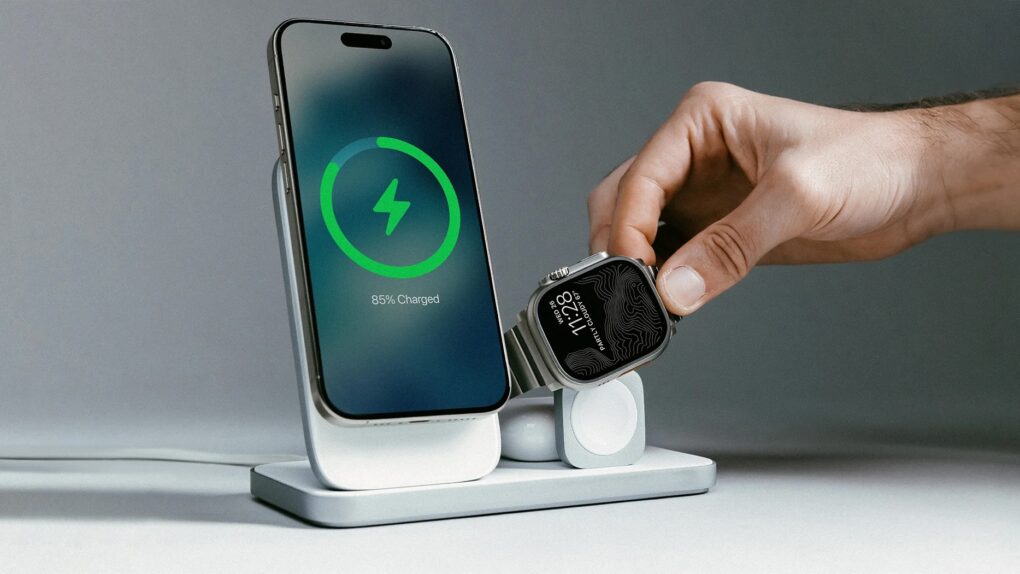
The Nomad Stand One Max is a 3-in-1, powering up Apple Watch in addition to iPhone and AirPods.
Photo: Nomad

Nomad launched updated versions of its Stand One and Stand One Max wireless chargers Tuesday, bringing support for the new Qi2.2 standard. It enables 25W fast charging for compatible iPhones. The upgrade matches the charging speeds of Apple’s latest MagSafe chargers and represents a significant improvement over the 15W charging supported by previous Qi2 models.

Get a first-gen Apple Pencil for just $45 (half off!)

By

Close-up photo of a person's hand holding a refurbished Apple Pencil above an iPad
Save 54% on this refurbed of Apple Pencil.
Photo: Cult of Mac Deals

This grade-A refurbished first-gen Apple Pencil comes with a USB-C adapter and costs just $44.99. It gives iPad owners powerful drawing, writing and productivity features, without the full retail cost of the latest models.
Check compatibility below to see if this stylus will work with your iPad. If it does, get ready to save!

5 Apple products I wish I never bought

By

Image of red Apple logo that's melting
Most times, Apple nails it. But not always.
AI image: Midjourney/Cult of Mac

Apple makes some of the best tech products in the world — beautifully designed, powerful and reliable. But even the best stumble sometimes.
Over the years, I’ve used plenty of Apple devices that looked great on paper but turned out to be frustrating in practice. Here are the ones that made me question Apple’s “it just works” mantra.

Jawohl! Full Live Translation with AirPods coming to EU.

By

Live Translation with AirPods
Live Translation with AirPods breaks the language barrier.
Photo: Apple

Apple’s nifty new feature that lets AirPods translate speech in real time will reportedly become available to EU residents while they’re in Europe next month.
That will put an end to an odd situation: Currently, non-Europeans can use the AirPods Live Translation feature while in Europe, and EU residents can use it when traveling outside the European Union but not within the EU.

Save up to 32% on Apple’s official iPhone 17 cases

By

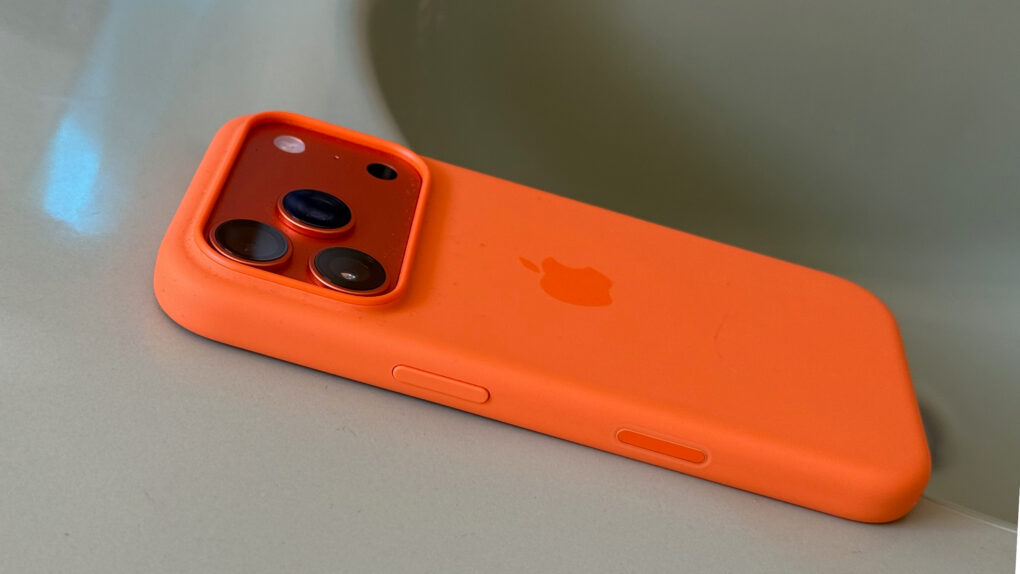
Photo of a cosmic orange iPhone 17 Pro in an orange Apple silicone case, sitting on a bathroom sink.
Apple's silicone cases feel silky smooth and come in a variety of vibrant colors.
Photo: Lewis Wallace/Cult of Mac

Getting an iPhone case has never been more important with the new iPhone 17 Pro and iPhone Air models seemingly quite susceptible to scratches. Fortunately, deals save you up to 26% on the full range of official Apple cases for the new models: bumper case, silicone case and clear case (just not TechWoven).
An iPhone case is always a good idea, especially with these deals. But don’t delay — the savings are available for a limited time.

Apple’s upcoming budget laptop has PC makers ‘freaking out’

By

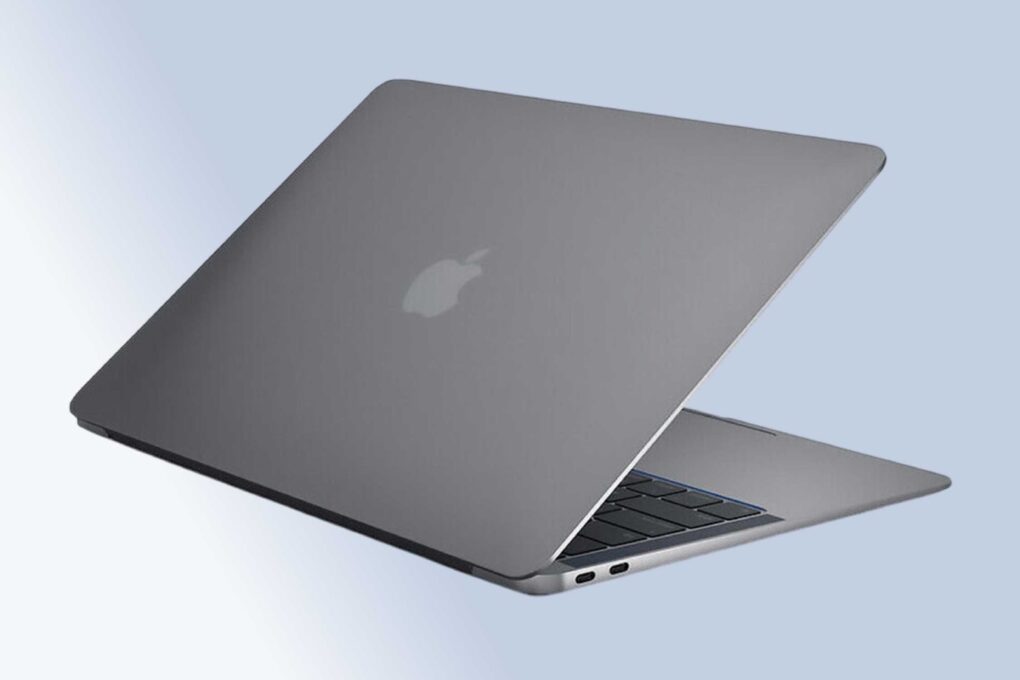
Apple developing low-cost laptop
A new budget MacBook might not look much different from this M1 MacBook Air. And the new Mac's iPhone processor may outperform the M1 chip.
Photo: Cult of Mac Deals

Apple is working on its first low-cost laptop, a strategic departure from its traditional premium approach that could shake up the education and entry-level PC markets, according to a new report. And some responses on social media suggest the PC industry is, indeed, “freaking out” over it.

WhatsApp finally brings messages, voice notes and calls to Apple Watch

By

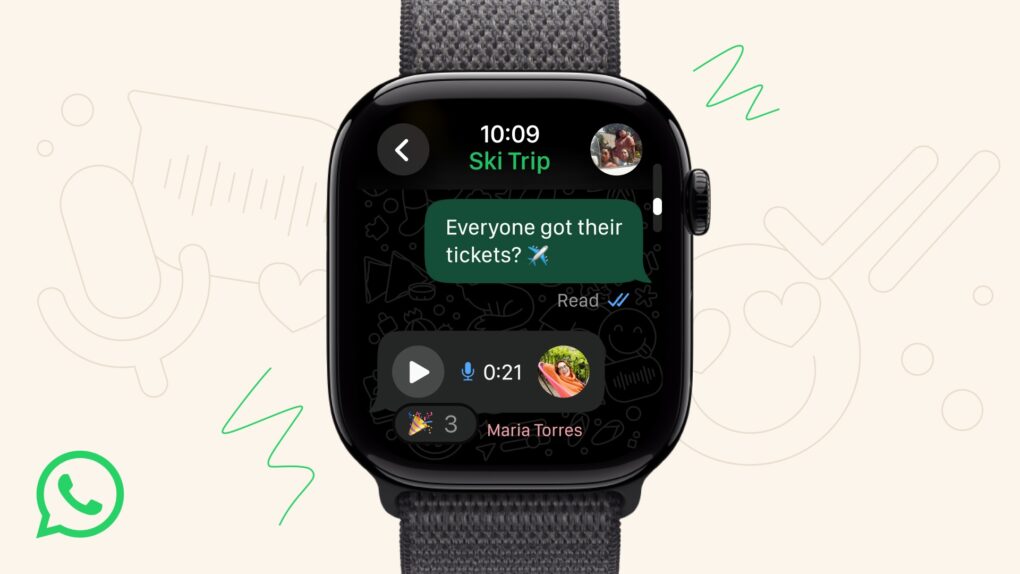
Whatsapp for Apple Watch
A dedicated WhatsApp for Apple Watch is finally here.
Photo: Meta

A decade after Apple Watch launched, WhatsApp finally launched a dedicated app for the smartwatch Tuesday — ending years of frustration for users who could only respond to notifications from their wrist. The messaging service brings full chat functionality to your wrist with support for messages, voice notes and calls, Meta said. 

Today in Apple history: Apple sets up shop inside CompUSA stores

By

Desiring more control over how Macs got sold, Apple turned to CompUSA.
Photo: Coolcaesar/Wikipedia CC

November 4: Today in Apple history: Apple CompUSA November 4, 1997: Apple unveils its plan to open small “store within a store” areas inside CompUSA outlets around the United States. Apple-trained employees will staff these mini-stores and sing the praises of the Mac and other Apple products.
The move gives Cupertino more control over the way its products are displayed and demoed to consumers. While ultimately disappointing, Apple’s CompUSA experiment paves the way for the flagship Apple Stores that will launch four years later and become the world’s most profitable retail outlets.

Your MacBook needs the ‘world’s smallest 1TB USB-C flash drive’

By

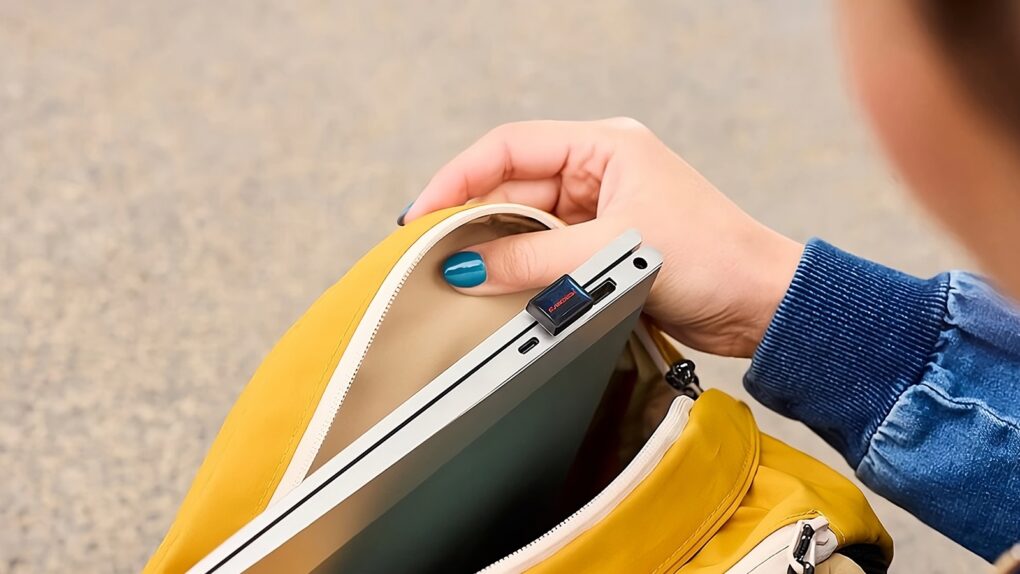
SanDisk Extreme Fit USB-C Flash Drive: In use
You can carry your MacBook around without removing the SanDisk Extreme Fit USB-C Flash Drive.
Photo: SanDisk

The SanDisk Extreme Fit USB-C Flash Drive packs up to a terabyte of storage, but is tiny enough that you can leave it plugged into your MacBook. SanDisk touts it as “the world’s smallest 1TB USB-C flash drive.”
Outgrown the storage capacity of your older MacBook? This drive could be just the boost you’re looking for.
The mini SSD can even be used with an iPhone, as well as an iPad.

Twofer deal gives you lifetime access to 1TB of cloud storage plus VPN for just $60

By

Abstract tech schematic overlaid on an image of a person using a laptop
Gain lifetime access to 1TB of cloud storage and a VPN for one low price.
Photo: Cult of Mac Deals

Can you put a price on online privacy and cloud storage? We can, and it’s a remarkably tiny one.
The 2026 Cloud Storage & Internet Privacy Lifetime Subscription Bundle gives you a lifetime of storage and security for a small one-time payment. It pairs 1TB of FolderFort cloud storage with OysterVPN — and you get it all for just $59.99 (MSRP $598.97).

Thank goodness Slide Over is back in iPadOS 26.1

By

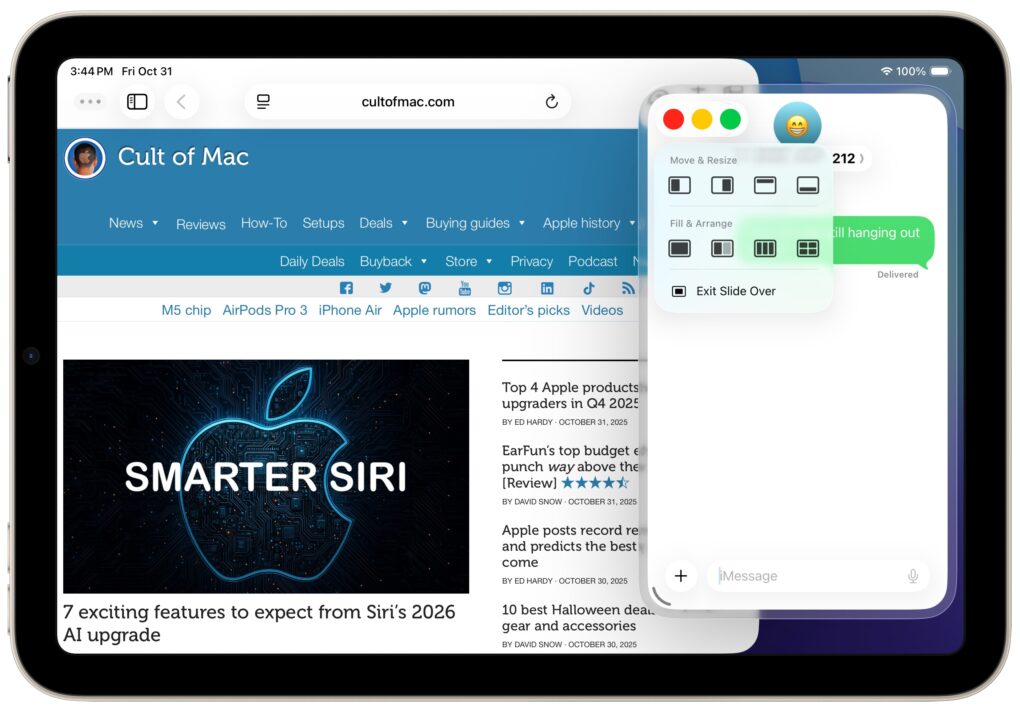
Toggling Slide Over on the iPad
Slide Over multitasking returns to iPad!
Screenshot: D. Griffin Jones/Cult of Mac

Slide Over, one of the best iPad multitasking features, got rescued from the rubbish heap with the new iPadOS 26.1. It’s an ideal way to keep an application that you check frequently but not constantly within easy reach — it’s offscreen but accessible with just a flick of a finger.
Here’s how to use Slide Over, and why you shouldn’t ignore the option now that it’s back in iPadOS 26.1, which launched on Monday.

5 new features in iOS 26.1 you don’t want to miss

By

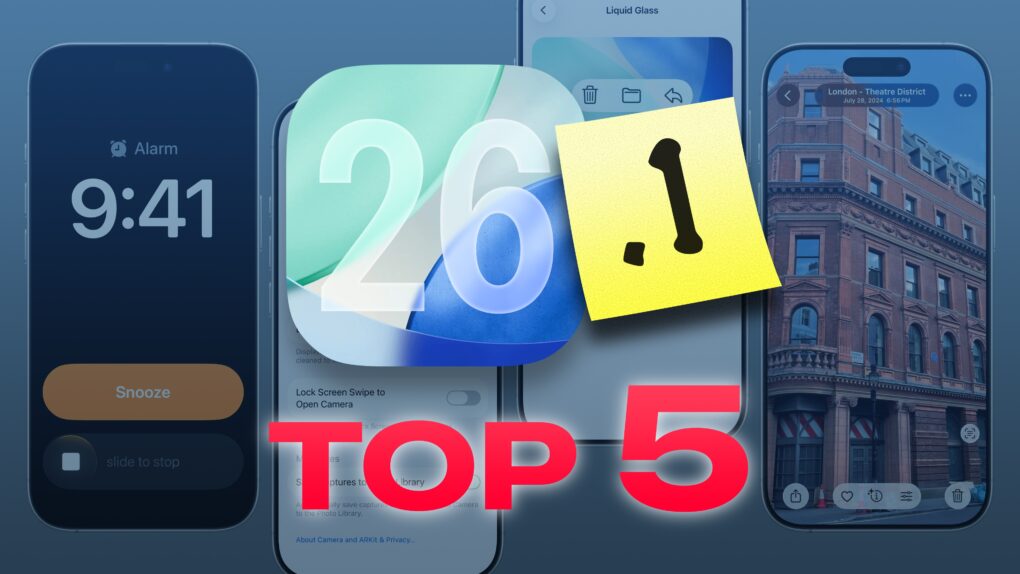
iOS 26.1 Update: Top 5 Features
The best new features in the latest update.
Image: D. Griffin Jones/Cult of Mac

iOS 26.1, which Apple released Monday, brings five features you should check out immediately after you install the update.

The biggest change gives you a way to customize the legibility of Liquid Glass, the major user interface overhaul Apple delivered to all its software platforms this year. But there’s plenty of other cool stuff you don’t want to miss.

Other key upgrades come to Apple Music and the iPhone’s alarm clock interface. Plus, there’s a setting that can keep your iPhone battery from draining in your pocket. And for iPad owners, there’s the celebrated return of Slide Over on iPad.

Apple builds App Store for the web, and everyone asks, ‘What took so long?’

By

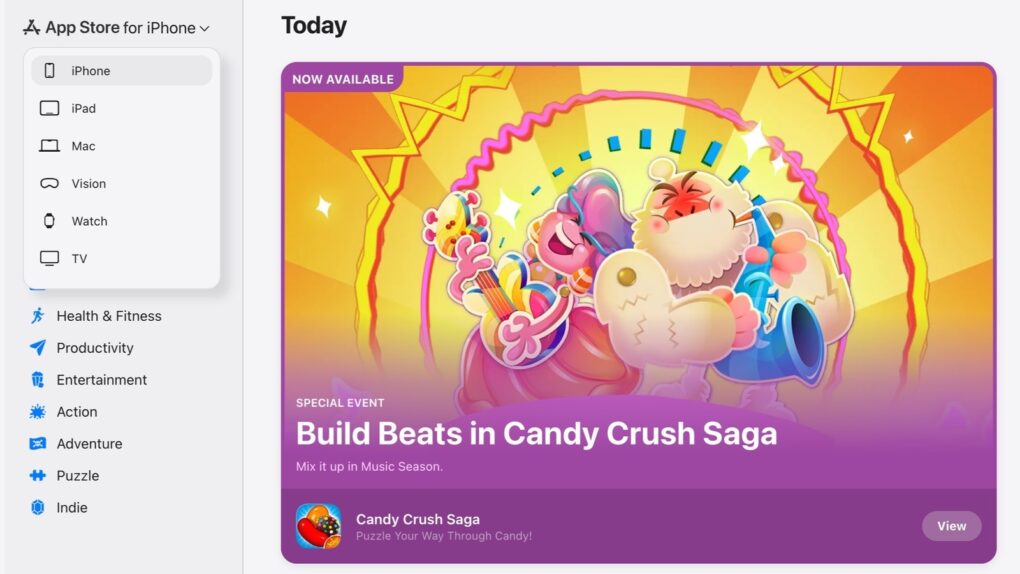
Apple App Store on the web
Apple — finally — put the App Store on the web.
Screenshot: Lewis Wallace /Cult of Mac

The iPhone App Store is now accessible on a Mac. And iPad users can research what macOS applications are available. Anyone can see what Apple Watch apps are available. All of these are possible now that Apple finally put the App Store on the web Monday.

It’s long overdue, and still missing a feature many users would like.