The guys at FontShop have released a beta plugin for Adobe Photoshop CS5 and 5.5, giving designers access to live font previews within their existing artwork.
FontShop’s Beta Photoshop Plugin Puts Font Previews Where You Need Them
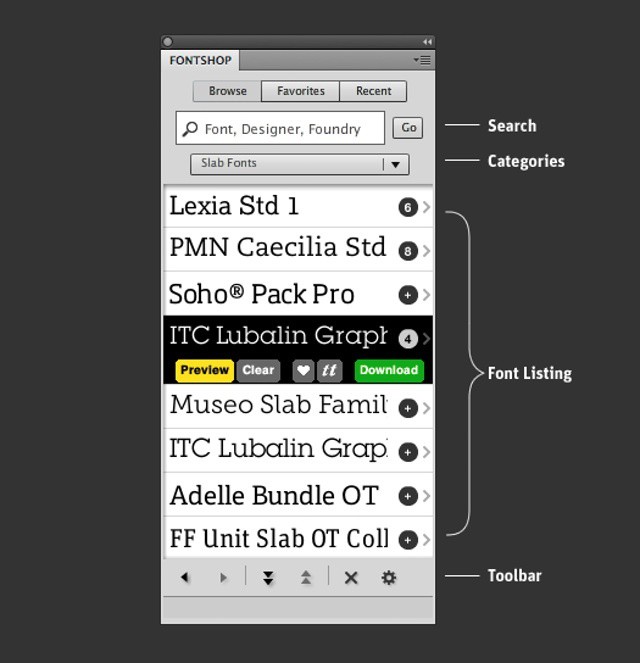

The guys at FontShop have released a beta plugin for Adobe Photoshop CS5 and 5.5, giving designers access to live font previews within their existing artwork.

Plants vs. Zombies has been a smash hit on iOS for well over two years now. But despite its age, developer PopCap is still adding new content. Its latest update is sure to put a smile on your face, adding a new game mode, new minigames, more achievements, and lots more.

While the real iPhone 5 probably won’t show its face until October, there is one that’s already available and it’ll keep you cool this summer. Spotted in a Taiwanese bakery, the iPhone 5 ice pop tastefully rips off Apple’s logo and its iPhone to become the perfect treat for any Apple fanboy.
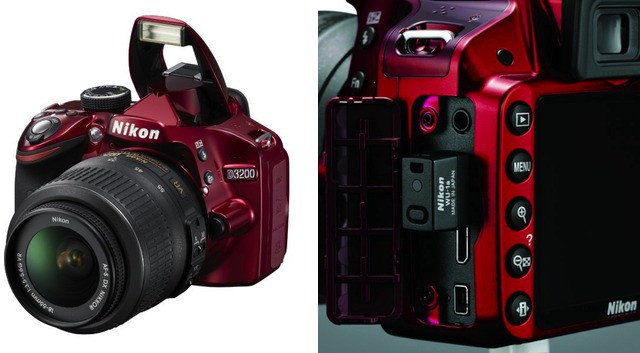
We’ve been banging on about connecting proper cameras to the internet for quite a while now, and it seems that at last these cameras are starting to catch up to the world of smartphone cameras. Nikon’s new D3200 SLR updates the D3100 with some slightly better specs, but the big news is that it can be used with an optional Wi-Fi unit for sending photos to your iPhone, iPad, or whatever piece of junk you use instead.
If you’re thinking “Whatever, Charlie. This is Nikon. How much does this thing cost?” then I have your answer. A surprisingly cheap $60. That’s way less than an Eye-Fi card, and hopefully it’s way more reliable.

Apple finally gave the notice that it would be killing off MobileMe once and for all on June 30th, 2012. The soon-to-be-defunct service has already been replaced with iCloud, but Mac users who are still not running an OS X version older than Snow Leopard can’t hop on the bandwagon. You must have Snow Leopard installed to then install OS X Lion from the Mac App Store and gain access to iCloud. And chances are that if you’re still using MobileMe, you aren’t running the latest version of OS X.

Apple’s retail division is like none other in the world. Ron Johnson and Steve Jobs created the most profitable, and arguably best overall, consumer retail experience together way back in 2001. Fast forward to today and Apple Stores are outperforming all other retailers by a wide margin.
Specifically, new research shows that Apple Stores are performing 17 times better than the average retailer. Two luxury brands, Tiffany and Coach, trail behind in a distance second and third.

The U.S. Department of Justice recently accused Apple and 5 large book publishers of conspiring to raise e-Book prices in the iBookstore. Experts said that it would be unlikely for Apple to be found as guilty of collusion, and now the Cupertino company is wanting a trial to defend itself against the DoJ’s accusations.

I dropped my brand new iPad two days ago. The screen cracked in the corner. Tears flowed. It was the most horrific sight ever, made only worse by the fact that I refused to buy AppleCare+. Learning lessons the hard way is never fun, but mostly, I’m just pissed that I didn’t hear about this crazy screen protector that can absorb heavy amounts of damage while leaving an iDevice’s screen perfectly intact.
Check out this video where an iPhone screen survives a blow from a hammer:
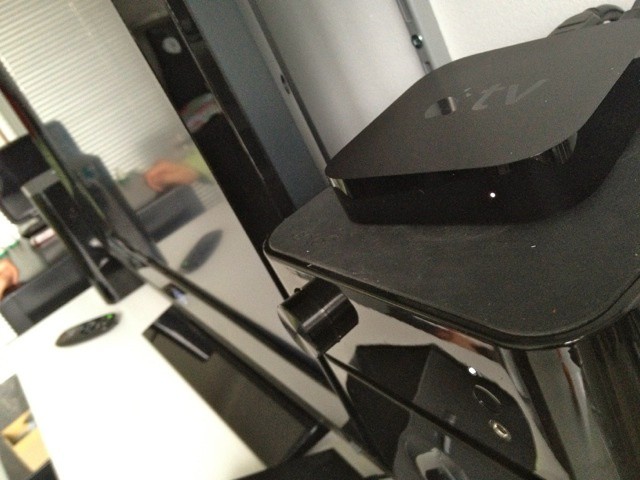
Rumors have been saying for many, many months that Apple is working on a standalone TV set (dubbed ‘iTV’) that will revolutionize the way we consume media from traditional content providers and the internet. Steve Jobs himself added more fuel to the fire when he told biographer Walter Isaacson that he had “finally cracked it,” referring to an integrated TV set. He wasn’t talking about the black set-top box Apple currently sells for $99.
Questions have been raised regarding the plausibility of Apple releasing its own TV set. Is this an example of the rumor mill spiraling out of control, or is Apple actually planning a full-on assault to take over the living room?

Apple has released its third OS X Mountain Lion developer preview in the Dev Center. Build 12A178q of Mountain Lion is available for free to registered Mac developers, and it comes with a number of tweaks and changes. This release follows the second developer preview of Mountain Lion that was issued on March 16th.
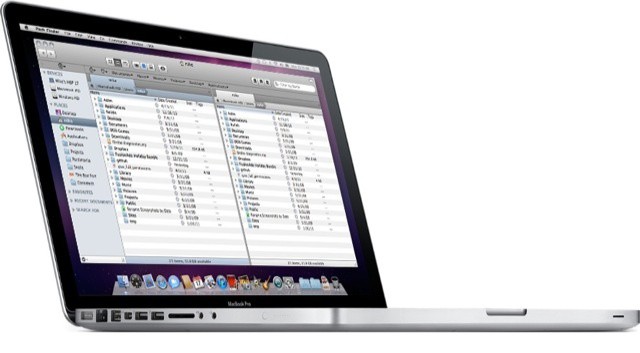
Path Finder has long been a super full-featured Finder replacement for OS X, and now it has been updated to version 6. I have been trying Path Finder on and off for years now, but finally gave up as it’s pretty much impossible to kill the native Finder completely.
Add to this the fact that the Finder doesn’t suck nearly so much as it used to, and that I find most of what I want with Launchbar and Spotlight these days and I’d all but given up on Cocoatech’s offering. But as v6 adds support for file tagging and batch renaming which – in addition to it’s already impressive line-up of features – might make it worth another look.
Apple has released the first update for its free iOS Apple Configurator tool. Configurator, which we’ve covered in-depth since its release last month, allows organizations to mass configure and deploy iPads. The software works best as a stand-alone management solution for iOS devices that are shared among multiple users but it can also be part of a wider mobile management strategy.
The update includes a handful of bug fixes as well as a couple or major changes to the ways that Configurator works with app and ebook purchases.
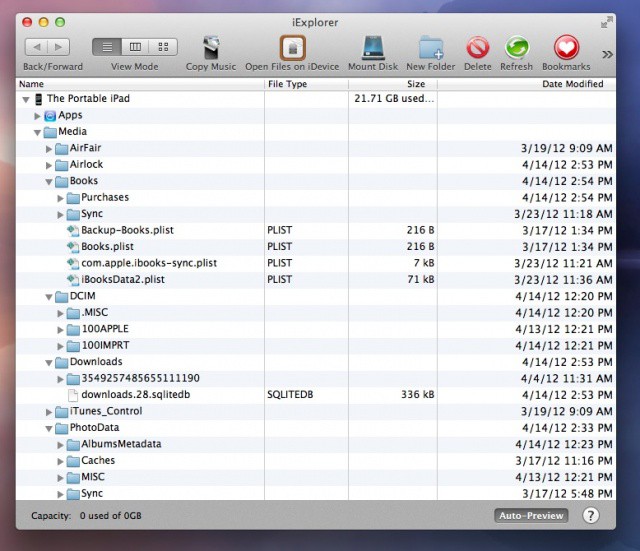
The other day, I was setting up an iPad for a client of mine when I noticed that there was 5 Gb of space being used on the device. When I plugged the iPad into my Macbook Air and opened iTunes, it said that the iPad had 3.9 Gb of space in the “Other” category, but none of the files in the file sharing section of iTunes were that big. This conundrum led me to today’s tip.
According to a new report RIM’s former co-CEO Jim Balsillie was attempting to reinvent the company as a network services provider before he and RIM’s other former co-CEO Mike Lazaridis were forced to step down earlier this year. Balsillie envisioned RIM partnering with mobile carriers to offer basic smartphone messaging and social network service plans at a fraction of the cost of traditional data plans. The most surprising part of this revelation is that Balsillie planned to offer these services on devices made by other manufacturers.
As with many of RIM’s moves over the past couple of years, this highlights the identity crisis that developed within the company as its market share dwindled after the release of the iPhone and Android.
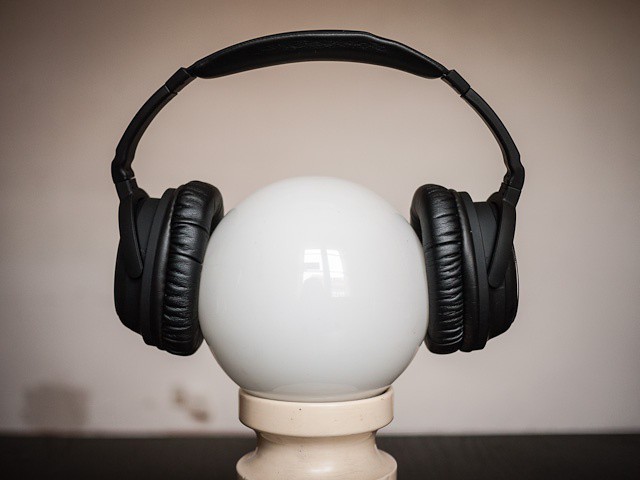
For anyone who spends a lot of time in trains and planes, noise-canceling headphones are pretty much essential. But if you’re walking the streets, then noise canceling can be a pain or even a hazard, isolating you a little too much from your environment.
Luckily, the Able Planet Linx Audio Clear Harmony headphones sound pretty good with noise cancelation both on and off. And they’re also comfy enough to keep on throughout a long journey.

This Ruby on Rails tutorial for beginners is the perfect comprehensive video guided tour of modern Rails web development. With this course you’ll get a grasp on the newest, most effective approach to web development as Micheal Hartl walks you through the entire Rails development process: installing and setting up Rails, designing Rails applications with MVC and REST, building dynamic pages, coding effectively in Ruby, implementing registration and authentication, adding social features, even testing and deployment.
This course — usually $129 — is down to its final hours of availability, so grab this Cult of Mac Deals offering while you still can!

Mega-popular Android and iOS app Draw Something has received a significant update that brings several new features and improvements. The ‘pull to refresh’ gesture has been implemented for loading new game updates, and you can now swipe with your finger to undo the last line you drew.
Drawings can now be shared directly with friends on Facebook and Twitter. You can also save your drawings locally to your smartphone.

What’s your favorite new possession? If you don’t say your new iPad, there’s probably something wrong with you, or maybe you just haven’t had the blessed opportunity to feel the sweet sweet love of resolutionary pixels titillating your eyeballs. The iPad is great, and according to 10% of men, the iPad is better than sex.
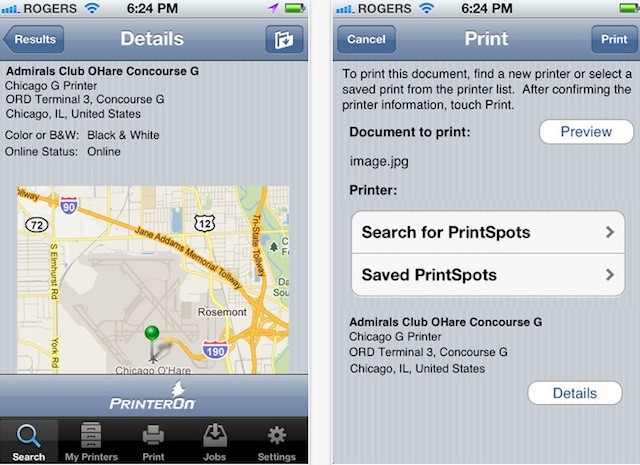
The AirPrint feature in iOS let’s you print from your iPhone or iPad to your home printer – directly if you have one of the handful of AirPrint-capable printers on the market or using a print server device or utility on your Mac like Printopia or FingerPrint.
AirPrint addresses the basic need to print, but it isn’t really a mobile solution. What if you’re on a business trip or vacation and need to print? What if you’re headed to a meeting and forgot to print out brochures ahead of time?
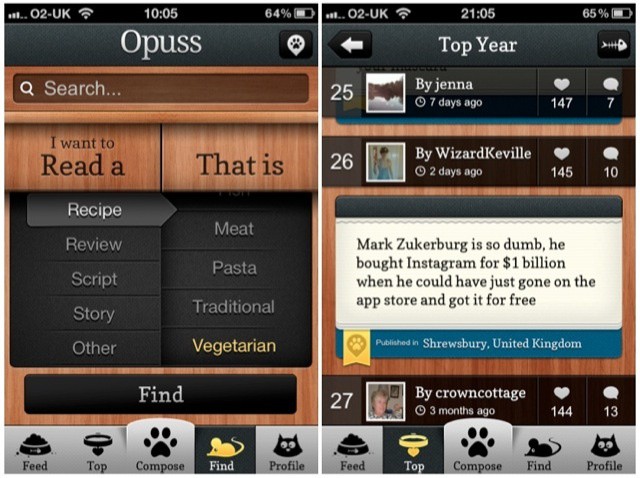
You’re either going to love Opuss, or you’re going to really hate it. It’s a social network for word lovers. It’s Instagram for poetry. It’s Twitter for wannabe comedians. It’s beautifully and thoughtfully designed, but, still in its early days, isn’t as compelling as it could be.

Just about every major carrier seems to boast the “fastest network speeds,” while bombarding us with acronyms like LTE and buzzwords such as “lightning fast.” When it’s all said and done, we’re left confused and none the closer to the truth of which network actually has the fastest speeds. So how do we find out the truth? Well, it’s not as simple as we’d like it to be and there are near infinite variables to the equation, but one way to get a general idea of how fast a network’s speeds will be in a real-world environment is to test them out.

Apple CEO Tim Cook and author Walter Isaacson, famous among Apple fans for his authorized Steve Jobs biography, have made TIME Magazine’s list of The World’s 100 Most Influential People. Cook’s complimentary “report card” was written by former Vice President of the United States and Apple board member Al Gore.

While it may look pretty, Apple’s decision to build the iPhone 4 and iPhone 4S almost entirely out of glass means that the handset isn’t really cut out for the dings and drops that our smartphones often have to endure. But the new iPhone could be a whole lot different. Built from liquidmetal, it could be one of the strongest smartphones money can buy.
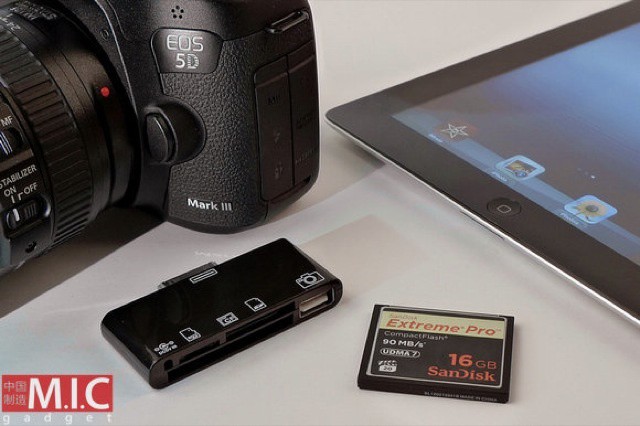
If you have a DSLR, I hope you opted for the 64GB model when you bought your new iPad – MIC Gadget has just announced a new camera connection kit which will let you slurp in your huge RAW (and not-so-huge JPEG) files from your Compact Flash cards, SD cards, microSD cards and even via USB direct from the camera.
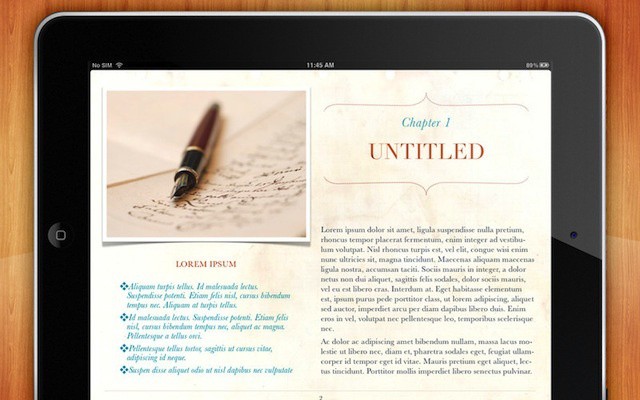
The overuse of standard templates can make anything from a resume to presentation seem boring and generic – so much so that the phrase “death by PowerPoint” has emerged in business world.
Apple’s iBooks Author tool is no exception. The app can be used by teachers and instructors to create their own textbooks, by businesses to deliver marketing materials and reference documents, and authors that want to self-publish in Apple’s iBookstore. One problem with iBooks Author is that Apple includes just six themes for ebooks in iBooks Author – all of which have a textbook feel to them that isn’t a good fit for many projects. Thankfully, there are some alternatives.