Okay, this is rad. YouTube user HM231 had no use for his car stereo’s old, crusty audio cassette slot, so what did he do? Hollow it out and mount a 30-pin connector inside it so he could slide in his iPod instead to pump up the jams. Rad!
Here’s another one of those tips that should be blindingly obvious, but isn’t. At least, it wasn’t to me, at first.
If you try to send a photo via iMessage (or text message), you’re limited to one photo at a time. Go ahead and give it a shot. I’ll wait. No, really–give it a shot.
See? From the Messages app on your iPhone, you only have the option to take a photo or choose an existing one. What if you want to send more than one photo at a time, though?
Portability and ease of use makes the iPad the perfect product for staying connected – whether you are on the move or in the comfort of your bed. At its core, the iPad is essentially the screen portion of a Macbook with touch capabilities. But there hasn’t been a true keyboard that acts like an external keyboard – one that you can use that keeps the iPad the tablet it was meant to be.
You know when you unplug your iPhone and your $20 Lightning cable goes slithering to the floor? I hate that, and it used to happen to me all the time in the morning when I set free my phone from its charging cable, and each time it happened, I thought to myself, “there’s gotta be a way to prevent this.”
MOS (Magnetic Organization System) by MosOrganizer.com Category: Accessories Works With: Any cable! Price: $24.00 for plastic versions, $40 for aluminum
Well, with the MOS securely attached to my bedside table, now there is.
Harnessing the power of magnets, MOS (Magnetic Organizing System) is a handy little puck that keeps your cables stuck to its surface and ready for use instead of lying listless and tangled on your desk or floor.
The iPad is great for photographers, but the built-in Photos app sucks. You can’t change the viewing order. Making albums and moving photos is a multi-tap pain in the ass, and navigating is confusing even for the experienced user.
That’s where Focus Point comes in. It’s a photo-viewing app that’s been around for a while, but the latest update adds enough new goodies to make it worth a look.
For Apple to really compete with Samsung in terms of global smartphone marketshare, many analysts believe Apple will have to release a cheaper iPhone to appeal to customers in India and China.
As talk of a cheaper iPhone has ramped up over the last few months, Apple is also planning to increase its presence in India by tripling the number of exclusive authorized reseller stores in the country from 65 to 200 by 2015.
There’s no denying that Twitterrific 5 is a beautiful third-party Twitter client for the iPhone and iPad, but the app has been lacking a huge feature until today: push notifications. Now that push has become an expected feature in modern Twitter apps, it was only a matter of time before The Iconfactory added it to their app.
You can get push notifications for new mentions, direct messages, favorites, retweets, and followers. The catch is that only 1,000 Twitterrific users will get access to the feature initially. Availability will be then rolled out gradually to new users.
Hey, T-Mobile is finally an iPhone carrier now! Not only that, they’re a pretty competitive one, offering you an iPhone 5 for just $100 down and $20 a month over 24 months in what the nation’s fourth-largest carrier is calling a “no bullshit” plan. If you buy an iPhone 5 at T-Mobile, you can leave at any time as long as you pay off your device; otherwise, your service is provided month by month.
Sounds pretty great, but how competitive is T-Mobile’s new iPhone plan compared to the competition really? We compared the cheapest T-Mobile iPhone 5 plan you can get against the 24 month cost of getting one from AT&T, Verizon, Sprint, Cricket, Virgin Mobile and Straight Talk. The result? T-Mobile is one of the cheaper plans around… but it’s not the cheapest.
Tempted as I am by the likes of the amazing Fujifilm X100s, I know that I’ll keep coming back to my iPhone 5 camera thanks to its combo of convenience, quality, connect-ability and apps. But the Sun & Cloud camera has just the right balance of price to quirky novelty to get me interested.
T-Mobile CEO John Legere kicked off the company’s press event in New York City today with an aggressive yet entertaining onslaught against rival carriers. He called for the likes of AT&T, Verizon, and Sprint to “stop the bullshit” with traditional subsidy models, which T-Mobile has now abandoned in favor of its new “Uncarrier” plans.
As much as many of us are shifting away from disc-based media and more towards the cloud, DVDs are still widely used. Think about your parents and your grandparents who have no idea what the cloud is – and either don’t want to learn about it or don’t have to learn about it.. What about those of us with kids who have older DVDs that we throw in our players from time to time to keep our kids entertained (for example, I did so this past weekend with my little guy).
Leawo DVD Creator for Mac can help you make your DVDs stand out from the crowd – and it can help you do that without a steep learning curve to boot! And Cult of Mac Deals has it for you – and for only $5!
For some reason, ComScore just hasn’t gotten around to adding mobile users to its measurements on how much traffic websites get until today. Now that mobile traffic is being accounted for, Apple has quickly gone from the 11th most popular website in the world to 8th.
ComScore just released its latest rankings for websites and Apple benefited the most from the addition of mobile audience scoring by adding 54% more unique viewers to its score.
I used to use a sleeve-style case with my original iPad, and I loved it. Sleeves protect the iPad while you carry it, and let you experience the full slimline awesomeness of a naked tablet when you take it out to use. Then Apple made the iPad 2 and the Smart Cover and that was it. The only time I change cases now is if I need something rugged, or if I’m testing one for review.
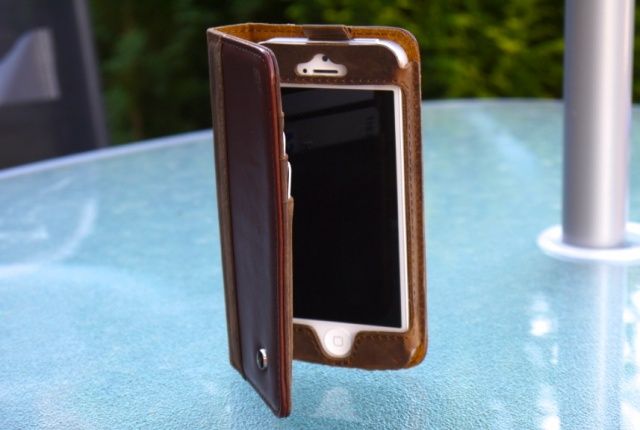
But I’m tempted by the Calypso Tab, a lovely leather sleeve for the regular iPad and the mini. It’s a softish hard shell, and it looks fantastic.
Apple is on the hunt for a new iOS Communications Application Engineer who will be responsible for implementing new features into FaceTime and iMessage, “taking the revolutionary iPhone to the next level.” The position is based at Apple’s headquarters in Cupertino, California, according to a new job listing on the company’s website.
Remember Quicksilver? The lightweight Mac utility used to be the go-to app launcher on the desktop, but that was years ago. A lack of updates combined with the rise of more feature-rich alternatives like Alfred turned the attention away from Quicksilver long ago.
Now the developers behind the app are breathing new life into Quicksilver with a major update. Quicksilver 1.0 has been released, which marks the end of the 10-year beta period the app has been in since 2003.
It’s only taken just under six years, but T-Mobile has finally reached a deal with Apple to sell the iPhone. The iPhone 5 will be one of the first devices available on T-Mobile’s new LTE network, launched today, and it’ll be available to purchase for a $99 up-front fee starting April 12.
Got some old speakers gathering dust at home? Would you love to hook them up to your AirPlay network but don’t want to buy a) an amp and speaker cable and b) an Airport Express? Well, The Vamp is here to save you. It’s a tiny box that sits on top of your speaker and acts as both amp and Bluetooth receiver.
Apple is beginning to close the gap on Samsung over shipments of smart connected devices, which includes computers, smartphones, and tablets. The Cupertino company grabbed 20.3% of the market by the end of 2012, according to IDC, while Samsung just about had the edge with a 21.2% share.
The Touch is a cool-looking new way to control Adobe Lightroom, either using your Magic trackpad or your iPad. It’s a small app that runs alongside Lightroom (or Final Cut Pro X) and lets you control it using all manner of gestures, taps, and swipes, letting you focus less on which slider to grab and more on looking at the image itself.
Logitech has today announced the launch of its new Keyboard Folio cases for iPad and iPad mini. Built from refined fabrics — and available in a whole host of pretty colors — the Keyboard Folio is designed to provide your beloved tablet with all-round protection as well as a physical keyboard that’ll let you get things done on the go.
These days, Text Edit, Apple’s basic text editing program, uses iCloud as the default location for saving files. Which is all very fine and dandy, but what if you don’t want to save all your random Text Edit stuff in iCloud? Are you out of luck?
Nope, of course not! We wouldn’t even be writing this tip if you were.
There’s a simple Terminal command which will set the default to your local hard drive instead of iCloud. You can still save to iCloud, of course; it just won’t be the first place that shows up when you hit “Save” while working in Text Edit (or any other iCloud-enabled apps).
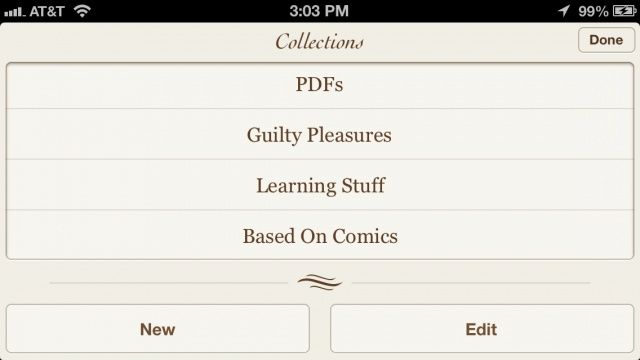
If you’re a frequent user of the official Nook app for iOS, then you’re going to love its latest update. In addition to support for high resolution magazines on the iPad, version 3.4.0 introduces support for Nook Comics, more detailed imagery, better organization options, and lots more.
Capcom is throwing an Easter sale, and it has slashed the price of some of its most popular games on iOS to just $0.99. So if you’re a fan of Street Fighter or Mega Man,now’s the time to pick up a bargain that’ll keep you entertained over the Easter weekend.
Have you ever wanted to build your own iOS apps but have no coding experience whatsoever?
That’s not a problem with this easy-to-follow video course – a course that you can take on your iPad, meaning you’ve got access both anytime and anywhere. In this course you’ll learn how to create apps using the same tools and techniques used to make the top apps in the App Store. And you’ll be able to learn this thanks to Udemy and Cult of Mac Deals for only $29!