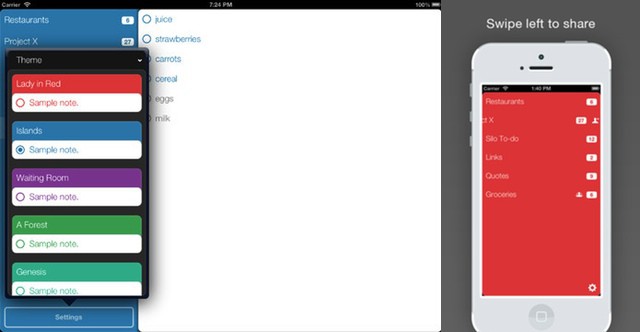
If there’s one note that’s almost guaranteed not to be in any of the zillions of to-do apps spread across your devices, it’s “Find new to-do list app.” However, should you actually have that entry scribbled down somewhere that you can actually find, then you can now cross it off the list: The app in question is called Silo, and it’s pretty slick stuff.
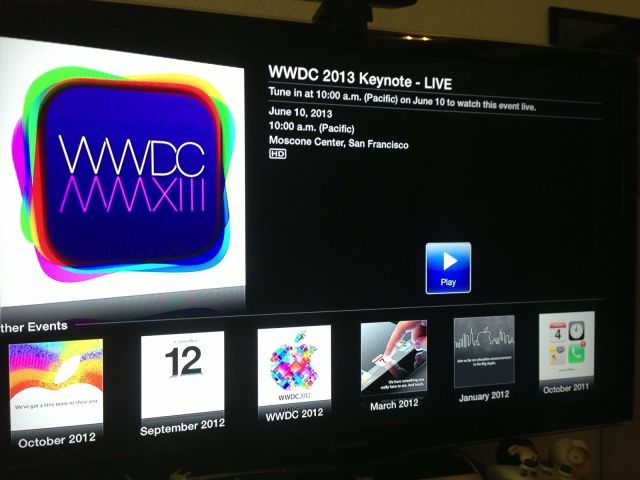
By far the best way to keep up with an Apple keynote when you’re not attending is to watch it live, but that’s a treat Apple doesn’t offer all that often. Fortunately, it will be at WWDC 2013 today. You can watch the company’s grand unveiling of iOS 7 and OS X 10.9 live through your Apple TV.
The Grablet Nomad is a twist on the iPad case we glimpsed at last year’s Macworld Expo. Essentially, it adds a front cover to the strappy, grabby case, but the folks at Grablet couldn’t stop themselves from making even the front cover into an all-singing gizmo.
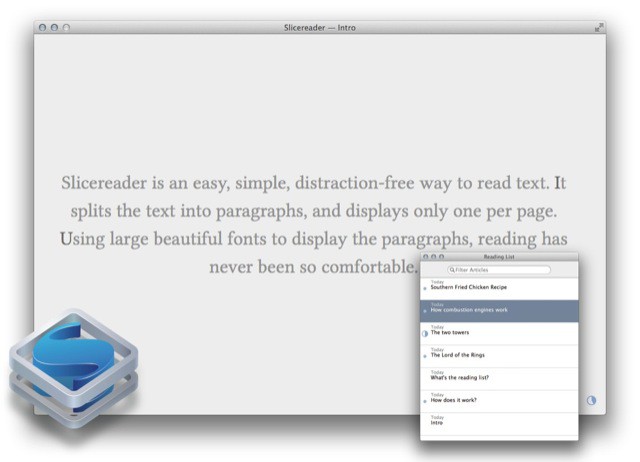
People talk a lot of crap about their minimalist apps, promising “distraction-free” interfaces as if distraction had anything to do with how many buttons you can see on the screen. In the future I will send those people a link to download Slicereader, a reading app so truly minimal that it doesn’t even have an open/save dialog.
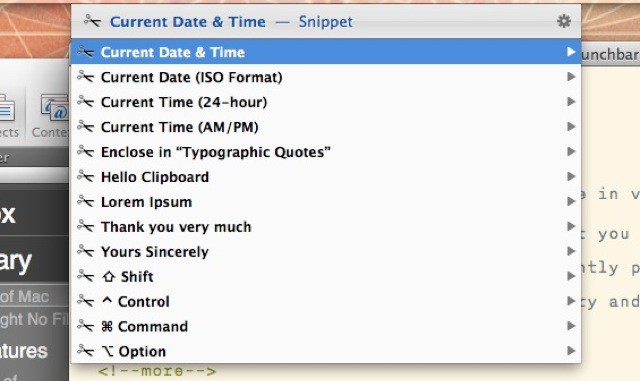
Launchbar users can enjoy a brand new feature in v5.5 of the find-everything Mac app. Launchbar – if you’re not familiar with it – is an app that you trigger with a shortcut (I use ⌘-Space) and then type into the pop-up window. Launchbar instantly presents results, letting you launch apps, send emails, play music, browse your iPhoto library and a whole lot more. And now it has snippets.
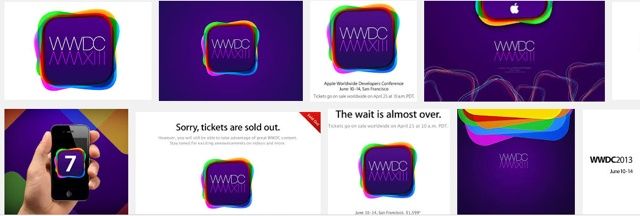
Today’s the day, folks! In just a few hours, Apple will kick off WWDC 2013 with a first look at its next-generation iOS 7 operating system. We’re expecting big changes with this update, and according to sources for The Wall Street Journal, those will include a brand new look, new ways to share your photos and videos, and a new music streaming service.
You can also expect to see a glimpse of OS X 10.9 and new notebooks at the event.
Lightroom 5 is now officially official, and you can grab the final version from Adobe for $150 (there’s a one-month trial built in if you want it). Should you upgrade from v4? Probably. Unlike Photoshop, which adds more and more flashy-but-pointless features just to keep people upgrading, Lightroom is still young enough that the new features are super useful and – ironically – they also make it less and less likely you’ll need to resort to Photoshop to polish and fix your images.
Are you a designer? Do you want to become a designer? Have you ever thought about bringing out the creative in you? Now is a great opportunity for you to stack up on some high quality design resources so you can tackle any design wishes you may have thanks to The Mega Design Bundle and Cult of Mac Deals!
This bundle contains more than 2.5 GB of smooth icons, flashy vector elements, intuitive Photoshop templates, and other essential designer assets for literally pennies on the dollar. Valued at over $1000, you can get it for just $49.99!
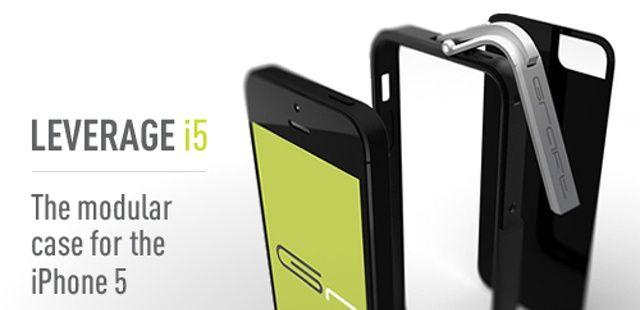
Functional iPhone cases are a dime a dozen, but the latest Cult of Mac Deals offer features the Leverage case – a case that is so much more than functional. Sporting a clasp locking system, it not only looks great but it can survive even the clumsiest iPhone owner.
To get the most time out of your iPhone, iPad, or iPod touch battery, you have to manage it. There’s no substitute for figuring gout how your iPhone uses power, and then optimizing your usage and the enabled services and features on your iPhone to make sure you get the most life out of your battery.
Here are five ways you can stay firmly in charge of your battery.
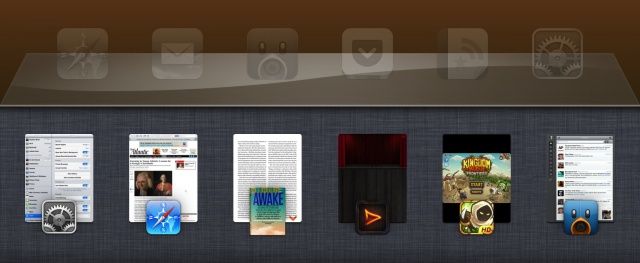
It all started as a concept in a forum. A designer who goes by the online name of “Sentry” posted mockups of a redesigned app switcher for the iPhone. It was such a unique and innovative take—webOS-like app cards and quick access to Settings toggles—that it got picked up by dozens and dozens of big websites, Cult of Mac included. “This is the awesome, radically redesigned app switcher we want to see in iOS 7,” we said at the time.
iOS 7 is right around the corner, and there’s been no indication that the app switcher will get a significant update.
Several months after the concept was first posted, it became reality in the form of an iPhone jailbreak tweak called Auxo. Now that hundreds of thousands of jailbreakers are using Auxo as a default app switcher replacement on the iPhone, an iPad version has finally been released.
Let’s be honest about what we really want from Apple this week. We all want to know if Apple can still blow us away, or if they’re just a boring company now.
This is your best chance to grab the best turn-based, world-conquering strategy game on the Mac at the best price.
To coincide with the announced availability date of Civilization 5’s second expansion pack, Brave New World — which will be out Jul 9 — all Civ 5 games and DLC have had their prices cut 75 percent for the weekend. That means the original game is just $10; the Gold Edition game — which includes everything Civ 5 released up to this point including all DLC and the first expansion pack, Gods and Kings — is just $12.50.
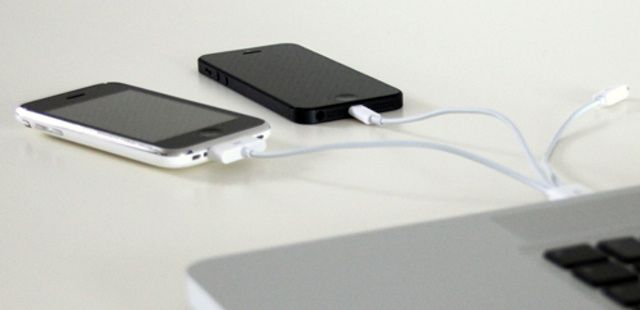
In today’s world, most people have more than just one device to charge. But this poses a problem in that cords get tangled, power strips get overcrowded, and USB ports get used up quickly. This Cult of Mac Deals offer aims to solve that problem by streamlining your charging with the 3-in–1 Lightning/30-Pin/Micro USB to USB Charging Cable for the low price of $19 for a limited time.
This handy cable can charge 3 devices simultaneously. Whether you need to juice up an iPhone 5, iPhone 4/4S, 3G/3GS, iPad, iPod, Android, HTC, Samsung, and more – this cable has you covered!
If your company or personal brand doesn’t have a demo video, it’s missing out on the most effective way to convert visitors to your website into lifetime customers – by up to 400%. To create a professionally made, high-quality video like this would typically run you at least $5000, but now you don’t need to spend all that money to compete with the big boys. This Cult of Mac Deals offer will teach you how to create awesome demo videos – and for the low price of $79.
As we’re all Mac users here (at least I hope so!), it’s a good idea from time to time to learn new things on our favorite computer, to make our Mac life just that bit more fun and productive.
With that in mind, here are five easy keyboard tricks that you can use that you
may not have already known about. Give them a try and let us know what you think in the comments section at the end.
You won’t have a lot of spare time at the World Wide Developer’s Conference — what with the sessions and a packed schedule of parties — but here are a few great ways to spend those precious hours, whether you know San Francisco like you know your code or are here for the first time.
Advertising legend Lee Clow has created some of the most iconic commercials of all-time thanks to his time working with Steve Jobs for over 30 years. He was the guy behind Apple’s 1984 commercial the ‘Think Different’ slogan and many more Apple ad campaigns.
At a recent PTTOW! summit, Clow shared what it was like to work with Steve over the course of their 30-year relationship. Clow also shares his personal theory that Steve was heavily influenced by Sony’s branding strategies when he chose to name his computer company ‘Apple.’
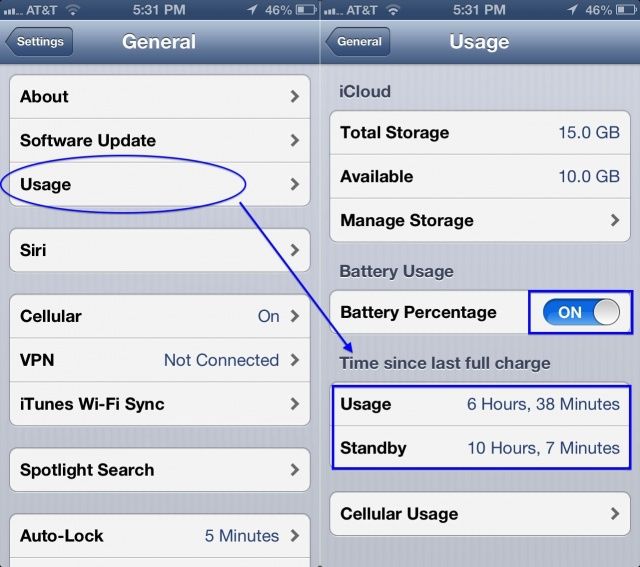
Look, allthesegreattips for saving your iPhone battery are not very useful if they don’t apply to you. Your iPhone use is uniquely your own, and you really ought to get a handle on how your battery is affected as you apply the various strategies to help conserve power when you need it.
Otherwise, why bother, right? Here’s how to check your battery usage stats right on your iPhone, as recommended by Apple.
Apple’s Worldwide Developers conference is right around the corner, dear brethren, and on this episode of The CultCast, we’ll ponder the new hardware rumors surrounding the big event, like whispers of new MacBooks with dramatically extended battery life and even more power; Airs with retina displays, and why that’s now very possible; updates to the long-neglected Mac Pro; Intel’s powerful yet power-sipping Haswell chips; and soooo much more!
Join us and Gizmodo Chief New York Wired Editor Joe Brown for an extra long CultCast all about our WWDC expectations, hopes and dreams. Stream or download new and past episodes on your Mac or iDevice by subscribing now on iTunes, or hit play below and let the good times roll.
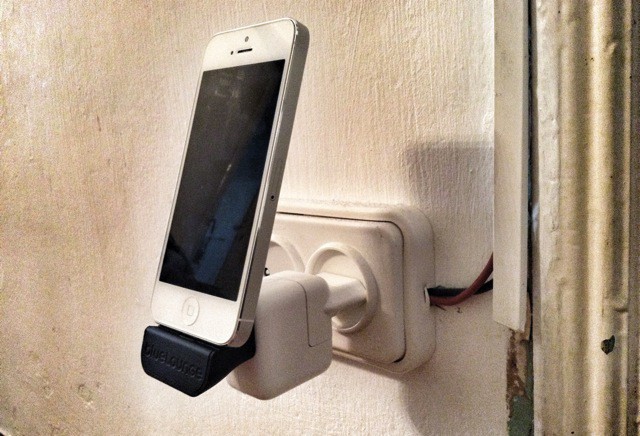
MiniDock by BlueLounge Category: Docks Works With: iPhone 5, iPad mini Price: $40
Bluelounge’s new MiniDock really is mini. It’s a tiny little dock which perfectly matches the cuboid charger that came with your iPhone or iPad mini, and turns it into a wall-mounted dock. The device is as portable and effective as it is handy, especially if you never use a case. I have one here in Cult of Mac’s Spanish HQ, and I have been putting it through its paces in our Extreme Test Lab.
How much interest is there in Apple’s World Wide Developer Conference?
Enough to stage an alternative free five-day conference with over 40 speakers and hands-on labs that WWDC attendees may want to check out for all the topics Apple isn’t likely to cover. For the second year running, AltWWDC will be hosting the have-nots (as in have no WWDC tickets) for a gathering cloned from the official conference.
Around 1,500 people have signed up, meaning, yeah, even free/freewheeling AltWWDC is technically “sold out.” No worries: if you don’t have a ticket, as long as there’s room to plant your laptop, you’re in.
Cult of Mac talked to Rob Elkin, a London-based software engineer and one of the four founders of AltWWDC about what constitutes an “alt” keynote breakfast, talks Apple doesn’t want you to hear and sponsors.
The finishing touches are being added to Moscone West as WWDC 2013 draws closer. In just three short days Tim Cook and company will take stage at Moscone West to reveal a redesigned iOS, new MacBooks, and possibly a new iPad.
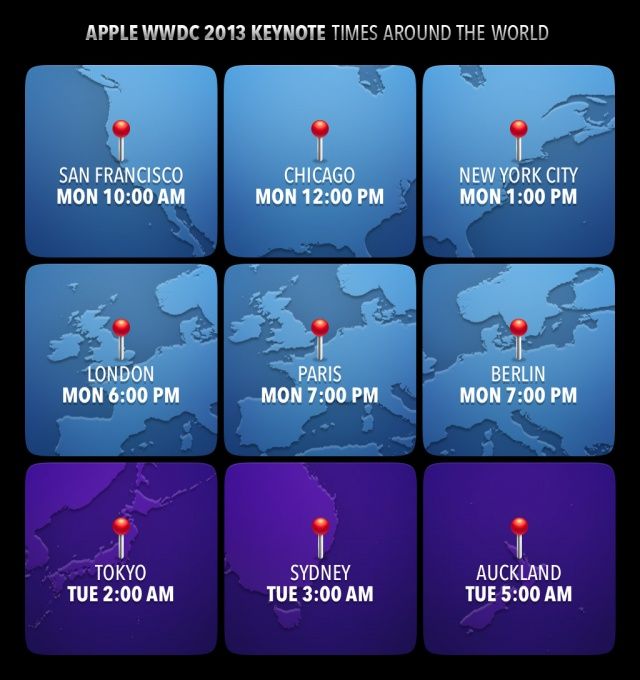
Apple’s WWDC keynote is slated to start Monday, June 10th at 10AM PST. Don’t want to miss all the juicy details as they’re unveiled? Well, here’s a handy infographic so you know what time to hop on and check the Cult of Mac liveblog for the full scoop on everything that goes down at WWDC 2013.
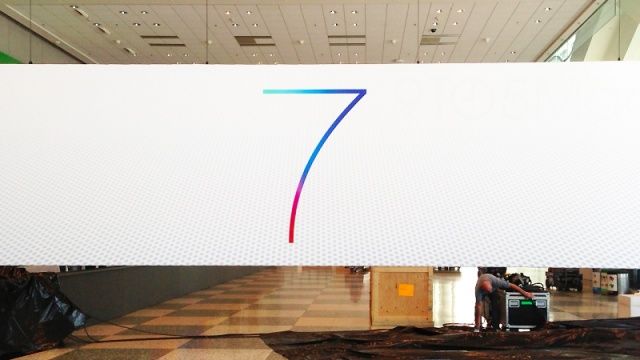
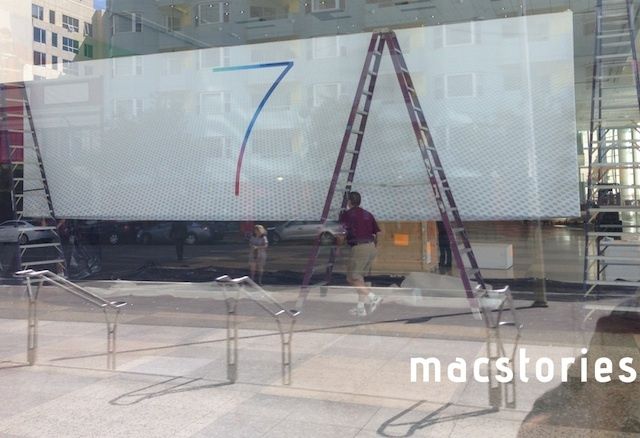
Apple has been busy decorating Moscone West all week in preparation for WWDC 2013, but until now we haven’t see any iOS 7 banners.
Apple just unveiled one of the iOS 7 banners for WWDC that seems to be a pretty clear indicator that iOS 7 will have a new minimalist design. The banner simply features a huge ‘7’ against a perforated background.
We’ll keep you update with new pictures as more banners are posted up. Make sure to come back Monday morning for Cult of Mac’s liveblog of the WWDC keynote.
If you’ve been looking for a bundle of UI assets that will empower designers at any level to create professional looking sites with a world-class interface, then this offer from Cult of Mac Deals will do the trick. From frequently used UI elements to iPhone App templates & email newsletter templates, The UI Design Bundle has it all – and for just $39!
Whether you’re an established designer or just starting out this is the perfect addition to any design resource toolbox.