Mobile menu toggle

Supply Chain Sources Confirm New iPad Mini Will Be In Short Supply At Launch

By

iPad-mini-collection

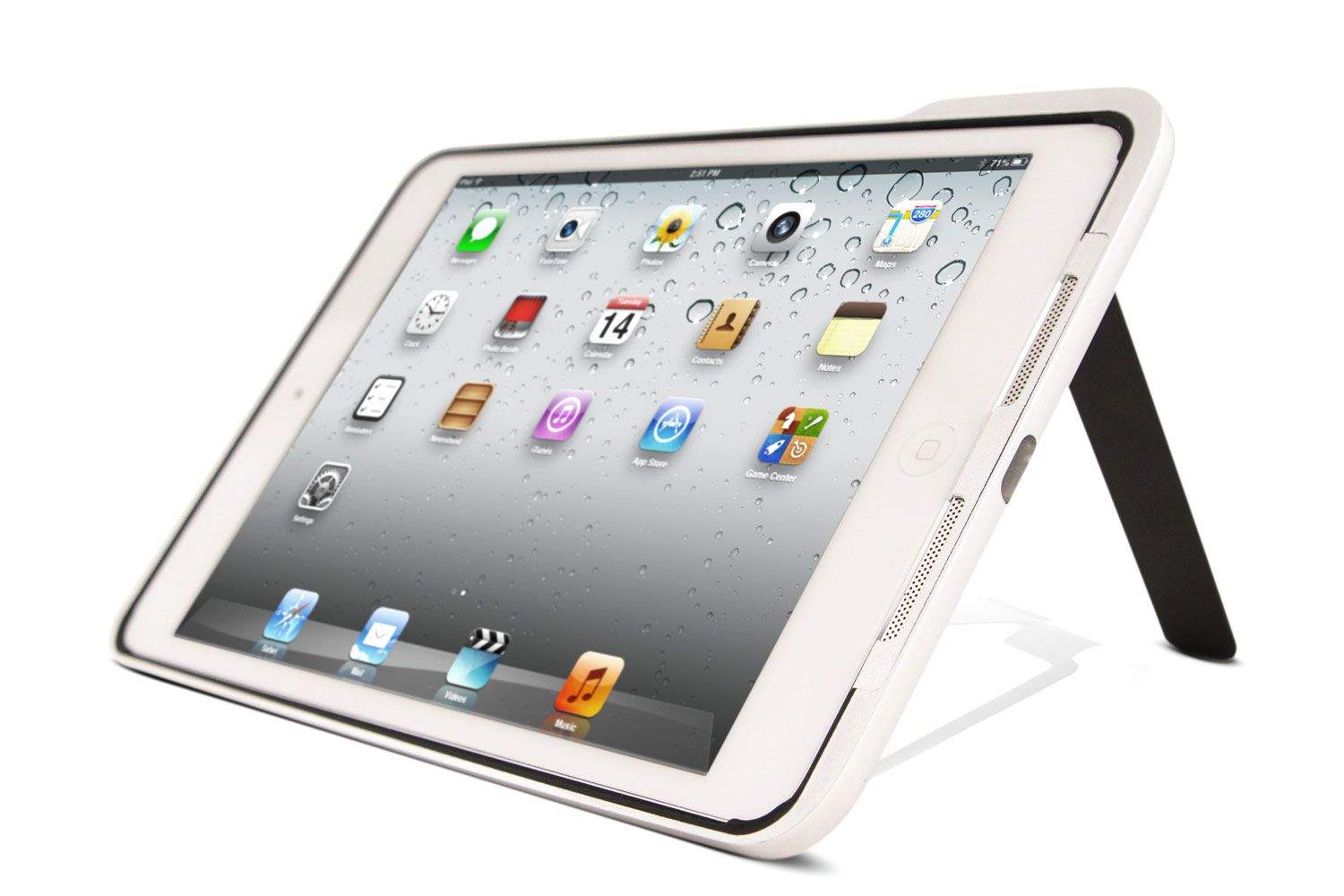
We’ve already heard that the new iPad mini may be in short supply at launch due to low yield rates of its Retina display, and that has now been confirmed by supply chain sources in Taiwan. Sharp and LG Display simply cannot produce the panels fast enough, according to reports, and so Apple may not have enough units to meet the initial demand later this month.

The Hunting: Part 1 Throws ‘You’ Into A Tap-Crazy Zombie-pocalypse [Review]

By

The Hunting Part 1

The Hunting is an interactive zombie film made for — and with — the iPhone. It presents a world in which the undead rise because of a spontaneous global failure of antibiotics. But that’s not really important; the main thing is that zombies are in the room.

The Hunting: Part 1 by Wotsamaflip Studios Ltd.
Category: iOS Games
Works With: iPhone
Price: Free

The first part of the story runs about 12 minutes, and it sets the scene pretty well. Your character (you) wake up, put your pants on, and discover that a bunch of things are on fire in the distance, and some ugly sucker in your kitchen wants to kill you. You do a bit of swiping and tapping, make a couple choices, and then you’re done.

It’s very short, but what’s there is promising.

CNNMoney Tells Apple To Focus On Its “Mediocre Software”

By

broken-iPhone-5

CNNMoney has hit out at Apple by saying that it should momentarily forget about its position as an acclaimed product manufacturer and instead “focus on its mediocre software.”

While acknowledging that Apple builds some of the most coveted laptops, tablets, and smartphones around, writer Adrian Covert nevertheless singled out the company’s suite of software applications as the “one dark cloud” which looms over Apple. Although apps like iPhoto, Pages, iCal and Mail are functional enough, Covert claims, better alternatives exist, while iTunes and defunct social network Ping are varying degrees of broken.

Google Glass User Gets A Ticket For ‘Driving With Monitor Visible To Driver’

By

post-252011-image-56a1c407151ac337b483492f01933fa9-jpg

A Google Glass user in California may have become the first to get a ticket for using the wearable while driving. Cecilia Adabie was stopped by a Highway Patrol officer last night then summoned to the superior court for “driving with monitor visible to driver.”

The ticket has sparked debate over whether or not it should be legal to use Google Glass while behind the wheel.

Fantastical 2 For iPhone Includes New iOS 7 Design, Reminders, And Price

By

Screenshot

I started using Fantastical on my iPhone the day it was released back in November of last year. Like other users of the fantastic (bad pun intended) Mac app, I couldn’t wait to have its natural language parsing on my iPhone. With Fantastical, you can just type “get lunch with Buster at 3 tomorrow” and be done. Far better than the poorly-designed rigamarole that is Apple’s Calendar app.

Today Flexibits, makers of Fantastical, released the biggest update to their iPhone calendar app since its original release. Fantastical 2 for iPhone is a completely new app that works only on iOS 7 and features a new design, new features, and yes, a price.

Here’s Our Exclusive Sneak Peek At Majesco’s Romans from Mars Trailer [Video]

By

post-251879-image-93d8b8044505fbce0dc62043e8c467a7-jpg

https://youtu.be/HsQqY0O8Qcc

Majesco Entertainment contacted us Wednesday with its launch trailer for upcoming game, Romans from Mars, an endless-wave castle defense game that will be out on the App Store this Thursday.

The game places you behind an upgradable ballista, which is the only thing keeping the armies of Mars (the god of War, thank you very much) from conquering the Earth itself. Jupiter, who likes to get back at Mars, gives you a little extra power, as well, including the elemental powers of Fire, Ice, Earth, and Lightning. You know, just in case that crossbow isn’t quite upgraded enough.

Romans from Mars will be free to play, with in-app purchases to speed up your progress. It is available in the App Store (as well as Google Play) starting tomorrow. For now, enjoy the trailer above.

Change The Name, Tags, And Location From Any Document Title Bar In Mavericks [OS X Tips]

By

New Titlebar Options

We’ve been able to change the name of our Mac documents from the title bar since OS X Mountain Lion, and it’s made for an interesting new workflow.

In fact, there was a nice little drop down menu that would let you duplicate, move, and rename the document resulting from clicking on the triangle to the right of the document name in the title bar.

Now, though, in Mavericks, that’s changed.

iPad Accessories For Artists

By

22bba5733a8167843b7e2affd2bbb911_large
The NeoLucida lets you trace images from real life.

So you have your iPad and your apps, and you even arranged a bowl of fruit/nude model (delete as applicable). But what about hardware? After all, only stupid babies fingerpaint, right?

If you’re doing a lot of iPad painting, you should pick some kind or drawing tool. But what kind? Styluses can be had as dumb pencils, as brushes or even in Bluetooth pressure-sensitive versions.

And then there are the other accessories that’ll make painting a little easier.

Wacom ICS

fig 1wacom-fall-07

Wacom makes the best graphics tablets for Mac and PC and now it wants to do the same for the iPad. The Bamboo stylus is already my favorite iPad stylus, but the ICS, or Intuos Creative Stylus goes one better with pressure sensitivity.

The iPad’s screen is binary in terms of touches: It might detect multiple fingers, but they’re either touching or not. So the pen itself has to measure how hard you’re pressing and send that info to the iPad. In the case of the ICS, this is done via a low-power Bluetooth 4 connection, with the pen communicating 2048 levels of pressure. This wireless connection also means you can use the button on the side to control various functions: undo/redo for example, or to pop up a color picker.

The ICS uses a single AAA battery, has a replaceable nib, and comes in a natty box which carries extra batteries and nibs.

This, as they say, is the Rolls Royce of styluses.

Wacom
Price $100

Jot Tote Case

jot tote

You have your pens and pencil, but what about somewhere to keep them? A pencil case is traditional, and the Wacom comes with one. But Adonit’s Jot Tote case is made to hold your iPad and also let you clip on a stylus. And while it’s designed for Adonit’s own Jot, you can use it with pretty much any pen-shaped object.

The case is a rear shell with a grippy finish, and on the back is a steel strip which slides out of the side and grabs onto the pen, holding it both safe and handy until you need it. This might not be strictly necessary, but for serial pen-losers it’ll be sure to save you some cash.

Adonit
Price: $50

Nomad Brushes

fig 3 nomad

While a pen is nice and all, nothing quite beats the feel of a good hogs-hair brush when you’re smearing on the oils. When I first saw a Nomad capacitive brush years ago, I thought it was just a gimmick. Then I tried one, and I loved it. You can’t really scrub and stipple the paint of course – the iPad sees the brush as just another pink digit – but that doesn’t mean that the action of stippling, scrubbing or stabbing isn’t more pleasing to the brain. It really does feel like you’re painting on canvas. Well, not canvas, as canvas has a stretch and give that the glass screen lacks, but it is like painting on wood or card.

Now nomad has a range of brushes, but my advice would be to go for a set of whole brushes. The kits with the single handle and screw-on tip look good in theory, but these things take up so little space it’s nicer to have the convenience of quickly grabbing the brush you want without dicking around changing the tips.

Nomad
Price: From $20

Your iPhone

fig 4 remote palette

One thing that was essential to me when I painted in oils was a palette. I went the traditional route with a thin plywood board in the familiar shape, which is easy to hold in one hand, but I know people who just mixed their paint on tabletops or any nearby flat surface (including one of my own paintings).

Remote Palette is an app which lets you use your iPhone as a palette to mix paints. You can swoosh your colors around until you have the exact hue you need and the color will be automatically loaded into your brush in the iPad app. It works via Bluetooth so you can use it anywhere.

The only downside is that you have to paint using the Remote Palette app on the iPad, which is pretty limited. It’s not MS Paint, but neither does it come anywhere close to something like Procreate. Still, it’s cheap and fun.

Remote Palette
Price: $1

NeoLucida

fif 5 neolucida

The NeoLucida isn’t really an iPad accessory, but it can certainly be used as one. It’s a modern version of the camera lucida, an optical device used by artists throughout history (well, since the mid–1800s anyway) to make their drawings more accurate.

The principle is simple: the unit has a prism on the end of a flexible arm, and this lets you see both your paper and your subject at the same time. This allows you to “trace” the image from real life as if it were projected onto your paper.

And of course when I say “paper” I also mean “iPad.”

The NeoLucida was made by university art professors Pablo Garcia and Golan Levin because antique versions are too expensive for working artists and students to afford. Their Kickstarter was super successful, raising almost half a million on a target of just $15,000, and they’ll be back in 2014 with a retail version. Until then you might want to speak to your bank manager before hitting Ebay.

NeoLucida
Price: Around $40

iPad Air Review Roundup

By

iPad Air

As the fifth generation full-sized iPad, users likely know what to expect from the newly-released iPad Air. And while the device doesn’t try and reinvent the wheel by radically altering the iPad’s genetics in either abilities or form factor, the mere fact that Apple has proven able to further hone what was already a winning concept — by decreasing the size and weight, upping the speed and power, all while maintaining battery life — is reason enough to mark down the iPad Air as an assured winner in the tablet category. This verdict is more than backed up by the reviews which have begun flooding in over the past 24 hours, with reviewers now having had around a week to test Apple’s newest tablet.

11.8% Of All Macs Are Now Running Mavericks

By

Screen Shot 2013-10-30 at 7.41.01 AM

In the Apple world, records tend to be exponentially shattered. For example, if it took three hours for WWDC to sell out last year, it’ll probably sell out in three minutes this year. Last year, it took five weeks for OS X Mountain Lion to be installed on more than 10% of all Macs. Guess how long it took this year?

iPad Air Is 80% Faster Than Its Predecessor In Benchmark Tests

By

Imagination
The iPad Air was a massive hit for Apple.
Photo: Apple

The fourth-generation iPad with its dual-core A6X processor was certainly no slouch, but it looks like one when you put it up against the new iPad Air. Thanks to that new 64-bit A7 chip, the iPad Air is an incredible 80% faster than its predecessor in Geekbench tests, and over five times than the iPad 2 (which is only $100 cheaper).

Experts Predict Larger 5-Inch Display For iPhone 6… Again

By

How a larger iPhone 6 might look by Martin Hajek.

If you switched from an iPhone to an Android-powered smartphone because you felt a 4-inch display was just too small, then Apple may give you a reason to switch back next year. Several industry experts are predicting that the Cupertino company will step up its pursuit of high-end Android smartphones by finally introducing a larger 5-inch display with the iPhone 6.

Evernote And Adonit Team Up To Make Penultimate-Friendly Stylus

By

hero-tablet-117fc950

Somehow, Adonit and Evernote have together managed to solve the biggest problem in iPad styluses: the size of the tip. Instead of a big fat pinkie-sized blob of rubber, the new Jot Script has a point that’s more or less the size of a regular rollerball ball.

And best of all, the latest version of Penultimate, Evernote’s note-taking app – has been developed in tandem with the pen to work like, well, to work like an Apple product.

Apple: A Manufacturing Defect Has Caused Battery Drain On Some iPhone 5s Devices

By

iPhone-5s-back

Apple has released a statement to The New York Times confirming that a “small number” of iPhone 5s devices in the wild have a manufacturing defect that results in battery drainage. The 5s is supposed to have slightly improved battery life over the iPhone 5, but Apple says that these affected devices have subpar performance.

“We recently discovered a manufacturing issue affecting a very limited number of iPhone 5S devices that could cause the battery to take longer to charge or result in reduced battery life,” said Apple in the statement.

The good news? You don’t have to do anything if you’re worried your 5s is affected. Apple will be contacting you to offer a replacement.

Source: The New York Times

They’re Back – The Walking Dead: Season Two Unveiled

By

ClementineShed

Think you’ve seen the last of The Walking Dead on your Mac or iOS device? Think again.

Telltale Games, the award-winning developer of recent hit games The Walking Dead: Season One and Fables: The Wolf Among Us, announced Tuesday the coming premiere of the second season of The Walking Dead video game series for Mac, iOS, PC, and home game consoles later this year.

The Walking Dead: Season Two is available for pre-order right now from Steam and the Telltale Games Online store.

Twitter Adds Timeline Preview For Videos And Photos To iOS App

By

twitterupdate


Twitter has released an update for its iOS and Android apps today that adds the ability to preview video and photos directly in your timeline.

Users can now view a preview of Twitter photos and Vine videos in your home timeline without having to tap out of the main feed. You can still view a full screen version of photos and videos by tapping on the image. While the update may seem minor, it opens the door for users to try new forms of tweeting – like posting a picture with no commentary that’s automatically previewed in your timeline – but only as long as other tweeters are using its homegrown app.

If you hate the new preview feature you can simply turn it off in Settings. Twitter also updated its UI so that users can easily reply, retweet, favorite, or follow someone directly from a tweet in your timeline.

Here’s a Vine from Twitter showcasing the new features:

Why Apple Isn’t Sabotaging Your Old iPhone [Opinion]

By

brokenapplemonitor

The term “planned obsolescence” has achieved negative connotations, but it originally referred to a long-standing tradition of changing designs to sell more products.

It was coined by the car industry in the 1930s to refer to annual model updates. Over the years, however, the term has taken on a darker meaning. But planned obsolescence is a good thing. It’s the driving force behind much innovation.

This morning, New York Times reporter Catherine Rampell accused Apple of breaking her old iPhone 4 with the iOS7 update, which made it unbearably slow. “It seemed like Apple was sending me a not-so-subtle message to upgrade,” she wrote in a piece entitled, Why Apple Wants to Bust Your iPhone.

According to Rampell, Apple is feeling the heat from Samsung, HTC and others, and is resorting to sabotaging older iPhones with a software update and force users to upgrade their hardware.

This is bullshit from every angle. The iOS7 upgrade isn’t obligatory, it’s voluntary, and pissing off customers isn’t a good way to keep them as customers. There’s no mention that Apple sold a record-smashing 33.8 million iPhones last quarter.

Truth is, Apple’s products are so far ahead of the curve, it’s a constant criticism leveled at the company: that it is a willing practitioner of planned obsolescence.

Quickly Find And Open Photos In iOS 7’s New Year View [iOS Tips]

By

It works in Collections view, too.

One of the much touted features of iOS 7 is the new organization feature of the Photos app. When I opened it for the first time, back in the beta, I was dismayed to see the Year view.

The photos? They’re tiny! How the heck am I supposed to find the photo I want? I’m old and need glasses. Sheesh.

Ahem.

It turns out to be much simpler than you’d think to scan through the photos in this view.