The Yahoo! Sports app just received an update, bringing the interface more in line with iOS 7. The company also added a new feature to the app–Loops–which will let you and thousands of other sports fans create short animated gif-like clips of your favorite moments in sports.
Nothing says “I’m a super sports fan” than a carefully crafted photographic meme, complete with wacky motion and large outlined text.
Sure, you can use something like iPhoto to really dig in and edit your iPhone photos, but if you just want a simple, no frills simple edit or two–plus some nifty filters if you have an iPhone 5 and up–the built-in Photos app in iOS 7 is a pretty great choice. It’s easy to use, and you already own it.
We showed you how to apply the new iOS 7 filters in yesterday’s tip post, so let’s look at the other four options available to you: rotate, auto-enhance, red eye, and cropping.
Commuter 2.1 byRickshaw Category: Bags Works With: iPad, MacBook Price: $180 as tested
I’m a huge fan of Rickshaw’s bags. Pretty much everyone in the Rickshaw office cycles to work, and it shows in the design of the bags. They’re well made, practical and light, but still full of clever design details. The Commuter 2.1 is no exception, somehow managing to offer a huge collection of pickets and cubbyholes, and yet remaining light enough to be more comfy on the shoulder than many more simple messenger bags.
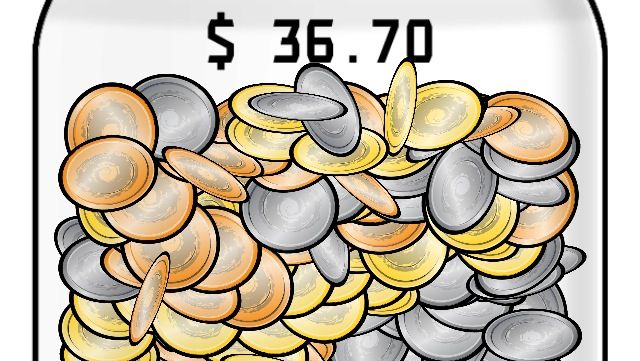
In these troubled economic times, we don’t really have the luxury of putting real coins into a jar every time we drop a bomb in front of Grandma. Luckily, we have Swear Jar, a virtual container you can drop change into so you can quantify your dirty mouth. You can use any denomination of change you want, and it’ll keep a running tab of your blue streak. It even has motion controls so that you can jingle the coins around.
Because you have to do something between curses, right?
Interactive zombie film series The Hunting is back with its third installment, which has you continuing to make life-threatening choices and furiously tapping on your screen to run and fight off crazed undead who want to put the nom on you.
The Hunting: Part 3 by Wotsamaflip Category: iOS Games Works With: iPhone Price: $0.99
It’s another creepy, high-tension experience that will quickly make you regret playing it with headphones and/or in the dark, both of which I did because I clearly don’t know what’s good for me.
But while the game is still completely scary and harrowing as ever, it fails to build on Part 2’s impressive shotgun blast of terror and what-the-hell-ery.
Apple’s new Mac Pro is quite the work of art. It might look like a trash can at first glance, but when you stop and think about everything Apple packed into its new high-end machine, you can’t help but admire its efforts. Measuring just 9.9 inches tall and 6.6 inches deep, it’ll squeeze into the smallest of spaces atop or beneath your desk.
But if for some reason you’ve decided you don’t like it stood in an upright position, you can lie it down. Apple designed the Mac Pro to work in both vertical and horizontal positions, and it says it’s fine to use the machine on its side — as long as you take some simple precautions first.
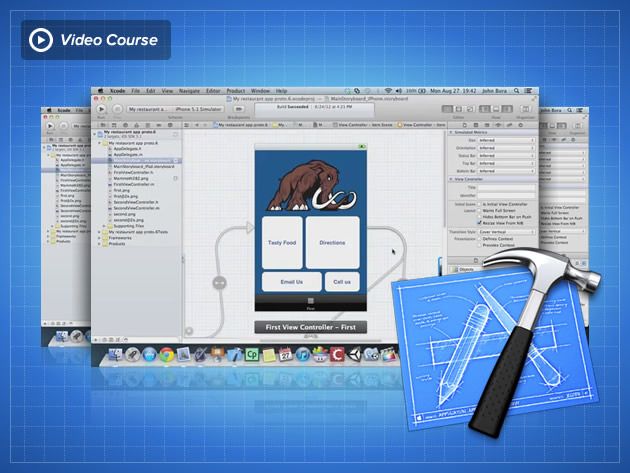
If you want to make iOS apps you pretty much have to use Xcode, Apple’s app-making program. But when you download it and take a look it seems really complicated to use. There are tons of books on how to program and use Xcode but none of them are that user-friendly. That’s where this course – offered at a discount from Cult of Mac Deals – is different.
This course shows you how to use Xcode while learning another in demand valuable skill: user experience. User experience is one of the toughest jobs to fill in 2012 according to Forbes. With this course you get to learn mobile user experience and Xcode at the same time! And you can get access to this course for 84% off the regular price – just $79!
Best Buy has knocked $75 off all iPhone 5s models for a limited time, making the 16GB model just $124.99 when bought with a two-year contract extension on AT&T, Sprint, or Verizon. It’s one of the lowest prices we’ve seen for the device since it made its debut last September, but you’ll need to grab yours soon.
The Consumer Electronics Show used to be the premier trade show for the unveiling of major products from big tech companies. But it’s been years since Apple made an official appearance at the Las Vegas convention, and recently the show’s relevance has been questioned as titans like Google and Microsoft have packed up their booths.
Still, Apple’s presence will be strong at International CES 2014, most significantly in the iLounge Pavilion, a sprawling section of the massive show floor that houses hundreds of Apple accessory makers. It’s bigger than last year, even if the actual number of exhibitors has shrunk.
Looking to swap your T-Mobile plan for an AT&T one? Maybe $450 per line will convince you. Starting today, that’s how much AT&T is offering T-Mobile customers to make the switch when they trade in an eligible smartphone.
There are several apps in OS X that may want to use your location data, including apps like Maps, iPhoto, and more.
If you want to see which apps are currently requesting and using your data, simply click on the little compass icon in the menubar and your Mac will show you.
To have a bit more control over which apps can use or not use your location data, all you need to do is drop into System Preferences.
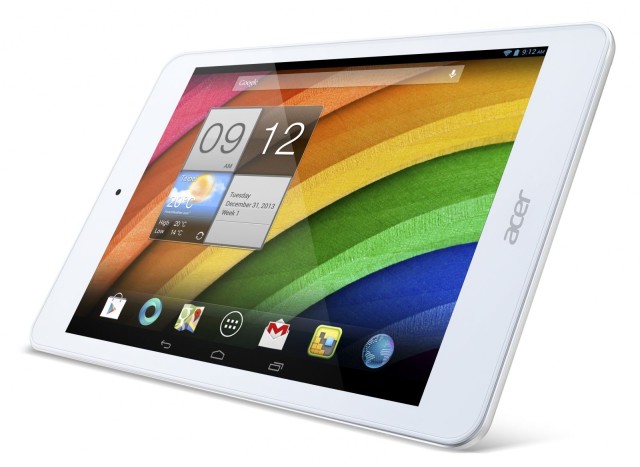
Acer has today announced two new Android-powered tablets that it will introduce at CES in Las Vegas next week, one of which is a $180 iPad mini clone. It’s called the Iconia A1-830 and it sports a “premium aluminum” chassis that houses a 7.9-inch display, a 1.6GHz Intel Atom processor, and 1GB of RAM.
Acer also announced the Iconia B1-720, an entry-level device with a $129 price tag that looks a lot like the 2012 Nexus 7, and has a 7-inch display and a 1.3GHz dual-core processor.
The creators of the incredibly popular Pebble smartwatch, which came alive in the midst of a Kickstarter campaign last year, said yesterday that they will be bringing “something special” to this year’s International CES in Las Vegas.
Acclaimed biographer Walter Isaacson is crowdsourcing editorial comments for his new book — which will focus on innovators of the digital age. The book will begin with 19th century computer pioneer Ada Lovelace, and continue to the present day.
So far Isaacson has released a draft section — entitled “The Culture That Gave Birth to the Personal Computer” — that “sets the scene” in Silicon Valley during the 1970s: the decade in which Steve Jobs and Wozniak first started Apple.
DreamWorks, the animation studio behind movies like Madagascar and Shrek, is preparing to launch its own Android-powered “DreamTab” tablet. The 8-inch device will be aimed at kids, The New York Times reports, and it’ll cost under $300 when it launches this spring.
Accessory manufacturer iDevices has announced a couple of new grilling tech products to be showcased at CES 2014 next week.
Both the iGrill2 Bluetooth Smart Meat Thermometer and the iLP Bluetooth Smart Liquid Propane Monitor are app-connected products which aim to improve the user’s grilling efficiency.
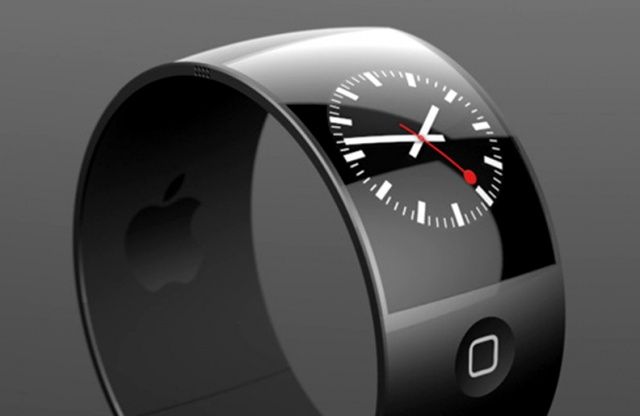
A third-party concept design for how the iWatch might look.
DigiTimes is reporting that Apple is experiencing difficulties in its long-rumored iWatch development — meaning that the (as yet unannounced) consumer launch may slip back further during 2014.
The not-always-reliable news site cites sources from the upstream supply chain, who report that the iWatch production slowdown is the result of the device’s body design. Apple is “reportedly seeing less than 50% yield rates due to difficulties applying surface treatments on their metal injection molded (MIM) chassis.”
Want to know which “freemium” (free to download, but with in-app purchases) game may just rule the App Store in 2014? Say hello to Farm Heroes Saga.
From the creators of social games including Candy Crush Saga, Bubble Witch Saga, Pet Rescue Saga, Papa Pear Saga, and License To Print Money Saga (note: the last one may not exist), Farm Heroes Saga is essentially an agriculture-themed variation of Candy Crush Saga — in which players must switch and match three “cropsies” in order to stop Rancid the Raccoon from spoiling the farm lands.
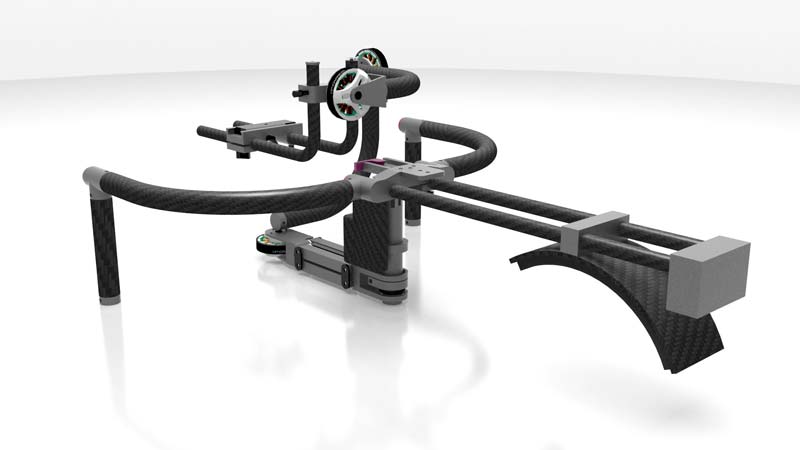
Would you pay $7,800 for a suitcase full of carbon fiber and aluminum tubes? No, me neither, but clearly somebody will, or Shadowcam wouldn’t be hawking its crazily-priced S–5 camera stabilizer, a three-axis gimbal rig that would keep your shots steady even if you stood on a vibrating table with a bowl of jello on your head.
The reason in a nutshell: that Wells Fargo changed its rating for Apple from “outperform” to “market perform”. While this downgrade wasn’t accompanied by a change in valuation (which remains in the $536 to $581 range) the rating essentially shifts recommendation away from “buy” to “neutral” (which actually means “sell”).
The Mummy Case is one of our all-time favorite iPhone cases, and now it has a sequel. No, it’s not the execrable The Mummy Returns. It’s the Straightjacket, and it looks pretty rad.
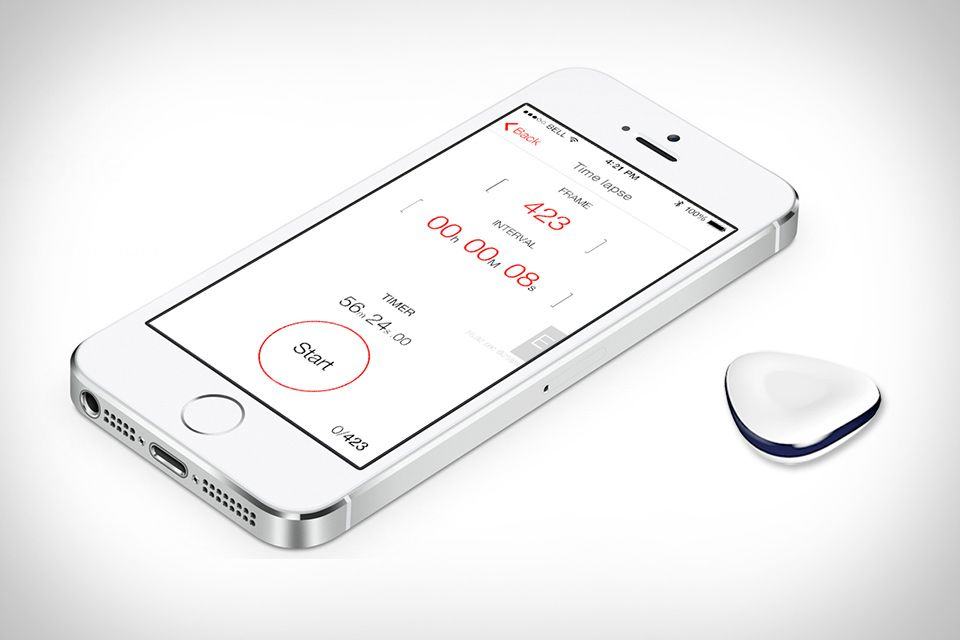
MaxStone is yet another way to trigger your camera from your iPhone, with all the usual timer and detection options to fire the camera’s shutter from afar. But this one takes a different approach to the hardware. Instead of running a cable from the iPhone to the camera, the MaxStone uses a combination of Bluetooth and IR.
This Week, the app which we said “beats iOS Reminders app at its own game,” is now a universal app with newly-added iPad support. And it’s still way better than Reminders for adding dated tasks.
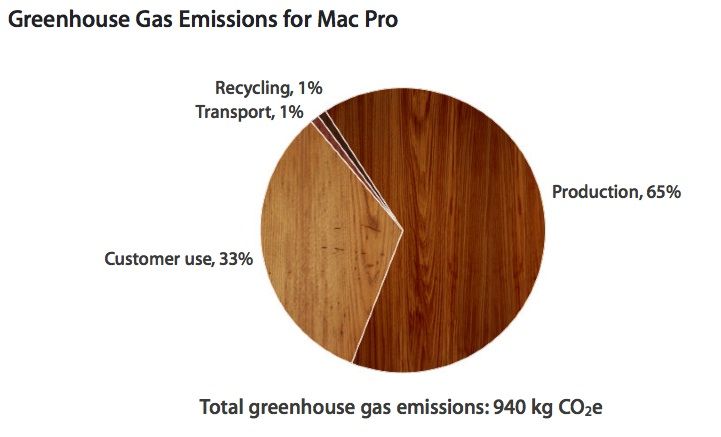
Having previously been labeled the “least green” tech company by Greenpeace due to its reliance on coal at data centers, Apple is keen to live up to its “force for good” mantra by demonstrating the environmental credentials of its products.
And when you’re speaking about the Mac Pro, those credentials are pretty damn impressive.
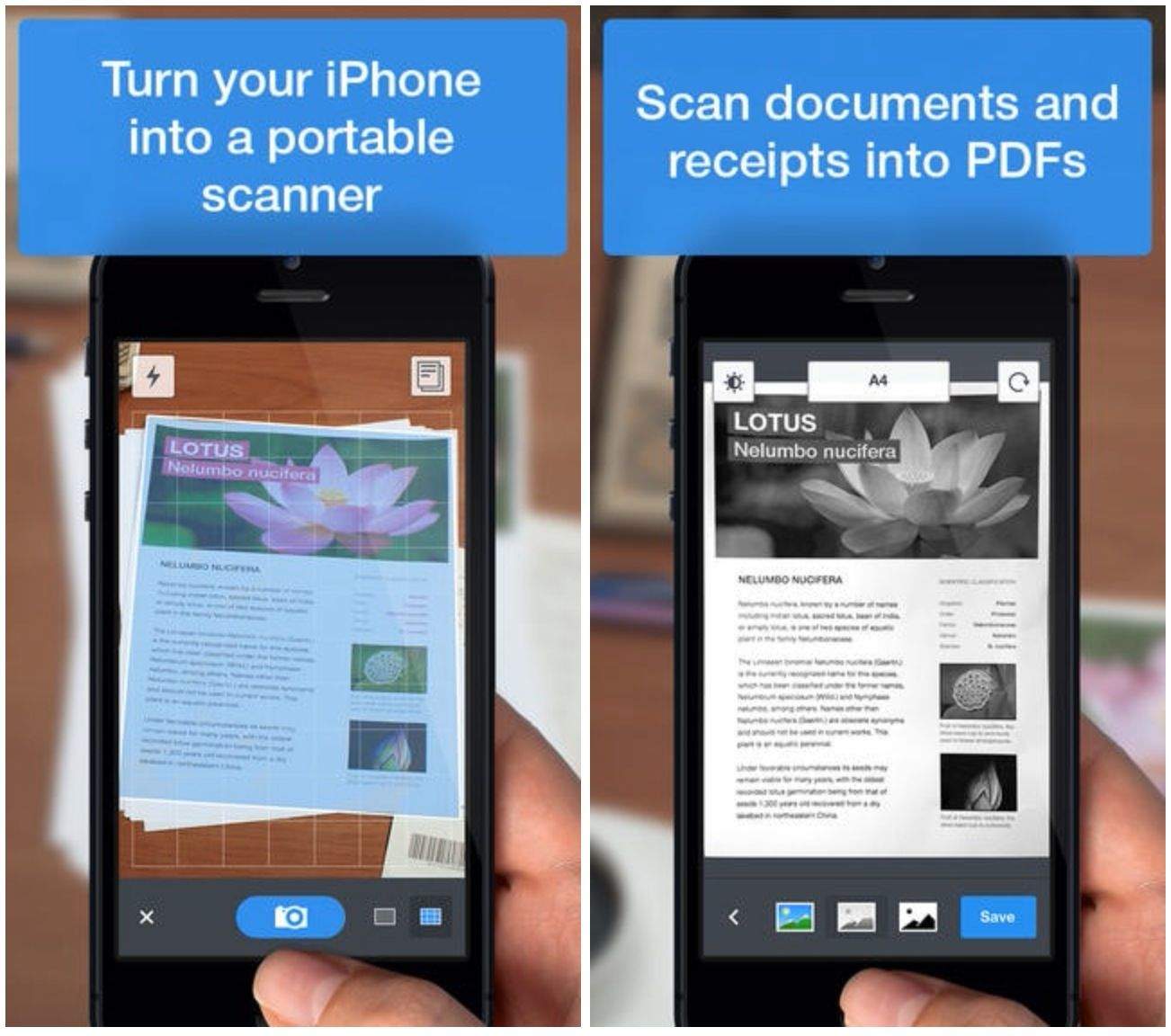
Every week Apple picks an app to showcase in the App Store as app of the week, and to kick off the new year Readdle’s Scanner Pro has been selected. The app is designed to turn your iPhone or iPad into a portable scanner that can store all kinds of documents, whether it to be a receipt for dinner or a work visa.
There’s a lot more to this app than meets the eye, so get it now if only to have it in case you ever need it one day. It supports iCloud sync, and you can share documents via Dropbox, Evernote, Google Drive, email, or print. Scanned documents are automatically fixed up to look they best they can when added to the app, and everything that’s scanned is turned into a PDF.
Scanner Pro normally costs $7, but as part of Apple’s week-long promotion, it’s available now in the App Store for free. The deal ends the 9th. Such a steal.