Now you can play Game of Thrones Ascent on your iPad, leading the life of a noble in Westeros, collaborating and conniving with other players in a persistent online world.
Tiny portable bluetooth speakers are all the rage these days, and we’ve seen our fair share of them.
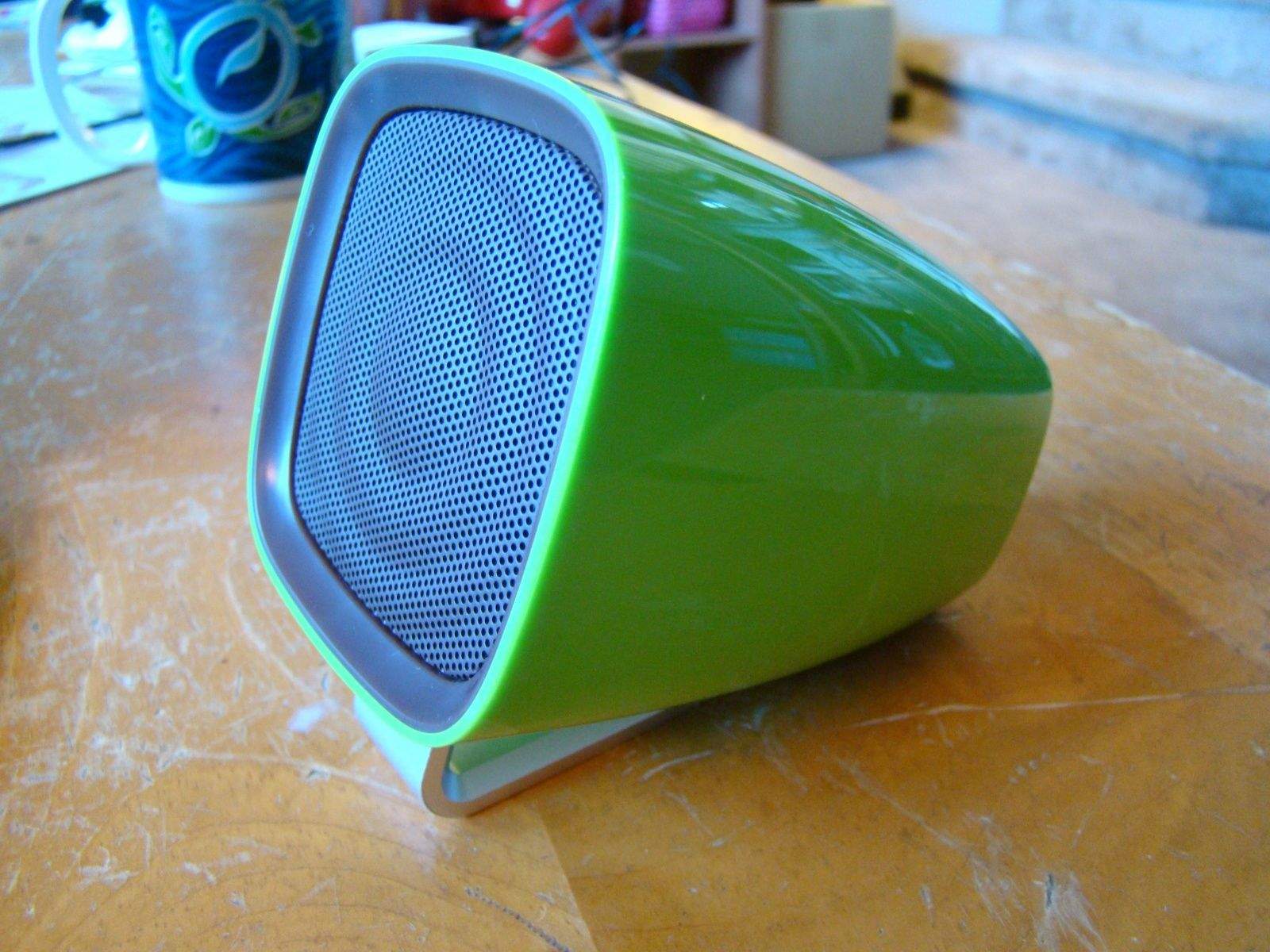
Music Cup by Music Cup Category: Bluetooth Speakers Works With: iPhone, iPad, any audio Price: $39.99
Trouble is, the smaller the speaker, the worse it sounds. Honestly, if your bluetooth speaker sounds worse than the built-in speakers on your iPhone, you’ll likely not want to go through the trouble of even pairing the thing up.
The Music Cup bluetooth speaker is small, shaped like a mug, and it sounds pretty darn good.
For the company behind Candy Crush, developer King Digital don’t exactly seem to be crushing it in their public market debut on the New York Stock Exchange.
Shares in the popular developer — which grossed $1.88 billion last year — were valued at $22.50 on Tuesday. They then debuted at $20.50 on Wednesday, before quickly dipping to $19.06.
I should warn you now, the iOS version of Shin Megami Tensei is perhaps the most bewildering game you’ll play on your phone. The game world is unforgivingly nondescript, and you navigate it in first person. It’s very easy to get lost indoors and bypass important people and doors until you get the hang of navigating. I recommend you pause briefly before entering any room to see if a nameplate appears — otherwise you’ll be running in circles. Also, Atlus’ strange control panel shell for SMT is a little unwieldy. I played in landscape mode in order to take screenshots, but I highly recommend playing in portrait mode as the interface buttons are smaller, easier to reach, and not covering the game screen.
Shin Megami Tensei by Atlus Category: iOS Games Works With: iPhone, iPad Price: $7.99
You start off in the midst of a terrifying dream where spirits are being tormented by demons. You rescue your future teammates by saying their names, which breaks the demons’ hold. And suddenly, you wake up. A ghastly murder in a parking lot has set your bustling city on edge and a weird man named Steven is constantly sending you information about a demon summoning program. Yet your mother still wants you to go out and get coffee.
I don’t have a lot of time to read, so it’s always nice to find an app to help me out there. SprintReader employs rapid serial visual presentation to let you read one of a selection of classic (i.e. public-domain) works with haste.
You get a box, and the words appear one at a time. They always appear in the same place, so you just plunk your eyes there and let the text come to you. The selections are a bit limited right now, but if you’ve never read Pride and Prejudice or The Adventures of Huckleberry Finn, now might be a good time.
Developer Parsec Productions’ PC horror title Slender: The Eight Pages was one of my favorite games of 2012. It packs an impressive amount of horror and suspense into a very simple idea — being lost in the woods while an unbeatable enemy relentlessly pursues you — and it was one of the few games I’ve ever played that really and truly terrified me.
Dead Room: The Dark One by Donovan Crewe Category: iOS Games Works With: iPhone, iPad Price: $2.99
It makes sense that others would want to get in on that action, and while you have plenty of Slender Man games to choose from in the App Store, Dead Room: The Dark One takes the same basic concept and puts its own creepy spin on it.
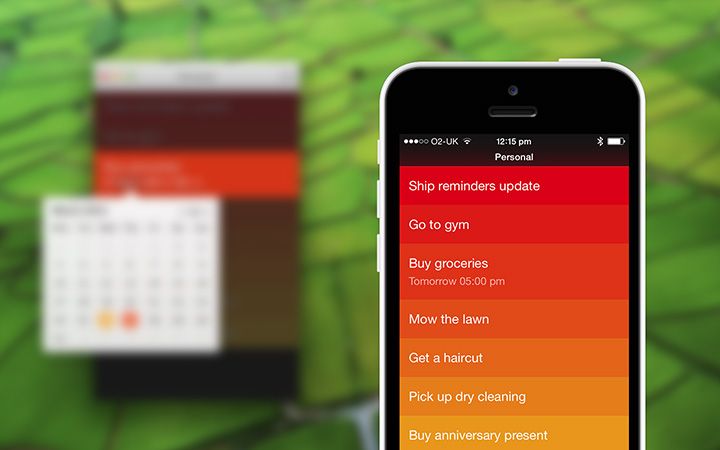
Realmac Software today confirmed that the much-anticipated update that will bring reminders to Clear for iOS will arrive in April. It was originally due to arrive this month, but the company has been working hard to ensure everything’s just right before it goes live.
SAN FRANCISCO — It’s that time of year when the biggest Apple fans in the world congregate on Moscone North for a three day celebration of all things Apple. This year’s Macworld/iWorld show offers a little something for everyone from hands-on tutorials for taking better iPhone photos or live-recording with an iPad, to parties, tons of exhibitors, games, and more.
Cult of Mac will be covering all the Macworld festivities starting today on our live-blog, but if you’re wondering what all the fuss is about for Macworld, an event that even Apple doesn’t attend anymore, here six things that you won’t want to miss this year:
But how does it stack up against competitors like the Samsung Galaxy S5, the Sony Xperia Z2, and even the Apple iPhone 5s? Our in-depth comparison chart makes it all clear — and helps you decide which of today’s flagships is worth your hard-earned cash.
Guitar Hero will vanish from the App Store at the end of this month.
Not the best rhythm game available, but still a lot of fun, we praised Guitar Hero back when it first arrived on iOS in 2010. With its price now reduced to 99¢ as a parting gift, it’s absolutely worth picking up if you’re interested in the genre.
Grab a great deal on a refurbished MacBook Pro Ivy i5 Dual 13" Laptop. Photo: Cult of Mac
It’s been almost two years since Apple announced the Retina MacBook Pro, and it’s still the only Mac with a Retina display. But according to sources in Apple’s supply chain, that’ll change this summer when the Cupertino company finally unveils the Retina MacBook Air.
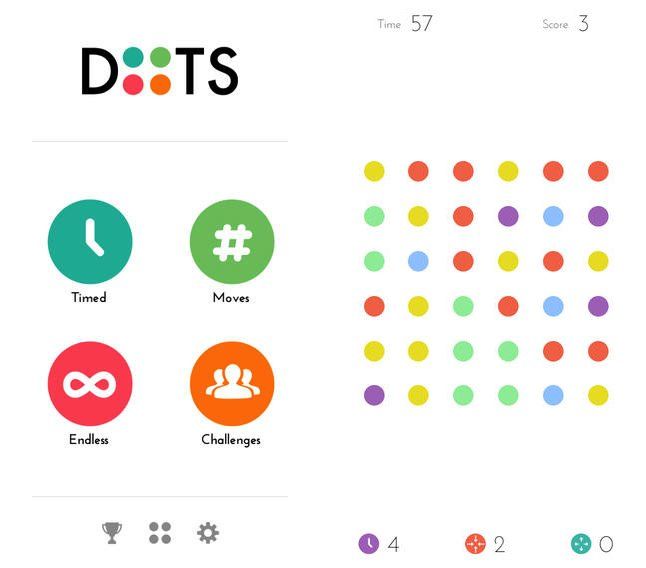
Ultra-addictive iOS game Dots has just received a major update, adding a significant new feature.
Called “Challenge Mode,” the addition circumvents the hassle of taking screenshots of individual dots counts — or else comparing scores via social media — by letting players face off in real-time, head-to-head competition.
Following news of Facebook’s surprise acquisition of Oculus VR for $2 billion, Mark Zuckerberg shared some impressive numbers regarding the social network’s sustained mobile growth. Facebook has an “active” mobile user base of 1 billion, Zuckerberg announced, while the Facebook-owned Instagram has 200 million active users of its own.
iPods can play an extraordinary part in helping people suffering from dementia.
iPods are being used in a nursing home pilot program designed to help rekindle the memories of residents with Alzheimer’s disease and related dementias.
The program uses iPods, equipped with personalized playlists, to help improve the mood and interactions of residents. It is also replacing the need for medication in some cases.
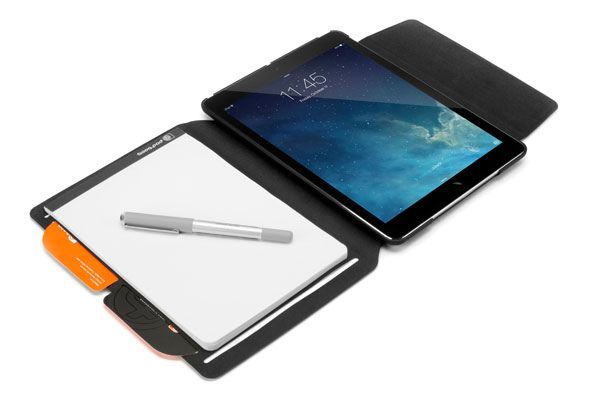
Paper? In the age of the iPad? Unthinkable! Ink from a pen? Inconceivable! And yet that’s what the new Booqpad for iPad Air promises us, a case that both protects the iPad and gives you a pad and paper to write on. Not only that, but it does it all with magnets.
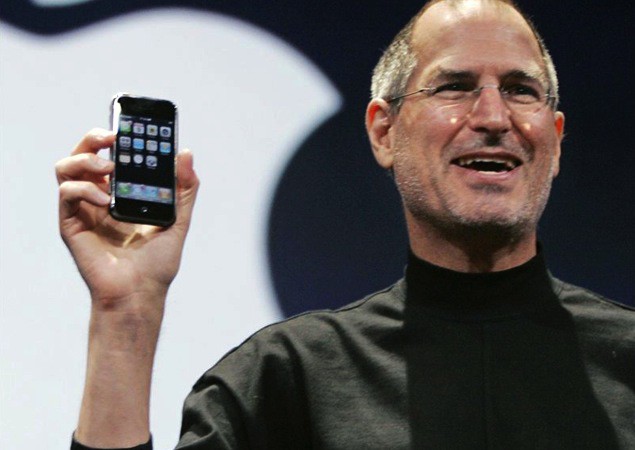
Steve Jobs introduces the smartphone that changed smartphones. Photo: Apple
Ahead of the next round of the Apple vs. Samsung legal battle, one of the original iPhone engineers, Greg Christie, spoke to the WSJ about the development of Apple’s breakthrough smartphone.
Much of what he discusses in the Apple-approved interview is already well known, but a few neat details emerge.
At one point, Christie says that Jobs gave the team a two week ultimatum, after which he would move the project to another team if they were unable to create what he was after.
“Steve had pretty much had it,” said Mr. Christie, who still heads Apple’s user-interface team. “He wanted bigger ideas and bigger concepts.”
I use flash thumb drives for precisely one purpose these days – taking a PDF boarding pass to the local print shop. That doesn’t stop me being impressed with Edge’s new DiskGo Sonic USB 3.0 Flash Drive, though, which is a super-fast SSD drive in the form of a USB stick.
Back when I wrote at Wired, I called Waterfield’s keyboard case a “signal of the end of civilization.” Who needs a coddling cover for a keyboard that is so tough it can keep working even after you have a tantrum and smash it on a marble topped table? Repeatedly? (Like a friend of mine did one time).
Now I actually use that same cover whenever I travel, so I’m a little more accepting of the new “CitySlicker for the Jawbone Mini Jambox,” a case for the toughest little speaker on the market.
Uber, the app-based alternative to traditional taxi services, is reportedly considering switching its drivers from iPhones to Samsung-manufactured Android handsets.
Uber has previously purchased tens of thousands of iPhones, which are used for receiving and tracking rides. Although customers can use Uber on either an iOS or Android handset, the drivers’ systems runs only on iOS.
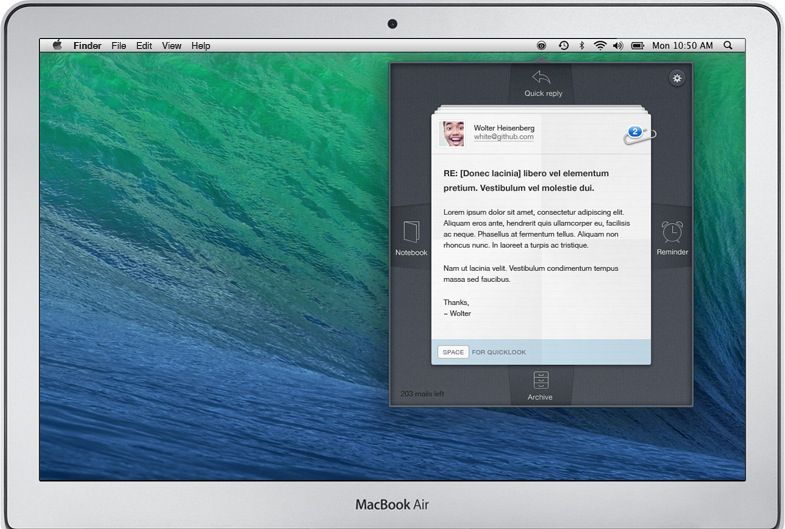
BlinkMail is a great new OS X mail app that lets you speed through your inbox using just the arrow keys. It also integrates with other services like Evernote, and Dropbox, Things and Omnifocus support is on the way.
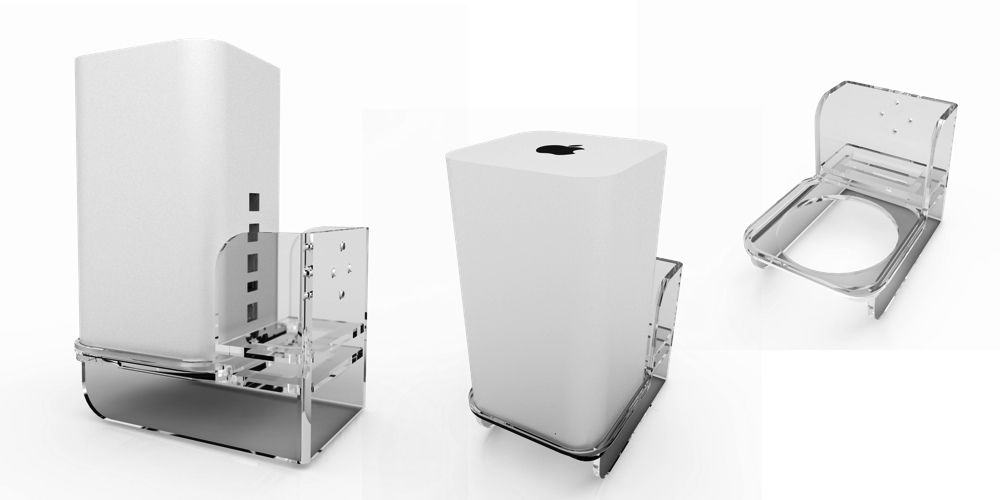
Oh man. If you make a product. Then somebody, somewhere, will make a case of a stand for it. This is a rule as fast as death, taxes and death taxes. So, if you were thinking that your AirPort Extreme was doing a pretty crappy job of sitting on your desk, and of not falling over, then the Air Mount is for you.
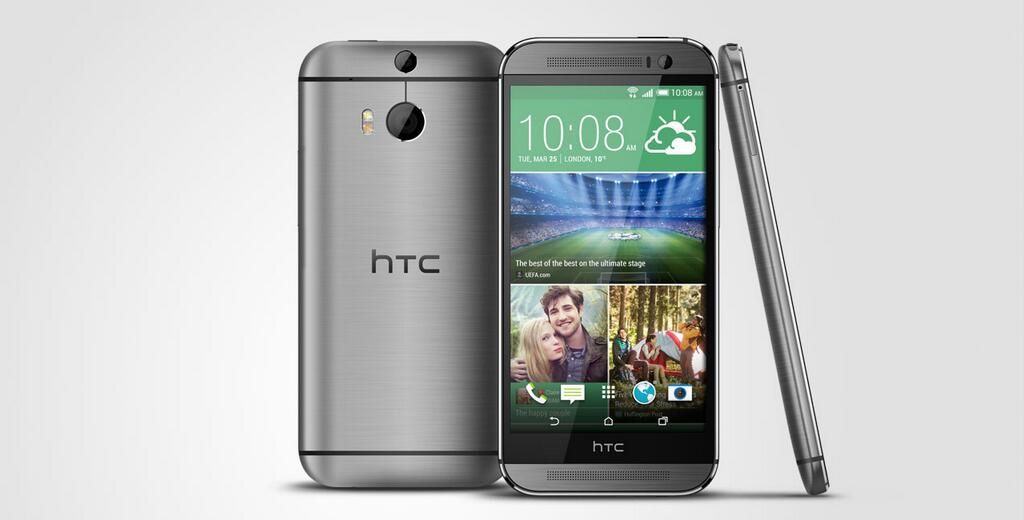
When your camera is a computer instead of a dumb lens and light sensor, you can do all sorts of tricks. That’s the idea behind HTC’s new One M8, a camera which matches its two names with two lenses.
Every once in a while a software bundle comes along that is almost impossible to pass up. This would be one of those times.
Cult of Mac Deals has assembled 7 top Mac apps in The Mac Freebie Bundle. Valued at $119, this nundle has a little bit of everything – and best of all its price is tough to beat.
For us, then, Noodlecake’s new game, Flappy Golf, is just chocolate melting over delicious peanut butter. It’s like Super Stickman Golf except with a flappy golf ball, which you need to get in the hole with as few flaps as possible. Even better? All thirty levels of the game are completely free. Oh, Noodlecake, we love you so.
BlackBerry — the beleaguered Canadian smartphone maker that controls literally 0 percent U.S. market share — is now suing its own executives to prevent them from quitting their jobs and flocking to Apple. Really!