Mobile menu toggle

Top iOS Apps Of The Week

By

52 Weeks

Browsing the App Store can be a bit overwhelming. Which apps are new? Which ones are good? Are the paid ones worth paying for, or do they have a free, lite version that will work well enough?

Well, if you stop interrogating me for a second, hypothetical App Store shopper, I can tell you about this thing we do here.

Every week, we highlight some of the most interesting new apps and collect them here for your consideration. This time, our picks include another cool timer, a money-saving challenge, and a thing to help you unwind.

Here you go:

52 Weeks Money Challenge — Finance — Free

If you haven’t heard of the 52 Weeks Money Challenge, you probably don’t have a Facebook account. And I envy you for that.

Anyway, the challenge is a way to help you build up a nest egg through regimented saving. You put away one dollar the first week, two dollars the second, and so on. At the end of 52 weeks, you’ve set aside a total of $1,378. This app tracks your progress and grand total, and it will even send you weekly reminders in case you’re the forgetful type.

52 Weeks Money Challenge

Relaxatron

Relaxatron — Entertainment — Free

People keep telling me I’m too highly strung, which is probably why I keep finding relaxation apps to write up. It might also be why I just yelled at my TV for 15 minutes for refusing to contain any episodes of Quantum Leap.

Anyway, Relaxatron has two things going for it: a badass name and a little more interaction than some of those other calming apps. You create a “seed shape” by placing dots into a grid, and then you just tap the screen and watch calming patterns emerge, and …

That was two hours ago.

Relaxatron

Night Sky Guide 3D

Night Sky Guide 3D+ — Reference — $1.99

Alright, this one’s really cool.

Sometimes, I’m outside at night (fewer bees then), and I’ll see something in the sky and think, “Is that a planet, or should I call NASA and tell them that we’re all probably about to die?”

Night Sky Guide 3D+ will save me a lot of embarrassing phone conversations with scientists. It uses your iOS device’s GPS and compass, so you can just hold it up and it’ll show you a notated view of the patch of sky you’re facing.

So it was just Jupiter. Sorry, NASA operator.

Night Sky Guide 3D+

Tico Timer

Tico Timer — Education — $0.99

Here’s another app from the maker of the very clever Humming Timing. Developer Ricardo Fonseca made Tico Timer for children, and it counts down using animated shapes instead of numbers. So the clock will expire when, for example, all the squares disappear from the screen. Or when the large circle shrinks down to a point and disappears. And all of this happens while some very relaxing music plays.

The goal of the app is to teach kids a sense of time, but I’ll probably use it myself because it’s the most relaxing timer I’ve ever seen.

Tico Timer

Racing Game Offers Bitcoin Rewards To The Fast And Furious

By

Racing for Bitcoins? Yes, please.

Hot Rod Hustle wants to bring bitcoin wagering to the Mac and PC, with real money betting available on iOS and Android. This is the first time we’ve heard of a racing game with available real-world money rewards on any platform.

All versions of Hot Rod Hustle will use the same servers, letting those on iOS play with those on Mac, for example. The Mac and PC version of Hot Rod Hustle will allow for Bitcoin wagering, while the mobile versions will use Skillz.com, an online wagering system, which is limited to 37 states as well as the UK and Scandanavia. The cross-platform compatibility means that you can build up your hot rod on your iPhone, then log in on your Mac and race for Bitcoins. Exciting!

Apple TV Update Expected Soon With Focus On Gaming

By

Apple isn't happy with Imagination Technologies.
Photo: Apple

It has been nearly two years since Apple has released a major update to its set-top box. And now a fourth-gen Apple TV could be announced as soon as March. Today a pair of reports from iLounge and 9to5Mac claim that a new Apple TV will be unveiled within the next couple months.

While the hardware probably won’t be that exciting, Apple is rumored to finally give the product’s software the overhaul it so desperately needs. Some kind of dedicated gaming experience may even be in the cards.

The Best New Albums, Books And Movies On iTunes This Week

By

picksoftheweek

Rather than slogging through a lake of reviews to find something you’re just going to put down after 30 minutes, Cult of Mac has once again waded through the iTunes store to compile a list of the best new movies, albums and books to come out this week.

Enjoy!

Movies:

 Captain Phillips

captainphillips-poster2

Captain Phillips was one of the best movies to hit theaters in 2013, but you can finally cuddle up to it on your iPad. It’s up for like 50 Oscars, including a best supporting actor nod for Barkhad Adbi who had never even acted before taking over Tom Hanks’ ship.

iTunes – $17.99

About Time

about_time_xlg

On the surface About Time seems like it’d be just another romantic comedy starring Rachel McAdams of The Vow, The Notebook and Wedding Crashers fame, but romance takes a back seat in this moving story about the relationship between Tim, played by Domhall Gleeson, and his father, both of whom have the ability to travel through time.

iTunes –  $12.99

Sepideh

spedieh

Sepideh: Reaching for the Stars premiered at this year’s Sundance, and for the first time ever, Apple’s made the film available on iTunes while it’s on at the indie film festival.  The documentary follows a young Iranian woman, Sepideh, who teams up with the first female space tourist to follow her dreams of becoming an astronaut.

iTunes – $7.99

Albums

Bad Suns – Transpose

badsuns

Fans of Imagine Dragons, AWOL Nation and the like are destined to enjoy the new EP from Bad Suns. I’m allowing them a spot on this week’s list even though they’ve desecrated my the Zia Symbol. Groovy bass lines and great guitar are followed with some impressive vocals in the four-track EP full of earwormy tunes.

iTunes – $3.99

Warpaint – Warpaint

Warpaint_Warpaint_Album_Cover

Warpaint has been around for almost 10 years, yet they’ve only managed to drop two LPs in that decade. Despite the wait, their second album, Warpaint, oozes with slow-flowing pop moodier than your teenage sister ever was, making it one of my favorite albums of the month.

iTunes – $9.99

Thee Silver Mt. Zion Memorial Orchestra – F*** Off Get Free We Pour Light on Everything

mtsilver

The title for Thee Silver Mt. Zion’s seventh album is a bit ridiculous, but what else would you expect from the motley group of Montreal rockers? Lead guitarist Efrim Menuck and violinist Jessica Moss recently became parents, so the album fittingly intros with their son Ezra before the group jumps in declaring, “We live on the island called Montreal, and we make a lot of noise… because we love each other!” before unleashing a new wave of orchestro-punk mayhem.

iTunes – $9.99

Books

Windfall: The Booming Business of Global Warming
by McKenzie Funk

windfall

Most of us look at global warming as an ominous threat, but in McKenzie Funk’s new book Windfall we learn that some people view Earth’s looming disaster as a ticket to the One Percent. Funk spent six years traveling the planet to study climate change and dives into three major categories of global warming – the melt, the drought, and the deluge – that have nations and major corporations lining up to cash in on the global meltdown.

iTunes – $14.99

The Port Chicago 50: Disaster, Mutiny, and the Fight for Civil Rights
by Steve Sheinkin

Port-Chicago-50

We enjoyed a great MLK day this week and if you’re looking for more background on civil rights stories, check out Sheinkin’s book which covers the events of a massive explosion that rocked the segregated Navy base at Port Chicago in 1944. More than 300 sailors were killed in the blast and when 244 men refused to go back to work because of unsafe conditions 50 were charged with mutiny, facing decades in jail and even execution.

iTunes – $9.99

The Days of Anna Madrigal
by Armistead Maupin

annamadgirgal

Armistead Mauphin’s Tales of the City series is finally coming to an end. The ninth and final novel features Anna Madrigal, a wry 92-year-old transgendered landlady who has found peace with her “logical family” in San Francisco, and culminates with the group attending Burning Man in this memorable and captivating capstone to the series.

iTunes – $14.99


WaterField’s Spacious Smartphone Wallet Carries Everything You Need [Review]

By

post-263656-image-f26f7133212af93636cc0a8560bb6d70-jpg

When you buy a smartphone wallet case, the chances are you’re going to have to make some cutbacks — because the vast majority of them only carry a small number of cards. But that’s not the case with the Finn wallet from WaterField Designs, which has plenty of space for your phone and all the cards and cash you can carry.

Finn by WaterField Designs
Category: Wallet Cases
Works With: Everything
Price: $39+

Finn’s available in four different sizes: the size 25 model is designed to be a wallet only, but the other three — size 27, size 42, and size 69 — are designed to carry your smartphone as well. Of course, the larger the Finn, the bigger the smartphone you can stash into it (and the more it’ll cost you).

I’ve been reviewing the size 25 and the size 69, which measures 5.5 inches by 3.3 inches, and is designed to carry an HTC One or a Galaxy S4, according to WaterField’s website — but it’s compatible with a whole bunch of other smartphones, too. I’ve mostly been using mine with a Nexus 5, but I’ve used HTC, Samsung, and BlackBerry handsets with it, too.

WaterField calls Finn “the best wallet ever,” so let’s see if it lives up to those claims.

About The Artist Who Designed This Week’s Cover: Susan Kare

By

susan

At Cult of Mac, we pride ourselves on our obsessive love for everything Apple, which is why we’re crashing through the walls with excitement to have Apple pioneer, Susan Kare – the person responsible for creating most of the original Mac icons – designing this week’s cover.

Since 1983, the San Francisco-based designer has crafted thousands of software icons that have become familiar to anyone who uses a computer. Designed on a minimalist grid of pixels and constructed with mosaic-like precision, her icons communicate their functions immediately and memorably.

Kare was working as a fine arts curator when she was recruited in the early 1980s by Andy Hertzfeld, a high school friend, to design the look and feel of the first Mac, the first commercial computer with a GUI – which happens to celebrate its 30th birthday this week.

Influenced by road signs, her whimsical, easy-to-understand icons defined the visual language of computers for decades —such as the Trash Can, the Bomb, the Paint Can, to name a few

Kare later designed the Mac’s fonts, and then went to work for Steve Jobs at NeXT. She also designed icons for Microsoft’s Windows 3.0. More recently, she created a line of virtual gifts for Facebook, stickers for Path, self-published an art book, as well as a ton of wonderful prints she makes available on her site when she’s not out surfing.

Susan_Kare_Prints

Kare is widely recognized as the groundbreaking designer of graphical user interfaces, mostly because the meaning of her symbols were instantly apparent.

The Museum of Modern Art in New York praised Kare’s designs for being able to “communicate their function immediately and memorably, with wit and style.”

Did she have any idea she was making history at the time?

“You can set out to make a painting, but you can’t set out to make a great painting,” Kare said in an interview. “If you look at that blank canvas and say, ‘Now I’m going to create a masterpiece’ — that’s just foolhardy. You just have to make the best painting you can, and if you’re lucky, people will get the message.”

We’ve featured her work heavily on the site, and oogled at the incredible prints available on her online store, but its truly an honor to have her work her craft on the Cult of Mac Magazine.

Ask A Genius Anything: Crazy Launch Days, Apple Care+ And Geniuses On Android

By

askageniusanything

This is Cult of Mac’s exclusive column written by an actual Apple Store Genius who answers all your questions about working at an Apple Store. Our genius must remain anonymous, but other than “Who are you, anyway?” ask anything you want about what goes on behind that slick store facade.

This week our Genius answers why the iPhone screen can be repaired in stores while the iPad has to be shipped away from special care. We also discuss whether working at the Apple Store can be turned into a solid career, plus the top 5 most annoying things customers do at the Apple Store.

Got a question you want the inside scoop on? Send us your questions and the answers will be published first in Cult of Mac’s Magazine on Newsstand. Send your questions to newsATcultofmac.com with “genius” in the subject line.

Q: What’s the craziest launch day you’ve experienced?

iPhone launches tend to be the craziest. The biggest I was a part of was the iPhone 5S/5C launch. There is a huge amount of hype that builds up in the store. Nothing in the store changes until after closing on the night before launch.

Store employees can volunteer to be on a special group called the “visuals team.” They focus on the appearance of the store, like the displays and product tables. They stay overnight and work furiously to update the store. On this last iPhone launch, our store was one of many that were unable to complete the display setup in the front of the store. Then, since it wasn’t completed, we had to take the whole thing down. There just wasn’t enough time — we were short staffed for the overnight gig. The rest of it came together just in time.

The stores usually provide breakfast, lunch and drinks to keep us energized. Leaders work to get everyone all hyped up for crazy day ahead. Customers get pretty excited too. The downside to all that energy: when people don’t get what they want, they can get pretty nasty. One of the people in the front of the line who waited overnight at our store threw a fit because we didn’t have the gold iPhone she wanted in stock. She demanded we get her one because she had waited all night for it. The majority of people are pretty happy though, and add to the energy. We had lines of people coming into the store from when we opened until closing time.

Q: Do any of the Apple Store employees use Android phones?

There are more than a couple of people in the store who have Android devices. Some specialists, a couple of geniuses, and one manager in our store use Android. One devoted Blackberry user swears his phone does everything he needs it to. Some people only use an iPad or maybe just a Mac. One of my coworkers swears that the best thing Apple makes is the Apple TV, believe it or not.

Everyone has a personal opinion, but they are all passionate about Apple. Even if they don’t use the iPhone, they use something Apple and know all of the products. On a side note, we’re asked not to display our phones while on the job for a number of reasons.

Q: Is AppleCare+ worth it?

Applecare+ is definitely worth it — to me, at least — for the iPhone. I only upgrade every two years since that’s how my plan works, so I definitely think having two years of coverage is needed. If there are any issues it’ll be covered or even if I have an accident, I can have two accidents at a much lower cost than without the coverage. For the number of problems and accidents people bring in every day, I tend to get the coverage. For the iPad and Macs, I think it’s a cheap insurance in case of costly repairs. Either way, ask yourself how long you plan on keeping the device, especially if you upgrade often. I tend to keep my stuff longer and use it to the bitter end; some people buy the newest stuff each cycle and just sell the old, in which case, extended your warranty might not be necessary. If you’re going to hang on to it past the warranty I definitely recommend it!

WSJ: Apple To Kill The iPhone 5c And Release Two Larger Models This Year

By

The iPhone 5c wasn't quite the ultra-cheap smartphone some had predicted.

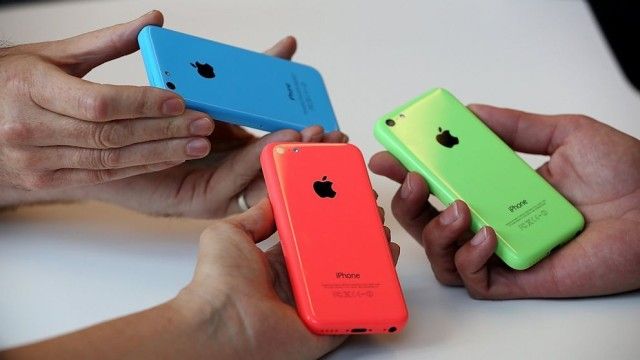
The iPhone 5c’s lifespan will be short-lived, according to a new report from The Wall Street Journal. Apple will reportedly discontinue the 5c this year and release two larger iPhone models.

The initial success of the iPhone 5c has been questioned amidst reports that Apple cut orders by as much as 35% shortly after releasing the phone last fall.

Rumors of larger iPhone designs have been swirling for months now, and the Journal is saying to expect screens larger than 4½ inches and 5 inches.

‘Spender: Expenses Only’ Might Shock You Into Saving Money

By

Spender

Spender: Expenses Only — Finance — Free $0.99 [thanks, commenters]

If I want to be reductionist here, money management has two general components: maximizing income and minimizing expenses. For many people, the second part is more difficult because sometimes you really, absolutely need to own that box set of The Adventures of Brisco County, Jr.

Spender: Expenses Only is a quick and easy way to itemize and organize your bills, and it even tells you how much you’re spending on average daily. And once you look at your costs in that vacuum and see just how much you’re blowing on Pez and action figures without seeing the income to offset it, you might want to change some things.

Spender – Expenses Only

Kid Aviator Takes The ‘Endless’ Genre Vertical [Review]

By

Kid Aviator

We have no shortage of cute games about adorable characters who need your help to get home or something comparable, but here’s something a little different.

Kid Aviator by Mattia Fortunati Games
Category: iOS Games
Works With: iPhone, iPad
Price: $0.99

Kid Aviator is about a young carnival daredevil fired from a cannon who is trying to fly as high as he can to spite gravity. He has a cape. He has goggles. He is awesome.

The only problem is that the sky is full of all kinds of random crap that wants to ruin his affront to physics and Nature, and that’s where you come in.

Secure Your iPhone 5/5S With The Sleek iPhone 5/5s Protection Bundle [Deals]

By

redesign_gr_mainframe5

If you’ve wanted to protect your iPhone 5 without compromising its form factor, then this Cult of Mac Deals promotion is for you.

The unique clasp locking system of the Leverage i5 was inspired by high-end watch clasps, and the metal latch and lever system are built to last. Plus, with its integrated buttons, the case never gets in the way. This bundle also comes with three interchangeable backplates – flat (normal), headphone wrap, and credit card holder (for 1–4 cards) – that add functionality, but only when you need it.

And you can have The Sleek iPhone 5/5S Protection Bundle for just $39.99.

Already? SteelSeries Drops Price On iOS Game Controller To $80

By

Here we go.
Here we go.

Update: A SteelSeries representative sent us the following in an email asking why the price had been reduced so soon after the initial release.

“The response of this product coming out of CES was incredibly positive, [but] the largest concern was with the price set at $99.99 MSRP. Our goal with the Stratus goes beyond just selling a controller; it’s really about helping to define a new platform. We want to see that succeed and took initiative immediately after CES to find ways where we could improve the odds of that success by lower[ing] the price. The outcome is that our team was able to work with our partners to bring the cost for the consumer down to $79.99.”

Original Post: Well, it looks like the price wars have begun in earnest. SteelSeries’ Stratus is now $79.99, instead of the $99.99 it launched for at CES. If you pre-ordered this at the older price, you’re in luck: SteelSeries will honor the new, lower cost for all pre-orders.

The iPhone 5c Is King Of Internal Storage. Is Samsung In Last Place?

By

post-263620-image-82335b2917bde37643c5503c8a1fd045-jpg

When you buy a 16GB smartphone, you don’t actually get 16GB of space to install apps, music and other media. No matter what smartphone you buy, the operating system needs to be installed into memory, and that takes up valuable gigabytes.

Still, some phones are better than others. As far as staying trim, the iPhone 5c is the best value for the money in its class, allowing users to install media to 12.60GB of the 16GB drive. The Google Nexus 5 comes in second place at 12.28GB.

The worst offender by far, though? The Samsung Galaxy S4. You won’t believe how little internal memory you get.

BT Tests Lightning-Fast 1Tbps Broadband In U.K.

By

post-263617-image-08cf5c0f5c810c20a51c4648d5dab1b7-jpg

Think Google’s 1Gbps fiber speeds are impressive? Think again. BT and Alcatel-Lucent have teamed up to achieve lightning-fast speeds of 1.4 terabits per second in the U.K. — that’s over 10,000 faster than the current fastest consumer broadband available in Britain, and it will let you download 44 full-length HD movies in a single second.

What’s more, it was achieved using existing fiber broadband cables.

How To Replace Text Emoticons With Emoji [iOS Tips]

By

shortcuts1

Sure, you use the Messages app to send along SMS and iMessages all day long. You know how to use Emoji’s, too, with a tap on the international keyboard button on your iPhone.

I bet you even use regular text emoticons, like semi-colon and parenthesis to create a wink, or colon and parenthesis to create a smile.

But have you ever tried to have your iPhone turn your text-based emoticon into an Emoji? I bet you haven’t.

Apple’s New Patent Will Target You With Ads According To Your Mood [Patent]

By

Screen_Shot_2014-01-23_at_11

A new Apple patent application published today relates to iAd technology that will allow Apple to target users with specific content based on a person’s predicted mood, their likely interest level, other content they are currently interacting with, their current geographic location, and the time of day.

In some applications, mood would be gauged using a camera which, equipped with facial recognition algorithms, would be able to measure specific expressions.

Look Familiar? Universal Studios’ New Ad Borrows A Lot From Apple

By

post-263575-image-7ce0d32559e0114f5dd514a160177c20-jpg

You’ve most probably seen Apple’s tear-jerking “Misunderstood” Christmas commercial: an ad about a seemingly isolated teenager who spends the holidays with their face buried in their iPhone — only to reveal at the end that they’ve been using the device’s camera to create a touching tribute to family togetherness.

Well, it seems that someone from Universal Studios Orlando’s ad agency David&Goliath also watched it (or else this whole thing is an amazing coincidence) because the theme park’s new ad — embedded above — bears an uncanny resemblance to Apple’s much-lauded commercial.

The Sims FreePlay Update Adds ‘Adulthood’ And ‘Seniors’ Quests

By

thesims

If your New Year’s resolution was to age in style, then you’re clearly thinking along the same lines as the makers of The Sims FreePlay for iOS.

In its first update of 2014, the freemium mobile version of the EA life sim now lets you “complete your family tree” by aging your teen Sims into adults by completing the “Adulthood” quest, while also letting you socialize with senior sims by completing the “Seniors” quest.

EverMemo, A Clean Evernote-Syncing Notes App With Some Neat Features

By

evermemo

Evernote continues to suck as an app, and excel as a back-end service for better-designed apps. EverMemo is yet another quick note taking app which posts your important scribblings direct to your Evernote account to be indexed and assimilated, all without having to launch Evernote’s own bloated monster and tap desperately as you try to find the new-note button before you forget whatever it was you were trying to remember.