Macs and musicians have always been synonymous (not to meantion aliterative), and some of the first creators to make a nonsense of the canard that the iPad is “only for consumption” were musicians. And where music nerds go, specialist hardware always follows. Here’s a list of the best Mac and iOS music accessories out there.
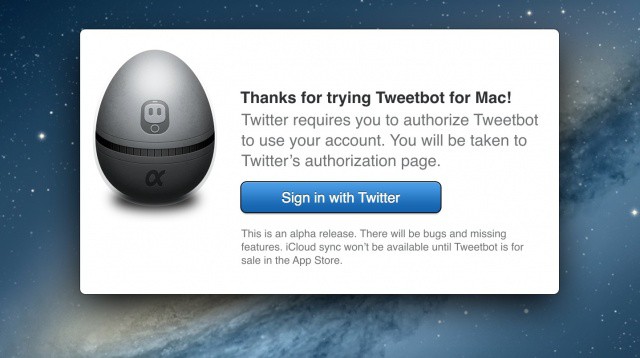
The guys at Tapbots released the highly anticipated Tweetbot for Mac today with a catch. The app is available for free, but it’s in alpha form. This means that the developers are still working furiously to iron out the kinks and create the complete, public version. But for now, those who feel so inclined can download Tweetbot for Mac 0.6 and give it a go.
I’ve been playing around with the app, and for an alpha release, Tweetbot for Mac is very good. The app has already become my default Twitter client on the Mac for a few reasons.
Tapbots has just launched an alpha version of Tweetbot for Mac, and we’ve been eagerly testing it out. Want to see it for yourself? We’ve put together a video walkthrough of it, which you can check out after the break.
The cost of supporting BYOD programs and employee-owned devices is rising.
Bring your own device (BYOD) programs that let employees use their personal iPhones, iPads, and other devices for work purposes are becoming increasingly common. No one doubts that there are advantages to these programs in terms of employee productivity and satisfaction. That said, whether they actually save businesses money or incur outrageous new costs has been a matter of debate in the business and IT circles.
Based on a survey conducted by Osterman Research, such programs do have significant costs associated with them. On average, the study indicates that they will raise IT expenses by 48% between 2011 and 2013. Those costs, while real, may not always be easily seen or quantified in many companies.
The day has finally come. Tapbots has released its highly anticipated Tweetbot for Mac application. After releasing an acclaimed iPhone app in April of 2011 and a native iPad app back in February, Tweetbot for Mac is now available to complete the family… albeit in alpha form.
The new Twitter client comes with stunning graphics for the new MacBook Pro with Retina Display, and the app’s design borrows heavily from the iOS interface. Tapbots designer Mark Jardine leaked a screenshot of the Mac app a few weeks ago. We’re all excited that it’s finally here!
"You, go out and get me the softest mattress you can find!"
What does it take to work at the Apple Store besides a love of all-things-Apple and a willingness to work for a low hourly wage? Three things: great customer service, true grit and the ability to tell Steve Jobs himself that he’s being a total idiot.
If your Mac wasn't made in the last year and a half, you won't be able to do this.
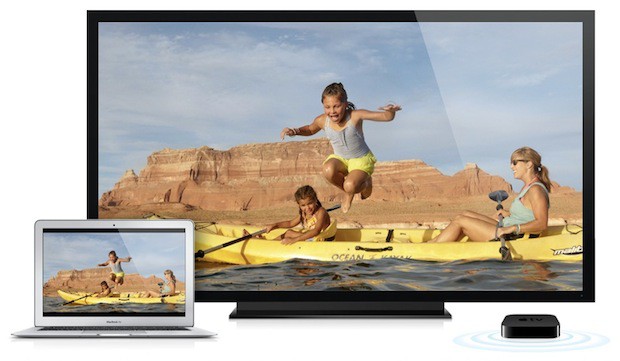
With OS X Mountain Lion, AirPlay Mirroring is finally coming to the Mac, allowing some Macs to stream audio and video directly to their Apple TV.
‘Some’ is the operative word here. Much to the disappointment of the vast majority of Mac owners who will be installing Mountain Lion on their machines in a couple weeks time, AirPlay Mirroring will only work if you have an iMac, MacBook Air or Mac Mini from mid-2011, or a MacBook Pro from early 2011.
There’s been a lot of conspiracy theories floated about this requirement. Some have argued that it’s forced obsolescence on Apple’s part, trying to force older Mac owners to upgrade their machines. Others have suggested that the reason Apple requires a Mac from 2011 or later is because of special DRM technology in Intel’s chips that didn’t debut until last year.
The truth of the matter, however, is far less sensational. The reason you need a 2011 Mac to make use of AirPlay Mirroring in OS X Mountain Lion is because the graphics in older Macs just don’t cut the mustard.
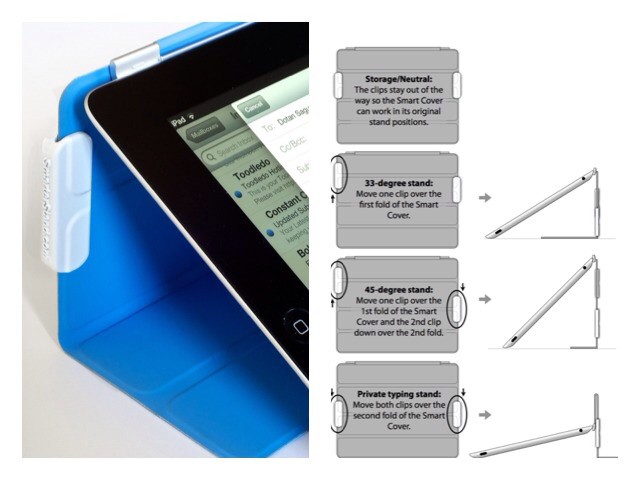
The Smarter Stand is just the kind of gadget that we like here at Cult of Mac: cheap, simple and ingenious. And it seems that we’re not the only ones that appreciate these qualities: the stand blew through its $10,000 Kickstarter goal in just 24 hours, and is currently pushing $80,000 in pledges.
Will your Mac be able to run Mountain Lion? Apple has the official list.
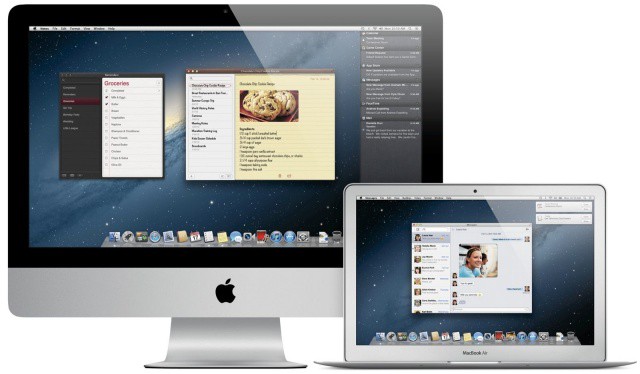
While it’s already been revealed that there are certain spec requirements for installing Apple’s upcoming OS X Mountain Lion, certain 64-bit Macs will also be unable to run the new operating system when it ships this month. Following the release of the Mountain Lion GM to developers, Apple has an official list of current Mac models that are compatible with Mountain Lion.
If your Mac doesn’t support the current OS X Lion already, don’t expect to hop on the Mountain Lion bandwagon later this month.
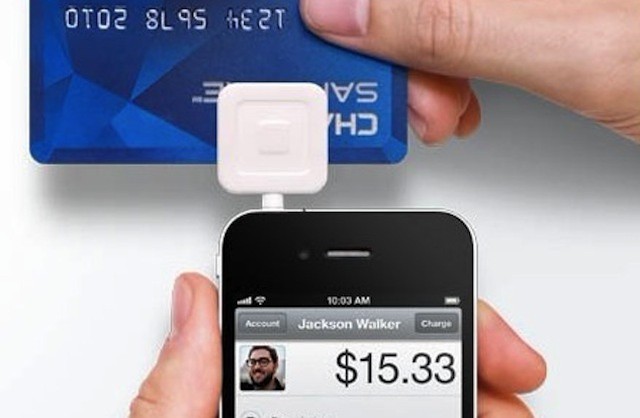
Despite new technologies for mobile payments, customers trust familiar companies like Apple.
PayPal, Amazon, and Apple are leading the mobile payment market according to IDC. The research company released the results of a business strategy study that focused on new and emerging payment technologies. The 2012 study is eighth year that IDC has conducted the survey, but it is the first year where mobile payments were a major focus.
While many efforts are underway to develop new payment technologies, many of them based around NFC, most new technologies have yet to catch on with consumers.
Overall mobile payments, however, are catching on with consumers. IDC reports that the number of individuals making mobile payments has doubled since last year’s report and that one-third (33%) of consumers have made some form of mobile payment. The data also shows that the mobile payments market is being led established players and existing technologies.
Apple's legal team must be one of the biggest in Cupertino.
Apple’s courtroom battles with rivals like Samsung and HTC have been well-documented over the years, and it seems that not a month goes by without news of yet another legal tiff. That’s not because Apple likes to fight its rivals in court, it’s because the company has a zero tolerance policy on copycats, and it’s happy to fight to protect its intellectual property.
So it’s hardly surprising to hear that the Cupertino company is at the center of around 60% of all major mobile patent suits.
The iPhone already has built-in image stabilization (which is why the frame zooms in annoyingly close whenever you shoot video), but who could argue with this tiny, cute steady-cam-a-like for smartphones? It works on a very simple principle, hanging a counterweight below the camera to stop things shaking. Despite this simplicity, though, the kit will cost you a surprising $180.
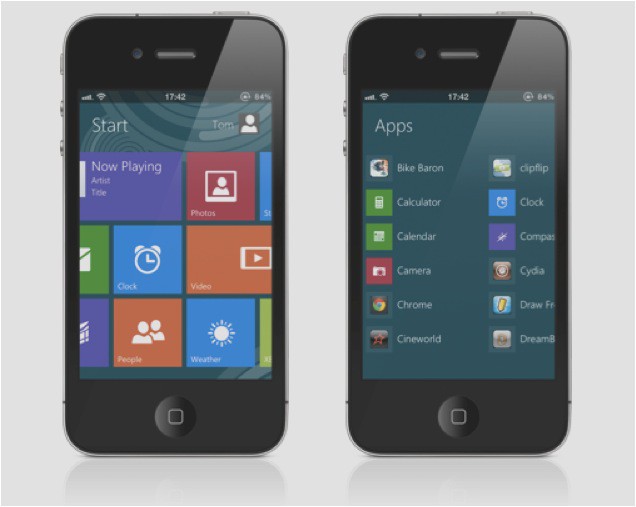
When you’re getting a little bored of looking at the same old home screen, the DreamBoard app for iOS can completely revamp your device with a whole new look. Couple that with a new tweak called Metroon and you have yourself an iPhone that runs Windows 8 (well… almost) — complete with a Metro user interface, live tiles, and even the “Charms” bar.
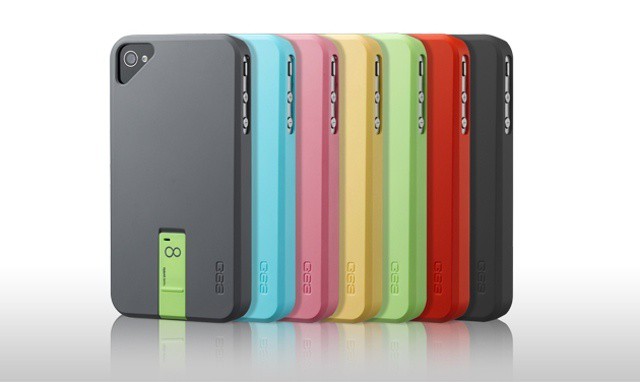
What if I told you there was a case that adds up to 16GB storage to your iPhone? And further, that this case costs just $50. You’d be pretty interested, right? Well, it’s kind of true. You can indeed buy a 16GB case, but sadly that memory can’t actually be used with the iPhone.
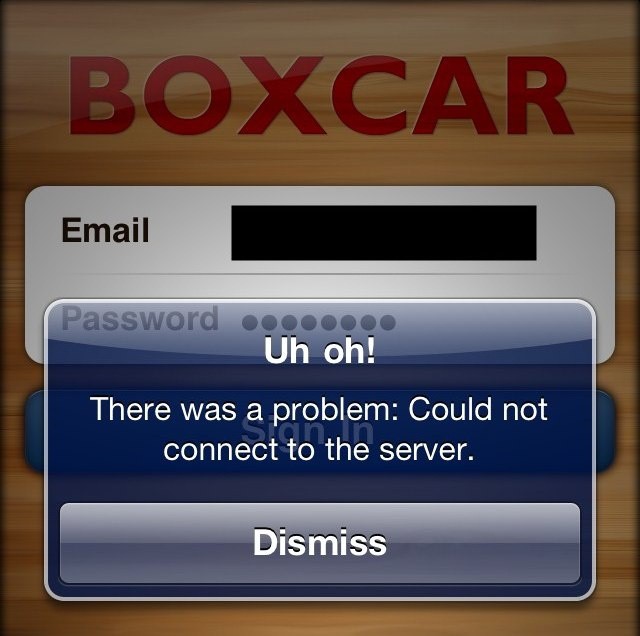
Before every iOS app in the App Store began sending you push notifications — whether you want them or not — the best way to stay on top of your alerts was with Boxcar, a free app that delivers push notifications on behalf of a huge catalog of apps. In its App Store description, Boxcar boasts about delivering over 1 billion notifications since its debut in July 2009. But it seems the service may have finally ended.
Amazon hopes to expand its mobile reach with a new smartphone.
Following earlier rumors that claimed Amazon is gearing up to launch a smartphone that will rival Apple’s iPhone, TheWall Street Journal has confirmed with sources that the retail giant is currently testing the device with its suppliers, and that it could enter production as early as the end of this year.
Retailers expect a "mystery" Apple device to be a big hit this Christmas.
We’re nearly halfway through July, and while the vast majority of us are enjoying the summer weather (unless you live in the U.K. where it continues to rain), retailers are already preparing for Christmas. U.K. retailer Currys and PC World just published its of predictions for the top ten gifts this holiday, and at number four it lists an “Apple mystery device” with pricing to be confirmed.
Could this mystery device be the upcoming iPad mini?
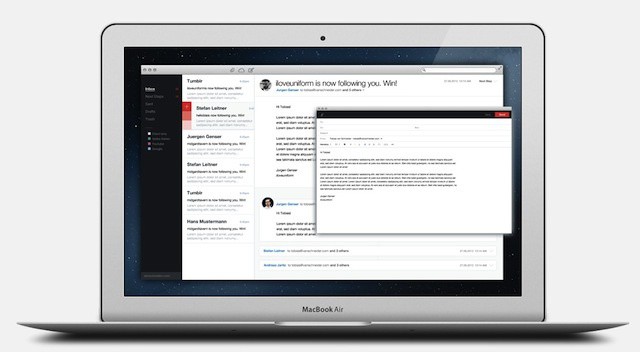
“When the first email was sent in the 1970s, there was no big difference to email we know today. And that’s the problem.”
So begins this screed / manifesto written and posted by Tobias Van Schneider. Email, he says, has lived beyond its original purpose, and is being used by all of us in new and interesting ways. Web and social media technology continues to push beyond the original Berners-Lee concept of a world wide web of hyperlinked information, so why not do the same for email?
Let’s face it, there are no great email clients on the Mac. There are many that do a good job of one thing or another, but none that just scream, “perfect!” Mail becomes a bloated mess as soon as it starts to have to manage the huge volumes of electronic communication we ask it to these days. Sparrow is a decent start, but it, too, is bound by the trappings of email tradition and history. I’m with Van Schneider – it’s time for a change.
Apple is spreading its green initiative to China. Photo: Apple
Apple recently pulled all of its products from the U.S. government-backed Electronic Product Environmental Assessment Tool (EPEAT). This is a big deal because EPEAT is largely considered the de facto “green” standard for U.S. companies.
The reason Apple withdrew its 39 products was speculated to be because of the EPEAT’s requirements for device repairability—something Apple has definitely shied away from in recent years with products like the iPhone, iPad, and new MacBook Pro with Retina Display. Apple has now issued an official statement on its decision to part ways with EPEAT.
It seems like every couple weeks now, we get new rumors that the iPad is about to get all mini-me on us. But does anyone really want a smaller iPad? We’ll tell you what we think on our latest CultCast.
Then, Raves and Faves! The segment where we pitch our favorite tech and then vote on which is best — only one gadget may live!
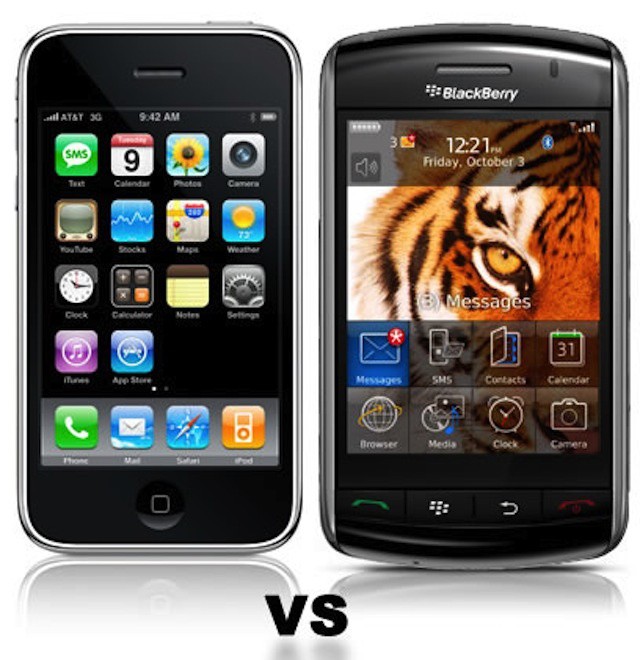
If RIM falters, iPhone/iPad pilot projects become the contingency plans.
Enterprise customers form the backbone of RIM. Many of them are now preparing contingency plans in case the BlackBerry maker goes out of business or is bought by another technology company. Many enterprises first began thinking about contingency plans in the wake of RIM’s large-scale outages last year.
What those contingency plans look like varies. Some companies are soliciting advice from leaders in the mobile management like MobileIron. Some are revisiting their agreements with RIM. Others have already begun migrations away from the BlackBerry.
The first image ever transmitted on the web, first uploaded using a Mac.
When you think about the European Organization for Nuclear Research, or CERN, you probably think about all of their excellent particle smashing work, which recently culminated in the supposed discovery of the so-called ‘god’ particle, the Higgs Boson.
But twenty years ago this July, the researchers at CERN were responsible for another watershed moment, not in the history of physics, but in the history of the web: they put up the first ever image on the Internet. And they used a Macintosh to do it.
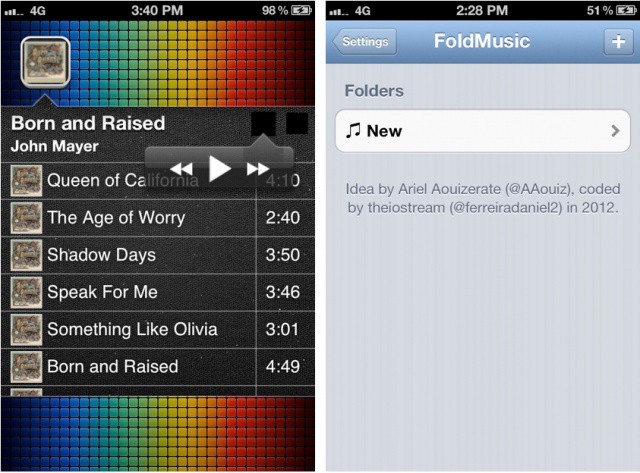
Taking an innovative approach to how we experience music on our iOS devices, a new jailbreak tweak called FoldMusic lets you create playlists from the iOS Music app and view them as standalone folders on your iOS Home screen.
I was skeptical of this idea originally, but after playing with the tweak, I can see the appeal. If you have an artist, playlist, or album you want quick access to, it doesn’t get much faster than this.
T-Mobile may finally get the iPhone next year, according to one analyst. Sanford C. Bernstein’s Craig Moffett predicts that T-Mobile could partner with Deutsche Telekom to sell the iPhone in 2013.
Google has released a major update to its Google+ iOS app that brings full support to the iPad’s Retina display. Borrowing from the Android version, Google+ on the iPad relies heavily on images and sports a very clean, minimal interface. The iPhone version of Google+ was updated weeks ago with a similarly clean UI, probably due to the fact that Google acquired Kevin Rose’s talent at the app development firm Milk.
In today’s update, the location-based Google+ Events feature has been integrated into the universal app. You can attach photos directly from your device’s Camera Roll and add them to your posts. You can also start and join hangouts in-app and stream them to your TV using AirPlay.