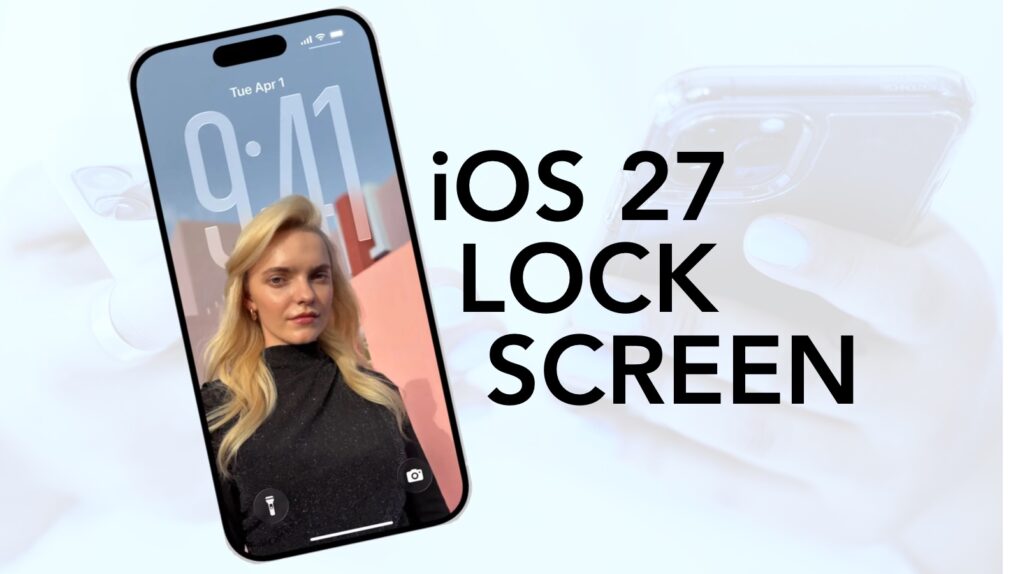
The iPhone’s Lock Screen has always played by Apple’s rules. That changes with iOS 27, which hands far more design choices to iPhone users.
The upcoming update adds four new tools. You can generate AI wallpapers, stretch photos to fit properly, move the clock and hide the Now Playing widget. It’s the most flexible the iPhone Lock Screen has ever been.
iOS 27 Lock Screen: More options than ever
The iPhone Lock Screen is more than a security barrier between you and your phone. It’s the first screen you see when you wake your device, and it shows essential information at a glance.
Since it serves as both a quick information hub — showing time, date, notifications and widgets — how it looks is important. And iOS 27 offers more Lock Screen customization options than ever.
What iOS 27 Lock Screen customization actually changes
The headline feature is a deeper integration of Image Playground, Apple’s AI image generator. The Apple Intelligence feature is now available directly inside the iPhone’s wallpaper picker.
You can simply type in a description and generate a wallpaper from scratch, feed it an existing photo or even apply a new style like Animation, Illustration or Sketch.
Extend a wallpaper image
If you’ve ever picked a photo that doesn’t match the iPhone’s screen shape, you know it’s a headache. But iOS 27 introduces Extend, a new feature that fills in the edges of a photo using AI so it cleanly fits the Lock Screen.
If a horizon looks tilted, Extend can straighten it while generating matching sky around the fix. If a portrait crops too tightly, Extend adds natural-looking space around the subject.
Moreover, the system can now flag a mismatched photo automatically. When a chosen image doesn’t fit, iOS 27 will give you the option to run Extend for you. It’s a small touch, but one that removes a lot of guesswork from picking an iPhone wallpaper.
Lock Screen clock mods
The iOS 27 Lock Screen also adjusts how the clock behaves. Apple has allowed users to resize the clock since iOS 26, but this year’s coming update goes even further. Soon, you can shrink it even more or move it into the widget row entirely.
This frees up space for the wallpaper and is especially useful if you want a favorite photo to take center stage rather than compete with the time display.
Hide the Now Playing widget
Rounding out the changes is a fix for the Now Playing widget. It appears automatically during music, podcasts or audiobooks. iOS 27 also lets you dismiss it with a simple swipe on playback controls, which clears its indicator from the Dynamic Island, too. Audio will keep playing in the background, meaning only the on-screen clutter goes away.
Together, these four changes give iPhone users even more control over the look of their Lock Screens. Recent years brought much more flexibility, and iOS 27 builds on those changes.
Finally, Apple is treating the Lock Screen as a canvas that belongs to the user, not just Apple’s default template.

Anurag Chawake is a tech-focused writer specializing in smartphones, apps and consumer technology. His interest in computers began during the Windows 98 era, eventually leading him to explore everything from operating systems to mobile devices and PC hardware. Anurag previously contributed to The Indian Express, covering Apple, Android, gaming and the broader technology landscape.

