Mobile menu toggle

macOS 26 - page 2

Apple explains its new Liquid Glass UI at the Platforms State of the Union

By

Apple Platforms State of the Union
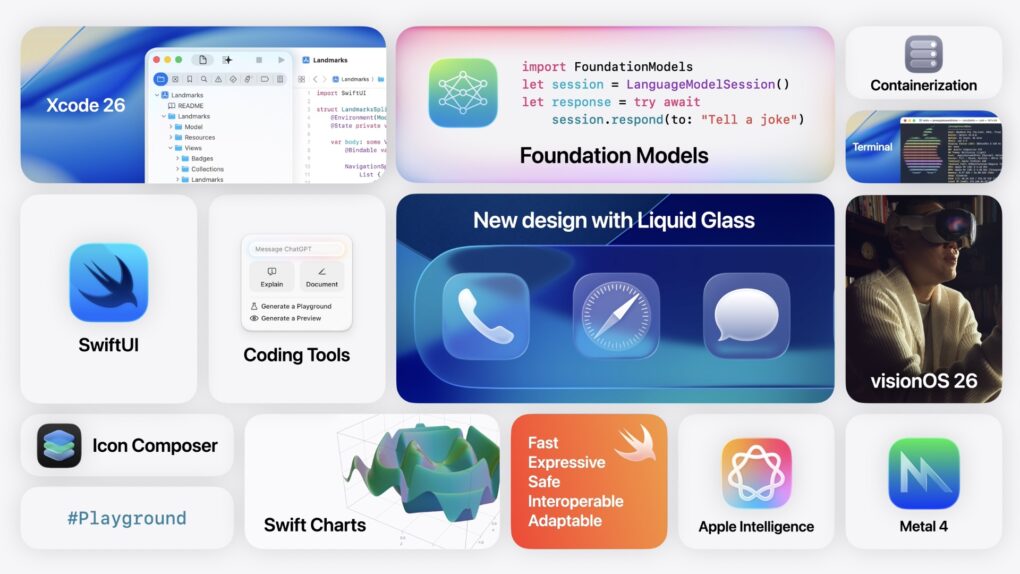
Apple went into more detail on its new software releases in the Platforms State of the Union.
Image: Apple

At the Platforms State of the Union, Apple detailed how the new Liquid Glass design works, how Apple Intelligence can be added to third-party apps, how Swift Assist in Xcode will work with third-party AI models and more.

This event goes into all the technical details behind the morning’s announcements. Apple showed how developers can update their apps with the new design and use the latest developer tools.

You can watch the Platforms State of the Union on YouTube, in the Apple Developer app or on the web. Read on below for our coverage of the event.

iOS 26, iPadOS 26, macOS 26 compatibility list: Will your device get the update?

By

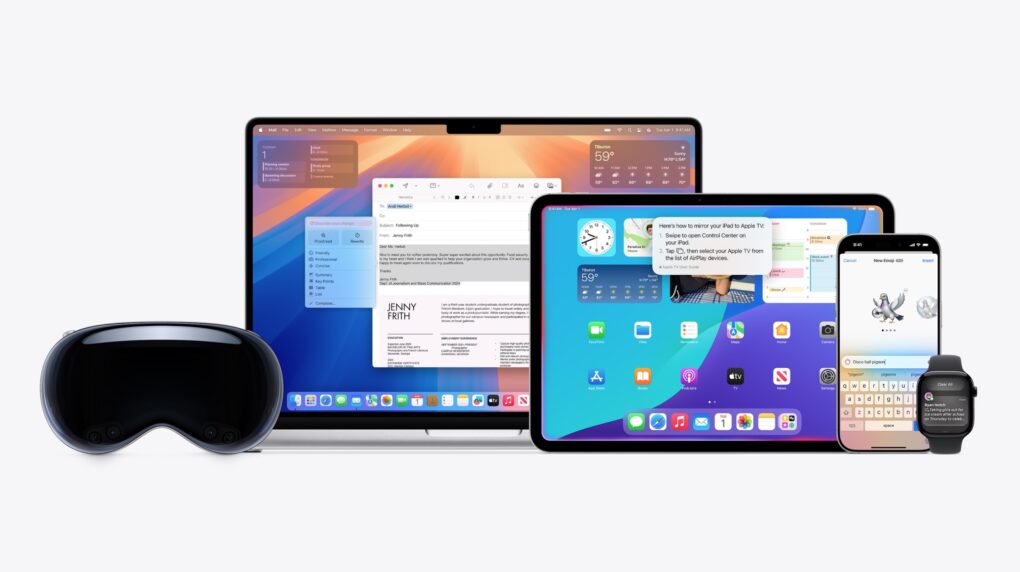
Apple devices on compatibility list: Which devices will get new operating systems macOS 26, iOS 26, watchOS 26, iPadOS 26
Apple's newest operating systems drop support for some older devices.
Photo: Apple

Apple kicked off WWDC25 Monday by showing off iOS 26, iPadOS 26, watchOS 26, and macOS 26. The company’s latest operating systems debut a new unified Liquid Glass visual design and pack several other improvements. Not every iPhone, iPad, or Mac will make the cut this year, though.

Find out the full list of iPhones, iPads, Apple Watches, and Macs eligible for iOS 26, iPadOS 26, watchOS 26 and macOS 26 below.

Liquid Glass: Apple’s biggest design refresh ever

By

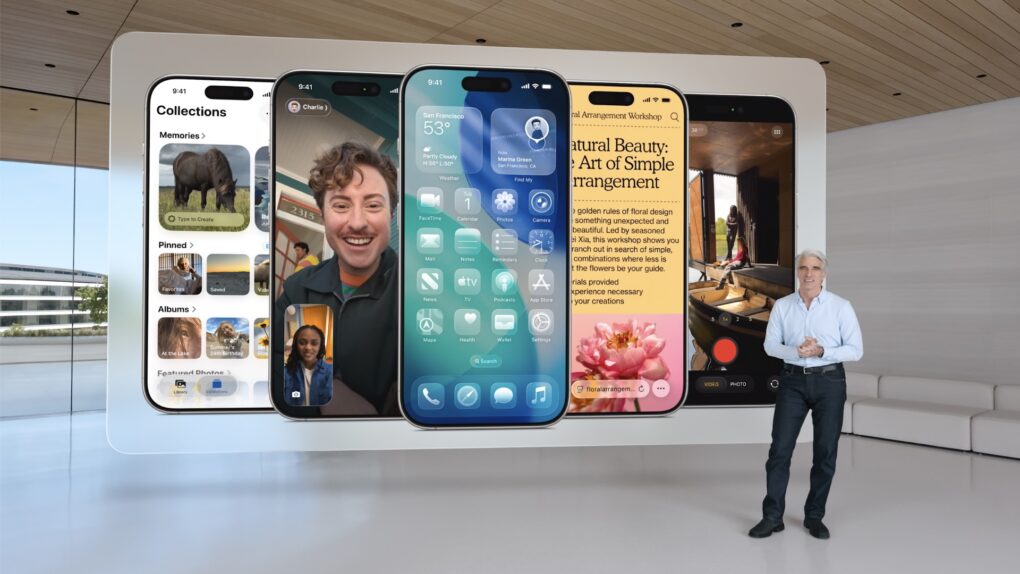
Apple's Senior VP of Software Craig Federighi introduces Liquid Glass.
Photo: Apple

For the first time, Apple will unify software design across it various platforms with a new interface design called Liquid Glass. Inspired by visionOS, Liquid Glass is, as its name implies, a translucent and fluid new interface for iPhone, iPad, Mac and other devices in Apple’s ecosystem.

“It’s the kind of project that only comes along about once per decade,” said Craig Federighi, Apple’s senior vice president of software engineering, as he introduced Liquid Glass during Monday’s WWDC25 keynote.

In demos, conference attendees and online viewers got to see “glassy,” translucent menus, panels and icons throughout the system. The new look and feel creates a more immersive and modern visual experience.

macOS 26 Tahoe debuts with sleek design and smarter Spotlight

By

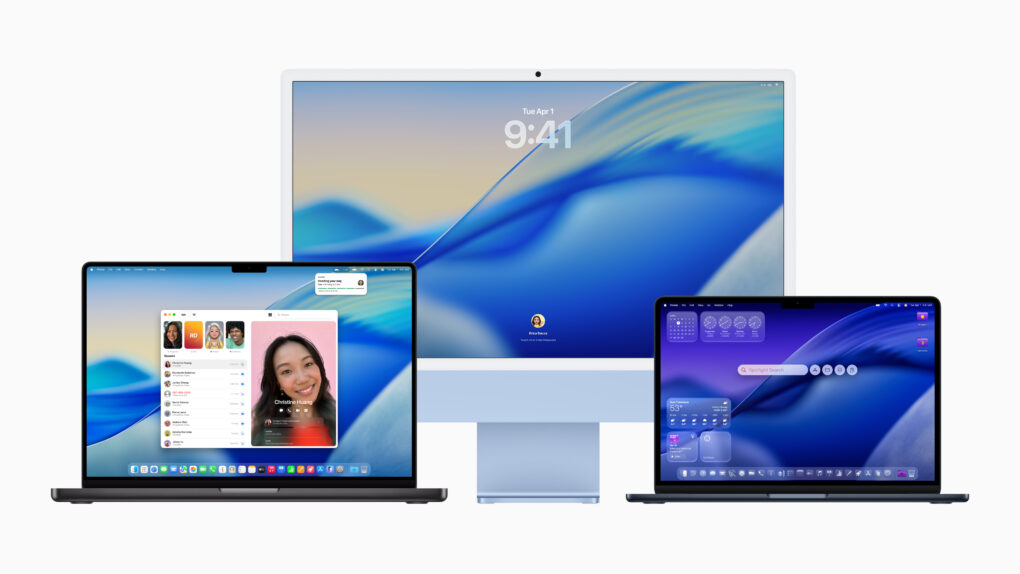
macOS Tahoe running on Macs
macOS Tahoe brings the "Liquid Glass" design to Macs.
Photo: Apple

Like iOS 26 and iPadOS 26, macOS Tahoe follows Apple’s new yearly naming scheme. It also adapts the new Liquid Glass design, using glassy UI elements and updated system icons.

But that’s not it. macOS 26 Tahoe includes a redesigned Control Centre, a revamped Spotlight, and, for the first time ever, brings the Phone app to the Mac.

“macOS is the heart and soul of the Mac, and with Tahoe, we’re building on what users love most. Whether you’re a power user or just getting started on Mac, there’s something for everyone, with even more features to turbocharge productivity and make working across Mac and iPhone more seamless than ever before,” said Craig Federighi, Apple’s SVP of Software Engineering.

Apple picks ‘macOS Tahoe’ for this year’s major interface redesign

By

Apple names macOS 26 after Lake Tahoe.
Photo: [email protected]

Apple reportedly chose “Tahoe” as the name for the upcoming macOS version, according to a new report. This marks the third significant redesign of the Mac operating system since the company began using California-themed naming conventions in 2013.

The name macOS Tahoe, inspired by the iconic Lake Tahoe resort area, signals Apple’s commitment to delivering another major visual overhaul to its desktop platform.