Apple has released an update to Logic Express and Pro so that both applications support the ability to open projects that users create on an iPad using GarageBand on that platform.
Apple Update To Logic Express & Pro Adds iPad GarageBand Support
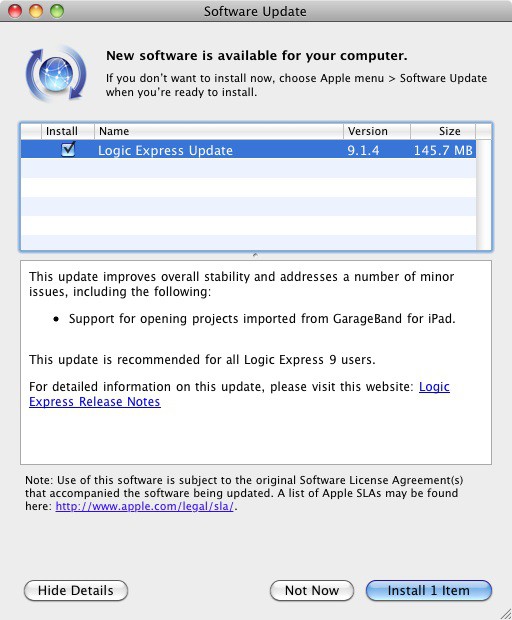

Apple has released an update to Logic Express and Pro so that both applications support the ability to open projects that users create on an iPad using GarageBand on that platform.

When Apple released QuickTime X with Mac OS X Snow Leopard, it seemed like little more than another version of QuickTime with a new User Interface. In reality though, there are quite a few features either new to QuickTime X, or previously only available in the Professional version, that make it much more than just a media player. In this video, you’ll see how you can get more use out of QuickTime X.

An Apple store at New York’s Grand Central Terminal is back on.

Rumors have been circulating for the last week or so about changes to Apple’s online and retail stores. Now a new one has cropped up about the Apple Store iOS app.
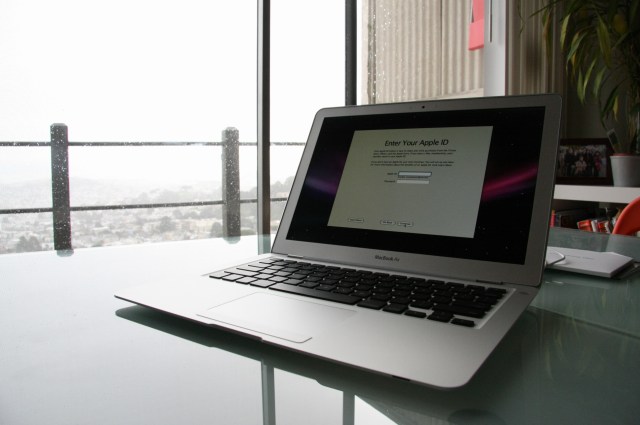
Intel’s family of Sandy Bridge processors is about to get a whole lot bigger as the chip manufacturing company ramps up production of new ultra-low voltage (ULV) processors that would be a perfect fit for my favorite portable computer — the MacBook Air.

The newest Mac OS X Malware, MACDefender, has taken the Apple community by storm. Some are claiming that Mac Malware is getting worse, and even Apple won’t help you with this one. Fortunately, if you’ve been infected with this pesky new malware, the solution to uninstalling it is quite simple. It only takes a minute or two, and if you follow the steps outline in this video, your Mac should be back to normal in no time. Alternatively, here’s a text guide if you’d prefer that.

To celebrate Apple Retail’s tenth anniversary, Gary Allen just drove 3,200 miles, crossed 12 states, and burned 100 gallons of gas.
His destination?
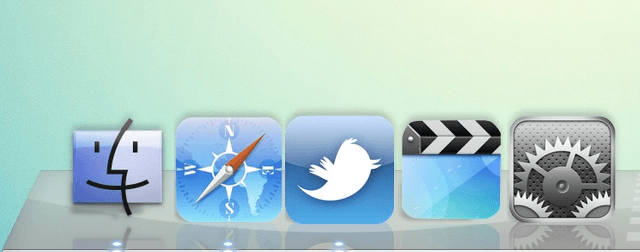
Have you ever had the desire to change how your applications look your Mac? Perhaps you want them to look like the icons found in iOS, as seen in the picture above? Although fairly unknown, it is possible in Mac OS X. All you’ll need to get started is img2icns. While there is no plain and obvious way to go about it, it’s actually fairly simple once you know what to do, as demonstrated in this video.
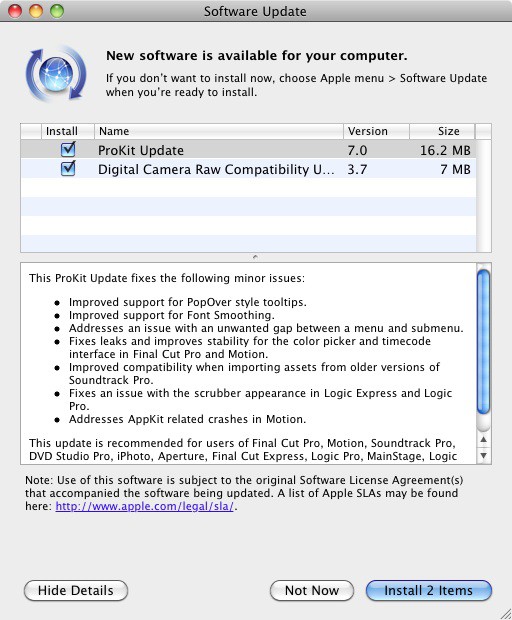
Apple has released two new updates today that improve support for processing raw image files from recently released digital cameras and provide enhancements and bug fixes for Apple’s audio/video production tools for professionals.
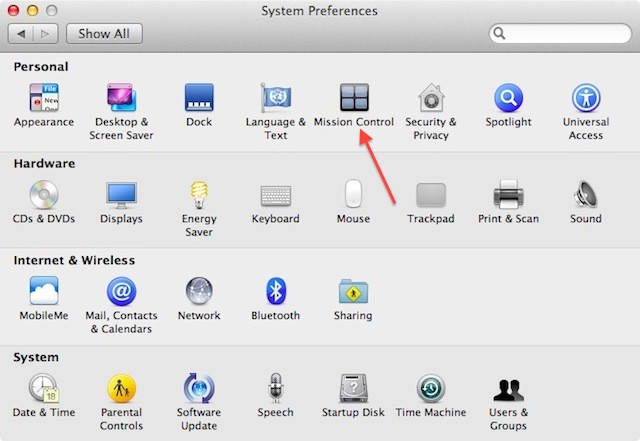
My most favorite feature of Mac OS X Lion, Mission Control, now has a separate control panel in System Preferences in Mac OS X Lion Developer Preview 3. However, this isn’t the only new thing you’ll find in the latest release of Mac OS X Lion.
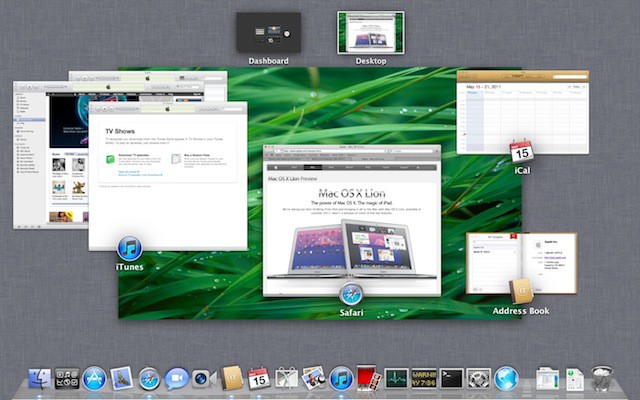
Apple is reinventing the way we think about accessing application windows, organization of those windows, and the way we access running applications. A new feature called Mission Control in Mac OS X 10.7 lion makes it all easy.
Sometimes, even Macs get laggy. Logging in can be sluggish, and even just routine tasks can start to crawl. Whether you know it or not, resource hogs can be lurking in your system and slowing down your work. After following these five simple steps though, your Mac can be almost as good as new.

We’ve received various reports from developers testing Lion Developer Preview 2 that the Preview 3 update is no longer appearing in Software Update on machines running Lion Developer Preview 2 released on March 30th.

Here are the new wallpapers in OS X Lion Developer Preview 3, released this afternoon. There are poppies, ducks, and an actual lion.
They come courtesy of it’s all tech, who bundled them up into a downloadable zip file (26.1MB).
Check them out:
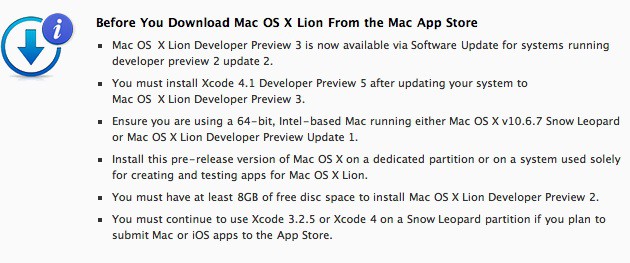
Apple has just released the third major Developer Preview of Lion, the upcoming update of Mac OS X.
The 1.07GB update is avaliable to registered Mac developers running developer preview 2 update 2.
There’s also an update to Xcode, which is now version 4.1. Developers must upgrade Xcode to 4.1 after installing Lion Preview 3.
We’ll have more details soon…
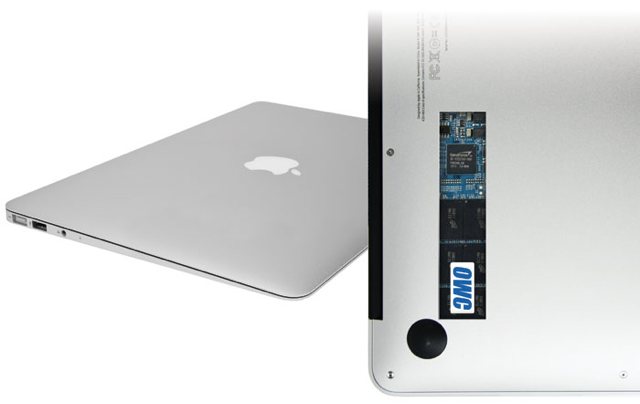
When I first got my Macbook Air, I fell in love with its diminutive profile, speedy boot times and incredible portability, but after living with it for a few months, one thing became glaringly apparent – 128GB was simply not enough room. Having convinced myself it would be at the time or purchase – I have recently found myself umbilically attached to a 500GB USB hard drive for music and photos.
Now, 6 months in, I was faced with two choices – stick the current MBA on eBay and stump up the extra cash for a larger capacity Air – or invest in a 3rd party storage solution. The first option is just stupid, so an upgrade was on the cards.

While the iPad has seemingly countless uses, one fairly uncommon one is the ability to use it as an external display for your Mac. iDisplay, a simple little app from the App Store, lets you achieve this. After all, if you already have the iPad, why not use it to your advantage? This video will show you how to set up iDisplay and tweak it to your liking.

Karelia Software announced a major upgrade to the company’s flagship Sandvox product Tuesday, making it possible even for CEOs to quickly and easily build a website.
Far simpler than Dreamweaver yet more flexible and robust than iWeb, Sandvox 2.0 is designed for Mac and brings fully competent web design within the realm of possibility for those with nothing more than a desire for presence on the Internet and a vague idea of what it should look like.
Its palette of stock site designs aren’t especially cutting-edge but what Sandvox does offer is clean and uncluttered, with a range of inoffensive color themes that should appeal to the wide audience of individuals and small business owners who may be flummoxed by an infinite variety of web-publishing platforms — and don’t want to pay an actual web designer to build an attractive, functional website.
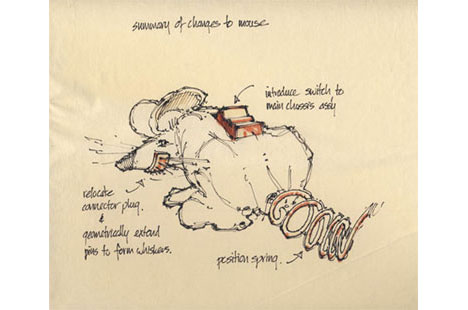
UPDATE: Gladwell debunks the old story that Jobs “stole” the Mac from Xerox PARC. See below.
In the latest edition of The New Yorker, preeminent business writer Malcolm Gladwell takes on Steve Jobs and the creation of the mouse.
The piece is called “Creation Myth: Xerox PARC, Apple, and the truth about innovation.”
Apple has invested a considerable amount of time and money on iOS, the mobile version of Mac OS X, that powers the iPhone, iPod touch, iPad, and Apple TV. So it just makes sense that Apple would re-invest iOS technology into the Mac version of OS X. Steve Jobs has pretty much said so himself and we’ll start to see this happen with the release of Mac OS X 10.7 bearing the code name Lion.
First of all it is no secret that Apple plans on bringing a number of features to the Mac from iOS. These features include the following:
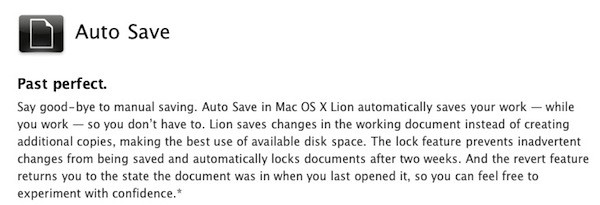
Mac OS X will allow applications to remember open windows, etc. similar to resuming apps when launched on iOS. Automatically saving application documents will also be an integrated feature similar to what happens on iOS when you suspend or quit an app.

One of the most interesting revelations of the Fortune piece “Inside Apple” that’s making headlines this weekend is how Steve Jobs thinks Apple will be OK without him.
Fortune reporter Adam Lashinsky writes:
“Jobs himself believes he has set Apple on a course to survive in his absence. He has created a culture that, while not particularly jolly, has internalized his ways.”

GeekTool is a neat little System Preferences add-on that lets you expand the usability of your desktop. Whether it be adding the time, date, weather, or even your Twitter feed, GeekTool can change your desktop from a boring backdrop to a useful information center. This video will show you how to setup GeekTool to fit your needs, as well as where to find many useful add-ons for it.

Review: Early 2011 Apple iMac (27-inch screen, 3.1GHz quad-core Intel Core i5)
Apple updated its venerable iMac this week with new machines that are fast, sleek, and beautifully packaged.
Sporting Intel’s Sandy Bridge processors, powerful new graphics cards and Thunderbolt ports that can support two external monitors, the new iMac is the undisputed champion of all-in-one machines. Plus, it’s the only one out there that’s not butt ugly.
As well as being the most attractive desktop computer available, it offers just about everything modern computer users might need in a self-contained package, from a HD webcam to a gesture-sensitive trackpad.
I’ve been testing a 27-inch model with a 3.1Ghz Core i5 chip (the biggest, fastest stock model currently available at the Apple Store), and it may sound silly, but it’s almost too much machine for my needs. The screen is so big, I have to sit back lest I get motion sickness. And the i5 chip has power to spare for someone like me, who doesn’t do high-end video or graphics work.
Still, I’ll take it. If the chip is too powerful now, it sure won’t be in a couple of years.

httpvhd://www.youtube.com/watch?v=w85fxNueX4g
Apple has provided us with some of the best ads ever created. The Mac vs PC Campaign ads have been some of the most memorably entertaining advertisements to grace the television. Unfortunately Apple pulled the plug on the fun banter between Mac (Justin Long) and PC (John Hodgman) last year. However, should you feel so inclined to walk down memory lane with the plethora of Mac vs PC advertisements, Adweek has compiled all 66 ads for your viewing pleasure. They’ve even got them ordered out chronologically.
[via Adweek]
update: you can also view the ads in a much more pleasant layout on Squrl.
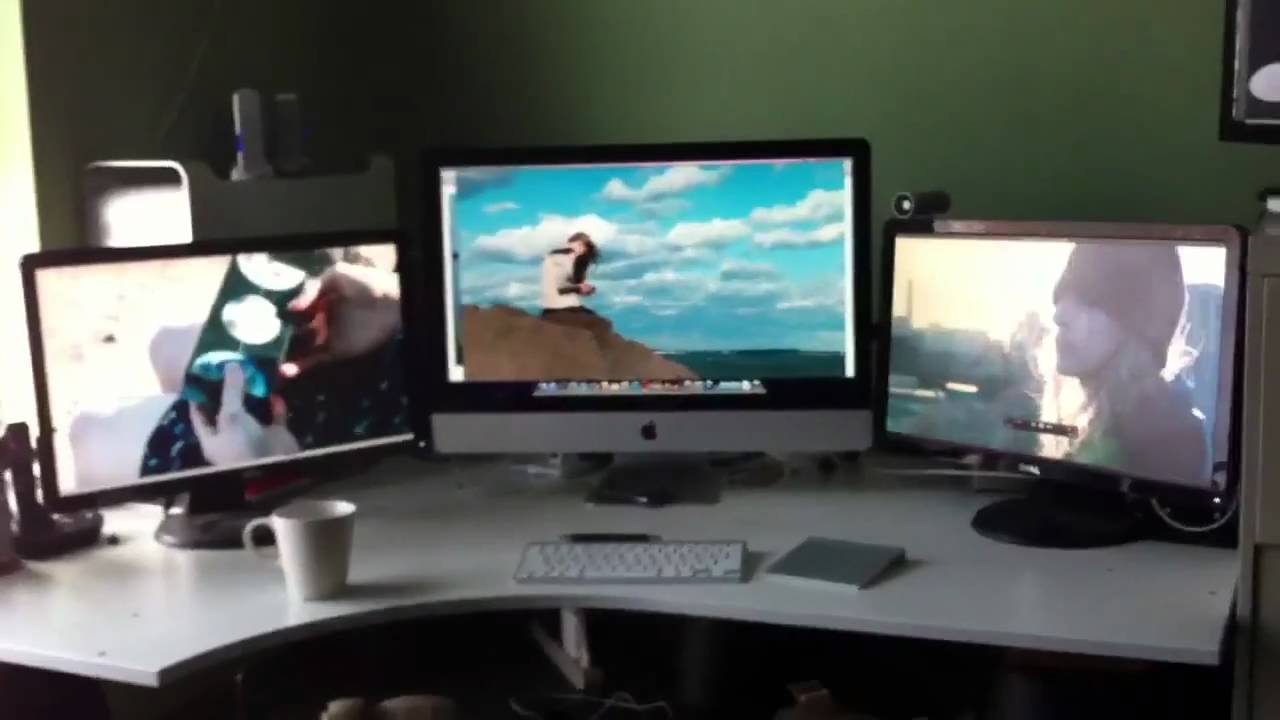
Here’s the new 2011 Thunderbolt iMac playing HD movies on three screens simultaneously — without a hiccup.
It’s a 27-inch model with an Intel Core i5 chip and AMD’s Radeon HD 6970 graphics card (1GB of GDDR5 memory).
The two 21-inch Dell monitors either side are connected via the iMac’s pair of Thunderbolt/Mini DisplayPort jacks on the back (with a pair of pricey $30 Mini-DisplayPort-to-DVI adapters).
The main 27-inch display’s resolution is 2,560-by-1,440; while the external monitors are at 1,920 by 1,080 (true 1080p HD).
Pretty impressive.