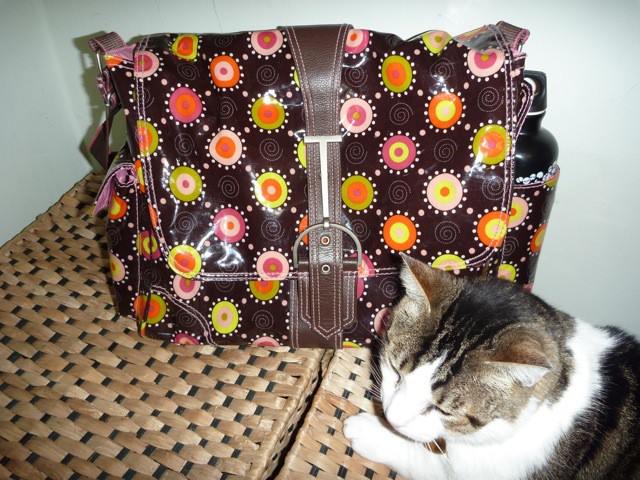
The Multitasker Large bag from Hadaki is an adorable messenger bag suitable for any girl — teen and up.
The bag seems especially popular with parents who buy them for teenage daughters to take to school. Indeed, my fourteen-year-old daughter, Nadine, has been using the Multitasker bag at her high school for several weeks.
Weighed down by algebra and biology books this sturdy and stylish bag has held up remarkably well, unlike her poor back!
Early registration discounts expire Monday for MacTech Boot Camp, the one day immersive event for Mac consultants and uber-geeks held at the start of the MacWorld Conference and Expo in San Francisco on January 26.
With seminars covering topics such as:
Marketing in a Community
Client Documentation, Passwords and Records
Troubleshooting Hardware
Networking Basics and Troubleshooting
Printing Setup and Troubleshooting (Wifi, USB, Bluetooth, and Wired)
iOS Support
Windows on the Mac Options
Viruses and Security
and more, MacTech Boot Camp offers a rich vein of resources designed to enhance the credentials of any Mac IT consultant offering services to the home, SOHO (small office home office) and SMB markets.
Those looking to obtain Apple certification may also sign up for a study session and exam prior to the Boot Camp on January 25.
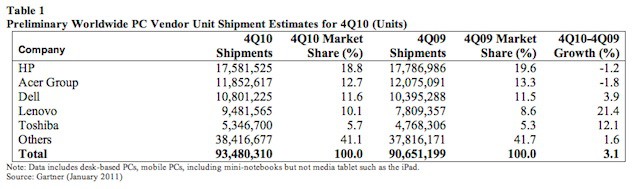
Apple made big gains in Q4 2010, increasing Mac shipments by a whopping 23.7 percent — the highest gains of any PC maker in the U.S.
And if you factor in the iPad, the gains would have been even bigger.
Meanwhile, the overall PC industry grew only 3.1 percent during the holiday quarter, according to the latest estimated numbers from the market research firm Gartner.
The first thing you’ll notice about Twitter v2.0 for the Mac, which is available for free via the Mac App Store, is that it doesn’t look like a regular Mac OS X application. The applications author, Loren Brichter, has completely tossed Apple’s Human Interface Guidelines for the Mac aside and Apple not only allowed him to do so, but allowed his application into the Mac App Store — much to the surprise of many developers.
I’m surprised that Apple, which has been so overly anal about iOS apps in the iTunes App Store, would allow this in the first place. I don’t know about you, but I’m beginning to wonder about Apple and the future there. It’s probably the forgone merger of the iOS and Mac OS X GUI interfaces. I’m not sure I’m ready for that – I’ve always boasted about the Mac OS X interface and how it improves my work flow.
So outside of the controversy about Twitters unique GUI it isn’t all that bad if you are looking for something simple. Some of it is actually kind of neat, yet that doesn’t overshadow the fact that it falls short of the iPad version that it appears it is trying to emulate.
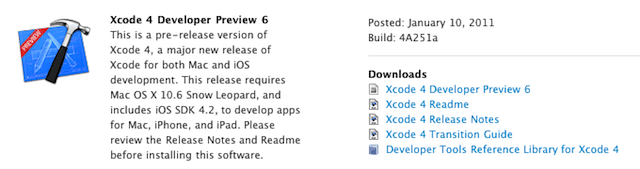
Apple has released the sixth developer preview of the forthcoming Xcode 4. The new update has been posted to Apple’s developer websites for Mac OS X and iOS. Primarily it offers iprofiler a new command-line tool along with a new framework for measuring application performance. It also wouldn’t be your typical Apple software update without additional enhancements and bug fixes from the previous version released last November.
The iprofiler command-line tool helps developers to measure an applications performance without having to launch the Instruments application. However, its output can be analyzed by Instruments later for a complete performance evaluation.
The new framework introduced in the update is called DTPerformanceSession and it allows an application to create performance measurements of itself or other applications.
Complete information about the Xcode 4 Preview 6 and a download link are available to registered Apple Developers through Apple’s Developer website.
Apple has released an announcement, via e-mail, that enhancements to iWork.com Apple’s public beta online service for iWork ’09 users have been released.
This announcement came out of the blue regarding a service that has definitely been off the radar for a long time and in beta for longer than I can remember. It’s future isn’t clear considering the pace at which Apple is deploying features on it. Perhaps that will change this year with the rumored release of iWork ’11.
I had originally experimented with the Mac App Store on my desktop computer installing a number of free and paid for applications. Now, I’ve finally gotten around to trying to install the same applications onto my MacBook Air just to see if I could, but I already know that I can. The licensing model of the Mac App Store allows it.
Unfortunately tonight the Mac App Store isn’t working and according to AppleCare there are two suggested ways to work around this that you need to try when the Mac App Store gives you an ambiguous error message: @@errorNum@@.
LAS VEGAS, CES 2011 — The annual Consumer Electronics Show this year was dominated by 3D TVs and Android tabs, but there was still plenty to see for Mac and iOS fans.
As the show wraps up, here’re our picks for the best gear on display in Sin City this year. Most, but not all, is Apple-related.
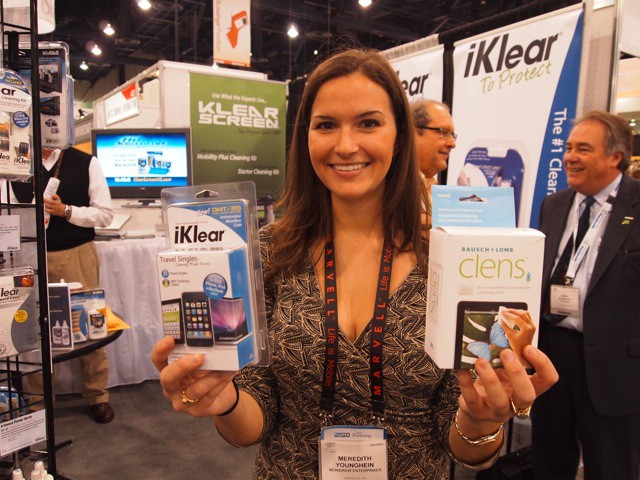
iKlear's Meredith Younghein with her company's product and a competitor's. After nearly nine years in Apple's stores, iKlear was suddenly dropped without explanation.
LAS VEGAS, CES 2011 — A lot of people complain about Apple’s stonewalling, but be thankful you’re not iKlear.
The popular screen cleaning company was horrified when Apple retail suddenly dropped its products from the stores — without a word of explanation.
“We’d been with them for more than eight-and-a-half years,” said Monica Younghein, spokeswoman for the family run business.
The company’s business halved overnight. It’s at CES trying to build business back up.
What made the blow especially painful, is that 11 months earlier Apple had chosen iKlear as the exclusive worldwide supplier of cleaning products in Apple stores. Apple retail is now selling similar cleaning products from a competitor. The competing products are inferior, said Younghein.
“It’s a disservice to Apple users to sell products that don’t work well,” she said. “And we don’t know why they did it.”
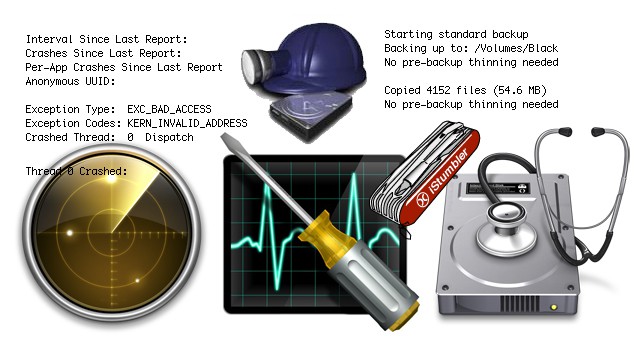
Working as a Mac consultant brings me in contact with several dozen different Macintosh systems every month. Many needs and tasks are common – OS upgrades, backups, system slowdowns, troubleshooting startup or WiFi problems. Like any good mechanic there are a few items in my toolbox which I favor above others. From built-in tools like Disk Utility, Network Utility and Console to third-party tools like DiskWarrior, FileSalvage and iStumbler, these items help get the job done.
I’ve been exploring the Mac App Store and discovered another little tidbit that might pose a problem for some frugally minded people – like me. I was looking for apps that I already owned that might be in the App Store and I found one called RapidWeaver.
I was about to purchase it in the Mac App Store until I found out it would cost more to do so. Why did it cost more? The answer is simple – sales taxes and that is what led me to halt one Mac App Store application purchase this evening.
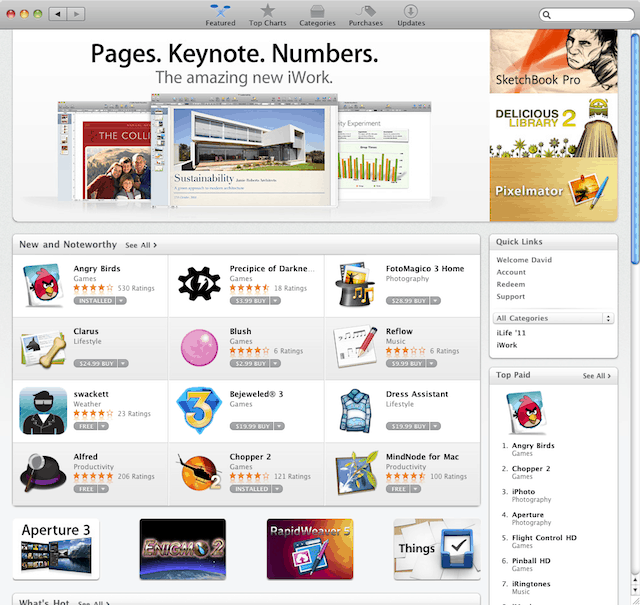
Apple has opened the Mac App Store today ushering a new era for Mac software distribution. It is an interesting new way to get software for your Mac in a way many of you are already used to using for the iPhone, iPod touch, and iPad.
It’s not perfect, but neither was the iTunes App Store for iOS. I’m sure that it will improve with time. I took a look through the Mac App Store today and I want to share some things about the new Mac App Store that you may have missed.
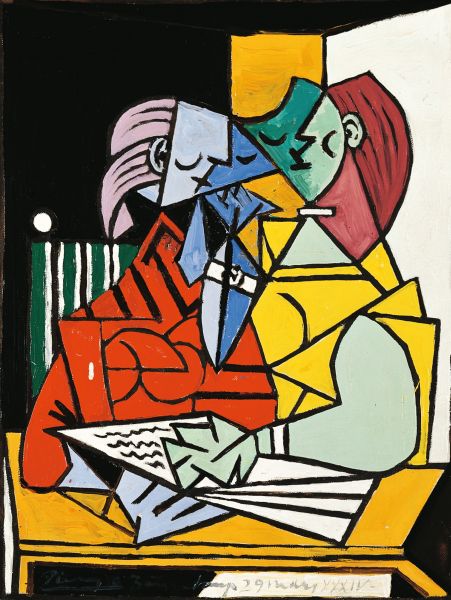
The double mirrored face in the blue Mac Finder icon has always been a recognizable piece of Macintosh lore. But did the concept for this graphic originate in Cupertino in the 1980s, or much earlier on another continent? Blogger Cattani Simone has noticed some similarities to a portion of Picasso’s painting Two Characters (Deux Personnages), 1934, located at MART, the Museum of Modern Art in Rovereto (TN) Italy:
The icon of the Macintosh Finder seems very similar to the face of one of the characters of the work of the Spanish artist … Initially I told myself that it wasn’t possible … I’ve never heard about that and anyway someone would know the story for sure … but on the internet there seems to be no correspondence between these things … or at least … No one has mentioned it in the network ….
Coincidence, or Great Artist Stealing? Inquiring minds need to know…
LAS VEGAS, CES 2011 — One of the interesting things about the iPad is its influence on some new Windows PCs.
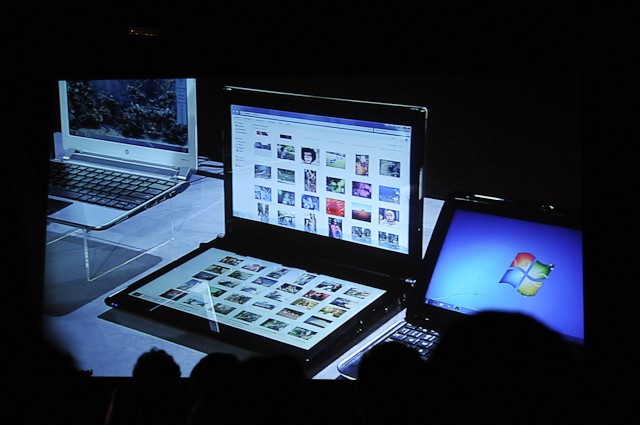
During Microsoft CEO Steve Balmer’s keynote, for example, a couple of interesting tablet/PC hybrids were shown off that showed the influence of Apple’s iPad, but weren’t shameless rip-offs of the device.
The coolest was a double screen PC from ASUS that featured a touch-sensitive screen where the keyboard should be.
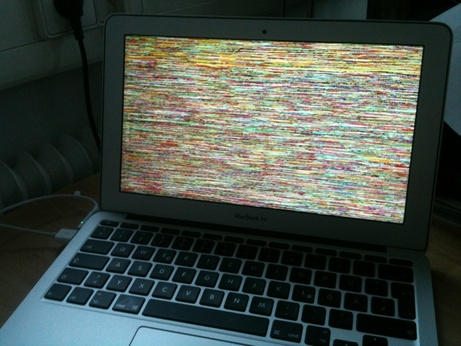
According to a post on Apple Discussion forums by user addcore AppleCare suggested a fix for the occasional problem where an external monitor attached to a MacBook Air would flicker. However, the fix doesn’t seem to be a complete cure, but according to addcore, ” I’ve seen two tiny instances which is a major improvement to the every thirty sec flickering. ”
So not completely cured, but better. Read on to find out how this was accomplished.
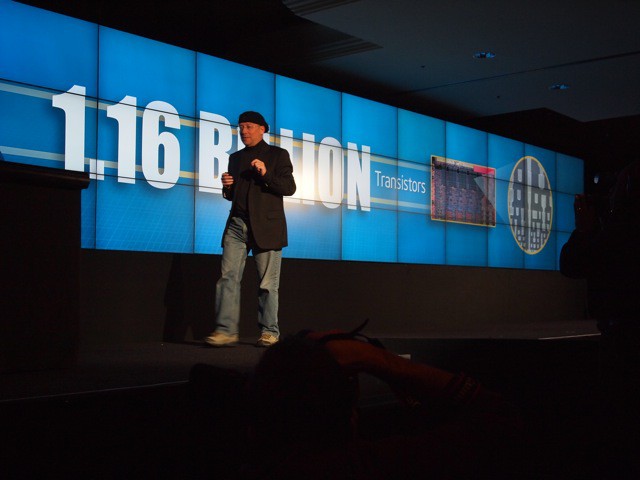
Intel VP Mooly Eden launches the new Sandy Bridge line of chips at CES. The chips are likely to find their way into Macs in 2011.
LAS VEGAS, CES 2011 — Intel gave a detailed look at its next-generation Sandy Bridge chips that will likely make their way into Macs in 2011.
The chips boast four cores and integrated graphics processors that improve image-processing performance and power-management, according to Intel.
The new chips are up to 800% faster than the current generation Core Duo chips used in most of the MacBook line today. The chips are 60% faster than high-end i7 chips used in top-of-the-line iMacs and Mac Pros.
Made with a 32nm manufacturing process, the chips boast an incredible 1.16 billion transistors apiece.
“That’s a big number,” said Intel VP Mooly Eden, who walked a packed CES press conference through several benchmark tests showing off the new chips’ processing power.
Several PC companies here at CES unveiled new machines powered by Sandy Bridge chips, including Lenovo. Apple is usually several months behind and will likely introduce the new chips in the spring at the earliest.
During the preview event, Intel’s executives were extremely bullish about the Sandy Bridge line, portraying it as the biggest product launch in the company’s recent history.
The Sandy Bridge line comprises 29 chips that will find their way into more than 100 different “desktops, laptops and everything in between,” said Intel’s CEO Paul Otellini in opening remarks.
The most important addition to the chips’ architecture is the integrated graphics processor, which outperforms 45% of discrete graphics cards on the market today, said Eden. It certainly looked pretty impressive, displaying and streaming 1080p HD streaming wirelessly from a laptop to a connected TV; and conjuring up a 3D avatar of Eden that he said could easily be inserted into a game in realtime.
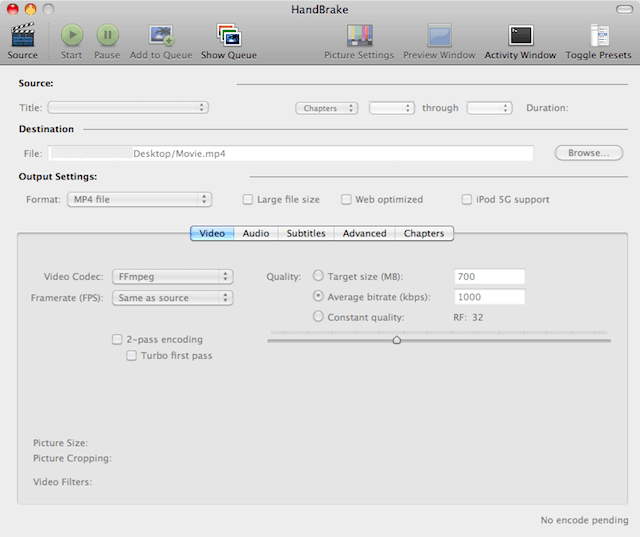
The free video transcoding tool HandBrake was recently updated to version 0.9.5. HandBrake is one of my favorite Mac OS X apps that works with another app called VLC to rip and convert videos for your personal use. The application hasn’t been updated in a long time. However, the update was worth the wait since the application has improvements that include library updates, improved subtitles, AC3 encoding support, enhanced presets, and universal audio downmix support. A complete list of improvements can be found here.
One interesting milestone was the addition of BluRay disc structure support, but unfortunately decryption isn’t supported yet.
The Mac OS X version of HandBrake saw several good GUI improvements: a new Audio Panel that supports more than four audio tracks, VLC is automatically detected, and you can run multiple instances of HandBrake at the same time. However, Mac users lost PowerPC (PPC) support — this version of HandBrake only supports Macs with Intel processors.
Finally, the developers via a standard Apple-like statement declared that “Many Bug Fixes and other small improvements” were included in this update.
Get your copy of HandBrake for Mac OS X on Intel Macs in 32-bit and 64-bit versions. The 64-bit version of HandBrake requires the 64-bit version of VLC. If you are still using a Mac with a PPC you can still get version .094 here.
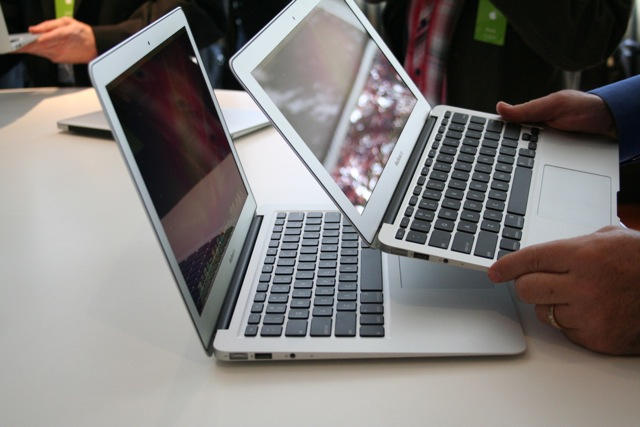
Apple’s new 11-inch Macbook Air with a 64Gb SSD drive is said to be very popular and flying off the shelves at Apple Stores everywhere and beyond. It represents the smallest notebook computer that Apple makes and the default base model ships with the smallest system disk drive available in any Apple notebook. Therefore it makes sense for users to seek ways to optimize the way they use disk space on this tiny new notebook and it was the computer that inspired me to write this How-To — which actually applies to any Mac.
Apple gave us plenty to play with in 2010: most notably the iPad, the iPhone 4 and the new MacBook Air. But get ready, because in 2011, Apple will switch from giving to taking.
In his ongoing pursuit of Zen-like simplicity, Steve Jobs looks set to take away two key features of the Mac platform in 2011: optical drives and scroll bars. The impact is likely to be eye-watering for diehard Mac users, but we’ll probably come to see the wisdom of Jobs, eventually.
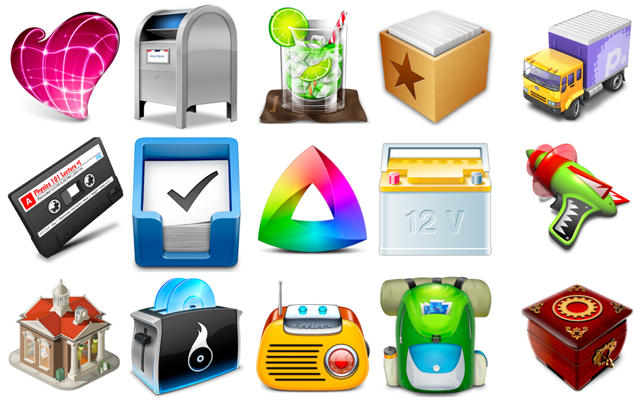
When Apple updated the iTunes 10 icon earlier this year, it sparked huge controversy among Mac users everywhere — many branded the new icon ugly, lifeless, and unconventional. The debate showed that lots of Mac users like to see beautiful apps with beautiful icons.
Here are 15 of our favorite Mac OS X icons from 2010 that stand out for being beautifully designed, brilliantly colorful, and wonderfully unique. We’ve selected icons that make you want to find out more about an application, and that you’d proudly place in your dock for all to see.
We hope you like them. Check them out after the break. If you know better icons, please tell us about them in the comments. Free apps for the best ideas.
What’s past is present, at least in the Vintage Tech World. 2010 saw some significant stories involving those attic treasures: an Apple 1 sold for a whopping $213,000, a Mac Museum for $10k, and an Apple II Festival turned 21. Meanwhile iPads were spotted co-habitating inside old Macs, obsolete status befell our PowerPC friends, and The Macintosh Way lived again.
Travel back in time for this review of the Year in Vintage Apple News.
Happy holidays everyone! This video summary of Apple’s past year is pretty cool. The launch of the iPad and iPhone 4; iOS 4 and The Beatles on iTunes? It was a pretty big year.
A work in the 12LVE series by digital artist, Michael Tompert
There’s a lot more happening in the Cupertino-centric world than the usual porn-unboxing videos and edible iPhones: here are the most bizarre moments involving Apple in 2010 — from severed appendages to exploded iDevices as art and spy evangelists.
Here’s our 2010 Year in Review of the best 10 hardware peripherals for your Mac that we’ve come across in the last twelve months.
If you missed any of these or didn’t get a chance to check them out for some reason or another, don’t fret — all of them are still available and worth a look.
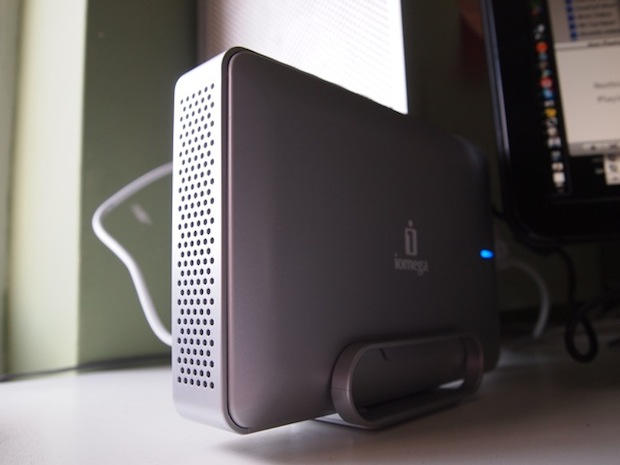
10. Mac Edition eGo Desktop Hard Drive 2TB
Leander Kahney: Iomega’s new Mac Edition eGo Desktop Hard Drive packs a whopping 2-Terabytes in a compact, stylish package.
The Mac Edition eGo drive is a good-looking complement to Apple’s new glass-and-aluminum Macs. It’s styled to match Apple’s Mac Pro with a sleek, silver case and a grill front.
It’s available in 1TB and 2TB configurations ($159.99 and $249, respectively), and offers several connectivity options: there are two FireWire 800 ports and one USB 2.0 port. It ships with a FireWire 400-to-800 conversion cable, which makes it compatible with Macs without a FireWire 800 port.
Ever wondered what Apple hardware and software pro bloggers use?
Peter Sciretta is a professional blogger/journalist specializing in film and entertainment. He is the founder and editor-in-chief of Slashfilm.com (stylized as /Film), which has won numerous awards and recognition from the mainstream media. Last year, Total Filmnamed him one of the “100 Most Influential People in Movies.”
Sciretta began his career on a Windows PC, but soon thereafter saw the value of switching to the Mac. “Nowadays everything I have in my home office is Apple-based,” he says.
In this post, adapted from a recent interview, Sciretta reveals what hardware, software, and mobile apps he can’t live without — both personally and professionally.