
NOTE: This is a guest post by ex-PC user Mike Wilson. It was originally published at Gears of Biz.
I have a MacBook at home and a Mac Mini at work. I absolutely love my Macs. I can’t live with out them. However, there are still things I hate about my Macs that I wished weren’t a part of my life. So don’t hate me for taking a couple shots at my machines… It’s all in good fun.
Below are those Top 5 things I hate about the Mac.
#1 – The Rainbow Wheel
 Oh, rainbow wheel. How I loath you sometimes. For those of you that don’t know the “rainbow wheel” (also known as the marble of doom or the beach ball of death) is the Mac version of the turning hour-glass. It sometimes can laugh in your face for up to 5 minutes if you are trying to do a task that is too much for your RAM or processor. Sometimes the rainbow wheel will appear at the worst moments and for the dumbest reasons. Because the rainbow wheel taunts me, laughs at me like a circus clown, and ultimately reminds me that I went “cheap” by not upgrading to a bigger processor or spending $300 from Apple on RAM, it earns my top hated thing about a Mac. Yes, my frustrations are deep-rooted.
#2 – Default Settings
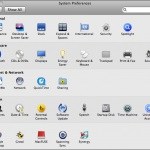 When you first buy a Mac you expect it to function like a PC. Maybe because I’ve spent all my life on a PC, I’ve become expect that “right click” is as common as understanding how to walk or ride bicycle. However, that is not the case. By default when you by a Mac you have to use CTRL + Left Click in order to “right click.” That can be changed, but you have to go to “System Preferences” to fix that (which by the way should be called “settings”). Another default feature I dislike is that all of the “close, minimize, and maximize” buttons are in the upper-left… not the upper right. Sort of annoying. Last but not least, it annoys me that the “dock” is huge and stagnant. You can change it to animate, which makes life much better and make me feel that I spent $1,300 for a good reason. There are a handful of other odd default features, but for now, I’ll leave you thinking about those.
#3 – Microsoft Office On A Mac
 Coming from a PC, again, I made the assumption that Microsoft Office would look, feel and function, just like the Windows version of Office. No. No sir. The Mac version of Office is so different it might as well have been made from some other company. The experience is more “mac like” but it’s so far deviated from the Windows versions that you’ll be spending a good 3 months trying to figure how to do a mail merge. Given that Microsoft Office was so different, I chose to go with OpenOffice, because it was free. I might as well use something free if I’m going to have to start from scratch, right?
#4 – Mounting and Ejecting
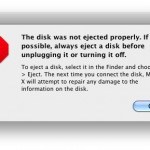 What the heck is mounting and ejecting? Great question. When you plugin a USB device into a Mac it wants you to “mount” that device into your Mac. Basically saying “ok, yes. Connect this device to my computer.” Which is no problem. However, when I (like most people) just pull the USB drive out of the computer, the Mac freaks out and tells you “This disk was not ejected properly. If possible, always eject a disk before unplugging it or turning it off.” While it’s never caused an issue to my data or my machine, without failure this message continues to pop up. It’s as annoying as a gnat at a BBQ and gives me the eerie feeling of a 2nd grade teacher telling her/his students to wash their hands every 5 seconds. I got it, “eject” before removing a device. Yup. I got it. Nope, Nope, I read you. Loud and clear.
#5 – Mac Cults
 Sorry boys and girls. I may be an avid Mac user, but I’m not the guy that walks around the office telling you you’re dumb because you use a PC. Most people that act like that have never used a PC and therefore assume that because they spend more money on a Mac, it must be better. For years, Mac “followers” have impeded Windows users from switching due to the fear of looking like tools. While adoption of a Mac is growing by the day, we are still stuck dealing with Mac Crazies that ruin it for the rest of us.
There you have it. I do love my Mac, but it feels good to talk about some of the annoying features that I incur daily.


