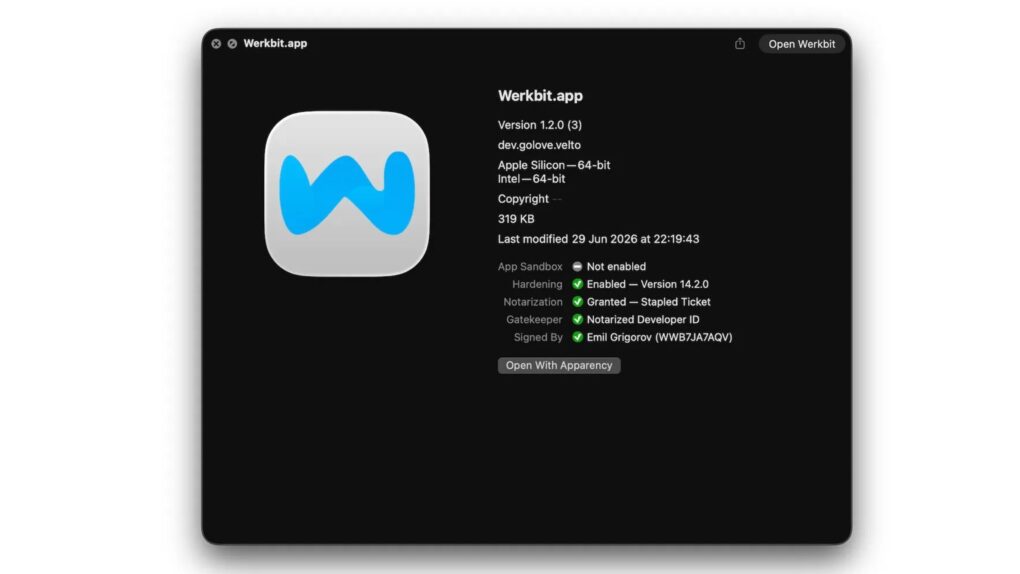
A fake Zoom installer tells Mac users to click Open Anyway in System Settings. Never do this. Photo: Jamf Threat Labs
A fake Zoom installer dubbed CloudSyncD is coaxing Mac users into switching off Gatekeeper and handing over their admin passwords.
The malware hides itself in the installer window itself, but with unusual instructions. Follow them, and you straight up open a backdoor onto your Mac.
The good news is that you can evade CloudSyncD and any similar malware simply by following one of the most basic security rules when installing applications.
ClickLock malware locks your Mac’s screen until you type in your password. AI image: ChatGPT/Cult of Mac
The nasty new ClickLock malware won’t take no for an answer. It locks up your entire Mac screen and keeps it that way until you type in the password.
The malware already hit victims across 33 countries, and it’s not stopping. Once it gets your password, it targets your Keychain, saved logins and crypto wallets, then plants a backdoor that sticks around for good.
CrashStealer malware mimics Apple’s real crash-reporting tool, right down to the icon and name. Image: Jamf Threat Labs
If you see a file called CrashReporter.dmg in your Mac’s Downloads folder, don’t open it. It’s not from Apple — it’s a new strain of malware called CrashStealer. It’s wearing Apple’s own clothing, right down to the icon, name and a fake password box designed to look like standard macOS.
The malware slips past Apple’s security checks and tricks victims into typing their Mac password before draining everything of value on the machine. Anyone who’s opened an unfamiliar app in the past few weeks should pay close attention.
PamStealer disguises itself as Maccy, a popular Mac clipboard manager to trick users into handing over a verified password. Photo: JAMF Threat Labs/Cult of Mac
The “free” clipboard manager you just downloaded could be doing more than just copying and pasting text. Researchers recently found a new malware called PamStealer disguised as Maccy, a popular clipboard tool, that does something most Mac malware doesn’t bother with — checking your Mac password before sending it off.
The malware hides itself in a lookalike download for Maccy. It doesn’t just grab your password and run — but it checks the password against the same system Apple uses to log you in.
Are you protecting your Mac yet? Photo: Ste Smith/Cult of Mac
Contrary to popular belief, Macs are not immune to trojans and viruses. In the last couple of years, there’s been a significant uptick in the number, variety and sophistication of malware targeting Mac users. And some of it is so sneaky, you might not even know about it until a Mac virus scan shows your machine’s been infected.
While Mac attacks are still a fraction of those on Windows (or even Linux), Mac malware has become a lot harder to detect and remove. Plus, Mac users tend to be targeted individually, rather than en masse, often with malware that’s freely available online and disguised as harmless apps. That means the attacker doesn’t need to be a computer genius — a disgruntled ex could probably figure it out.
Protecting your Mac from trojans and viruses is crucial to ensure that your personal data, privacy and overall system integrity remain intact. This comprehensive guide will walk you through the essential steps to safeguard your Mac and introduce Intego, a top-tier solution for robust protection.
An attacker could take full control of your Mac to steal your personal and financial information. Photo: Ste Smith/Cult of Mac
A security company recently asked OpenAI’s ChatGPT about Mac threats online and used the results to uncover some scary malware for sale from Russia on the dark web.
At a price of $60,000, it can give an attacker total control of someone’s Mac. A more damaging version is available for $80,000.
In any case, if the malware gets on your Mac, you won’t know it’s there, it’s very hard to get rid of, and it can steal a lot of your information. Luckily, you can probably avoid it.
Keep your Mac healthy with this plug-in antivirus stick. Photo: Cult of Mac Deals
Antivirus and security programs are essential if you want to keep your Mac working and your information secure. The problem is that many antivirus programs can slow down your computer — and miss actual malware while focusing on nonexistent threats.
The FixMeStick Virus Remover is a unique security device that plugs directly into your Mac, removes any viruses or malware, and can be unplugged until you’re ready to use it again. This exciting device comes in two subscriptions, and both of them are on sale. Get one year of service for three Macs ($29.99) or two years for five Macs ($44.99).
Security researchers found a trojan horse hidden in an Xcode project on GitHub. Graphic: Ed Hardy/Cult of Mac
Turns out you can’t trust everything you find on GitHub. Security researchers found an Xcode project that had been modified to install a back door into the user’s Mac.
Are you protecting your Mac yet? Photo: Ste Smith/Cult of Mac
Cybercriminals reportedly created more macOS malware in 2020 than from 2012 to 2019 combined. The days when Mac users could happily assume they weren’t in danger from hackers are long over.
But the situation remains far worse for Windows users. Researchers found 135 times as many Windows malware samples last year as ones targeting macOS.
Even Macs can get hit with malware. Especially when Apple notarizes it! Graphic: Ed Hardy/Cult of Mac
Apple reportedly slipped up and notarized some malware. This allows the ill-behaved software to be installed on Macs.
Preventing the spread of malware is exactly why Apple insists Mac apps to be notarized, so it’s not clear how this malicious software got Apple’s approval.
Worried about malware? Do something about it. Photo: Ste Smith
Over the past few weeks a new Mac malware called OSX/Dok has been all over the news. The Trojan horse accessed user’s Macs through email phishing. Once opened, it prevented users from doing anything on their Mac until they installed a bogus software update.
Malware attacks have been skyrocketing as of late, which means it’s more important than ever to be aware.
In today’s video, I’m going to show you 4 ways to help keep your Mac safe from malware.
It might be time to update your passwords again. Photo: Apple
Security researchers have discovered a nasty bit of Mac malware similar to OSX.Dok trojan, which can bypass Apple’s GateKeeper feature.
The new bug, dubbed OSX.Bella, behaves and distributes itself in a completely different manner than OSX.Dok. But once installed, it executes a script that’s just as damaging.
But there's (probably) no need to panic. Photo: Ste Smith/Cult of Mac
Still think your Mac is immune from viruses? Think again.
Just a week after a new strain of Mac malware was found hidden inside malicious Microsoft Word macros, security researchers have discovered sophisticated new software from Russian hackers that targets your saved passwords and iPhone backups.
You might want to put tape over your webcam. Photo: Ste Smith/Cult of Mac
Security researchers discovered a new way to hack the Mac’s built-in webcam this week, and the method is undetectable by users.
Apple built a green LED light into every Mac with firmware-level protection that turns on anytime the sensor is tripped by unauthorized access. The security feature has become increasingly difficult for hackers to beat, but former NSA staffer Patrick Wardle found a way to piggyback on outgoing feeds and record them.
In this week’s Cult of Mac Magazine, we introduce you to the iOS 10 beta 2, and give a hands-on look at the latest tweaks and updates to Apple’s latest operating system. More than 50 changes have been discovered by developers, affecting everything from Apple Music to widgets, and we uncover many of them this week.
Learn about “OSX/Keydnap,” the latest strain of malware intended to attack your Mac. Disguising itself as an innocent text or image file, OSX/Keydnap installs malicious code onto your machine. We’ll let you know how the malware works, and how to prevent this from happening to your Mac!
Peruse the stunning images of this year’s iPhone Photography Awards winners. iPhone photography has never looked so good. Plus, The CultCast, How-Tos and lots more.
Bitdefender found a new backdoor into OS X. Photo: Ste Smith/Cult of Mac
Apple’s Mac systems have been exposed to a dangerous new piece of malware that allows attackers to take full control of OS X.
The new malware, dubbed Backdoor.MAC.Eleanor by security researchers, provides attackers with a backdoor into OS X systems by embedding a script into a fake file converter application that’s found on many reputable sites that sell Mac apps.
Torrenters beware! The first ransomware attack on Mac users in the wild has been discovered, “courtesy” of Transmission, a BitTorrent client for Mac.
The torrent service received a major update last week, but it unfortunately the new software happened to be infected with ransomware, which went on to quietly install itself on the the Macs of everyone who downloaded the update from Transmission’s website.
Get yours for just $999. Photo: Jim Merithew/Cult of Mac
Apple has touted the Mac’s resistance to viruses for decades as a selling point over Windows PCs, but a team of researchers have created a new firmware worm for Mac that might just make you want to go back to doing work on good old pencil and paper.
Two white-hat hackers discovered that several vulnerabilities affecting PC makers can also bypass Apple’s renowned security to wreak havoc on Mac firmware. The two created a proof-of-concept of the worm called Thunderstrike 2 that allows firmware attacks to be spread automatically from Mac to Mac. Devices don’t even need to be networked for the worm to spread, and once it’s infected your machine the only way to remove it is to open up your Mac and manually reflash the chip.