Mobile menu toggle

iPhone - page 74

How to use the Apple Watch to snap remote selfies

By

Apple Watch camera remote
Apple Watch camera remote inception.
Photo: Charlie Sorrel/Cult of Mac

The Apple Watch is an amazing fitness tracker, and a pretty good notification device. But it has other tricks — tricks that you maybe didn’t know about, or didn’t realize would be quite as useful as they are. One is the Camera app. The Apple Watch doesn’t have its own camera, but it does give you remote control of your iPhone’s camera.

This lets you trigger the camera’s shutter, or record a video, from anywhere in range of your iPhone’s Bluetooth radio. Why? Group self-portraits, without having to set the timer and run back to your friends in time to smile. Videos: I used the video camera function just this week to record my progress for my guitar teacher. Like I said, it might be more useful than you’d expect.

Here’s how to use the Apple Watch camera remote.

Apple doubles investment to save struggling display-maker

By

Apple may buy factory belonging to struggling Apple display-maker
Photo: Apple

Apple has reportedly doubled its investment in struggling iPhone screen-maker Japan Display (JDI).

CEO Minoru Kikuoka expects the deal to be completed this month. It comes after an ¥80 billion ($750 million) bailout deal fell through in late September when the largest investor pulled its funding.

Save 20% on Just Mobile’s awesome iPhone accessories

By

Just-Mobile-Tenc-Air
Don't miss our biggest sale before the holidays.
Photo: Just Mobile

Just Mobile’s sweet Tenc Air cases offer ample protection for your pricey iPhone without covering up its dazzling design. And you can get yours for 20% less right now!

All Tenc Air cases and Xkin screen protectors are on sale now through the Cult of Mac Store.

Reliable source says there will be no ‘iPhone 11S’ in 2020

By

iPhone-11-red
Customers can't get enough of iPhone 11.
Photo: Killian Bell/Cult of Mac

Apple will not release an “iPhone 11S” in 2020, according to one reliable analyst.

Cupertino is instead expected to name its next-generation smartphone — which will launch next September — the “iPhone 12.” This could mean a big break from tradition going forward.

After year in watery grave, iPhone packs new feature: barnacles

By

After year in watery grave, iPhone packs new feature: barnacles
It doesn't work -- but what a conversation starter!
Photo: NBC-2

Apple has worked hard to make its iPhones increasingly waterproof. However, that doesn’t guarantee that your iPhone will survive in any submerged situation.

One example? A recently rediscovered iPhone which had spent a year in the Atlantic Ocean 40 feet under water. The handset was recovered by a scuba diver, who managed to return it to its rightful owner. Most impressive of all? It still wor– no, we’re just kidding: it’s totally busted.

Motif app goes iOS so you can make photo books on iPhone

By

iOS app Motif for photo books
Make a book like this on your iPhone.
Photo: Motif

It didn’t take long for Motif, a Mac and iPad app for creating photo books, to reach 1 million downloads.

A little more than a year after its launch, Motif now lets Apple fans create custom photo books on their iPhones.

What you need to know about Dark Mode on iOS 13

By

Dark Mode on iPadOS
Dark Mode is available in iPadOS too.
Photo: Apple

The iPhone finally joined the dark side with the new Dark Mode feature introduced in iOS 13. Apple delighted fans who have been clamoring for the feature for years — and it appears the wait has been worth it.

After using Dark Mode, I don’t think I’ll be going back to the bright white iOS interface anytime soon. Apple poured a bunch of thought into Dark Mode so that it does more than just make everything black.

iPadOS shuts up all those ‘not a real computer’ claims [Opinion]

By

With iPadOS, you're one step closer to replacing your Mac with an iPad.
Photo: Charlie Sorrel/Cult of Mac

iOS 13 is pretty great on the iPhone, but the real deal is iPadOS 13. With the new operating system, Apple split its tablet and phone platforms for the first time since the launch of the original iPad, and the tablet went in a whole new direction. iPadOS is still iOS, but now there are contextual menus, multiple windows for apps, a home screen that isn’t just a blown-up iPhone home screen, and a proper web browser. You can even plug in mice and USB hard drives.

Apple managed a fine balancing act here. If you update to iPadOS 13 and don’t really think about it, then everything (mostly) works the same, with just extra speed and polish. But if you want to dig in, you will find a whole new computer just below the surface.

5G iPhone could be a lot bigger than Wall Street thinks

By

2020 could be Apple's greatest year so far
Multiple 5G iPhones are expected to arrive in September 2020.
Photo: Ed Hardy/Cult of Mac

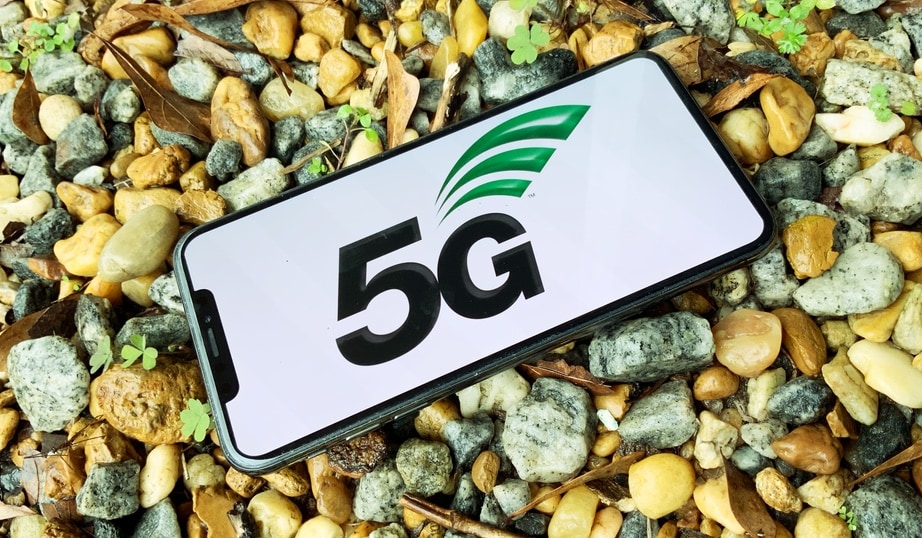
Jefferies equity analyst Kyle McNealy thinks that the arrival of a 5G iPhone is going to be much bigger for Apple than Wall Street realizes.

The first 5G iPhones are set to arrive toward the end of 2020. McNealy thinks that in the following year, 2021, Apple will sell 208 million iPhones. That’s well above the 190 million total handset sales Wall Street estimates are predicting.

Check out iOS 13’s amazing NFC-triggered Shortcuts

By

nfc shortcuts
These little NFC tags are discreet enough to stick anywhere.
Photo: Cult of Mac

Shortcuts has gotten so many amazing new tricks in iOS 13 that it’s going to take a while for us to cover them all. So, how about starting with the new NFC automations? This lets you tap your sleeping iPhone onto an NFC sticker or tag, and your iPhone will run a shortcut. This is pretty amazing, because you can walk around you home (or office), and just tap your iPhone onto objects to perform tasks: open apps, set timers, play music, dim the lights — in fact, you can do anything a regular shortcut can do.

Here are two great examples of using NFC shortcuts in iOS 13.

Got a new iPhone? Now get the best price for your old one

By

iPhone 6 Plus
Your old iPhone might be worth a small fortune.
Photo: Ste Smith/Cult of Mac

Picked up a shiny new iPhone 11 today? Now it’s time to start thinking about how you’re going to make back the fat stack of cash you just dropped on an upgrade. It might be easier than you think!

Start by selling your old iPhone to Cult of Mac. It’s quick and easy, we pay real cash, and we typically offer more than other buyback services. Get a quote today and find out how much your old handset is really worth!

3 ways to block annoying calls and messages in iOS 13

By

Red pillarbox
It's even simpler to block email, messages and unknown callers in iOS 13.
Photo: Charlie Sorrel/Cult of Mac

The trouble with modern technology is that anyone can try to reach you, at any time. Your boss can leave a passive aggressive email at the top of your inbox overnight, so you see it when you want to check personal mail. Anyone can send you an SMS or iMessage. And anyone with your phone number can spam you, any time.

Currently in iOS, you can block iMessage senders. But in iOS 13, you gain two new ways to keep stalkers, weird friends and over-sharing co-workers out of your digital life. Now you can block unknown phone callers and email senders.

Everything you need to know about iOS 13

By

Pile of usb junk
iOS 13 lets you plug almost any USB device into your iPhone or iPad.
Photo: Charlie Sorrel/Cult of Mac

iOS 13, which launches today, focuses more on adding a range of incredibly useful features and tweaks rather than pursuing a bold, overarching new direction. For instance, Safari on iPad now functions as a full desktop browser, just like on your Mac. Another great addition is the redesigned share sheet, which includes a top row of one-tap buttons for easily sharing with friends via iMessage. If you’re curious about when someone shares their location how do you see it, iOS also introduces enhancements to location-sharing features, which you can learn more about here.

Or, in iPadOS 13, which ships at the end of the month, you can plug in pretty much any USB device and it will work. Hard drives, SD cards full of movies, anything.

So, while you’re waiting for the new version of iOS to install on your device(s), check out all the new iOS 13 features right here.

Bob Iger: Apple and Disney might have merged if Steve Jobs were alive

By

With Apple TV+ ready to compete against Disney+, Bob Iger resigns from the Apple board.
With Apple TV+ ready to compete against Disney+, Bob Iger resigned from the Apple board.
Photo: Josh Hallett/Flickr CC

Departing Apple board member and Disney CEO, Bob Iger, opened up about his relationship with Steve Jobs in an excerpt from his new book of life lessons coming out next week.

Iger and Jobs became close friends after Disney bought Pixar, making Jobs Disney’s biggest shareholder. According to Iger, he felt that if Jobs were still alive Apple and Disney would have combineded into one company, or at least been very seriously discussed.

Apple rolls out iOS 13.1 beta 4 ahead of September 30 release

By

iOS-13
Go download it now!
Photo: Apple

Apple today rolled out iOS 13.1 beta four ahead of the update’s public release on September 30.

The latest release is available to both public and developer testers. It doesn’t appear to make any obvious changes, so likely focuses on performance and stability improvements.

iPhone 11 Pro review roundup: Big battery, camera, display upgrades

By

matte
The question is: Do you really need all those pro features?
Photo: Apple

There’s no question about it: The iPhone 11 Pro and 11 Pro Max are two of the best iPhones Apple ever built — and arguably the best handsets in the world right now.

That’s according to the first reviews for the devices, whose embargoes lifted this morning. All agree on the new iPhones’ excellent camera, amazing battery life, and beautiful display. But is it that much better than the regular iPhone 11? That’s where folks in our iPhone 11 Pro review roundup disagree.

Moft X’s invisible iPhone stand keeps your handset where you can see it

By

Moft X iPhone stand
That's the perfect elevation for Face ID.
Photo: Moft X

In a world where our phones are also video calling devices, multimedia viewers and more, having your iPhone lying flat on your desk isn’t always optimal. That’s where a new “invisible” stand created by Moft X comes into play.

Living up to the mantra that truly great design is invisible, its new portable stand allows users to prop up their iPhone at a 60 degree angle. All without a bulky smartphone stand being required. Check it out.

New iPhone on the way? Get the best price for your old one

By

iphone 8
Turn your old iPhone into real cash today.
Photo: Ste Smith/Cult of Mac

Staring at your savings account with tears in your eyes after preordering a new iPhone? Sell your old iPhone today to recover some of your hard-earned cash, and get the best price from Cult of Mac.

We make the whole process quick and simple — and we typically pay more than anyone else.

iOS 13 flaw exposes all your contacts data

By

Find My Friends
Keep your iPhone close by.
Photo: Ed Hardy/Cult of Mac

A newly-discovered flaw in iOS 13 lets anyone access your contacts without your passcode.

It takes just a few simple steps to bypass your iPhone’s lockscreen and see every phone number, email address, and physical address you have saved. But a fix is already on the way.

Apple unleashes iPhone 11 Pro with XDR display, Ultra Wide camera

By

iPhone 11 Pro
It's the toughest iPhone yet. And it comes in new colors!
Photo: Apple

The iPhone upgrade you’ve been waiting all year for has finally landed.

Apple today unleashed iPhone 11 Pro and iPhone 11 Pro Max, with huge camera improvements, an improved Super Retina XDR display, and an even faster A13 Bionic chip. They’re also some of its toughest handsets yet.

Here’s everything you need to know about the 2019 iPhone lineup.

GameClub service revives 50+ classic iOS games this fall

By

GameClub
Look out, Apple Arcade!
Photo: GameClub

GameClub, the new subscription service that promises to bring forgotten iOS games back from the dead, is officially launching this fall with more than 50 titles.

Minigore, Hook Champ and Super QuickHook are some of the games on the way. And you can try them out by signing up to the GameClub beta today.

iPhone shipments will slide in 2019 without 5G support

By

The iPhone XS Max screen delivers more of that OLED awesomeness.
iPhone 11 will do little to reverse falling shipments.
Photo: Ste Smith/Cult of Mac

iPhone shipments are expected to slide by a whopping 15% in 2019, thanks in part to a lack of 5G connectivity, researchers say. But it won’t be long before sales are on the up again.

A more significant upgrade to the iPhone lineup in 2020 could allow Apple to enjoy rare growth in an increasingly saturated market.

This do-it-all wireless charger is the perfect AirPower alternative

By

Xvida-Triple-Charger
Who needs AirPower?
Photo: Xvida

Apple couldn’t deliver AirPower for reasons we’re still not completely sure of, but others have been able to pull off the seemingly impossible. One of those is Xvida with its terrific do-it-all wireless charging pad.

The Triple Power Magnetic Wireless Charger tops up your iPhone, Apple Watch, and AirPods simultaneously. And it’s available to order today at a surprinsingly sweet price.

Apple software boss explains why you can’t schedule iMessages

By

iphone
Do you wish you could draft texts to send out later?
Photo: Apple

One of the most-requested productivity features for iMessage probably won’t be added in an iOS update anytime soon.

A Reddit user recently posted an email exchange he had with Apple VP of software Craig Federighi asking for a scheduled iMessage feature for iPhone and iPad. Federighi revealed that Apple has actually considered and is still considering the feature. However, there are a couple of issues with how scheduled iMessages are received that has caused Apple to hold back on the idea for now.

Read Craig’s explanation of why it hasn’t been added yet: