Mobile menu toggle

iPhone - page 361

The Flygrip Is An iPhone Case That Lets You Do Everything With One Hand [Macworld / iWorld 2012]

By •

Screen Shot 2012-01-26 at 3.38.07 PM


SAN FRANCISCO, MACWORLD / iWORLD 2012 — There are no shortage of iPhone cases being showcased here at Macworld/iWorld 2012, but only one grabbed my attention at last night’s media preview. It was a case called Flygrip, and it promises to keep your iPhone in hand so you can do other things without worrying about dropping your valuable device.

Macworld/iWorld marks the launch of FlyGrip, and I was given a unit to test out.

How To Take Screenshots On An iOS Device [iOS Tip]

By •

iPhone-in-camera

Ever wondered how you take a screenshot on your iOS device? It’s actually a lot simpler than you may think, with no need for third-party software or unauthorized tweaks.

In fact, this is one of the simplest tips we have. But seeing as though yesterday’s simple tip went down so well, we thought another one wouldn’t hurt. Here’s how to take screenshots on an iOS device.

Hands On: Pocket Informant Is The Most Elegant And Compelling Way To Manage Your Productivity [Macworld 2012]

By •

PI

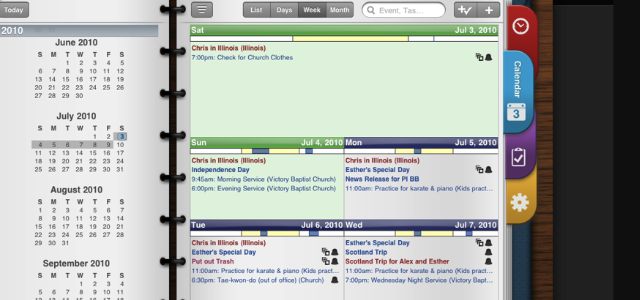
As a bit of a productivity nerd, it was great to see a couple of apps that revolve around that niche having a presence at the Macworld/iWorld media preview. One of these apps was Pocket Informant, which looks both elegant and compelling. And its available for both the iPad, iPhone and iPod Touch. For those looking to get a little bit more productive and want a pleasurable-looking experience while doing so, this might just be the app for you.

Pocket Informant fully integrates your calendar, tasks, notes and contacts into one spot, which allows you to focus on everything you’ve got going on in a day. This is a bit of a departure from other productivity-type apps in that they tend to put the emphasis on your tasks and let everything else fade into the background. Pocket Informant keeps everything close at hand and visible so that you don’t miss out on somewhere you’ve got go, someone you need to get in touch with or something you have to do.

What Happens When You Drop Your iPhone [Humor]

By •

cult_logo_featured_image_missing_default1920x1080

You know that moment when your iPhone slips out of your hands and begins its slow tumble to the ground? Time slows down, as it does in the milliseconds before any horrific accident, and you absolutely freeze with a sort of full-body shudder of anticipation at the shattered glass screen you just know will be the end result of its 32 feet per second per second fall towards the concrete.

In a recent episode of Fred Armise and Carrie Brownstein’s Portlandia, they did a skit that documents the internal monologue of such a reverie. The end’s a bit surreal (and a little weak), but as an iPhone owner myself, I can relate. Looks like it’s time for Brownstein to buy a bumper.

SpotON Radio Is Part Spotify, Part Pandora And Part Instagram

By •

Screen Shot 2012-01-26 at 10.22.08 AM

Last August, Spotify launched a public API for mobile developers to piggy back off of their system and release their own apps. The hope was the abiogenesis of a series of cool new music apps that pushed the boundaries of how we discover music, with Spotify’s library of 15 million tracks as the lifeblood.

The first app to really come from Spotify’s initiative and impress? SpotON Radio, a Pandora-like service built upon Spotify that allows you to create custom tailored music stations, share them with friends and sync them across the iCloud. Plus, it’s got a really swank visual aesthetic that just sings on iOS devices.

Former Exec: Apple’s Commitment To Secrecy “Conflicts” With Humane Factory Working Conditions

By •

foxconn_production_line

While Apple has been actively seeking to improve the working conditions for employees at the Chinese factories manufacturing its products, a former executive for the Cupertino company believes it could do more. The trouble is, Apple’s infamous secrecy is getting in the way.

“We’re trying really hard to make things better,” said one former Apple executive. “But most people would still be really disturbed if they saw where their iPhone comes from.”

AT&T: 80% Of All The Phones We Sell Are iPhones

By •

Photo by Steve Rhodes - http://flic.kr/p/21zyYN

Despite losing its exclusive standing with Apple, AT&T announced selling 7.6 million iPhones, comprising 20 percent of Apple’s 37 million smartphone sales during the fourth quarter of 2011, which ended Dec. 31. Even more impressive: Apple’s handset accounts for 80 percent of all smartphones the carrier sells.

MEElectronics A151 Earphones: Where’d The Sound Go? [Review]

By •

a151-2

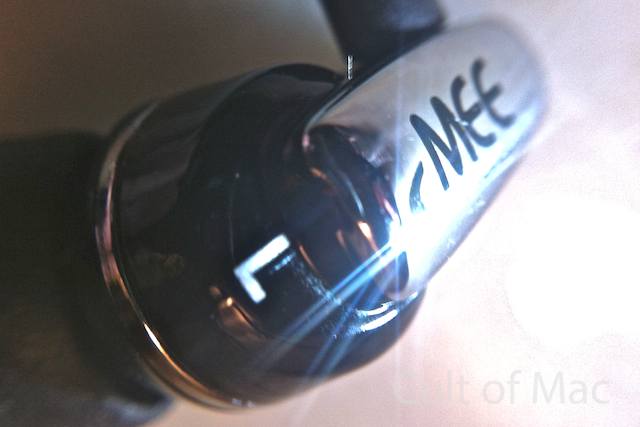
I distinctly recall a bit of maneuvering when Joe Daileda, head of sales and marketing at MEElectronics, contacted us about reviewing some of their earphones. Joe seemed particularly keen on getting a pair of their ceramic CC51Ps in our hands, but I wanted none of it — being the armature junkie I am, I was fixated on their armature-powered A151s ($75). Joe eventually ended up sending us three models (impressions of the unique, modular SP51 coming soon to a review near you).

Joe’s favoritism may have been entirely in my head — I get like that sometimes; but true enough, the CC51Ps turned out to be a stunning revelation. The A151s? Not so much.

Apple Surpasses Android To Become Reigning Champion In The U.S. [Report]

By •

appllevgoog

Following Apple’s incredible sales numbers from yesterday’s quarterly earnings report, the iPhone has taken the number one spot in U.S. market share from Google’s Android OS, according to the researchers at Kantar Worldpanel ComTech. 37 million iPhones were sold in the fourth quarter of 2011, making Apple the top smartphone manufacturer on the planet.

Based on the last 12 weeks of sales in 9 countries (including the U.S., U.K., and Australia), the iPhone is growing faster than Android. The tides are turning.

Install Apple’s Stock iPhone Apps On Your Jailbroken iPad With Belfry

By •

Stock-iPhone-apps-on-iPad

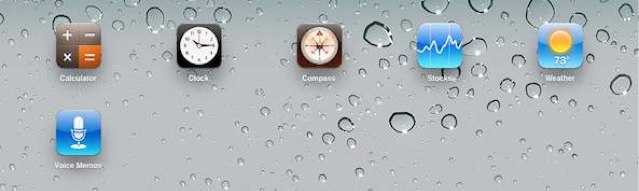
Some of Apple’s stock iPhone apps would work wonderfully on the iPad, such as Clock, Stocks, Weather, and Calculator. But the Cupertino company seems to have no plans to port these apps over to the larger device. After all, I’m sure if it did we’d already have them by now.

But thanks to a new utility for jailbroken iPads called Belfry, you can port them over yourself.

Ditch Mobile Web And Load Pages In Their Entirety Using Dolphin For iPhone [iOS Tip]

By •

Dolphin-Icon-1

The mobile Safari browser that comes baked into Apple’s iOS devices is quite possibly the best mobile browser there is. But what if you want don’t want to load mobile web pages? What if you want to enjoy websites in their entirety?

Unfortunately mobile Safari doesn’t let you do this, but a free third-party browser called Dolphin does. Here’s how to ditch the mobile web and load full, desktop websites on your iPhone.

Can Apple Earnings Still Surprise Wall Street?

By •

surprised

What sort of numbers should Apple report later today for the first quarter of 2012? The third quarter surprised all analysts as Apple announced a rare under-performing quarter due to the late introduction of the iPhone 4S. Stung by that rebuke, professional analysts are offering conservative projections for the first quarter of 2012. This sets up a classic pros versus independents cliffhanger.

Unite Twitter, Facebook And More With Your iPhone Contacts Using Smartr Contacts

By •

Smartr-Contacts-iPhone

Xobni has brought its Smartr Contacts service to the iPhone today, which a new app that is likely to change the way in which you handle your contacts list forever. The service takes the pain out of maintaining your contacts list by creating profiles for everyone you’ve ever contacted using your emails, calendars, and social networks. It also puts a face to every name and even keeps track of your recent communication history.

SiriToggles Lets You Launch Apps And Change Settings On Your Jailbroken iPhone 4S

By •

IMG_0512

A Cydia package by the name of SiriToggles brings functionality to Siri that Apple should have included from day one. With the free SiriToggles tweak on your jailbroken iPhone 4S, you can launch any app, change your system settings, and even turn your iPhone off with your voice.

While Apple has restricted Siri to a limited set of capabilities by default, SiriToggles liberates the virtual assistant for jailbreakers.