Apple’s iOS Safari browser has been the source of many vulnerabilities in the past, and a new discovery reveals a scary bug in the latest version of iOS. When browsing the web on iOS 5.1, there’s the potential that you could run into some address bar spoofing.
What does that mean exactly? Basically, a site URL could be displayed in the address bar that doesn’t actually match the webpage you’re visiting.
Imagine a world where your iPad or iPhone controls everything in your living room.
With all the rumors surrounding Apple’s intense negotiations to acquire licensing agreements with Hollywood studios for its upcoming television, it can be easy to forget about another aspect of the equation that needs to be reinvented: the remote. When Apple does unveil its long-awaited ‘iTV’ to the dismay of cable providers, you can bet that it won’t come with a clunky clicker like every other TV on the market. If there’s anything that needs to be changed about the industry, it’s the tool we use to communicate with our TV sets.
How would Apple do its own remote? Some have speculated that the iTV will be completely controlled by Siri, but there’s more to the puzzle than just voice control. In fact, you probably already use the future iTV’s remote every day.
RIM's next new hire may very well be an iOS app creator
RIM has making some interesting choices regarding its future over the past year. The company launched its PlayBook tablet with what was really a beta release of the OS. It expanded its device management platform to include support for managing iOS and Android devices (though many saw that move as too little openness too late in the game). And it introduced support for Android apps in last month’s PlayBook OS update.
In another move that will leave observes scratching their heads, RIM is looking to hire iOS developers. Unlike RIM’s recruitment of Android developers, this doesn’t appear to be in any way aimed at porting existing apps to the PlayBook. The job posting, which lists RIM’s Bellevue, WA location, is for an internal Senior iOS developer that would be creating enterprise-focused iOS apps for the iPhone and iPad.
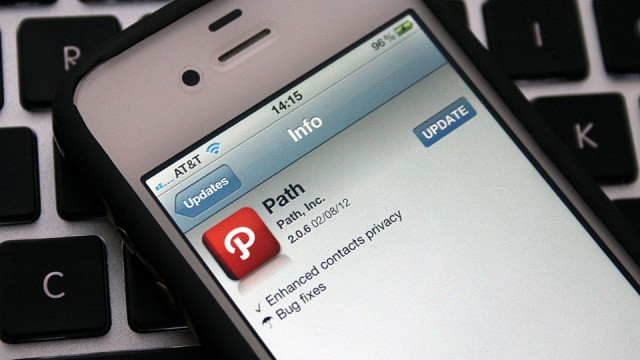
Path's iPhone app was recently updated to ask permission when accessing your contacts. Image courtesy of 37prime.news
The app privacy scandal caused by Path’s iPhone app is still leaving its mark, as members of the U.S. Congress have sent out letters to 33 prominent App Store developers to better understand the issue. “We want to better understand the information collection and use policies and practices of apps for Apple’s mobile devices with a social element.”
Apps like the official Facebook and Twitter clients are among the list. Energy and Commerce Committee Ranking Member Henry A. Waxman and Commerce, Manufacturing, and Trade Subcommittee Ranking Member G. K. Butterfield have requested that the developers behind such apps reveal how Apple imposes its privacy standards and how the standards are implemented.
This is the closest you'll get to using a rotary phone
I used a rotary phone once at my grandma’s house back when I was like 6 years old. It’s the only childhood telephone memory I can recall, but most kids my age have never had the pleasure of seeing the dial slowly rotate back into position with each successive twirling of a number. The iRetroPhone is the closest thing to a rotary phone you’ll find today that also utilizes the best mobile phone in the world. Most people will either cringe or laugh when they see it, but we’re pretty sure hipsters across the globe are gonna love this thing.
We’ve got another great Cult of Mac Deals deal for our readers this time around that is set to wrap up today. It’s one that offers 7 inspiring Mac apps for only $50 that will help you take your ideas from concept to reality with elegance and ease.
Among the apps you’ll get as part of The Mac Designer Bundle is acclaimed calendar app Fantastical, the stellar website creation tool RapidWeaver 5 and the time-saving keyboard shortcut tool, KeyCue. And that’s just the tip of the iceberg!
Just because you've hidden them, it doesn't mean they're gone forever.
Back in October, we highlighted one of the new features in iOS 5 that allows you to hide previous App Store purchases from your ‘Purchased’ list. It’s great for removing all those apps and games that you may be ashamed of, such as Hello Kitty Parachute Paradise. But what happens if you want to reveal those purchases again?
It’s rare to see government agencies at the front of the technology curve, but it’s becoming more common with U.S. federal agencies after U.S. CIO Steven VanRoekel declared at CES that 2012 the year of mobile for the federal government. While most agencies have pushed to reevaluate their mobile technology option during the past few months, the Environmental Protection Agency seems to leading the government charge to mobile.
The EPA announced earlier this week that the agency has adopted a new “mobile first” policy. Under the policy, it is a setting forward-thinking IT mandate than even the most tech-savvy companies have yet to consider or embrace: develop solutions for mobile devices first and then re-work those solutions to function on the desktop.
Now that Apple’s brought LTE to the iPad, it seems a certainty it’ll come to the next iPhone in October as well. Lurking deep in the iOS 5.1 plist files, though, may be proof that Apple’s already building support for LTE into their mobile operating system. Or it might just be more confusion over what 4G actually means: LTE or HSPA+.
The newest fake Android store in China sells the new iPhone
Those clever Chinese people are great at copying anything. Fake iPhones. Fake Louis Vuitton bags. Fake Gucci sweaters. Fake Disneyland. The list is endless. We’ve even seen quite a few fake Apple Stores pop-up in China over the years. Some even looked like an exact replica of the real thing. Well now some clever Chinese citizens have moved on and are now opening up fake Android stores. The only problem is, Android phones don’t sell so well, so they sell genuine iPhones and iPads
Music Unlimited offers over 10 million tracks from just $3.99 per month.
Music streaming services like Spotify, Rhapsody, and Rdio are set to face yet another competitor on iOS, as Sony prepares to make its own service available to the iPhone and iPad. The company’s COO, Shawn Layden, has confirmed that Music Unlimited will be making its way to the App Store “in the next few weeks.”
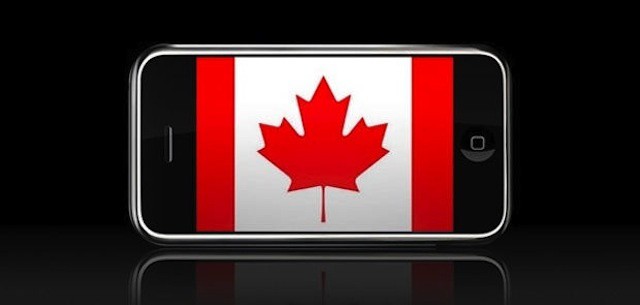
iPhone becomes the top selling smartphone in Canada iPhone becomes the top selling smartphone in Canada
Lately, RIM has been losing major enterprise customers to Apple on a regular basis. U.S. federal agencies (including NOAA and ATF) have been some of the biggest enterprise switchers from BlackBerry devices to iPhones.
Today’s bad news must have a particularly nasty sting for the BlackBerry manufacturer. For the first time, iPhone sales in RIM’s native Canada have surpassed sales of BlackBerry devices – and by a pretty wide margin. Given the sense of loyalty that many Canadian businesses and consumers have shown to RIM, which is based in Waterloo, Ontario, the new numbers highlight the extent of RIM’s challenges and shortcomings.
Apple events are traditionally disguised as "corporate meetings" in Moscone's calendar.
Prepare yourself for a another look at OS X Mountain Lion and a peak at iOS 6, because Apple’s annual Worldwide Developers Conference looks set to begin in early June. San Francisco’s Moscone Center — the company’s favorite venue for WWDC — has been booked up for a mysterious “corporate meeting” for one week starting June 11.
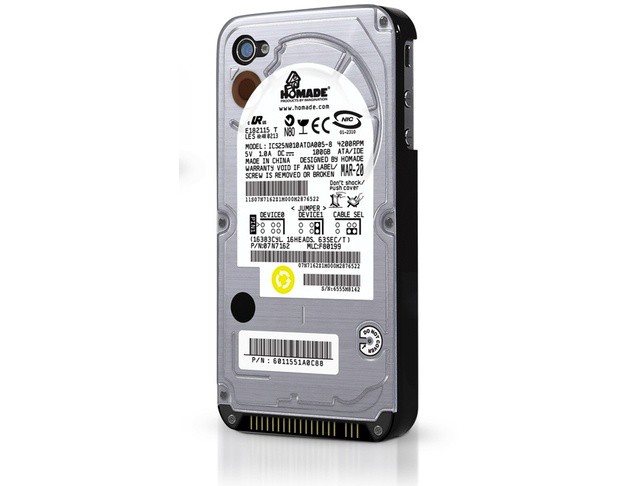
This hilarious iPhone 4 case will guarantee that you win any dorkathon you choose to enter. The plastic case — which covers the back and sides of the phone — is shaped like a raw hard drive, complete with vendor sticker, fake screws and even SATA connectors.
Samsung's fun-sized Galaxy Note. Photo Charlie Sorrel (CC BY-NC-SA 3.0)
If it’s not a smaller iPad, it’s a bigger iPhone, and today’s rumor sees the iPhone approaching the absurd size of Samsung’s phablet, the Galaxy Note. The Korean Maeil Business Newspaper cites unnamed sources who claim that Apple is already placing orders to its suppliers for 4.6-inch retina screens.
Angry Birds Space gains a laser sight to guide your birds
Angry Birds Space has just survived re-entry and is now in the App Store for just $1. The new Angry Birds, despite the release of the Seasons and Rio editions, is the true sequel to probably the most popular iOS game ever. Also, it rocks.
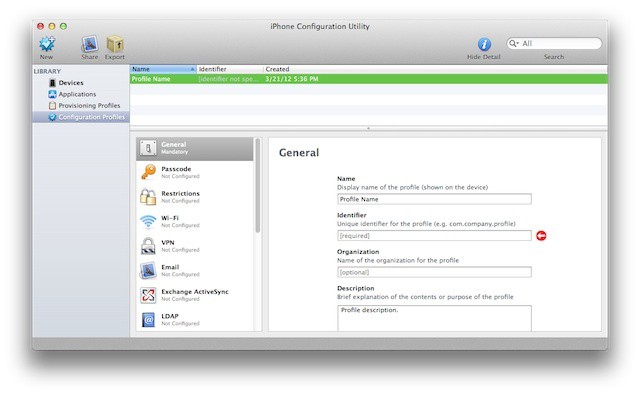
Apple's iPhone Configuration Utility can be a jumpstart for iPads in the workplace
For many IT shops, the iPad and/or the iPhone can be a conundrum. While iOS has built-in enterprise capabilities, they may not be immediately apparent. There’s also the fact that Apple doesn’t act the same way as most enterprise vendors. Apple does offer enterprise sales and support teams, training and certification programs, and a solid selection of enterprise-related resources, but rarely promotes them. This can be disorienting and frustrating to most IT professionals.
Often there’s a sense of urgency around getting iOS devices integrated securely that adds to this stress – it can be because executives want them, users are bringing them in and doing work on them already with no regard for IT or policies, or because there’s been a decision to offer iPads to specific users or groups.
The ideal beginning when faced with this prospect is to take a deep breath and then to begin breaking down the issues that need to be addressed and prioritizing and handling them. As with other major IT projects, you’ll probably need to develop stop-gap measures to keep things running until your final solution is ready to be rolled out.
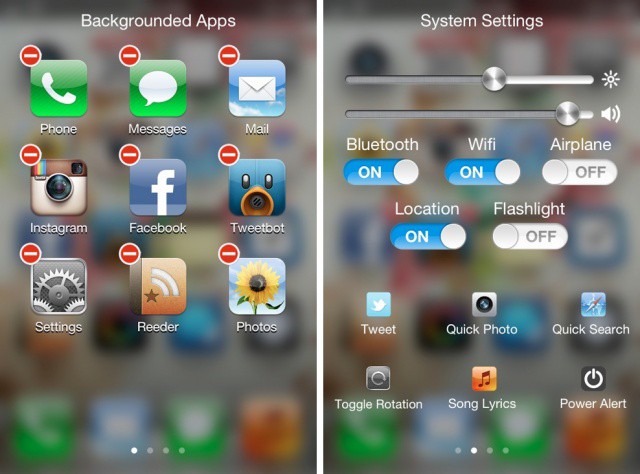
Every once in a while a jailbreak tweak comes along that tires to reinvent multitasking on the iPhone. We’ve seen webOS-inspired tweaks like Multifl0w, multiasking-focused tweaks like Zephyr, and many others over the years.
A relatively new package called Imperium aims to change the way we jailbreakers multitask on the iPhone yet again. Is it worth the $1 price tag? Let’s take a closer look.
iPhoto lets you edit your pics with intuitive gestures on the iPhone and iPad.
Apple announced iPhoto for iOS at its March 7th iPad event, and the app has already been downloaded by over 1 million unique customers in less than two weeks. Since the app is priced at a cool $5, that means Apple has made at least $5 million since launch day. Not too shabby.
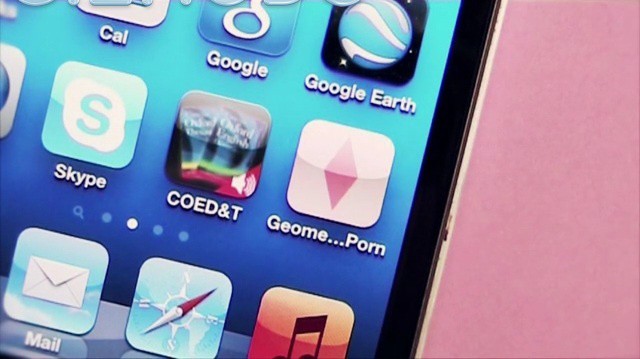
Rhombi, triangles, and rectangles probably don’t elicit a sexual response from you most times, but Apple thinks those beautiful shapes can be a little bit too orgasmic when combined in different configurations. Artist Luciano Foglia’s app of geometric shapes was recently rejected by Apple because they claimed it contained “excessively objectionable or crude content.” But it’s just a bunch of geometric shapes, so why did Apple label it as pornographic? Take a look and judge for yourself:
Lead Hipstamatic iOS engineer Sam Soffes sends a pic to Instagram
Instagram is undoubtedly the reigning champion of social photography apps, but there was once a time when Hipstamatic owned the spotlight. As the mobile app that took the trend of filtered photo sharing mainstream, Instagram owes a lot of its success to Hipstamatic. Apple awarded the iPhone app of the year award to Hipstamatic in 2010 and the torch was passed to Instagram in 2011.
As of today, Hipstamatic will now let you send photos you take in the app to Instagram. Not only does this move establish Instagram as the iPhone photography app victor, but it also establishes the app in its own right as a social network of the same caliber as Twitter for Facebook.
If you’re looking to create some smashing iOS apps and want to get all the goods delivered to you in one comprehensive course, we’ve got a Cult of Mac Deals offer that more than fits the bill!
Containing over 66 lectures and 11 hours of content, this iOS app development course we’re offering will teach you the fundamentals of Objective-C and a ton of the advanced strategies used by the pros. To get this kind of training in a live setting would run you in the neighbourhood of $3000 – but at Cult of Mac Deals we’re bringing it to you in an on-demand capacity for only $89!
Managing the iPad and other devices doesn't require a one size fits all approach
There are multiple ways that companies can approach mobile management. The most common approach is device management where IT pre-configure a device and locks it down by not allowing users access to certain features and/or prevents the installation of apps. There’s also the approach of locking down data in which enterprise apps allow IT to create and manage an encrypted sandbox for business data on the device. There’s also the option of taking a lighter hand and issuing policies about acceptable use where IT can use device management tools to ensure that users are complying with those policies.
There are pros and cons to each approach but the truth is that there’s no need to pick one approach over the others. An effective management strategy can actually employ multiple styles of management. It’s also important to remember that mobile management doesn’t need to be one size fits all – it’s perfectly fine to use different levels of management and security based on the job functions of users, on the ownership of devices, or on the devices themselves (and their OS version).
The idea of mixing mobile management options as a best practices got a boost this week in a pari of announcements my some of the major players in the enterprise mobility space.
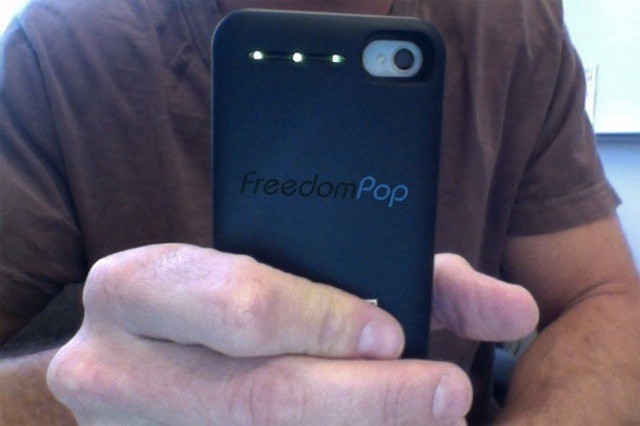
FreedomPop's plans include a 4G iPhone case hotspot
Earlier this week, NetZero launched a new freemium mobile broadband service using Clearwire’s WiMax 4G network. Although NetZero is the first U.S. company to launch a “free” 4G service, it isn’t going to be the last. Skype founder Niklas Zennstrom has begun work on a similar service called FreedomPop that will launch this summer.
FreedomPop plans to offer more monthly data for free than NetZero’s paltry 200MB. It will also target iPhone owners as a major part of its user base.
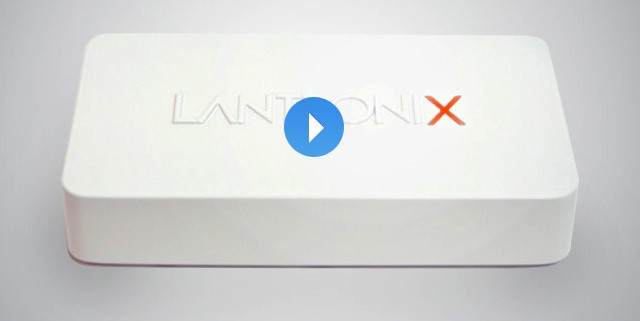
Just plug this into your network, and your iPad will see all the printers in your office
You have an office full of cubicle jockeys, and you have a network full of printers. And a lot of your workers come to the office with iPads and iPhones. Now, I hate printers, but even I realize that people need to put things on paper from time to time. And even a printer lover doesn’t want to re-equip the whole office with AirPrint-ready machines.
Thankfully, you don’t have to. The Lantronix xPrintServer will convert the whole network for you.