Mobile menu toggle

iPhone - page 32

Every new email trick in iOS 16 that you need to know

By

Undo sending emails and schedule emails in advance.
Image: D. Griffin Jones/Cult of Mac

Email doesn’t often get new features. Sending an email still works basically the same as it has since the ’90s. But these days, people want modern features — like scheduling emails or undo send. In iOS 16, Apple brings a bunch of new features to the stock Mail app for the first time.

You can quickly take back an email if you forget to include an attachment, or schedule an important email way in advance. You also can get smart reminders to read email later, or alerts to send a follow-up. If you catch a typo right after sending an email, or if you want to send an invoice on a specific day and time, both features will soon be available.

Read on to see how it all works.

How to use iPhone’s Lockdown Mode in iOS 16

By

Lockdown Mode is extremely useful for the select few who actually need it.
Lockdown Mode is extremely useful for the select few who actually need it and frivolous for ordinary people like me.
Screenshot: D. Griffin Jones/Cult of Mac

Lockdown Mode is a new option in iOS 16 that limits system features for maximum security. Apple designed it to protect its products from sophisticated spyware, like NSO Group’s Pegasus spyware, which has been used to target journalists, politicians, dissidents and activists around the world.

Spyware like Pegasus may seem like an unlikely threat. But for some, Lockdown Mode could be life or death. U.S. citizens need not worry at the moment, but it doesn’t take a wild imagination to picture how such spyware might be embraced by slightly more fascist administrations.

Right now, Lockdown Mode is meant for high-profile activists and journalists. And I mean real journalists — the kind who expose state secrets — not bloggers like me. Read on to find out how to enable Lockdown Mode and how it affects your device’s functionality.

Step up your iPhone camera game with these attachable lenses [Review] ★★★★☆

By

An iPhone with a Moment Case, Anamorphic Lens, and Filmmaker Cage with a microphone and LED light attached.★★★★☆
An iPhone with a Moment Case, Anamorphic lens, and Filmmaker Cage with a microphone and LED light attached.
Photo: Moment

Is it worth buying a full-size camera these days? The reasons to do so grow smaller and smaller as smartphone cameras get better and better. It’s getting to the point where you have to spend a thousand dollars or more for a full-frame camera to take noticeably better pictures than your iPhone.

Even then, a dedicated camera still won’t automatically sync your pictures to iCloud and might not tag your pictures with location data. And then you have to buy lenses — and full-size camera lenses are expensive.

What if, instead of buying a different camera, you could add lenses and accessories for your iPhone that fill in the missing gaps? You could get the same versatility with the same convenience.

Hidden iOS 16 features make us love it even more [The CultCast]

By

Hidden iOS 16 features make us love it even more - The CultCast Apple podcast
The iOS 16 upgrade makes even old iPhones feel brand new.
Image: Cult of Mac

This week on Cult of Mac’s podcast: iOS 16 makes our year-old iPhones feel fresh again. And the various “hidden” features flying under the radar make the iOS 16 experience even more impressive.

Also on The CultCast:

  • We can’t wait for our first trip to the iPhone 14 Pro’s Dynamic Island.
  • Is the iPhone 14/iPhone 14 Plus really a failure? (Even Steve Jobs’ daughter is dissing this year’s “upgrade” to Apple’s midrange iPhones.)
  • What to expect at Apple’s October event.

Listen to this week’s episode of The CultCast in the Podcasts app or your favorite podcast app. (Be sure to subscribe and leave us a review if you like it!) Or watch the video live stream, embedded below.

Our sponsor: CultCloth

Get the only cleaning cloth you need: CultCloth!

How to remove the Search button from your iPhone’s Home Screen

By

Turn off that Search button on the Home Screen.
Clean up your Home Screen and turn off the Search button.
Image: D. Griffin Jones/Cult of Mac

iOS 16 brings a lot of exciting changes, but no one seems to like the new Search button on the Home Screen.

It can clutter your aesthetic theme, it’s easy to press accidentally, and it’s not any faster than using the swipe-down gesture for search. Luckily, it’s possible to turn it off — read on to see how.

You can soon charge your iPhone using clean energy

By

Clean Energy Charging feature in iOS 16: You can soon charge your iPhone using clean energy
The new Clean Energy Charging feature in iOS 16 could help ease the strain on power grids.
Photo: Appolinary Kalashnikova/Unsplash License/Modified by Cult of Mac

iPhones will gain a new Clean Energy Charging option later this year as a part of an iOS 16 update, Apple said Monday.

The first-of-its-kind feature will strategically time when iPhones charge, using cleaner energy and thus reducing the devices’ carbon footprint.

iOS 16 does not kill older iPhone performance or battery life

By

iPhone 8 Wireless Charging
Don't listen to the doomsayers – tests show iOS 16 makes iPhone 8 run faster.
Photo: Ste Smith/Cult of Mac

Benchmark tests show that models as old as iPhone 8 run nearly as fast on the just-released iOS 16 as they did on iOS 15. Some devices even see a performance increase after the upgrade, while others see very moderate slips.

These tests refute the mistaken claims that iOS updates turn older iPhones into slugs. And some Apple handsets even get a considerable increase in battery life from iOS 16.

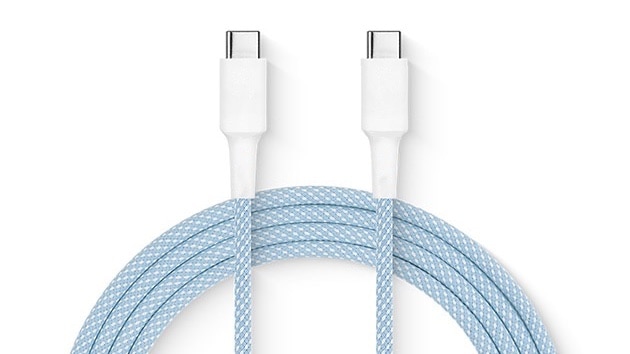
Lightning must die: It’s time for Apple to kill its darling

By

USB-C Lightning
Lightning was great but its time has passed. USB-C is now a better option.
Photo: Charlie Sorrel/Cult of Mac

Today is the 10th anniversary of the Lightning connector. It was once the best option but has since outlived its usefulness. This obsolete port needs to go.

Apple knows what the replacement needs to be. It should stop dragging its feet and make the change.

Apple’s Far Out event packs plenty of surprises

By

Apple's Far Out Event delivered plenty of hardware and some solid surprises.
Image: Cult of Mac/Apple

Apple definitely over-delivered with Wednesday’s Far Out event. The rumor mill’s constant churn of leaks and speculation gave us a solid framework for our expectations, but Cupertino’s hardware and software wizards still whipped out a few surprises.

Here’s everything you need to know about the iPhone 14 lineup, second-gen AirPods Pro and the 2022 Apple Watch models — including that hot new Ultra version for extreme athletes (and couch potatoes with solid credit ratings).

Last-minute intel on iPhone 14 and Apple Watch Pro [The CultCast]

By

The CultCast podcast: This is the last time you'll hear us talking about what iPhone 14 might look like.
This is the last time you'll hear us talking about what iPhone 14 might look like.
Image: Cult of Mac (iPhone 14 Pro render by Ian Zelbo)

This week on Cult of Mac’s podcast: Last-minute leaks indicate iPhone 14 Pro might not suffer the indignity of the “pillhole.” And that’s not the end of the revelations and guesswork prior to Apple’s Far Out event next Wednesday.

Also on The CultCast:

  • Soon, all your Apple devices will talk to satellites.
  • Apple Watch Pro is all about the battery life so it can keep pace with endurance athletes.
  • AI-generated art is getting really good — and really creepy!

Listen to this week’s episode of The CultCast in the Podcasts app or your favorite podcast app. (Be sure to subscribe and leave us a review if you like it!) Or watch the video livestream, embedded below.

Our sponsor: CultCloth

Get the only cleaning cloth you need: CultCloth!

AirDropped nudes nearly get Southwest flight canceled

By

AirDropped nudes nearly get Southwest flight cancelled
AirDrop can be misused by pervs with an iPhone. Here's how to turn it off.
Image: Ed Hardy/Cult of Mac

A creep nearly ruined a Southwest Airlines flight to Cabo San Lucas by using Apple’s AirDrop file-sharing tech to send unsolicited nudes to fellow passengers.

This is an excellent opportunity for a quick tutorial on how to turn off AirDrop so something like this never happens to you.

iPhone 13 might offer emergency satellite communication, too

By

iPhone 13 might offer emergency satellite communication, too
It won't be just the iPhone 14 communicating with satellites.
Photo: Cult of Mac

It might not be necessary to trade in an iPhone 13 for the iPhone 14 to get the upcoming model’s satellite communication capabilities. Apple’s 2021 handset reportedly already has this feature – it’s just not activated.

It’s possible Apple will announce at a September 7 event that both the iPhone 13 and 14 will be able to send emergency texts via satellite.

iPhone stuck on the Apple logo? Fix it with Dr.Fone.

By

Is you iPhone stuck in a boot-loop? Dr. Fone can help.
Is your iPhone stuck in a boot loop? Dr.Fone can help.
Photo: Wondershare

This iOS system repair post is presented by Wondershare, maker of Dr.Fone.

Apple devices like iPhones have great reputations for reliability, but nothing’s perfect. And if you find your iPhone stuck on the Apple logo while booting up — often called a “boot loop” — what to do about it can be a real head-scratcher.

Fortunately, there is software designed to help fix that and other problems. One such option is Dr.Fone from Wondershare.

This sick rig sports 9 Macs and 3 Apple displays [Setups]

By

Can you picture needing 9 Macs, including 3 top-shelf machines?
Photo: [email protected]

Occasionally a computer setup displayed on social media makes you swoon. Usually it’s a combination of amazing gear, artful arrangement and exceptional photography, like something staged by a pro. But sometimes it’s just a sick amount of awesome Apple computers and displays.

Today’s featured setup, run by a consultant who “works for several companies,” relies on four high-spec Macs, five very-nice-but-not-exceptional Macs and three Apple Displays, including a Pro Display XDR — which goes for $5,000 or more by itself.

Does your wallet hurt yet? We just took ours to the ER.

Get $15 off SwitchBot and turn your dumb lock into a smart one

By

The SwitchBot Lock fits over your existing
The SwitchBot Lock fits over your existing "dumb" lock.
Photo: SwitchBot

Users who aren’t ready to to take the plunge into full home-automation system like HomeKit and related accessories have another option to make a dumb lock smarter.

SwitchBot recently launched a new version of SwitchBot Lock. The company said it’s the best way to make a door lock smart without refitting, so users can lock or unlock their door via devices like iPhone or Apple Watch.

Better yet, right now you can get 15% off on Amazon, or about $15 off the $100 price.

iOS’ handy Developer Mode lets you run your own code on your iPhone

By

iPhone Developer Mode: “Do This First”
You'll need to turn on Developer Mode to put your own apps on your iPhone.
Image: D. Griffin Jones/Cult of Mac

Developer Mode is a security feature. It will prevent unsigned code from running on your device — apps that are not on the App Store, app marketplaces or TestFlight. Most people can enjoy the added layer of security for free. But, this also means that if you’re writing your own apps in Xcode, you will need to enable Developer Mode on your iPhone or iPad before running your app.

There are also a few apps you can only install by sideloading onto your device from a Mac, using an app like Sideloadly. These could include apps that aren’t allowed on the App Store, such as Hot Tub, a porn app; or apps that are no longer available from their original developers, like Apollo, the former Reddit client. For side loading to work, you’ll need Developer Mode enabled as well. 

Read on to see how to turn it on.

What to expect from Apple’s September event [The CultCast]

By

The CultCast: Tim Cook can't wait to tell you how excited he is about the new Apple gear at the Apple event on September 7!
Tim Cook can't wait to tell you how excited he is about the new Apple gear!
Image: Cult of Mac/Apple

This week on Cult of Mac’s podcast: Looks like we have a date for the next big Apple event: Mark your calendars for September 7! We’re expecting iPhone 14 and Apple Watch Series 8 — which both sound awfully familiar — and hoping for something surprising.

Also on The CultCast:

  • Kim Kardashian’s “neutral colors” for Beats Fit Pro actually look pretty enticing. Who woulda guessed?
  • An Apple stock update from Erfon might leave you jealous if you sold in a panic.
  • Let’s drag Mark Zuckerberg for his pathetic metaverse avatar. Everyone else is!

Listen to this week’s episode of The CultCast in the Podcasts app or your favorite podcast app. (Be sure to subscribe and leave us a review if you like it!) Or watch the video livestream, embedded below.

Our sponsor: Squarespace

Special thanks to this week’s sponsor, Squarespace. Get all the tools you need to set up your very own website and commence selling anything online. Start your free website trial today at squarespace.com/cultcast (no credit card required). Save 10% off your first purchase of a website or domain with code cultcast at checkout.

50 million Android users crave that sweet iOS look

By

50 million Android users crave that sweet iOS look
"Is that the new iPhone?" "Not exactly..."
Image: Samsung/LuuTinh Developer/Cult of Mac

An app to make Androids copy the look of iPhone running iOS is widely popular. So many people wish their Android was an iPhone that Launcher iOS 16 has been downloaded over 50 million times from Google Play. And a rival app has just as many.

That sure is a lot of jealous Android users.

September 7 might bring iPhone 14 unveiling

By

This concept shows the new iPhone 14 in purple.
Photo: Jon Prosser/Ian Zelbo

Apple’s next big product event — the release of the iPhone 14 series — will take place on September 7, according to a new report.

The event kicks off a busy release period before the end of the year, with new Macs, iPads and Apple Watches expected.

How to keep your data private after Roe v. Wade reversal

By

This detailed guide will help you keep your data on your device and your device only.
Image: D. Griffin Jones/Cult of Mac

In the aftermath of Roe v. Wade being overruled by the U.S. Supreme Court, and Facebook turning over a teenager’s private chats about her abortion to police, protecting your data is more urgent than ever.

Your iPhone and Apple Watch, and third-party apps you use on them, efficiently capture data that could be used against you at a later date by law enforcement. We’re talking things like location data, ovulation records, text messages and your web-browsing history.

Keeping all your data private after Roe v. Wade to avoid prosecution could prove highly important. Luckily, Apple gives you powerful controls over how and where your data is stored. You just might need to adjust certain settings for maximum privacy.

Read on to dive deep into data security recommendations for iPhone, Apple Watch, and Mac.

Samsung’s flawed, foldable Androids show why folding iPhone remains years away

By

Samsung's flawed, foldable Androids show why folding iPhone remains years away
Galaxy Z Fold 4 and Galaxy Z Flip 4 would be amazing if they weren't so flawed.
Photo: Samsung

The just-announced Samsung Galaxy Z Flip 4 and Galaxy Z Fold 4 offer the clearest evidence yet that Apple is correct to hold off on releasing a folding iPhone. Flexible screens still come with too many problems to be acceptable in an iPhone.

Of course, that didn’t stop Samsung from releasing handsets with these drawbacks.

At last! iPhone battery percentage is back in status bar [Updated]

By

At last! iPhone battery percentage is back in status bar
Finally!!
Screenshot: Ed Hardy/Cult of Mac

The latest iOS 16 beta returns the iPhone’s battery percentage to the status bar. This is Apple finally walking back a controversial user interface change from 2017.

However, users of some iPhone models report that the new feature isn’t available on their device.

Fake your iPhone or iPad GPS location for gaming with iToolab AnyGo

By

With AnyGo, you can quickly and easily fake the GPS location of your iPhone.
Image: iToolab

This GPS spoofing post is presented by iToolab.

A typical reason people want to “spoof,” or fake, a GPS location shown on a device is to play location-based augmented-reality games like Pokémon Go — without having to do all that walking.

And a highly effective, easy-to-use and affordable tool for changing and controlling your GPS location on iPhone, iPad or iPod touch — anywhere in the world, and for whatever reason — is iToolab AnyGo.

New Apple tool makes repairing randomly restarting iPhones easier

By

iPhone 13 Pro
Randomly rebooting iPhones won't be a headache anymore for Apple technicians.
Photo: Leander Kahney/Cult of Mac

Apple has a new tool to determine if your iPhone is restarting unexpectedly. It can be challenging for Apple repair technicians to determine if your device is rebooting randomly.

The company aims to fix this problem with its new diagnostic tool.

New Apple ‘Switching to iPhone’ video makes it easy for Android users

By

Thinking of switching from an Android phone to an iPhone? It's easy.
Photo: Apple

Apple aimed a new video Monday at Android users who might want to switch to iPhone. The video answers the most common questions switchers ask, from transferring contacts to trading in handsets and much more — all in about 4 minutes.

The video comes as Apple prepares the iPhone 14 series for release and follows Cupertino’s surprisingly positive earnings results Thursday in which the company mentioned a record numbers of switchers from Android to iPhone.