Mobile menu toggle

iPhone - page 229

Download And Use These High-Res Parallax Wallpapers On Your iOS 7 iPhone [Gallery]

By •

Nice hair.
Nice hair.

Redditor corvettevan has been collecting parallax wallpapers for use with iOS 7’s new visual feature for a little while now, and he decided to put up a Tumblr blog to archive them all and make them available to you for download.

While we showed you how to make your own parallax-flavored wallpapers for your iPhone or iPad, this is a much faster way to get some cool stuff on your iPhone that didn’t already come with the iOS 7 download.

The images are pretty cool: there’s nature, space, music, science fiction, and–of course–the obligatory girls in bikinis. Here are a few we liked.

Cleaner, Faster, Simpler: It’s A Brand New Evernote For iOS 7

By •

evernoteSplash

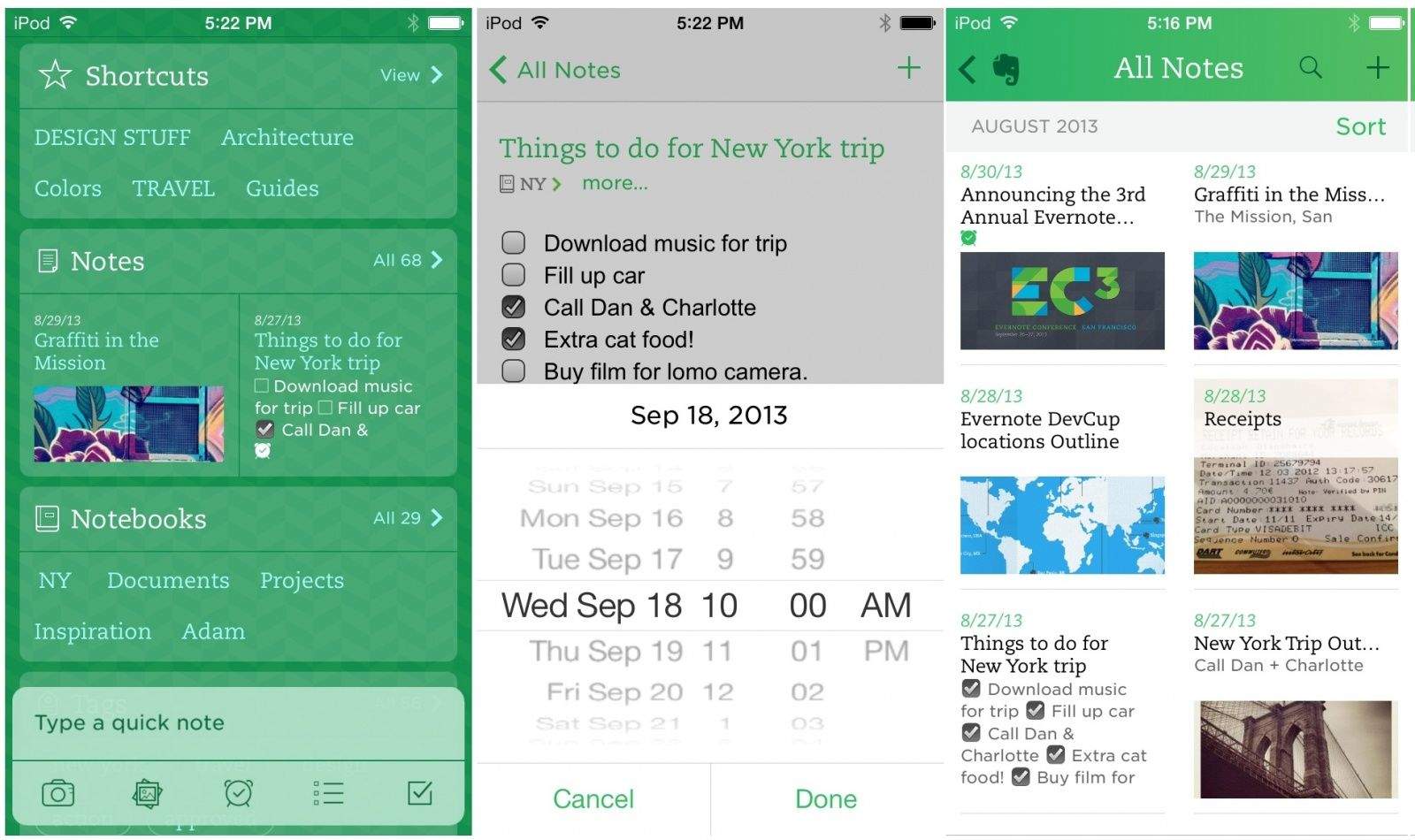
Evernote has updated its essential mobile app for iOS 7, adding a completely redesigned home screen that puts everything in front of you, right away, including all your notes, notebooks, tags, shortcuts and announcements. Of course, that’s not all, as the developer says on its blog:

The new iOS 7 is exactly the sort of thing that makes being an app developer so thrilling. We’ve spent months getting to know every minute detail, design and interaction of the new operating system. The experience has been eye-opening, inspiring and freeing. IOS 7 is so new that it allowed us to let go, restart and build in a way that we haven’t been able to do in years. The result: a completely, unbelievably, unexpectedly new Evernote.

Getting To Know The iOS 7 Interface At A Glance [iOS 7 Review]

By •

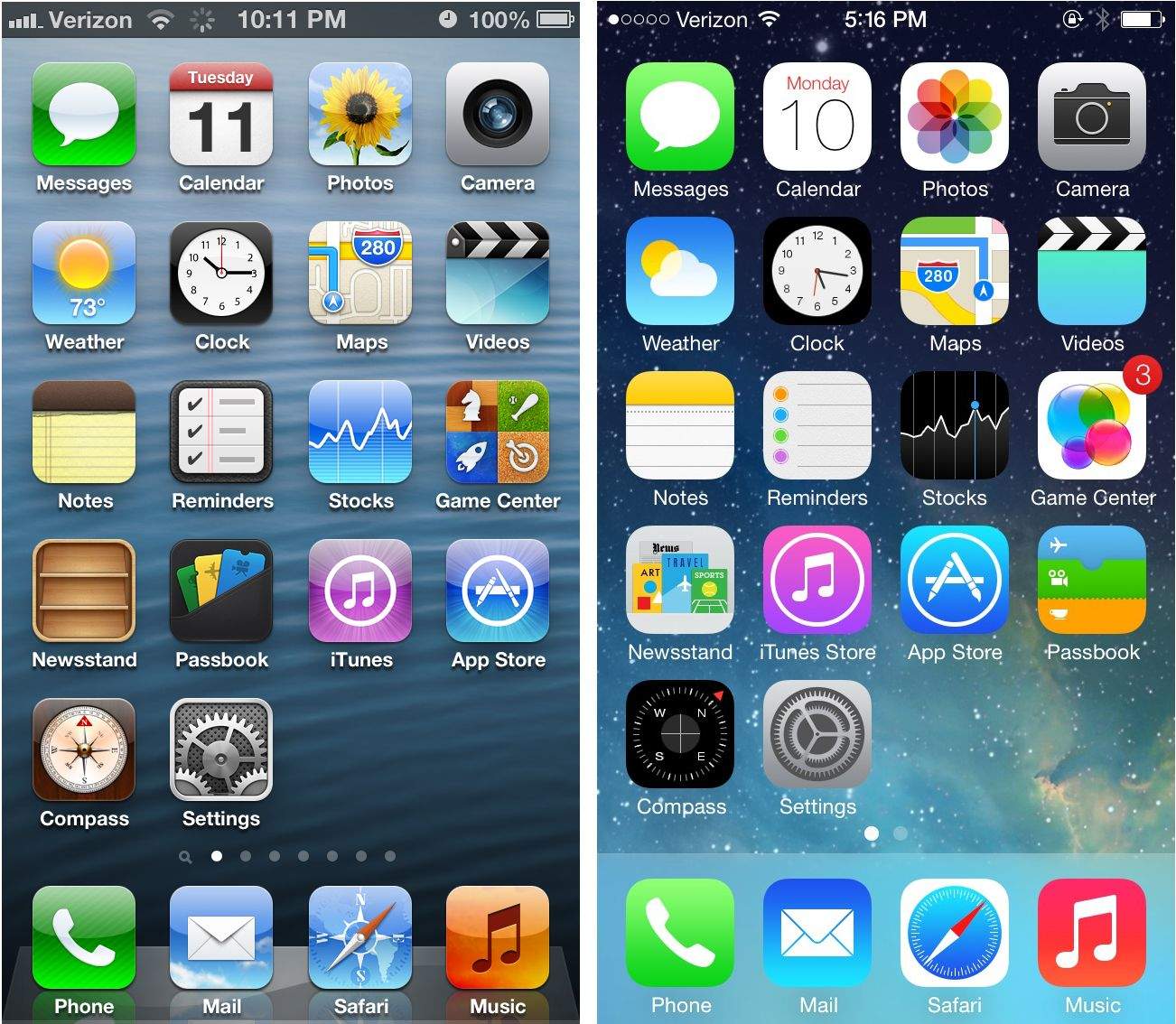
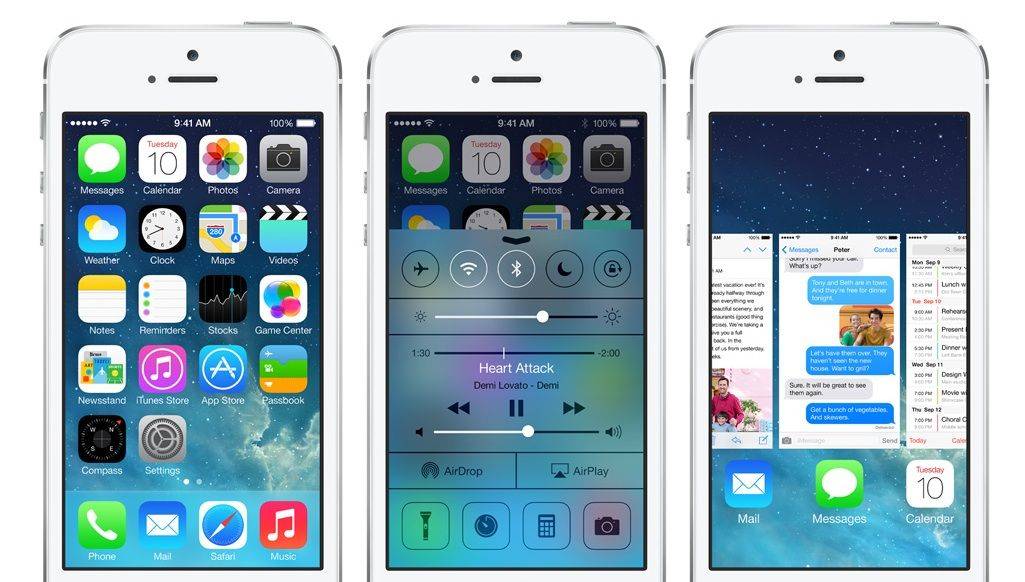
screenshots compare the iOS 7 Home Screen to the iOS 6 Home Screen
Here's how iOS 7 compared to iOS 6.
Photo: Apple

The first thing you’re going to notice about the iOS 7 redesign is how drastically different everything looks. Apple completely renovated the iPhone’s interface. The familiarity in terms of usability is still there at a fundamental level, but the OS has taken a 180 in terms of aesthetics.

White space is everywhere. Animations look funkier. Colors are trippier.

Vimeo Updates For iOS 7, Adds Offline Viewing, AirDrop Sharing, More

By •

Vimeo for iOS 7

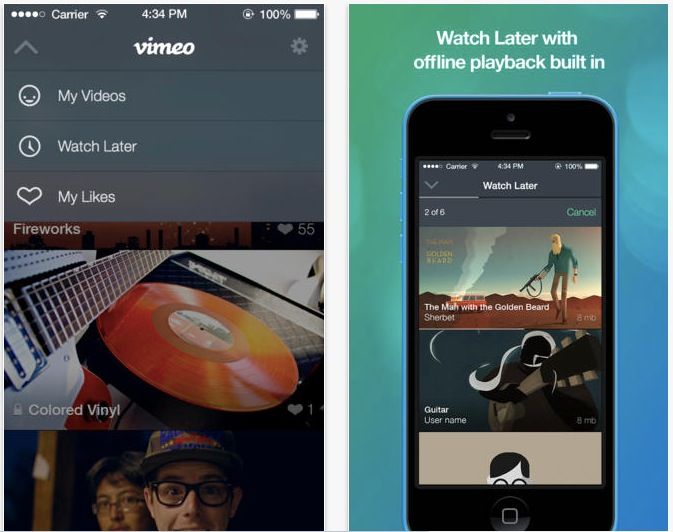
Vimeo announced Wednesday that its video sharing app for iPhone, iPod touch, and iPad has now been updated for iOS 7. The new update lets you upload video directly from your iOS device camera, as well as offline instant playback of saved videos.

The app has been re-vamped to better match and work with iOS 7, as well, including a new video thumbnail feature, which shows live previews of video content in the smaller navigation thumbnails.

Better yet, you can now share any Vimeo videos on your device with other iOS 7 devices using AirDrop.

iOS 7 Review Roundup

By •

design_functional_gallery2

It’s been over three months since iOS 7 got its first unveiling at WWDC, and in just a couple of hours, it will be made available to the public. It’ll be completely free to download — no matter which iOS device you’re using — and Apple’s confident it will quickly become the world’s most popular mobile operating system.

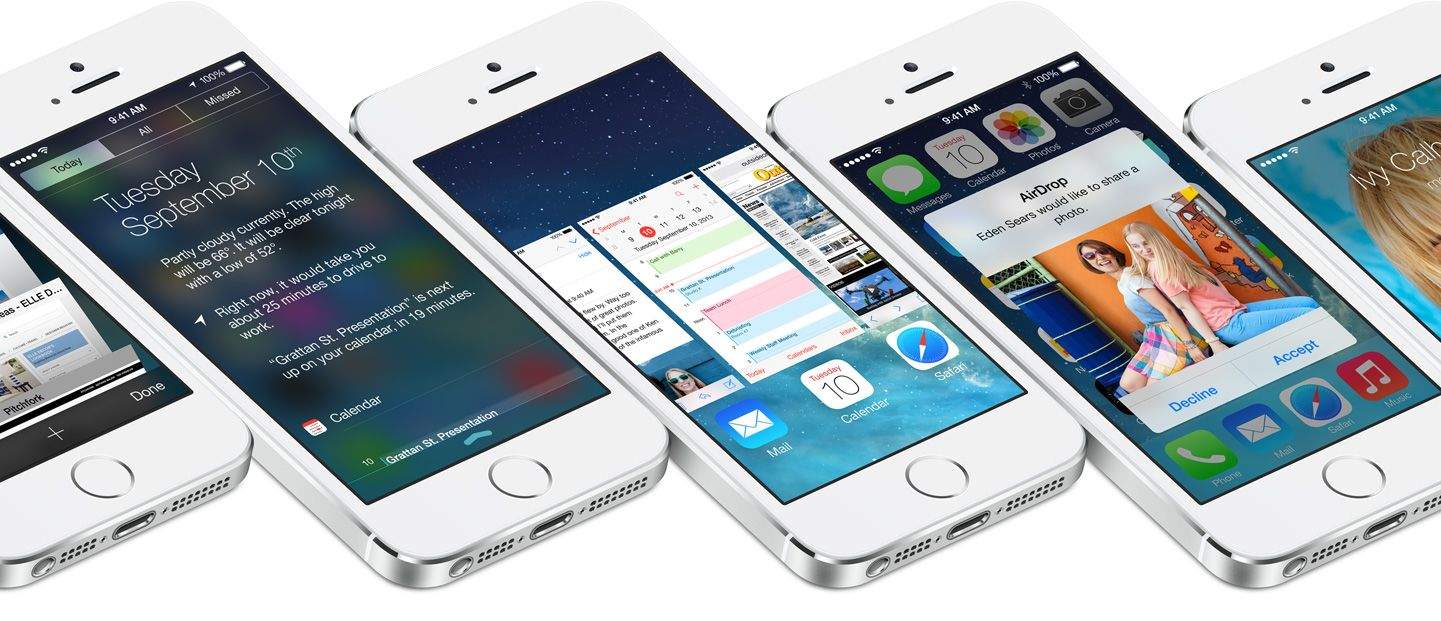
iOS 7 is the biggest change to iOS since the original iPhone, introducing a colorful new design for the first time, and bringing lots of new features — including Control Center, improved multitasking and Notification Center, iTunes Radio, and AirDrop.

So should you be rushing to download and install it on your iOS devices as soon as it becomes available, or can you wait until all the fuss has died down? Well, we’ll be bringing your our review in stages over the course of the coming days, but to help make your decision super simple, we’ve trawled through the biggest and best iOS 7 reviews out this week and put together a helpful roundup.

The Evolution Of iOS: From iPhone OS To iOS 7

By •

iOS7

iOS has seen an enormous amount of change over the last few years. When the first iPhone was released, the most entertaining thing to do was to watch YouTube videos and try to find a few web-based games. This was a time before apps, multi-tasking, or folders. Looking back, it’s amazing to see how iOS has transformed from a simple touch operating system, lacking a lot of key features, to a true computing behemoth with more features and tools than one user could possibly need.

Today, the latest version of iOS, iOS 7, is set to arrive. Let’s take a look at how things have changed in Apple’s mobile operating system over the last few years.

iOS 7: Control Center, Notification Center, Notes, Reminders & Music [iOS 7 Review]

By •

Control-Center
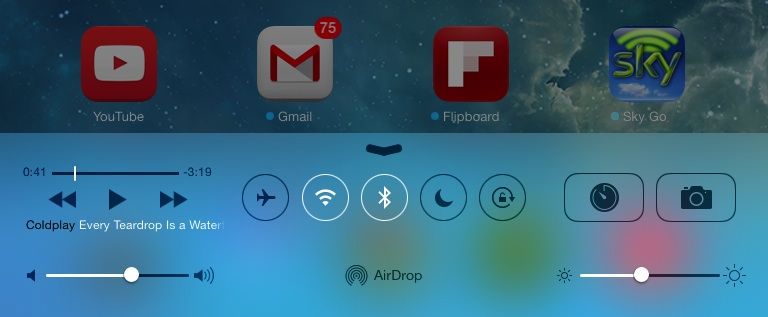
Control Center on iPad.

iOS 7 is much more than a pretty face. Early “news” reporting focussed on the new look provided at the last minute by Jony Ive and team, but the inner workings of the new OS have clearly been under development for a lot longer. So, try to look past the bright colors, blurred popovers and beautiful parallax for a moment, and join us as we take a tour of the best new features of iOS 7.

Rugged 12,000mAh Battery Pack Is Waterproof, Adventure-Proof

By •

nt120r-6

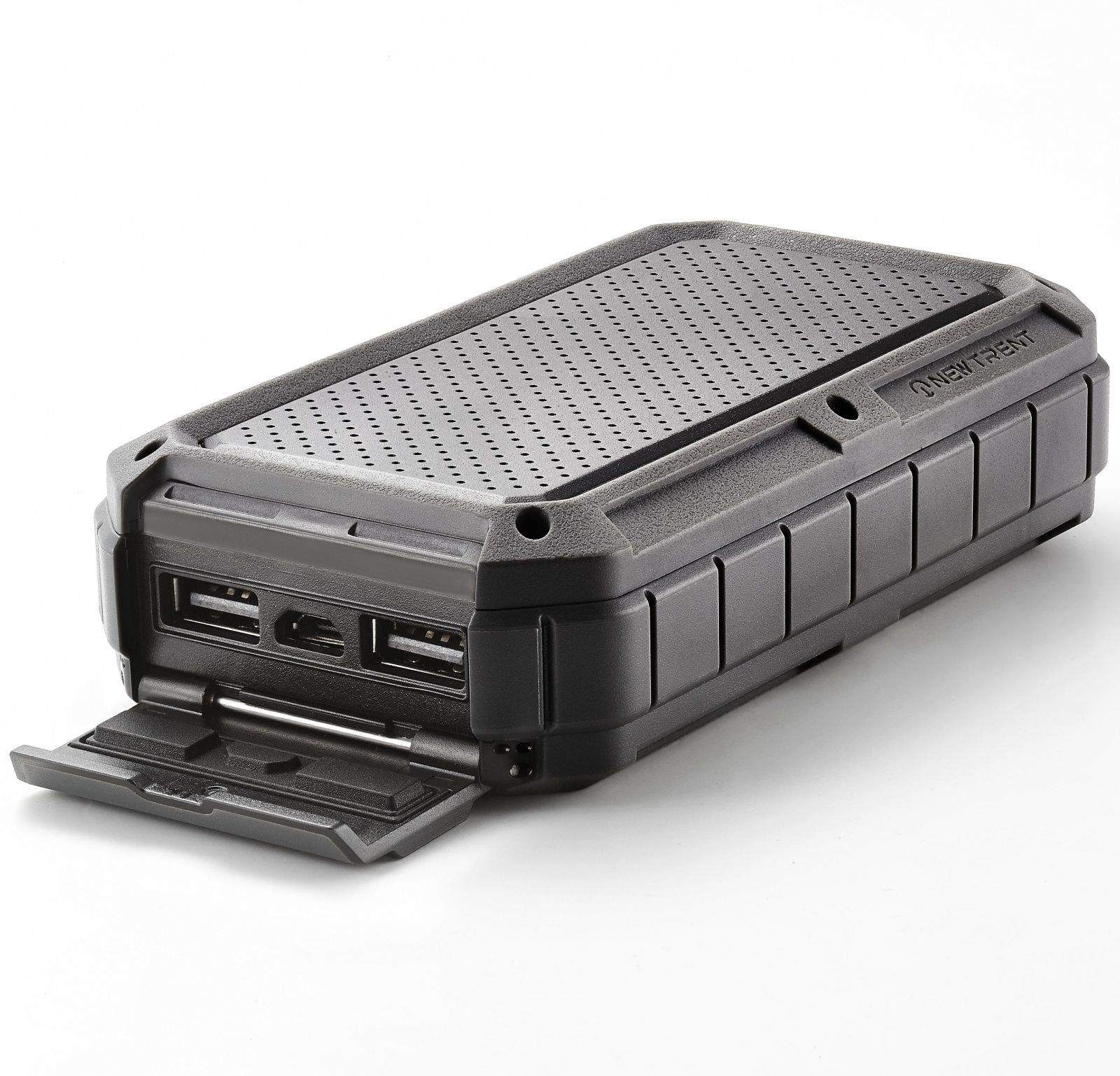
Juicy external battery packs are definitely the way to go for the globetrotting nerd – I have had my bacon saved a few times by the 12,000mAh battery pack I carry with me on trips – they’re not only good for the iPhone, but the iPad min, a Kindle, and even USB bike lights (this is the best unknown use for these chargers).

But you know what would be even better? A ruggedized, waterproof battery pack. And – surprise – that’s exactly what I’m just about to tell you about.

Yet Another Beautiful Weather App For iPhone

By •

weather

Ready for another weather app for your iPhone? Me too! I love WeatherPro on the iPad, but the iPhone version (despite today’s new iOS7 update) is almost impossible to read on the smaller screen. So I’m excited for Perfect Weather, which promises to make all the info I need available in a neat card view. Or rather, I would be excited if it was available outside the U.S.

BBM Coming To Android This Friday, iOS On Saturday [Rumor]

By •

post-245938-image-b74cc4ec41341ebb0008054eb3260796-jpg

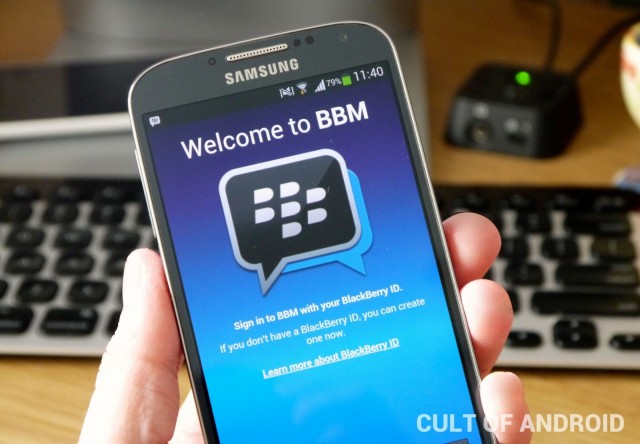
BlackBerry Messenger is close to becoming a cross-platform messaging service for the first time, but when will you be able to download the app on your Android and iOS devices? BlackBerry has been pretty quiet about launch dates up until now, but a new rumor claims BBM will hit Google Play this Friday, September 20, before landing on the App Store a day later.

Paperback Turns The Back Of Your iPhone Into A Notebook

By •

paperback-notes-560x420

No matter how fast you can unlock your iPhone and launch Drafts app, you’ll still be slower than someone jotting down a note with a pen and paper. But that means you have to carry a separate notepad along with your iPhone, and then you have to dig around in your bag or pocket to find it.

Not so with the Paperback, a, uh, a paper back for the iPhone 5/s/c.

Camera+ Update Brings New iOS 7 Look, Sharing, And More

By •

Doesn't look *too* different, right?

Tap tap tap, the developer of Camera+, announced Tuesday that it too is updating its popular iOS prosumer camera application to match the new iOS 7 look and feel, along with several other sharing and shooting improvements.

Co-founder Lisa Bettany emailed to tell us about the overhaul to the redesign, which gives Camera+ a better match to Apple’s new mobile operating system for iPhone, iPad, and iPod touch.

Burberry Puts iPhone 5s Slow-Mo Video On Full Display At London Fashion Show [Video]

By •

post-245720-image-8b25eb979a754cd093ae3dd04d593def-jpg

Touch ID is getting a lot of the attention among the iPhone 5s’ new features, but Burberry’s creative director Christopher Bailey has been obsessing over one Jony Ive’s other new additions to the iPhone 5s: Slow-mo.

Apple and Burberry teamed up for fashion week in London and shot Burberry’s entire Spring/Summer 2014 fashion show using nothing but the iPhone 5s for video and photos, the results of which are pretty damn impressive. Slow-mo makes a number of appearances in the full video posted below as the camera switches from 120FPS and then back to 30FPS with relative ease while recording. Pretty spectacular for a mere smartphone.

Instagram is going to be flooded with millions of half-assed slow-mo videos in just a few short days, but Burberry posted a couple of short slow-mo clips to Instagram as well that you can check out below :

Amazon Adds AirPlay Support To Amazon Instant Video For iOS

By •

amazoninstantvideo

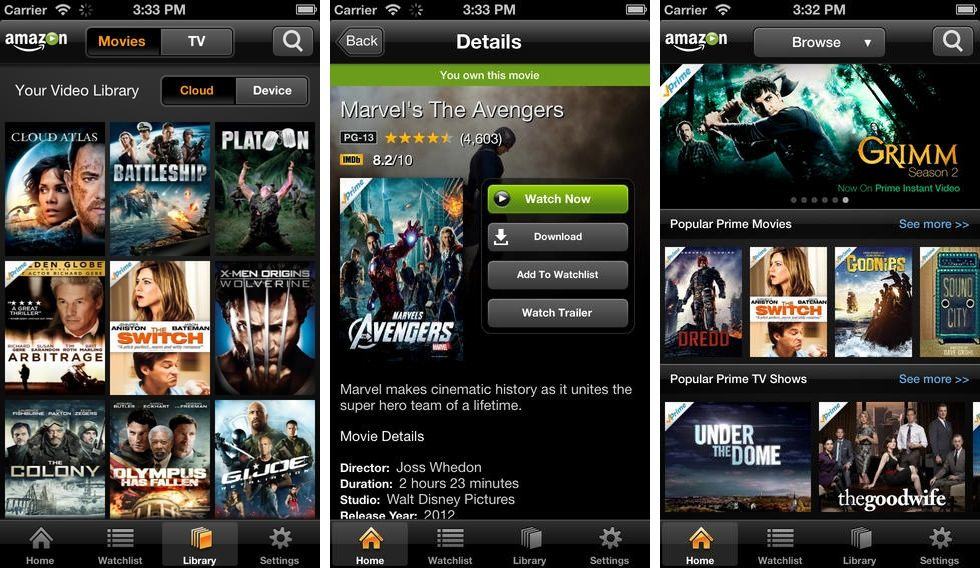
Amazon has added AirPlay support to its popular video streaming app – Amazon Instant Video. Starting today, the new feature allows iOS users to push video from their iPhone, iPod Touch or iPad to the Apple TV. Not quite as good as having an Amazon Instant Video channel on the Apple TV, but the move is sure to satisfy Amazon Prime users for the time being.

The update also includes more IMDB integration with cast info, ratings, trivia and quotes. Amazon also says the updated app is faster, more responsive and now supports concurrent downloads. There’s also a new “Customers who watched this also watched…” feature to help users discover more movies and spend more time and money on Amazon. The free update is available now in the App Store.


Source: iTunes

Thanks: Charles!

Get Your iPhone Ready For iOS 7 – Make A Good Backup Today [iOS Tips]

By •

iTunes Backup iOS

iOS 7 is coming this Wednesday, September 18, and it’s going to be a fairly simple upgrade. You’ll be able to just update your iOS device without any trouble, most likely over the air or by connecting to iTunes. No fuss, no muss.

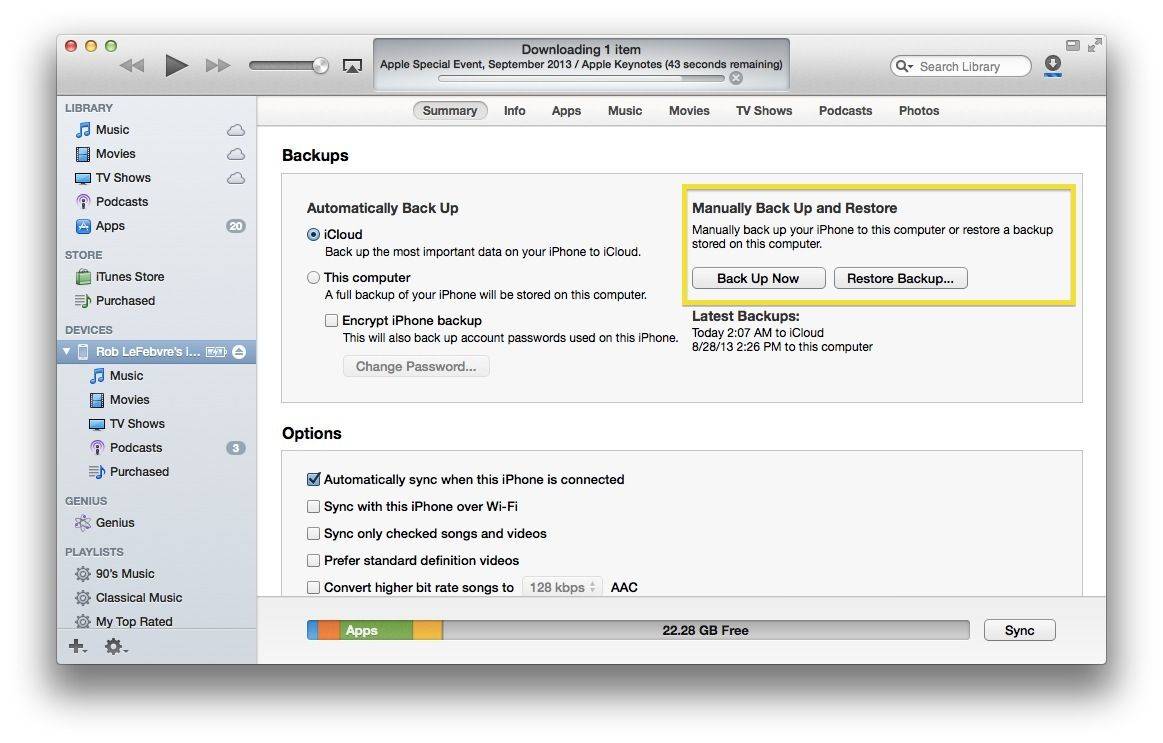
However, you do most likely want to make a backup in case things go awry during the update process. Chances are you already have a backup if you use iCloud or iTunes, but here’s how to make a manual backup, just in case.

Think Twice Before You Go Into The Woods, But Not For The Usual Reasons [Review]

By •

The Woods

Alright, stop me if you’ve heard this one:

The Woods by 3 Cubes Research Limited
Category: iOS Games
Works With: iPhone, iPad
Price: $.99

An unseen protagonist, armed only with a flashlight, sets off on an investigation into some spooky woods. With no map, our hero wanders through the forest gathering a bunch of pages for unknown reasons with a shadowy, black-clad figure in pursuit. The tormentor can appear anywhere at will, and if you look at it too long, the game will end, and you will have to start over from the beginning.

If you think that sounds an awful lot like developer Parsec Productions’ instant classic Slender: The Eight Pages, you would be correct. But that’s also the premise of 3 Cubes Research Limited’s less ominously named The Woods, which is available now for iPhone and iPad.

I’m not really sure what else to say; The Woods is Slender with more pages, a less scary antagonist, and worse controls.

5 Reasons Why Wall Street Is Wrong About Apple

By •

wallstreet

Apple disappointed Wall Street by announcing an iPhone 5C that isn’t cheap. As a result, Apple’s stock price took a hit.

That’s the polite way to say it. Let’s usher all the financial industry people out of the room so I can tell you the blunt truth. Ready?

Wall Street has systemic blind spots and institutional biases that make it incapable of appreciating where Apple is headed. And they demonstrated all that this week by focusing on all the wrong things.

In general, analysts were expecting a $400 iPhone 5C. But Apple announced one starting at $549 — not a budget or low-cost phone by any measure. Apple’s stock price dropped about 5% and stayed there.

Overemphasizing the wrong information — whether or not Apple would compete in the budget smartphone category — speaks volumes about Wall Street’s myopic, misguided and clueless understanding of consumer electronics and Apple’s role in it.

Here are the five reasons why Wall Street is wrong about Apple. 

Build And Launch iOS Apps With The Ultimate Xcode Fundamentals Course [Deals]

By •

CoM - xcodefundamentals_mainframe_630x473-1

With the cooler months approaching (at least here in the Northern hemisphere), many of us turn our attention towards taking on a new hobby or learning something new that can take our work – and even our lives – to new heights. There are more opportunities to generate revenue from hobbies than ever before thanks to technology, and Cult of Mac Deals has an offer that certainly fits this category.

For a limited time you can get The Ultimate Xcode Fundamentals Course, where you’ll learn how to build and launch iOS apps – even if you’ve never looked at Xcode before. This video course is only $79 courtesy of Cult of Mac Deals.

A Look At The Powerful Tech That Drives The 5s And 5c On Our Newest CultCast

By •

new-cultcast-site-promo-pic-heath.jpg

Hot off the Apple event—it’s our iPhone 5s and 5c reactions on our all-new CultCast. We’ll take a look at what’s new in iOS 7 and each new iPhone, and we’ll walk step-by-step through all the powerful new tech Apple unveiled throughout their 60-minute keynote. No stone goes unturned…

Have a few laughs whilst getting caught up on each week’s finest Apple stories! Stream or download new and past episodes of The CultCast now on your Mac or iDevice by subscribing on iTunes, or hit play below and let the unadulterated audio enjoyment begin. Show notes up next.

Cultcast 90 post player image

Ask An Apple Genius: Extending Your iPhone 5 Warranty, Water Damaged MacBooks And Swapping iPhone Colors

By •

askageniusanything

This is the Cult of Mac’s exclusive column written by an actual Apple retail store genius. Our genius must remain anonymous, but other than “Who are you, anyway?” ask anything you want about what goes on behind that slick store facade.  

Answers will be published first in Cult of Mac’s Magazine on Newsstand. Send your questions to with genius in the subject line.

With iPhone 5 warranties about to expire for early adopters, our Genius runs through the litany of legitimate issues you can use to get your iPhone replaced for free. We also dive into whether it’s better to be upfront about water damage and switching colors when the Genius Bar replaces your device.

1. My iPhone 5 warranty is about to expire.  How can I get my device replaced for free so I have a new iPhone from the warranty of the old one?

Like any piece of advanced tech, the iPhone certainly has its faults and manufacturing defects, even if they are somewhat rare.

Hardware defects are the easiest way to go

One of the biggest problems we have to swap iPhones for is the sleep/wake button. That button often gives out or gets jammed and becomes unresponsive. If that happens we swap the device. Same thing for the volume buttons. The home button isn’t as common a replacement. We may be able to do a modular repair to replace the flex assembly that goes to your home button. Often times that fixes it, but if it doesn’t we’ll swap it out.

Essentially, hardware defects are the easiest way to go. Camera defects come up frequently too, with issues like spots or lines on the sensor and shutter fails being the most common issue. We don’t have a camera replacement for the iPhone 5, so if you have any of those issues, definitely bring it in. There have also been issues with the iPhone 5’s metal enclosure getting bent out shape. As long as the screen isn’t cracked and the bend or morphing is noticeable, your warranty covers that as well.

Getting an iPhone replaced under warranty for a software issue is a bit trickier. Most software issues that people see will not lead to an iPhone replacement. Before you come to the Genius Bar you’ll be reminded to try rebooting your iPhone and restore from a backup. Those two quick steps usually do fix most software issues. Some software issues – like maybe your WiFi has gone out – can get you a replacement iPhone as long as the Genius can observe and verify the issue.

The good thing about taking your iPhone 5 in for those issues:  it won’t cost you anything and extends your warranty for another 90 days. After two replacements we have to ask a manager for permission to replace an iPhone, even if it’s a legitimate reason. Most of the time managers are cool and will just tell us to go ahead and swap it, but the two-replacement policy is supposed to act as a safeguard from people who try to milk Apple for an infinite number of replacement iPhones.

2. Why won’t the Genius Bar let me change the color of my iPhone when I get it replaced under AppleCare+?

Essentially, we don’t allow it in order to benefit our customers and make sure that inventory flows through the channels in the most efficient way possible.

When you buy a black iPhone, Apple keeps track of how many models it has sold in each color and plans out how many it will need to supply for replacements at the Apple Store. It’s a complicated process to get all the Apple Stores stocked with the right amount of iPhones in the various configurations, even though Apple makes it look easy.

Allowing customers to change colors at random would add an extra element of variation to Apple’s supply chain and could result in supply shortages. And then customers who actually need a device swap in their original color would get screwed over. So, sorry, you’re stuck with your original color choice. Choose wisely.

3. My 30-day-old MacBook Pro had a little accident involving water on the ride home. The screen isn’t working, but it will output video to an external monitor. What’s my best bet when approaching the Genius Bar – pretending I don’t know what happened, or fessing up?

Honesty is the best policy right? The Apple Geniuses are going to find out one way or another that your MacBook is water damaged. It’s better for them to find out from you right away, so fess up to it, but ask them what the best options are.

The Genius Bar is there to fix your computer, but it’s really about fixing your relationship with Apple

Ask them what was damaged and what repairs can be done. Sometimes – especially in your case where you purchased it very recently – they may be able to talk to a manager to help you out, so it’s good start off on the right foot.

The Genius Bar is there to fix your computer, but it’s really about fixing your relationship with Apple. Because the company wants to represent itself well and get great customer satisfaction scores, a manager might give you a break and only make you pay a partial amount of the repair, or even hook you up with a free repair.


STM Debuts New Cases For The iPhone 5c And 5s

By •

stm-harbor-2-5c
The STM Harbor 2 case for the iPhone 5c.


Perhaps best known for their bag-making skills, Aussie-based STM Bags is no slouch when it comes to iPhone and iPad armor. This week saw the introduction of a new STM iPhone 5/s wallet case — and two new cases they’ve already prepped for the iPhone 5c.

Did they receive 5c specs from Apple? Nah mate, they say the bonzer new cases are the result of good planning and a lot of hard yakka. Fair dinkum!

New iPhone 5s To Hit Runway At Chavvy Burberry Show

By •

burberry

Did you know Sir Jony Ive is a huge Burberry fan? True story. He went to London this past summer to see the runway fashion show put on by Burberry, as you can see in the photo to the right.

Interestingly, Apple on Thursday announced a surprise collaboration with Burberry, a London fashion brand sometimes unfortunately associated with lowlifes, known in Britain as “chavs.”

There he is--far right.
There he is–far right. (Credit: Jenny Palmer)

Ive will certainly be happy today* to hear that Burberry is teaming up with Apple to use the not-yet-released iPhone 5s to capture and share images and video from the upcoming runway show in London, taking place this coming Monday, September 16.

This new collaboration is inteded to showcase the new clothing line, of course, but also to show how great the iPhone 5s iSight camera is, with it’s new, larger pixels, exposure area, and lens. It will allow photographers at Burberry to take high quality photos and high resolution video of the runway models, product details, and moments backstage.

Just imagine all the slo-mo.