Mobile menu toggle

iPhone - page 225

See All Your Locations At Once In The New iOS 7 Weather App [iOS Tips]

By •

Weather App

In addition to using Yahoo! Weather data, the new Weather app in iOS 7 also borrows some of its look from the stellar Yahoo! weather app that came out prior to the release of Apple’s latest mobile operating system.

One new feature that the built-in Weather app from Apple brings to the table is a way to see all the locations you check the weather for into one screen. Here’s how to access it.

Foursquare For iOS 7 Now Serves Up Real-Time Recommendations

By •

foursquare


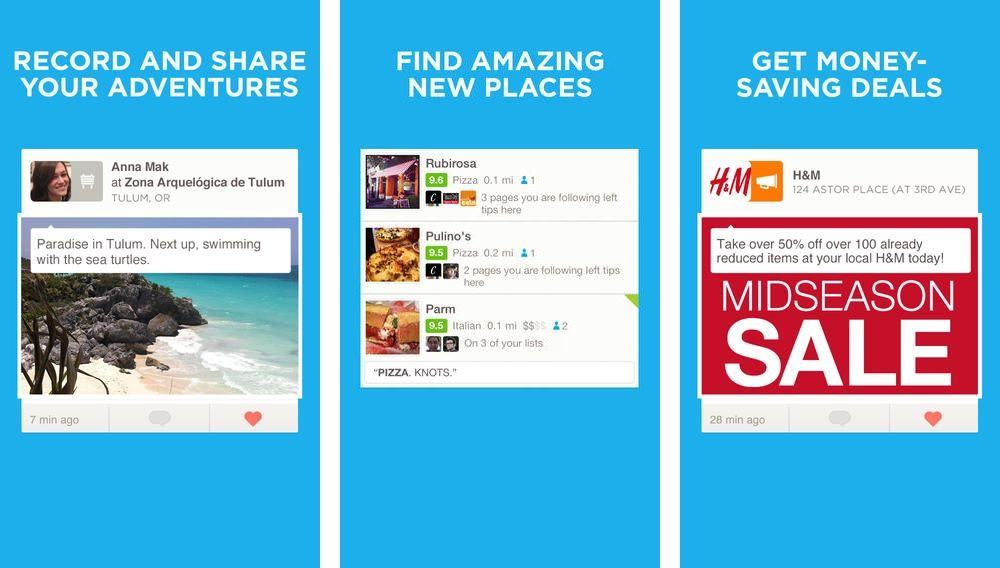
Foursquare released an update for its iOS app today that includes an updated look and feel, as well as a new real-time recommendations feature. Using your iPhone’s location data, the app now serves up recommendations such as what to eat at a restaurant or sales coupons for a store you’re already shopping at. Users can also expect to see recommendations for places of interest throughout the day when visiting new cities.

The feature has been on Android for a month now, but Foursquare plans to roll it out to a small batch of iPhone users today with more added every day. The app also brings back a feature that lets you see what your friends are up to by filtering between nearby and worldwide. The free update is available now in the App Store.

Here are the full release notes:

Ending Soon: Touchfire Is The Only iPad Keyboard You’ll Ever Need [Deals]

By •

CoM_Touchfire4

I write a lot on my iPad. I love the distraction-free atmosphere provides and the portability of the platform. I have written a ton of blog posts on the iPad, and wrote the majority of my book using the device as well. That said, it’s tough to write regularly on the iPad without a keyboard. And it’s even tougher to find a keyboard that doesn’t adda ton of bulk to the device at a price that’s easy to swallow.

That’s why the Touchfire appeals to me, and Cult of Mac Deals has it available for only $34.99 during this limited time offer.

Find And Use The .com Button In iOS 7 Again [iOS Tips]

By •

Whoot, there it is.
Whoot, there it is.

Do you miss the dedicated .com button from the iOS 6 and earlier software keyboard? Many of us do, remembering that you could tap and hold it for other oft-used URL finishers, like .net, .org, and the like.

If you want to find the .com button again, you’re out of luck, but if you want to get that same functionality in iOS 7, here’s how.

SIMPLcase For Travelers Takes Care Of Your Spare SIM Cards [Review]

By •

simplcase-3


SIMPLcase
byLGCL Designs
Category: Cases
Works With:iPhone 5
Price: $29

Back in March we took a look at the SIMPLcase, an iPhone case which stored your spare SIM cards and a SIM tray eject tool inside. One Kickstarter campaign and several months later, the SIMPLcase is a shipping product, and one which I which I have been testing out in a recent move from sunny Barcelona to gray Germany.

Does the SIMPLcase pass? Yup. With flying colors, in fact.

Station: A Bamboo Caddy For Everyday Living [Deals]

By •

CoM - iskeltermainframe-4

I am not a fan of clutter – be it paper-based, digital, or otherwise. I’ve got a scanner that takes care of the first type, and a combination of apps (including Hazel) helps take care of the second type. But I’m also a guy who likes to keep things need and tidy in order to avoid clutter. My desk doesn’t have a lot of working space, so I really need to keep desk clutter at a minimum. I had yet to find a fully functional solution…until the latest Cult of Mac Deals offer came along.

The 100% bamboo Station is the solution I’m talking about. Functional, minimalist, eco-friendly – it’s the ideal desk organizer. And Station is at an ideal price as well – only $34.99 for a limited time.

Steve Ballmer Confirms Office Will Come To iPad When It’s Ready For The Touchscreen

By •

officeforipad

Microsoft CEO Steve Ballmer has confirmed that Microsoft Office will come to the iPad just as soon as it’s ready for devices with a touchscreen. Speaking at the Gartner Symposium/ITxpo in Florida today, Ballmer said, “iPad will be picked up when there’s a touch first user interface.”

That user interface is “in progress” Ballmer added, but it’s likely to come to the Windows version of Office first.

Gumstick Is (Literally) The Most Flexible iPhone Stand Ever

By •

7446f05020f741d5f796539bb47bdb48_large

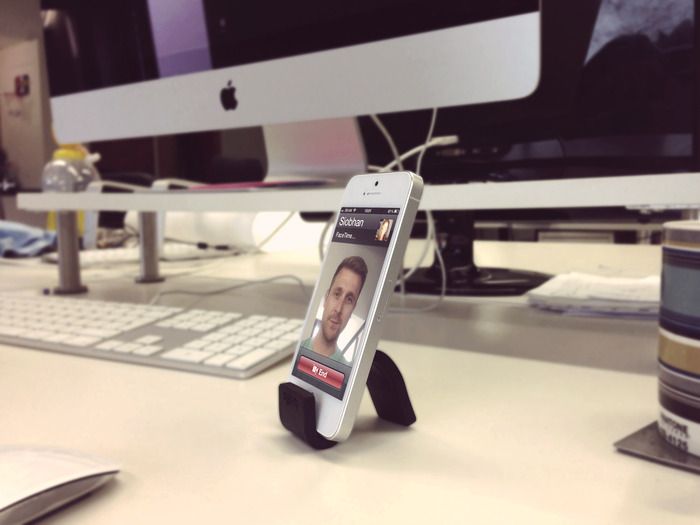
Imagine that you had a stick of gum that could be bent into any shape. OK, that part was easy – all you had to do was imagine a normal stick of gum. Now imagine that that stick is weight-bearing, and that it would actually stay in the shape you gave it.

If you were doing it properly, then you just imagined the Gumstick, a rubbery, pose-able stick of gadget goodness.

Samsung Ripped Off Apple’s Original iPhone Ad For Galaxy Gear Launch [Video]

By •

samsunggalaxygear

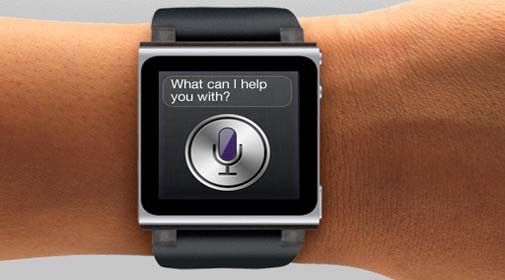
What’d Samsung ripoff from Apple this week? Well, you may have heard that the Galaxy Gear just dropped a few days ago. The reviews have been less than stellar, but to promote its smartwatch Samsung released a commercial that looks a whole lot similar to the very first iPhone commercial Apple dropped at the Oscars in 2007.

The original iPhone ad featured tons of famous movie scenes with someone picking up a phone and saying “hello,” and then a shot of the iPhone was finally shown at the end. Samsung has taken inspiration from Apple and released their own take but all the scenes are people using smartwatches like in Star Trek, Predator, and Inspector gadget.

Take a look a look for yourself and tell us what you think:

Netflix 5 Adds Proper AirPlay And HD Video

By •

screen480x480

Photo: Cult of Mac

Netflix 5 brings HD video and AirPlay to iPads running iOS 7. You may have thought you had HD video streaming to your retina iPad, but you didn’t. 5 fixes that, and it also lets you throw your TV shows and movies up onto your big screen via Apple TV with native AirPlay streaming.

Charge All Your Mobile Devices At Once With The 3-in-1 Universal USB Charging Cable [Deals]

By •

CoM-CableUniv

Having a ton of cables all over your house, desk, or charging station is far from ideal. They get tangle,d they got mixed up, ad sometimes they even get misplaced in the mess. That’s why this Cult of Mac Deals offer is worth looking at – especially if you want to save on clutter, time, and money.

The 3-in–1 Lightning/30-Pin/Micro USB to USB Charging Cable replaces three cables with one that simultaneously charges all of your devices at once. And it can be had for a limited time for only $19!

Bicycles for our Minds: Memorable Demos, Quotes and Speeches of Steve Jobs

By •

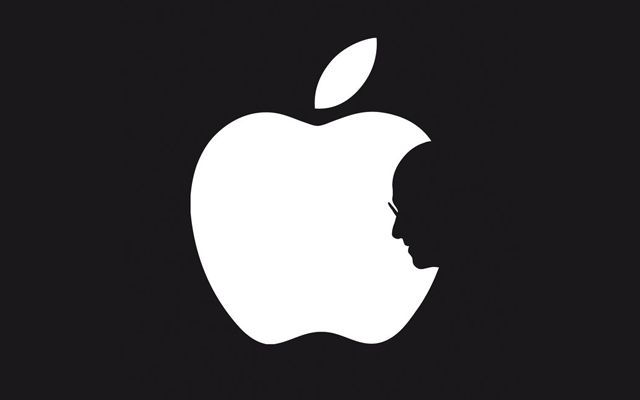
Apple Logo with Steve Jobs Profile

Among his many talents, Steve Jobs was one of the great orators and inspiring speakers of our time. Part sage, part showman, Jobs combined the wizardry of a magician with the skills of a master salesman. On this, the second anniversary of his death, we take a video look back at some of his memorable demos, quotes and speeches.

We begin with one of the most influential demos of all – the unveiling of the Macintosh. While many people have seen the 1984 TV commercial, far fewer saw the event in person. Giving a hint of keynotes to come, a tuxedo-clad Jobs and his magical child steal the show on January 24, 1984.

Voice Of Siri Reveals She Had “Absolutely No Idea” She Would Be On The iPhone

By •

Susan-Bennett-Siri

Thanks to the popularity of Apple’s iOS devices and the Cupertino company’s knack for product marketing, you don’t have to be a regular Siri user to recognize her voice. Two years ago today, she made her debut alongside the iPhone 4s, and she’s been our virtual personal assistant ever since.

But who is the real Siri? Who provided that voice that we’ve all become so familiar with?

Her name is Susan Bennett, and she’s been a voice actress since she was young. She recorded the Siri voices back in 2005 — six years before Apple unveiled the feature — but she had no idea they would ever end up in the iPhone.

DP Review Awards iPhone Camera Just 8.1/10

By •

8.1 my ass.
8.1 my ass.

DP review has tested the iPhone 5S’s camera and – surprise – it’s awesome. At ten long pages (all requiring a click to reach, as is DP Review’s annoying style) it’s an epic read that you’ll probably want to add to your Instapaper queue, but you can always skip to the conclusion and read the rather amusing list of “bad” points that the reviewers have come up with to make the article “balanced.”

BACtrack Mobile: The World’s First Mobile Breathalyzer, 25% Off [Deals]

By •

CoM - BACktrak

I live in a part of the world where the permissible alcohol levels for drivers is very low. Now I’m not condoning drinking and driving, but I will say that many folks in my area – especially restaurant owners – have been particularly critical of these levels because what it’s done has caused patrons to not order anything to drink at all to have with dinner. Not even a small glass of wine or beer. Why? Because they’re afraid they’ll “blow over” the legal limit, even though it’s possible that they’ll be well below it.

With this Cult of Mac Deals offer, you can get a good idea of where you’re at on that front with the BACtrack Mobile Breathalyzer. You’ll save 25% on this product through this promotion, as it’s only $112.49 for a limited time – including free shipping!

Best Buy Is Selling The iPhone 5c For $50 With A Contract [Deals]

By •

bestbuyiphone5cdeal

Looking for a crop of holiday deals to popup before making your decision on the iPhone 5c? Well the iPhone 5c has only been on the market for two weeks but Best Buy is already offering a deal on Apple’s plastic beauty.

Customers can get the iPhone 5c for $50 from your local Best Buy store from now until Sunday. The price drop isn’t a true price cut though as Best Buy is offering a free $50 giftcards that can be applied to drop the price from $99 – the deal is also available for the Samsung Galaxy S4 if you’re interested in a $150 Android handset. Not necessarily the greatest deal ever, but it’s certainly one of the best we’ve seen for the iPhone 5c during its short life thus far.


Source: Best Buy

iPhone, Android And Windows Phone Users As Portrayed By GTA V

By •

iphoneGTV


Grand Theft Auto V has been out for a while now, which means if you’re like me you’ve probably wasted enough time to re-watch the entire Breaking Bad series, again. Rockstar has managed to fill the world of Los Santos with plenty of references to tech giants like Apple, Facebook, Google and others, however if you play the game long enough you start to notice some funny stereotypes Rockstar pegs to the Almighty Apple and its flock of loyal fanboys.

The name of the iPhone was changed to iFruit but it’s just as much a status symbol of wealth in the violent world of Los Santos as its has come to be IRL, but one watchful redditor spotted some funny Android and Windows Phone stereotypes too. Check ’em out below:


Sunrise Calendar iPhone App Gets Gorgeous iOS 7 Redesign, Direct iCloud Integration

By •

Screen Shot 2013-10-03 at 1.15.51 PM

I switched from Apple’s default Calendar app to Fantastical for iPhone over a year ago, and I haven’t found a viable third-party alternative until I started beta testing today’s release of Sunrise 2.0. Completely redesigned with iOS 7 in mind, Sunrise has added support for direct iCloud calendar integration on top of the existing Gmail support.

Besides its gorgeous, lightweight design, Sunrise 2.0 sets itself apart from the competition by incorporating Google Calendar, iCloud, and Facebook events with social data gathered from services like Twitter and LinkedIn. It’s a creative, refreshing calendar experience for the iPhone that looks great in iOS 7. 

You Can Now Create Your Own iOS 7 Redesign Masterpiece

By •

redesigniOS7


We’ve all had more than enough time to get used to iOS 7 now that it’s been out for a few weeks, but some people still hate Sir Jony’s parallax masterpiece. For those of you dreaming of a different interface on your iPhone, devoid of gradients and helvetica nue, there’s a new tool from UsvsTh3m that will let you create your own iOS 7 redesign masterpiece.

Visitors can tweak iOS 7’s icons, background, font, colors, and most importantly, those horrific shadows. Of course these changes aren’t really going to show up on your iPhone but you can have a bit of fun with friends and share your masterpiece with the world.

Think your version is better than Jony’s? Post your iOS 7 redesign in the comments below and we’ll add it to our gallery.


Source: USvsTh3m