Animated Knots by Grog is a great app that teaches you to tie all kinds of handy knots. This is the first app weâve reviewed to earn five Black Turtlenecks using our rating system!
Animated Knots for iPhone Is Awesome Knot-Tying App [Review]
Animated Knots by Grog is a great app that teaches you to tie all kinds of handy knots. This is the first app weâve reviewed to earn five Black Turtlenecks using our rating system!
Money makes the world go âround, right? If thatâs the case, then thereâs no more essential app than PayPal; and here in the U.S., itâs really the closest thing we have to a virtual wallet â a concept other cultures (like Japan) have enjoyed for years.
The first draft of this post was composed jointly by an excitement-inspired cerebral aneurysm and my own paroxysmal face smashed repeatedly against the keyboard.
The second draft will be more succinct: PopCap games have just sent out an email featuring the Plants vs. Zombies rotting hand logo clutching a sign that says âSave the Date: August 2, 2010.â
The obvious assumption? Plants vs. Zombies 2. After all, the original has sold like gangbusters on every platform itâs been released for. A sequel is just money in the bank for Pop Cap.
Twisting my fingers to the point of splintering here. Iâve warded off over 50 waves of Super Garguantua Zombies with my endless survival gloom shroom setup in the first game. Iâm ready for some new zombies on my lawn.
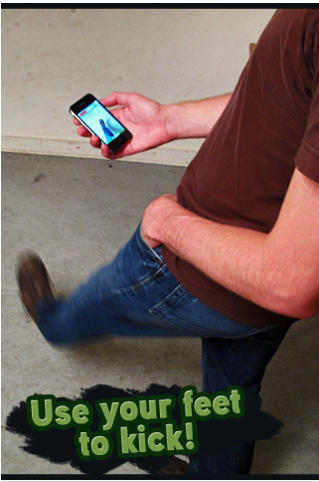
ARSoccer from Laan Labs is the first soccer game in the App Store to use augmented reality, along with your iPhoneâs camera, to juggle a virtual ball with your feet.
There are two game modes; Free Play, which pretty much explains itself, allowing you to practice at will and perfect your skills; and Arcade Mode in which you try to keep the ball from dropping to the floor and get as many âhitsâ as you can for your highest score.
The best way to see how this game works is to check out the video here.
Itâs a fantastic concept and itâs a great way to get involved in a game. I wouldnât advise you play at the bus stop, however â you may get some funny looks.
At just $0.99, ARSoccer is a bargain! Get it in the App Store here.

Wow I heard rumors this was going to happen, but I thought we would end up with a web app. Instead weâve got a new free iPhone 4 app (iTunes Link) that kind of resembles the famous Chatroulette website. Sorry, but it doesnât work on other iPhones since it uses the new front facing camera to set you up with a random chat between users.
Iâve spent the last few days glued to my iPhone watching the grand drama of the Tour de France (or âTour-DAY-Franceâ if youâre an ex-racer from Oakland named Bob) unfold in Europe via Versusâ Official Tour de France Live app.
Regular visitors to this blog will probably have noticed that we mention Dropbox a lot. I mean, we wonât shut up about it. Why? Because itâs so ridiculously useful.
The way it works is simple: Itâs a portal for files from your iPhone to your Dropbox account, a free service that gives you your own 2GB cloud to store files and media, and if you want to, lets you share those files and media.
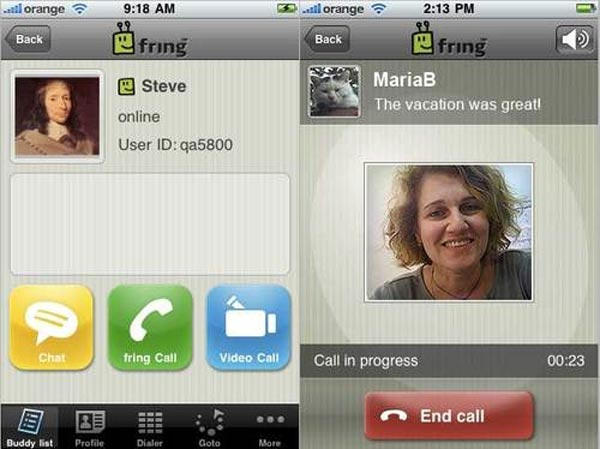
Popular multi-IM and voice-chat service Fring has just been updated to bring 2-way video calling on iPhone 4 over 3G (Appleâs FaceTime is Wi-Fi only), as well as voice and text chat.
Weâve tested it out; while it has a few minor issues, Fring has freed videochat from Wi-Fi. If you like to videochat on your new iPhone 4, itâs a must-have app.
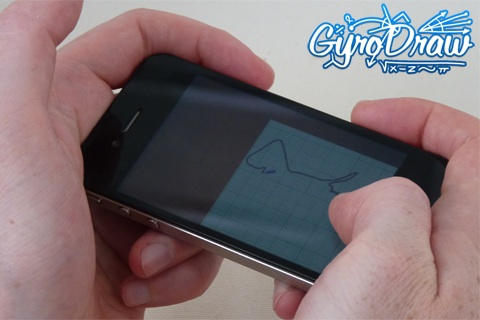
Hereâs a new, strange little app; Gyro Draw lets users draw with the iPhone 4âs gyroscope, by sliding a piece of virtual paper (responding to inputs from the gyroscope) under a stationary virtual pencil. Donât have a 4? It also works with the older iPhoneâs accelerometer, only in this mode itâs the pencil that moves. Also works on the iPad.
Not sure this appâll produce anything prettier than the etch-a-sketch masterpieces I made when I was five, but itâs free right now for a limited time, so it might be cool for a quick impress-your-gyroscopeless-friends session.
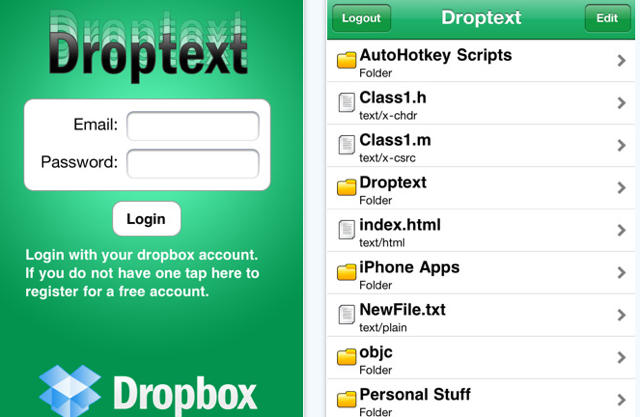
Developer Keven Smith (neither doppelganger nor relation to Silent Bob) has just released a fantastic new text editor for Dropbox users on iOS.
Called Droptext, the app allows users to open, edit and save text files directly within their Dropbox account. It supports standard text files, naturally, but also any file with a text-based mime type, such as HTML, PHP or even C programming code.
If youâre a big Dropbox user like I am, it looks like a great app. Itâs available now on the App Store for the iPhone, iPad and iPod Touch and costs a mere $0.99.
Thereâs no shortage of choices available for gabbing with buddies these days, but instant messaging remains a favorite (Iâve actually worked in at least one newsroom where the primary method of communication was IM).
Thereâs no lack of IM iPhone apps either; but a clean interface, wealth of features, ability to connect with practically every IM service in the galaxy and availability for free makes Meebo the best of these.
With the release of iOS 4, Apple has erased many of the advantages competing platforms â most notably Android â had previously enjoyed. But while much noise has been made about the iPhoneâs new multitasking trick, news that the iPhone can now use image recognition to create a more accurate augmented-reality experience has been far less trumpeted.
Maybe thatâs because itâs not really an ability of the iPhone itself, but rather an API that Apple has made available to app developers with the release of iOS 4.
It works like this: The app uses a particular API to capture live video from the iPhoneâs camera, then shunts the feed back to servers that use image-recognition software to figure out what the iPhone is looking at; the server then sends a graphic (or graphics) back to the iPhone thatâs overlayed onto what the user is looking at (weâve got instructions on how to easily demo the new tech later on in this post).
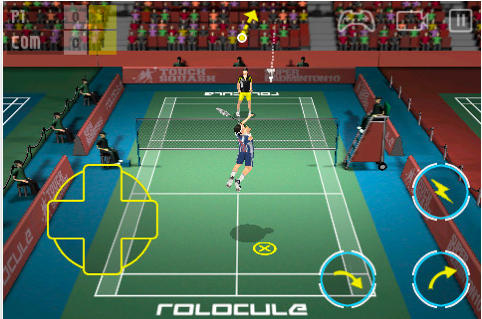
Super Badminton 2010 by Rolocule is the one and only 3D badminton game available in the App Store for iPhone & iPod Touch. Despite no current competition, this game still boasts âhyper-realistic physics,â HD quality graphics, a slick UI and realistic sound effects, all of which go towards keeping Super Badminton at the top of its game.
httpvhd://www.youtube.com/watch?v=Y6ygPYHA4hs&feature
As far as compulsive time wasters on the App Store are concerned, Doodle God is a new favorite.
The game is a silly puzzler, in which various elements are combined to create new elements. Some of the puzzle logic is hysterically (and frustratingly) wonky: the combination of âLifeâ and âRockâ results in âEgg,â for example. Successfully bond two elements together and youâre given a new building block to play with, as well as a pithy, oft-times humorous philosophical quote.
Iâve really been enjoying the game, inscrutable though it sometimes may be. If youâre interested in trying it before you buy, thereâs a great Flash version, or you can pick it up on the App Store for just $0.99.
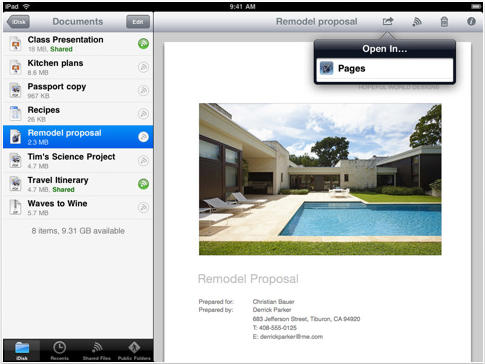
Apple has issued an update to its MobileMe iDisk application today and version 1.2 brings some welcome improvements. As well as support for multitasking and fast app switching, iDisk is now a universal application and works natively on the iPad.
Whatâs more, iPad users can now export documents from iDisk in to iBooks or office applications like Appleâs own Pages, Numbers & Keynote offerings.
Another big improvement is the ability to listen to music from within the iDisk application â this means you can save space on your device by uploading your tracks to an iDisk folder and then listening to them from there. Obviously this will require a data connection to your iDisk, however.
The full list of improvements is as follows:
iDisk is the last of Appleâs MobileMe apps to be updated for multitasking and iOS 4. All weâre waiting on now is the MobileMe Gallery app improvements and iPad support!
Download MobileMe iDisk for your device from the App Store here.

The much anticipated Archetype first-person shooter has hit the US App Store today and claims to deliver a âhigh quality console-style FPS experience on iPhone or iPod Touch.â
First launched in the Czech Republican App Store, Archetype, for just $2.99, offers 3 game modes; Training, Challenge and 5-on-5 Team Deathmatch over Wi-Fi, 3G and even EDGE. With 5 maps to choose from a variety of weapons, Archetype seems a must for any online FPS fan.
Features include a precise dual joystick-style control system, the ability to rank up by earning experience points, an offline tutorial mode and the opportunity to add friends and challenge them in team deathmatch.
Developers, Villain, have also optimized Archetype for the iPhone 4âs retina display by offering high-resolution graphics that provide fantastic looking weapons and textures, and, they claim, âheadshots never looked so good!â
Get your hands on Archetype in the App Store here and let us know what you think!
So youâve just bought a shiny new iPhone, and now youâre itching to plaster apps all over that pretty wallpaper. Well, weâve come up with a few suggestions; in fact, weâve come up with 23 of them.
Through the rest of this month or so, weâll be listing apps we think no iPhone user should be without â apps that almost anyone should find useful â which will fortify your iPhone with just over an extra screenâs worth of valuable apps. And since most of these are free â with a few costing no more than three bucks â thereâs really no reason not to own all of them. And this series isnât just for noobs; weâre willing to wager thereâll be at least one app on our list thatâll surprise even the old-schoolers.
So fire up the App Store and prepare your iPhone for incoming apps as we launch the series with our first essential: the Bing app, in the running for the best Microsoft product Iâve ever used.
httpvhd://www.youtube.com/watch?v=2gEAeE9kd2E
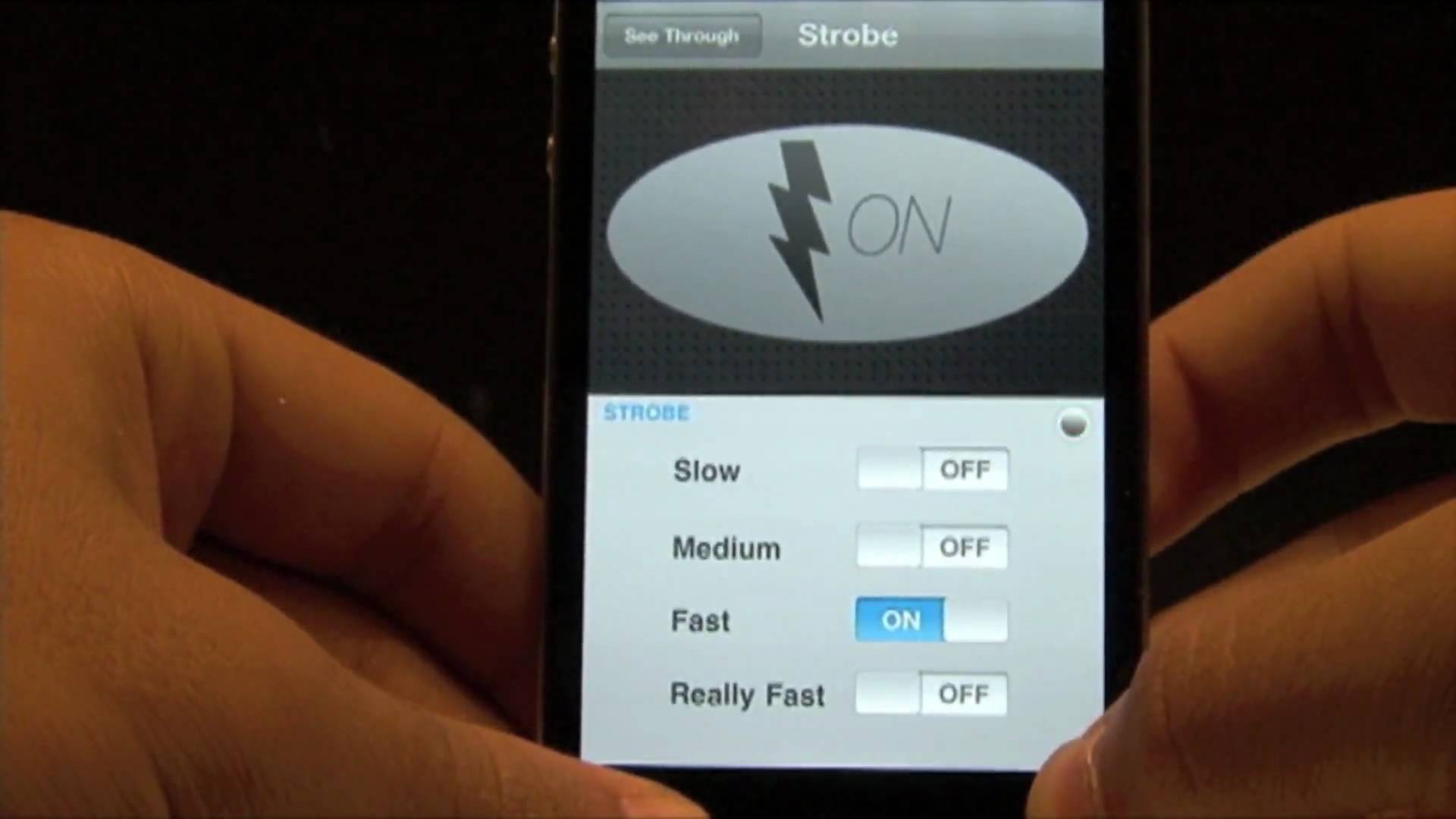
It was only a matter of time before some plucky app developer divorced the iPhone 4âs flash functionality from the Camera.app proper to create a bitchinâ Strobe app⌠but huskily-voiced 15 year old John H. Meyer is the first dev out of the gate with Strobe Pro, an app sure to please photographers and ravers alike.
Strobe Pro probably wonât be particularly useful when used with the iPhone 4âs built-in camera, but paired with a DSLR as a strobing flash could result in some startlingly effective shots. As for the app itself, Iâm particularly impressed by Strobe Proâs wicked slick transparent view mode.
Strobe Pro isnât available on the App Store yet, but it should be out as soon as it gets through App Store approval.
Badminton hasnât really caught on wildly here in the U.S. Still, if Super Badminton 2010âs graphics are as good as its screenshots suggest, who cares about popularity. The game boasts âhyper-realistic physicsâ to complement the slick graphics as well as deep control options and details like being able to play on a wooden court and realistic badminton moves.
The gameâll set you back a moderately hefty $5 though, so those screenshots will have to do a considerable amount of persuading to anyone who isnât a badminton nut.
Omino is a simple platform game recently released for the iPhone & iPod Touch which claims to âtake you back to your childhoodâ with itâs retro feel. Itâs clear from the screenshots that its similarities with the old Super Mario Bros. games is uncanny, but is it as good?
The popular Spotify music application for iPhone & iPod Touch has been updated to version 0.4.7 today for the iOS 4 software. This update brings with it the eagerly awaited multitasking support which now allows you to listen to your favourite music whilst using other applications on your device.
The update also features a new âwhatâs newâ tab that displays new releases, the top 100 tracks in your country and a social news feed that displays Facebook posts. As well as the ability to use your headset remote, the multitasking dock buttons and the lock-screen buttons to control playback.
The full list of changes as listed in the description are:
- iOS 4 multitasking! Play Spotify tracks while doing other things with your phone. NOTE: Only iPhone 3Gs, iPhone 4 and iPod Touch (3rd generation) support multitasking.
- Use the headset remote and lockscreen buttons to control Spotify playback
- âWhatâs newâ tab has been added showing you newly released albums, the top 100 tracks in your country, and the social feed
- Share tracks and albums to your Spotify friends!
- Battery consumption is improved when the app is in the foreground or paused.
You can find Spotify in the App Store here (U.K.), but please note; you need a Spotify Premium account to use the iPhone & iPod Touch application.
The iPhone 3GS users who are not willing to upgrade or are waiting for Antenna issue to be fixed cannot use Appleâs latest iMovie suite on their device because of lack of backward compatibility, at least according to Apple. Some said that it was an issue with the smaller RAM on the device but that doesnât seem to be the case as those who have already jailbroken their device will now be able to use it.
Firefox has just announced that their not-really-a-web-browser-so-Apple-canât-reject-us app, Firefox Home, has just been sent off to the App Store for approval
Based upon Firefox Sync technology, Firefox Home allows iPhone users to always have access to their Firefox browsing history, bookmarks and open tabs, as well as access to their âAwesome Bar,â which allows them to browse to a site with the minimum of typing fuss. Find what you want, and Firefox Home passes on any opened pages to Mobile Safari.
There shouldnât be any hangups getting Firefox Home through the approval process, given the existence of other Safari-competitors on the App Store, like Opera Mini or the Atomic Browser. If youâre a major Firefox user and you want to take your sessions â but not your browser â on the road with you, you can set yourself up for Firefox Home here in wait for an official thumbs up.
Apple released an update today to its MobileMe Gallery application for the iPhone & iPod Touch which brings it up to version 1.1.1.
The update features âvarious bug fixesâ as well as the ability to download your photos in a higher resolution when using the iPhone 4 over Wi-Fi.
Despite these improvements, this little app still leaves much to be desired. Apple are yet to develop a way in which you can manage your photo galleries from your iPhone & iPod Touch. Currently you can only view or upload to galleries you have already created on you computer, and you cannot create or delete galleries from within the app.
As well as this, MobileMe Gallery is still not a universal application, so although it will run on the iPad as most iPhone apps will, itâs not yet been built for the iPadâs larger screen.
Apple has announced via their iOS Developer newsfeed that iOS apps that were developed and compiled for iOS 2.x will no longer be supported. Developers are being advised to re-build their apps in Xcode targeting iOS 3.x or later. Developers that continue to submit or have existing apps compiled against iOS 2.x will face removal of their app from the iTunes App Store.
In the same announcement Apple directed developers to their iOS 4 Readiness Checklist which includes a âwealth of technical resourcesâ to help developers to take advantage of resources in iOS 4. Instructions and information about submitting iOS 4 apps to the App Store are also included.
Apple released iOS 4 as a free update for all iPhone 3G, iPhone 3GS, and the 2nd and 3rd generation iPod touch devices. iOS is fully compatible with all of these devices with the exception of the iPhone 3G and 2nd generation iPod touch which do not support all of iOS 4âs features. Apple has uncharacteristically offered iPod touch owners a free update, since in the past they had to pay approximately $10 for an OS update.