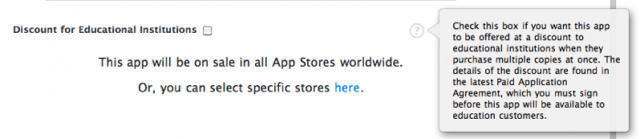
Apple has just pushed through a great update to its developer app sale agreement, giving devs the ability to offer their apps at a 50% discount to educational institutions.
The idea is to allow educational institutions to preload the same apps across numerous iOS devices to be distributed to students and faculty, while giving developers an incentive to offer their apps at a discount.
The half-off discount only applies in bulk downloads of twenty or more apps purchased at once. If you’re a developer, it’s easy enough to sign up: just agree to the new paperwork and tick the box next to “Discount for Educational Institutions.”
This app requires practically a Best Buy full of hardware: not just an iPhone, a TV and a Wii as well. But if you’re already set up — or eager enough to run out and pop for the hardware because of this app — for $3, WiiPhoto will connect the dots and let you display photos on your TV from the iPhone via a wifi connection.
The app will also let users pull images from a Flickr, Facebook or SmugMug account, or from a Mac attached to the same local network, and throw them up on the screen — with all these sources easily accessed from within the app. Pretty cool idea for easy image-surfing from the couch.
Want to play a bunch of imaginary drums in the air around you? Who doesn’t! Buy an iPhone 4.
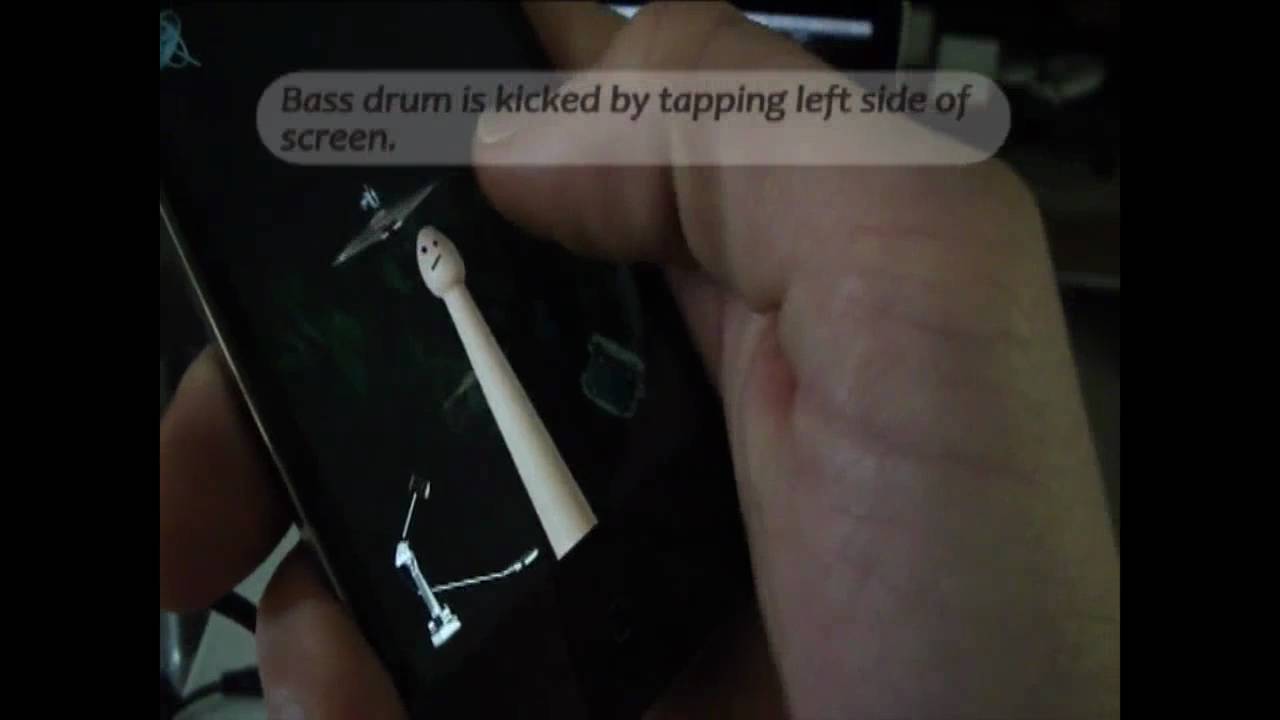
That’s right, developer Logic Consulting has created an app called Gyro Air Drums that leverages the iPhone 4’s gyroscope to create a virtual drum kit positioned in a two-tier, 300-degree arc around the user, then turns the iPhone itself into the drumstick. The $3 set includes a snare, hi-hat, hi and low toms, a finger-controlled bass pedal, the all-important cowbell and even a taiko drum
Judging by the demo in the clip above, the app isn’t sophisticated enough for any Dave Grohl-style drumming delight, and you’ll still look like a dork, waving your iPhone around — but it doesn’t matter; the idea is so cool, you’ll get dates anyway.
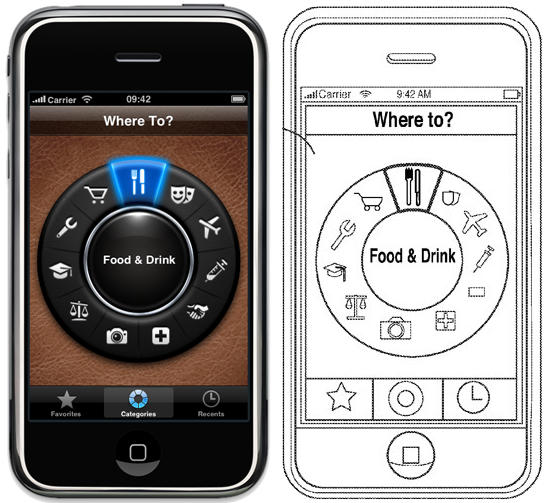
On the left, an in-app screenshot of Where To?, an iOS app nudging travelers along a GPS trail to local points of interest. “Where To? makes it incredibly easy to locate the closest steakhouse, bank branch, billiard club or anything else you may be looking for, at the drop of a hat!” That in-app homescreen has not changed since version 1.0, which was a Day 1 download on the App Store.
On the right, Where To’s eerie doppelnganger, plucked from the Aha-like inner mindscape of an Apple patent attorney. The patent is dated December 18, 2009 and describes “systems and methods for integrating travel services in a single application available to a portable electronic device,” allowing users to easily be directed to local restaurants, banks or nightspots. Sound familiar?
In other words, Apple seems to have patented the functionality of another company’s app, right on down to that app’s physical design and title.
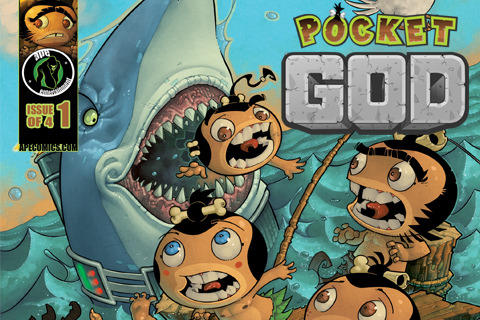
In yet another example of art imitating life — or imitating an iPhone app, or whatever — nefariously addictive app Pocket God is now a digital comic book, available at the App Store.
But developer Bolt Creative says the comic will also materialize as an honest-to-goodness printed comic, with a feature in the app helping users find comic-book stores stocking the title. Digital issues are a buck, and future issues will be available as in-app purchases; no details on the printed version yet.
And just in case you missed it, the comic’s first issue is accompanied by Pocket God’s — wow — 33rd episode, which has our little half-pint islanders evading a massive gorilla in the jungle and performing rituals. Sound familiar?
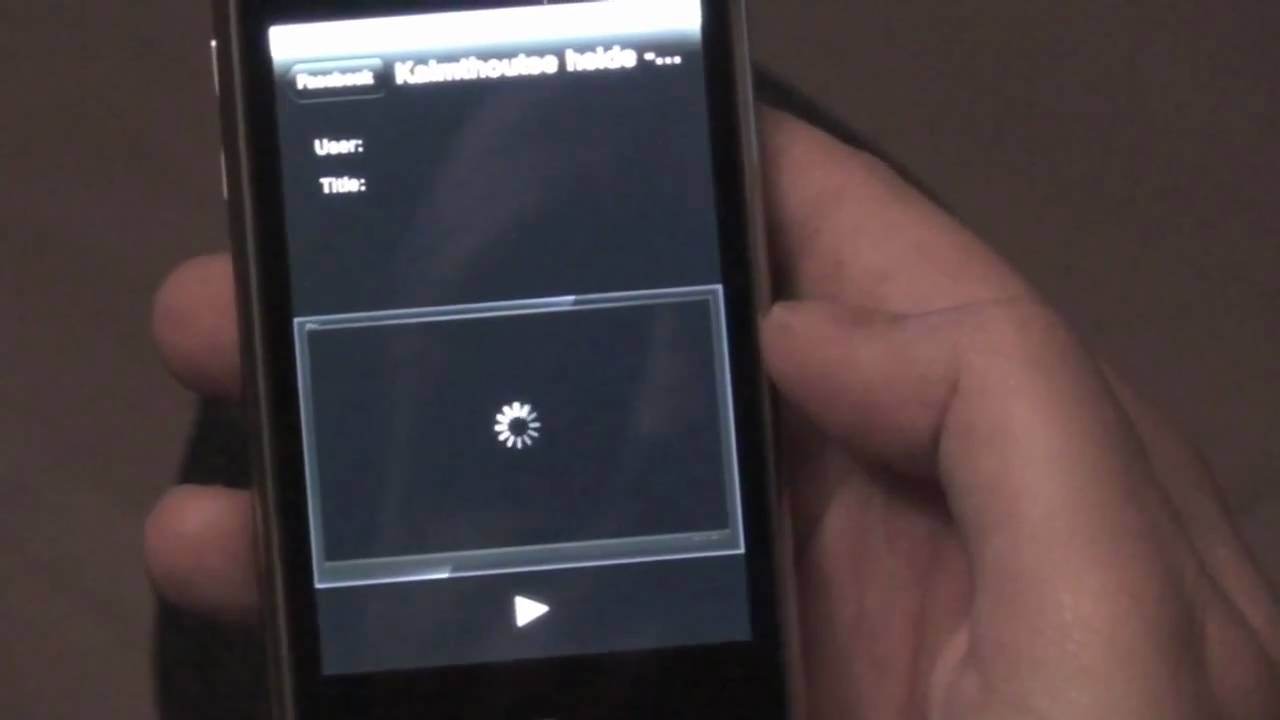
If I was in control of the available categories in the iTunes App Store I’d place MiTube in the “Quick! Get this App!” category. MiTube is a free iOS app designed for the iPhone, iPod touch and iPad that allows you to download and save YouTube videos directly to your iOS device. If you haven’t gotten your own copy of this app then use this iTunes link to get it now.
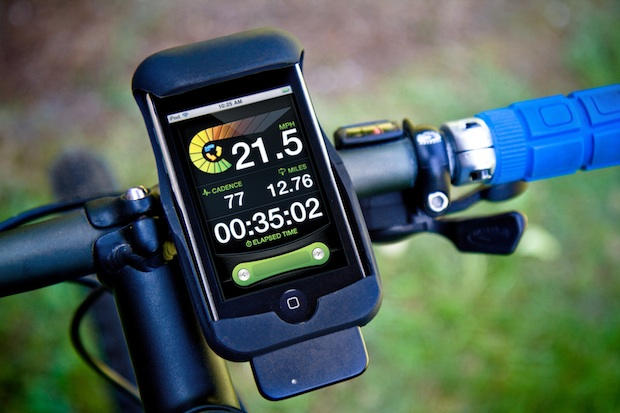
Like we mentioned a few weeks ago, we’re pretty excited about the potential for the iPhone morphing into all kinds of contraptions through hooking up with a little extra hardware. New Potato is one of the lead outfits in this area, and they’ve just introduced a kit that turns the iPhone into a bike super-computer. Rad.
The $99 kit contains a rather large cadence/speed sensor, ruggedized rubber iPhone mount, mounting hardware and a dongle that the iPhone uses to communicate with the sensor; combine the kit with the free LiveRider app, and presto — a cycling computer with all the standard functions (speed along with max and average, time, distance, cadence, pace) and more advanced functions like competing against a chase bike, ride map and speed graph.
Being the bike geeks we are here at the Cult, we’ve already started playing around with a test unit and we’ll have a full report up soon. Can’t wait? LiveRider is available from retailer J&R or directly from New Potato.
Ever tried asking a cow about the weather? Because they’re not really the most informative beasts (about the weather, anyway).
“Cow, it looks like it might rain sometime today — any idea when?” Cud-chewing.
“How strong d’you think the wind will be later?” More cud-chewing, accompanied by blank staring.
“Look, cow, can you at least tell me if there are any severe weather advisories I should be aware of?” Cud-chewing stops, then resumes a few seconds later; blank stare may or may not actually be a look of terror.
Using the iPhone’s native Weather app is like asking a cow about the weather: it’s cute and harmless, but not very informative. Unless you’re exceptionally partial to cows and/or don’t mind walking off into the occasional surprise thunderstorm, it should be banished to the back page and replaced with The Weather Channel’s app.
I would like to think that most of the people who know me well enough will agree that I have a sense of humor. My tastes in humor can range from the mundane, to a well said pun, or simply the mad cap adventures of a puppet. I really like puppet humor and there is one puppet that really makes me laugh out loud, like a braying donkey no less,the Mosspuppet.
The Mosspuppet has his own iOS app called Mossboard. It is his official iPhone app and it contains a collection of Mosspuppet sound bytes that you can play aloud and in any sequence you choose. You can see it demonstrated in the YouTube video above. It’s outrageously accurate and it looks like a lot of fun. I’m sure that it would have you in stitches in no time at all.
Unfortunately Apple doesn’t think that it is very funny since it was rejected from the App Store. Perhaps the reason for that is due to the fact that the app comes with a sound byte which mentions the puppets desire to touch Steve Jobs’ nipples. Perhaps Apple finds that offensive, but I only thought it was funny. However, according to the Mosspuppet’s Twitter feed the real reason for rejection was the apps references to journalist Walt Mossberg. Umm.. yeah like I believe that. [Note: If you are reading this Mr. Mosspuppet feel free to mention me in your app, but if you do be prepared to send me a copy of your app. I’ve got my UUID on standby.]
Come on Apple its just a parody. Have you forgotten that you’ve let other parodies into the App Store? I’m disappointed. Are you disappointed? Let Apple, Steve Jobs, and the world know whether you are or not by leaving a comment.
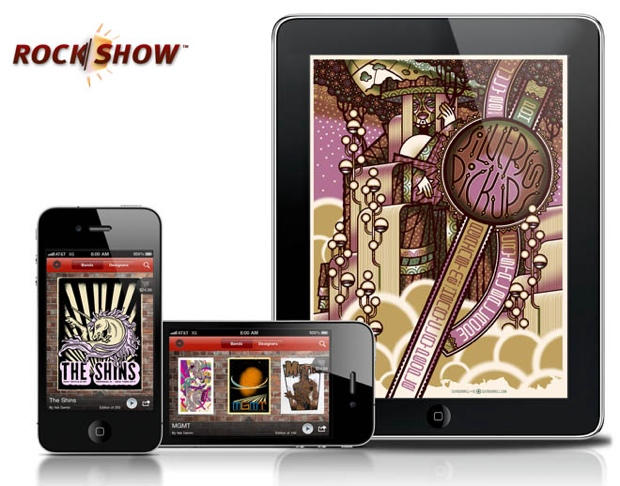
One of the prettiest apps for iPad just got even better Tuesday with new support for iPhone 4’s Retina Display technology enhancing the concert and music poster app, Rock Show.
Portland-based developers Neutrinos, LLC have been steadily improving Rock Show since its initial release and with version 2.0 announced an exclusive mobile-only poster sale that sold out in just two days. Rob Banagale, Neutrinos CEO, said, “As far as we know, Guy Burwell’s 7/29/2010 Silversun Pickups poster was the first retail item that could only be bought on an iOS device, not the web.”
Rock Show lets users browse, share and order directly through the app hand-made, limited edition concert and music posters that are often hand-packed and shipped directly by the artists who created them. With over 250 posters in the current catalog, Banagale feels his company is on to a good — and growing — thing.
iOS 4’s Folders functionality is incredibly useful for organizing the digital App Store protozoa constantly multiplying in your iPhone’s petri dish, but the limitation of 12 apps per folder can be frustrating for those of us trying to keep our home screen down to a single page.
If you’ve got a jailbroken iOS 4 device, though, there’s now a solution: Infinifolders, which allows you to place as many apps in a folder as you like. Just flick up and down to reveal all of your folder’s contents.
It’s not a free tweak — it costs $1.99 — but if you’ve got a lot of apps to corral, the price may well be worth it to you. It’s available now through Cydia.
In order to save battery life, Apple very intelligently limited the kinds of API calls multitasking apps could make in the background under iOS 4 to audio, VOIP and location. It’s a clever compromise, but it leaves a lot of common multi-tasking applications in the lurch: for example, your newsreader can’t update your list of RSS feeds when the app isn’t in focus.
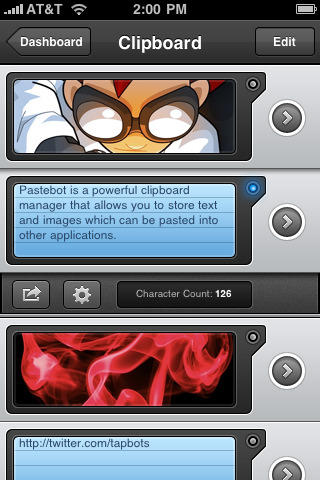
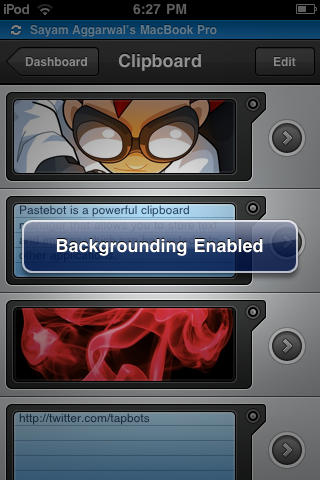
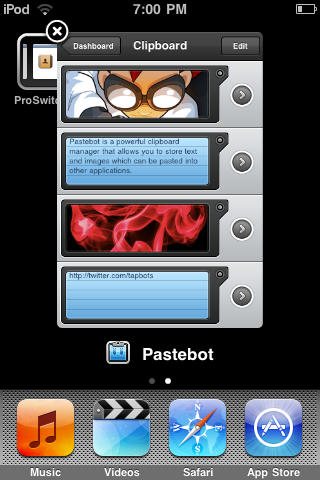
The makers of Pastebot, a clipboard manager for iOS devices, were frustrated by the limitations of iOS’ multitasking capabilities, so they figured out a clever solution to keep Pastebot running in the background: they programmed it to play a silent audio file so that Pastebot was always kept in memory and didn’t need to be relaunched between every copy.
Needless to say, Apple wasn’t entirely thrilled with this solution, and rejected the app… but it was only because Pastebot played a silent audio track without user approval in the background, and that music’s only purpose was to keep the app in memory. The fix was simple: offer users the ability to choose which track Pastebot loops in the background. If a user wants to specify a blank track, so be it.
Apple was happy with this solution. It makes me wonder whether the same approach could be used with other apps like Reeder, or 1Password Pro, or Instapaper, that might benefit from running in the background.
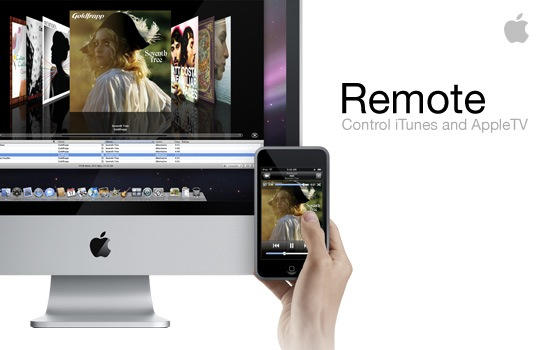
Make me put a plump thumb on my favorite iOS app and the Remote.app icon will soon be coated with a greasy, opalescent print of my epidermal ridges. For those of us with a constabulary of Airport Expresses, the freely downloadable app singlehandedly turns our networked homes into the equivalent of a far more expensive Sonos setup.
Unfortunately, Remote.app hasn’t been updated in months… which prompted Gizmodo to raise a plaintive cry as recently as last week. What’s the hold up? It hasn’t even been updated to natively support the iPad, let alone the iPhone 4.
As it turns out, Remote.app is the product of a single engineer who has since been moved to other projects, according to Posterous CEO Sachin Agarwal.
To celebrate their 3rd anniversary, Readdle have started a 48-hour sale from today which sees all of their iOS applications reduced to just $0.99. In addition to this massive sale, Readdle are also giving away an iPad to 3 lucky winners who retweet their anniversary message on Twitter.
To be in with a chance of winning, just follow these 3 simple steps:
Here’s one more trick exclusive to the iPhone 4: Launch new app You Gotta See This, pan the camera over a large subject and the app will create a panograph — a collage of still photographs that together form a larger image — using the series of still images just captured while you were waving your iPhone around. The key to this wizardry is the 4’s gyroscope, which helps the app place the images exactly where they should be — which is why the app won’t work on any iPhone but the 4.
Once created, masterpieces can be saved, emailed or shared via Twitter or Facebook.
You Gotta See This is $2; hopefully the developers will use some of the profits to buy the app a better name.
Apple’s iMovie is an app designed to run exclusively on the iPhone 4, but it will actually run on an iPhone 3GS by applying a hack. The app puts a mobile video studio in your pocket and gives you another creative way to use your iPhone by offering you some nice video editing and enhancement features. You can turn otherwise boring videos into something more exciting with it. It won’t replace iMovie or Final Cut on your Mac, but as a portable alternative to those apps it can be pretty handy.
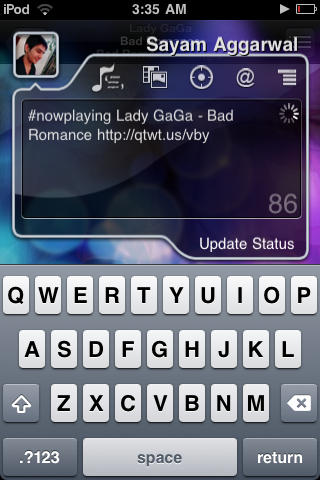
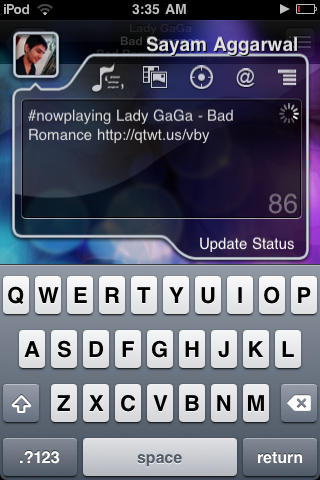
If you’re getting around now to jailbreaking your iPhone and love social media, think about adding qTweeter to your app arsenal.
There are plenty of awesome Twitter and Facebook iPhone apps, but Cult of Mac finds qTweeter a must-have because you can broadcast social media updates just by pulling the app down from the status bar, and, say, vent about your co-worker while reading a particularly annoying email (not that we would, of course), rave about a new band you’re listening to the track or ask the peanut gallery what you should have for dinner by sending them a link to a take-out menu from a web page.
This $4.99 app has been one of our favorites since it launched in 2009. Here’s Cult of Mac’s quick guide to getting you started with it.
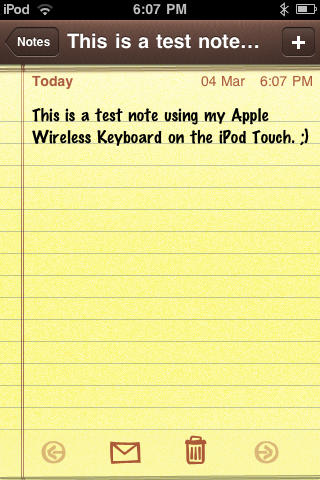
If you type a lot on your iPhone and haven’t upgraded to iOS4, BTstack available on Cydia is worth checking out.
The iPhone’s on-screen keyboard and auto-correction are great, but if you write long missives or are used to hammering out complex messages on a keyboard, you’ve probably wanted to use an external keyboard to get your point across at one time or another.
This is where BTstack keyboard comes in: it’s a simple paid application that lets you hook up most external Bluetooth HID keyboards to your iPhone or iPod Touch. Keep in mind that it doesn’t support more sophisticated commands for your mobile opus (selection, copy/paste, etc.) but it works like a charm for straight typing. Here’s Cult of Mac’s quick guide to get you started.
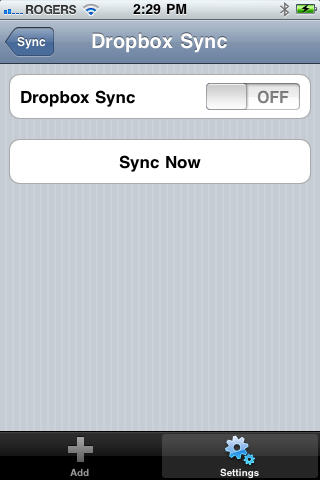
The fantastic Mac and iOS password managing application 1Password has just gotten a fantastic little upgrade, finally bringing cloud synchronization between 1Password for Mac and 1Password Pro for iOS.
While 1Password has long been able to sync your passwords between your Mac and your iPhone, the process was a bit convoluted: you needed to use WiFi, and you needed to make sure the 1Password app was open while near your computer to suck down your data.
However, the new 3.3 update to 1Password for Mac and the 3.5 update to 1Password Pro for iOS brought Dropbox support to the mix, and the syncing process has become a lot more straight forward.
It’s a fantastic update. It’s just too bad that 1Password Pro is so expensive. 1Password is one of the easiest ways to keep your various online accounts secure, but the $14.99 price on the Dropbox syncable “Pro” version is probably a pretty big barrier to entry for most.
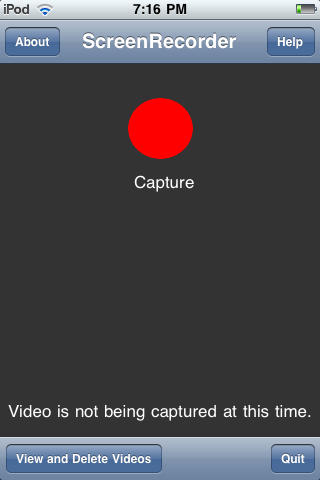
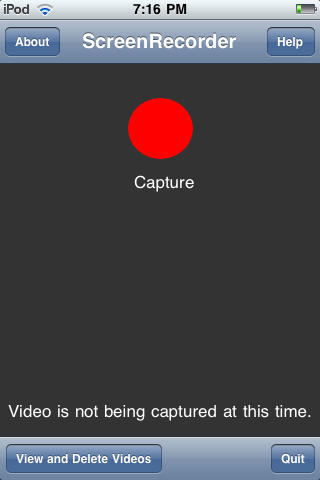
Your life is on your iPhone, so if you want to share it with friends, family and co-workers, what’s better than capturing what’s on your iPhone screen? ScreenRecorder for iPhone is a Cydia application that captures your iPhone screen — be it a tutorial, demo or demonstration — with the tap of a finger. Here’s Cult of Mac’s step-by-step guide of how this paid app works.
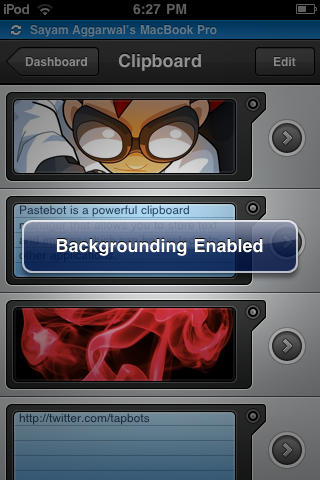
The Backgrounder app makes running multiple apps on your iPhone easier than juggling your daily schedule. Do keep in mind that running too many apps will slow down your device and suck the life out of its battery a lot quicker.
Still, Backgrounder is a great gratis app we’re glad to have handy. Here’s Cult of Mac’s guide to how it works.
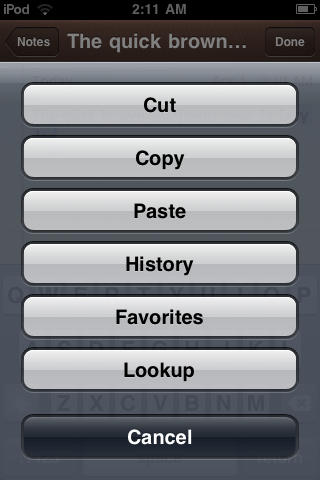
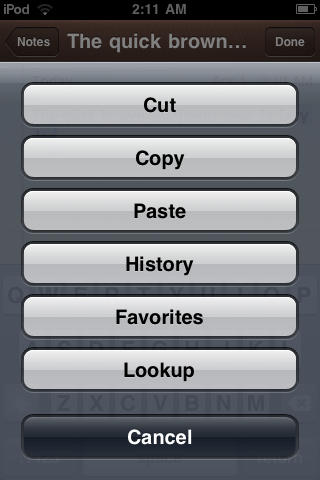
The iPhone, as Steve Jobs pointed out in his 4.0 keynote, currently has the best implementation of Copy/Paste feature of all smartphone platforms. However, it still does lack some feature like a history of the clips you’ve copied, web search for selected text, etc. If you add a Cydia app called Action Menu Plus Pack, which retails for $2.99, you can easily add those as well. Here’s Cult of Mac’s how-to guide for installing and using the app.
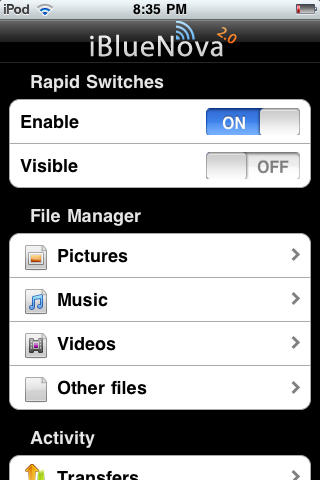
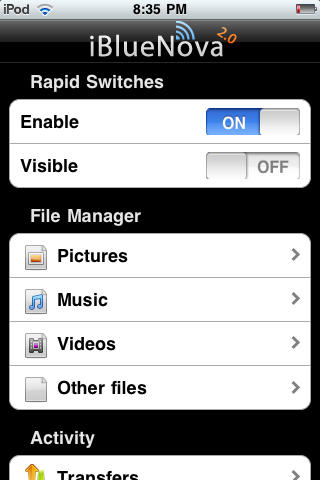
From the earliest iPhone and iPod Touch models, Apple opted to disable OBEX — aka Bluetooth file transfers on its devices for security reasons. Now, thanks to iBlueNova, a Cydia app well worth the $5.99 price tag, you can transfer files — music, pics, etc., — to and from your iDevices. Here’s Cult of Mac’s how-to guide to get you started.
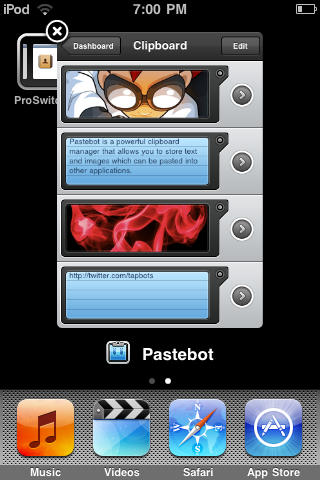
Thanks to iOS4, Apple now offers its own solution for switching between applications. If you’re using an older operating system, try this method for getting some multi-tasking on your Apple device using the handy ‘ProSwitcher’ app, which gets the job done using minimal memory to keep your device speedy as you pause that epic game to check out the weather.
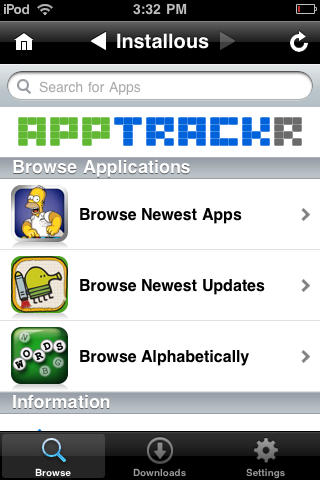
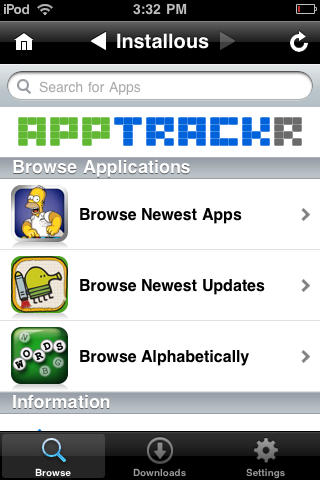
UPDATE: I was initially a little surprised by the vociferous reaction to this post about installing Installous, an unofficial App Store for pirated apps. The instructions are a quick Google search away and we’re hardly the first to publish an Installous how-to.
I guess we raised a few red flags — like putting “How To Pirate Apps” in the headline and including a half-hearted disclaimer. The intent was for it to be part of a comprehensive Jailbreaking Superguide that deals with all the things people want to do when they jailbreak their devices, including playing around with Installous.
The intent for the Superguide is to be straightforward and frank — a one-stop shop for everything people want to know about jailbreaking. We don’t condone piracy, but it’s a fact that a lot of people jailbreak their devices to experiment with things like Installous. I find it dishonest and hypocritical when publications skirt around issues like this; like publishing BitTorrent guides and pretending that no one’s going to download a pirated movie.
However, it’s obviously disingenuous to say we condemn piracy in a post that shows readers how to pirate software. Personally, I’ve always believed publishing information is one thing and acting on that information is another. I’ve always liked publications that informed me about things we’re not supposed to do. I can then make my own moral decision whether to act on that information or not.
But while pirating is something people indisputably do when jailbreaking, it was a misstep for us to actually include a comprehensive DIY. Whatever our intentions, it teeters on advocacy, and was thoughtlessly disrespectful to the many app developers out there who make their livings off of programs we admire and think people should pay for.
As our readers have pointed out in comments and on Twitter, we crossed a line here. CultofMac.com isn’t some modern-day Anarchist Cookbook. We support developers and enjoy their many wonderful creations. Saying there are ways out there to install cracked apps is one thing, showing people how to do it is another.
So my apologies to readers for misjudging this, and to developers for being insensitive and opportunistic.
Also, please don’t attack the author, Sayam. This was my idea, not his. He’s a freelance writer and I commissioned him to write it, so please don’t be mean to him.
— Leander.
PS: The BitTorrent link to “pirate” copies of my Cult of Mac book posted in the comments is actually a publisher-sanctioned seed. No Starch Press turned it into an e-book and seeded it. So please help yourself, it’s free and legal.