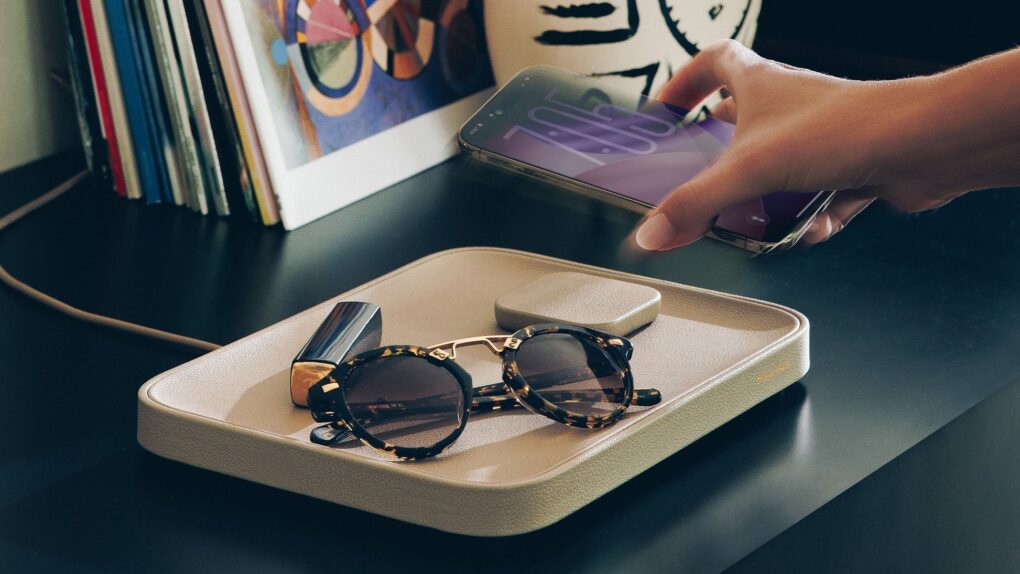
Perhaps what your bedside needs is a Valet. Photo: Twelve South
The Twelve South Valet combines a wireless charger with a Nappa leather-lined tray to hold your keys, glasses, wallet and more. It’s stylish and practical, powering up your iPhone or AirPods while keeping your essentials organized.
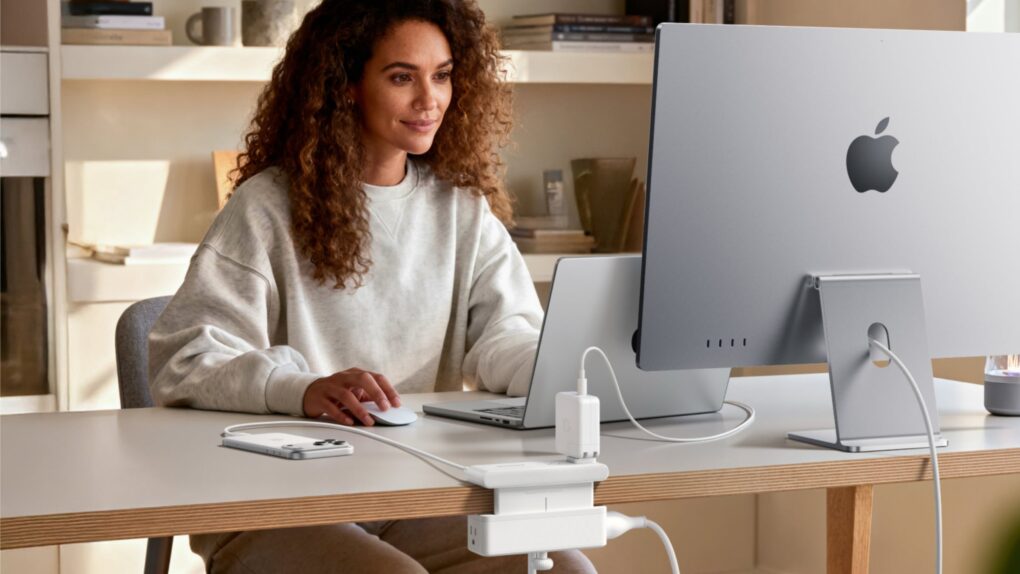
Anker's new chargers are designed to excel with Apple products. Photo: Anker
Anker just added four new models to its charging lineup, with features that make them smarter and faster than ever.
Standouts include a tiny 45W charger with a smart display that can identify your iPhone model for a “tailored charging solution” and a 13-in-1 docking station with a 6-port hub that pops out so you can take it on the road.
★★★★☆
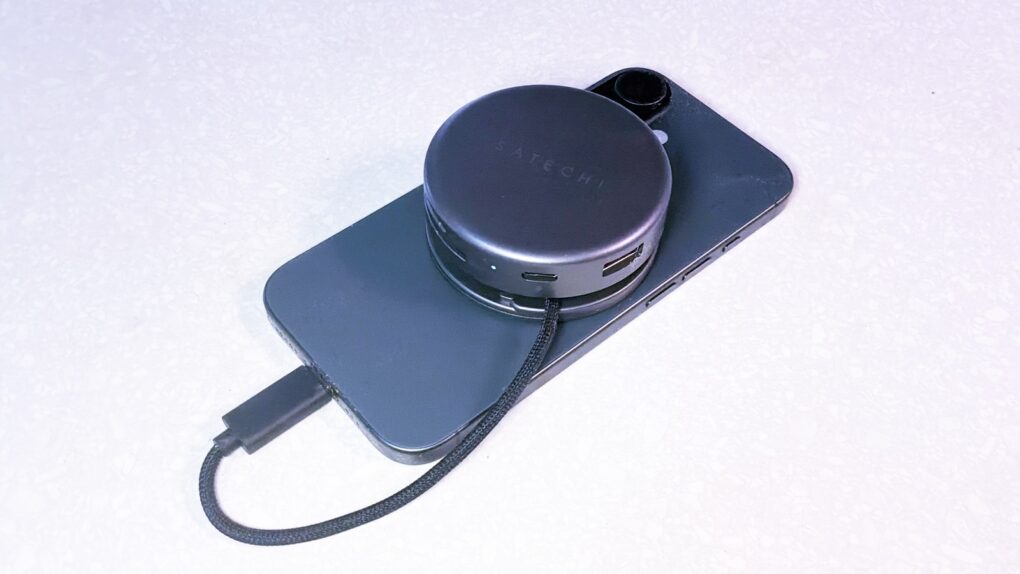
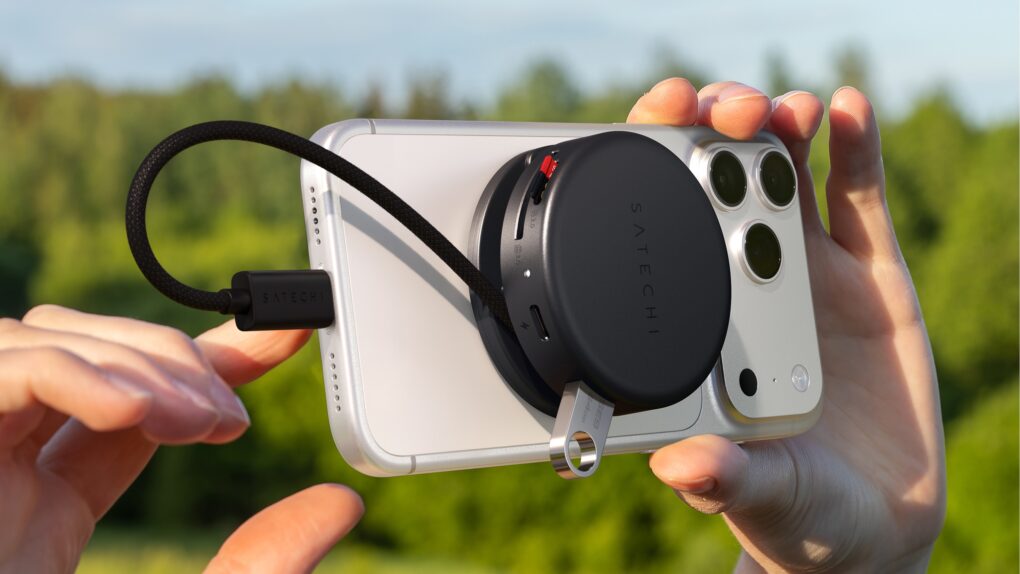
Satechi OntheGo 7-in-1 Multiport Adapter helps creators and travelers do what they need with their iPhone. Photo: Ed Hardy/Cult of Mac
Your iPhone is a powerful computer held back by its single port. Connect the Satechi OntheGo 7-in-1 Multiport Adapter, and you can connect to a wide range of accessories — external monitors, SSDs and more — all without adding too much bulk. It really builds upon the phone’s capabilities.
I’m not saying it’ll turn your iPhone into a mini MacBook, but if you’re toting a laptop on trips simply to watch TV shows or give a presentation on a large screen, this hub is for you.
Plus, it stands out by connecting to the MagSafe magnets built into your iPhone, so the accessory conveniently clings to the back of your device.
I tested it out with my iPhone 17 to see what the multiport adapter has to offer. Here’s what I found.
★★★★☆
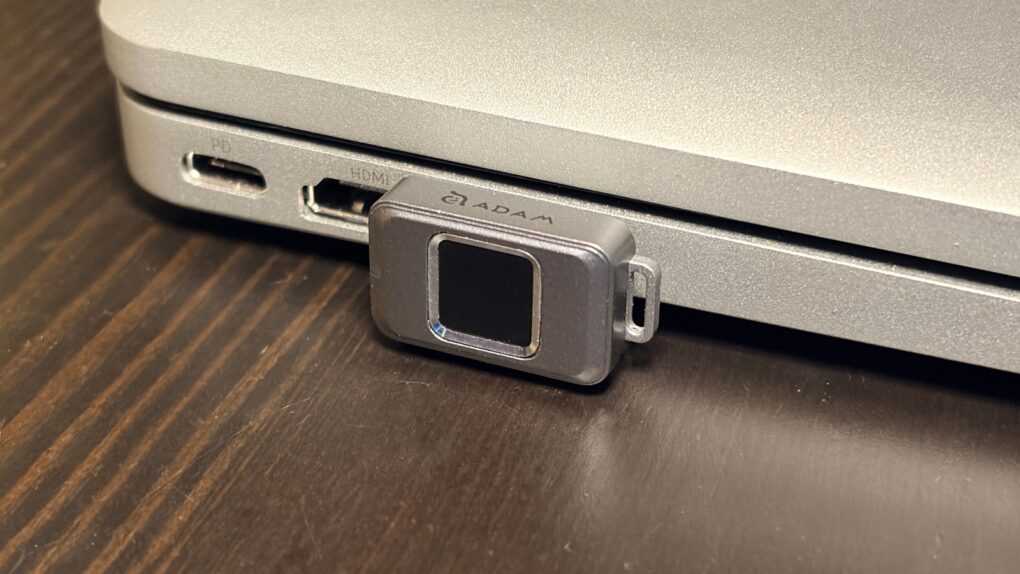
Easily secure your privacy with the iKlips S. Photo: Ed Hardy/Cult of Mac
No one but you can access the files stored on the iKlips S, a tiny SSD from Adam Elements. Simply tap your finger on the drive to unlock it. The biometric security system is similar to Apple’s Touch ID and keeps everything on the SSD private. No passwords are necessary.
File transfers are quick, and the drive uses USB-C, so it works with a broad array of computers, including Mac, iPad and iPhone.
I put the iKlips S through testing for this review and came away quite satisfied with its performance. Just be aware, though, that you’re paying a premium for the extra security. We can get you a 30% discount, though!
★★★★☆
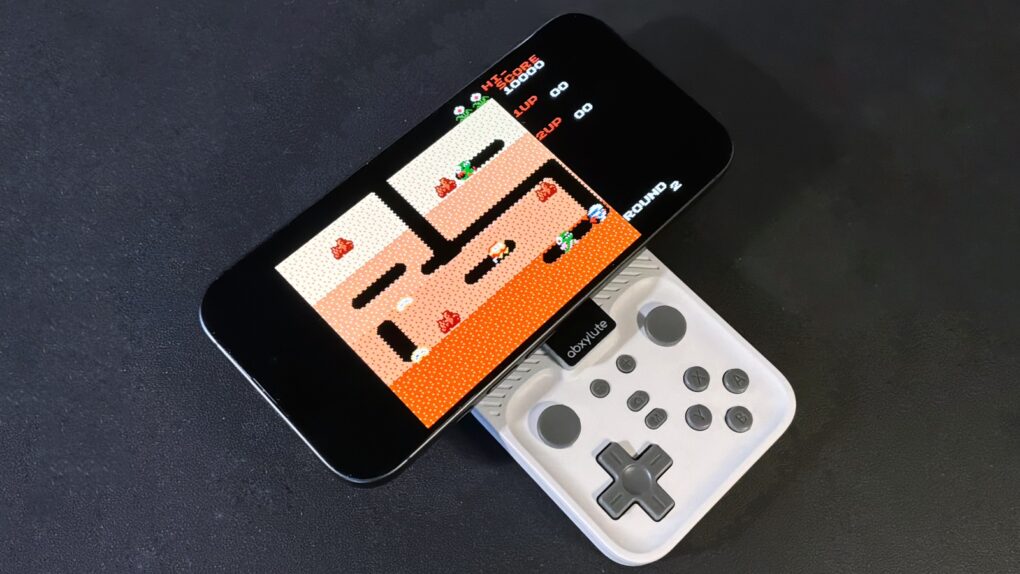
Your iPhone is always ready to have fun with the Abxylute M4 game controller. Photo: Ed Hardy/Cult of Mac
The Abxylute M4 game controller is genuinely pocket-size, but clip it to your iPhone and you’ll have all the buttons and sticks you want to play retro and modern games.
It clings to your iPhone’s MagSafe connector, plus it includes a stand for detached gaming.
I enjoyed testing out the pint-size game controller with my iPhone 17, as long as I accepted the reasons for its necessary limitations. The affordable price helped a lot, too.
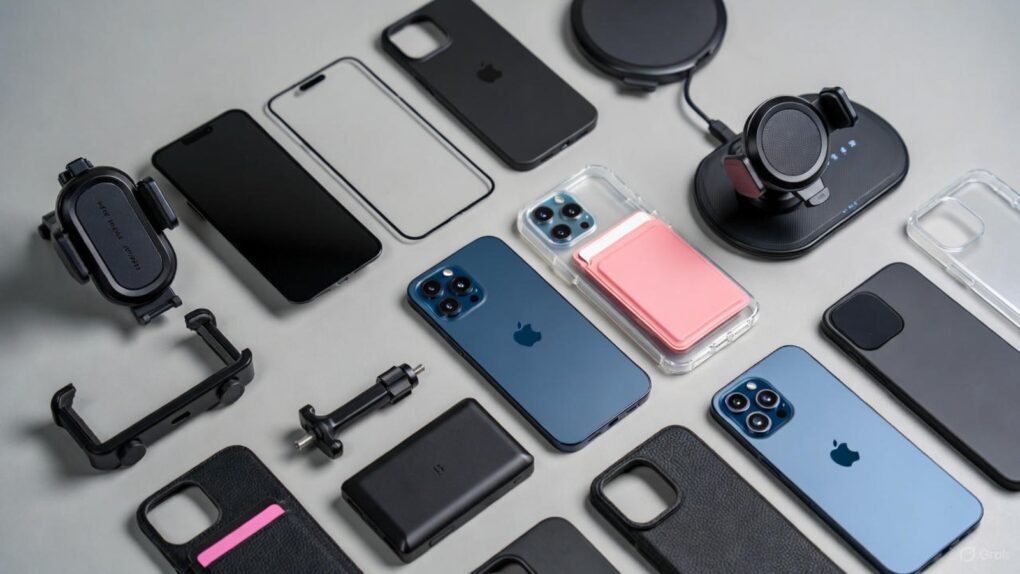
Make the most of iPhone 17 Pro Max. AI image: Grok
iPhone 17 Pro Max is Apple’s most advanced smartphone to date, featuring the powerful A19 Pro chip, an innovative vapor chamber cooling system and the best battery life ever in an iPhone. With its stunning 6.9-inch Super Retina XDR display protected by Ceramic Shield 2 and revolutionary camera capabilities, this device is engineered for excellence. However, even the most sophisticated technology benefits from the right accessories to unlock its full potential — so check out our 10 must-have iPhone 17 Pro Max accessories below.
Whether you’re a creative professional pushing the boundaries of mobile photography, a power user who demands all-day productivity, or simply someone who wants to protect and enhance their significant investment, the right accessories can transform your iPhone 17 Pro Max experience. From tough-as-nails screen protectors to wireless chargers that deliver blazing-fast 25W speeds, and from professional-grade camera lenses to ultra-slim power banks that slip into your pocket, today’s accessory ecosystem offers unprecedented versatility.
At these prices, these hot iPhone accessories must be flying off the shelves! Image: Cult of Mac
Missed out on great Black Friday deals on useful iPhone accessories? Worry not! Cyber Monday gives you another chance to score them at genuinely tempting prices.
Whether you want a MagSafe power bank, a multi-port GaN charger or a set of AirTags, you can pick them up at big discounts and upgrade your setup without spending much. With so many deals live already, it’s the perfect chance to stock up on some useful iPhone accessories for daily use.
★★★★☆
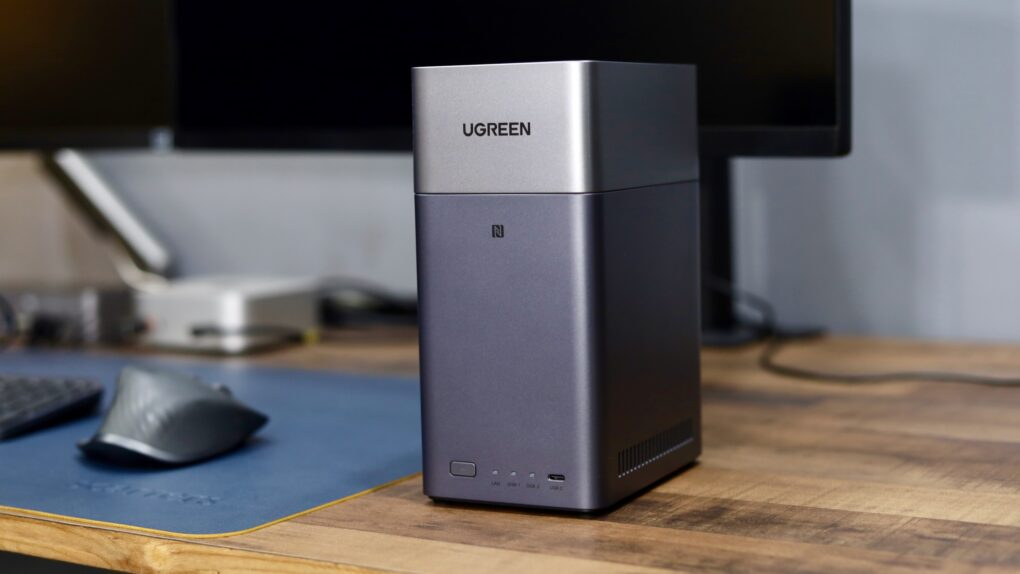
The Ugreen DH2300 will cut down your reliance on cloud storage. Photo: Rajesh Pandey/Cult of Mac
Ugreen’s DH2300 and DH4300 Plus are network-attached storage devices for people who don’t want to handle the complexity associated with a NAS. They offer tons of local storage, simple setup and a price that makes ditching cloud subscriptions far more appealing.
I wanted a simple setup, since my family would use the NAS for backing up their devices and photos. So I tested both the Ugreen NASync DH2300 and the 4300 Plus to see how well they work.
★★★★☆
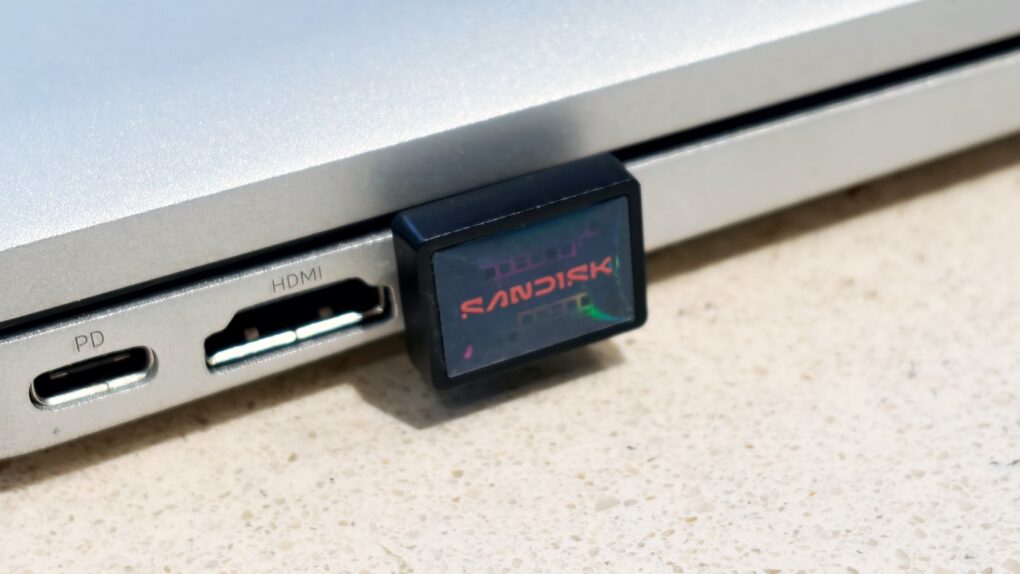
Add a terabyte of storage to your older MacBook with this affordable SSD. Photo: Ed Hardy/Cult of Mac
Sandisk gives its new Extreme Fit USB-C Flash Drive the crown as “the world’s smallest 1TB USB-C flash drive.” It’s undeniably very, very small — so tiny that you can leave it plugged into your MacBook. That means it can semi-permanently boost the storage capacity of your older notebook — and at quite a good price.
I tested the miniature external SSD with a variety of Apple devices, including my iPhone. Here’s how it stood up to real-world use.
★★★★☆
This lanyard lets you keep a convenient iPhone charging cable with you all the time. Photo: Satechi
Crossbody iPhone slings are in style, and the Satechi OntheGo USB-C Lanyard Cable is a unique addition to the category. It’s both a strap to make carrying the iPhone easy and a USB-C charging cable.
I put the accessory to the test with my iPhone 17. I especially liked that I can easily swap it between iPhone cases.
Satechi OntheGo 7-in-1 Multiport Adapter helps creators and travelers do what they need with their iPhone. Photo: Satechi
The Satechi OntheGo 7-in-1 Multiport Adapter is the USB-C hub your iPhone has been looking for. It magnetically attaches to the back of the handset and adds a collection of ports useful to anyone pushing their iPhone to the limit. That includes HDMI, USB-A, Ethernet and more.
“The OntheGo 7-in-1 Multiport Adapter combines power and portability in a sleek design so you can bring your desk anywhere without compromise,” said Brock Guclu, Satechi’s co-founder and president.
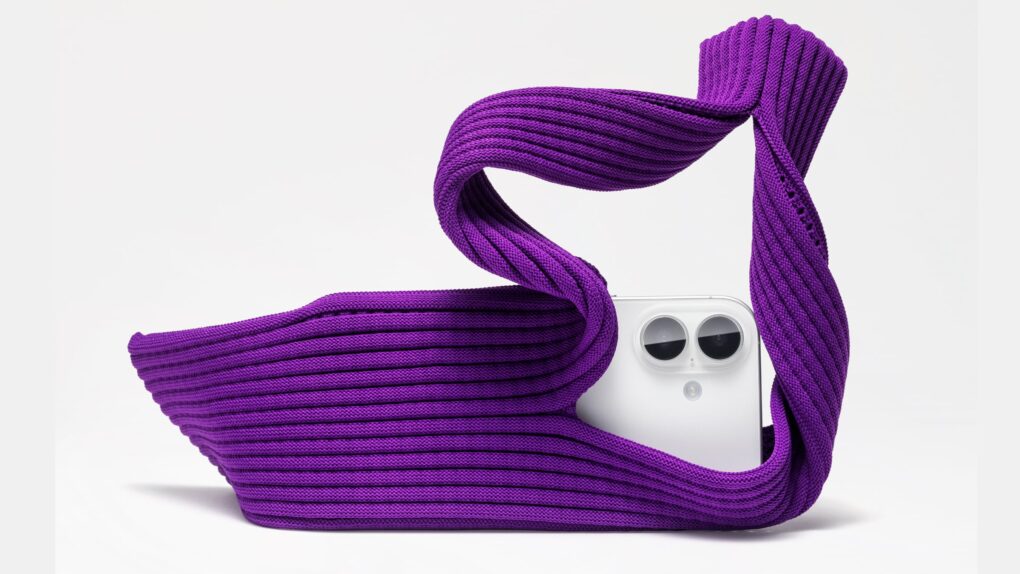
It's a new way to carry your iPhone! If you need that. Which you don’t. Photo: Apple
At any normal price, the new iPhone Pocket is silly. At $230, it’s silly and pretentious. Apple charges a hefty fee for an unholy union between a scarf and a sock.
It’s easy to mock, and the internet did plenty of that Tuesday after Apple took the wraps off its latest iPhone accessory. But the iPhone Pocket drew immediate fans, as well. In fact, Vogue said the fashion-forward iPhone sack “could just be the season’s must-have accessory.”
★★★★★
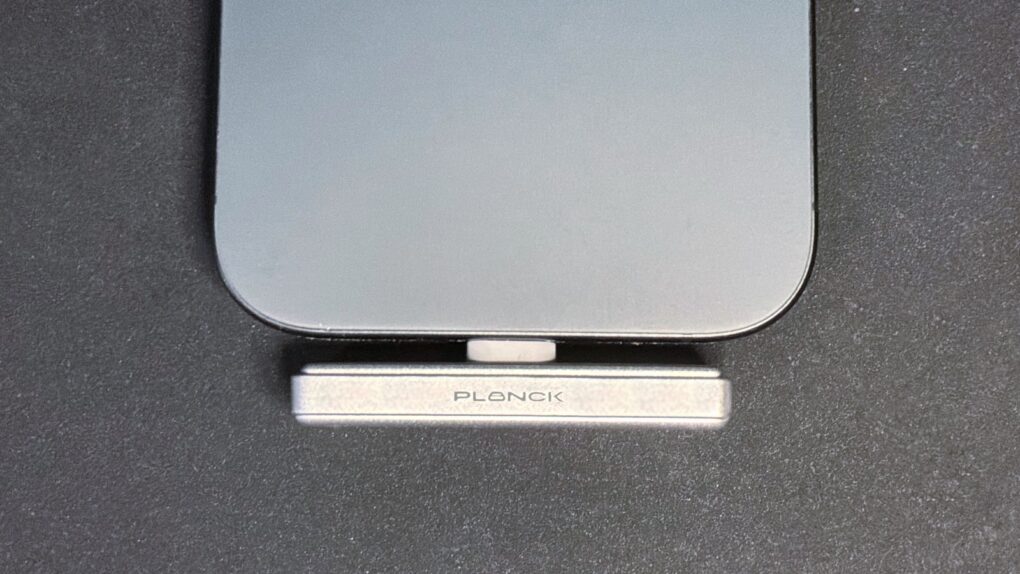
This is the SSD your iPhone has been waiting for. Photo: Ed Hardy/Cult of Mac
The Planck SSD was created specifically for iPhone, and is so small and well-designed that it plugs into the handset’s USB-C port and practically disappears. But there’s still room for up to 2 terabytes of storage.
Even better, it’s rocket-fast. So fast that it enables high-resolution/high-framerate ProRes video to be recorded from iPhone Pro models, making the Planck SSD an ideal tool for creators and professional videographers.
I tested the drive and came away very impressed. It even comes with a useful collection of accessories.
The iPhone Pocket is Apple's craziest accessory since the iPod Sock. Photo: Apple
Apple teamed up with the Japanese design firm behind Steve Jobs’ famous black turtlenecks to create a new iPhone accessory: the iPhone Pocket.
Inspired by “a piece of cloth” and produced in collaboration with Issey Miyake, it features a seamless, singular 3D-knitted construction.
“This clever extra pocket exemplifies those ideas and is a natural accompaniment to our products,” said Molly Anderson, Apple’s vice president of industrial design, in a press release Tuesday.
Mophie Juice Pack lets your new iPhone keep going and going. Photo: Mophie
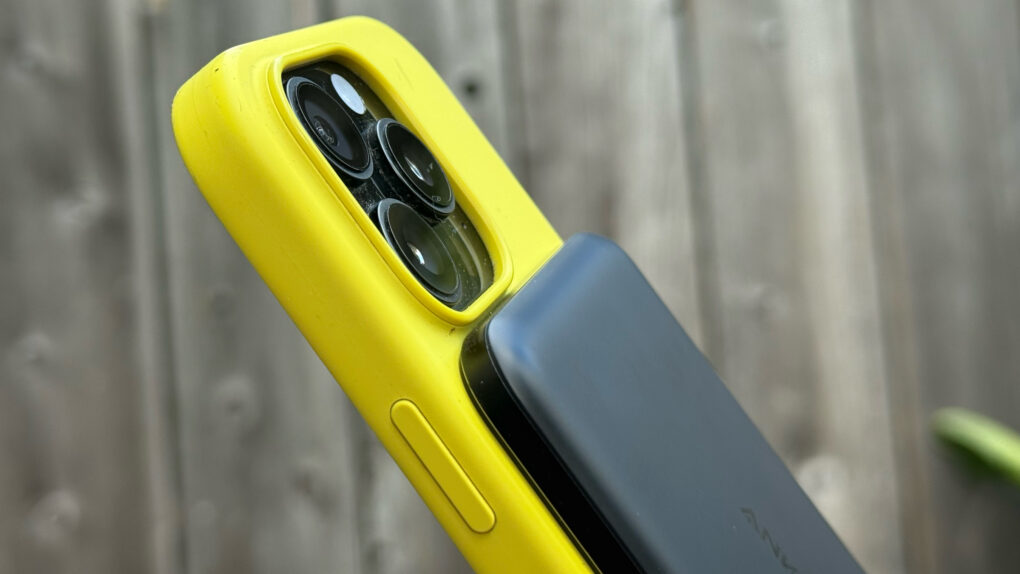
The Mophie Juice Pack wraps your iPhone in a protective case that’s also a battery that adds hours of use. On Monday, it launched versions specifically for iPhone 17 Pro, iPhone 17 Pro Max or iPhone Air.
Mophie did more than make the battery cases closely fit Apple’s latest. The updated versions deliver longer battery life, stronger protection, better ergonomics and more.
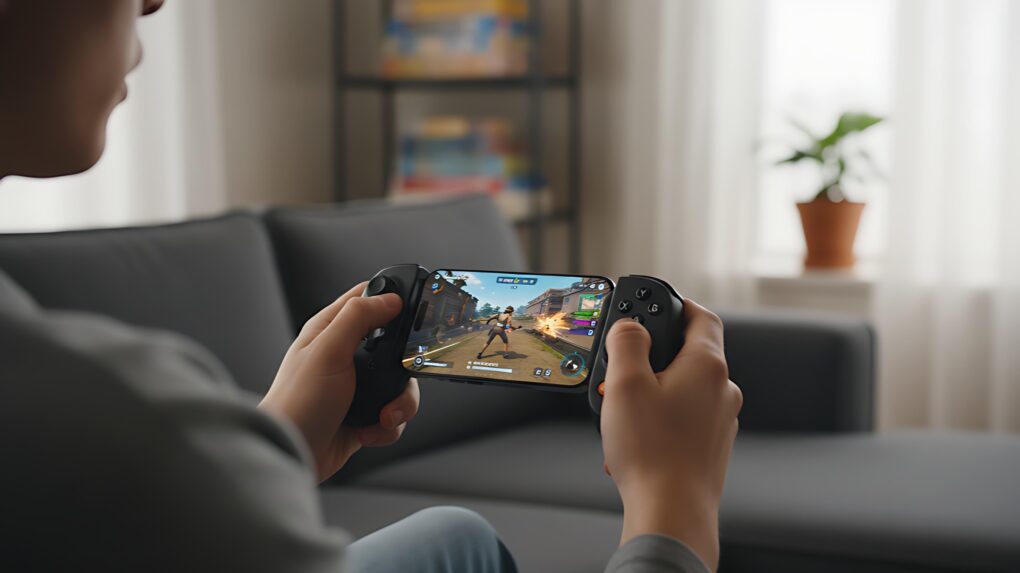
A Backbone game controller makes iPhone gaming much more like using a console. Image: Gemini
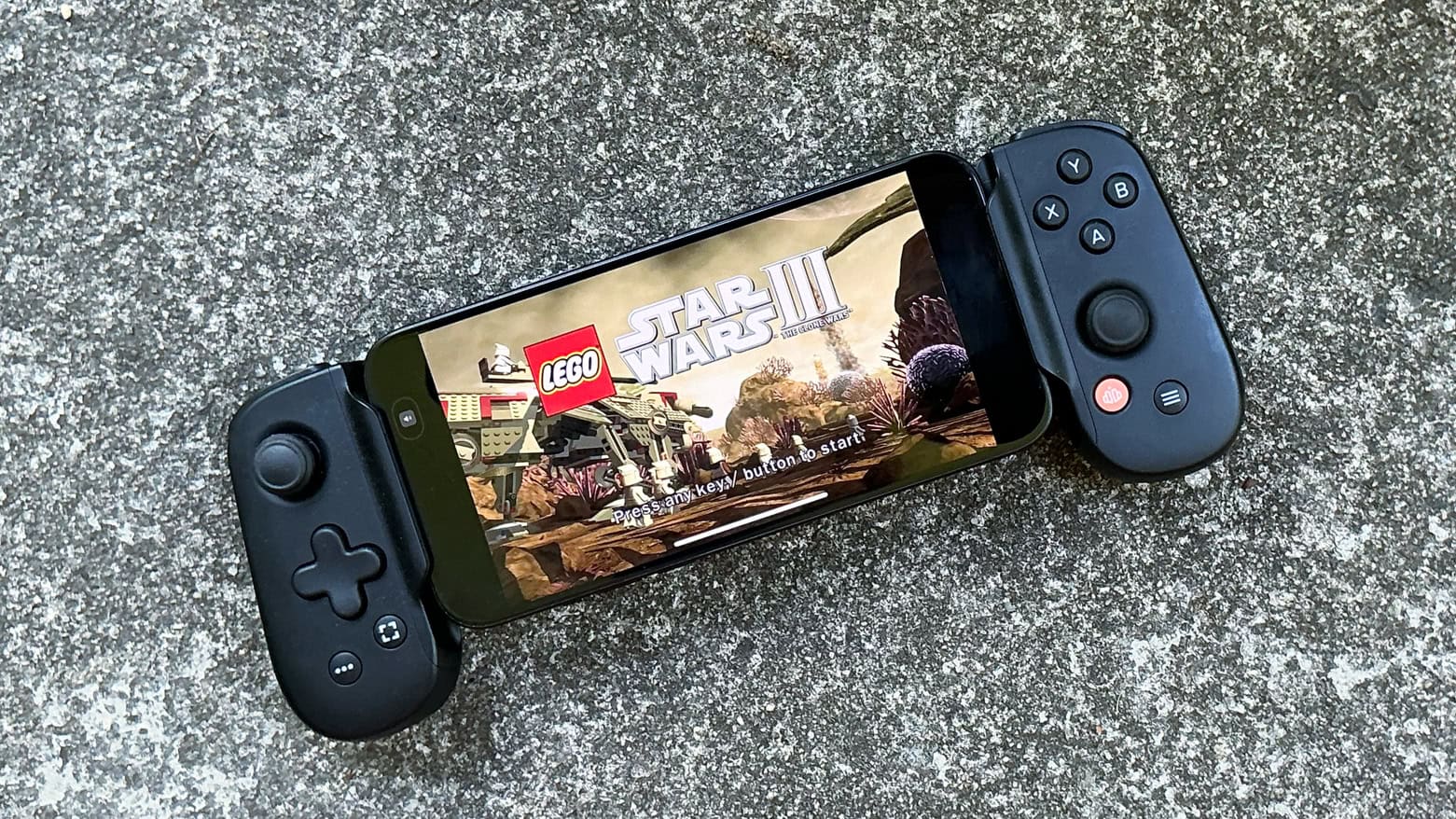
Nothing makes playing advanced games on an iPhone better than a Backbone game controller. Clip one to your phone, and it basically turns the handset into a mobile gaming console, ready to play wherever you go.
There are many top-quality first-person shooters and RPGs available for iPhone. Don’t waste your time playing these great games with just a touchscreen. Get a Backbone One or a Backbone Pro controller and snap it onto your iPhone. You’ll be glad you did.
★★★★★
Anker's slender new power bank can give your iPhone the battery boost it needs. Photo: Lewis Wallace/Cult of Mac
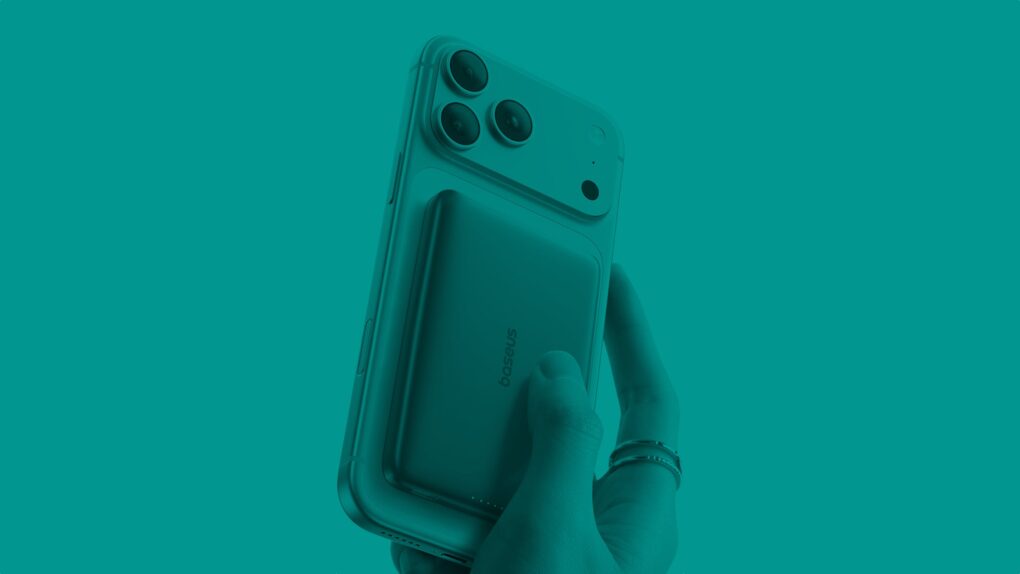
With the Anker Nano Power Bank (5K, MagGo, Slim), thin is definitely in. Measuring just 0.34 inches deep, the Qi2 power bank attaches magnetically to MagSafe iPhones and delivers enough juice to get you through a frantic afternoon on the go.
At just 5,000 mAh, it won’t take modern iPhone batteries all the way to 100%. But it will power up a dead iPhone from zero to 20% in a little over 20 minutes. And it does so while attached comfortably to the phone, without the excessive heat generated by some competing power banks.
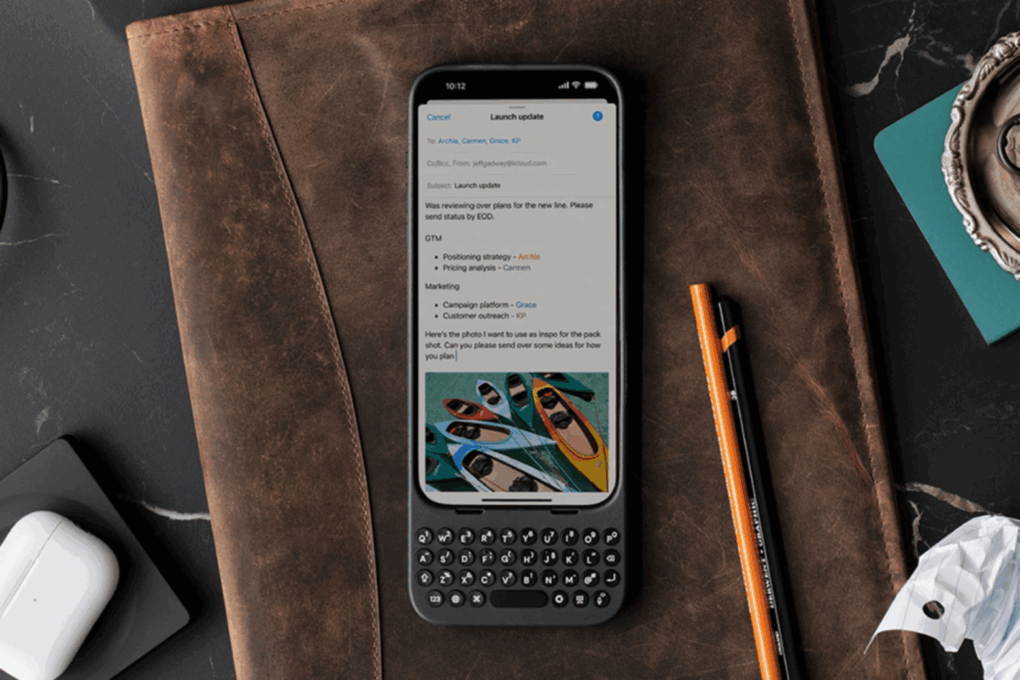
Get a 28% discount on this keyboard case for your iPhone. Photo: Cult of Mac Deals
If you ever wished your iPhone had real buttons, you need to meet Clicks — the premium iPhone keyboard case that blends nostalgia with next-gen design. On sale for just $99, this premium accessory frees up your iPhone screen and lets you type on physical keys like a BlackBerry.
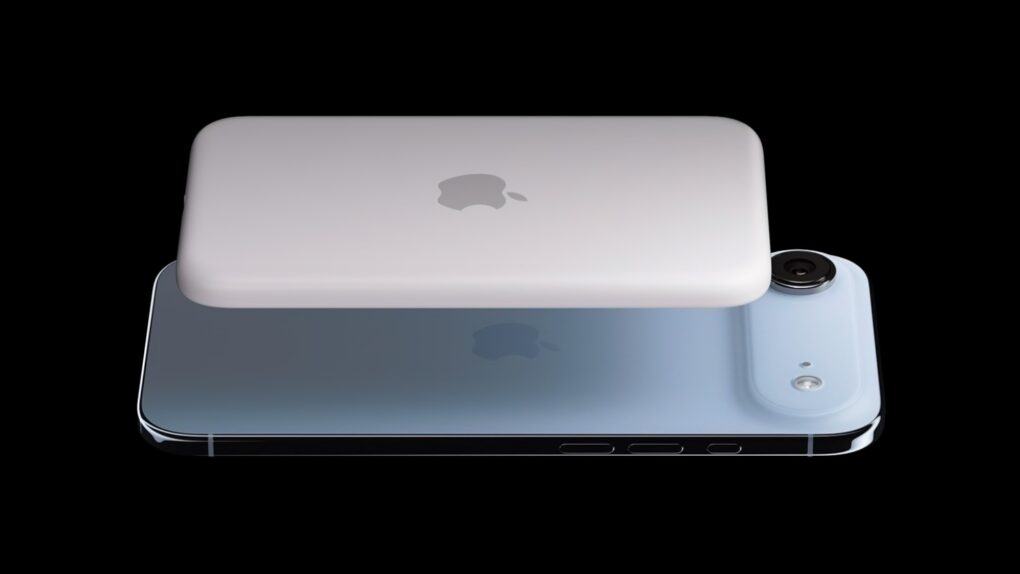
The iPhone Air MagSafe Battery is very slim, just like the Air itself. Photo: Apple
Alongside the iPhone Air, Apple launched a battery pack specifically for the phone. And interestingly, the iPhone Air MagSafe Battery uses the same capacity battery as the device it supports.
The folks over at iFixit tore down the iPhone Air MagSafe Battery and discovered its unusual shape. Based on preliminary evidence, they concluded Apple might be using the exact same battery inside the iPhone Air.
★★★★★
The LaCie Rugged SSD4 is rugged, fast and holds up 4TB. Photo: Ed Hardy/Cult of Mac
The just-launched LaCie Rugged SSD4 from Seagate is for “creators working beyond the four walls of a studio.” It’s designed to stand up to punishment while offering terabytes of storage and USB4 data transfer speeds. That’s fast enough for iPhone Pro users to record ProRes 4K video.
I put the SSD through real-world testing. Here’s how it came out.
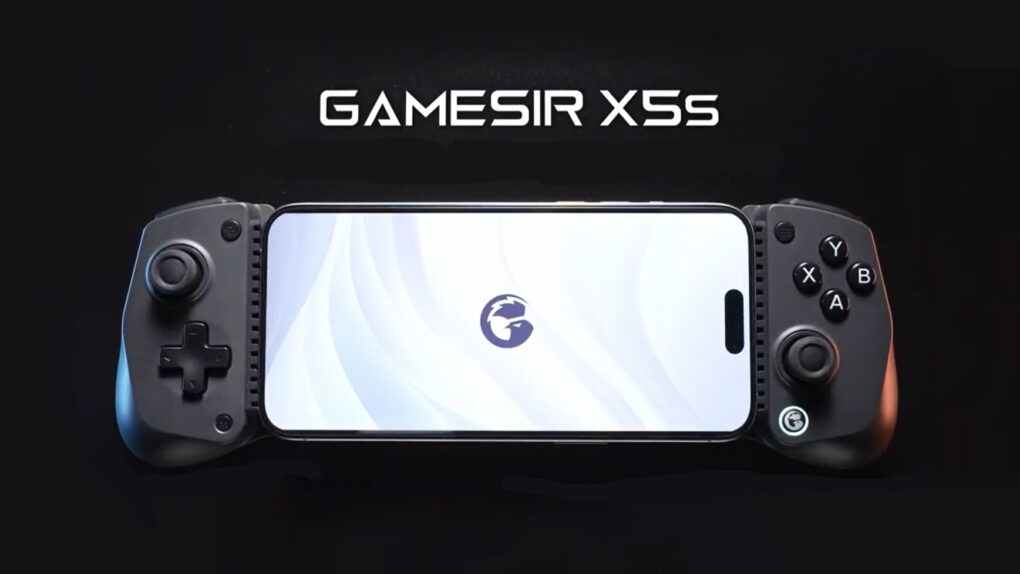
The GameSir X5s Wireless Mobile Game Controller offers tri-mode connectivity. Graphic: GameSir
Wrap the brand-new GameSir X5s around your iPhone to play high-end games. But that’s only the start — the controller also works with iPad, Nintendo Switch, PC and Android.
It’s lightweight with a portable design but includes Hall Effect sticks and triggers, a gyroscope and rumble motors.
The UltraCharge Pro 3-in-1 Magnetic Charging Dock (center) is the highlight of Belkin’s new iPhone stands. Image: Belkin
Forget about the old 15W limitation on wireless charging. Belkin took the wraps off a trio of iPhone stands on Friday that support the new Qi2 25W standard, offering a 66% increase in speed.
The new models include the UltraCharge Pro 3-in-1 Magnetic Charging Dock for use in the office, plus a pair of multidevice wireless chargers for travel.
★★★★☆
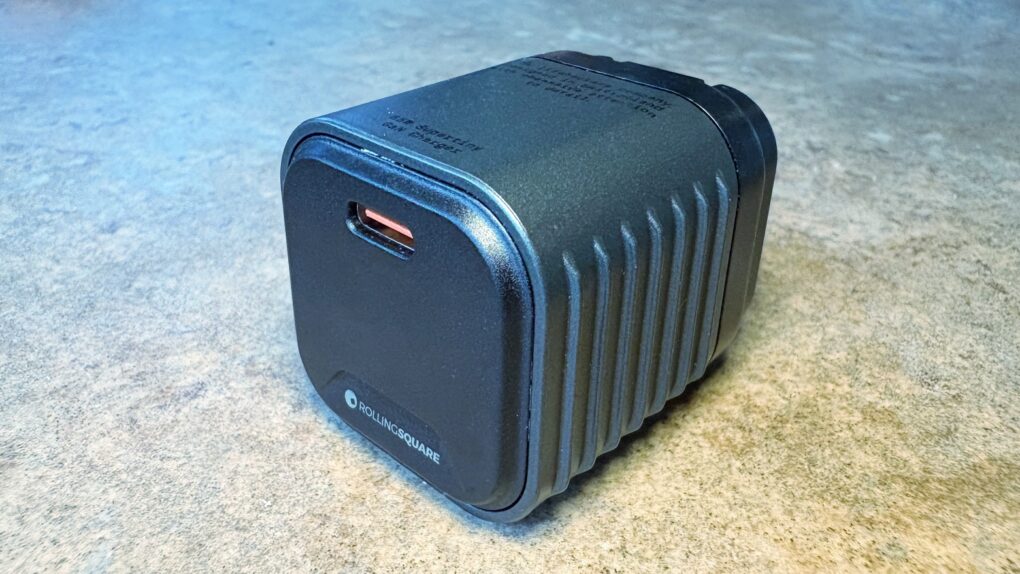
We went hands-on with the wee little Rolling Square Supertiny. Photo: Ed Hardy/Cult of Mac
Rolling Square claims, “Supertiny is the smallest 65W GaN Charger ever.” It’s definitely very small, but can still quickly power up a MacBook or other full-size computer.
I put the claims to the test and came away impressed. I do have one caution, though.
★★★★☆
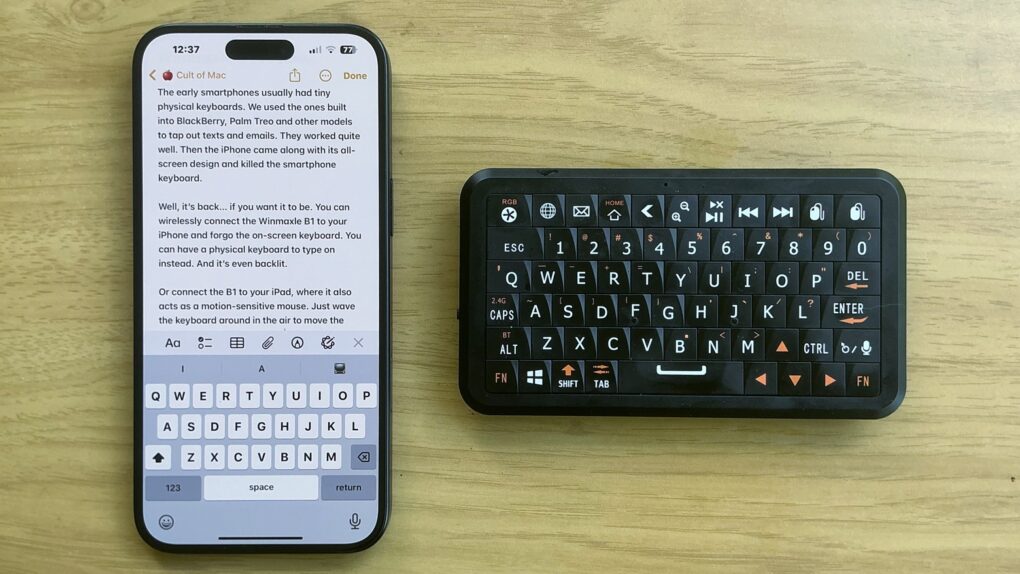
The Winmaxle Mobdel B1 adds a physical keyboard to your iPhone, and it's easier to type on than a virtual keyboard. Photo: Ed Hardy/Cult of Mac
The Winmaxle Mobdel B1 can be a physical keyboard for typing on your iPhone, harking back to the days of the BlackBerry. And because it’s also a motion-sensitive mouse, you can use it with your iPad, too. Either way, it’s a handy little gizmo.
I found multiple uses for the wireless keyboard while I was testing it. But I also ran into a limitation that made it not as useful with my iPad as I hoped.
Backbone One USB-C game controller makes high-end gaming a pleasure on iPhone. Photo: Ed Hardy/Cult of Mac
A deal on the Backbone One (USB-C), which ranks among the absolute best clip-on game controllers for iPhone, cuts 40% off the usual cost. It’s also on sale at Amazon, though the deal isn’t quite as good.
Can’t take the family Playstation or Xbox to university? Game on your iPhone instead with this controller.