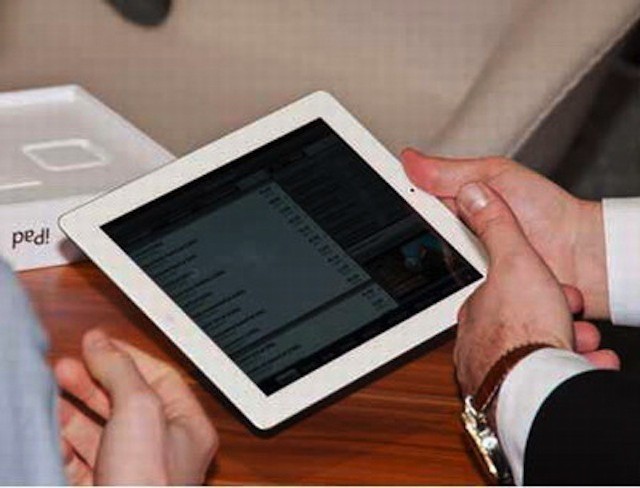
Passcode locks are no match for a piece of software called XRY.
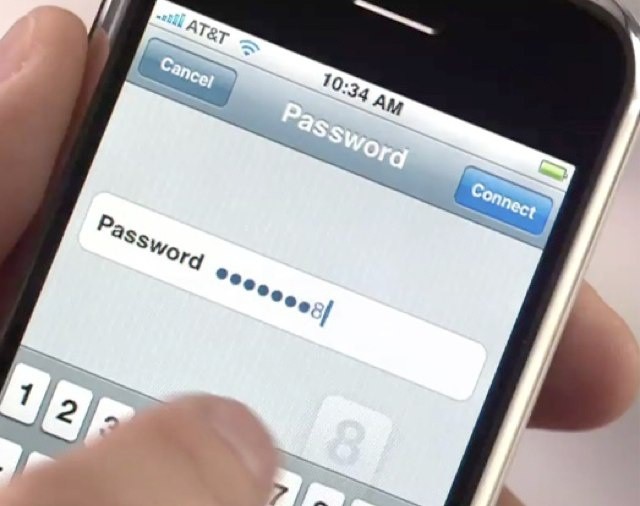
Setting up a passcode for your iOS device is one of the first steps you can take to keep your data safe. It prevents access to your device, blocking unauthorized user from accessing your personal data, photographs, contacts, messages, and anything else you have stored inside.
However, that passcode lock is useless when it comes up against a piece of software called XRY from the Swedish security firm Micros Systemation. With XRY, your personal data, call logs, GPS location data, contacts, and even keystrokes can all be extracted and decrypted in under ten minutes.
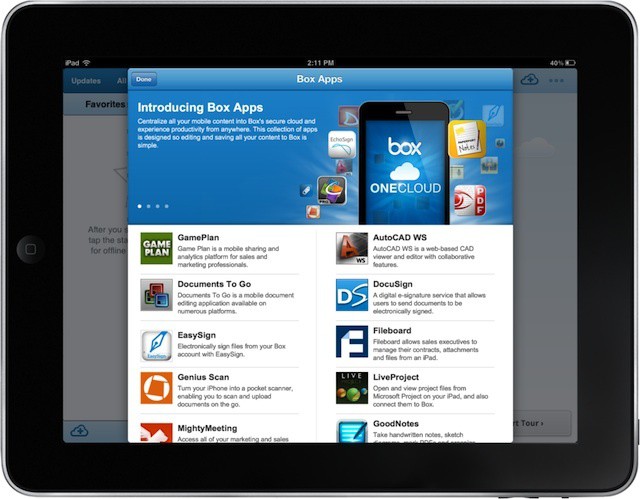
The big challenge of an enterprise app store is deciding which apps to include
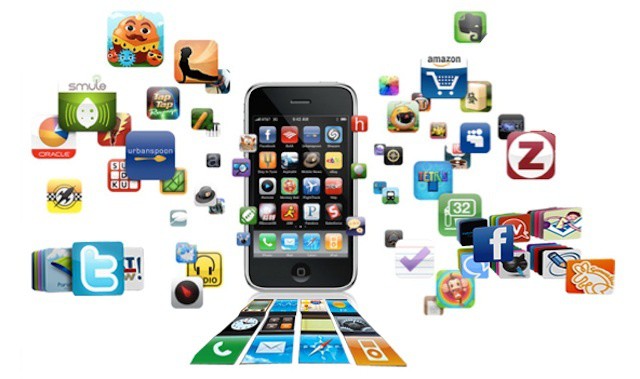
The enterprise app store is becoming a reality in many companies. Initially envisioned as a way to make internal apps available to employees, the concept has quickly grown to include public apps available in Apple’s iOS App Store. This allows businesses to offer employees a curated list of apps that relate to specific fields or job functions.
A curated list of public apps is a great idea and it can save employees both time and effort in selecting apps that can help them work more efficiently and effectively. The challenging part, however, is choosing which of the hundreds of thousands of iOS apps to include in your company’s app store.
There is a theory that apps are the new hit singles. You can’t make money from releasing a song any more, so you might as well try and make money from something people are still willing to pay for, like apps.
And you might not even need to charge them for the app, either. You can give the app away for free, and pad it out with extras that cost money. It’s bound to pull in a few paying customers, right? Right?
Not everyone is ready to jump on the BYOD bandwagon
Yesterday, we covered a report that asked whether or not most people really want the option to bring their own technology into the office. That report showed that despite the media hype and the broad interest that CIOs and IT leaders are showing in BYOD programs, it may only be one out of every five employees that’s clamoring for the right to bring their personal iPad or iPhone into the office.
If that’s the case, why are so many users hesitant or even hostile to the BYOD model?
Will a new era of healthcare privacy enforcement keep the iPad out of healthcare?
The costs of not complying with HIPAA (the 1996 Health Insurance Portability and Accountability Act), which includes self-reporting of data breaches, can be steep. Blue Cross Blue Shield of Tennessee recently finalized a settlement with the Department of Health and Human Services for $1.5 million for a recent breach (on top of a $17 million price tag for the investigation and remediation actions). HHS seems to be making a a show of high profile enforcement as a way to encourage better compliance among smaller organizations, including hospitals and individual medical practices.
This raises the question of whether or not using the iPad in healthcare increases the risk of privacy violations. If so, will a show of force on the part of HHS dampen the enthusiasm for the iPad in healthcare?
Is peer pressure driving the the BYOD trend rather than pressure from workers?
BYOD is certainly one of the biggest technology buzzwords right now. The concept of users supplying their own iPad, iPhone, or even their own MacBook can create challenges for IT, but it can also provides advantages. Users choosing the devices and apps that they feel most comfortable and productive using is one. Businesses not needing to pay for mobile devices themselves or plans to support them is another.
One of the basic assumptions when it comes to considering, testing, and implementing a BYOD program is that the ability to bring personal tools into the workplace is something that users ultimately want and think will improve their work. The rest of the discussion, including practical issues like device or data management and the range of devices to be support, is predicated on this core assumption that BYOD is desirable on the part of users.
But what if that isn’t really the case? According to a report based on research in Australia and New Zealand, that may not be the case and it may actually be a form of peer pressure driving the BYOD revolution more than pressure from users.
Farming and agriculture are among the unusual places to find iPads at work
It doesn’t take a huge stretch of imagination to picture some of the ways that the iPad can be used in the workplace. The idea of it as a sales tool, an electronic medical chart, and as a digital textbook device all come immediately to mind as common on-the-job iPad uses. But the iPad’s versatility lends itself to a variety of industries and jobs that you’ve probably never considered.
One example is agriculture management from the cab of a farm combine – one of the unexpected places to find the iPad that Hard Candy Cases CEO Tim Hickman mentioned to me during a recent conversation. His company, which also produces the ruggedized Gumdrop Cases, has received bulk orders for iPad from some surprising sources and has led to iPad adoption in places beyond where most of us would expect. I decided to follow up on that conversation with some research of my own.
Photo by {Flixelpix} David - http://flic.kr/p/9BzXiy
Earlier this year Apple announced iTunes U, making it clear that Apple intends to make the iPad ubiquitous in academia. The iPad is truly coming into its own as a legitimate alternative to the PC. For students, this means that the iPad is quickly becoming a powerful learning tool, which is good for a lot more than reading.
I sat down with a Boston-based PhD student who, for the past year, has been using her iPad nearly exclusively for her studies. Here are the core peripherals and apps that she recommends in order to supercharge your iPad for use in the academic setting.
Most users feel it may be okay to take business data home, will go more old-school than using a mobile device or iCloud
One of the big fears CIOs and IT staffers have about the consumerization of IT and BYOD trends is that mobile devices like the iPad and iPhone combined with personal cloud services like iCloud, Google Docs, and Dropbox make it very easy for confidential business data to leave the office and the company network.While this is a definite fear for IT staff, how do most knowledge workers view the risk and the consequences of such so-called data sprawl?
According to a recent study, four out of five workers rank removing confidential data from the office as an offense that should get a person fired and yet 90% believe that it happens on a regular basis.
How Much business data goes over iPad 3G and LTE connections without IT knowing?
LTE is one of the key features available on the new iPad. All that extra speed can be a great feature for consumers and business users alike, although the ability to burn through data that quickly means that all LTE iPad users need to be more conscious of their data use than with the previous 3G iPads (the same will no doubt be true for the next iPhone).
A new study claims that most iPad Internet access (94%) still takes place over Wi-Fi networks, however. That seems like bad news for carriers and it sounds like comforting news for CIOs and IT professionals worried about unknown iPads in their companies. After all, if only 6% of iPad connections occur over 3G/4G, then most iPads in the office are using a corporate network and can be tracked and monitored to ensure data and network security.
Unfortunately digging into the actual data from the study reveals iPad users with 3G and LTE models are actually spending a lot more than 6% of their time using their cellular connection.
Unplug your iPad just after it reaches 100% and you'll lose up to 1.2 hours of battery life.
Shortly after the new iPad made its debut earlier this month, it was discovered that the way in which the device calculates its battery life is flawed. Despite telling you its charge is at 100%, your device hasn’t actually finished charging.
New data proves that in fact, your device isn’t finished charging until more than two hours after it reaches “100%,” and if you unplug it before then, you could lose around 1.2 hours of battery life. What’s more, it seems all iOS devices misreport their battery life.
If you thought interest in the slingshotting hit Angry Birds has faded over the years, you’d be sorely mistaken. In fact, it seems to be even more popular according to the latest numbers announced by Rovio. According to Rovio, their latest Angry Birds Space netted 10 million downloads in less than three day. That’s quite an accomplishment, and to put things into perspective, it took Angry Birds Rio ten days to reach 10 million downloads.
Dictation has been one of my favorite features of the new iPad. It’s a great way to type quick notes or search queries out without having to use the keyboard. Underneath the surface though, dictation is much more than just a simple feature for jotting notes down. In this video, I’ll show you some of the hidden features of voice dictation on the new iPad and iPhone 4S.
Apple warned the iOS development community last August that it would start rejecting applications submitted to the App Store for accessing a user’s unique identifier (UDID). In case you didn’t know, every iPhone, iPod touch, and iPad possesses a unique alphanumeric string used for registration and tracking.
Amid privacy concerns from the U.S. Congress and other groups regarding how apps use an iOS device’s personal info, Apple has decided to start enforcing its new policy in the App Store.
UPDATE: We’ve chosen our winners and here they are: Tamer Rashdan, Bryan Salazar, Maria Deleon, Werner Pretorius. Contact us at [email protected] to get your redemption codes. Congratulations to our winners and thanks to all who entered!
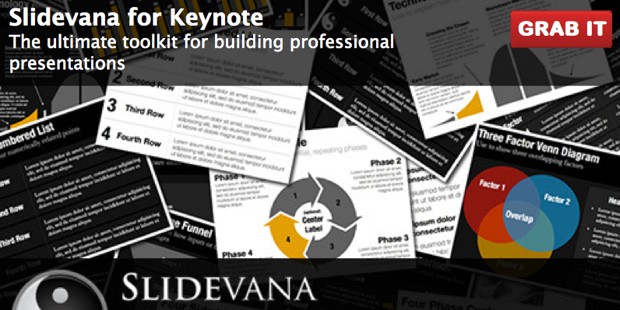
You’ve been putting together presentations, but they’re just not “wowing” you — or your audience. Slidevana (which works with Keynote for Mac, iPad and iPhone) will give you that edge. And Cult of Mac Deals is going to give away 4 copies of this stellar slide deck creator!
That’s right — Cult of Mac Deals is giving away 4 copies of Slidevana to our readers. Slidevana allows you to spend less time making the slides for your presentation so that you can spend more time on what you should be spending it on: Working on conveying your message. You can learn all about Slidevana by checking out our latest post on the app.
Nicholas Allegra, or "Comex," created iOS jailbreaks that were downloaded by millions of people. Apple finally decided to hire him as an intern last year.
iOS hackers are some of the most sought after individuals in the security research community. Geniuses like Comex who come up with jailbreaks used by millions of iPhone and iPad users are offered incredible sums of money to sell their exploits to powerful and high profile clients.
Sure, you could win a decent amount of cash at a security conference for showing off the exploits you’ve uncovered, but why not make $250,000 and secretly sell your stuff to say, an entity like the U.S. government?
The Guitar Collection: George Harrison, is a multimedia tour of the former Beatles' iconic guitars
A new app for the iPad, The Guitar Collection: George Harrison, is rather like a little pocket book of the former Beatles’ most famous axes. It features the history, pics, guitar model specifications, and historic photographic images of the iconic instruments.
But unlike a book, it’s a multimedia feast full of 3D models, music clips, and videos of George and his pals talking rock ‘n’ roll. It’s a rich potpourri of sounds and visuals for Beatlemaniacs. Trouble is, there’s so much missing.
Frameographer is an excellent $3 photography app for stop motion and time lapse video recording. It works because it keeps things as simple as they can possibly be.
If you’re selling, giving away, or scrapping an old iPhone, iPad, or iPod touch, you’re likely to plug it into iTunes and hit the restore button to remove all of your personal content and reset the device’s software back to factory settings. But did you know that you can do all that without iTunes?
Here’s how to reset your iOS device and remove all of its content and settings without iTunes.
Earlier this week, we highlighted the growing need for companies to develop more comprehensive approaches to iPhones, iPads, and other mobile devices than simply purchasing and implementing a mobile device management console. The device-only approach isn’t always a solution in itself and there’s a growing trend of focusing on managing the information and apps on an iOS device instead of (or in addition to) the device itself.
As this multi-tiered model becomes more common, businesses are typically looking at multiple solutions, which is prompting companies in this space to develop strategic partnerships or consider acquisitions as a way of offer businesses a more integrated approach. Two instances of this were the announcement of Good and Box partnering for secure data and enterprise cloud storage and Symantec’s acquisition of Nukona and Odyssey.
Another partnership was announced yesterday between MDM vendor MobileIron and enterprise wireless firm iPass.
Espier Launcher HD is the closest you'll ever get to running iOS on an Android tablet.
So you just bought yourself a new Android tablet, and you wish you’d gone for the iPad. Well, that’s too bad. But you’ll be pleased to hear that you can still get your hands on the iPad’s home screen, thanks to Espier Launcher HD.
RIM needs iOS developers for unspecified "advanced" iOS management options
Yesterday’s news that RIM is looking to hire iOS developers with the intention of creating iOS apps unleashed a lot of speculation about what the BlackBerry manufacturer might be planning to release for iPhones and iPads. After initially being tight-lipped and refusing to comment on the job posting, RIM’s PR team revealed that its iOS app development plans center around its BlackBerry Fusion product.
BlackBerry Fusion is RIM’s new mobile device device management solution. The product, which RIM launched earlier this year along with the first major update to its PlayBook tablet’s OS, can manage BlackBerry and PlayBook devices. RIM plans to and support for managing iOS and Android devices as well.
RIM’s statement was pretty vague beyond confirming that it’s new management solution will be the focus of this position, leaving room for speculation as to what additional features an on-device app will enable under RIM’s new management console.
RIM's next new hire may very well be an iOS app creator
RIM has making some interesting choices regarding its future over the past year. The company launched its PlayBook tablet with what was really a beta release of the OS. It expanded its device management platform to include support for managing iOS and Android devices (though many saw that move as too little openness too late in the game). And it introduced support for Android apps in last month’s PlayBook OS update.
In another move that will leave observes scratching their heads, RIM is looking to hire iOS developers. Unlike RIM’s recruitment of Android developers, this doesn’t appear to be in any way aimed at porting existing apps to the PlayBook. The job posting, which lists RIM’s Bellevue, WA location, is for an internal Senior iOS developer that would be creating enterprise-focused iOS apps for the iPhone and iPad.
It's direct sharing all right. But very densely packed.
As we reported yesterday, the latest Hipstamatic update adds something that’s not just new for the app, but new for the App Store: direct access to the Instagram API.
Does it make a startling difference to the way you use Hipstamatic? No, not really. Only regular users of both Hipstamatic and Instagram will notice a substantial difference.
Just because you've hidden them, it doesn't mean they're gone forever.
Back in October, we highlighted one of the new features in iOS 5 that allows you to hide previous App Store purchases from your ‘Purchased’ list. It’s great for removing all those apps and games that you may be ashamed of, such as Hello Kitty Parachute Paradise. But what happens if you want to reveal those purchases again?