Mobile menu toggle

Reviews - page 4

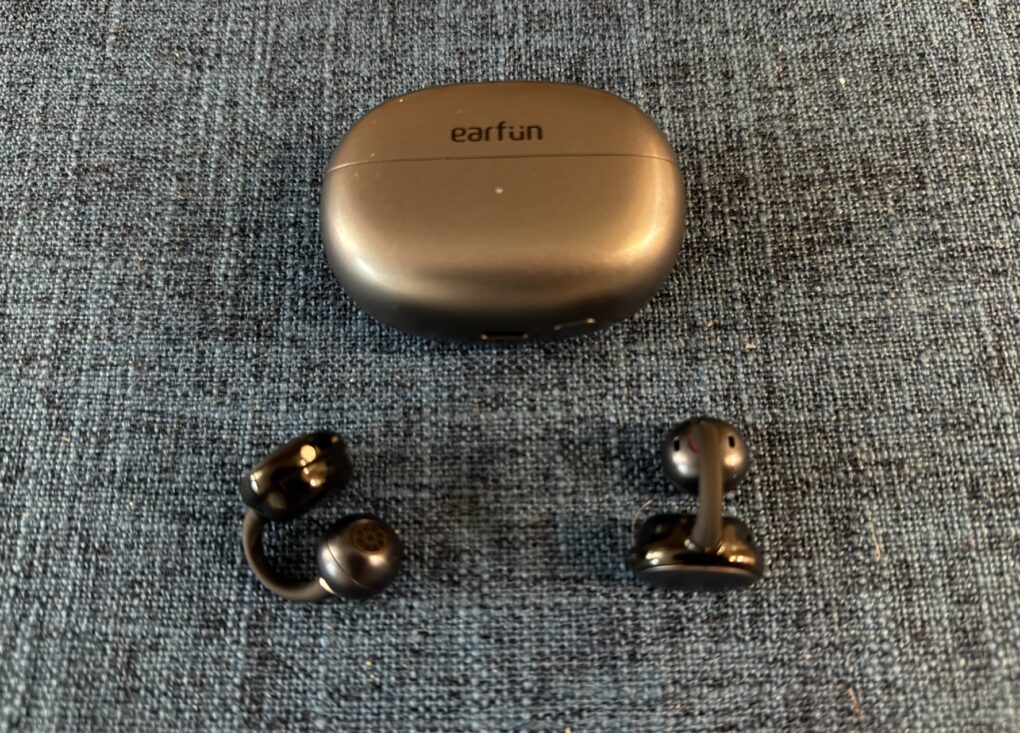
EarFun Clip: Great open-ear buds for smaller ears than mine [Review] ★★★

By

EarFun Clip Open-Ear Wireless Earbuds review★★★
The tiny, super-light earbuds take a "C" shape.
Photo: David Snow/Cult of Mac

EarFun Clip earbuds entered an increasingly crowded open-ear clip-on audio market Monday, promising premium features at a midrange $70 price point at launch (normally $89.99). In my EarFun Clip Open-Ear Wireless Earbuds review, I find they don’t fit me very well (I guess my big head means big ears, too). But they may suit many buyers, and the lightweight earbuds challenge the notion that you need to spend well over $100 for quality open-ear audio.

While brands like Sony and Soundcore are better known, EarFun has quietly developed open-ear wireless earbuds that deserve attention, particularly for active users who need awareness of their surroundings. For those they fit, EarFun Clip offers great sound at a great price.

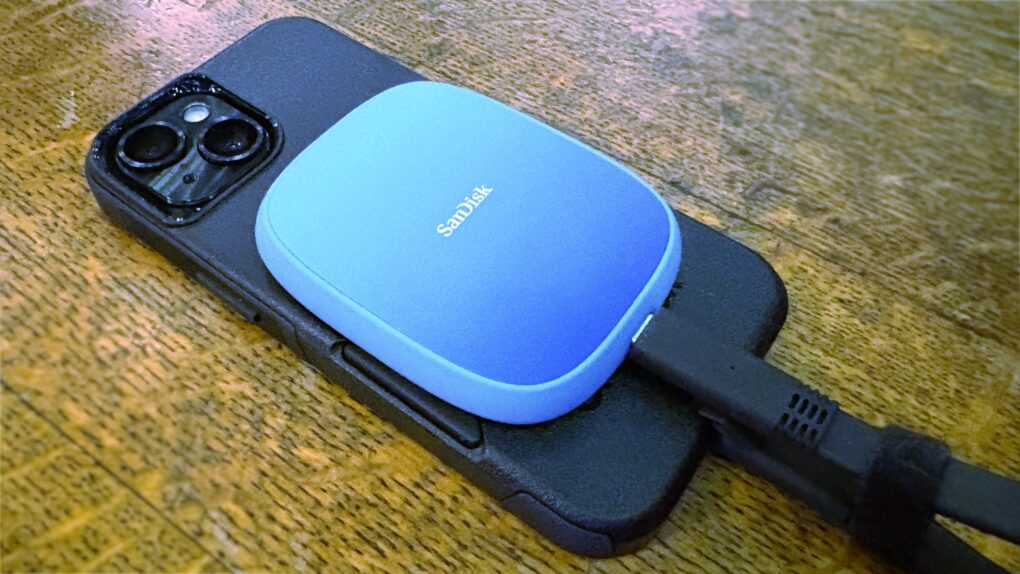
This SanDisk SSD clings to iPhone to record terabytes of high-res video [Review] ★★★★

By

SanDisk Creator Phone SSD review★★★★
Expand your iPhone Pro/Pro Max storage capacity with this SanDisk SSD.
Photo: Ed Hardy/Cult of Mac

SanDisk designed its Creator Phone SSD specifically for people recording large amounts of 4K ProRes video with a recent iPhone Pro/Pro Max model. The MagSafe drive magnetically attaches to the back of the handset so it’s out of the way during filming.

It holds up to 2TB of data without making the handset difficult to film with. And transferring data to a Mac for editing is a snap.

I tested the SSD with my iPhone and it worked very well. But the cable is bulkier than it should be.

Elevate your iPad with this lightweight origami case/stand [Review] ★★★★

By

Moft Dynamic Folio★★★★
The Moft Dynamic Folio case/stand can lift your iPad closer to eye level.
Photo: Ed Hardy/Cult of Mac

iPad cases that fold into stands are old news, but the Moft Dynamic Folio takes that idea and builds on it. The front flap can be folded into a variety of shapes to support the tablet at a range of angles, in both landscape and portrait orientations. A highlight is one that lifts the iPad up about 3 inches so it’s easier to see.

Plus, the case/stand is lightweight and very easy to attach and remove. There are versions for all recent Apple tablets.

I tested the flexible iPad accessory for several weeks. Here’s what I found out.

Hands-on with iOS 26 and Liquid Glass: The good, the bugs and the ugly

By

iOS 26 and Liquid Glass
One week with the new iOS 26.
Image: Apple

I’ve spent the week hands-on with iOS 26, living with its stunning new design and incredible features. I really love the direction iOS is going — even if there are a lot of kinks that need to be worked out before its September release.

Liquid Glass, the flashy new user interface, is gorgeous. Loads of people will love the new Lock Screen and Home Screen features, like Spatial Scenes and clear icons. A few other features may need some tweaking, however, like the new Camera app and Phone app.

Should you install it yourself? God no, it’s a buggy mess. You should definitely not install it on your daily driver. But should you be excited to get it in September, after Apple irons out the kinks? Absolutely. Keep reading or watch our video for a hands-on look at the joys (and annoyances) of iOS 26.

Wobkey Rainy 75 mechanical keyboard feels (and sounds) rock solid [Review] ★★★★☆

By

Wobkey Rainy 75 mechanical keyboard review★★★★☆
The little storm cloud at lower right is a cute touch on the Rainy 75.
Photo: David Snow/Cult of Mac

Among keyboard enthusiasts, the Wobkey Rainy 75 mechanical keyboard recently gained a deserved reputation as a rock-solid budget-to-mid-priced option. The 75% layout keeb for Mac or Windows combines premium materials, customizable features and impressive performance in a package that punches above its price point. This hands-on Wobkey Rainy 75 mechanical keyboard review will cover the bases to help potential buyers make an informed decision.

iPadOS 26 hands-on: The iPad upgrade pros wished for

By

iPadOS 26 multitasking features
New multitasking features are the highlight of iPadOS 26.
Screenshot: Apple

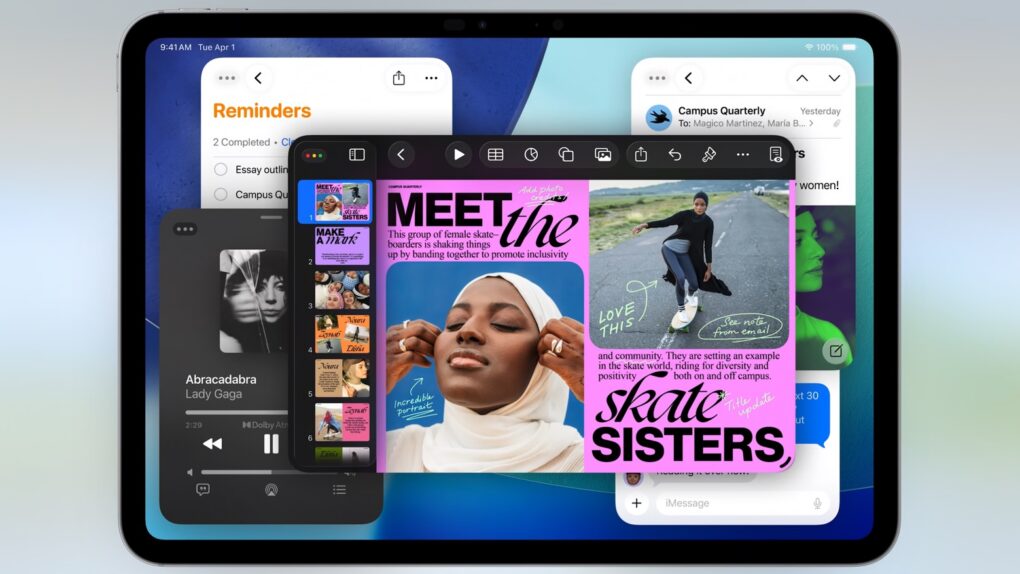
Those who want their iPad to function more like a Mac got their wish: iPadOS 26 includes multitasking features very similar to the ones in macOS. This year’s iPad upgrade also borrows plenty of other things from Apple’s desktop OS.

I loaded the initial iPadOS 26 beta on my iPad Pro. Here’s what it’s like to use it … and why pro users should be excited while non-pro users shouldn’t worry.

How Raycast transforms the way I work on my Mac [Awesome Apps]

By

Raycast on Mac render
Raycast transforms how you get things done on a Mac.
Photo: Raycast/Rajesh Pandey/CultOfMac
Awesome Apps

Anyone who’s used a Mac for years understands the value of Spotlight search, as it can quickly help you search through your Mac, email, apps, and system settings. But if you want to take things to the next level, check out Raycast — a powerful Spotlight alternative that goes beyond simple search.

From setting reminders and tracking flights to running Terminal commands and finding files, Raycast is built for speed and efficiency. It really is a Swiss Army knife for your Mac. Here’s how I use it to supercharge my productivity on the Mac.

6-port iPad stand/hub adds convenient media control buttons [Review] ★★★★☆

By

Zagg 6-Port Media Hub for iPad★★★★☆
The Zagg 6-port Media Hub features an iPad stand, useful ports plus media controls.
Photo: Zagg

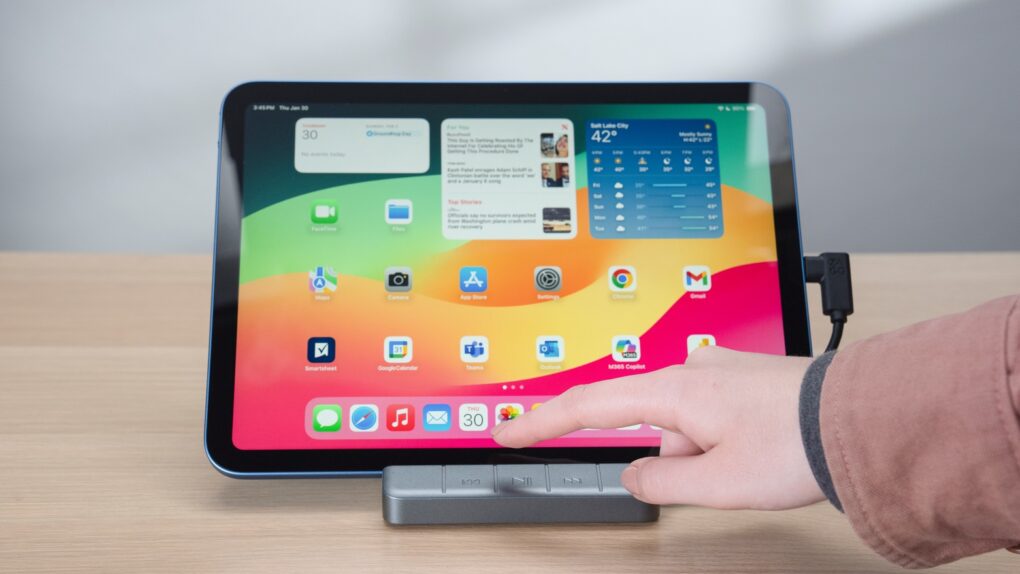
The Zagg 6-port Media Hub includes a flip-up iPad stand, an HDMI port, a USB-A port and more, with the standout feature being an easily accessible set of media controls. And all this fits into the same space on your desktop as a more conventional tablet stand.

I used the iPad hub/stand in my home for weeks, and it does its job well. That said, a design quirk might limit its appeal.

Dump that HDMI cable for this easy-to-use wireless video transmitter [Review] ★★★★

By

Nyrius Orion Prime wireless video transmitter review★★★★
Replace that bulky HDMI cable with a wireless video transmitter.
Photo: Ed Hardy/Cult of Mac

The Nyrius Orion Prime Wireless USB-C to HDMI Video Transmitter & Receiver frees you from needing to string an HDMI cable across your office or living room. Plug one gizmo into your MacBook, iPad, or iPhone, and another into your TV, and they’re connected.

The wireless adapter sends HD video a surprising distance and doesn’t require a Wi-Fi network.

I tested the wireless video transmitter out for myself and came away impressed. That said, it does have a limitation that makes it better for entertainment than work.

Affordable EarFun Tune Pro headphones rival pricier Beats Studio Pro [Review] ★★★★★

By

EarFun Tune Pro headphones★★★★★
EarFun Tune Pro wireless noise-canceling headphones punch way above their weight, price-wise.
Photo: David Snow/Cult of Mac

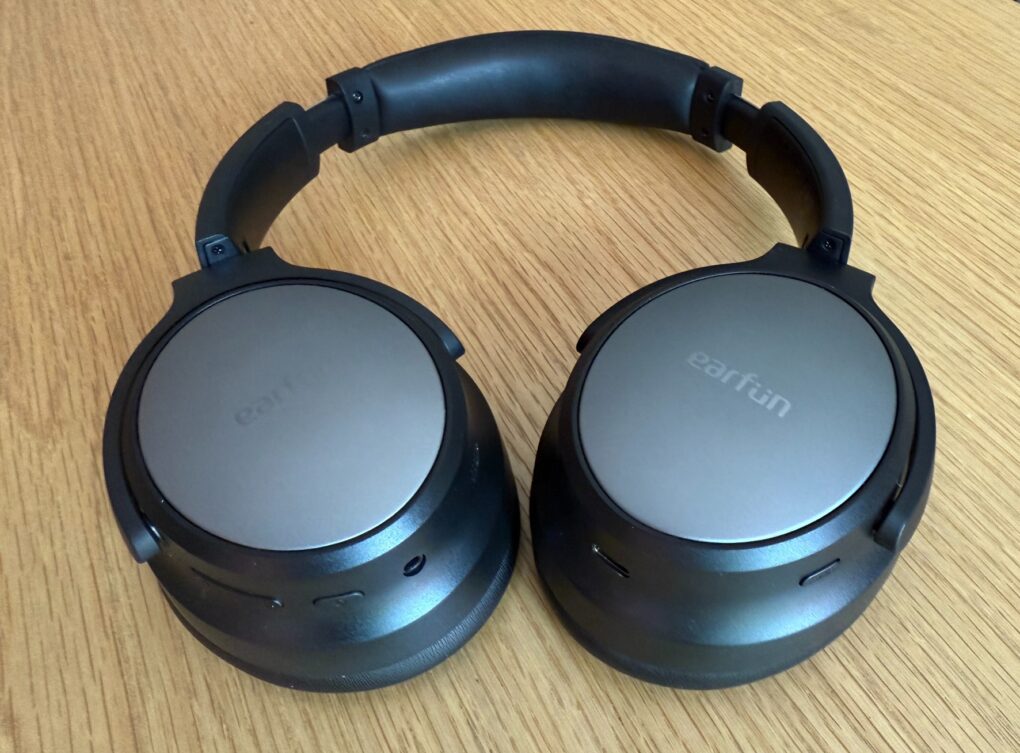
“Budget” headphones keep getting better, and I’ve discovered a pair of over-ear wireless noise-canceling cans you can get for less than $70 that pretty much equal the excellent — and much pricier — Beats Studio Pro. In this EarFun Tune Pro headphones review, I’ll get into how they’re very nearly as good as Beats Studio Pro in every way that truly counts — sound quality, noise cancellation and comfort. And Tune Pro’s epic battery life blows away most headphones, full stop.

At launch, EarFun lists the cans for $89.99 marked down to $69.99, with a further 20% off coupon available on Amazon. That should make them about $56 at checkout before tax.

3 reasons to watch Murderbot on Apple TV+

By

Murderbot season 1 review
Your weekend should include watching Murderbot. You’ll be glad you did.
Image: Apple TV+/Cult of Mac

The sci-fi action comedy Murderbot season 1 is the hottest show premiering this weekend. Apple TV+ turned an award-winning collection of novels into a series that’s fun to watch, with an enjoyable mix of laughs and fight sequences… with some suspense mixed in.

Here’s why you should tune in this weekend, whether you’ve read Martha Wells’ books or not.

Test your connections with this tiny USB multimeter [Review] ★★★★

By

StarTech.com USB-C Power Tester★★★★
Find out why your iPad isn’t charging with this mini multimeter.
Photo: Ed Hardy/Cult of Mac

With the StarTech.com USB-C Power Tester, you can easily look for charging problems in your setup. It’s a quick and easy way to ensure your devices are getting all the power they’re supposed to.

I tested the inexpensive little multimeter out. Here’s what I found.

Soundcore Liberty 5 earbuds challenge AirPods Pro 2 at half the price [Review] ★★★★★

By

Soundcore Liberty 5 earbuds review★★★★★
Soundcore Liberty 5 noise-canceling earbuds sit in their wireless charging case.
Photo: David Snow/Cult of Mac

After four solid generations before them, Soundcore Liberty 5 wireless noise-canceling earbuds are compact audio powerhouses. My Soundcore Liberty 5 earbuds review finds they challenge premium noise-canceling earbuds like AirPods Pro 2 for about half the price. In fact, Liberty 5’s price ($130) went down from Liberty 4’s starting price by $20.

While Apple, Sony and Bose dominate the high-end market, Soundcore steadily refined their Liberty series to deliver impressive sound quality without the premium price tag. During my testing, the earbuds demonstrated remarkable performance in a variety of ways, along with a limitation or two.

Easily identify the birds you hear with Merlin Bird ID [Awesome Apps]

By

Merlin Bird ID
Start a new hobby with Merlin Bird ID.
Image: Cult of Mac
Awesome Apps

Spring is here, and the air is full of birdsong. The Merlin Bird ID app tells you what type of birds you’re hearing … plus it’s quick, easy and free.

With this software from the Cornell Lab of Ornithology on your iPhone, you can learn about all the birds around you — you might be surprised how many of them there are. And if you get interested, you’ll soon be able to identify them without the app.

This clever PopSocket-style grip also works with MagSafe [Review] ★★★★★

By

Black iPhone 16 Pro with the Ohsnap Snap 4 Luxe on the back, sitting on a gray microfiber cloth.★★★★★
It’s thinner than the lower level of the camera plateau.
Photo: D. Griffin Jones/Cult of Mac

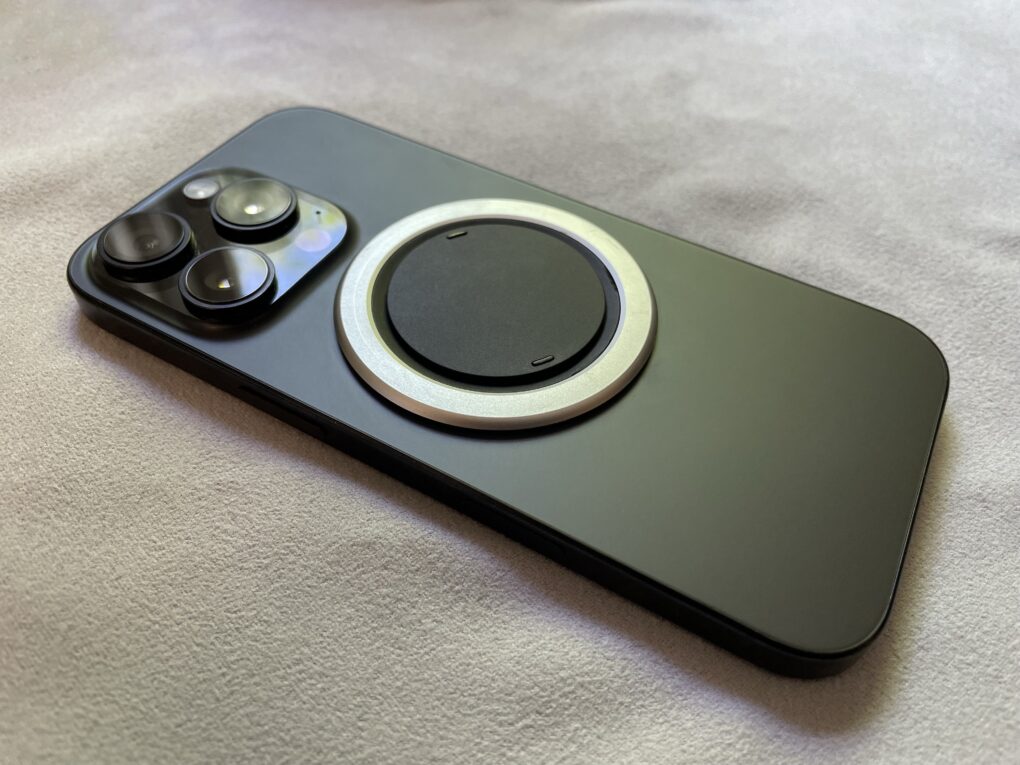
If you want both a grip on the back of your phone for ergonomics and MagSafe charging for convenience, you might think there are no good options. Well, finally, there is — the Snap Grip Luxe combines both in an incredibly slim and clever design.

It’s truly the best of both worlds — you have a better grasp on your phone, so you won’t drop it; you have a built-in stand for watching videos anywhere you go; and you can still use your MagSafe chargers or even battery packs. You can freely detach it and put it on a different phone case if you want.

Cleverest of all, it’s only 2.5mm thin, so it doesn’t add any more bulk to the back than the camera bump your phone already has.

Keep reading below for the full review.

How to choose the right iPad for you

By

iPad Pro, iPad Air, iPad and iPad mini
With a variety of models to choose from, what the best iPad for you?
Photo: Apple/Cult of Mac

You want the best iPad, but shopping for one can be overwhelming. Apple sells six iPad models in a wide range of sizes, prices and capabilities. Our iPad comparison explains the strengths and weaknesses of each model. You don’t want to get one that doesn’t have all the features you want, but you also don’t want to pay too much for features you won’t use.

Here’s some straightforward advice on picking the best iPad for you.

This brilliant portable foldable monitor is like nothing you’ve ever seen [Review] ★★★★★

By

Arovia Splay★★★★★
The Arovia Splay puts a beautiful 25-inch screen anywhere you need one.
Photo: Arovia

The Arovia Splay Portable Foldable Monitor and Projector is a truly remarkable piece of kit. Not only does it promise a 25-inch, 1080p screen that can fold down to the size of a book, it actually delivers… with a surprisingly bright, clear image that doesn’t need a darkened room.

As the name indicates, it can also be used as a small portable projector.

I watched hours of TV shows on the Splay, and used it for work, too. I’m truly impressed with the performance. I’m less pleased about the price, though.

Backbone Pro makes the best iPhone game controller way, way better [Review] ★★★★★

By

Backbone Pro★★★★★
There’s no better way to improve mobile gaming than with Backbone Pro.
Photo: Ed Hardy/Cult of Mac

The Backbone Pro game controller that launched Tuesday wraps around your iPhone and connects via USB-C, but it can also connect to your Mac or iPad via cable or Bluetooth. Plus, it adds remappable rear buttons to the standard mix of sticks, triggers, D-pad and more.

Backbone already makes the best iPhone game controller, and my hands-on experience with this new premium version found that it takes mobile gaming to a whole new level.

Your wait for an amazingly affordable iPhone game controller ends now [Review] ★★★★★

By

GameSir X5 Lite★★★★★
The GameSir X5 Lite is fun and a great value.
Photo: Ed Hardy/Cult of Mac

The GameSir X5 Lite is the game controller for those who’ve hoped for a truly affordable way to add physical buttons and sticks to their iPhone. It costs a fraction of the price of its chief rival.

But don’t call it cheap. The accessory includes Hall Effect sticks plus a full set of the buttons and triggers needed for cloud gaming or on-device apps.

I enjoyed my time testing the GameSir X5 Lite — read the full review to find out why.

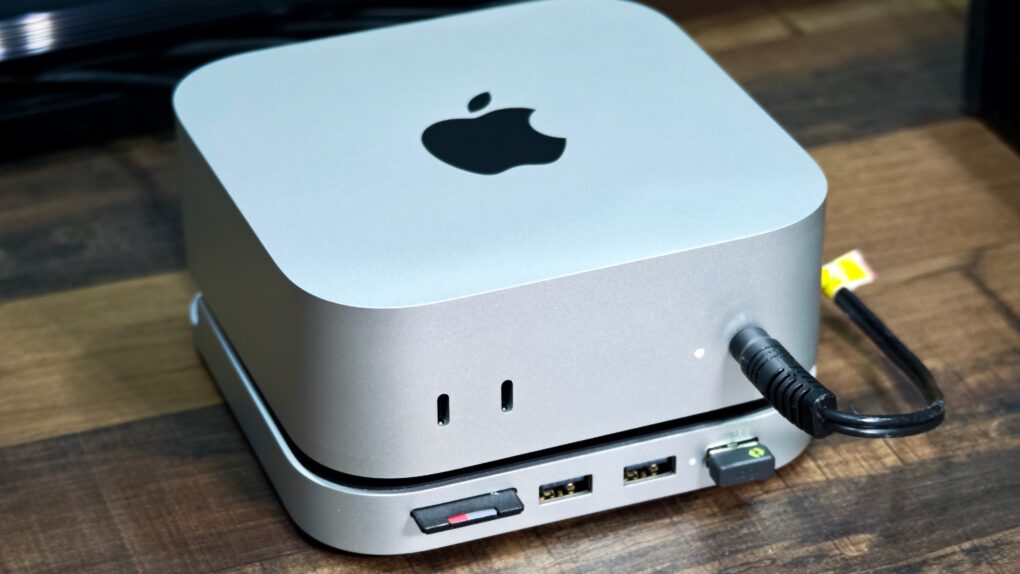
Satechi Stand & Hub for M4 Mac mini: Sleek and super-useful [Review] ★★★★

By

Satechi M4 Mac mini hub and stand★★★★
The Satechi Stand & Hub for the M4 Mac mini is a sleek and practical accessory.
Photo: Rajesh Pandey/Cult Of Mac

The M4 Mac mini stands out as one of the best value-for-money Macs in Apple’s lineup. But it’s not perfect, with the lack of an SD card slot and USB-A ports being two major annoyances. Satechi’s Mac Mini M4 Stand & Hub with SSD Enclosure aims to address these flaws while offering a way to expand storage on the cheap.

That’s a bold pitch. So, does the accessory deliver? Here’s what I found.

Save with Ugreen’s solid AirTag alternative plus wallet tracker [Review] ★★★★

By

Ugreen Smart Finder Tracker review★★★★
Ugreen's pair of trackers are effective and affordable.
Photo: David Snow/Cult of Mac

Ever misplaced your wallet or keys right when you’re rushing out the door? This Ugreen Smart Finder tracker review might help solve that universal frustration on the cheap. Whether you’re considering the standard Smart Finder or its wallet-sized counterpart, both promise to keep your valuables just a tap away through Apple’s Find My network.

These Bluetooth trackers pack some interesting features that set them apart from typical item finders — specifically their compact design, reliable tracking capabilities and low prices.

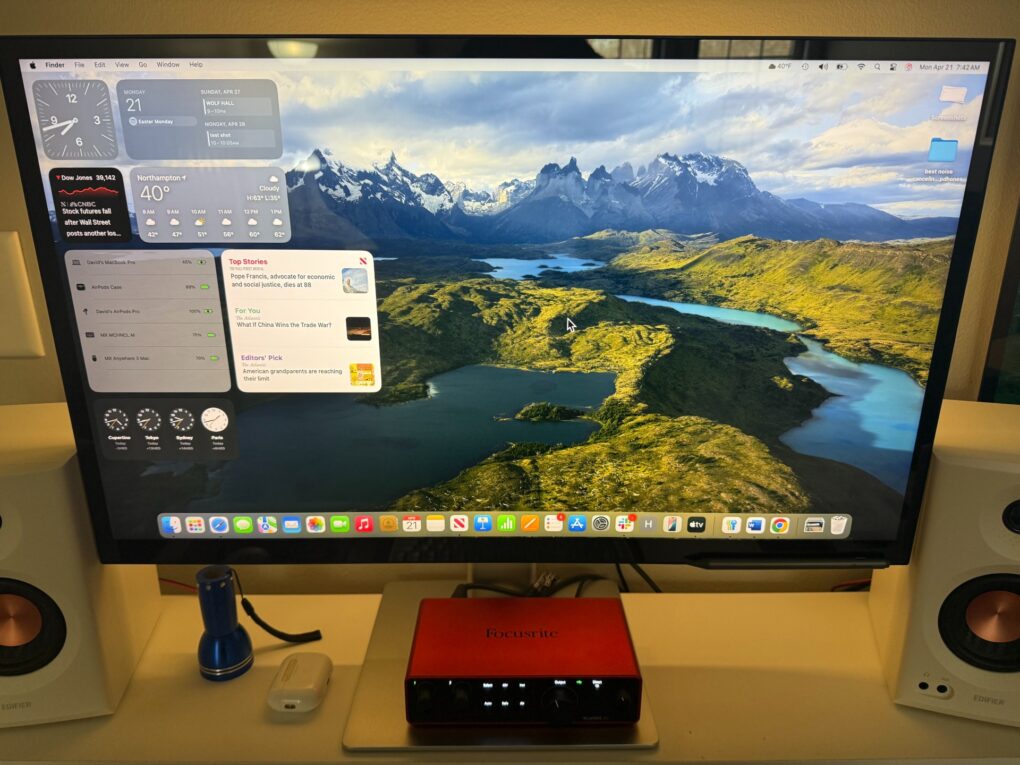
Brilliant Alogic Clarity 5K Touch display conjures touchscreen magic [Review] ★★★★★

By

Alogic Clarity 5K Touch Monitor review★★★★★
The display is bright enough (though less so than Studio Display) and incredibly crisp and clear with 5K resolution.
Photo: David Snow/Cult of Mac

The quest for an affordable Apple Studio Display alternative got going right after Apple launched its premium 5K monitor in 2022, but now Alogic takes a bold step in a completely new direction. As this Alogic Clarity 5K Touch Monitor review points out, it’s not just another 5K display trying to undercut Apple’s pricing. It’s a technological breakthrough that brings something the Studio Display simply doesn’t offer: a fully functional touchscreen interface for macOS.

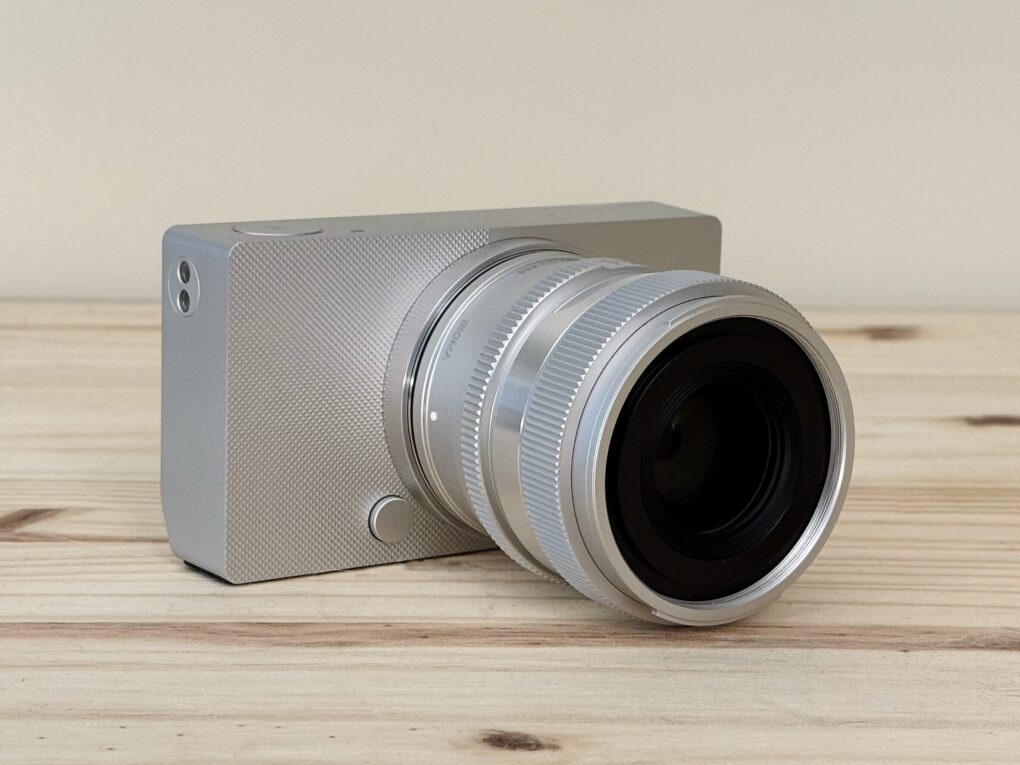
Sigma BF is an Apple-esque camera for the pure joy of photography [Review] ★★★★☆

By

The Sigma BF, a simple aluminum full frame camera, sitting on a pine table★★★★☆
It’s a stunning camera.
Photo: D. Griffin Jones/Cult of Mac

The Sigma BF is a beautifully designed camera unlike any other. While testing it for this review, I found the full-frame camera to be as easy to pick up as a point-and-shoot. It’s a pleasure to use — a love letter to minimalism, precision and the pure joy of old-school photography.

With an aluminum unibody worthy of Jony Ive and a stripped-down interface that favors elegance over excess, this full-frame mirrorless marvel feels less like gear and more like art itself.

What it lacks in cutting-edge features, this gorgeous $1,999 camera more than makes up for with soul. And for Apple lovers, photo fans and design purists, that might be all that matters.

Keep reading for my in-depth Sigma BF review (and/or watch my video version).

GameBaby controller/case brings retro fun to iPhone [Review] ★★★★

By

GameBaby review★★★★
GameBaby can be your key to retro gaming fun.
Photo: Ed Hardy/Cult of Mac

GameBaby from Bitmo Lab is both an iPhone case and a game controller. Combined with the Delta retro game emulator, the accessory’s clever design allows you to play classic games on your phone with real buttons. And there’s nothing wrong with a new way to have fun.

For my GameBaby review, I tested it with my iPhone 16 Pro Max, and it’s the closest thing to a Game Boy I’ve played in much too long.

Plus, it’s available at a huge discount right now — 38% off. But the deal only lasts a few more days.

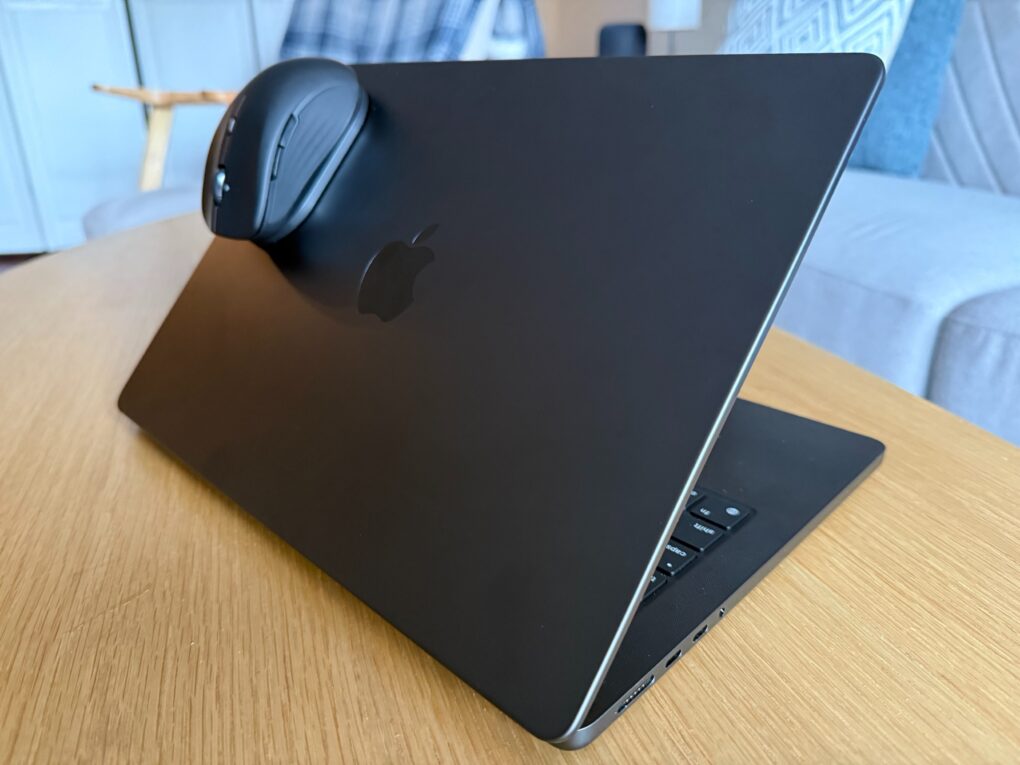
ESR MagMouse clings to MacBook or iPad on the go [Review] ★★★★☆

By

ESR MagMouse on MacBook Pro★★★★☆
ESR MagMouse clings firmly via magnets to the base stuck on a device with an adhesive.
Photo: David Snow/Cult of Mac

ESR bills its new MagMouse Wireless Mouse, unveiled at CES 2025 in January, as the world’s first magnetic mouse with built-in charging cable. The mouse attaches via adhesive base to a laptop or tablet so you can take it with you. And a handy little USB-C charging cable stows under the mouse. I put it through some paces for my ESR MagMouse review.

You can preorder the mouse now but it’s officially available Monday, April 28, via Kickstarter crowdfunding campaign. I happily tested it partly to see who it serves best. Not me, as it turns out — but plenty of others could find its unusual features quite useful.