Last week, we asked you to vote for your choice of the best iOS apps of 2011. Big thanks to everyone who contributed. Here are the results.
Let’s go through the list in detail; at the end, we’d like you to vote on the best app of the year, for inclusion in Cult of Mac’s annual Best of 2011 list. Let’s go!
When Google first released their native Gmail app for iOS, it was just a total mess: an HTML5 web app that not only had less innate functionality than loading up Gmail in Mobile Safari, but couldn’t even do its one selling point — push notifications — right. Heck, it even gave error messages at boot. Iit was so bad Gmail pulled the app within hours of release.
A little while later, Google released an updated version that fixed everything wrong with the old Gmail app, but it was still a total snoozer of an app. But today’s update to Gmail for iOS actually brings some cool new features to the table that might persuade some folks to switch from Mail.app.
If you’re anything like me, you often sit around and wonder what the people and animals you know look like with their skin and musculature pulled off to reveal the screaming skulls beneath. Unfortunately, pulling the faces off of actual living creatures to stare at their skeletons tends to be considered, as I understand it, somewhat declasse amongst the bourgeoise, so until society reconsiders its values, there’s this: the Skulls app by Simon Winchester.
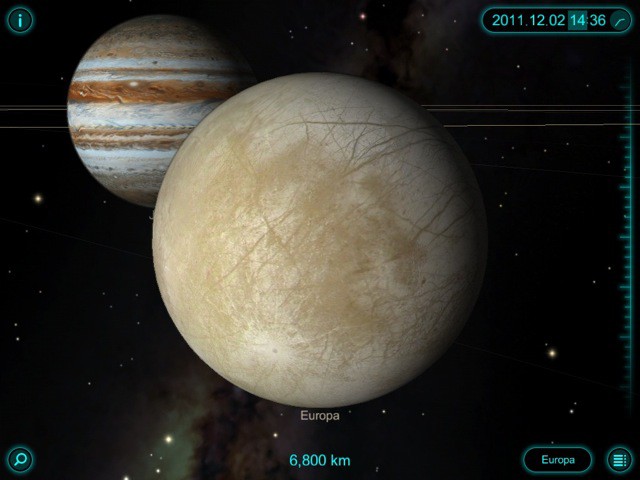
Solar Walk is an excellent educational app about space and everything in it. With Earth as your home base, you wander the Solar System, cruising the planets and moons and making discoveries along the way.
For the exhibitionist, the free I Made Love app allows you to “check in” to places you have boned, down to the GPS location and sexual position.
Alarmingly, there is a high concentration of activity in I Made Love at the Market Basket parking lot across the street from me. I always thought those guys were just practicing wrestling moves in the back seat of their cars.
Spotlight search on an iOS device is a fantastic feature. If, like me, you have pages and pages filled with apps, it’s easy to find the one you’re looking for simply by typing the first few letters of its name into Spotlight. You can do the same with songs, contacts, messages, emails, reminders, events, and lots, lots more.
However, there may be some things you don’t want to show in Spotlight. That doesn’t mean you should avoid the feature altogether — just customize its results to suit you. It’s incredibly easy, and not only will this remove items you don’t want to see, it’ll also make it faster to find what you’re looking for.
There’s over half a million apps on the App Store at this point, but that’s not to say that apps can’t still stand out from the crowd. Choosing the cream of the crop, though, can be a daunting and contentious task.
That’s why we need your help. A week from now, we’re going to announce our ten favorite iOS apps of 2011, then later in the month declare our vote for the best app of the year. Hence this poll; we need you to tell us which app you think qualifies as the best of the best.
We’ve had some great response to the Winter 2011 Mac Phenom Bundle over the past week. We’re really happy to see so many readers enjoying the apps. As a reminder to all those who have been debating whether or not to purchase the bundle, the deal ends tonight at 11PM PST, so get it while you can!
The Holiday season is here, and you can get all your holiday shopping done while sitting in your pajamas sippin’ eggnog in front of your computer screen. With the Winter 2011 Phenom Bundle you can either gift individual apps from your own bundle, or better yet, get the entire lineup for your friends and family! We’re really excited to be able to bring you 11 amazing apps for a tasty price of $50. Individually these little gems would cost a total of $486, but we’ve been able to negotiate a great deal for you just in time for the holidays.
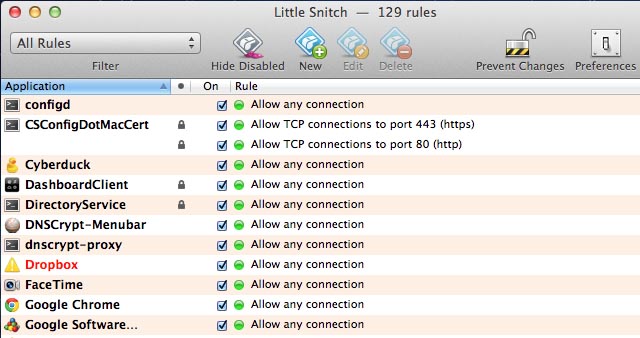
Little Snitch is one of the most useful apps your Mac doesn't feature out of the box
Got a new Mac? You’ve probably realised that OS X provides an excellent out-of-the-box experience. Unlike with Windows, few add-ons are required. There’s a great browser, for example, and full PDF support. But there’s still some tools that most experienced Mac users download the minute they boot-up a new Mac. Here they are, listed for possibly the first time…
Half a million. Most app stores would be happy to have half a million users, but that’s just the number of apps Apple has in the App Store. And while they are bragging about their big swinging stats, Cupertino’s got another one to announce: over 100 million apps have been downloaded from the Mac App Store since its debut in early November last year. Wow.
2011 is quickly drawing to a close, and before we shut down our computers and get drunk for Christmas, we thought it would be a good idea to celebrate some of this year’s finest iOS games. We’ve compiled a list of our favorites and we’d like you to vote for the game the you think is this year’s greatest.
Following their annual holiday tradition, Apple has just published iTunes Rewind 2011, their list of their own personal best apps and games across twenty-one categories. And as usual, there’s some surprising choices.
During an interview at the Le Web expo in Paris this week, Google chairman Eric Schmidt took a stab at Apple and insisted his company’s Android operating system is way ahead of iOS in a number of ways, including affordability and choice. What’s more, Schmidt claims that in six months, Ice Cream Sandwich will offer better functionality.
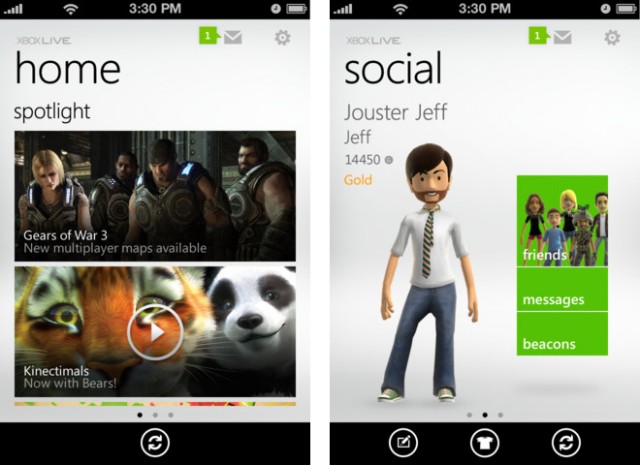
Microsoft has released its official iOS companion app for Xbox LIVE users. My Xbox LIVE is now available as a free download in the App Store for the iPhone, iPod touch, and iPad.
The new app allows users to interact with their Xbox LIVE accounts and talk to friends.
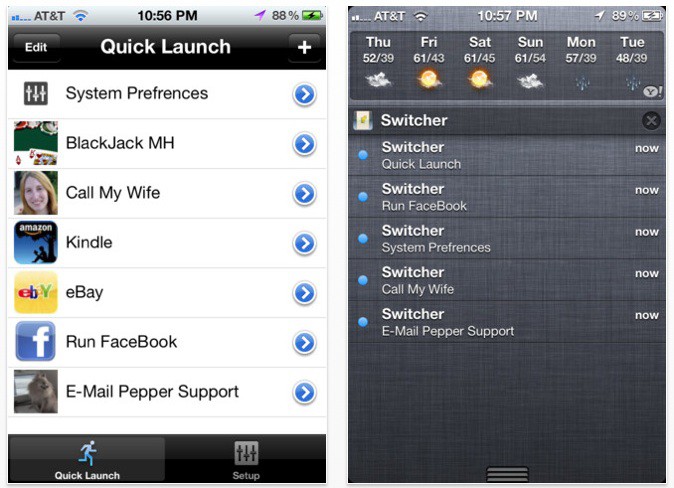
There’s a lot to like about iOS 5’s Notification Center, but unfortunately, it’s not nearly as configurable as it could (and perhaps should) be.
If you want to wring more power out of your Notification Center, though, we’ve got good news: there’s a really simple way to turn Notification Center into a quick launch bar for all your favorite settings and contacts. Even better? Unlike many Notification Center tweaks, there’s no jailbreak required.
Evernote has release two new apps for the iPhone today, named ‘Evernote Hello’ and ‘ Evernote Food’, that will help the forgetful record and remember the people they meet, and the food that they eat. Now you’ll never forget the name of that guy who gave a talk in last week’s meeting, or that awesome meal you had with your friends at the weekend.
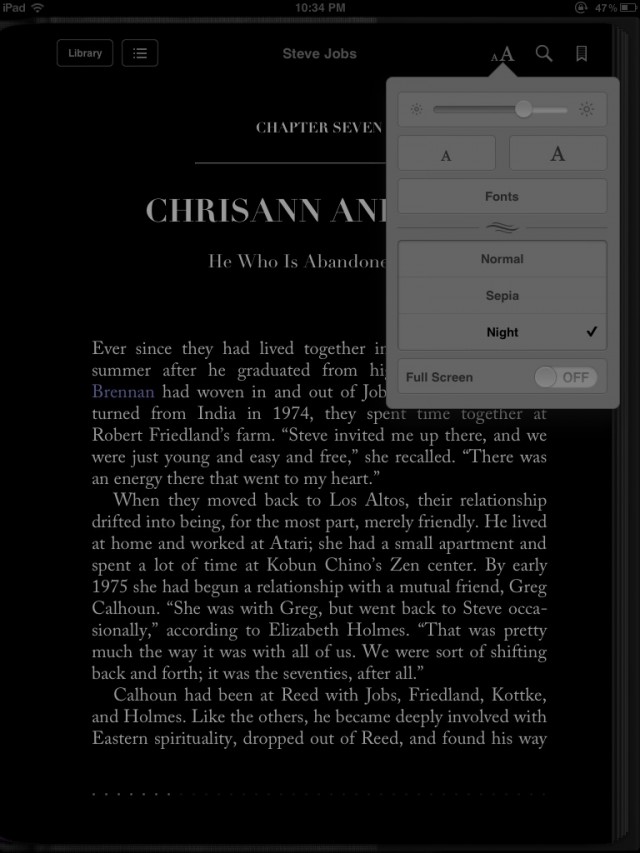
Apple has issued an update to its iBooks app on the iPhone, iPod touch, and iPad. Version 1.5 of iBooks brings two major additions: a nighttime reading theme and full-screen mode.
The update also brings several new fonts, more covers for public domain books, pop-up footnotes, and a redesigned annotation palette.
We eagerly waited for Mojang to release the much anticipated port of Minecraft for almost a year, and while we ended up loving Minecraft: Pocket Edition on its own merits, it was missing a lot of stuff from the desktop game, including crafting, monsters and more.
If you were disappointed by Minecraft: Pocket Edition, though, turn that frown upside down. A post on the official Mojang blog says that their future plans include bringing many of the desktop’s best features to the mobile edition.
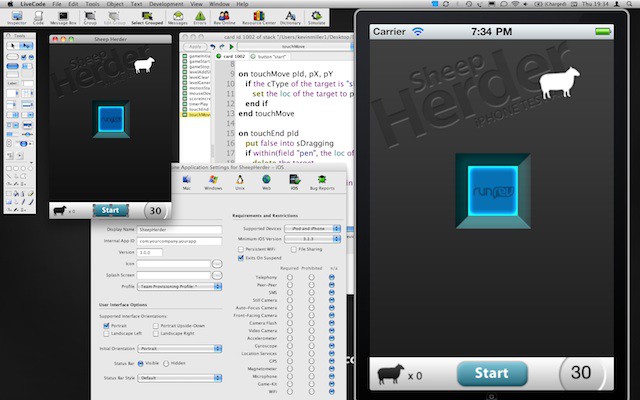
There are many other development tools available besides the free copy of Xcode that comes with every Mac. LiveCode 5 (starts at $99; $49 for upgrades), a development tool running on Mac OS X and other operating systems from RunRev, gets it inspiration from the programming language HyperTalk. It is designed with an intuitive user interface to make application development easier using a language that uses an understandable English-like syntax. You can use it to create your own iOS apps.