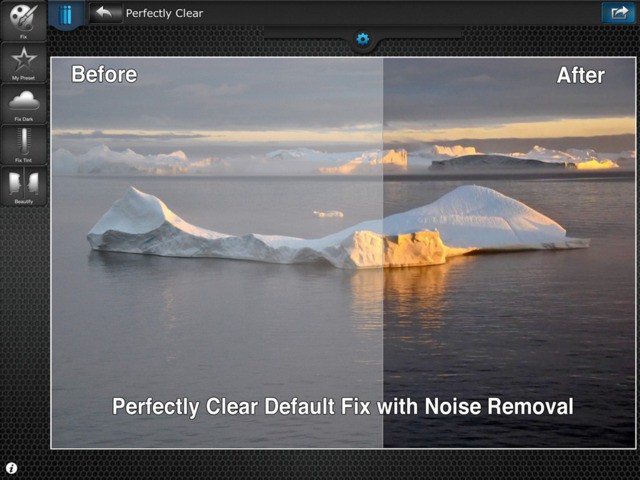
Purple Haze, is in my brain… Ah, sorry. Just singing a little Hendrix there. But — completely coincidentally — this next app brings purple haze correction to the iPhone. If you want to listen to Jimi Hendrix songs as if played on an un-amplified classical guitar, then this may be the app for you.
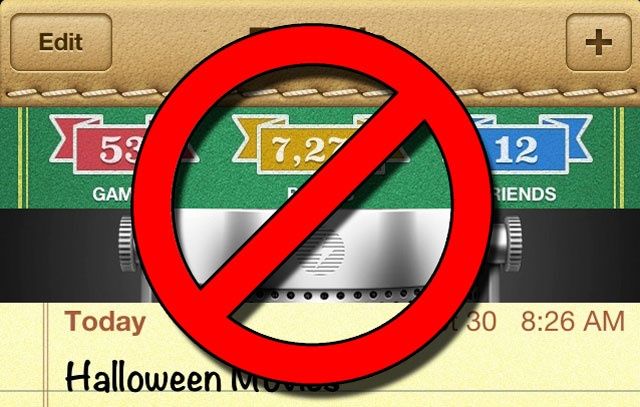
So long, Scott Forstall. Don't let your crappy skeuomorphic designs hit your ass on the way out.
Skeuomorphism, or the tendency to deliberately make something new look like something old and familiar. Some people love it, some people hate it and think it’s tacky.
No matter how you feel, his love for skeuomorphism is one of many reasons that former iOS chief Scott Forstall was fired yesterday. Replacing him is Apple’s Senior VP of Design, Jonathan Ive, who will lead a new Human Interface Group in Apple… and whom reportedly loathes skeuomorphism with every fiber of his being.
All that fake leather stitching, those hideous textures, those bizarre font choices in iOS’s stock apps? If Ive gets his way — and we think he will — they’re all about to change.
Here are the eight skeuomorphic apps in iOS 6 we hope Jony Ive is going to change in iOS 7, along with some third-party apps we hope he takes inspiration from.
If Rick Deckard had carried an iPhone in the movie Blade Runner, and he’d used a camera app, that app would have been BLUX. Not only is it a pretty great iPhone camera replacement app, but it has all the bleeps, bloops, on-screen graphics a futuristic sci-fi replicant could ask for. Hell, it even has a neat computer voice that offers photographic advice.
Squarespace, the slick website hosting company, has come up with an interesting take on Drafts-style fast note-taking apps. It’s called Squarespace Note, and it is pretty nice looking.
You know what’s neat about Apple ditching things like Street View from its Maps app? What’s neat is the vacuum which it left, and the apps which have rushed to fill it. WhatsGoLa might not be the first Street View app in the App Store, and it certainly isn’t the best named, but it might be the cutest.
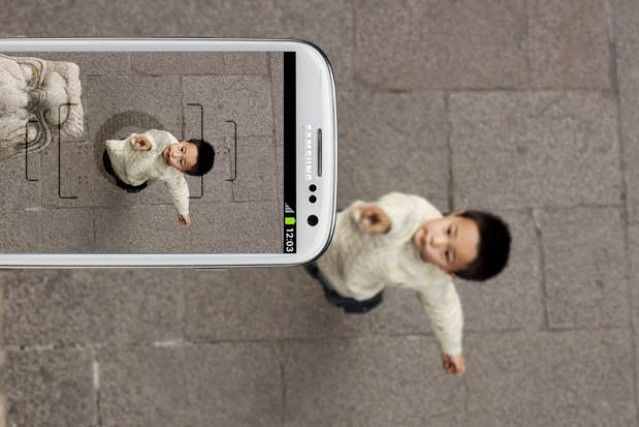
ThrowMeApp is a camera app which will magically turn your Android phone into something useful. The idea is that you keep your precious iPhone safe in your pocket and then toss your Android phone into the air as high as it will go.
The app then takes over, firing the shutter automatically and snapping an aerial shot of you. neat, right?
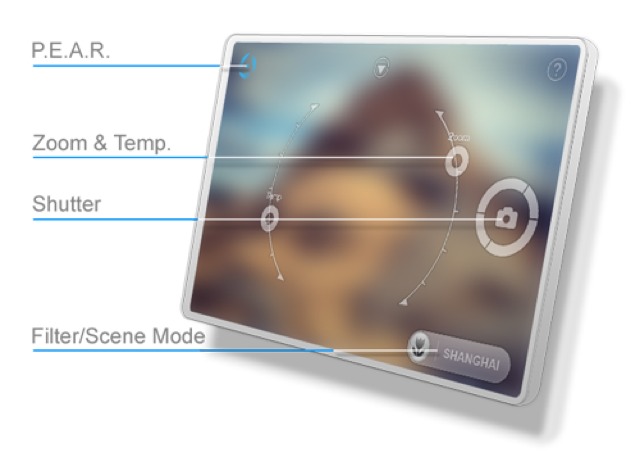
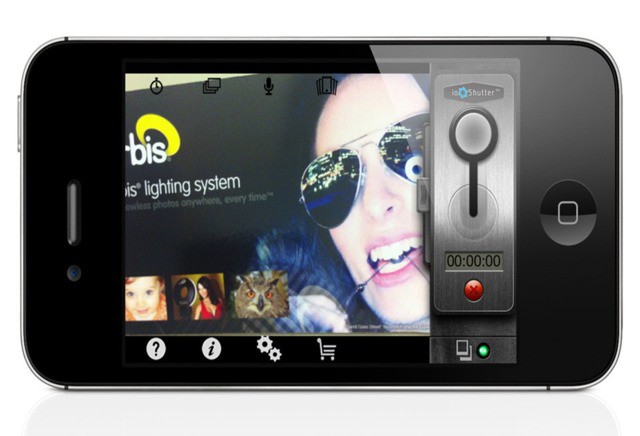
IoShutterCam is a neat, new take on iPhone camera apps. Instead of focusing (ahem) on adding filters to your images and sending them off to ever more social networking services, the new app instead concentrates on capture.
If you’re interested in time-lapse, triggering your shutter with sound, or many other neat shutter-tripping functions, then the $3 ioShutterCam is for you.
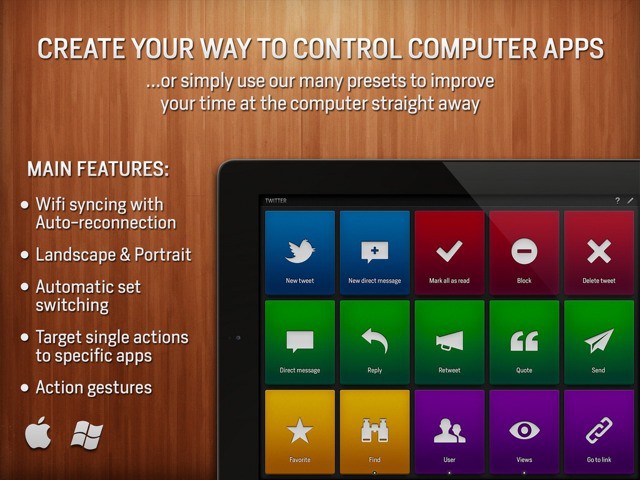
Actions turns your iPad into a remote control for your Mac. No, it’s not a VNC app which lets you project your desktop onto your tablet’s screen. Nor is it a media remote (although it can be). Instead, Actions lets you assign, uh, actions to easy-to-tap tiles on the iPad’s screen, and these actions are then performed on the Mac (or PC).
The short version: Actions lets you trigger Mac keyboard shortcuts from your iPad.
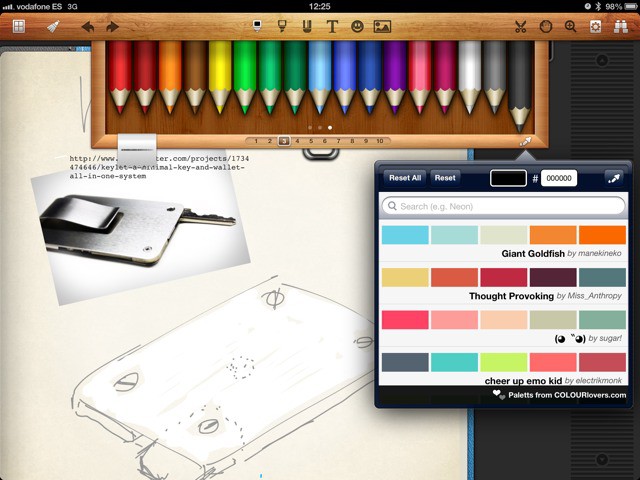
Noteshelf, the iPad’s best handwritten note-taking app, is now even better. V7.0 adds new pens, customs colors and support for pressure-sensitive styluses. If you already own Noteshelf, you likely already downloaded it with great excitement over the weekend. If not, what are you waiting for?
A wonderful new news app from Reuters kicks off this week’s must-have apps list, providing you with an “unprecedented photography experience” that allows you to immerse yourself in the biggest news stories from around the world. Also included in the roundup is a terrific app for making mobile websites from your iPhone, a new weather app, and more.
When the folks at Griffin were choosing a mythical creature for which to name their company1, they might have gone with Janus instead, to better reflect the schizophrenic nature of its offering: serious computer accessories vs. frivolous toys.
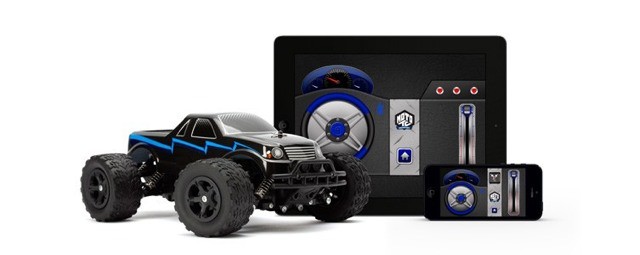
That’s not to say that the toys are bad. On the contrary, Griffin’s iOS-controlled choppers look amazing. And now they’re joined by these remote-controlled monster trucks.
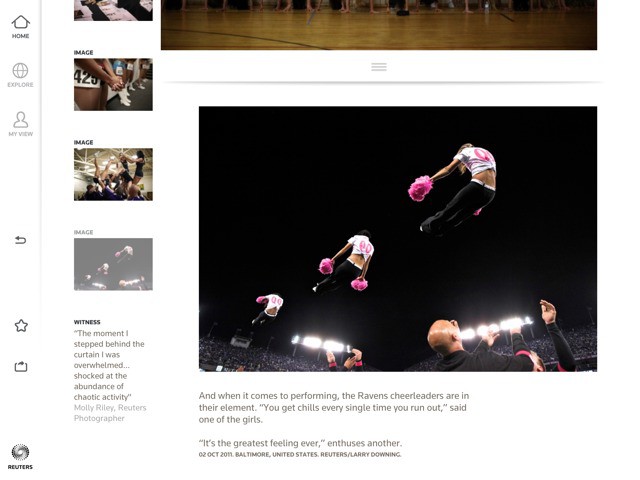
Reuters’ new iPad app is called The Wider Image, and it’s dedicated to showing off the news agency’s photographs. It’s free, and if you want to spend the next few hours lost in amazing photojournalism from around the world, whilst learning a bit about that same world, then go download it now.
If you have any idea what an ollie is, or a 50:50 grind, or a heel-flip (or — if you grew up in the 1980s, an acid drop or boneless), then you should buy True Skate right this minute. Seriously. I’ll wait.
Why? Because — despite some v1 limitations — True Skate is the closest you’re going to get to a dead-on skateboarding sim in 2012. The only things missing are the security guards to come and harass you, and bad fast food.
Although I’ve used a Mac exclusively since 2005, before that, I was a PC guy, which means I have lots of gauzy memories of halcyon days well-spent in front of a menagerie of beige boxes falling backwards in time through a decade of classic PC gaming, starting with the old 8-bit Ultima games and Nethack under DOS and continuing well into the Windows era with games like Grim Fandango, Half-Life, Planescape: Torment and System Shock 2.
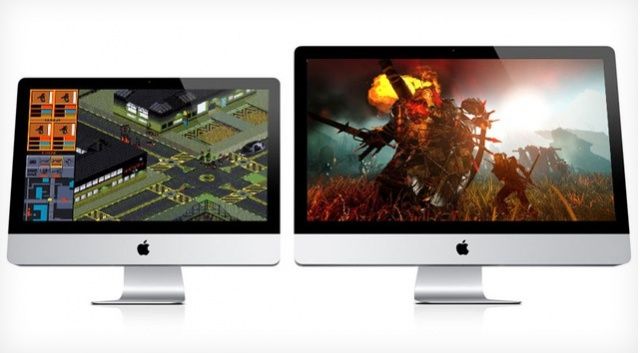
I love the Mac, but the one thing I miss about having a PC is easily playing classic PC games without loading them up in Boot Camp or Parallels. Luckily, it looks like that’s about to change, as GOG.com — a digital distributor of classic PC games updated to work on modern machines and distributed without DRM — is now releasing their titles to work on Mac.
Be-be, wo-wo, boo-bee. These are the kind of phrases a human being can only get away with uttering in public if still under the age of two. Fortunately, these are also the only words these underdeveloped fools can manage. There’s probably a lesson about ability vs. ambition hidden in there somewhere.
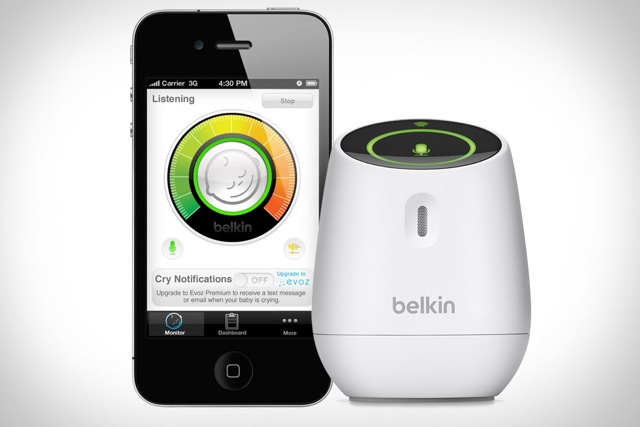
Which is to say that the Belkin Wemo baby monitor is probably the best-named baby monitor ever. Even your dumb infant can ask for it by name.
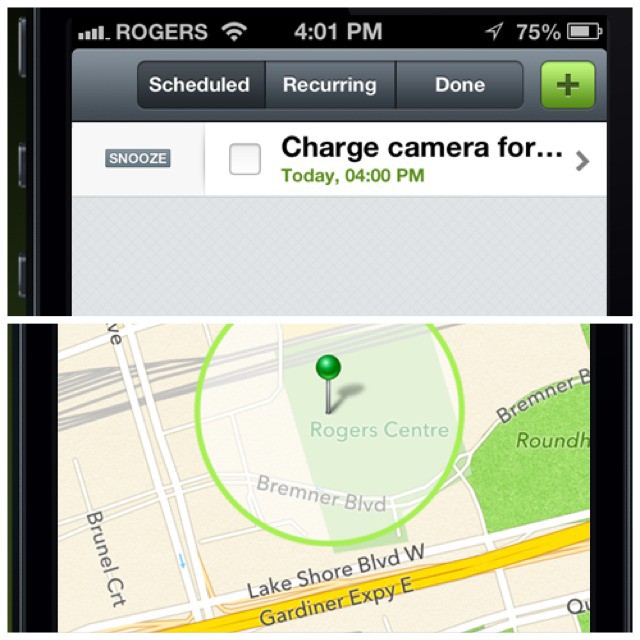
Checkmark, the supper-slick location-aware reminders app for the iPhone, has gotten a feature bump in its newest update that almost (almost!) makes it a new app.
And if you don’t already have Checkmark, then shame on you — the $2 app not only makes location-based reminders on your iPhone way easier and way better than the built in reminders, but it also works on your iPad.
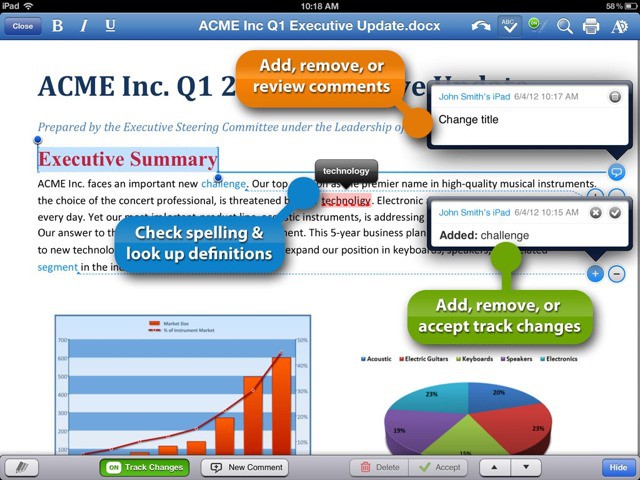
QuickOffice Pro HD — an app which takes not only its feature-set but its naming conventions from Microsoft Office — has gotten a big, big new feature. Now you can not only edit office documents, but you can track changes and comments in DOC and DOCX files.
Lawyers, editors, authors and anyone else forced to use office on the Mac or PC can now do their work from the bar or bus, as God intended.
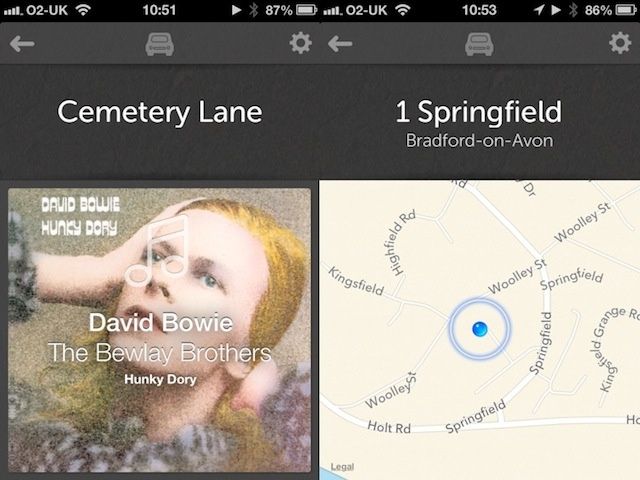
Drive is a tool for drivers who want to get basic tasks done on their phones with just a tap or a swipe, controlling your phone just as you’d control the other dashboard gadgets in your car.
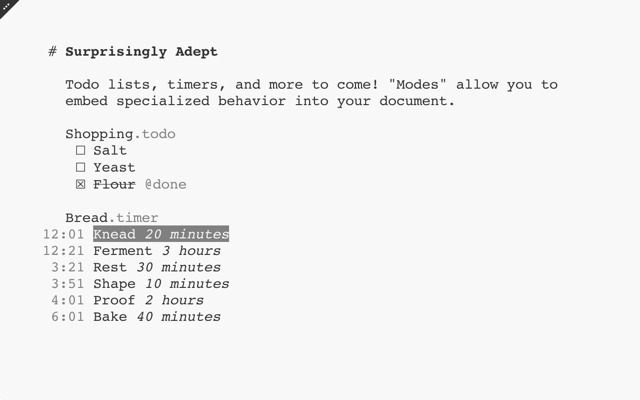
Plain text geeks, prepare for nerdgasm: Jesse Grosjean’s Folding Text app is out of beta and in the Mac App Store. Folding Text, as you may remember, is a Markdown-compatible plain text editor with special superpowers.
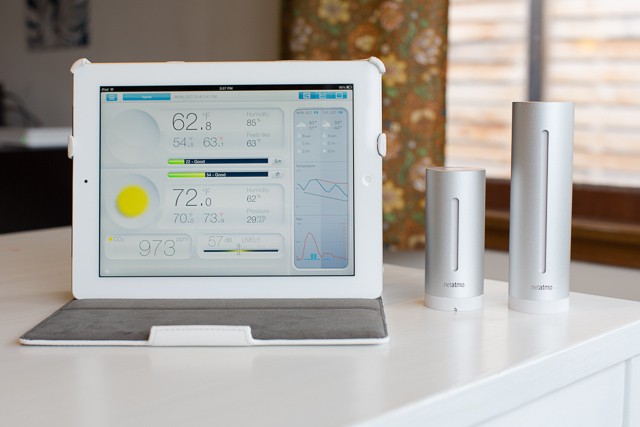
I’m a borderline weather geek. I don’t just like to know the temperature — both inside and out — I even keep a hydrometer in my home so I can keep tabs on the humidity, cause you know, that’s important.
So naturally, when I found out about the Netatmo Weather Station ($179), I was a little excited. With its indoor and outdoor weather modules, the Netatmo tracks a lot more than just the current temperature. Plus, unlike my crappy $5 hydrometer, it relays all its readings in a unified way, presented beautifully in an iOS app optimized for both my iPhone and iPad.
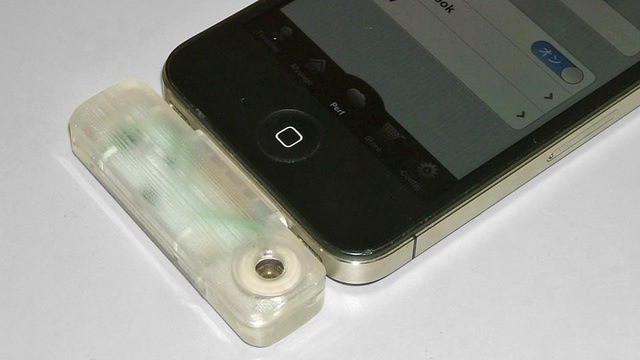
Imagine that you are chatting to somebody on your iPhone. Now imagine that — at the touch of a button — you can cause a fragrance to squirt from their iPhone and into their unsuspecting nostrils. Amazingly, there is a device which will make this nightmare scenario real, and — of course — it comes from Japan.
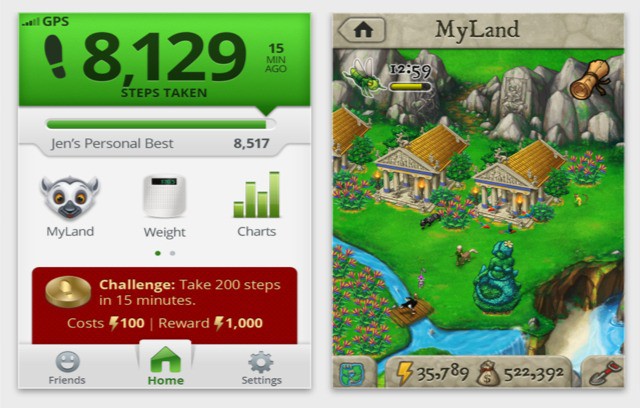
Been looking for an excuse to exercise? Then look no further than the App Store, for a new app from Striiv — the people who brought us the “smart pedometer” — will count your steps and turn them into gold. Virtual gold, that is. Metaphorical virtual gold. Whatever. Rewards?
In some fields, the iPad just isn’t suited to take over from a PC. And that’s cool, because it can still help out. Take pro-level Photoshopping, for example: without actions, multiple windows and keyboard shortcuts, no iPad app is going to be better than PS on OS X. But you can put your tablet net to your Mac and let them work together.
Today’s example: Colorotate, a color editing app for your iPad.
Like an app, only without all the pesky local storage requirements.
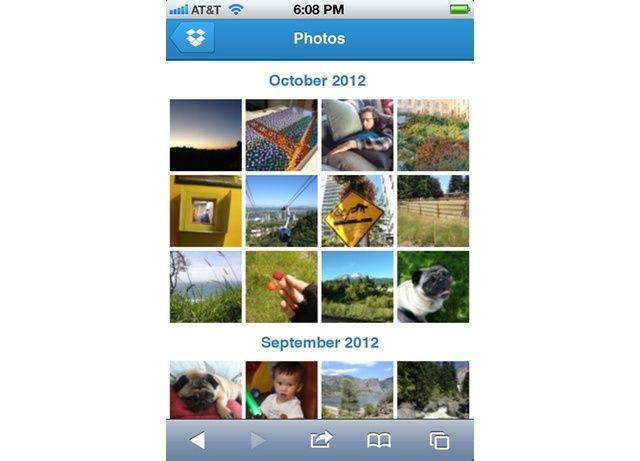
Dropbox photo-sharing just got a little more handy. Now, if you head over to Dropbox.com in Mobile Safari, you get a fantastic new mobile view which lets you swipe and tap your way through your photos.
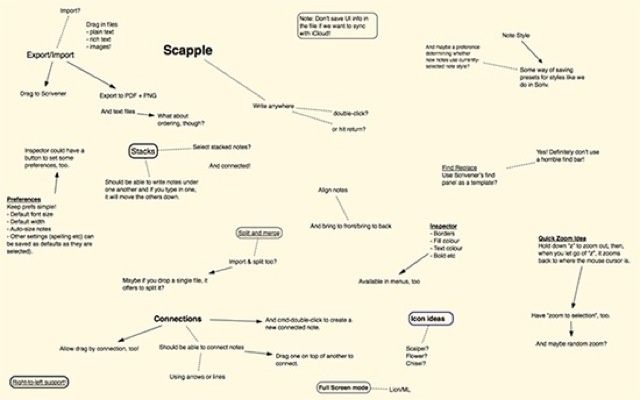
Scapple — a cross between scabs and Snapple? Thankfully not: Scapple is in fact a brand new (as in beta) mind-map app for writers. What’s that, you say? There are already a ton of mind-map apps out there? That’s true. But none of them comes from the developer of the awesome Scrivener.