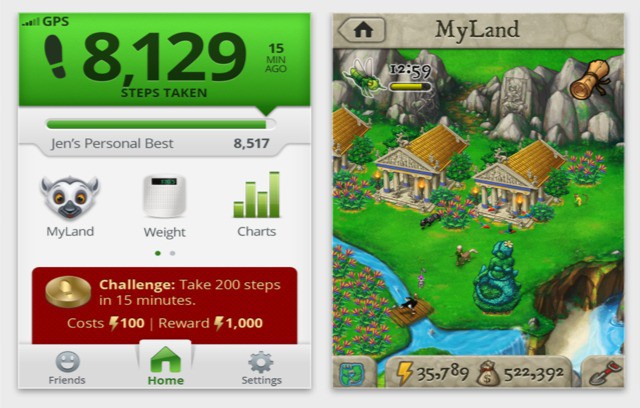
Been looking for an excuse to exercise? Then look no further than the App Store, for a new app from Striiv — the people who brought us the “smart pedometer” — will count your steps and turn them into gold. Virtual gold, that is. Metaphorical virtual gold. Whatever. Rewards?
In some fields, the iPad just isn’t suited to take over from a PC. And that’s cool, because it can still help out. Take pro-level Photoshopping, for example: without actions, multiple windows and keyboard shortcuts, no iPad app is going to be better than PS on OS X. But you can put your tablet net to your Mac and let them work together.
Today’s example: Colorotate, a color editing app for your iPad.
Like an app, only without all the pesky local storage requirements.
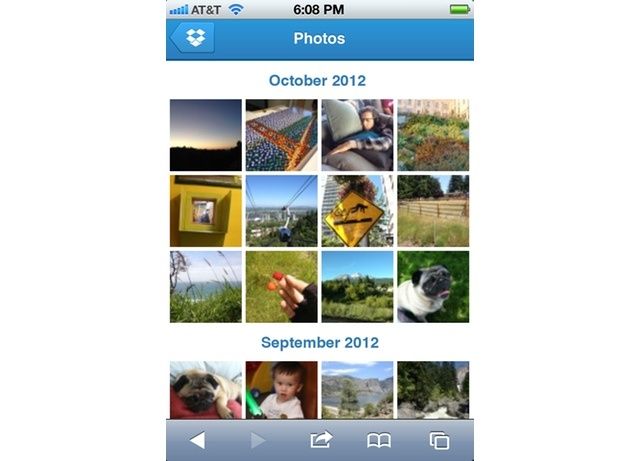
Dropbox photo-sharing just got a little more handy. Now, if you head over to Dropbox.com in Mobile Safari, you get a fantastic new mobile view which lets you swipe and tap your way through your photos.
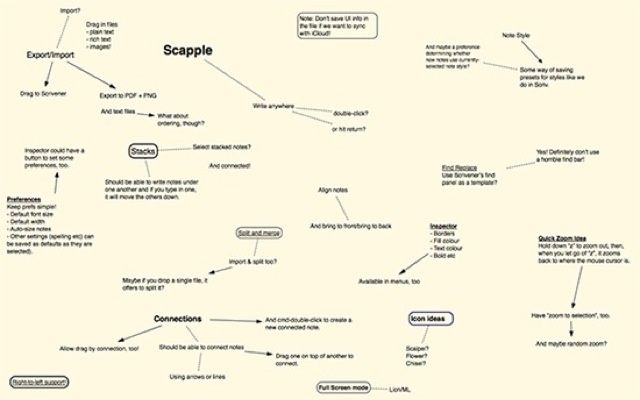
Scapple — a cross between scabs and Snapple? Thankfully not: Scapple is in fact a brand new (as in beta) mind-map app for writers. What’s that, you say? There are already a ton of mind-map apps out there? That’s true. But none of them comes from the developer of the awesome Scrivener.
Kicking off this week’s must-have apps roundup is a brand new Newsstand publication that’s “loosely about technology,” from Instapaper developer Marco Arment. We also have an awesome new email client that turns items in your inbox into tasks and to-dos, a great little iPhone app for remembering recommendations, the ultimate unarchiver, and more.
The Washington Post’s WP Politics app for the iPad is an excellent resource for anyone interested in United States politics. I spent a few days with this free app and found it to be an excellent tool for tracking and understanding the 2012 election season. While not without its flaws, this app does two critical things exceedingly well. First, it aggregates media and information from a broad range of sources into one tool. Whether you’re looking for the latest news about a particular candidate or economic data from years ago, it’s all here. Second, it organizes and contextualizes the information in a way that helps the casual user to understand it. It classifies news articles by genre, organizes Twitter feeds by source, and breaks candidates down by their stances on the issues. If you’re looking for an app to help you follow the upcoming election, or politics in general, look no further.
Go a GoPro HD Hero2? And an iPhone, iPad or (ahem) Android device? Then head over to the App Store right now, because — with a new free app — you can use one to control the other.
The SlingPlayer app for both Android and iOS has been discounted to $14.99 (50% off) after receiving a long-overdue update. SlingPlayer is one of the more expensive apps so grabbing it while it’s half-off is a must for anyone considering the purchase of a Slingbox. The SlingPlayer works in conjunction with a compatible Slingbox and smartphone or tablet, allowing users to watch live or recorded TV while on-the-go.
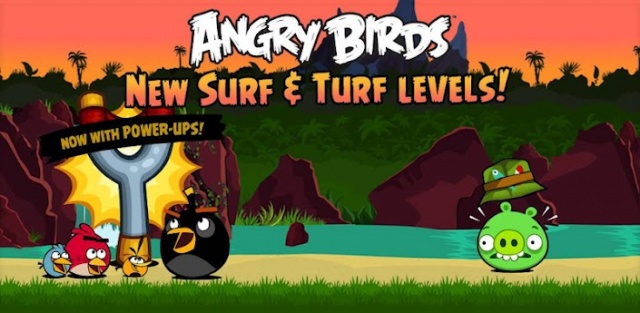
Sure, Rovio just announced its new Star Wars Angry Bird iteration, but they certainly haven’t forgotten about the OG Angry Birds that started it all. Today, Rovio has updated the original Angry Birds with a ton of new content. Chock full of new power-ups, this update includes 15 new Surf & Turf levels as well as 15 pig themed levels.
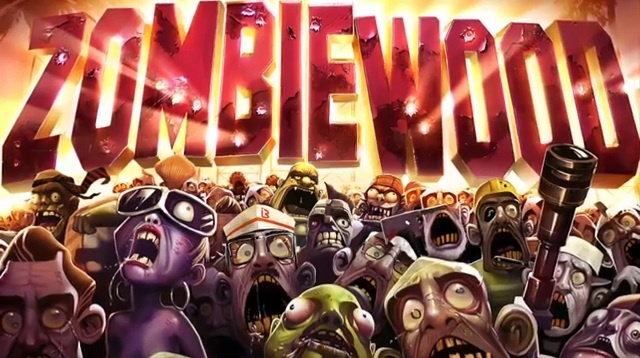
I hope you haven’t grown tired of dismembering the undead because Gameloft plans on unleashing another horde of zombies onto Android an iOS this Halloween. You’ll soon have the opportunity to play the part of Stuntman/Movie Star extraordinaire, aimed with ridding the entertainment capital of the world of walking corpses (and I’m not talking Joan Rivers). Arm yourself with weapons sporting wacky names like “Widow Maker” and the “Cyclops,” then annihilate anything without a pulse (pretty much all of Hollywood).
One of the things that was fantastic about vintage PCs is the way your hands never had to leave the keyboard: everything was just a command away. The graphic user interface first introduced to the world with the Macintosh is obviously a big step forward when it comes to general accessibility, pointing an onscreen at an object to click on it can often be a step backwards when it comes to speed for die-hard power users.
If that sounds like you, Shortcat is a new, free app that you should download which aims to bring the command line to the GUI.
You know how it is with iOS-enabled fitness trackers: they’re like busses. You wait around for ages, and then three (or more) all turn up at once.
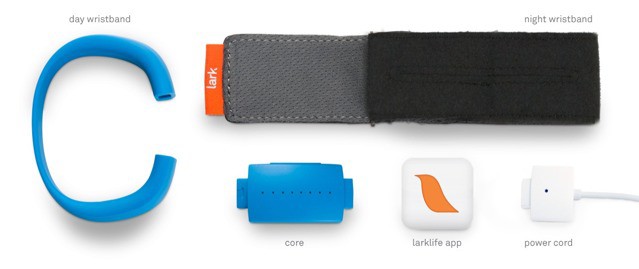
And the sweetest, cleanest-looking of those busses looks to be the Lark, a clever, wrist-mounted sensor which tracks your whole day, from daily exercise to nightly sleep.
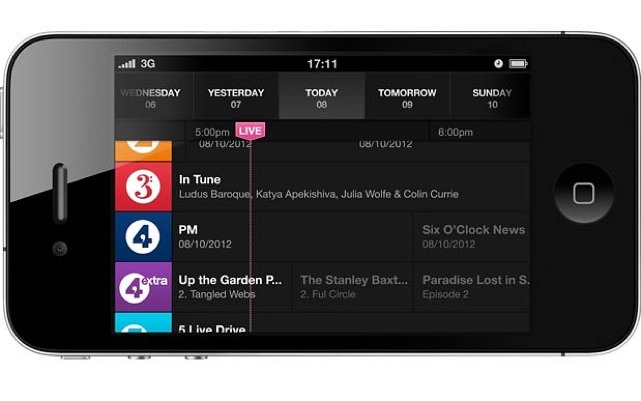
If you live in the UK, or if you know how to make your iPhone think that it’s in the UK, then you can now listen to BBC radio from a new dedicated app. It’s called iPlayer Radio, and it turns your high-tech, $700 pocket computer into a 1980s clock radio.
Well that didn’t take long. It’s only been three days since Rovio teased us with the possibility of an Angry Birds Star Wars game, and today, it’s official. Rovio has announced that they will be launching Angry Birds Star Wars worldwide on Novemeber 8th and a barrage of merchandise starting October 28th (in time to get your kids into Angry Birds Star Wars costumes).
The rocket scientist (yup, he kinda really is) behind last year’s dual-iPad Halloween trick is back at it again. Only this time, having the best Halloween costume in the neighborhood won’t require two iPads — just an iPhone (or Android phone), a special t-shirt and some duct tape. And the results are really, really cool.
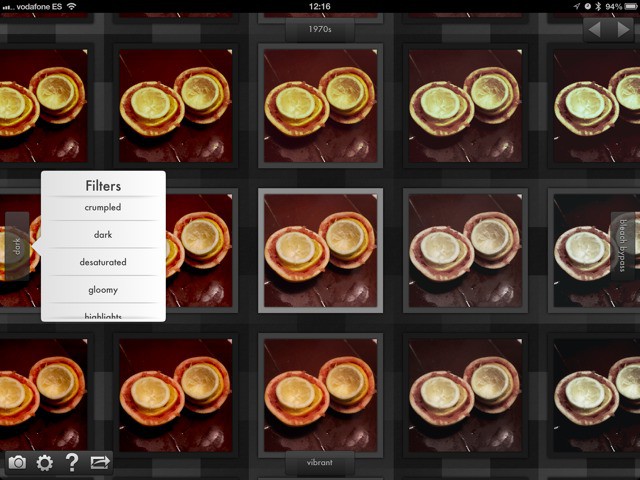
You know those old-style video demos which presented images as an endless wall, and your point of view was that of a tiny creature as the wall sped past you? Gridditor is that, only its also an iPad photo editing app.
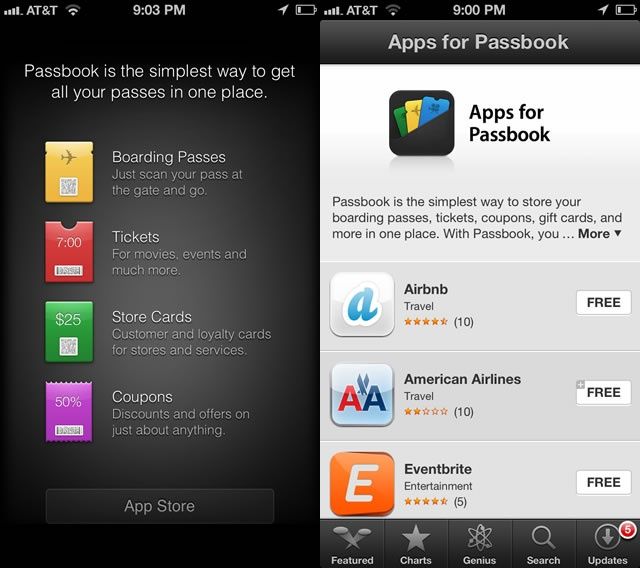
So, the wacky little app-thingy that we all wondered about in iOS 6, Passbook, seems like it’s starting to grow up a bit. Now, when you tap the App Store button in the Passbook App, the new “Apps for Passbook” section of the iTunes App Store, only available via your iPhone running iOS, has quite a few new apps available.
After 30 years (and a mountain of quarters), SEGA has unleashed the next chapter of the hit classic Zaxxon. Now that you’ve defeated the evil Zaxxon, it’s time to shoot and tilt your way past Zaxxon’s evil army as you try to escape the collapsing asteroid base. This modern sequel to an everlasting classic features:
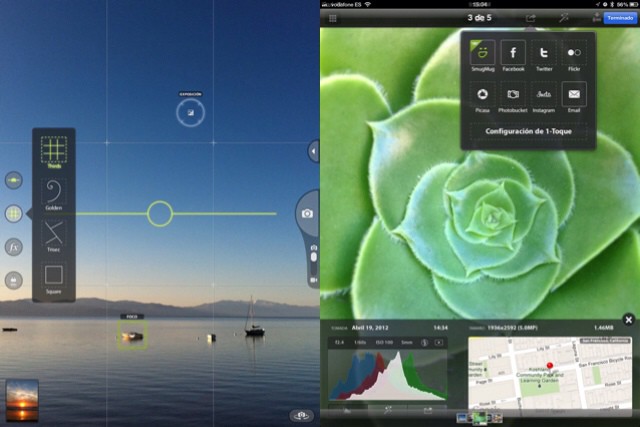
Camera Awesome, the iPhone camera app that actually is pretty awesome, has been update to support the iPad. Better, it’s now a Universal app, which means that if you already own the iPhone version, this one now works on your iPad, too, for no extra charge. Actually, even for new customers the app is free.
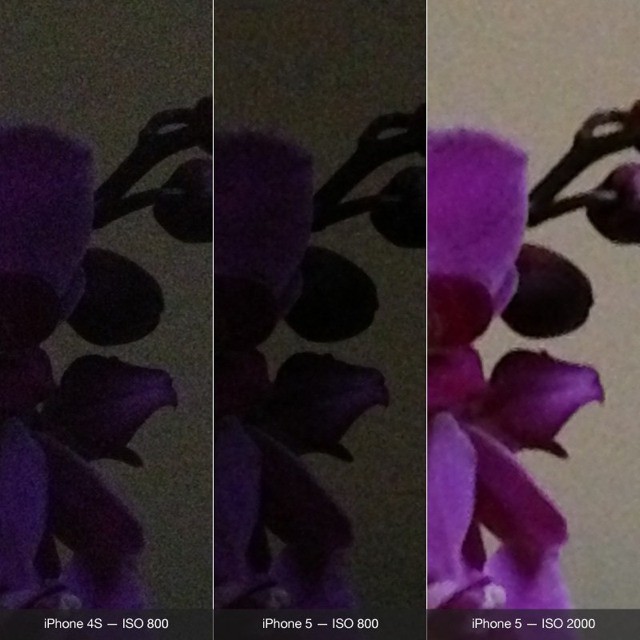
Photo app Camera+ has been updated to take advantage of the iPhone 5’s new low light boost mode. This feature is new to the iPhone 5, comes enabled automatically in Apple’s camera app, and is available to third party developers as an option.
Camera+ is the first non-Apple app to incorporate it.
Missing Street View on your iPad? Good news: Google has enabled it in Mobile Safari, letting you check out street-level detail from your iOS device, right there in the browser.
Hoops fans rejoice, 2K’s NBA 2K13 has dribbled down from its prime-time launch to embrace our mobile devices. One of the most successful NBA video game franchises creates another slam dunk with its impressive game simulation, amazing graphics, and intuitive One-Finger controls. Head fake your way to a winning season while breaking ankles with your wicked crossovers. If there’s any hoops game to pick up for your mobile device, it’s this one.
My sense of proportion has been hopelessly corrupted by a lifetime of telling girls that six centimeters is actually six inches, so I’m very excited by the prospect of an app that can tell me the size of something just by taking a photo of it.
That app is called CamRuler, and it works by comparing the size of an unknown object to that of a known object. If you ever put a coin or a small model dinosaur into a photo to help show scale, then you already know how it works.
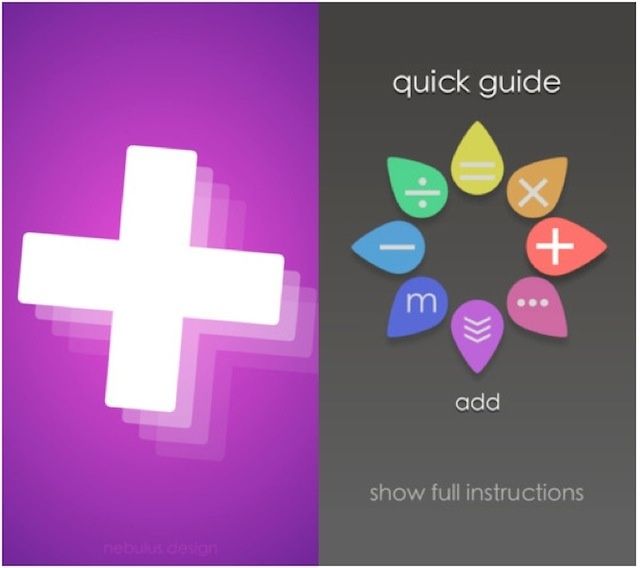
Adding up goes this way, and taking away goes that way
Sums is a gesture-based calculator for iOS, and whether you like it will, I suspect, largely depend on how much you’re already accustomed to using traditional calculators.
It’s pretty much an open secret that I can’t stand Twitter, and about the only thing I really like about Facebook is photo sharing, so I really love Instagram. In many ways, it’s against my better instincts, since I’ve always hated the romanticizing of Polaroid and other low-grade cameras of the 1970s by millennial hipsters… a romanticizing Instagram is pretty much built around.
But Instagram’s a lot more than that, and I think this video by Casey Neistat nicely illustrates why: regardless of what filters you use, Instagram is about sharing your life openly, honestly and without being disingenuous. While Twitter is all bluster and sanctimony, and Facebook is all mindless affirmation, Instagram at its best is about sharing the essence of your life.
There are also some great tips in Casey’s video on how to not be an annoying jackass on Instagram, so that helps too. If you love Instagram, check it out.