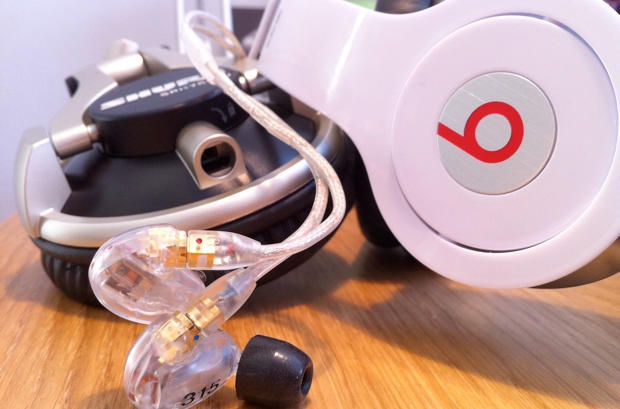
Finding a decent set of headphones or earbuds that doesn’t cost the earth has always been a challenge. You either have to sacrifice on quality to fit your budget, or re-mortgage your house to find that ‘perfect’ sound.
With a maximum budget of $300, I set out to see how much sound you can get for your money at this mid- to high-level.
There is a great video of Steve Jobs giving an interview to 60 Minutes in which he states – rather boldly – that the problem with Microsoft is that they “simply have no taste.” He goes on to say that the Windows firm has “no originality” and “no culture infused into products.”
Cheap Chinese knockoffs of the iPhone 4 are a dime-a-dozen, but this new handset runs Android 2.1, Google’s ever-improving mobile OS.
It’s actually a dual-boot phone. It also runs Windows Mobile 6.5 (yuck!). It has a 3.6-inch capacitive touch-screen with multi-touch controls. It comes with 512MB of RAM and includes a 5 megapixel camera with auto-focus.
It costs about $257, which is a bargain. It might be worth looking for one of these on eBay. The ability to run Android is a game-changer for knockoffs. For the first time, the software won’t totally suck.
Universities across the U.S. are arming students with iPads, so it only makes sense that one school would teach them how best to use it.
Central Michigan University created a pilot course on iPad literacy to make sure they’re getting the most out of it.
What’s in the iPad course curriculum? Business uses for social networking, using the GPS device, making presentations with the Blackboard app — and a presentation from a lawyer about software and music copyright.
Macs are solid machines, but (like many of us) they have a tendency to slow down and get more lethargic over time. Launching and switching programs takes longer, the dreaded Spinning Beach Ball appears more often, and soon even simple tasks become arduous. What’s going on?
Many things can decrease performance, but several culprits are common: not enough disk space, not enough RAM, and running too many apps at once. I see these in my consulting business regularly.
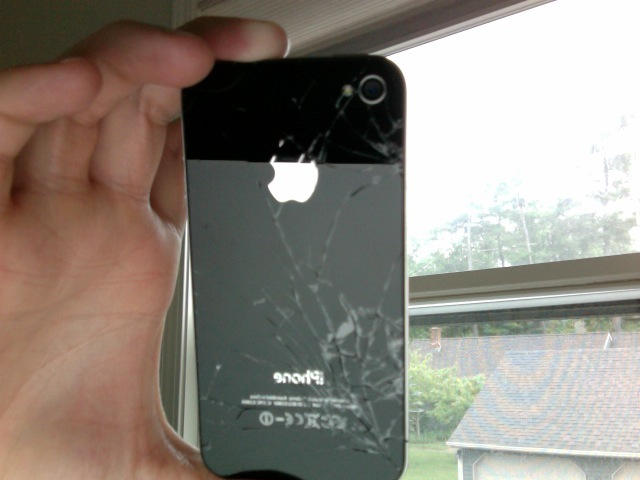
Slide-on cases may be causing big problems for the iPhone 4, GDGT reports. It seems grit and other particles can become trapped between the case and the iPhone 4’s glass back, causing scratches, cracks and even shattering the glass. According to sources inside and outside the company, Apple has locked-down a team of engineers to investigate the problem before it turns into another PR disaster like Antennagate.
It’s unclear, however, how widespread this problem is. Or even if it is a problem. I have an iPhone 4 and have used several slide-on cases. I haven’t had issues with scratching or trapped dirt.
So, please help us, is this problem? Don’t forget, this is specifically about scratches caused by slide-on cases — not scratches in general.
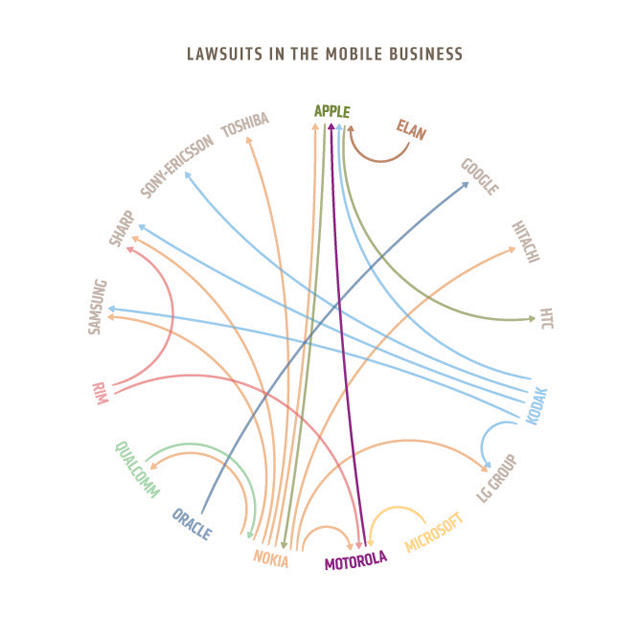
The file cabinets of mobile companies are always filled with patents, but it’s only recently they have started going to war over them. Before 2007, in fact, most patent disputes were handled behind closed doors with smiles and handshakes. Then the iPhone came along, and all of a sudden, it was sue or die.
Motorola’s the latest company to launch into the smartphone patent lawsuit fray, lodging
a series of patent infringement complaints against Apple in both Northern Illinois and Southern Florida federal district courts, as well as asking the International Trade Commission to ban Apple from importing, marketing or selling all iOS devices, as well as some Mac products. They’re out for blood.
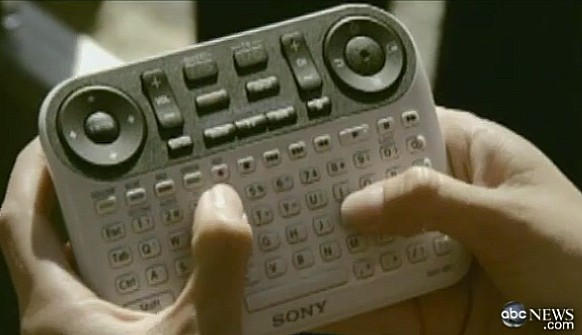
Hello readers. Look at this remote. Now at your hands. Now back to the remote. Now back to your hands.
Maybe it’s a joke. Maybe it’s a clever ruse. Maybe it’s a prototype. Maybe it’s clever CGI like they used for Gollum. I have no idea. But the picture here (sourced from Engadget) is supposedly the remote control shipping with Sony’s TVs that have Google TV integrated inside. It is, in a word, a monstrosity (my friend MG said it best, “My God, it’s full of buttons!”).
Here are all the things wrong with it, in a nutshell:
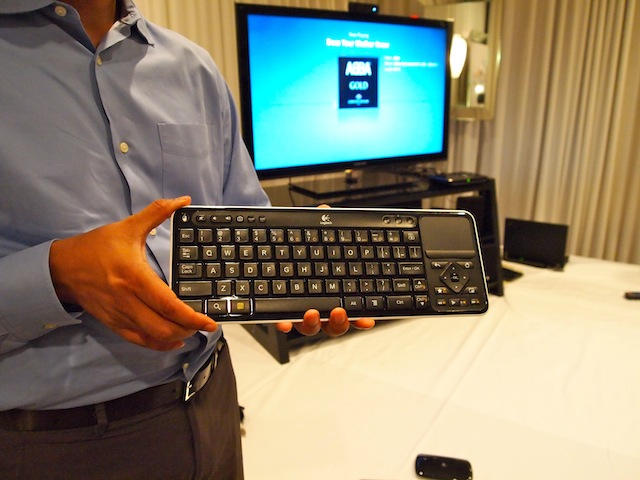
This is the controller for Logitech's Revue Google TV box. Minimalist it is not.
SAN FRANCISCO: Google is not to be underestimated, but sitting here watching a demo of the first Google TV, I’m not sure it has mainstream appeal.
Built by Logitech and running Google’s Android software, the Logitech Revue Google TV has definite geek appeal. It does everything: the $299 box connects to satellite and cable TV, compatible DVRs and Web video, as well as other online multimedia. You can search for content using your voice and control it with a smartphone. It has apps, HD videoconferencing, and functions as a universal Harmony remote, controlling all your home theater devices. (For a detailed breakdown of how it compares to Apple TV, see here)
But there’s no way my mother will go for it.
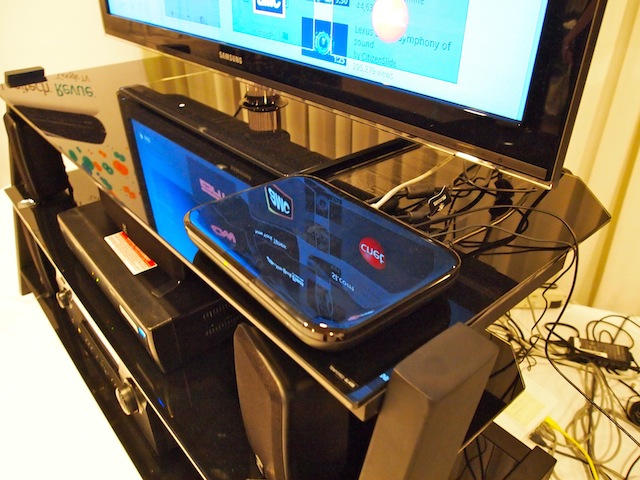
The hardware of Logitech's Revue Google TV box looks good and capable, but search isn't a good UI paradigm for TV. There's too much crap to sift through.
I spend a lot of time at Starbucks using my iPad. It has been interesting to see the evolution of questions and comments I get from strangers waiting for their lattes. (This is one of the disadvantages of using an iPad in public. People interrupt you.)
For the first month or two, I got a lot of questions like “Is that an iPad?” and “How do you like it?” Gradually, questions about the wireless keyboard have become more common. I’m often surprised by how many people don’t realize that you can use an iPad with a keyboard.
But most people who come up to me at Starbucks really want to know: “What would I really use it for?” I can see they want one. They know it’s the new hotness. They’ve heard everybody talking about it. They just don’t know what it’s for.
It only took hours for the iPhone Dev Team to successfully jailbreak the newest AppleTV through the SHAtter exploit once it slid through their front mail slot, which should at the very least open the door to hacks like native 1080p playback and which might — fingers crossed — allow the new AppleTV to run apps.
But how hard is it going to be to install and execute user apps on the new AppleTV once the jailbreak has been officially released?
iPhone hacker Steven Troughton-Smith has done some homework and there’s good news and bad news. On the one hand, he has confirmed that you can actually install applications to the AppleTV already. The bad news? There’s no way to launch them once they’re on the device.
Back in the flower of my youth, I took a job at the local mall working as a minimum-wage cashier at a discount clothing outlet permeated with the distinct smell of moth balls. It was awful. My boss had a greasy pencil moustache and a lazy eye and was overly complimentary about the softness of my hands; my only customers were antique, gum-sucking grannies buying pre-soiled brassieres and underpants by the carriage full.
Meanwhile, across the way, my friend Josh had landed himself a job in a posh clothing boutique aimed largely at girls in their late teens and early twenties. It being summer, there seemed always to be a bikini sale going on, and I can’t even count the hours I spent watching him through the greasy yellow plate glass of my work store window, encouraging the buxom and spritely clientele — freshly emerged from the changing rooms in some impossibly flosslike two-piece to show off to their friends — to take a bounce on the complimentary trampolines that had been installed around the show floor. It was enough to make an undersexed teenage boy spill a vein in sheer impotent jealousy.
This memory came flooding back to me when I first saw the picture above of the Mall of America’s new Microsoft Store, which is currently under construction directly across from the Apple Store.
Although I never end up using it unless I happen to browse music on my iPhone in a supine position, by most accounts, people love Cover Flow, Apple’s virtual shelf for iTunes on the Mac and iOS that displays albums by their cover art (or, in OS X, by its preview image). A nice flourish, but not particularly functional for dealing with large collections, I’ve always thought. Not really worth it.
You have to wonder if Apple isn’t wondering the same thing this morning, after an East Texas Federal Court passed down a ruling saying that Apple has infringed on patents held by Mirror Worlds, a company started by Yale computer science professor and, tragically, Unabomber victim David Gelernter… and been commanded by the court to pay $208.5 million in damages for the transgression.
The iPad is set to become the fastest selling consumer electronics product in history, with initial sales running at three times that of the current record holder: the DVD player.
“The iPad did not seem destined to be a runaway product success straight out of the box,” retail analyst Colin McGranahan of Bernstein Research wrote in an investors’ note. “By any account, the iPad is a runaway success of unprecedented proportion.”
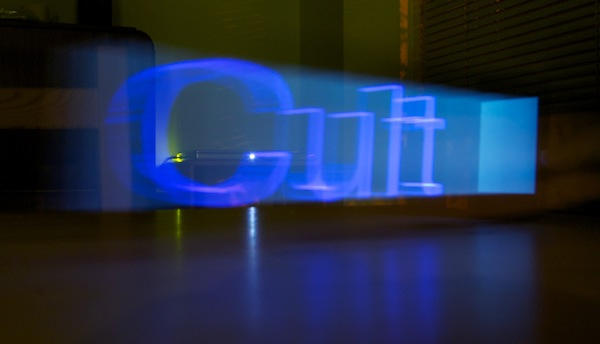
Remember this video from a week or so ago? It was made by the people at London’s BERG studio for people at advertising agency Dentsu, as part of a wider project called “Making Future Magic”.
BERG hit on the idea of breaking words and pictures into slices which are displayed on an iPad screen one at a time. If you capture this display with a long exposure on your camera, you get 3D words and images extruded into thin air.
And now the rest of us can join in the fun, with a $1 app for iPhone and iPad, called Holo-Paint.
I’m beginning to wonder about people these days. We all seem preoccupied about the various ways we can destroy our beloved electronic devices. Devices that are not exactly cheap either.
I’ve seen three interesting ways to destroy an iPhone 4 by blending, microwaving, or shooting it. Now I’m seeing interesting ways that an iPad can be destroyed.
The first example was proof that the iPad doesn’t make a very good fly swatter, since it rates about one kill per iPad. Or is that one killed iPad per swat? Regardless it has been shown that swatting flies is one way to destroy an iPad.
Now someone has found another way to destroy an iPad — a shotgun.
FreeTaxUSA posted the YouTube video above with the claim that “Paying too much for tax preparation is a lot like…throwing money away. ” The video demonstrates what happens to an iPad that has been shot with a shotgun in time lapsed and real-time video photography.
I think shooting your iPad with a shotgun is another good example of throwing money away. So, I don’t know about you, but I’m not planning on trying this one out at home.
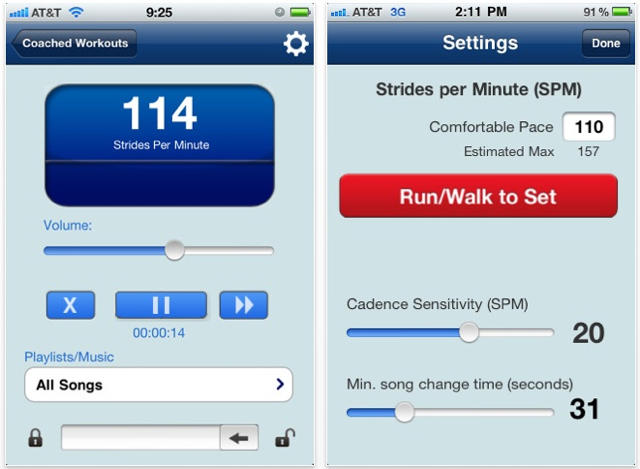
I gave up running a long time ago, when I realized that, well, bicycles were just plain faster. But if I were to start running again, an app that figured out my pace and looked through my library for music with a beat that matched might be a pretty cool running partner.
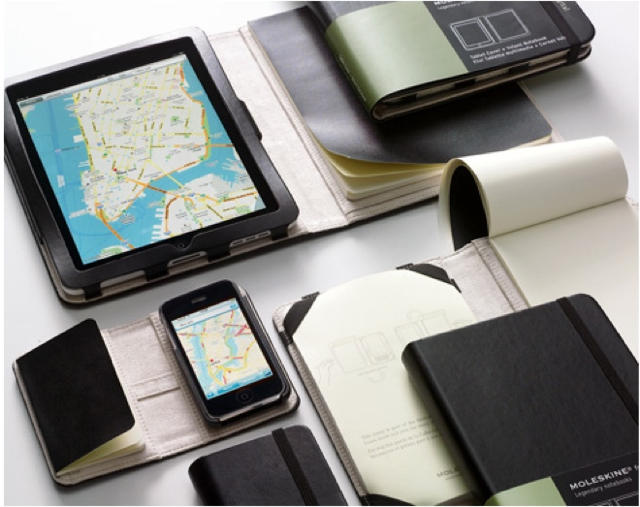
Finally! After years spent missing a gold opportunity as geeks everywhere scraped out the guts of their own pocket notebooks in order to protectively ensconce their iPhones or purchased knock-off simulacrums like the Dodocase, Moleskine has finally come up with its own set of iOS device cases, allowing you to officially disguise your iPhone or iPad as one of the “legendary notebooks” favored by “Picasso, Chatwin and Van Gogh.”
The only problem is that Moleskine seems to have retained the notebook functionality of their cases, making these awkwardly shaped and conceived. Open any of these cases to use your iOS device and you’re going to be dealing with an irritating sheath of pages fluttering around. It’s bulky and it’s awkward.
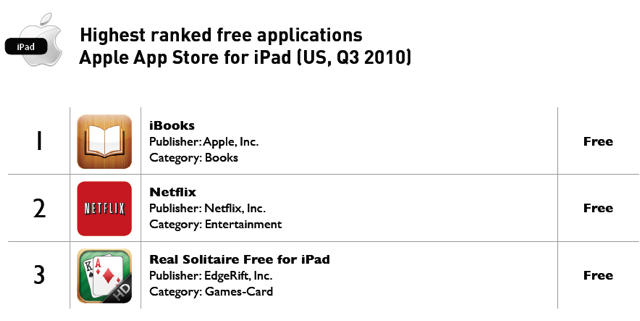
Another sign that Kindle should beware: iBooks is the most popular free application for the iPad and iPhone.
According to Distimo, a start-up that analyzes app stats, iBooks has made the top ten list of free apps available on iTunes from July to September. This constant hovering in the most popular category is a ranking Distimo believes may be “influenced by the fact that Apple pushes this application to iPad users.”
Games are still less popular on the iPad than the iPhone, Distimo notes. In the Q2 version of the report, half of the top ten paid iPad apps were “productivity tools” like note taker app Penultimate and presentation app Keynote. In the Q3 report, the trend continues: there is still just one game — old school classic RealSolitaire — among the ten most popular free applications for iPad, compared to four in the Apple App Store for iPhone.
Hot on the heels of the new Apple TV , Google is launching its own set-top box next week.
Made by Logitech, the Android-based will be unveiled next Wednesday October 6 at press events in San Francisco and New York (see the invite below).
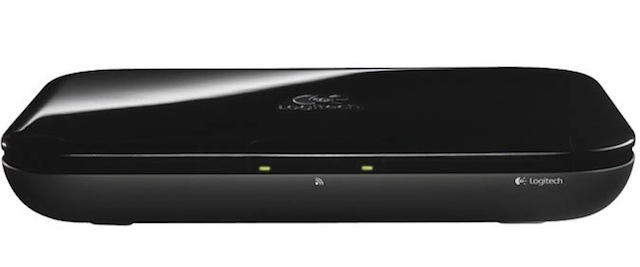
Like Apple’s device, the Google TV is black, although it’s quite a bit larger than Apple’s diminutive box (see David’s photos comparing it to the old Apple TV). The Google TV will run on a 1.2-GHz Atom processor with 4 GB memory, 802.11n Wi-Fi, two HDMI-out ports, Dolby 5.1 surround sound and a pair of USB ports. It will also offer video-chat at 720p if you connect a webcam.
It promises an innovative search-based interface. Search for what you want, and it displays content from the Web, cable, satellite and compatible DVRs. Here’s a trailer showing how it works:
The inclusion of an A4 chip and iOS in the new AppleTV made a jailbreak only a matter of time, but even we’re surprised by the Dev Team’s lightning-speed alacrity in cracking open Apple’s latest set-top box within mere hours of its delivery.
Just fives hours ago, Dev Team member MuscleNerd reported on his Twitter feed that he’d successfully jailbroken the second-generation AppleTV through the existing SHAtter exploit.
Just a friendly reminder: if you fancy a free case or bumper for your iPhone 4, today is your last day that Uncle Steve is going to make it easy for you to get one.
Yup. Today, September 30th, is the day that Apple’s free iPhone 4 case program comes to a close, making getting a bumper to wrap around your attenuation-prone iPhone 4 antenna as easy as downloading an app and waiting (quite) a few weeks delivery.
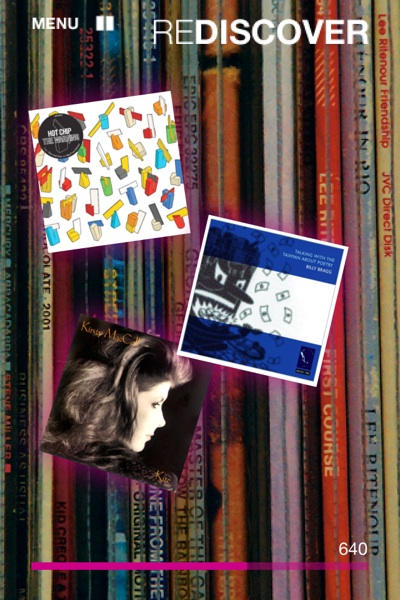
This is ace. This is today’s Best Thing Ever. It’s called Revinyl, and it’s a one-dollar app that turns your music collection into a quiz that you can play on your own or with friends.
In “Rediscover” mode, the app will play you short snippets from songs, and show you a selection of album art. Pick the correct album – then name the song or the artist for bonus points. All against the clock, of course.