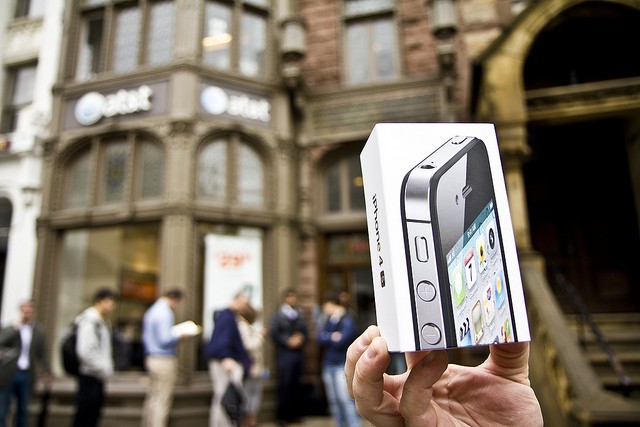
AT&T announced Friday, October 14 that it saw a record number of iPhone activations on its network. The iPhone 4S was made available to US customers on AT&T, Verizon, and Sprint this morning.
“As of 4:30 pm ET today, AT&T had already activated a record number of iPhones on our network – and is on-track to double our previous record for activations on a single day.
These record volumes may produce slower activations for some customers, though our systems continue to run at record levels.”
UPDATE: AT&T denies it has activation problems. A spokesperson just sent us the following statement:
We had our most successful iPhone launch with more than 200,000 preorders placed in the first 12 hours last week. As customers are receiving their devices – and more are buying in our stores – we’re seeing completed activations across our servers and are moving requests through as quickly as possible. We’re not seeing any widespread delays at this time, though customers may experience minor wait times as more devices are activated.
AT&T’s activation servers have melted down, according to a tip we just got from an Apple store employee.
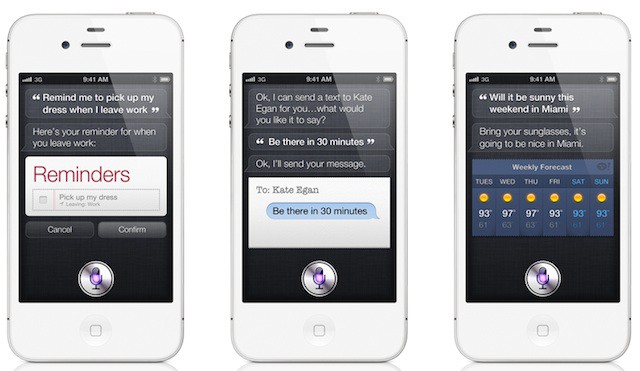
One of the most appealing things about Apple’s new iPhone 4S, in addition to that dual-core A5 processor and 8-megapixel camera, is the incredibly impressive Siri assistant. It makes its debut on the new iPhone, and isn’t available on any other device right now. In Apple’s promotional videos, Siri is incredibly impressive and it’s amazed us all, but if you’re outside the United States, Siri may be a disappointment to you.
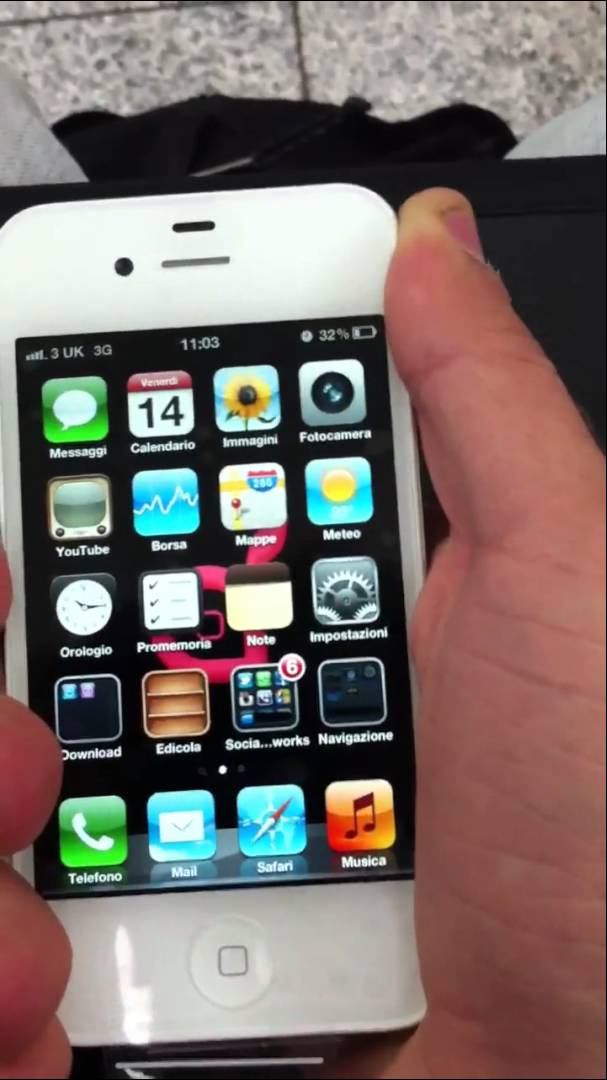
Let’s put Antennagate behind us: the new iPhone 4S finally eliminates Death Grip issues once and for all, at least according to iSpazio. Having moved over to a dual antenna design, the iPhone 4S shouldn’t plague anyone with dropped calls just because you “held it the wrong way.”
Looking at our iPhone 4S, it does seem like attenuation has drastically been improved with the new model. What about you? Can you get your iPhone 4S to drop its signal just by holding it the wrong way? Let us know in the comments.
Following months and months of speculation, Apple’s iPhone 4S has finally been launched in the U.S. today, and is now available to through carriers AT&T, Verizon and Sprint, as well as a number of U.S. retailers such as Best Buy, Wal-Mart, and, of course, Apple.
The past few weeks have seen the passing of a number of computing giants. The world learned this week that Dennis Ritchie, the computer scientist who helped create the UNIX operating system and C programming language, passed away at the age of 70. This software was the progenitor of much of modern computing, including Mac OS X and iOS, and was born (ironically) out of the need to play computer games!
Londoners who can’t wait to get their hands on the new iPhone 4S have been forming huge queues outside of Apple’s Covent Garden and Regent Street retail stores this morning, hoping to get their hands on the latest device before they’re all gone. Here’s a few snaps from the U.K. stores.
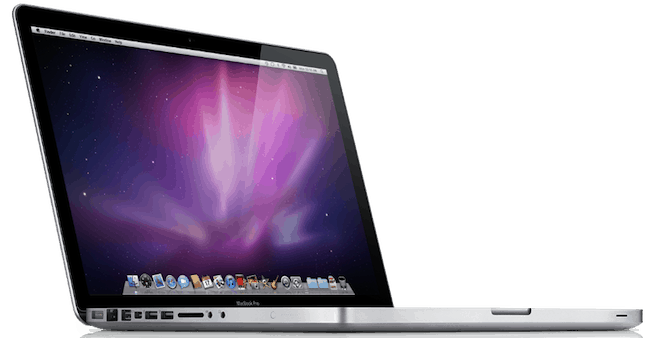
In the market for a new MacBook Pro? Updated models are coming, with all MacBook Pro models tightly constrained, including the 13-inch, 15-inch and 17-inch models.
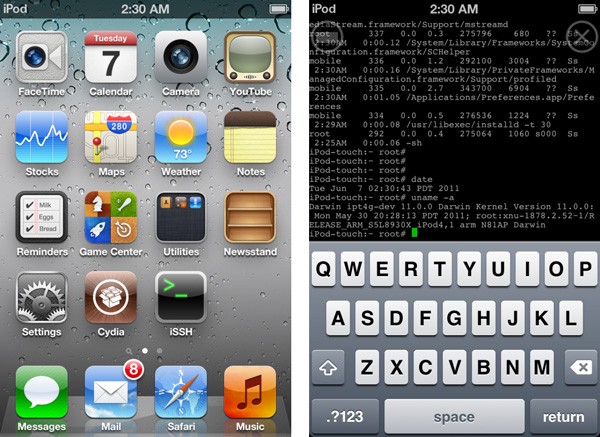
The Redsn0w software by DevTeam has always allowed you to jailbreak your iOS device, giving you complete control over your iPhone, iPad or iPod Touch (see why you should jailbreak here). This morning, though, redsn0w version 0.9.9b5 was released with iOS 5 support, meaning you can now jailbreak devices and run Cydia apps on devices with iOS 5 installed. Here’s how to jailbreak iOS 5!
Obviously, the best way to make sure you got an iPhone 4S on launch day was to order one online, but that ship has sailed, and if you didn’t get your order in, braving launch day lines is your only option at this point. After four iPhone launches though, we’re now pros at the line-waiting game. Here are our killer tips and tricks for not just surviving the iPhone 4S line-waiting madness and walking away with the model you want.
With their usual alacrity, those jovial hacker nerds over at the iPhone Dev Team have already jailbroken iOS 5. But there’s a caveat: it’s tethered only, for now. Also? Don’t even think about jailbreaking an iPhone 4S or iPad 2.
Apple is said to be finalizing deals with major movie studios that will allow the Cupertino company to introduce movie streaming to iCloud for Macs and iOS devices.
Back in March, at the next to last Apple keynote he would ever attend, Steve Jobs coined the phrase “post-PC world.” The usual cynics tittered at the time, and perhaps are still tittering, but as he often was, Steve was right: day by day, the iPhone in our back pockets or the iPad in our messenger bags are the most important computers in our lives.
For iOS 5, Apple put their money where Steve’s mouth was. Apple was going to prove to everyone that the umbilical between iOS and a Mac or PC could be cut.
Apple’s strategy was simple. They would go through iOS, identify every feature that assumed or required a PC, and radically retool it so that it relied on the cloud instead. With iOS 5, Apple stores all of your data — your mail, your calendar, your address book, your photos, your music, your ebooks, even your Doodle Jump save games — in the iCloud. iTunes Match hurls your complete music collection onto Apple’s servers, available to download anywhere and anytime without pulling out your Apple Connector cable. Meanwhile, Wi-Fi Syncing makes sure that if your iPhone or iPad does need to talk to your PC, it can do so just by being plugged into a wall socket and within stone’s throw of your PC.
All of this would be ambitious enough, but Apple didn’t stop there. They added major new features to almost every core iOS app: Mail, Safari, Camera, Calendar and more. They integrated Twitter sharing into the core of the operating system. They made a serious play for the hearts of magazine publishers with Newsstand. They totally overhauled the way iOS handles notifications. They introduced over the air updates. And then they introduced their own new iOS device messaging system that threatens the bottom line of every wireless carrier’s extortionate, hopelessly overpriced SMS texting plans.
So now iOS 5 is here, and the question is: has Apple severed iOS’s innate tether to the PC, or will iOS 5 be remembered as a smaller interim step towards the post-PC world Steve so presciently envisioned?
We’ve been playing with iOS 5 for months. Here’s what we think: by gum, Apple’s done it.
I went to bed last night and my Apple TV stated that the update was gong to take a whopping nine hours. I get up this morning only to find out that it wasn’t even close to being done or that it had even moved along any. It looked stuck. So I started over and guess what?!?!?! The time went from nine hours to an extra galactic 41 hours – I guess the download was coming from the Andromeda galaxy.
Here’s how to work around all this update drama and get the update done in under 15 minutes.
Apple fans the world over are coming together to pay tribute to Steve Jobs this Friday, October 14, with a day dedicated in his honor. Steve Jobs Day encourages fans to admire Steve’s work and say thank you to one of the world’s greatest innovators.
Users are reporting problems when they try to update their iPhone, iPad or iPod touch to iOs 5 today. A plethora of reports are popping up about the problem this afternoon as many users complain about the problem they are encountering.
iOS has seen an enormous amount of change over the last few years. When the first iPhone was released, the most entertaining thing to do was to watch YouTube videos and try to find a few web-based games. This was a time before apps, or multi-tasking, or folders. Looking back, it’s funny to think how revolutionary the iPhone and iOS was at the time when it lacked many features that we take for granted today.
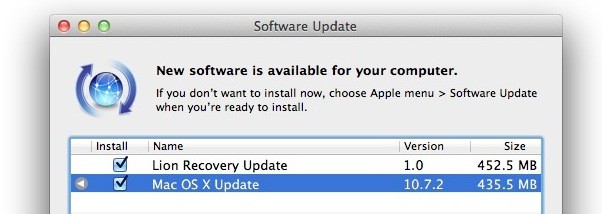
Simultaneous with the release of iOS 5, Apple has just pushed live the latest update to OS X Lion, and with the 10.7.2 update comes support for iCloud and a fresh version of Safari.
The update is 435MB and can be downloaded now through Software Update. Release notes are below.
The wait is over! After months of developer testing, Apple has finally pushed iOS 5 to the masses, bringing over 200 new features to iPhones, iPads and iPod touches around the world.
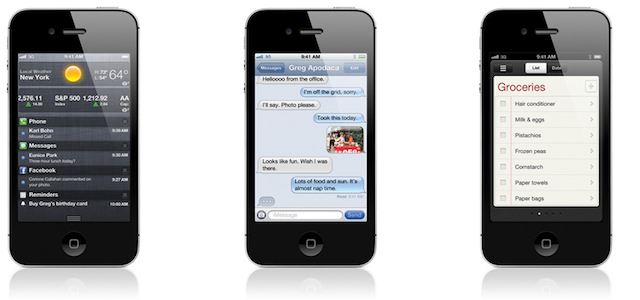
iOS 5’s new features are too numerous to count, but some of the big ones are iCloud, iMessage, Notification Center, Reminders, Newsstand, new photo taking options, Safari Reader and Reading List, tabbed browsing on the iPad, a split-keyboard for thumb typing on the iPad, Twitter integration, iTunes Match and much, much more.
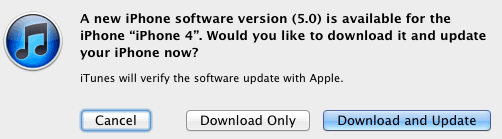
We’ll update this post shortly with direct links to download the iOS 5 build appropriate to your device, but for now, plug in your device, load up iTunes and hit the “Check for Update” button.
Want a step-by-step guide to the update process? Check out our how-to guide. And while you’re downloading, make sure to check out our review.
Upgrading your iPhone, iPad or iPod touch to a new version of iOS isn’t hard, but there’s still a few ways to optimize the process, not just to make the upgrade process as quick and painless as possible, but to make sure you leave all downgrading options available to you in a pinch. Here’s how to do it the right way.
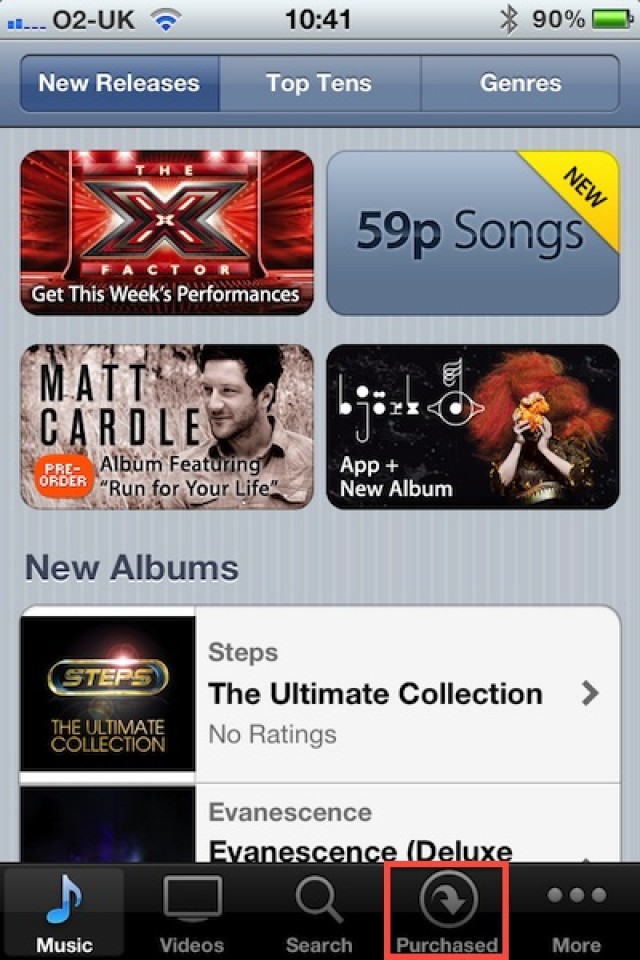
Following its unveiling at WWDC back in June, users in the U.S. have been able to enjoy the iTunes in the Cloud beta, which allows them to re-download content purchased from the iTunes Store. Users in other parts of the world were left out, and we were led to believe that iTunes in the Cloud would be U.S.-only upon its launch. Today, however, Apple is rolling out the feature internationally.
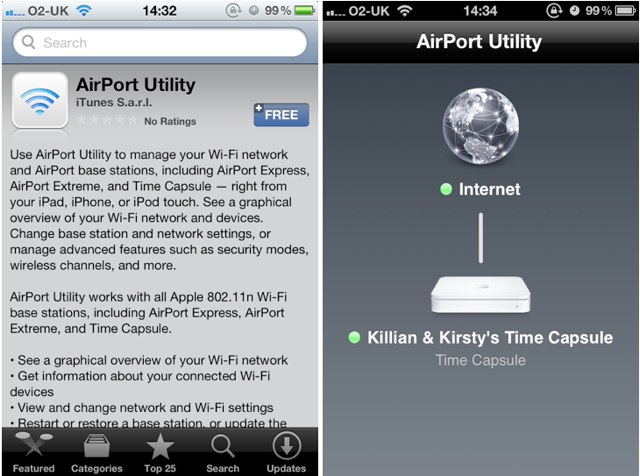
Following the release of Find My Friends just moments ago, Apple has launched a new AirPort Utility app for iOS devices that allows you to manage your wireless networks.
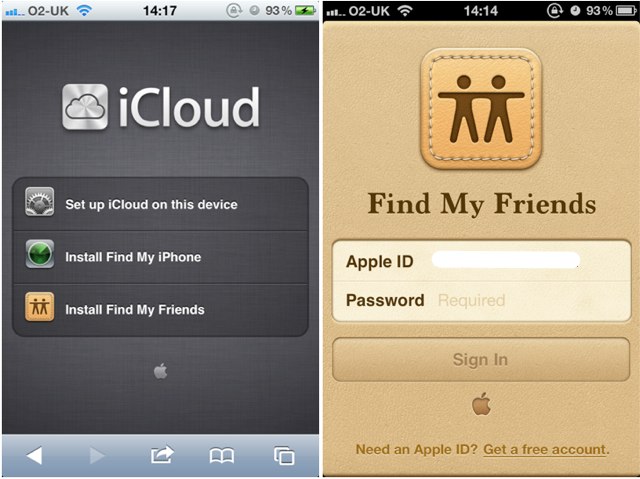
Alongside the unveiling of its iPhone 4S at an event in Cupertino on October 4, Apple announced a brand new service called Find My Friends. Similar to Find My iPhone, Find My Friends allows you to see where you friends are based on the GPS location of their iOS device. Ahead of the launch of iOS 5 later today, Apple has made the Find My Friends application available, but you won’t find it in the App Store.
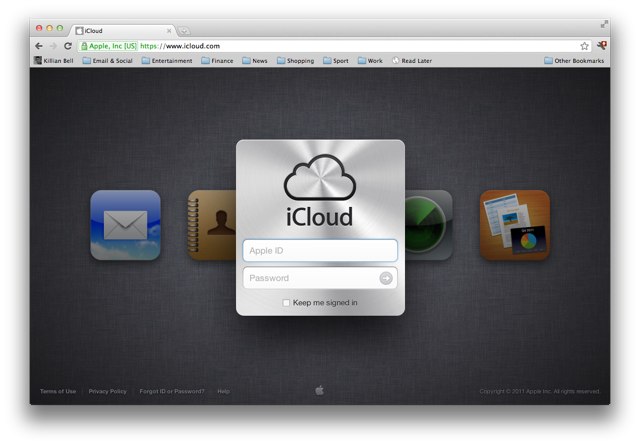
While we’re still clicking that ‘Check for Update’ button in iTunes in anticipation of iOS 5, the Apple’s iCloud website has already lost its ‘beta’ tag and been given a new login page design.
The folks over at Hipstamatic sent either the best or the worst email subject line, ever.
It announced “We Heart Boobies GoodPak,” presumably touting a limited-edition lens of the photo app for October. (Spam filters everywhere are convinced it’s an advert for a new porn toy. But of course we opened it anyway.)