Mobile menu toggle

Top stories - page 139

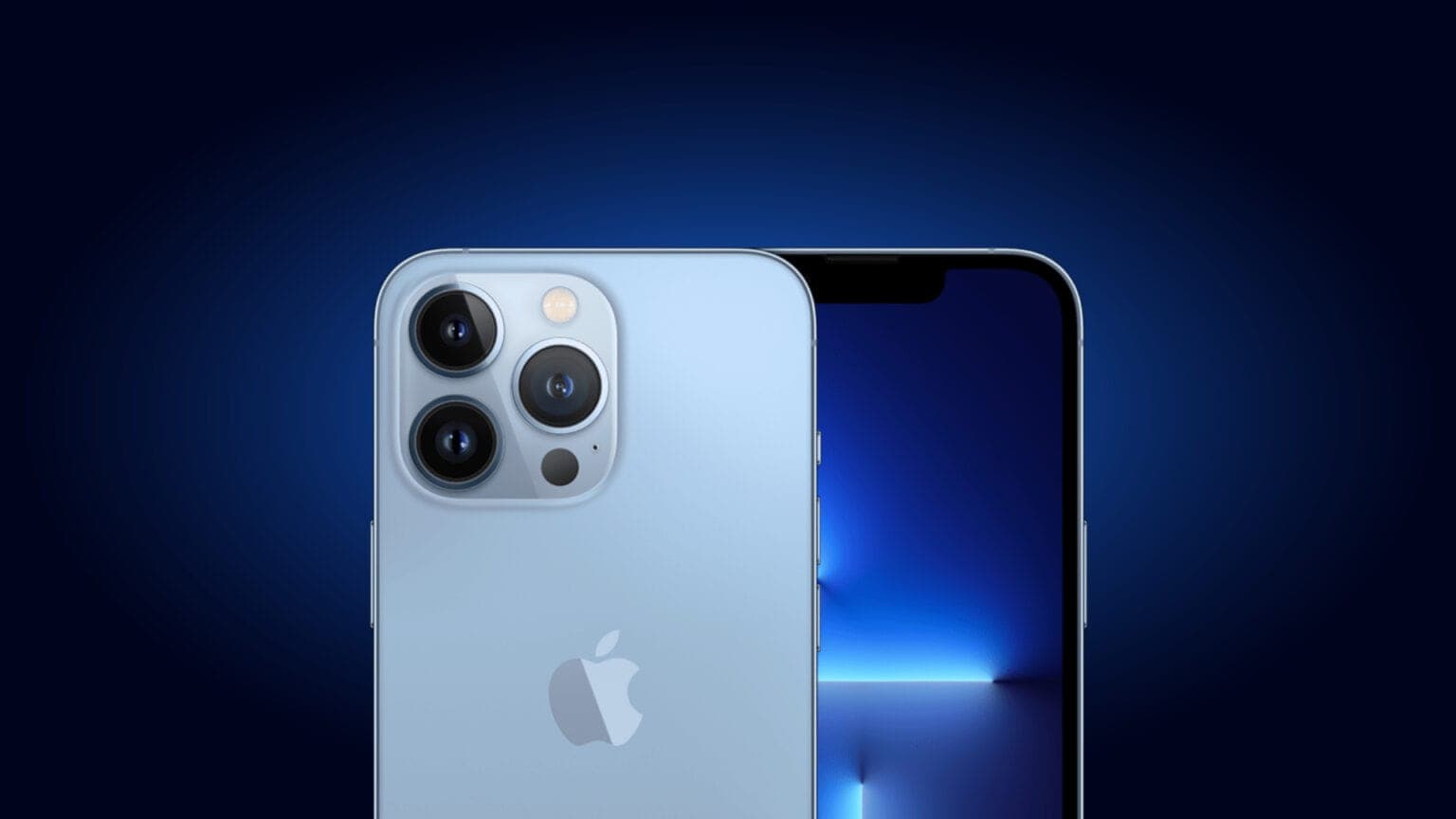
New signs point to periscope lens coming to iPhone 15

By

Apple may have found a new periscope lens supplier for iPhone 15.
Photo: Apple/Cult of Mac

It looks like the rumored periscope lens in iPhone 15 just took a step closer to reality. Jahwa Electronics in South Korea said it plans to expand production on new models and invest $155.7 million in new facilities. A new report suggested the company’s new customer is Apple, for whom it will supply periscope lens components.

Jahwa currently supplies such tech — optical image stabilization (OIS) actuators — for Samsung’s Galaxy S22 lineup.


Jack up efficiency with Satechi’s slick new laptop accessories

By

You can get Satechi's speedy new HDMI 2.1 cable and dual vertical laptop stand at a 20% off discount for launch.
Photo: Satechi

If you make your MacBook Pro or other laptop the center of your office, Satechi rolled out new accessories Thursday that can help increase your efficiency factor.

The company launched its new 8K Ultra HD High Speed HDMI 2.1 Cable for fast display connections and Dual Vertical Laptop Stand to keep your gear neatly housed out of the way while you work.

See an invisible world with this 1,000x digital microscope

By

This Wi-Fi Microscope is on sale & perfect for kids.
Appreciate the little things with this Wi-Fi microscope.
Photo: Cult of Mac Deals

It’s hard to appreciate the little things when you can’t see them. It’s also hard to study the little things on the fly when you don’t have your own mobile lab.

The WiFi Digital Microscope is a compact, portable microscope that can magnify up to 1,000 times. It can connect to your iPhone, iPad or Mac, and it’s on sale for just $55.95 (regularly $69).

Protect your email with this awesome WordPress plugin

By

This WordPress plugin hides your email from malware.
If you operate a WordPress site, you can hide your email address from bots with this plugin.
Photo: Cult of Mac Deals

Posting your email on your own website shouldn’t lead to an inbox full of spam. Luckily, there’s a middle ground between giving your audience no way to reach you and handing bots and malware everything to use against you.

The Email Protection WordPress Plugin hides your email from web crawlers that log and use your information, but still makes it easy for your readers to contact you. For a limited time, this one-time purchase is on sale for just $9.99 (regularly $37).

Nomad’s swanky new MagSafe charger makes room for Apple Watch

By

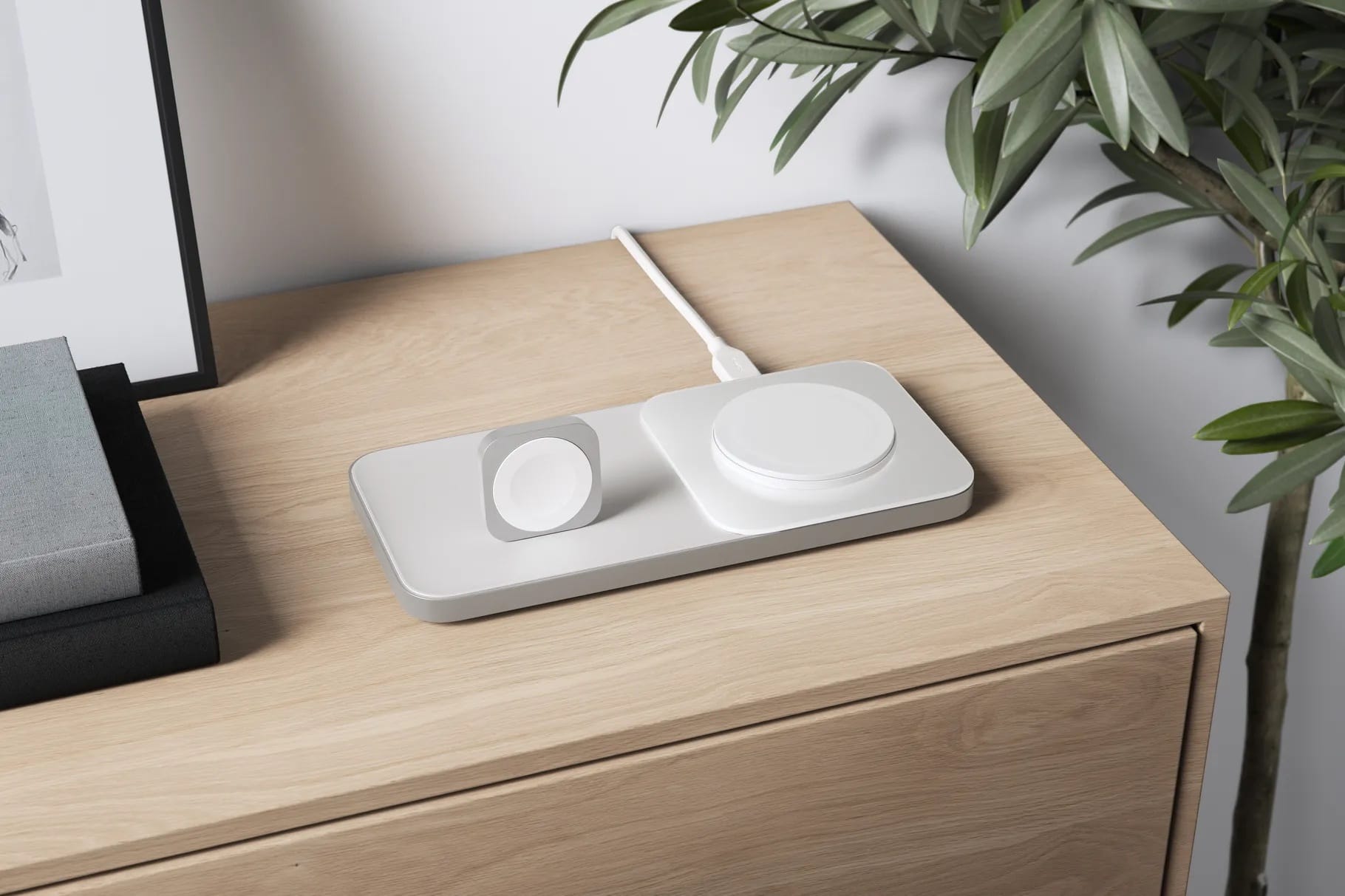
At the price, the new Nomad Base One Max had better be this good looking.
Photo: Nomad

Maybe you thought about snapping up the exceedingly nice-looking Nomad Base One MagSafe charger for iPhone when it came out in March. But what about charging my Apple Watch, too, you asked.

Well, Nomad must’ve been listening, because it launched the Nomad Base One Max on Tuesday. It adds an Apple Watch stand to the Base One’s wireless charging pad.

New Eufy smart scale could be your closest health adviser

By

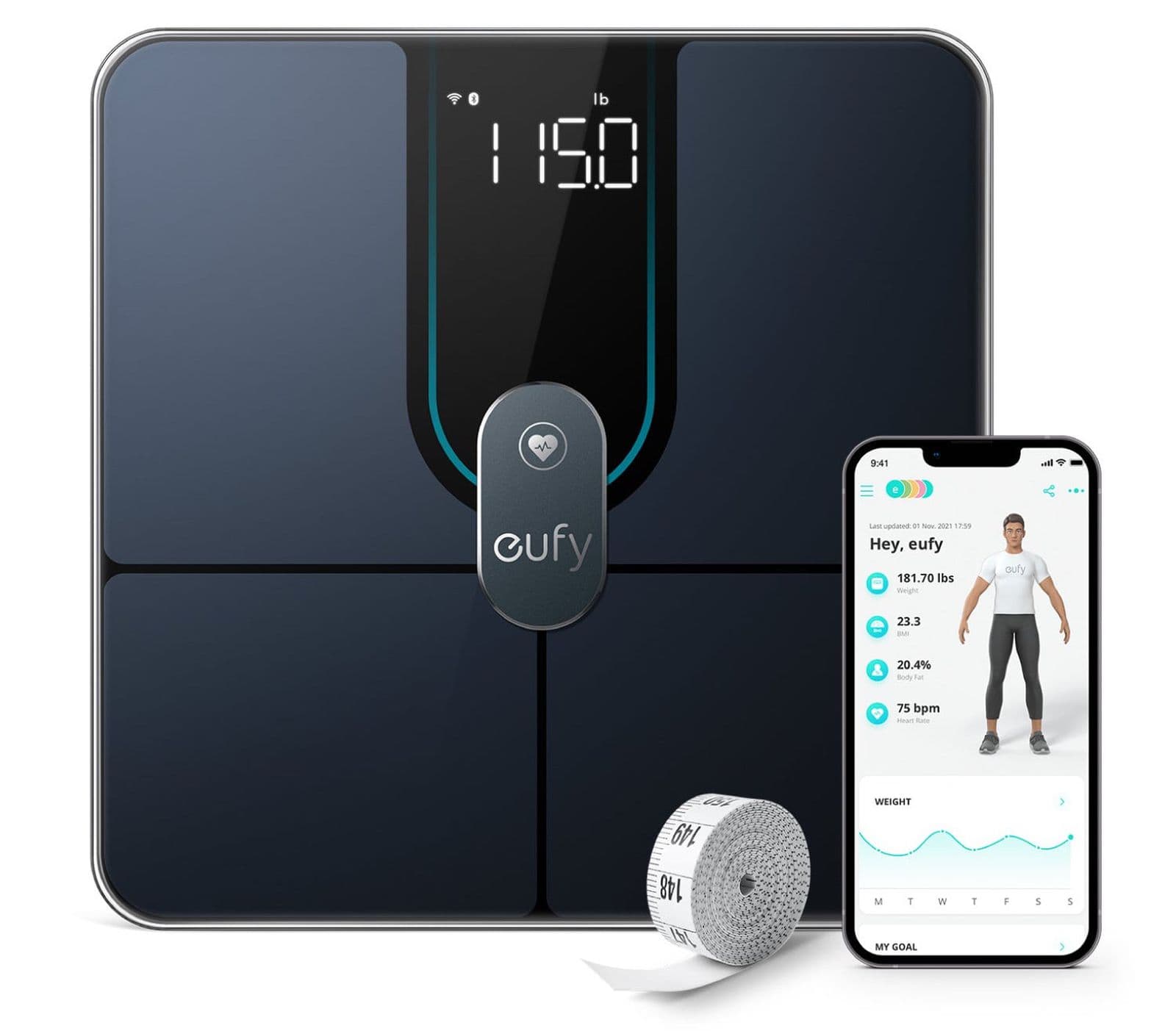
It does more than weigh you.
Photo: Dufy

A smart scale sitting on the bathroom floor is never going to replace your doctor — or at least, not yet. But devices like the new Eufy Smart Scale P2 Pro do more in the realm of health than just weigh you.

You may not be in a big hurry to find out about things like your bone mass, but at least you can if you want or need to. And you can do it in the comfort of your own home.

Go off-grid with Anker’s new portable power station

By

Need to live in the woods for a while? This could help.
Photo: Anker

Whether you’ve suffered a power outage, decided to go on a camping trip or finally realized you need to ditch civilization once and for all, Anker’s burly new 757 PowerHouse portable power station can help.

With a powerful battery and loads of ports, it’s for anytime you go off-grid.

Graphic designer runs racy dual-monitor MacBook Pro rig [Setups]

By

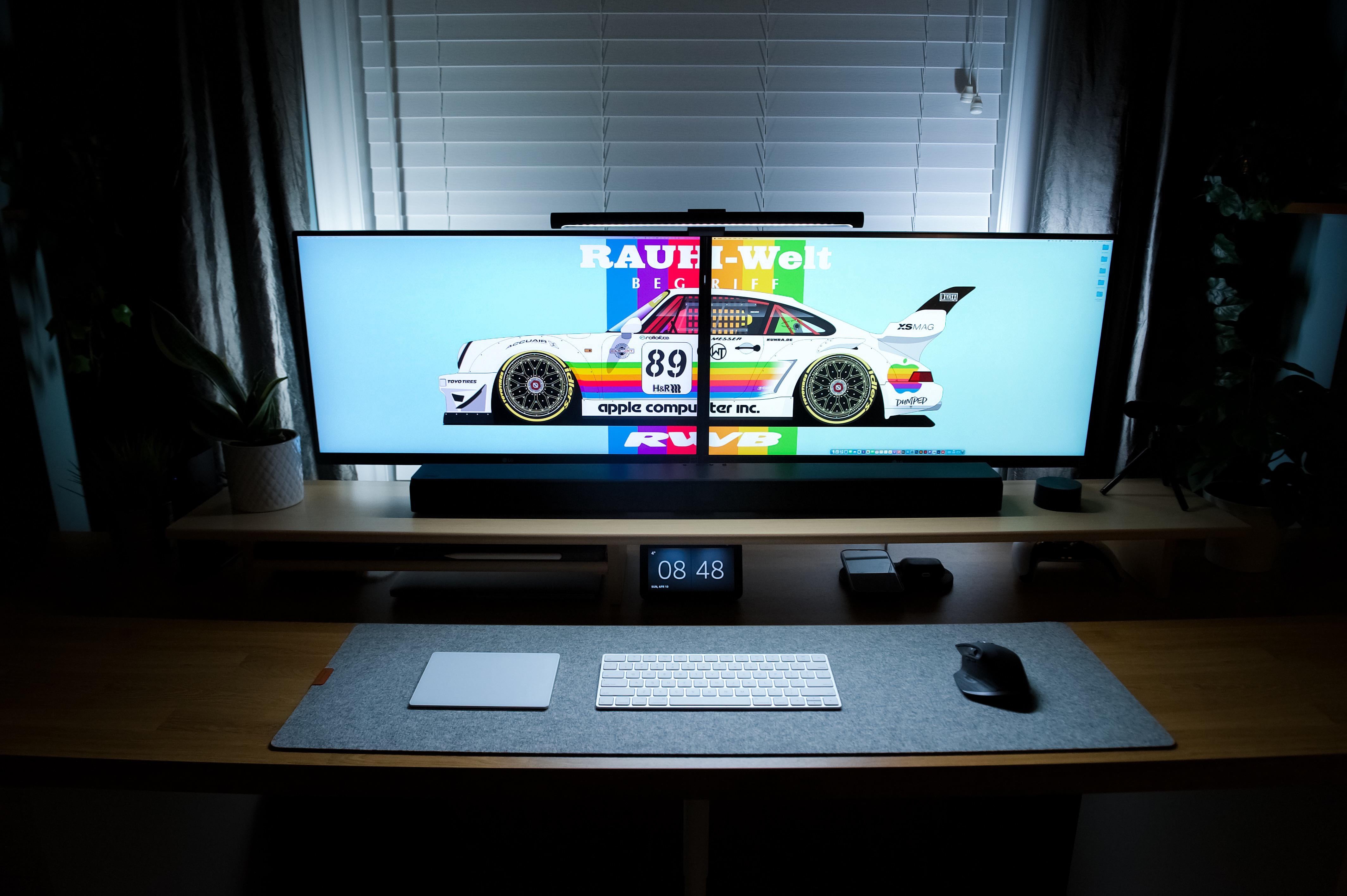
Look at that wallpaper! Oh, and there's also a computer setup.
Photo: [email protected]

Ever show off your painstakingly constructed computer setup only to have everybody race past the gear just to ogle what’s showing on the screen(s)? The desktop wallpaper.

It’s kind of like that with today’s featured setup, the brainchild of a graphic designer.

He put together the dual-monitor setup around a 13-inch M1 MacBook Pro with a lineup of nice touches. And he also made the neato race-car wallpaper that got most of the attention.

Ready for your close-ups? See the Shot on iPhone Macro Challenge winners.

By

“Hidden Gem” (water bead in leaf) by Jirasak Panpiansin (@joez19). Shot on iPhone 13 Pro Max.
Photo: Apple

Apple unveiled its top 10 extreme-close-up photo selections Wednesday from the Shot on iPhone Macro Challenge, in which photographers from all over the world submitted epic miniatures over several weeks starting January 25.

All the shooters used iPhone 13 Pro and iPhone 13 Pro Max to take their pics. Photographers hailed from China, Hungary, India, Italy, Spain, Thailand and the U.S. Apple plans to feature their images on apple.com, on Instagram (@apple) and on billboards in select cities.

Check out the stunning shots — captured with iPhone’s most-advanced cameras ever — below.

This iOS golf simulator is a hole-in-fun gift for 25% off

By

Swing at home with this amazing golf simulator.
See how this golf simulator can improve your short game.
Photo: Cult of Mac Deals

No matter how much you love golf, you probably can’t hit the course every day. Even professional golfers have to head home sometime, but that doesn’t mean you have to stop playing and practicing.

The TruGolf Mini golf simulator is a remarkably realistic tool that lets you hit the green 2 feet from your couch. And for a limited time, it’s on sale for $299 (regularly $399).

Take a first look at new Maya Rudolph comedy series Loot on Apple TV+

By

Joel Kim Booster, Maya Rudolph and Ron Funches in “Loot,” premiering globally June 24, 2022 on Apple TV+.
Photo: Apple TV+

Apple TV+ said Tuesday its new workplace comedy Loot, starring Emmy Award winner Maya Rudolph, premieres Friday, June 24.

The accompanying first-look photo shows Rudolph and costars Joel Kim Booster and Ron Funches standing all in a row in an office. It looks like it could be an awkward moment. And isn’t that the bread and butter of workplace comedies?

Now you can grab Beats Studio Buds in 3 new colors

By

Get Beats Studio Buds in three sassy new colors.
Photo: Apple

As promised last week, Apple rolled out three new colors of its Beats Studio Buds wireless earbuds, saying you can buy them starting Wednesday (though you can find them Tuesday at the links below).

The new colors are Ocean Blue, Sunset Pink and Moon Gray. They’ll cost $149.99, just like the original colors available since the product’s launch in 2021 (black, red and white).

But with the new hues, you can only get certain colors from certain retailers.

iMovie 3.0’s new features make short work of social videos

By

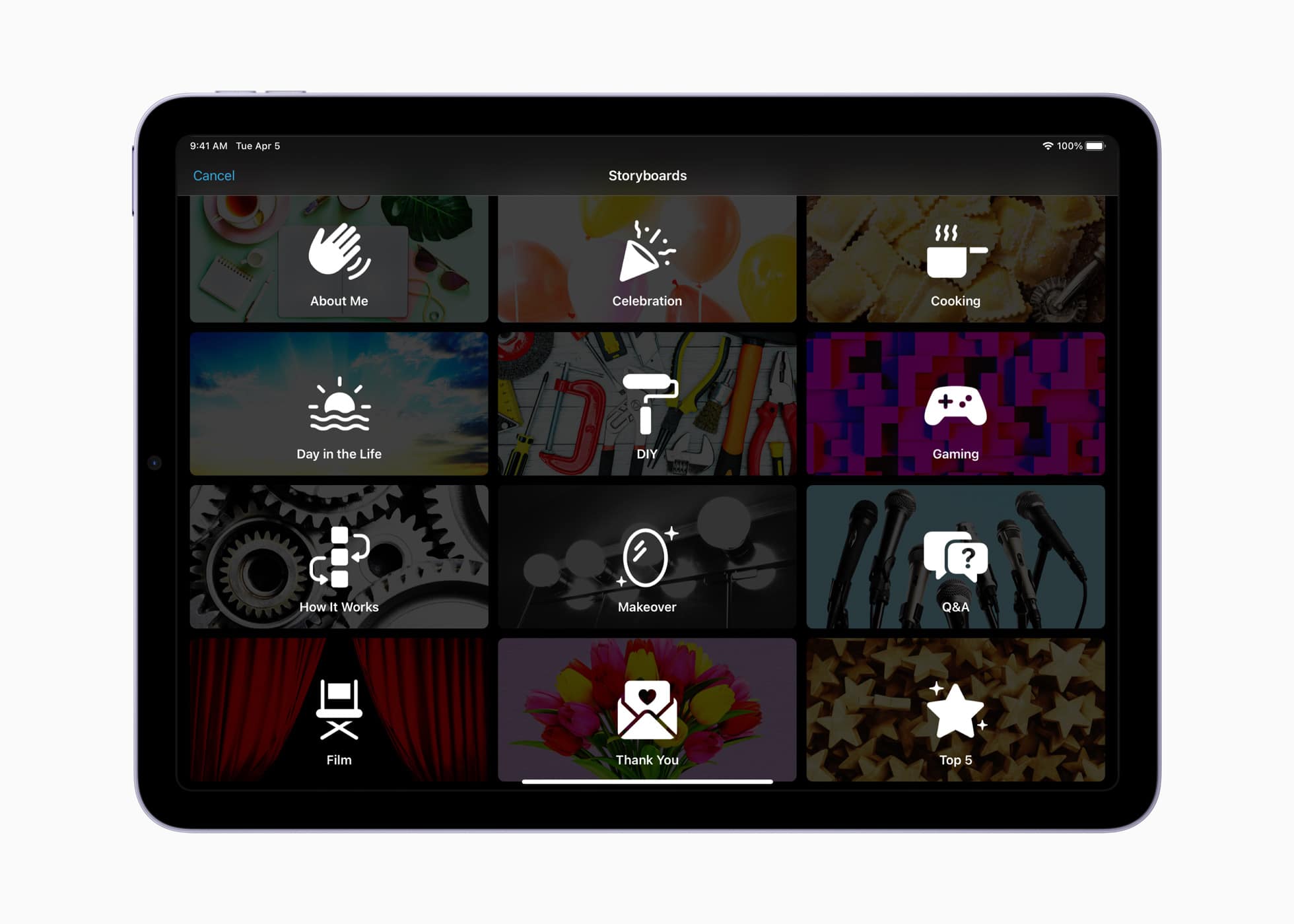
iMovie 3 Storyboard feature
Storyboards provide a shot-by-shot guide to the most common social videos.
Photo: Apple

iMovie has long been Apple’s default tool for creating quick, gorgeous videos on your iPhone or iPad. With Tuesday’s update to iMovie 3.0, Apple added a pair of new creative tools designed to help “aspiring content creators and moviemakers learn to edit and improve their video storytelling skills.”

The ultimate goal? To make creating compelling videos easier than ever.

Tim Cook’s privacy summit keynote condemns app sideloading

By

Tim Cook delivered a keynote address at the International Association of Privacy Professionals Global Privacy Summit on Tuesday.
Photo: IAPP

Apple CEO Tim Cook called privacy a key battle of our time during a speech Tuesday. He extolled Apple’s commitment to protecting its users’ data and condemned regulations that would force Cupertino to accept app sideloading on iPhones.

“We are deeply concerned about regulations that would undermine privacy and security in service of some other aim,” he said, referring to legislation that would force Apple to allow apps for its devices to bypass the App Store.

Cook made the comments during a wide-ranging keynote address at the International Association of Privacy Professionals Global Privacy Summit in Washington, D.C.

Read more about what he said and watch video of his speech below.

Why you should turn off Activation Lock when selling your AirPods

By

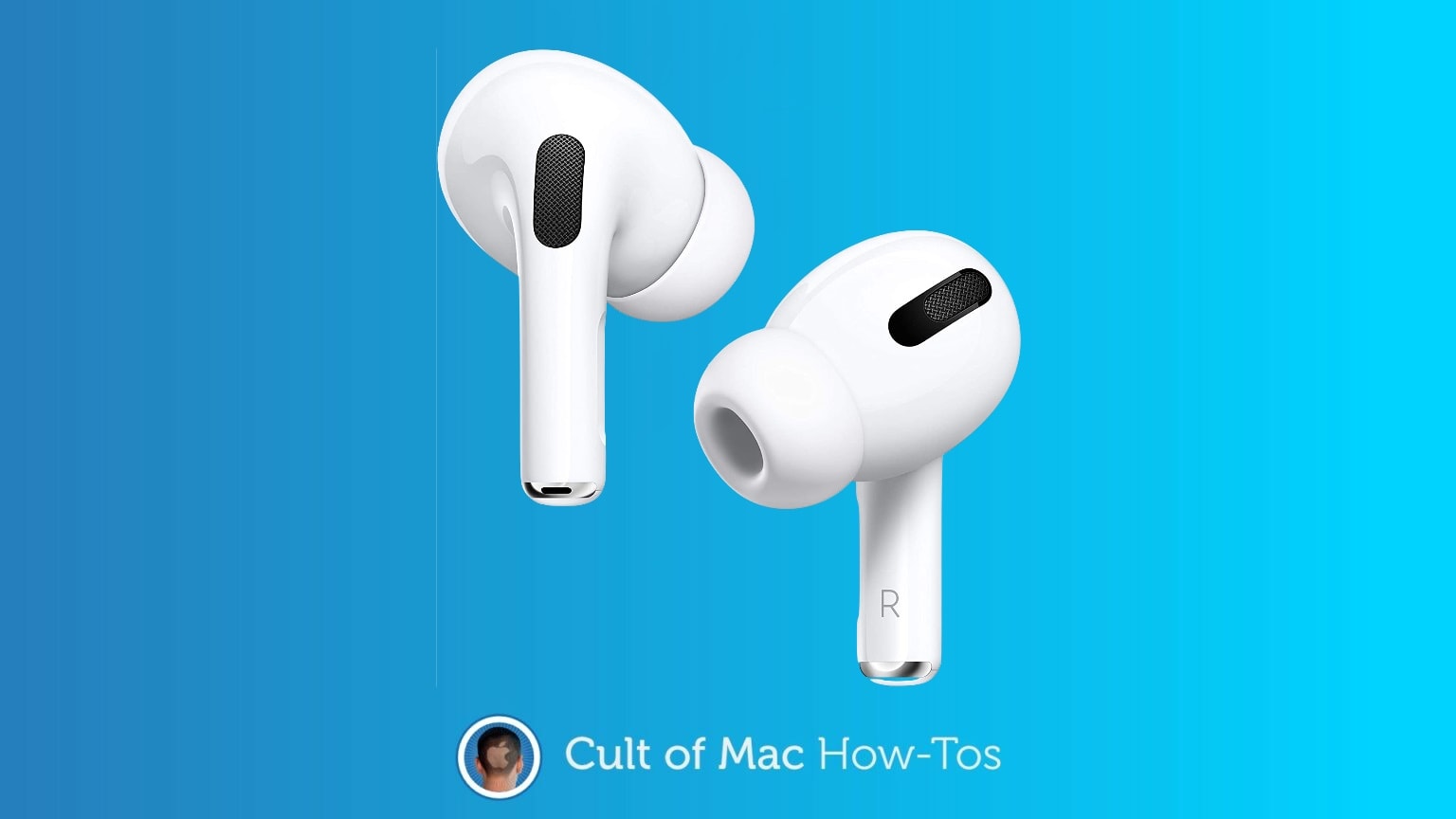
How to turn off Activation Lock when selling your AirPods. And Why.
You must turn off Activation Lock when you sell your AirPods. Here’s why, and how.
Photo: Cult of Mac

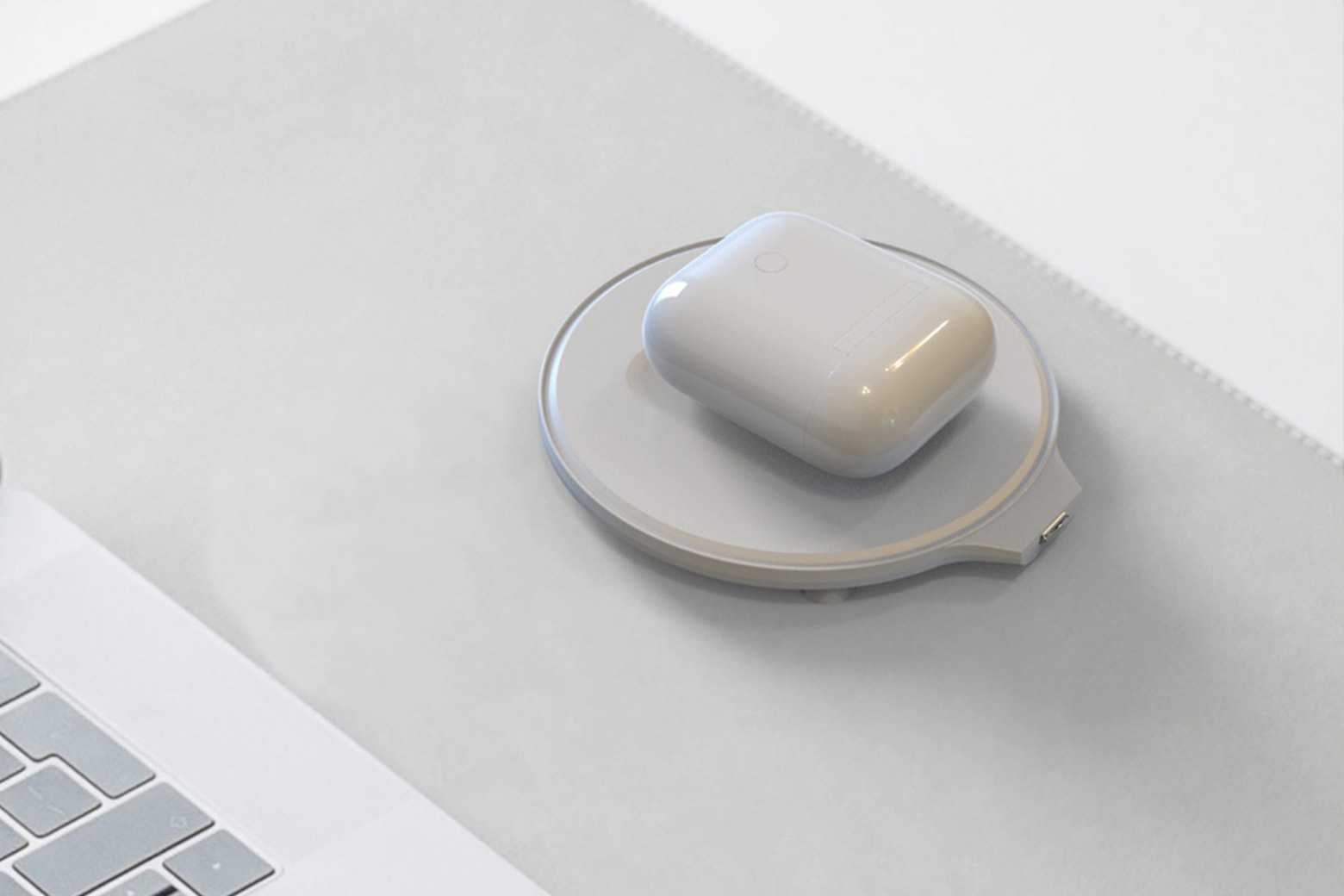
Apple added Find My to AirPods in 2021, and it’s causing problems for resellers of these wireless headphones. Many people are unaware that their AirPods now support Activation Lock, which means they are locked to their user’s Apple ID. This must be deactivated when selling or giving the devices away or no one else can use them.

Here’s how to turn off Activation Lock on your AirPods.

New Apple Watch health features: What’s in, what’s out

By

Apple Watch won't get blood pressure and blood sugar monitoring soon, but other new health updates are coming.
Photo: Lewis Wallace/Cult of Mac

Cupertino is likely to add body temperature readings and other new health features to Apple Watch and the Health app in 2022, but it looks like blood pressure and blood glucose monitoring will have to wait, according to a new report.

For a look at those delays to blood pressure and blood sugar monitoring, as well as the expected new features for women’s health and sleep-, fitness- and medication management, read on.

watchOS 9 may expand low-power mode, add new faces and more

By

Look for watchOS 9 to do more in Power Reserve mode.
Photo: Apple

Right now, when your Apple Watch enters Power Reserve mode because its battery is almost out of juice, the time appears on the face as a simple digital clock — and that’s it. The wearable’s other features are temporarily disabled. But Cupertino may expand Apple Watch functionality in low-power mode in the upcoming watchOS 9, according to a new report.

In addition, updates could include new workout types, additional workout metrics, expanded sleep tracking and new watch faces.

Get a second screen for your MacBook and Microsoft Office for life

By

Get a second laptop screen + Microsoft Office for $299.
With a dual-screen setup and Microsoft Office, you can accomplish anything.
Photo: Cult of Mac Deals

There’s something about a dual-screen workstation that just looks like it’s made for getting work done. Maybe it’s because it looks good, or maybe it’s because studies have shown productivity can increase by up to 42% with a dual-screen setup.

Get a second screen for your laptop or desktop, plus the programs to use on it, with Mobile Pixels Duex Plus + Microsoft Office Lifetime License for Mac. The limited-time bundle is on sale for just $299.99 (regularly $648).

YouTube picture-in-picture rolling out for all iPhone users [Update: NOPE]

By

YouTube Picture in Picture is back. At least for now.
Watching a YouTube video in Picture in Picture is back!
Photo: Ed Hardy/Cult of Mac

YouTube said Sunday that it is rolling out picture-in-picture support for all users of its iOS app. Then it walked the announcement back on Monday. A mixup by a support person is the problem.

The convenient feature has been in beta testing for many months, and some people say they’ve begun getting access to the non-beta version several days ago. But not according to YouTube.

Unleash your computer’s full potential with the Mac Madness App Bundle

By

Unleash the true power of your Mac with 14 productivity boosting apps.
Get more out of your Mac with these 14 apps.
Photo: Cult of Mac Deals

Your Mac is an amazing machine. But you’re probably not using it to its full potential. To really unleash all it has to offer, you need some awesome apps — and that’s exactly what you get in the Mac Madness App Bundle.

Usually $74, today it’s on sale for 73% off at just $19.99. With 14 apps included in this megabundle, that works out to less than $1.50 an app.

Easter sale: Take 25% off Carterjett and Wiplabs Apple Watch bands and more

By

Looking for an Apple Watch band? You can get 25% Carterjett and other products in the Cult of Mac Store.
Photo: Carterjett

When Easter rolls around, you know how easy it is to find chocolate bunnies, candy eggs and the notorious marshmallow Peeps — if you’re into that sort of thing.

But if you’d rather hunt for great deals on Apple accessories — especially Apple Watch bands — check out the Cult of Mac Store’s 25% discount across the board on products from Carterjett and Wiplabs.

Apple re-signs iOS 15.4 to fix Studio Display update issue

By

Firmware updates for Studio Displays failed over the weekend but they're fixed now.
Photo: Apple

Late last week, Apple stopped signing iOS 15.4 following the release of iOS 15.4.1, making it impossible for users to downgrade their iPhones’ software. But the change also inadvertently stopped people from updating their new Studio Displays’ firmware, based on iOS.

Complaints ensued on Sunday. And before the end of the day, Cupertino re-signed iOS 15.4, making it valid and verifiable to servers again.

Did Apple release the $1,599 Studio Display with so much fanfare only to forget about it when it launched iOS 15.4.1?

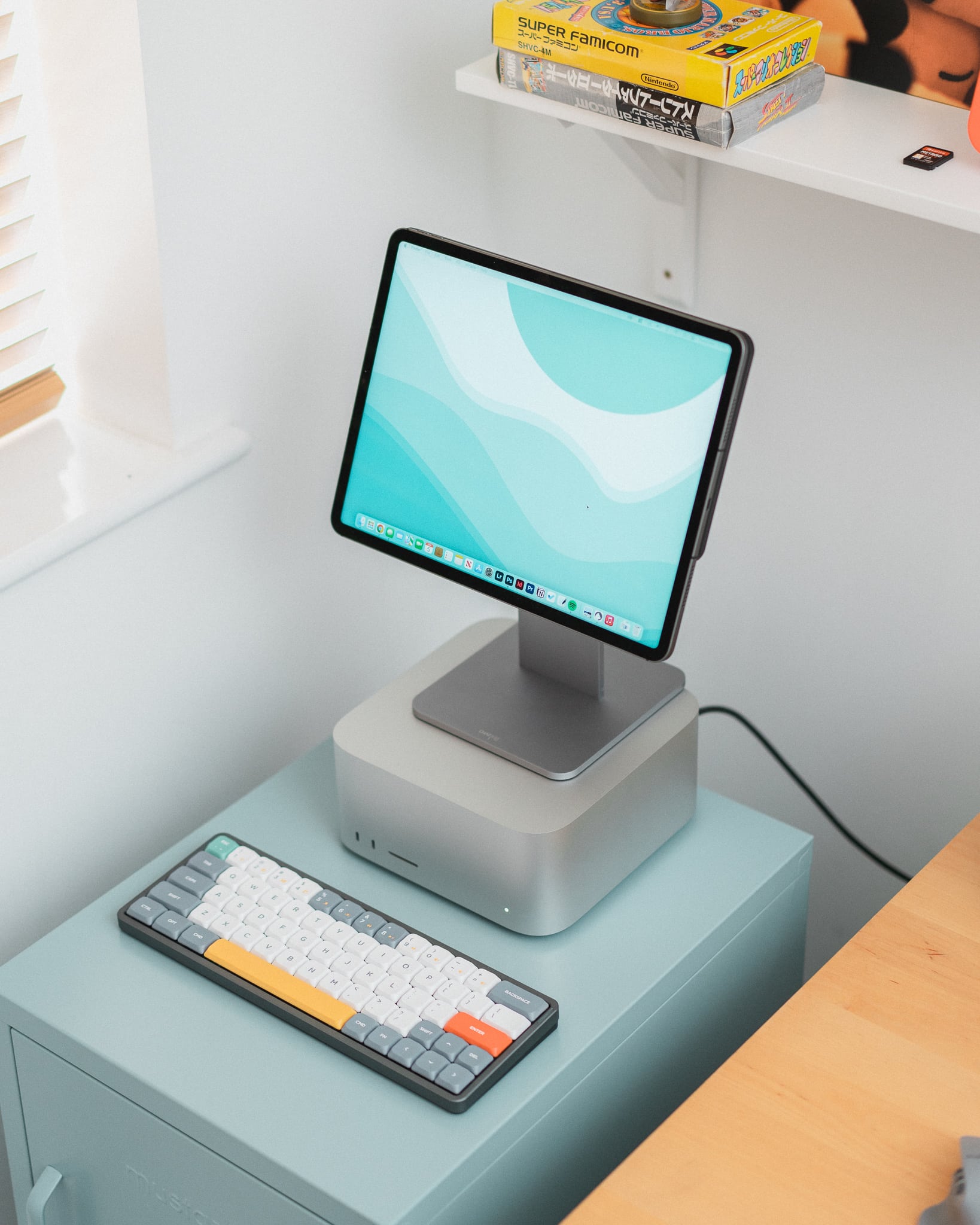
Hey, maybe you can afford a ‘Mini Pro Display XDR’ with your Mac Studio [Setups]

By

It may be small, but it's a Liquid Retina XDR Display.
Photo: Tom@bytereview@Twitter

Anyone who buys a desktop Mac or wants a desktop feel using their MacBook is going to need a decent-sized external display. And wouldn’t it be grand if we all had $5,000 to spend on an Apple Pro Display XDR? Well, we don’t. In fact, scratching together enough cash to buy a new, more-affordable Studio Display can feel like a stretch for many folks.

The owner of today’s featured computer setup figured out a clever way to run a brilliant Liquid Retina XDR Display at much less cost with their new Mac Studio. What’s the catch? Well, it’s only a 12.9-inch display. Because it’s an iPad.

Upgrade your HomeKit setup with this Thread-compatible smart plug [Review]

By

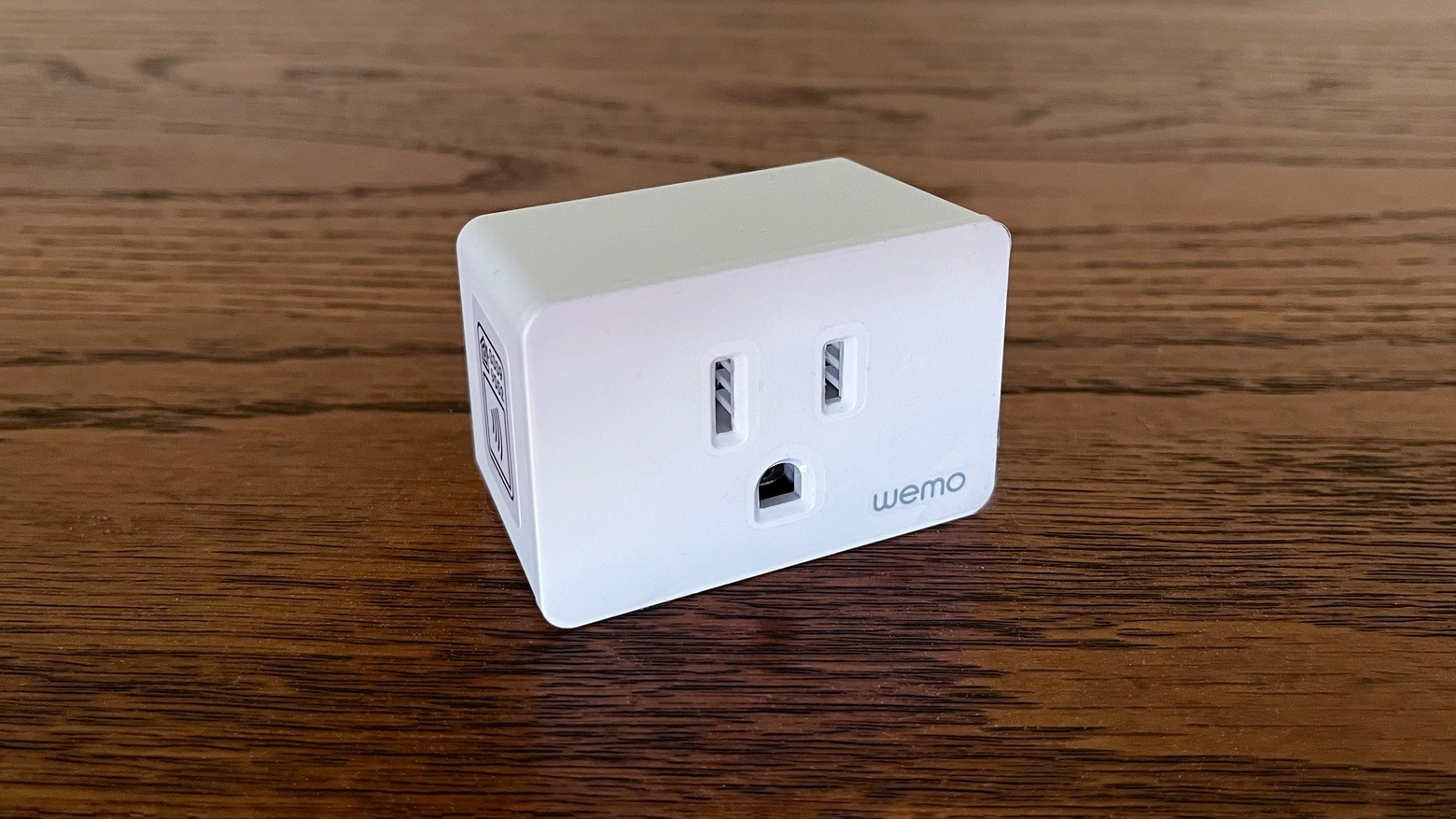
Wemo Smart Plug with Thread
The Wemo Smart Plug with Thread is both simple and advanced, offering home automation with mesh networking.
Photo: Ed Hardy/Cult of Mac

Insert the Wemo Smart Plug with Thread into any wall socket and you can use HomeKit to control any plug-in appliance with your iPhone. It’s easy. Plus, this gadget (obviously) offers Thread mesh networking, the future of smart home tech.

I tested in my own home. Here’s why there’s a lot to like.