What if Siri tried to kill you? That’s the plot of a new Dutch horror film called App that features a malevolent Siri clone called IRIS (get it?) that starts killing people. And as a cool twist, App allows you to download a free app to use while you watch the film.
In response to Samsung’s Galaxy S4 announcement last Thursday, Apple has updated the iPhone 5 pages of its website to remind visitors why people love the iPhone. “Loving it is easy. That’s why so many people do,” the landing page reads, before going on to list all the reasons why the Cupertino company’s smartphone is so popular.
I love being able to whisper instructions to Siri as I walk along the street. My favorite trick is to get her to play a song, album or playlist. “Play something by Daft Punk,” I order, and off he goes. The problem is that I use Spotify and Rdio for most of my music, and Siri doesn’t talk to either of them.
But this neat hack will get her most of the way there.
Siri does a pretty good job right now of figuring out what you are saying to her, but one senior iOS architect over at Honda R&D has figured out a way for Siri to understand what you think at her. That’s right, Siri has gone psychic.
In case you’ve missed it, there are currently two cases being heard by US District Judge Lucy Koh in the Apple v Samsung patent legal struggle. The first one, Apple won a $1.05 billion verdict last fall against Samsung, which Judge Koh pulled about $450 million off of, and then ordered a new damages trial. She also rejected Apple’s request for a permanent sales ban. Apple appealed, but we’re waiting for a ruling till September, most likely.
Did you know you can search your iPhone’s notes using Siri? Neither did I. But according to Dave Caolo at 52 Tiger, you can not only get Siri to flip through your notes for you, you can even find notes from a particular day.
I shall apologize now for bringing you yet another crowd-funded gadget today, but this is something special. I won’t dilly-dally here: It’s a frikkin’ Star Trek button for talking to Siri.
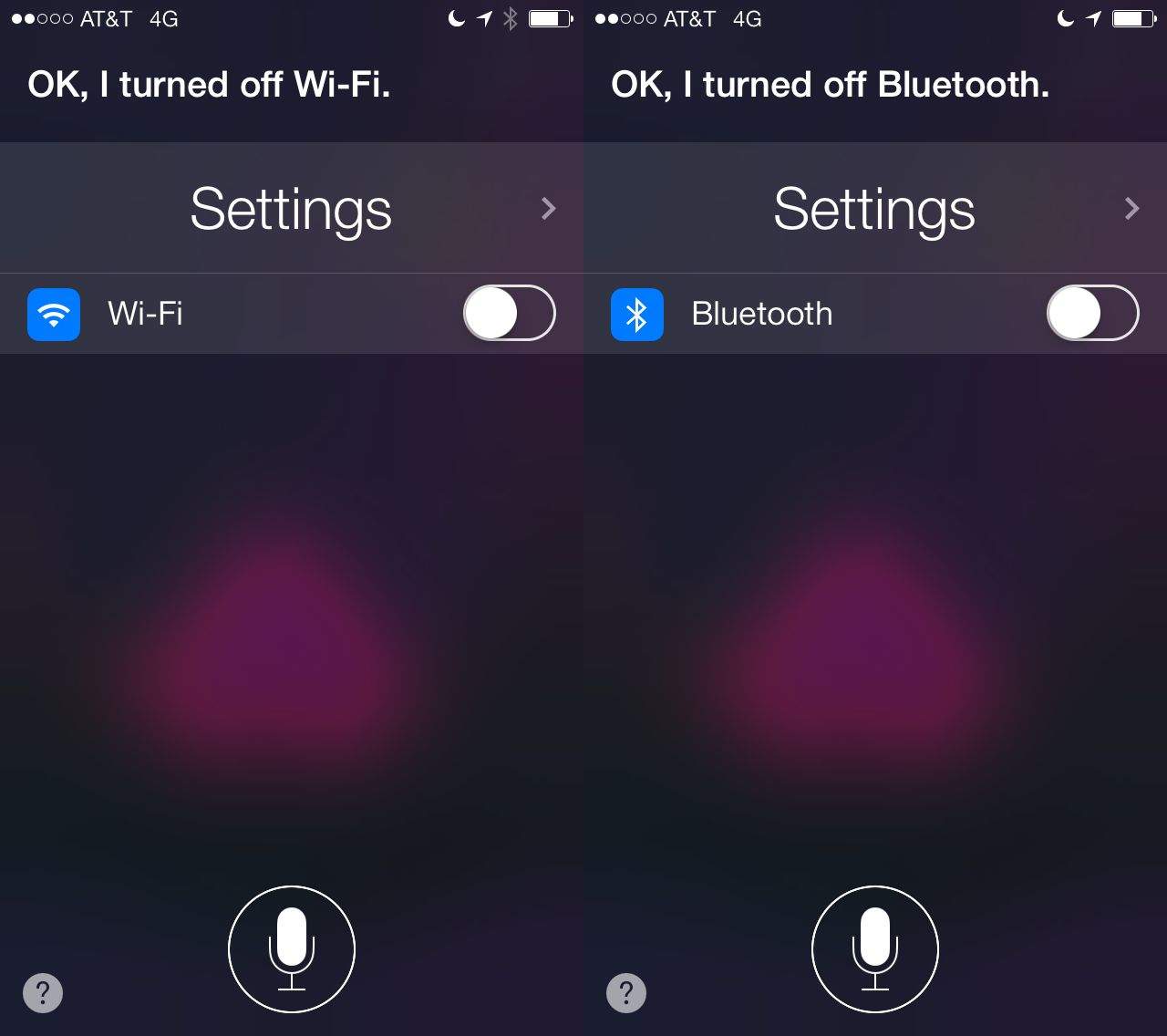
Apple continues to add new capabilities to Siri, but there are still a lot of things the digital assistant can’t do. You can’t use Siri to control third-part music apps like Spotify, toggle settings, or search the App Store.
A jailbreak tweak called AssistantEnhancer takes Siri to the next level by doing all these things and more. It’s the new crown jewel of Siri tweaks, and it contains a ton of useful features that make Siri a more valuable tool.
BARCELONA, MOBILE WORLD CONGRESS — As I was walking around the show floor at MWC today, I noticed a number of smartphones that looked very familiar — yet they were being paraded by Chinese companies I’d never heard of. I saw what looked like a large iPhone 5, an entire range of Samsung Galaxy devices, and a number of high-end HTC handsets.
Except they weren’t really Apple, Samsung, or HTC devices at all; they were actually cheap clones that were trying their best to look like the real thing. They even had fake accessories that were identical to the originals.
So, you can scour the internet to get tips on what kinds of things you can ask Siri to do, right? Heck, we have severalspecificSiritips right here on Cult of Mac.
But what if you just want to have a nice list of the commands that Siri will know and answer you with? Well, ask her!
Fandango is pretty cool. You can buy tickets right on your iPhone with the Fandango iOS app, send them to Passbook, and then just waltz right into the theater without stopping at the box office. Of course, you’ll still need to stop at the concessions stand, unless you’re smuggling in a bunch of wrapped candy in your coat pockets. Just sayin’.
Using Fandango is fairly easy, but Siri can make it easier still in iOS 6.1. Here’s how.
Even though she can barely understand me, Siri can do some pretty cool stuff. She can find the answers to movie trivia and tell me if it’s raining, but she still can’t do really useful things yet, like turning off the lights or adjust my thermostat, even though home automation is going to be Apple’s next big thing.
A YouTube user by the name of Elvis Impersonator decided it’s time to take Siri to the next level, and make her a truly great personal assistant. So thanks to a Raspberry Pi, Siri can now open and close his garage door, turn off his house alarm, change his TV channel and so much more.
Here’s a video of this awesome Siri home automation hack in action:
Apple has been improving Siri since the intelligent assistant first made its debut on the iPhone 4S back in October 2011, and has also been working to expand its availability; it’s now available on all the latest iOS devices, and some older ones, too. It seems inevitable that Siri will one day be introduced to the Mac as well, and that day could be getting closer as Apple searches for new engineers who will be tasked with bringing it to the desktop.
Remember Siri Eyes Free? First announced back in June 2012 as Siri’s next frontier, the functionality allows car makers to install kit in their vehicles that allows iPhone owners to perform a whole host of tasks using Apple’s intelligent assistant — like taking calls, calling up directions or creating reminders — without ever taking their hands off the wheels.
Siri Eyes Free sounds great, but we’re still waiting on cars to actually ship that support the feature. 2013 looks like it’s the year that it’s going to happen, though. Following Hyundai and Chevy’s announcement that Siri Eyes Free was coming to their car now comes word that Honda will be offering the functionality in the new Accord and Acura.
Siri has enjoyed mild success since her debut on the iPhone 4S. She’s not the world’s greatest personal assistant, but she gets the job done most of the time, which is better than a lot of other voice recognition options out there.
Now Amazon is preparing to do battle with Siri thanks to a new digital assistant they just bought. Her name’s IVONA, and we’re pretty sure it’s not the same Ivona from Austin Powers.
Siri wasn’t always baked into iOS. It started out as a standalone iPhone app that launched in the App Store almost three years ago. Three weeks after it went live to the public, Apple showed interest. Siri was bought by Apple a few weeks later for hundreds of millions of dollars. The personal assistant was then reborn in the iPhone 4S in October 2011.
Many don’t know the fascinating history behind Siri, like the fact that it started as a research project for the U.S. Defense Department, or that Steve Jobs personally spearheaded the acquisition. Apple is lucky it swept in when it did, because Siri was almost made a default app on Android.
Siri is already pretty smart, but Apple wants to take her to the next level. An Apple job listing out of Cupertino calls for a “uniquely creative individual to help us evolve and enrich Siri, our virtual personal assistant.”
“Siri’s known for ‘her’ wit, cultural knowledge, and zeal to explain things in engaging, funny, and practical ways,” says Apple. “The ideal candidate is someone who combines a love for language, wordplay, and conversation with demonstrated experience in bringing creative content to life within an intense technical environment.”
Amidst rumors of a mysterious smartphone and new iPad apps, Facebook held a big press event today at its headquarters in Menlo Park, California. The topic was search, or more specifically, social search. It’s a new feature Facebook is calling “Graph Search,” and the beta has started rolling out already. It will be available for all of Facebook’s one billion users soon.
Think of Graph Search as Google with a more personal touch. Facebook is leveraging everything it knows about you to help you connect with people who like what you like. Instead of leaving Facebook.com to get your results, all of your social data and timeline history is mined and collated inside Facebook’s walls. That’s good news for Facebook, and bad news for Google.
Hyundai is set to showcase a number of new vehicles at the Consumer Electronics Show in Las Vegas this week, and the company has announced that they’ll all include Siri Eyes Free technology. The feature allows iPhone owners to perform a whole host of tasks using the intelligent assistant — such as taking calls or creating Reminders — without taking their hands off the wheel.
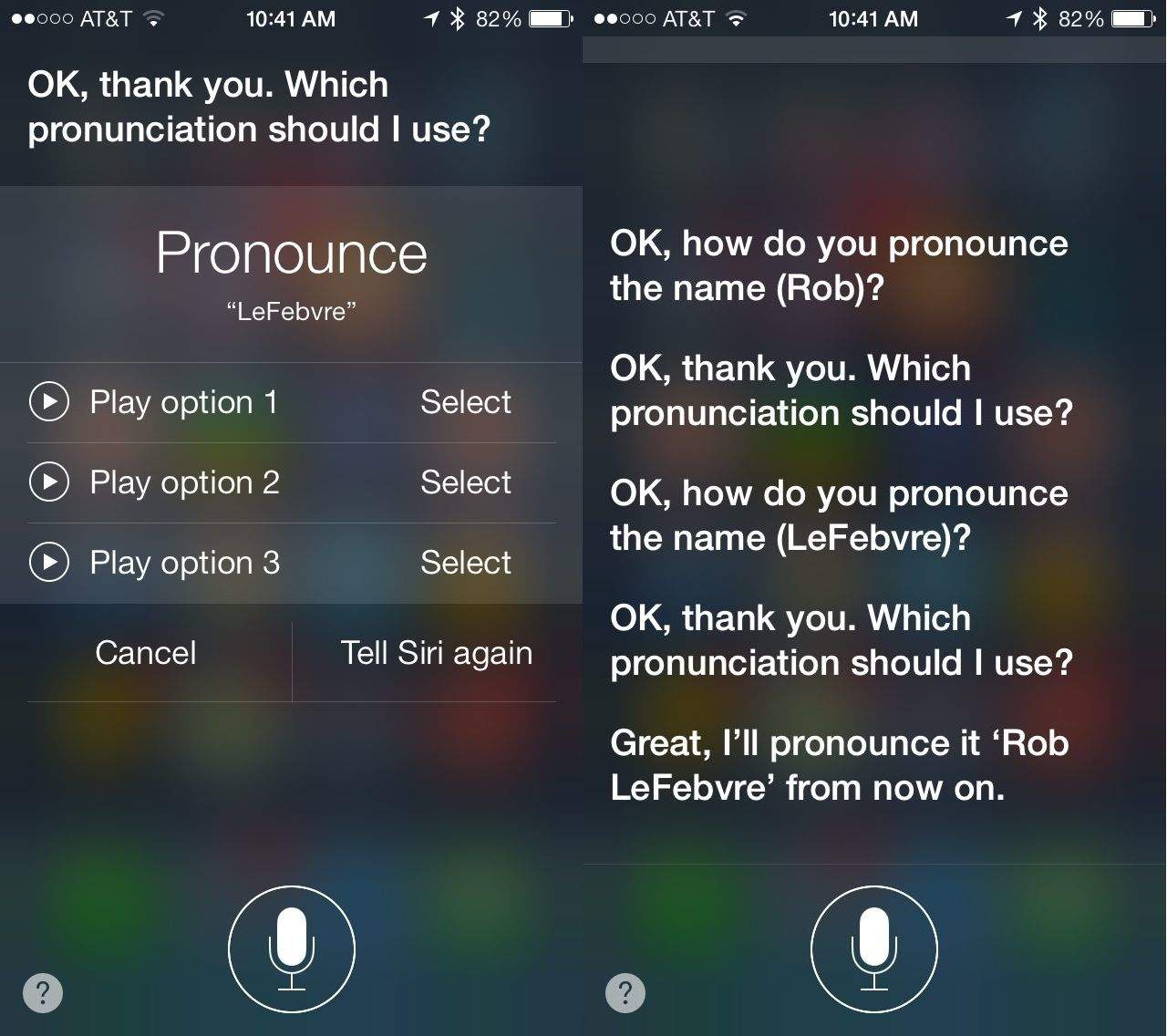
As a person with a funkily spelled last name, at least for English speakers, I appreciate that Siri tries to say my name, but I never really assumed she could pronounce it correctly. If you’re having trouble with Siri’s pronunciation of any of your contact names, here’s an easy trick to get her to say it correctly.
Siri made its debut on the iPhone 4s almost four years ago. Photo: Cult of Mac
As Apple slowly but surely turns its back on Google, Siri, its intelligent digital assistant, is doing the same. If you’d have asked Siri a question back in June, there’s a 60% chance the data it came back with would have been from Google. Ask it a question today, however, and that chance is reduced to just 30%. Not only has Apple given YouTube and Google Maps the boot, then, it’s shunning Google’s search data, too.
If you pop into your local Microsoft store and ask for a demonstration of Windows 8, there’s a chance the store assistant will disappear and send over an 11-year-old child to help you. That’s what the company is doing in Portugal in an effort to prove its new operating system is so intuitive, even a child can use it. Either that or it’s taking advantage of cheap child labor.
Google Maps for iPhone is out, and it’s a solid replacement for Apple’s Maps app in iOS 6. Jailbreakers can make Google Maps the default maps app on their iPhones, but everyone else has to deal with the fact that Apple will never let you fully replace its own Maps with Google’s. It’s a shame, but it’s the walled iOS garden we all live in.
That doesn’t mean you can’t use Siri to get directions with Google Maps, however. You don’t even need to jailbreak. There’s a simple trick that makes it possible.
In case you hadn’t already heard, Google finally released an official Google Maps app for iPhone on Wednesday night, and I must say, I think it’s terrific. It’s super quick, it looks fantastic, and it brings back all the mapping features you had on your iPhone before Apple gave Google Maps the boot — including Street View and transit directions. Google has also thrown its own turn-by-turn navigation into the mix for good measure.
In fact, the new Google Maps app for iPhone is so good that Google admits it’s better than the Android version. It also promises an iPad version is coming soon.
Ever want to see the robot computer code language Siri actually thinks in before she translates it to English? Well if you’re in the U.S. and ask Siri why she doesn’t speak Danish, German, Portugese, Mandarin, French, Russian, or a number of other languages, then her answer will come back in a goop of unintelligible robot-speak. Well, unintelligible for people who have little understanding of coding.
It looks like there’s something wrong on the server end of Siri and she’s unable to retrieve the proper answer. Rather than answering in English, or offering to do a web search on your question, she orates the code version of the answer. We’ve yet to find any other questions that prompt a similar response from Siri, but this is another simple flaw that Eddie Cue and his team need to fix whenever they get done saving people from Apple Maps.
Have you seen similar code-based answers from Siri for other questions? Let us know in the comments.