Apple’s MacBook Air continues to prove itself as the ultimate portable powerhouse for creative professionals, students and everyday users alike. Whether you’re team M2 or M3 — or you upgraded to the latest M4 chip — these sleek laptops punch well above their weight class when it comes to driving impressive workstation setups. Our collection of the top 10 MacBook Air setups proves that point.
This post contains affiliate links. Cult of Mac may earn a commission when you use our links to buy items.
Top 10 MacBook Air setups
From minimalist single-display configurations to ambitious multi-monitor arrays, MacBook Air users are showing the world that you don’t need a MacBook Pro model to create a productivity paradise. I scoured years of coverage in Cult of Mac‘s Setups section to bring you the 10 most inspiring MacBook Air workstations — setups that balance power, aesthetics and functionality in ways that’ll make you rethink your own desk situation.
10. Bookshelf speakers kick out MacBook Air’s jams on the cheap

Photo: [email protected]
Great desktop audio doesn’t require emptying your wallet, as this M2 MacBook Air setup proves. The user drives a 34-inch Samsung ultra-wide 1440p display through a CalDigit TS3+ Thunderbolt Dock while pumping out sound through amazingly affordable $70 Sanyun Bookshelf Speakers. They deliver 60 watts using proprietary technology. The compact speakers demonstrate that you can achieve bigger, fuller sound than most computers or monitors without investing in high-end audio gear. The solution resonated with commenters looking for budget-friendly ways to upgrade their audio.
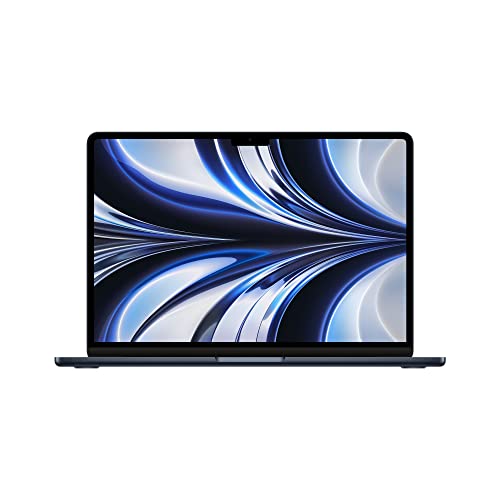
Possibly the perfect laptop. The 13-inch MacBook Air brilliantly blends portability with performance. Top-notch industrial design and a beautiful Midnight finish.
- 16GB RAM, 256GB SSD Storage
- M2 chip: Built for Apple Intelligence
- 13.6-inch Liquid Retina Display
- Backlit scissor-switch keyboard
- Non-upgradeable RAM or SSD
- Poky 256GB storage
This ultra-WQHD 1000R curved computer monitor sports HDR10 technology, 100Hz refresh rate, AMD FreeSync, Thunderbolt 4 connectivity, height-adjustable stand, built-in speakers and eye care (model LS34C650TANXGO).
- Get an ultrawide effect without a giant screen
- Speedy Thunderbolt 4 connectivity
- Not the latest features

The CalDigit TS5 Plus is a premium hub meant for power users with demanding workloads. It fully utilizes the Thunderbolt 5's bandwidth to 20 ports, including multiple TB5 and USB-A/C, 10GbE networking and up to 140W host charging.
- Only dock with 10GbE port
- Only dock with dual USB controllers
- 330W power supply
- Variety of ports, including USB-C with up to 36W power output
- Expensive
- Can get hot under load

9. M3 MacBook Air anchors tidy workstation

Photo: [email protected]
Running a 15-inch M3 MacBook Air open on an adjustable stand, this user created a clean dual-display setup by pairing the laptop’s gorgeous Liquid Retina display with a 27-inch 4K LG external monitor. The setup demonstrates that Apple’s lightweight laptop handles demanding tasks with ease, making it more than sufficient for users who don’t need Pro-level power. The adjustable laptop stand proved particularly valuable, providing better camera positioning for video calls while making it comfortable to frequently move the MacBook between different desk setups.
In addition to a large Liquid Retina display and a slim design, this model features a powerful M3 chip, 16GB unified memory and 512GB storage.
- Slim and lightweight
- Powerful M3 chip
- Big, gorgeous display
- Lacks the power of some Pro models

8. Ho-hum MacBook Air rig packs surprises and gets great advice
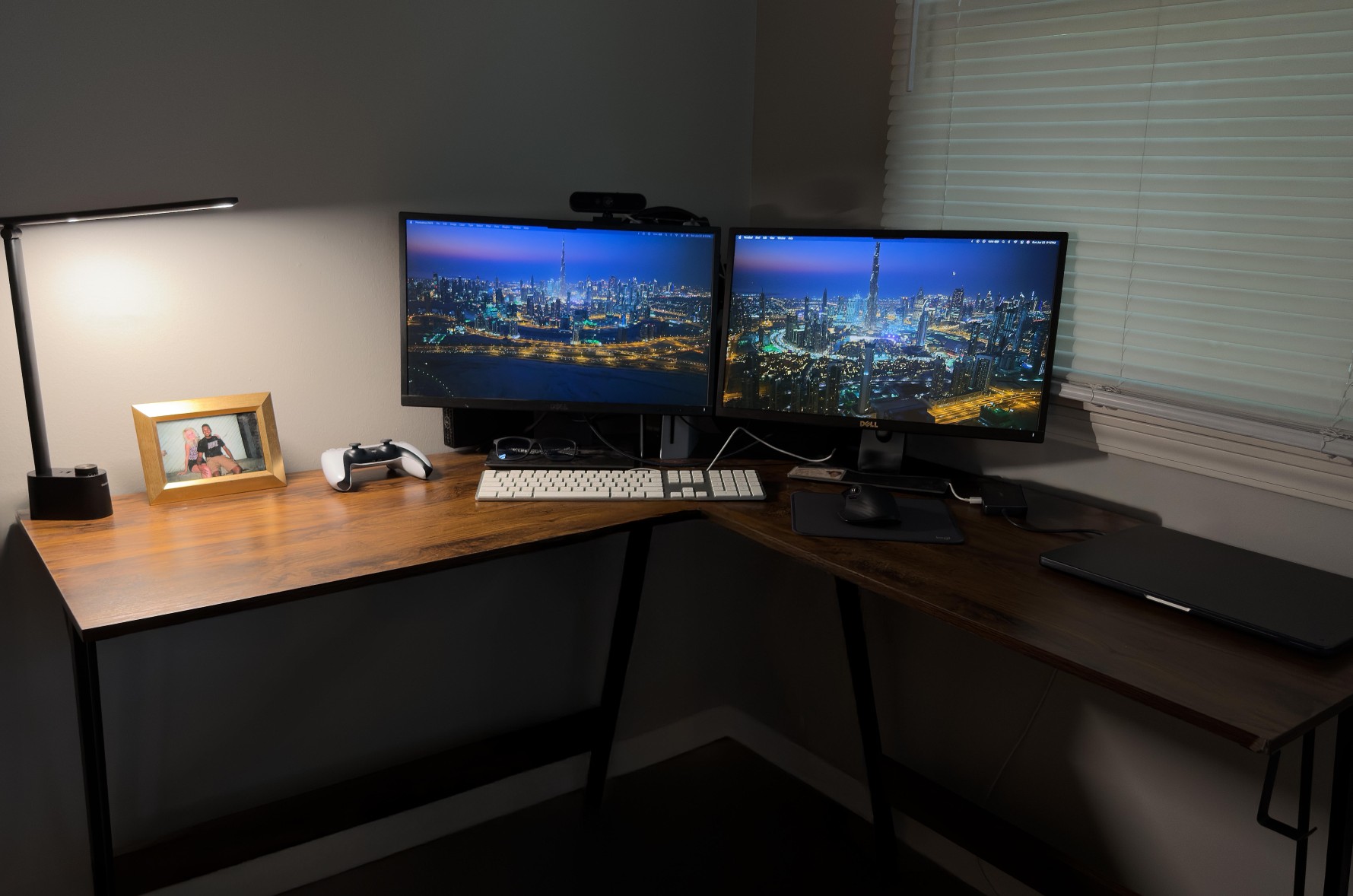
Photo: MikeBuckets171@Reddit .com
Sometimes the most relatable setups are those that don’t try too hard to impress. This M3 MacBook Air workstation (24GB memory, 512GB storage) runs in clamshell mode driving a pair of 22-inch Dell 1080p displays through an Anker PowerExpand 8-in-1 USB-C Hub. What makes this setup special isn’t flashy gear but rather the community response it generated.
When the user posted self-deprecatingly, questioning whether the setup was “cool” enough to share, commenters rallied with encouragement and practical upgrade suggestions. The setup includes solid peripherals like Apple’s discontinued A1243 wired keyboard, a Logitech MX Master 3S mouse, and a Harman Kardon Bluetooth speaker that rarely appears in featured setups. A PlayStation 5 shares the desk space, and viewers offered thoughtful advice about adding a third display, upgrading to 4K monitors, and improving the lighting.
Built for Apple Intelligence, this super-lightweight laptop packs power. It features a 15.3-inch Liquid Retina Display, 24GB Unified Memory, 512GB SSD Storage, backlit keyboard, Touch ID;. Midnight color.
- Slim and lightweight
- Large and brilliant screen
- Plenty of memory and storage
- May lack some features compared to MacBook Pro

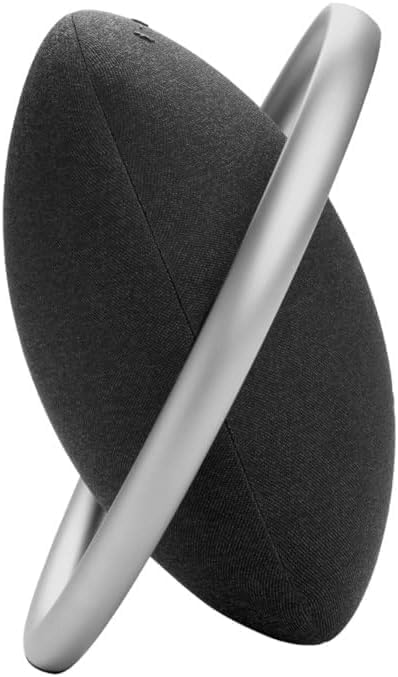
The stylish Harman Kardon Onyx Studio 8 Bluetooth speaker self tunes to give optimal audio in any environment. Includes dual mics for calls.
- Built-in aluminum handle doubles as stand
- Self-tunes to environment around it
- Bluetooth connectivity
- Bluetooth only, no wired connectivity
7. PC user gets deal on MacBook Air — then gleefully upgrades whole workstation
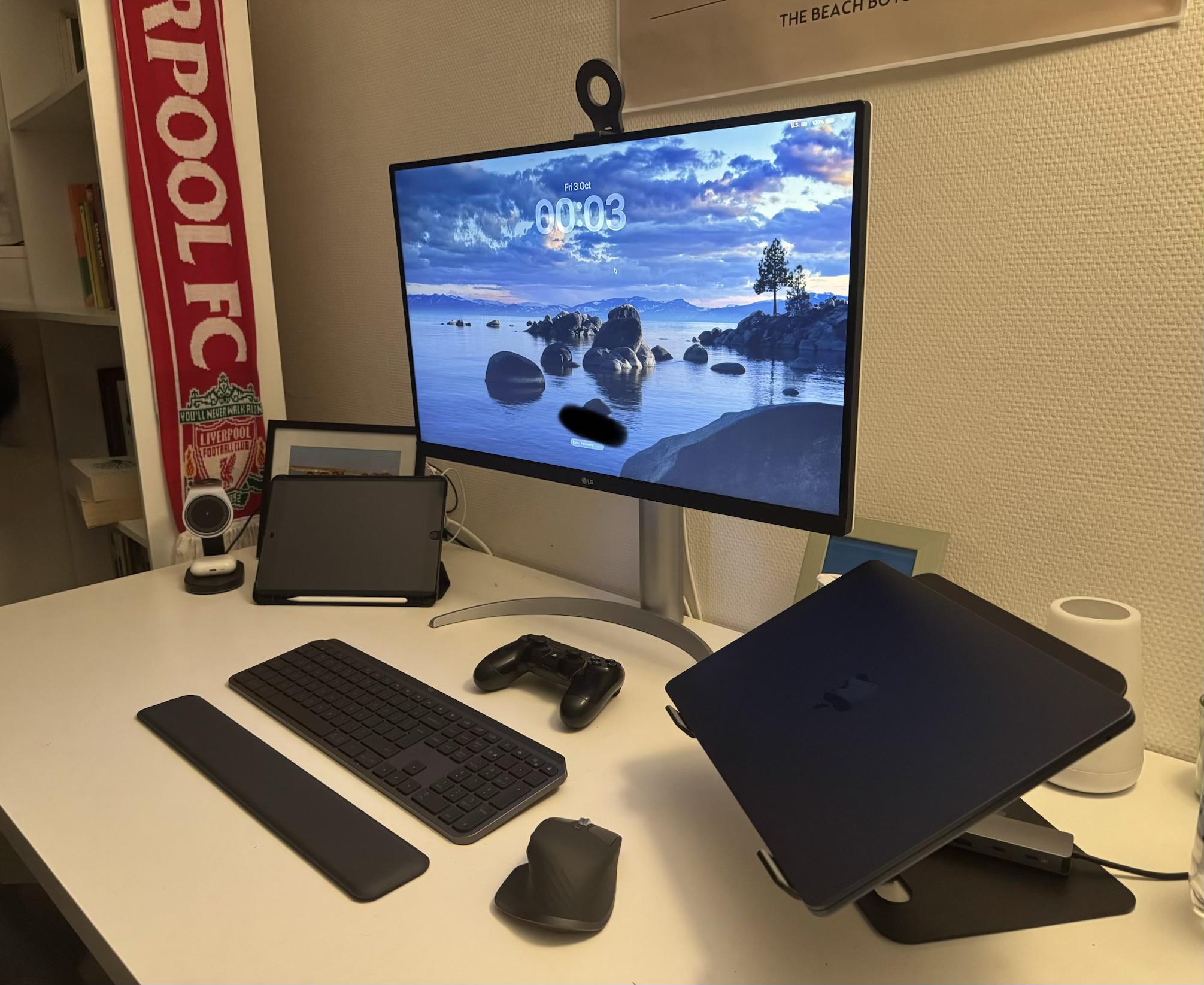
Photo: [email protected]
This setup tells the classic story of Apple ecosystem seduction. After scoring a student deal on a MacBook Air, this former PC user found themselves rapidly upgrading their entire outdated setup into a complete, highly functional Apple-ecosystem rig. The user jokingly referred to the Apple ecosystem as a “huge trap,” warning others not to let “one device get into your house.”
The newly minted convert assembled a reasonably affordable yet comprehensive workstation that demonstrates how one gateway Apple product can lead to a complete platform switch. Their experience resonated with commenters who shared similar stories of starting with one Apple device and ending up with an entire ecosystem within months.
Powered by Apple's M4 chip, this 13-inch laptop delivers excellent performance and extreme efficiency in the same gorgeous design as last year's model. It packs two Thunderbolt 4 ports and a MagSafe connector for fast charging, with Wi-Fi 6E connectivity. It comes in four colors, including an interesting new sky blue.
- Outstanding Apple design
- 18-hour battery life
- Supports Apple Intelligence
- Limited ports
- Older model

LG's 27-inch UHD (3840 x 2160p) IPS display comes equipped for VESA mounting and includes DisplayHDR 400, DCI-P3 95% color gamut, USB-C hub and a height/pivot/tilt-adjustable stand.
- Vibrant 4K resolution
- USB-C hub
- Highly adjustable stand
- Not the highest resolution standard
- Some monitors have greater color accuracy

Apple's best wireless earbuds get even better, adding a heart rate monitor and tweaks that boost active noise cancellation and deliver even better audio quality.
- Supports Live Translation feature
- Foam-infused ear tips for better fit and ANC
- Built-in heart rate monitor
- Can function as hearing aids
- Only available in white

6. Smoothly integrate 2 Macs in 1 workstation
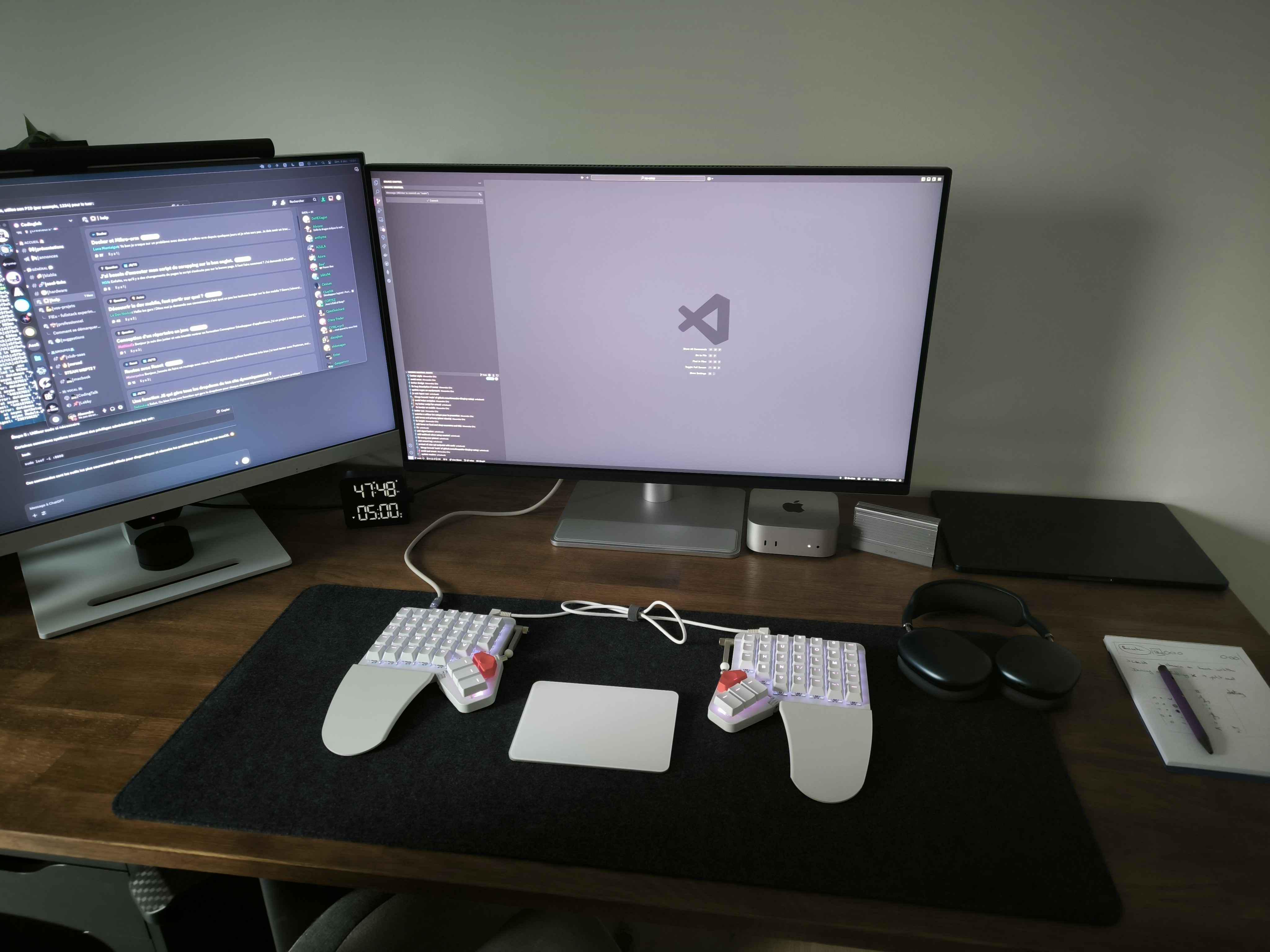
Photo: [email protected]
A French web developer created an impressive dual-Mac setup pairing an M4 Mac mini with an M3 MacBook Air, though he initially struggled with switching between the two machines on his 32-inch BenQ 4K display. The workstation features an unusual split ZSA Moonlander keyboard with a Magic Trackpad 2 positioned between the two halves, creating a truly ergonomic input solution.
When the dev posted his setup, commenters provided excellent advice for streamlining his workflow through three methods: Screen Sharing for remote control, iCloud sync for seamless data transfer, and a KVM switch (or monitor with integrated KVM) for easy switching between devices.
In addition to a large Liquid Retina display and a slim design, this model features a powerful M3 chip, 16GB unified memory and 512GB storage.
- Slim and lightweight
- Powerful M3 chip
- Big, gorgeous display
- Lacks the power of some Pro models
The new Mac mini is smaller, lighter and 50× more adorable. It's super-powerful and by far the best deal in computing right now.
- Powerful M4 Pro chip
- 512GB storage
- 24GB unified memory
- Compact desktop design
- Headphone jack on front
- BYODKM (bring your own display, keyboard and mouse)

5. M3 MacBook Air: Just what the doctor ordered

Photo: [email protected]
Is there a doctor in the house? There is with this M3 MacBook Air setup. The good doctor finds the slender laptop covers all needs (and then some), especially with an assist from an 11-inch iPad Pro, an external monitor and an unusual choice for desktop sound — a retro-style Edifier MP230 Portable Bluetooth Speaker. The setup’s M3 MacBook Air sits on a vertical stand and drives a 4K external display.
Apple's M2 iPad Pro is among the best tablet lineup out there, packing a powerful chip, all-day battery life, and a stunning Liquid Retina Display.
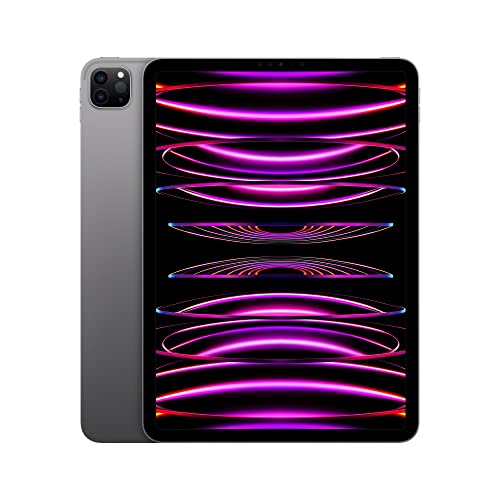
M2 iPad Pro (11-inch)
This monitor lamp lights up the desktop without causing glare or taking up desk space. It's easy to install and includes a wireless remote control for lighting adjustment.
- Easy installation
- Includes remote control
- Adjustable brightness and temperature
- Not as feature rich as some light bars

Edifier retro wood Bluetooth speaker puts out 20W of stereo Sound and features AUX, USB Soundcard, Micro SD and other inputs.

4. M2 MacBook Air takes off like rocket with 3 external displays

Photo: [email protected]
In the shadow of a discontinued Lego Saturn V rocket model, this ambitious M2 MacBook Air setup proves that Apple’s lightweight laptop can handle serious multi-display configurations with the right connectivity solution. The key to running three external displays plus the laptop’s own screen is the powerful Ugreen Revodok Pro 209, a 9-in-1 DisplayLink docking station.
The external displays include a pair of 27-inch Dell 1440p LED monitors and a 15.6-inch Asus Zenscreen portable USB-C 1080p display, creating a versatile workspace for different tasks. Commenters expressed surprise that an M2 Air could drive so many monitors simultaneously, with the user confirming that the Ugreen dock’s performance exceeded expectations. The workspace also includes Sony’s stellar XM5 headphones.
Possibly the perfect laptop. The 13-inch MacBook Air brilliantly blends portability with performance. Top-notch industrial design and a beautiful Midnight finish.
- 16GB RAM, 256GB SSD Storage
- M2 chip: Built for Apple Intelligence
- 13.6-inch Liquid Retina Display
- Backlit scissor-switch keyboard
- Non-upgradeable RAM or SSD
- Poky 256GB storage
This is a DisplayLink 9-in-1 dual 4K@60hz monitor dock for MacBooks and Windows laptops. It includes these ports: 2 DP, 2 HDMI, 10 Gbps USB-C (1) and USB-A (2) data ports, 100W PD 3.0 and Gigabit Ethernet.
- DisplayLink USB-C dock with 9 ports for broad connectivity
- 100-watt power delivery for laptop
- Dual 4K@60Hz monitor compatibility
- Some similar docks feature even more ports and charging power

Sony's top noise-cancelling earbuds are made from recycled plastic materials. In addition to top active noise canceling (ANC), they feature clear Bluetooth signal and adaptive sound control with artificial intelligence.
- Among the strongest buds for noise cancellation
- Excellent audio quality
- AI-assisted adaptive sound control
- A new version may come out soon

3. ‘Headless’ MacBook Air runs alongside retro Macs
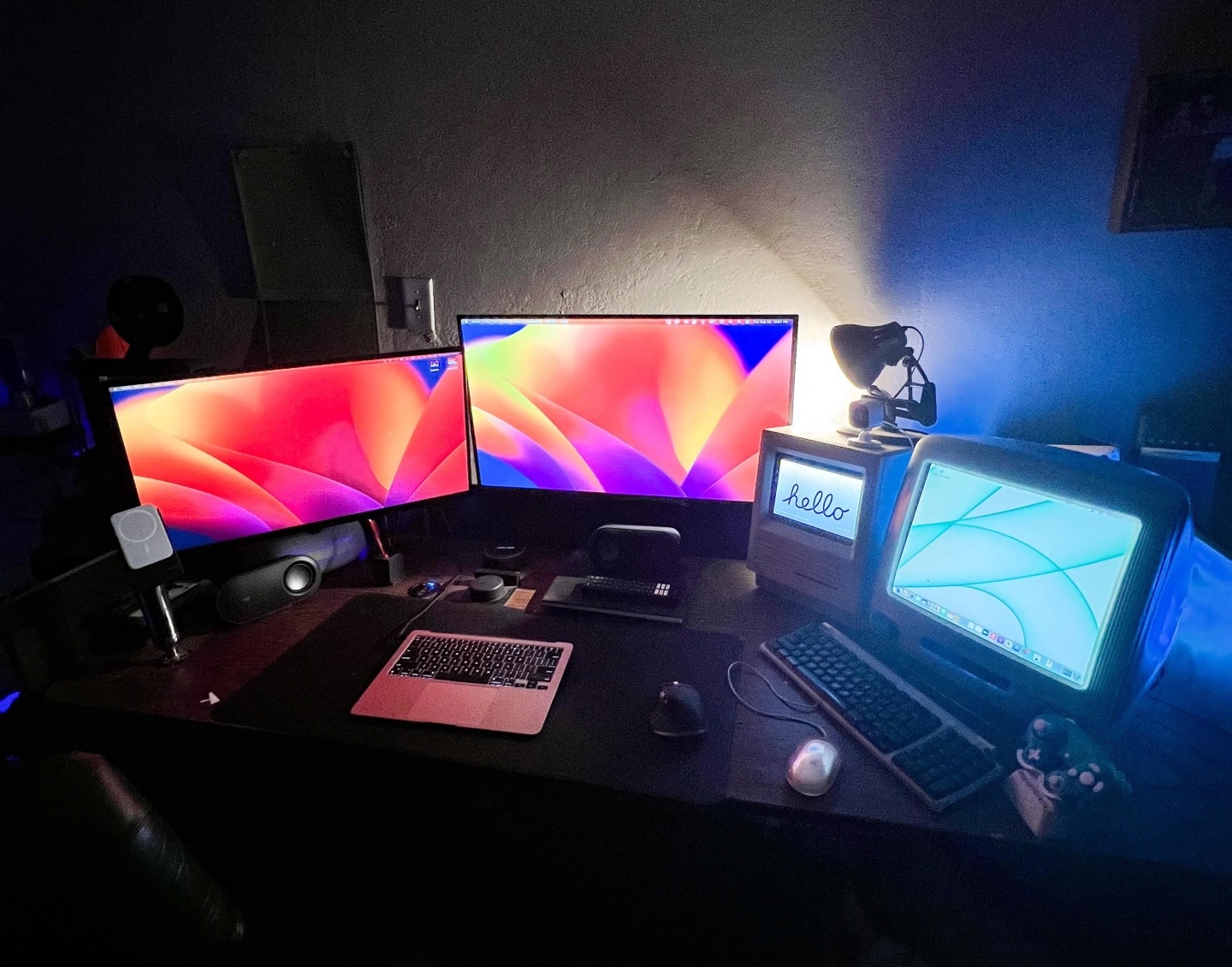
Photo: [email protected]
At Cult of Mac we love vintage Apple gear, of course. But to avoid confusion with what Apple means when it says “vintage,” perhaps we should say “retro” or even “antique.” You know, the old stuff people like to collect and put in computer museums. This setup sports both old and new. An M1 MacBook Air is the main computer, but it’s used as a desktop machine, sans built-in monitor. And right next to it are a working Macintosh SE/30 and an iMac G3.
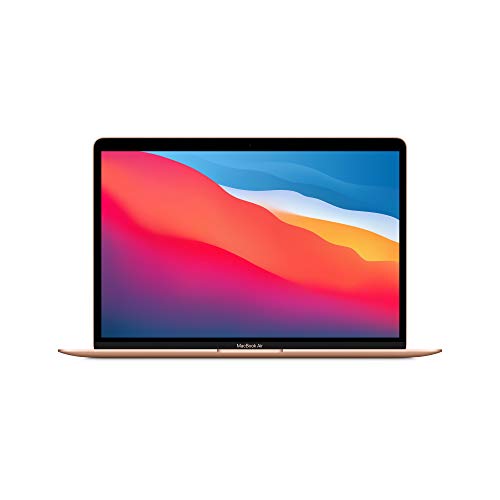
The 2020 MacBook Air might be three years old, but thanks to its M1 chip, it can give other newer laptops a run for their money in the performance and battery life department.
2. M3 MacBook Air rides alongside ultra-wide external display

Photo: [email protected]
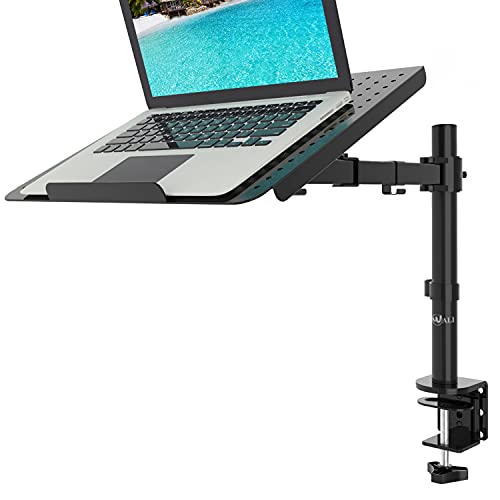
We see more laptop-based computer setups using the machine in clamshell (closed) mode on a vertical stand than we see setups with open laptops. But they’re both pretty popular options. This setup’s M3 MacBook Air sits on a tray attached to the same arm that holds the ultra-wide external display. So they float together above the desk. That monitor arm laptop tray situation wouldn’t work for everyone, but it’s a cool way to add a second display when you need one (and you have an external keyboard so you don’t have to use the laptop’s).
Sporting an M3 chip, Apple's lightweight laptop is built for Apple Intelligence. Includes 13.6-inch Liquid Retina Display, 16GB unified memory, 512GB SSD storage and backlit keyboard with Touch ID.
- Slim and lightweight
- Powerful M3 chip
- Gorgeous display
- Lacks the power of some Pro models

This 35-inch curved ultra-wide screen features QHD resolution (3440p x 1440p), sRGB 99% Color Gamut, HDR 10, USB-Type C, AMD FreeSync and a 3-side virtually borderless design.
- Lots of screen real estate
- Good color coverage
- Not the biggest or best resolution available

This handy vented mount is for one MacBook or other laptop up to 17 inches. It's fully adjustable and weighs 22 pounds.
1. Triple-display MacBook Air rig wows the crowd
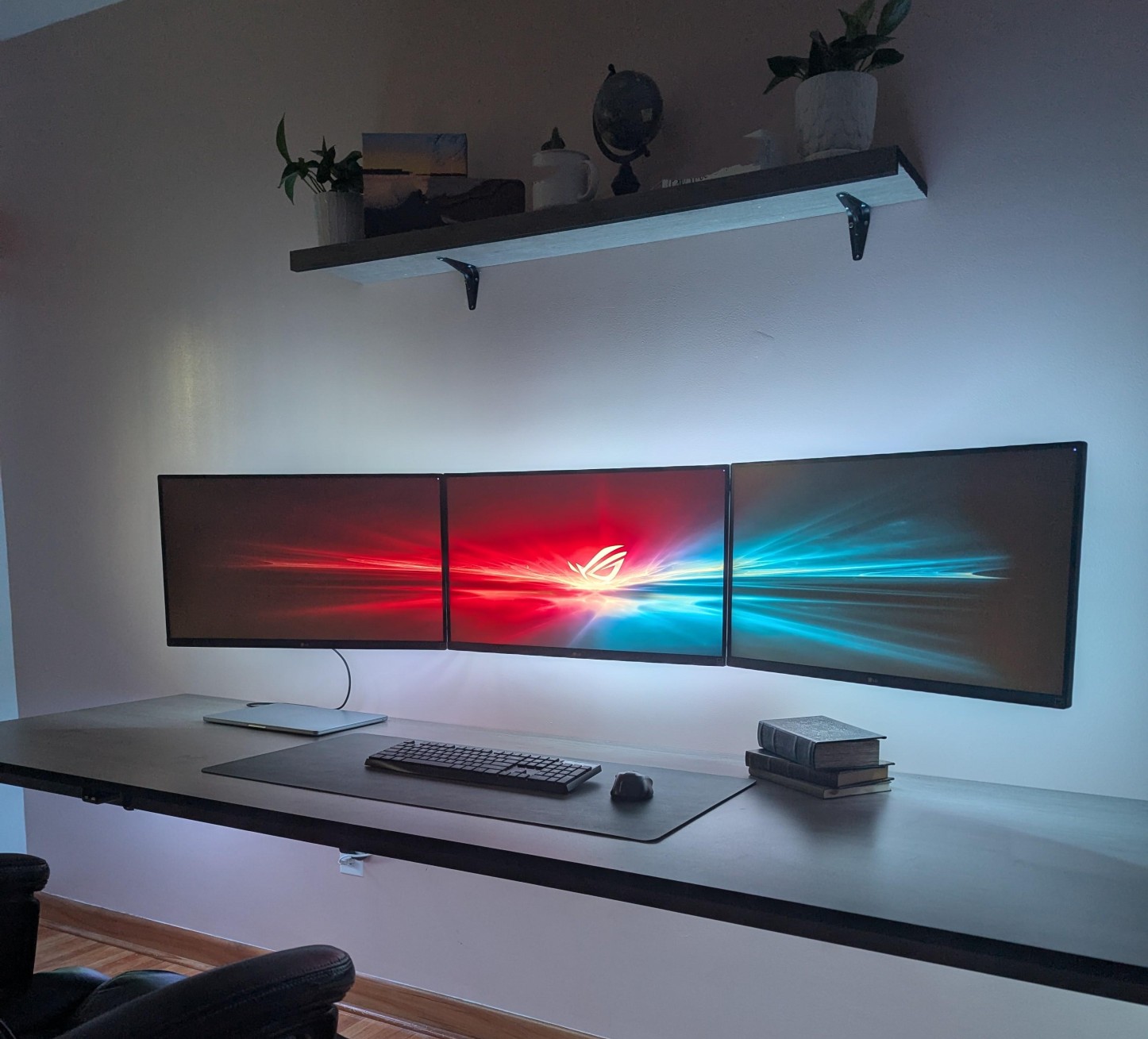
Photo: [email protected]
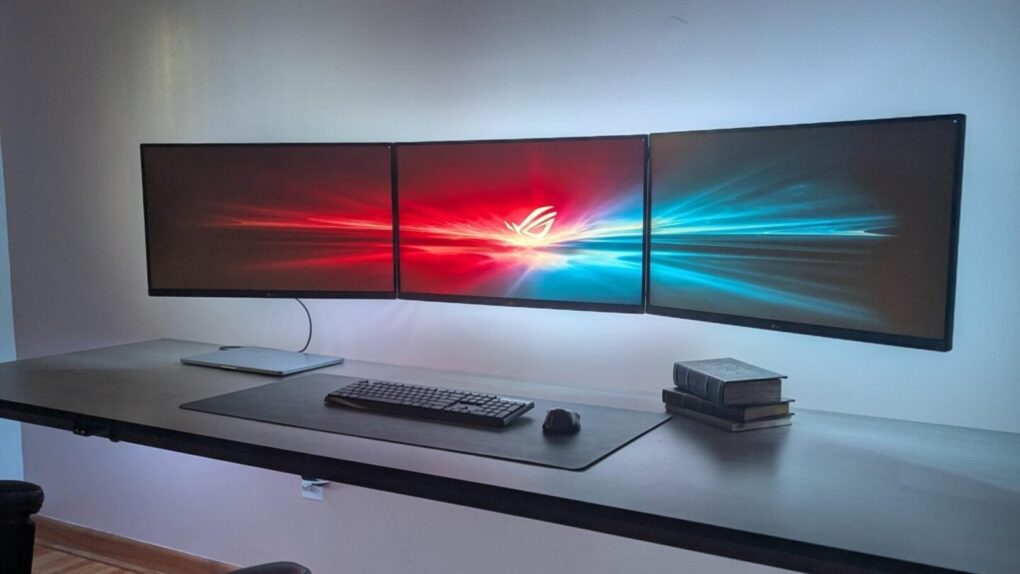
Clean aesthetics define this MacBook Air setup featuring three wall-mounted 27-inch LG 4K monitors arranged end-to-end in landscape orientation. And the minimalist configuration isn’t just about looks. The user employs clever tricks to maintain the tidy appearance, including a single cable to the laptop and strategic cable management behind the wall-mounted displays. The setup generates all its displays at 4K 60Hz using a Thunderbolt dock with one monitor connected via DisplayPort and the other two through a USB to dual HDMI DisplayLink adapter.
Commenters praised the clean look and peppered the user with questions about DisplayLink performance and mounting solutions. The large, clean desk (which the user made) provides plenty of workspace beneath the impressive display array. And the backlighting behind the monitors adds ambient light without creating glare.
This UHD, or 4K resolution (3840x2160p) IPS computer monitor features AMD FreeSync, VESA mounting options, HDR 400, Reader Mode, Flicker Safe functionality, and HDMI and DisplayPort connectivity.
- Affordable 4K display
- AMD FreeSync
- VESA mounting options
- Larger, higher-resolution monitors commonly available

With full motion, 15-inch extension arms with tilt and swivel, these mounts fit most 13- to 32-inch flat-panel TVs and monitors.
- Fully articulating arm allows plenty of motion
- Fits variety of TVs and monitors
- Assembly required

Smart LED light strips create great lighting the bedroom and other rooms. Includes Bluetooth LED lights, app control, multiple colors, music sync and more in 16.4-foot length.
- Customizable mood lighting
- Easy installation
- Expand with more strips
- Not great as task lighting


David Snow, an expert on Apple hardware and software, writes on a variety of technological and cultural topics for Cult of Mac. They include Apple news, technology buying guides, and features about computer setups and Apple TV shows and movies.
With 30 years of experience covering technology and other subjects, he has written and edited for numerous print and online publications, including CMP Media, TechTV.com, CNET, Wired News, Red Herring magazine, Law.com, The National Law Journal and Law Technology News magazine. Among other roles, he served as executive editor of the Law.com network of websites and editorial director, technology, for ALM Media.
Snow graduated with a B.A. from Syracuse University with majors in magazine journalism and psychology. While there, he worked as a reporter for The Daily Orange newspaper and associate editor of Equal Time magazine.
Founder of the blog At the Waterline, he can be reached on X (formerly Twitter) via @atthewaterline and on Mastodon via @dsnow.

