Mobile menu toggle

Search results for: shortcuts

An Apple User’s Guide To Feedly, The Best Overall Google Reader Replacement

By

feedly-logo1

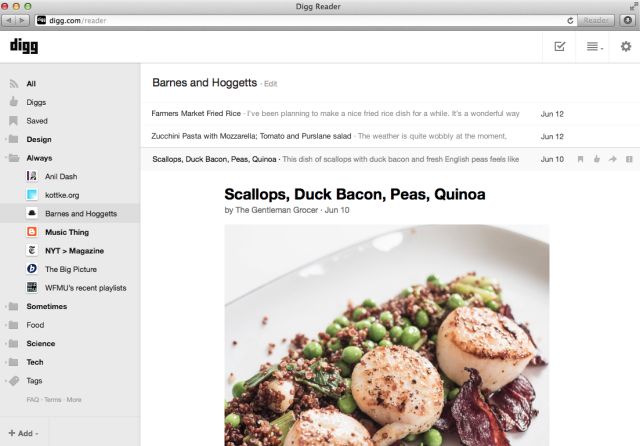
July 1st has come and gone, and Google Reader is dead. The beloved RSS aggregator has been an invaluable tool for legions of news junkies throughout the years, but it wasn’t popular enough for Google to keep it running.

You can look at Google Reader’s death two ways: as either a misfortune, or an opportunity.

In the wake of Reader’s demise, numerous RSS platforms have sprung up, and many of them have built upon what made Reader great. Enter Feedly.

7 Features iOS 7 Borrowed From Android [Feature]

By

post-231924-image-0e4eaee29590621da8bd76911dd4fb63-jpg

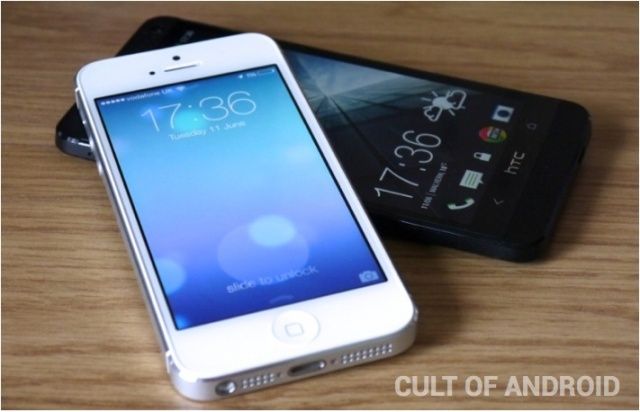
Apple made a lot of significant changes in iOS 7, and some of those will be instantly familiar to those who are running the latest versions of Android. As is often the case, Apple has “borrowed” certain features from rival operating systems, and we’ve counted at least seven that were part of Android first.

iOS 7 Reminds Us To Be Careful What We Wish For

By

begged-apple-meme

It’s our own fault. We all asked Apple to dramatically change the look and feel of the iOS operating system, which, until yesterday, remained largely unchanged since the introduction of the original iPhone back in 2007. And we all complained when it didn’t do that with iOS 6 this time last year.

But I can’t help but feel the Cupertino company is now punishing us for all those requests, and all that complaining we did before about its skeuomorphic designs.

When it comes to design, iOS 7 is vastly different to its predecessors. It still functions in much the same way — though there are some new features you’ll need to get used to — but it looks completely different. As soon as you power it up for the first time the minimalistic feel is staring back at you, but it isn’t until you’ve completed the setup process and arrived at your home screen that you want to vomit in your own lap.

Launchbar 5.5 With Added Snippets And Added Awesomeness

By

lb55.jpg

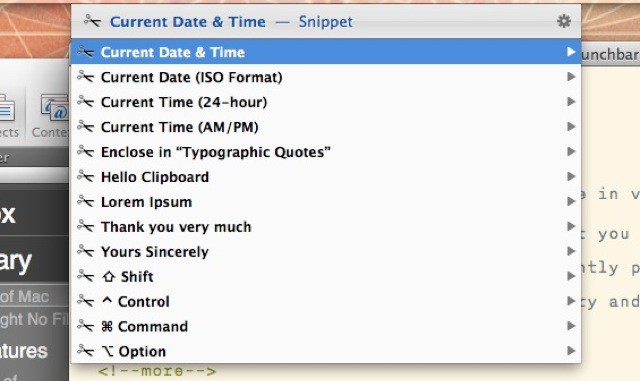
Launchbar users can enjoy a brand new feature in v5.5 of the find-everything Mac app. Launchbar – if you’re not familiar with it – is an app that you trigger with a shortcut (I use ⌘-Space) and then type into the pop-up window. Launchbar instantly presents results, letting you launch apps, send emails, play music, browse your iPhoto library and a whole lot more. And now it has snippets.

Auxo For iPad: The App Switcher Apple Wouldn’t Make [Jailbreak]

By

IMG_0228

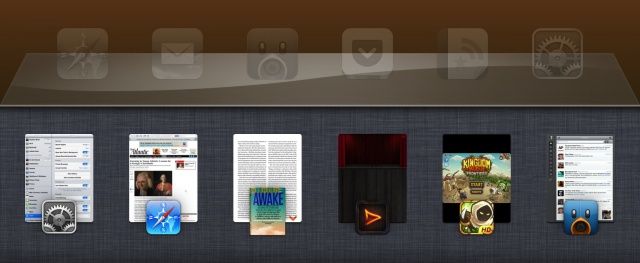
It all started as a concept in a forum. A designer who goes by the online name of “Sentry” posted mockups of a redesigned app switcher for the iPhone. It was such a unique and innovative take—webOS-like app cards and quick access to Settings toggles—that it got picked up by dozens and dozens of big websites, Cult of Mac included. “This is the awesome, radically redesigned app switcher we want to see in iOS 7,” we said at the time.

iOS 7 is right around the corner, and there’s been no indication that the app switcher will get a significant update.

Several months after the concept was first posted, it became reality in the form of an iPhone jailbreak tweak called Auxo. Now that hundreds of thousands of jailbreakers are using Auxo as a default app switcher replacement on the iPhone, an iPad version has finally been released.

Five Quick And Easy Ways To Master The OS X Keyboard [Feature]

By

Mac OS X Keyboard

As we’re all Mac users here (at least I hope so!), it’s a good idea from time to time to learn new things on our favorite computer, to make our Mac life just that bit more fun and productive.

With that in mind, here are five easy keyboard tricks that you can use that you
may not have already known about. Give them a try and let us know what you think in the comments section at the end.

Enjoy!

Name Your Own Price With The Double Down Mac Bundle [Deals]

By

CoM - DDBundle

This Cult of Mac Deals offer won’t just save you time on your Mac, but it will save you money as well. That’s right. We’ve partnered with 2 great developers to bring you The Double Down Mac Bundle! You pay what you want for Find Any File and if you pay more than the average price, you’ll also receive Shortcuts.

But you’re not just saving money and helping developers with this offer. We’ve also chosen three charities: Child’s Play Charity, World Wildlife Fund, and Creative Commons, that we believe make a significant and positive impact across the globe. 10% of your entire purchase will go to help whichever charity you choose.