Mobile menu toggle

Search results for: shortcuts

Why I Still Use A Ten-Year Old Sony Ericsson P900 [Review]

By

p900-4.jpg
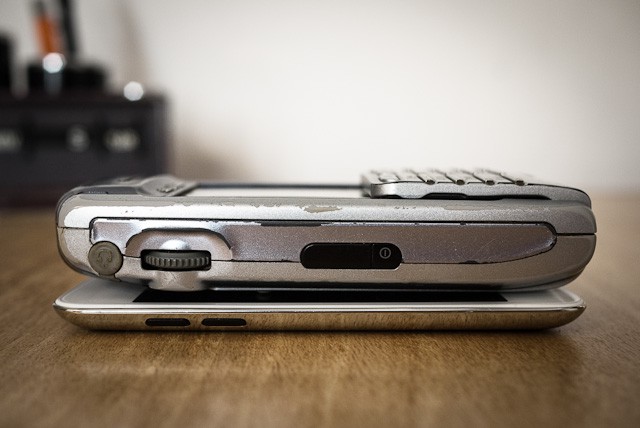
The P900 Isn't so much big as fat -- seen here with an iPod Touch

Take one look at my cellphone and you’ll either laugh at me, pity me or envy me. It’s a Sony Ericsson P900, a brick of a smartphone introduced in 2003, and I got it when my P800 was stolen from my bag in London’s Soho (at that time, Orange in the UK gave you free insurance for your phones — go figure).

And after a few years of struggling with various dumbphones and the execrable Samsung Behold, I’m back to the P900 and I love it. Why? Because it was designed to be used like the iPhone, not crippled by carriers like everything else these days.

Get Forklift, The Mac’s Best FTP App, Right Now For Just 99 Cents… $29 Off! [Killer Deals]

By

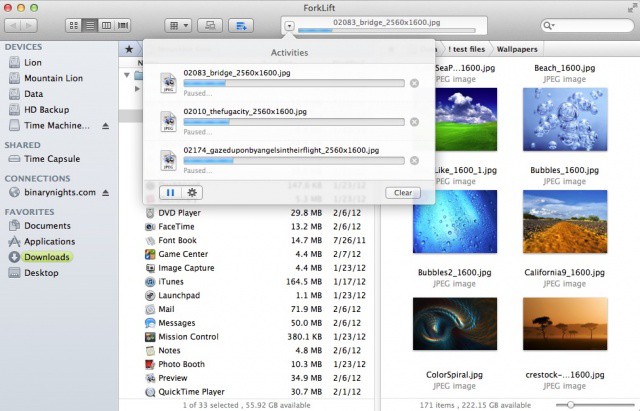
Forklift is great, and costs less than a buck, which rounding down for inflation is basically free.

If you’re the kind of web monkey who finds himself spitting up or slurping down loads of files over good old FTP, this is a fantastic deal: Forklift by Binary Nights — widely hailed as one of the best and most elegant FTP/SFTP clients and file management programs available for the Mac — is usually on sale for $29.99, and depending on how much FTPing you do, a pretty good deal at that. But right now? You can grab it for less than a buck, no strings attached.

Coda 2 For Mac And Diet Coda For iPad Launching On May 24th

By

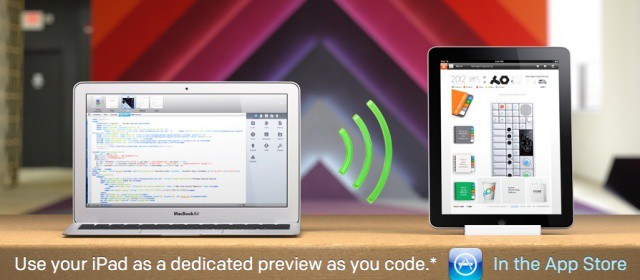
The future of coding is here.

Panic, the company behind popular Mac app Coda, has announced the second major version of its prized web development tool. Coda 2 for Mac will launch on May 24th alongside a new app for the iPad called Diet Coda. Version 2.0 of Coda is “better at everything,” according to Panic, and Diet Coda will allow you to preview your code live on the iPad as you write on the Mac. The iPad app will also let you make quick edits to your code on the go.

Caffeinated Gives Reeder RSS App A Run For The Money On The Mac [Review]

By

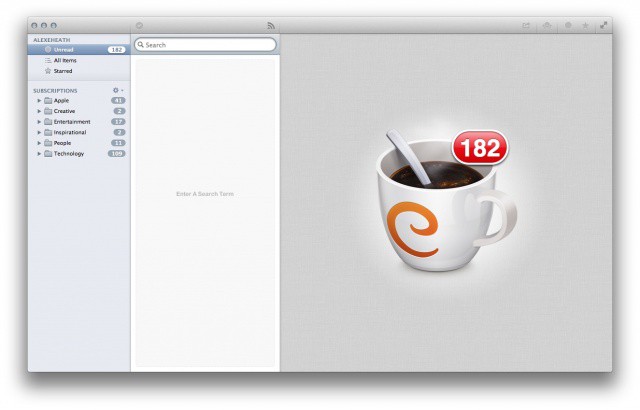
Caffeinated: a viable contendor for your new default RSS app on the Mac

Ok, I’ll admit it: I still haven’t kicked my RSS addiction. As hard as I try to just use sources like Twitter and Flipboard to get my news, there’s something about having every article from every site I follow in one place. And in my line of work, it’s very important to stay on top of the news cycle.

For the longest time I’ve used Reeder to scan RSS feeds on all of my devices. The iPhone, iPad and Mac apps are about as good as it gets for RSS, but I’ve been longing for some competitive apps to come on the scene. On the Mac, a RSS client called Caffeinated may have way it takes to dethrone the reigning champion, Reeder.

Debunked: Hotkey Apps Will Stay In The Mac App Store… For Now

By

Apple wants apps in the Mac App Store to play inside their own sandboxes.

TUAW reported earlier on Thursday that Apple was planning to start rejecting apps from the Mac App Store that used universal hotkeys to trigger functions and access features. The ban was supposedly set to go into effect on June 1st alongside Apple’s app sandboxing deadline. A new report from Macworld debunks TUAW’s claim by saying that Apple is not planning to start rejecting apps like Alfred that rely on universal keyboard shortcuts.

NotesTab Pro: Nice Idea, But Improvements Needed [Review]

By

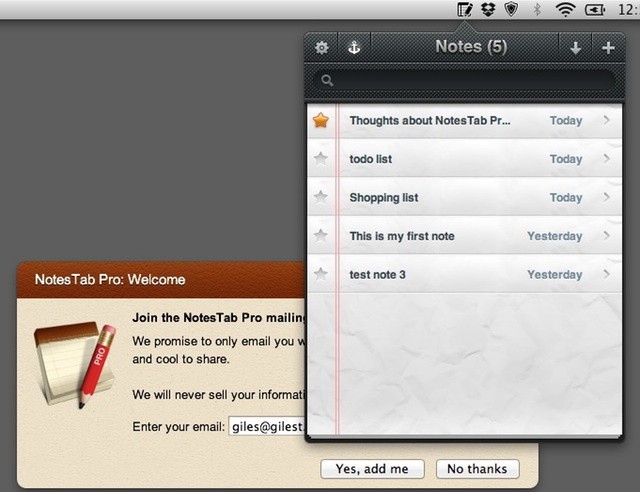
NotesTab Pro and begging
NotesTab Pro and begging "join our mailing list" window. Could have been worse; could have said "Please rate us five stars!"

Do we need any more notepad apps for OS X? Of course we do, what a foolish question. We always need more notepad apps. But if a newcomer to the notepad app scene (what, you didn’t know there was a notepad app scene? tut tut) wants to make any impact, it needs to be really, really good at what it does.

NotesTab Pro is one such newcomer, and although it has some appealing features, it doesn’t offer enough to make it stand out from its rivals.

Dashboard X Brings Live Widgets To Your iOS Device’s Home Screen [Jailbreak]

By

Time to make your Home screen come alive.

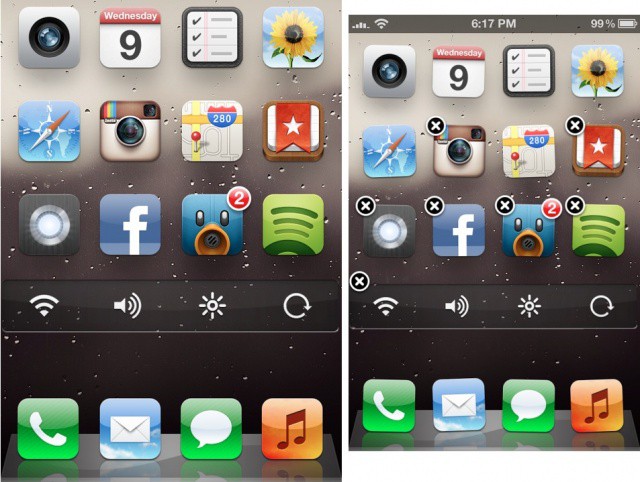
When Apple introduced Notification Center in iOS 5 last summer, jailbreak developers immediately started creating third-party widgets to enhance certain functionalities and create shortcuts for iOS. Widgets for toggling system preferences, for instance, are now available in Cydia for Notification Center. What would happen if the idea of widgets left Notification Center and made its way to the iOS Home screen?

Prolific Cydia developer Ori Kadosh has released Dashboard X, an ambitious extension for adding floating widgets to your jailbroken iPhone and iPad’s springboard.

Find iPhone Style Special Characters In Lion [OS X Tips]

By

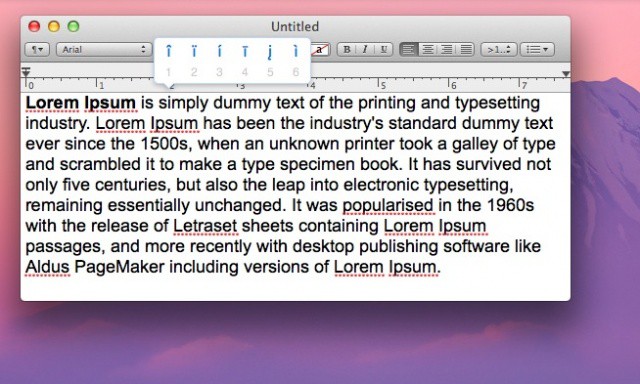
Special Characters

Every so often, you might want to type an accented character on your Mac. There are many keyboard shortcuts, most involving the Option key, to achieve this. For example, to type an “enye,” the letter in the Spanish alphabet, you need to press Option-n, then release and type n again. In Mac OS Lion, however, there’s an even easier way to find these diacritical characters.

How To Quickly Adjust Your iPhone’s Screen Brightness From The Status Bar [Jailbreak]

By

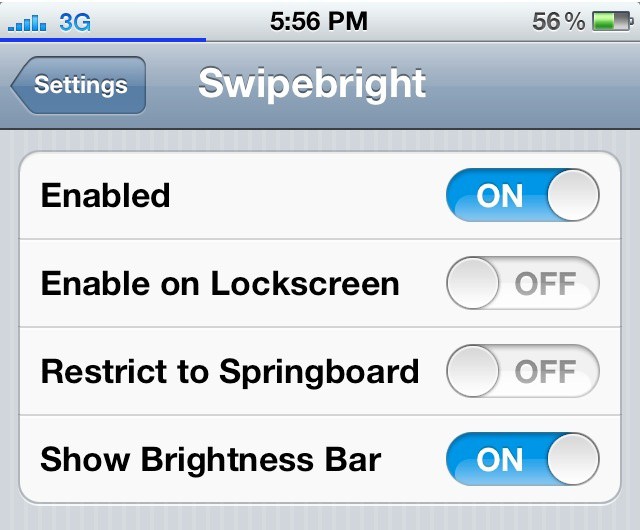
Wield ultimate control over your screen brightness with this nifty tweak.

The jailbreak community has always been striving to improve the way iOS handles system settings. iOS 5 failed to introduce a quicker way of managing preferences like screen brightness and Bluetooth, and jailbreakers still use tweaks like SBSettings to toggle prefs without popping into the Settings app.

More elegant solutions for enhancing iOS have started coming out in Cydia over the last year or so, and a jailbreak tweak called Swipebright brings very useful functionality to the status bar.

Last Day To Stack Your Mac With The Mac SuperBundle [Deals]

By

CoM - Mac SuperBundle

Cult of Mac Deals is wrapping up another stellar app bundle lined up for our readers — with a total savings of over $400 on 9 great Mac apps! All of these apps would normally retail for $453 on their own. But thanks to Cult of Mac Deals you can get all of them for only $49 for a limited time. That’s an 89% savings!

But time’s running out to get your hands on The Mac SuperBundle…because it ends in just a few hours!