Mobile menu toggle

Safari - page 15

Apple Releases Safari 6 For OS X Lion

By •

A little treat for those sticking to OS X Lion.

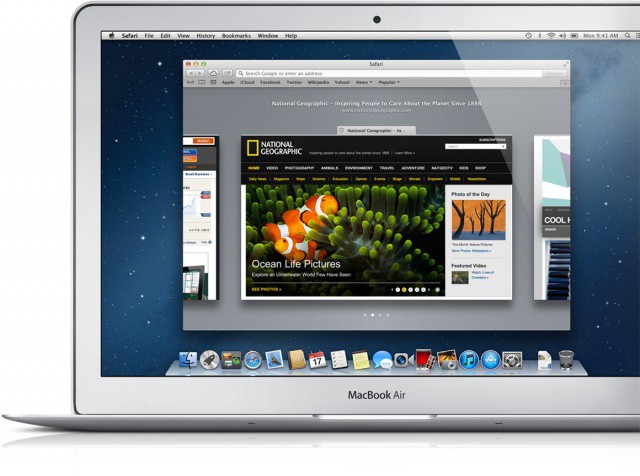
If you’ve decided to wait for OS X Mountain Lion until all of your apps are compatible, don’t think Apple has forgotten all about you already. The Cupertino company has just released Safari 6 for OS X Lion, which introduces a number of new features, including the smart search field, an offline Reading List, and more.

Open Links In The Backround When Using Safari Mobile [iOS Tips]

By •

I don't always use mobile Safari, but when I do...

One of the limitations of the iPhone and iPod touch version of Safari has always been a lack of tabbed browsing. Granted, there’s only so much space on the smaller mobile screen, but all the same – tabbed browsing is great.

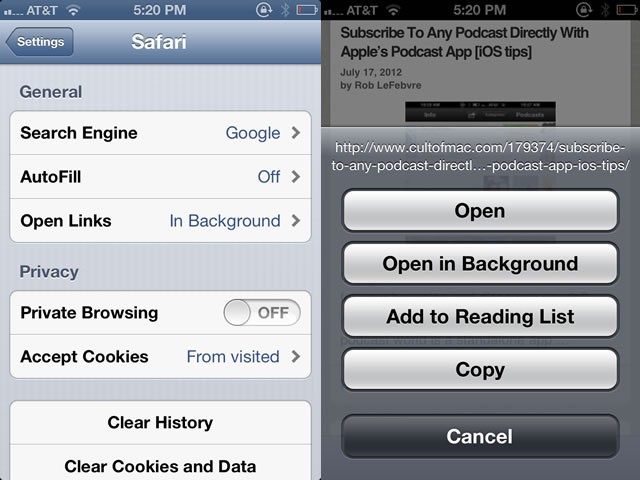
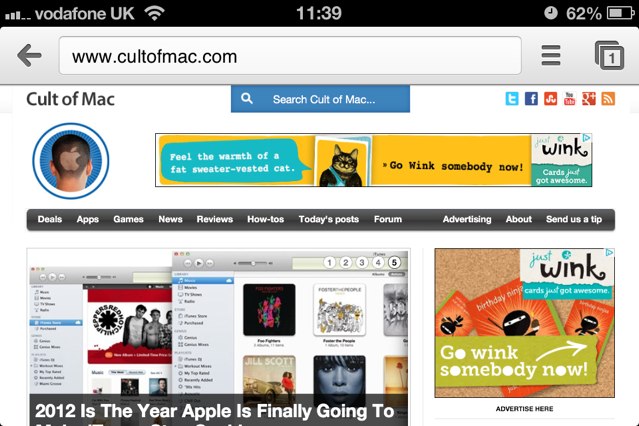
So is being able to open tabs in the background, so that you can continue reading, say, an article on Cult of Mac, but still save an interesting link in another tab, just like you can on the Mac with a Command-click. With a simple Settings tweak, you can.

Google Chrome For iOS Only Owns 10.3% Of Third-Party Browser Market

By •

chrome

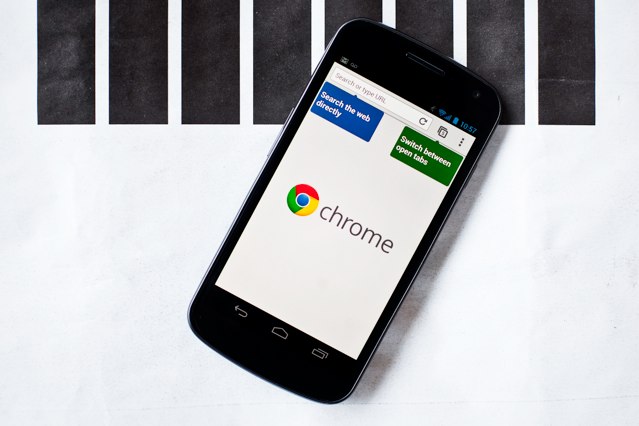
Back in June at the I/O developer conference, Google announced  they are bringing their Chrome web browser to the iOS platform. Many Apple fans prefer Chrome over Safari on desktop machines, so the unveil was met with a lot of excitement from iOS users. However, it looks like Chrome has a long  road ahead if it hopes to become a prominent power on the iOS web scene.

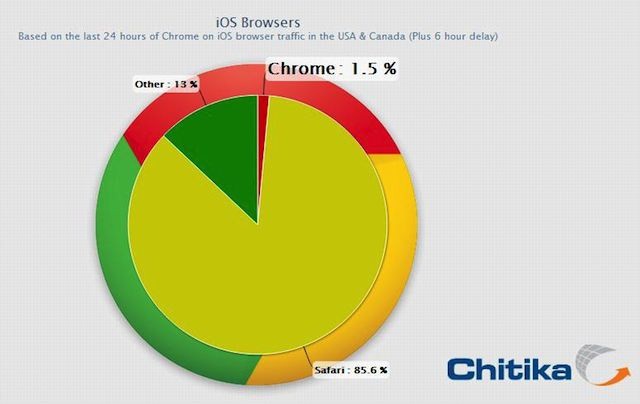
A new study by Chitika shows that after Google Chrome for iOS has been at the top of the App Store charts for weeks, it has earned a 1.5% marketshare of  all web browsers on iOS. Safari dominates with an 85.6% marketshare, while other third-party browsers take up the other 13%. Chrome’s overall 1.5% browser share translates to a 10.3% share of the total iOS third-party browser market.

Merge All Safari Windows Into One With A Keyboard Shortcut [OS X Tips]

By •

Because you can, that's why.

If you’re not careful when using Safari, you could end up with a screen full of open website windows. Safari’s default behavior when opening a new link is to do so in a new window. This drove me nuts until I figured out I could just Control-click any links and they’d appear nicely in a new tab instead of a new window.

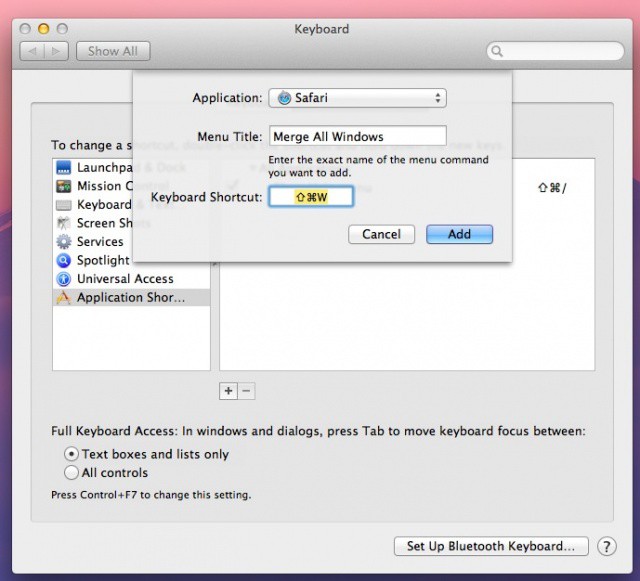
On the occasions I forget that feature and end up with a ton of open windows, there’s always the “Merge All Windows” menu command in the Window menu. It’s a slick piece of kit, but I’d like to trigger it with a keyboard combination. Here’s how.

Open Sites In Chrome From Safari Without Jailbreaking Your iPhone [iOS Tips]

By •

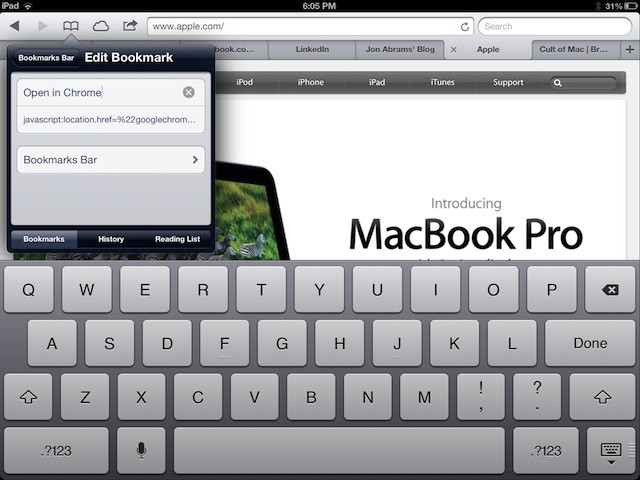
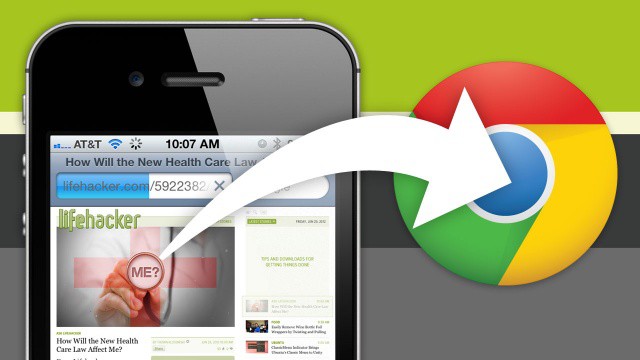
Open In Chrome

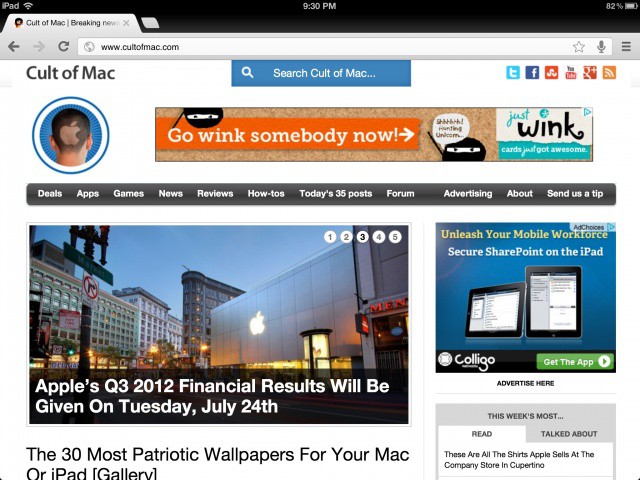
I don’t know about you, but I’m a huge fan of the mobile version of Chrome on my iPhone and iPad. I use Chrome for Mac almost exclusively, and having all my bookmarks and browsing history available to me on the go is really the killer feature.

Alex has already shown you how to set Chrome as the default browser if you have a jailbroken iOS device, but what about those of you (like me) who don’t want the hassle of a jailbreak? How can we quickly hop over to Chrome on our iPhone? Turns out, it’s pretty easy.

Google To Pay $22.5 Million For Bypassing Privacy Settings In Safari On iOS [Report]

By •

Screen Shot 2012-07-10 at 2.11.52 PM

Back in February it was discovered that Google was bypassing Apple’s privacy settings in Mobile Safari on iOS. The search giant was making ad revenue from Safari users’ web activity by ‘tricking’ the default iOS browser to allow multiple tracking cookies.

6 months later, and Google is about to pay the “largest penalty ever levied on a single company” by the U.S. Federal Trade Commission (FTC). Google will pay $22.5 million to settle the charges issued by the FTC, and the code in question has already been disabled by Google in Safari on iOS.

How To Customize Google Chrome For iOS And Make It Your Default Browser [Jailbreak]

By •

IMG_0074

Google released its Chrome browser on the iOS platform last week, and it wasn’t long before the app shot to the top of the App Store’s charts. People clearly wanted a change of pace, and Apple’s Mobile Safari just wasn’t cutting it.

If you’re a Google Chrome for iOS fanatics out there, you’ll be pleased to hear that a couple new Cydia tweaks have surfaced to make Google Chrome the best Safari replacement around.

How Apple’s Newest App Will Make Podcasting The Future Of Entertainment [CultCast]

By •

cultcast-site-promo-pic.jpg

Apple’s new Podcasts app, with its skeuomorphic tape reels and beautiful interface, is an absolutely brilliant way to discover, manage, and listen to podcasts. And on our newest CultCast, we’ll tell you how Apple’s new gem will finally bring podcast entertainment out of the shadows and into the hands of the masses.

And then, did you know Google just released their beloved Chrome browser for iOS? We’ll tell you what we think and if it’s going to give Safari a run for its money.

All that and our answers to your Twitter questions on an all-new CultCast! Subscribe now on your shiny new Podcasts app, then catch the show notes after the jump!

Use This Bookmark To Open Any Webpage In Chrome For iOS Instead Of Mobile Safari

By •

original

Here at Cult of Mac, we love Google’s new Chrome browser for iPhone and iPad… love it so much, in fact, that for many of us, we’re now using it as our default browser on our jailbroken devices using a Cydia tweak.

That’s all well and good if you’ve got a jailbroken iPhone or iPad, but what if you’re living on the straight and narrow? How can you make using Chrome as your default browser an easy experience when iOS wants to open every link in Safari instead?

It’s easy, with this Mobile Safari bookmarklet.

Make Google Chrome Your Default Web Browser On iOS With The BrowserChooser Tweak [Jailbreak]

By •

BrowserChoose is a free tweak that makes Chrome your default browser.

Google finally released its hugely popular Chrome web browser for iOS yesterday, and just as we had expected, it’s the best third-party browser so far. In fact, in many ways, it’s also better than Apple’s built-in mobile Safari browser. And you can now use Chrome as your default browser on your jailbroken iPhones, iPads, and iPod touches, thanks to the BrowserChooser tweak.

Things You May Not Already Know About The New MacBook Pro’s Retina Display

By •

If your Retina MacBook Pro isn't delivering the battery life you expected, try this simple fix.
If you're the lucky owner of a new MacBook Pro, here are some things you should know.

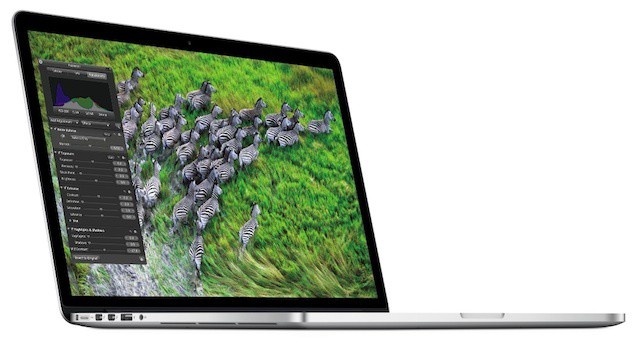
We’ve been drooling over the next-generation MacBook Pro since Apple unveiled it at WWDC earlier this month, and we thought we knew all there was to know about its gorgeous high-resolution Retina display. However, Apple surprised us with a new FAQ page on its website this morning, which reveals a number of things about the notebooks new screen that we hadn’t heard before, which will help you make the most of your new display.

Here are a few of the things that you may be interested in.

How To Activate Passbook In iOS 6 Beta

By •

Could your iPhone 5 be capable of reading your fingerprint?
Itching to try out Passbook already? Here's how to activate it.

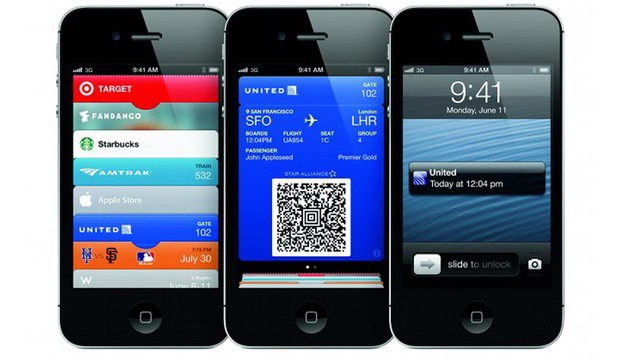
Apple released its second iOS 6 beta to registered developers yesterday, and it included a number of new changes. The Cupertino company’s new Passbook app remains inactive, however… unless you know about the workaround.

Although nothing you can do within the Passbook app itself will get it working, there is a little trick you can perform in mobile Safari. Here’s what you need to do.

New York Post Quietly Scraps Its Paywall For iPad Users Using Mobile Safari

By •

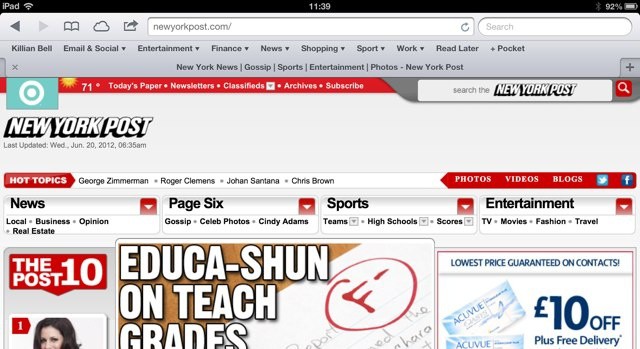
You can now access the New York Post website on iPad for free.

The New York Post introduced a paywall last year that meant iPad users accessing its website with mobile Safari would be redirected to its official iPad app, and would then have to pay a monthly subscription fee to access its content. However, it has now performed a complete u-turn and scrapped that paywall completely.

iOS 6 Murders The Latest Jailbreak… For Now

By •

Don't expect to see this running on iOS 6 anytime soon.

Shortly after the Chronic Dev Team released their iOS 5.1.1 untethered jailbreak a couple weeks ago, Pod2g revealed that they had already begun work on a jailbreak for iOS 6. It seems, however, that it’s going to be a long time before we’re hacking Apple’s next iOS release.

According to Dev Team member MuscleNerd, iOS 6 breaks a whole lot of stuff, including Cydia, and it’ll be a while before there’s an iOS 6 jailbreak.

What We Expect To See In iOS 6 Today At WWDC 2012 [Feature]

By •

Cult of Mac speculates about what to expect in Apple's upcoming version of iOS.

Apple’s unveiling of its next major operating system, iOS 6, is right around the corner. Scott Forstall and Co. are expected to announce the new OS to developers at WWDC next week. Very little is actually known about iOS 6, but there have been some rumors that made headlines over the last few months.

iOS 6 looks to be an evolutionary upgrade from iOS 5, rather than a revolutionary jump forward. Here’s what we expect to see.

Dolphin Browser 5.0 Brings Saved Passwords, Autocomplete, Email Sharing & More

By •

Dolphin's latest update means you'll never have to type out a password again.

Dolphin is widely regarding as one of the best third-party web browsers for the iPad, and it’s a particular favorite of mine, firmly stuck to the first page of my home screen on all of my iOS devices. With version 5.0 for the iPad, Dolphin gets even better, with the ability to save passwords; autocomplete browsing history, bookmarks, and searches; share URLs via email, and more.

Google Will “Definitely” Release Chrome Browser For iPhone This Year [Report]

By •

Chrome is in beta on Android, and it's coming to iOS, too. (Image courtesy of Wired.)

Google Chrome is quite possibly the best web browser you can install on your Mac or PC, and it could soon be the best browser on your iOS device, too. According to one analyst, Google is “definitely” bringing Chrome to the App Store this year — possibly before the end of this quarter — which is bad news for Apple.

New Version Of Safari Tells Older Versions Of Adobe Flash To Take A Hike

By •

safariicon

Today Apple released Safari 5.1.7 alongside OS X 10.7.4. The latest Safari update includes several general improvements and bug fixes, including a new way of handling Adobe Flash on the web. If an older version of Flash attempts to run in Safari 5.1.7, Apple’s browser will automatically disable it and give you the option to install the newest version of Flash from Adobe’s website.

iOS 5.1.1 Patches Important URL Spoofing Vulnerability In Safari

By •

Apple has fixed an important security issue in iOS 5.1.1.

Apple released iOS 5.1.1 for iOS device owners today over-the-air and in iTunes. The update brings several bug fixes and improvements, including a fix for certain iPads that loose connectivity when switching between 2G and 3G networks.

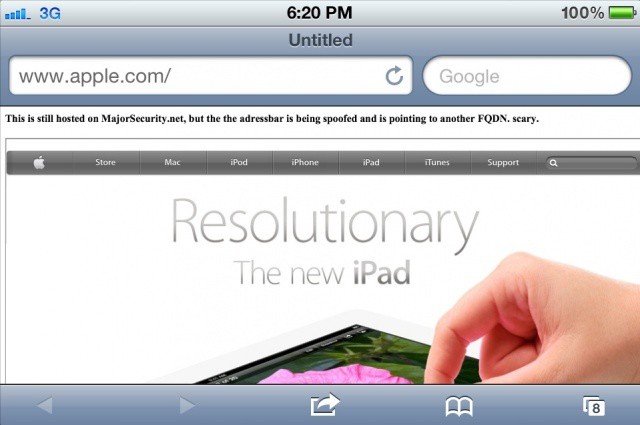
An important security update has also been included in iOS 5.1.1 for a URL spoofing technique in Safari that made the news a couple weeks ago.

Flashback Malware Was Worth Up To $10,000 A Day To Its Creators [Report]

By •

The Flashback infection could have generated more in 7 days then most will earn in a year.
The Flashback infection could have generated more in 7 days than most will earn in a year.

The Flashback malware which was found to be infecting over 650,000 Macs at its peak was earning its creators up to $10,000 a day, according to security specialists Symantec. The OSX.Flashback.K trojan, which is believed to be the largest Mac infection to date, is designed to steal page views and advertising revenue from Google.

Apple Suffers More Vulnerabilities Than Google, Microsoft, Adobe In Last Quarter

By •

This Apple's software is free from vulnerabilities? You couldn't be more wrong.
Think Apple's software is free from vulnerabilities? You couldn't be more wrong.

Apple’s operating systems and its software are generally believed to be the best available in terms of security and stability, but a new report from Trend Micro reveals that’s a huge misconception… at least in recent months. In fact, the Cupertino company suffered more vulnerabilities during the last quarter than rivals like Oracle, Google, Adobe, and even Microsoft.

Google Could Be Fined By FTC For Working Around Millions Of Safari Users’ Privacy Settings

By •

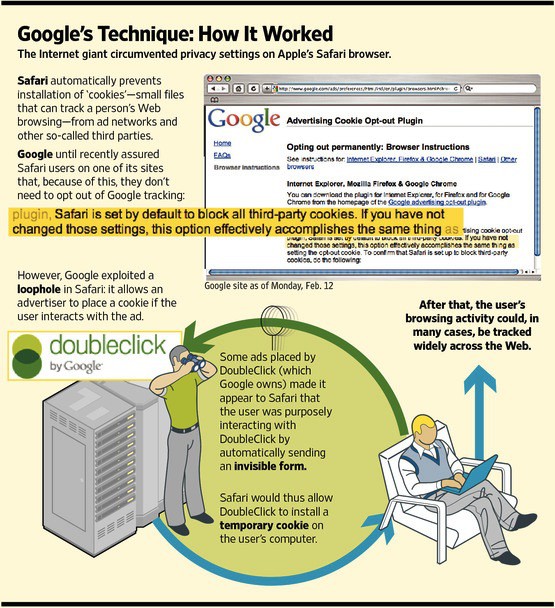
Wall Street Journal's illustration of how Google's tracking worked on Safari.

A couple of months ago, The Wall Street Journal raised a huge stink when they reported that Google was tracking millions of iOS & Mac Safari users against their wishes using a loophole in the way that Safari’s cookie handling algorithm.

Google on its parts always said it had done nothing wrong, and used known functionality in Safari to make sure their advertising cookies were always stored locally on users’ machines, even if their cookie settings were set to private. Looks like that might not have been enough for the FTC, though, who are now looking to start doling out fines to Google over the issue.

Scared Of Flashback? Here’s How To Disable Java On Your Mac And Stay Safe

By •

Kaspersky is helping Apple identify vulnerabilities in Mac OS X.
Got the Flashback spooks?

Apple has said that its working on a tool to end the notorious Flashback botnet once and for all, but there’s still the remotest chance you could get infected. Keep in mind that only around 600,000 Macs have fallen prey to Flashback, and that number is a tiny fraction of the millions of Mac users around the world. Most of the machines that have been infected already are centralized in North America.

Your Mac is completely up to date and you’ve already checked to see if you’re infected by the Flashback trojan. If everything is squared away and you’re not infected already, here’s how to ensure there is zero chance you’ll get infected while you wait for Apple to save the day.

Safari Gets Updated To Version 5.1.5 With A Minor Bug Fix

By •

safari

Apple has released Safari 5.1.5 in Software Update with a fix for those running the browser in 32-bit mode. The small update doesn’t have any known changes other than the 32-bit fix, and it weighs in at a slim 46.4 MB. The update will still require you to restart your computer, sadly. The last public release of Safari was version 5.1.4 on March 12th.

Safari 5.2 is currently in the hands of developers. The next major iteration to Apple’s browser includes great Mountain Lion features like iCloud tabs, a unified address bar, and more.

Facebook Adds Retina-Ready Photos, But Not For The New iPad

By •

Facebook will now serve Retina-ready images, but not to the iPad

You and I may hate Facebook, but with almost a billion users, it’s the place where most people put their photos. And now, at least you won’t have to totally slum it if you visit: The customer-hostile social network will now serve hi-res photographs, but not — oddly — to the iPad.