★★★★☆
Clean out years of bad pictures. Image: D. Griffin Jones/Cult of Mac
CleanMyPhone is a new app that will tidy up your photo library. Developed by MacPaw, maker of CleanMyMac X, the new app can do a thorough scan of images on your iPhone to clear out years of screenshots, saved TikToks and unusably blurry shots. It’s a simple way to clean up photos on your iPhone.
It also uses artificial intelligence to sort your photos into handy categories. Plus, it makes it simple to periodically look at the last week or month of your photos to sort things into albums and stay organized. As a bonus, the app comes with an internet speed test — good for checking if your connection is solid enough to take an important video call.
★★★★☆
Juice up your devices even when there's no power socket in sight with Belkin's wall charger and power bank. Photo: Ed Hardy/Cult of Mac
A wall charger is useless when there’s no power socket handy. That’s why Belkin recently launched one that has a built-in battery so it’s ready to charge up your iPhone even when you’re off the grid.
Belkin BoostCharge Hybrid Wall Charger 25W + Power Bank 5K has a pair of USB ports and flip-out power prongs for maximum adaptability.
I put it through a series of tests with my iPhone 15 Plus, and it came through quite well.
We’ve found all the neatest apps for Apple’s latest device. Image: Apple
The best Vision Pro apps, games, demos and experiences showcase the AR capabilities of Apple’s headset.
If you own a Vision Pro and don’t know where to start, I put together a list of apps and games to try out first. Alternatively, if you can’t afford a headset (or if you live outside the United States), you can live vicariously through me as I show you all of the most interesting Vision Pro apps I’ve found.
★★★★☆
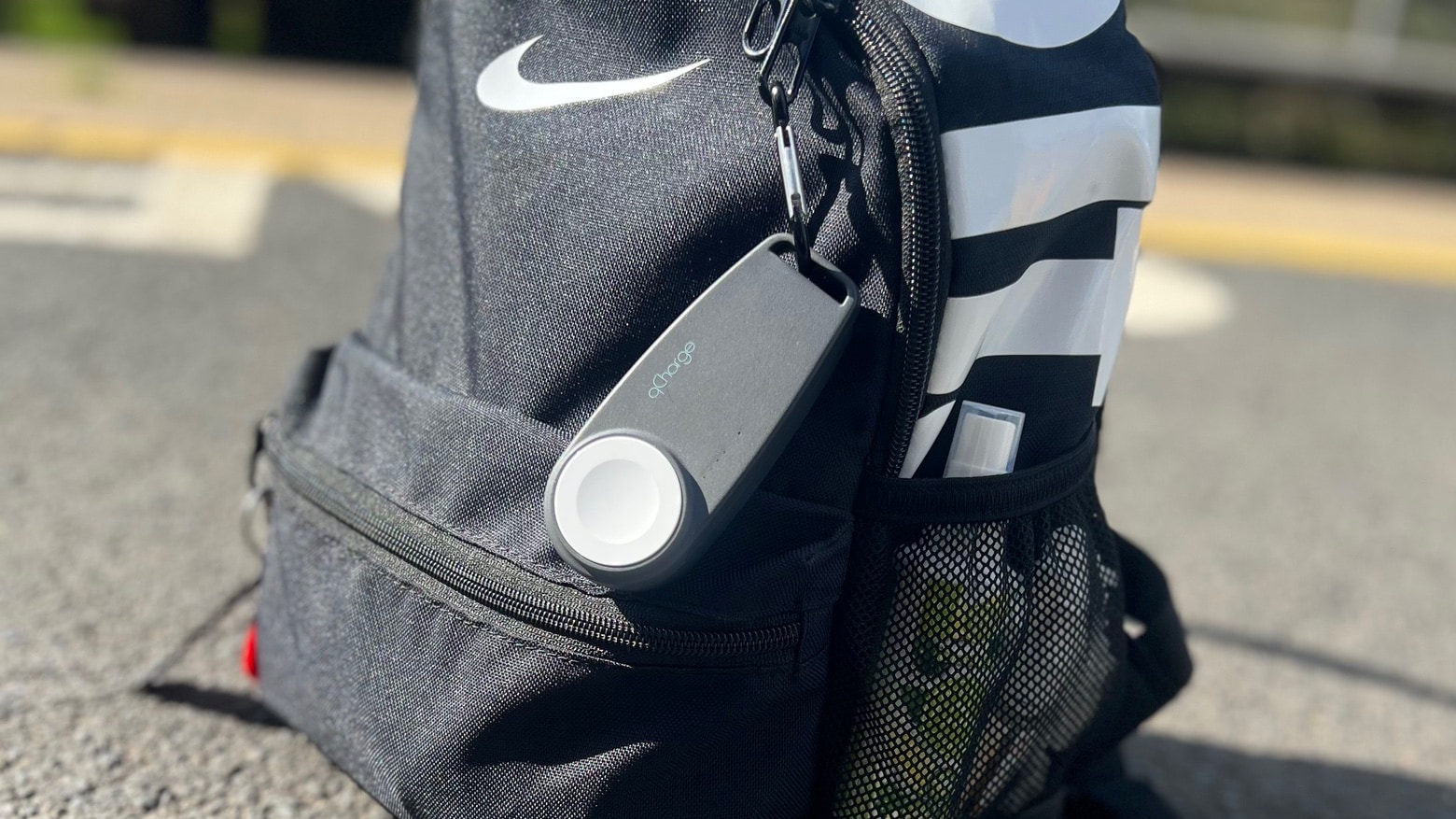
qCharge 2.0 is a combination Apple Watch charger and battery ready to go where you go. Photo: Adel Neal/Cult of Mac
qCharge 2.0 from Citius Systems is a power bank with built-in charger especially for Apple Watch. With one of these, you can replenish the device almost anywhere, no wall socket needed.
I tested it out with my own Watch. Here’s why I like it.
Awesome Mac apps of the week. Photo: Midjourney/Cult of Mac
In this week’s Awesome Apps roundup, you’ll find apps for managing files, using AI to boost your writing, and turning an iPad into a creative input device for a Mac.
And if all that productivity wears you out, we’ve got other options. You can relax with a charmingly peaceful Apple Arcade game with a delightful Japanese theme. Or you can blast enemy spaceships in an arcade-style game that’s great on iPhone — but even better on Vision Pro.
Void-X plays like a classic from the ’80s. It's great on iPhone, but even better on Vision Pro. Image: D. Griffin Jones/Cult of Mac
I’ve had a lot of fun playing Void-X, a modern arcade shooter game. If you’ve ever emptied a whole pocketful of quarters into Galaga or Zaxxon, then you’ll love playing it, too. And you’ll like it even more if you play Void-X on Vision Pro. (You can play the tame on iPhone and iPad, too.)
In case you couldn’t tell, I’m actually wearing the Vision Pro in this picture! You probably didn’t notice because you can see my eyes so clearly. Photo: D. Griffin Jones/Cult of Mac
The two-week return window for my Vision Pro is fast approaching, so I need to make my keep it/toss it decision in a matter of days. And I desperately want to keep it.
Many publications (including Cult of Mac) are reporting on the mass of people selling their Vision Pros after the two-week return window. A lot of it, I think, is for the drama — Apple is taking a big swing on a brand-new product, people aren’t keeping it, instant controversy. (I bet a lot of these people bought their headsets to produce content on the buzzy device and never planned on keeping it, no matter how good it was.)
Well, here’s the other side of the coin. My Vision Pro has fit into my life perfectly. I use it for hours every day. But justifying the purpose is a financial stretch.
★★★★☆
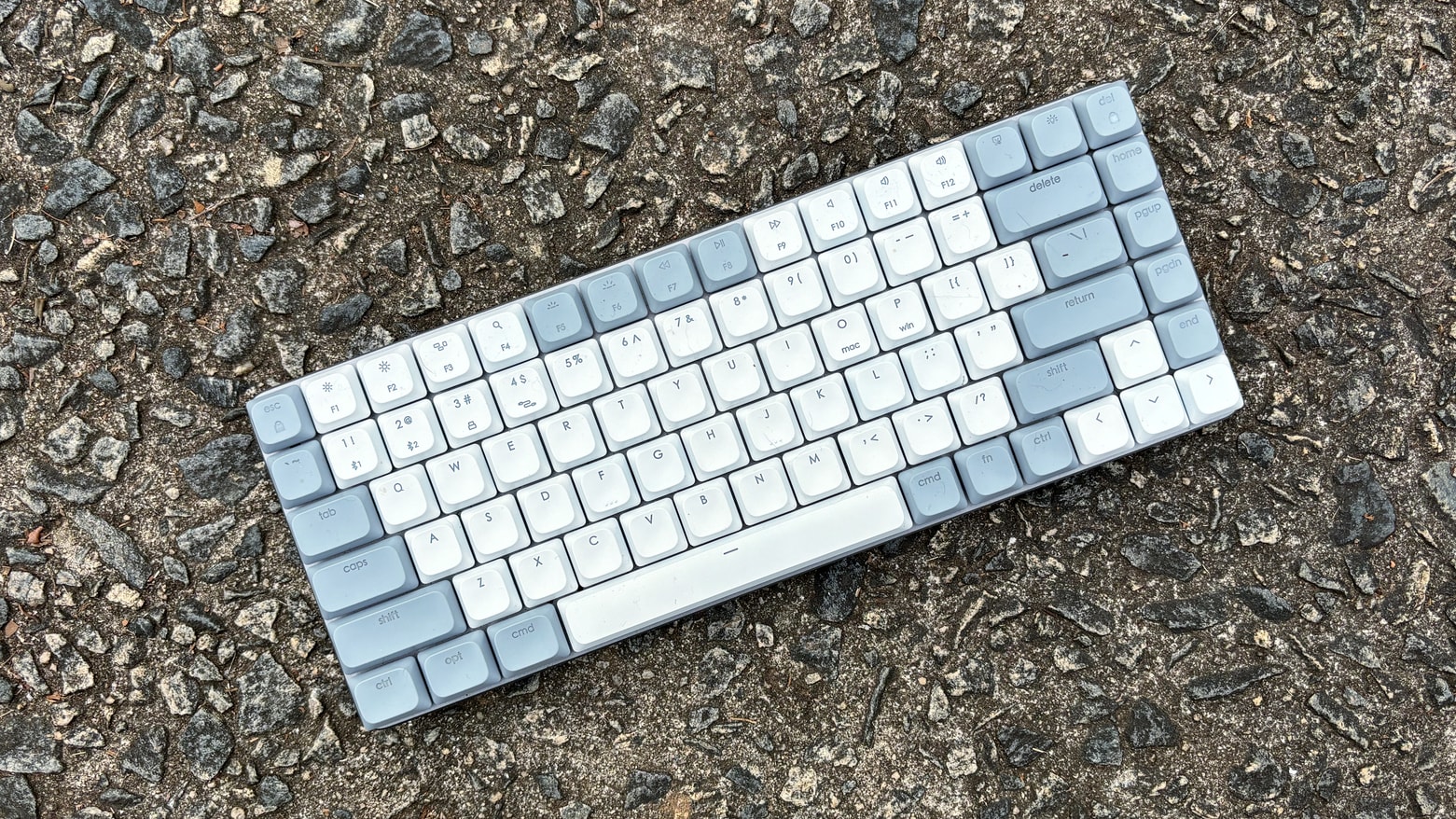
Satechi SM1 offers mac users a compact mechanical keyboard with multiple connectivity options. Photo: Ed Hardy/Cult of Mac
The Satechi SM1 Slim Mechanical Backlit Bluetooth Keyboard offers a 75% layout with low-profile brown switches so it’s easy to type on while not taking up much room on your desk. This mechanical keyboard for Mac can connect with up to four computers, including your iPad and iPhone, plus Windows machines. And it uses a variety of connectivity methods: Bluetooth, wired and more.
I’ve used it for several weeks now in my home office. I found a lot to like.
The life expectancy of these airmen was not high. Photo: Apple
When I was a kid, I had a thing for historical aircraft. I especially loved the smooth lines of the B-17 Flying Fortress bomber. And it played a big role in ending World War II, as shown in Masters of the Air on Apple TV+, the final installment in Steven Spielberg, Tom Hanks and Gary Goetzman’s World War II filmmaking trilogy.
Despite massive challenges, the plane and its crews’ strategic bombing helped bring down Adolf Hilter and the Nazi regime, shortening a horrific ground war.
And yet as good as the series is, sometimes it lands just short of the runway, like a beat-up B-17 losing its landing gear and grinding to a halt. Will it blow up? Maybe, maybe not. But is Masters of the Air worth watching? Hell yes.
For most cases, laser printers outshine inkjet printers. Here's how to find the best laser printer for Mac. Photo: Cult of Mac
What is the best laser printer for Mac users? When choosing between laser or inkjet, we recommend laser. Laser printers used to be prohibitively expensive, but prices have come down, and you’ll have fewer headaches. Inkjet printers are better for photos but are a pain to own. Replacement ink costs a fortune, the heads clog, and they dry out if the printer isn’t in regular use.
Laser printers, on the other hand, can sit idle for weeks without problems. They cost more up front, but are often cheaper to own in the long-run.
In this guide, we’ll explore which brand of printer works best with Mac and top laser printers that are fully compatible with macOS, whether you need a printer for your personal use, a home office or a small business.
Is this the future of working out? Probably not. Photo: D. Griffin Jones/Cult of Mac
People have been spotted wearing Apple’s Vision Pro headset at gyms. I was curious whether they had unlocked a secret killer feature or whether they were bearing through aches and pains just to show off. What’s it really like working out wearing a Vision Pro?
To find out, I hopped on a treadmill, lifted some weights and did some crunches while wearing the headset to discover the pros and cons of wearing a Vision Pro while working out. Check out our latest YouTube video to see what it’s like first-person.
The overall experience proved unsurprisingly mixed — with one very surprising drawback.
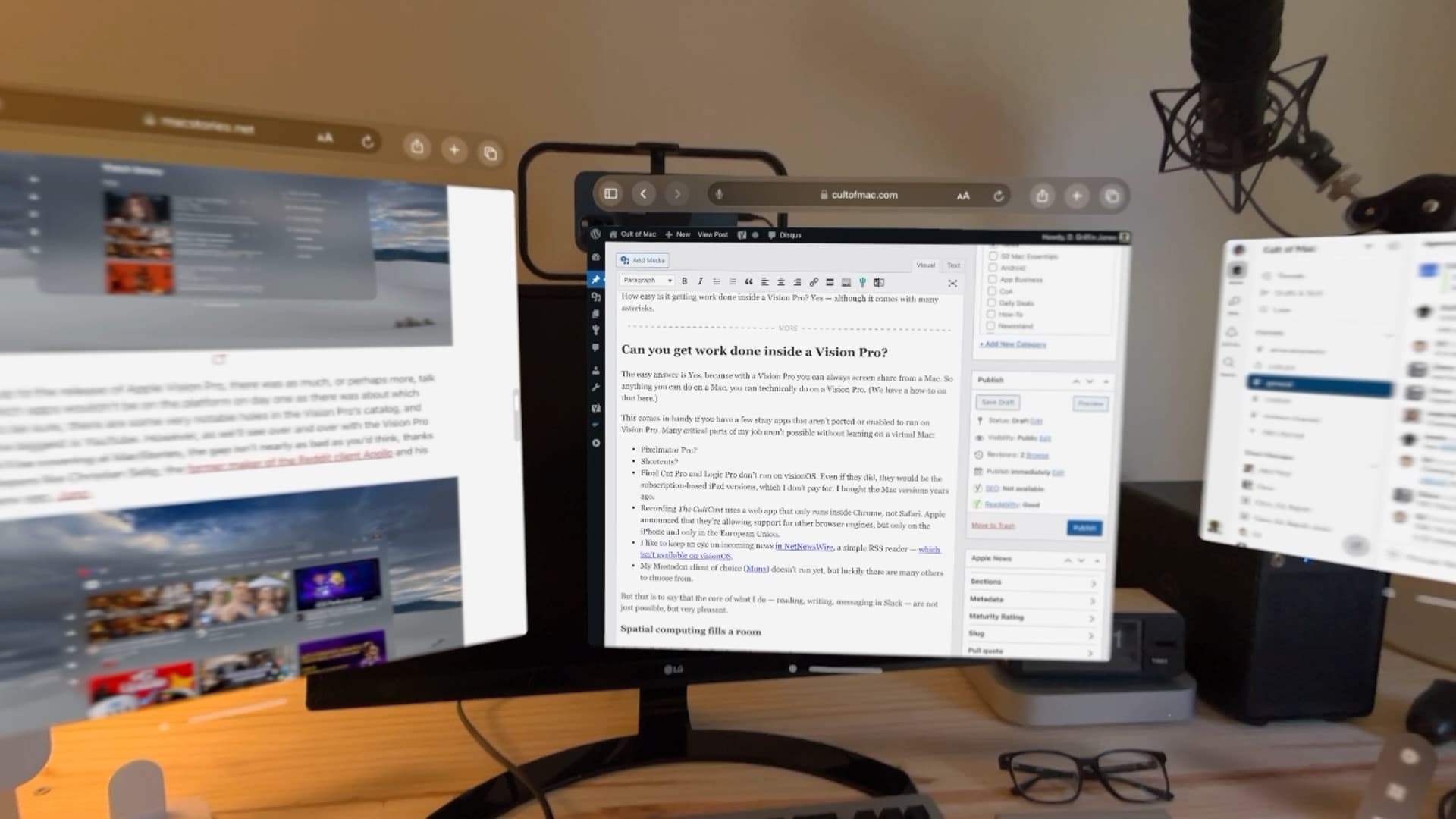
After a few days of testing, here’s what I noticed after trying to work on a Vision Pro. Photo: D. Griffin Jones/Cult of Mac
Can you get real work done inside a Vision Pro? Yes — although it comes with many asterisks.
It’s closely correlated to how much work you can do entirely on the web without specialized apps, although the virtual Mac display can smooth that down a bit. Surprisingly, typing in Vision Pro is great.
Working on Vision Pro has its annoyances, quirks and limitations, but I think Apple has built a very solid foundation here for a version-one product.
You'll find plenty of options in our guide to the best keyboards for Apple's pint-size Mac.
Photo: Teddy GR/Unsplash License/Cult of Mac
Apple’s smallest desktop computer is a powerhouse in a small package, but it doesn’t come with peripheral devices — so what are the best keyboards for Mac mini?
Whether you use a Mac mini for work or gaming, adding the right keyboard is crucial for maximizing your productivity and comfort.
I’ve always been fascinated with keyboards and have several. I’ll show you 10 of my favorite choices for great keyboards to use with Mac mini below.
★★★★☆
Vision Pro is amazing, but I can't recommend you get one. Photo: Leander Kahney/Cult of Mac
Apple Vision Pro is the most amazing technology I’ve experienced in my life. Thanks to the headset’s intuitive interface, it’s as close to mind reading as you can get.
It’s given me magical, highly emotive experiences I haven’t felt with any other technology. Immersive 360-degree videos make you feel like you are actually there — it’s a cliche, but it’s true.
I’m absolutely, unabashedly delighted with Vision Pro. But would I recommend you get one?
★★★★☆
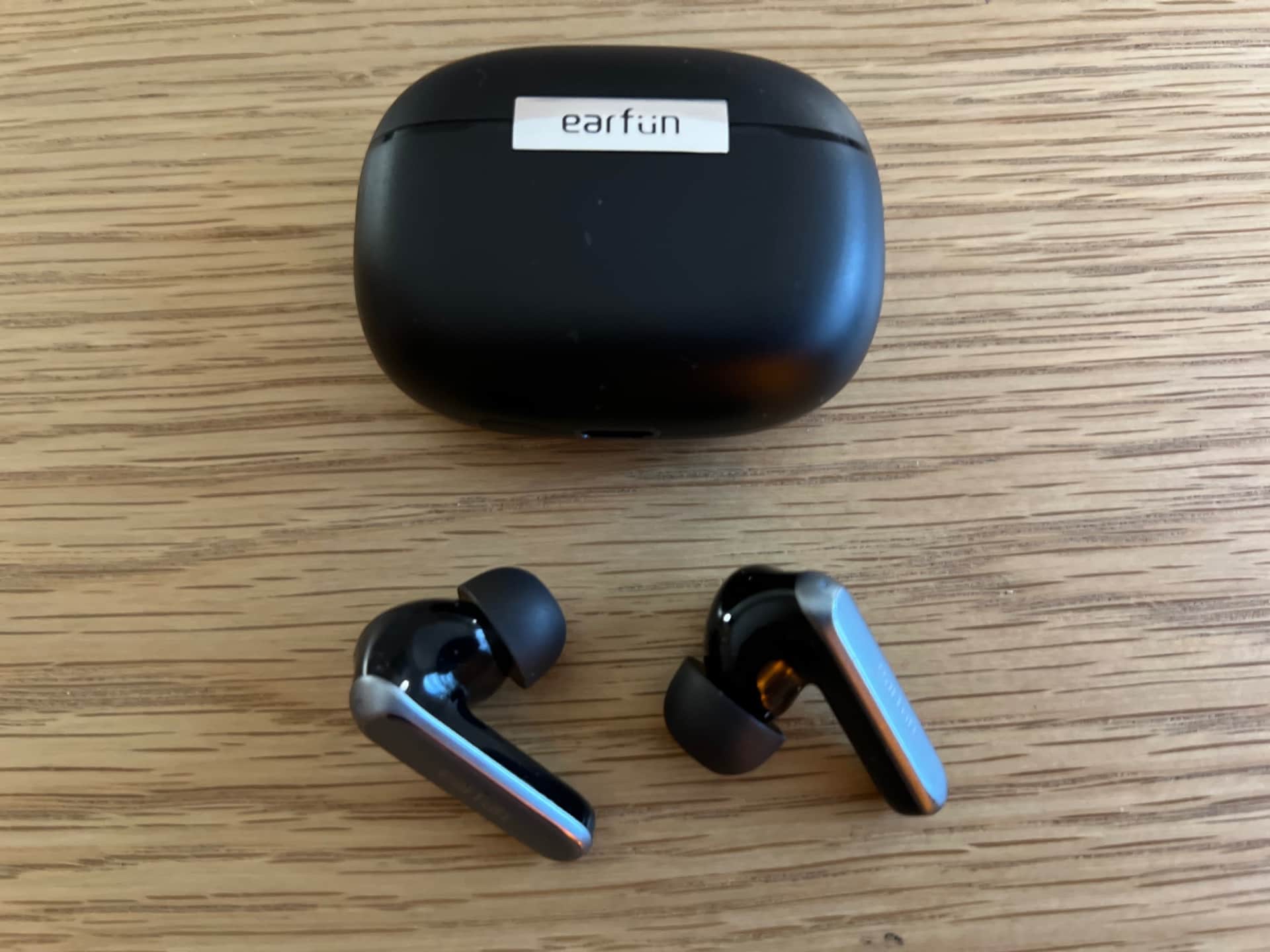
For $50, you can't go wrong with EarFun Air 2 earbuds. Photo: David Snow/Cult of Mac
Released Monday, EarFun’s new Air 2 wireless earbuds are damned good for $50, even without noise cancellation. It’s a testament to how far earbuds have come that you can get Hi-Res Audio-certified wireless buds for so little money.
That said, I wouldn’t throw away your AirPods Pro 2 buds just yet.
★★★★☆
No, NexDock isn't a laptop that runs iPadOS. It's better. Photo: Ed Hardy/Cult of Mac
NexDock lets you easily add a 13-inch external screen, keyboard and trackpad to your iPad or iPhone 15 and make them even more useful. Plus, there are bonus features: The all-in-one accessory recharges the Apple device, and includes a microSD card reader and an additional USB-C port.
I tested the Nex’s NexDock for this review, and found it a great fit for iPad — and a somewhat problematic one for iPhone 15, though a third-party app helps. Here’s why.
Vision Pro is a revolutionary product. But will the revolution succeed? Screenshot: Apple
The first reviews of Apple’s Vision Pro gush compliments on the augmented-reality headset, with one reviewer calling it “mind-blowing” and another “stunning.”
However, there’s also plenty of criticism for the high price, weight and slim collection of software available when the product launches later this week.
★★★★☆
Matrix Ultimate fast-charges MagSafe iPhones and Apple Watch while also juicing up AirPods Photo: David Snow/Cult of Mac
If you only want one charger for your smaller gadgets, Alogic’s new Matrix Ultimate is nearly ideal. You can use the 3-in-1 charger for iPhone, AirPods and Apple Watch at home or easily take it with you on trips.
That’s because the solidly built folding portable charger has a removable power bank and Apple Watch charging puck, plus a very nice felt carrying case. And it comes with a power adapter and USB-C cable. It’s not cheap, but it’s quite useful.
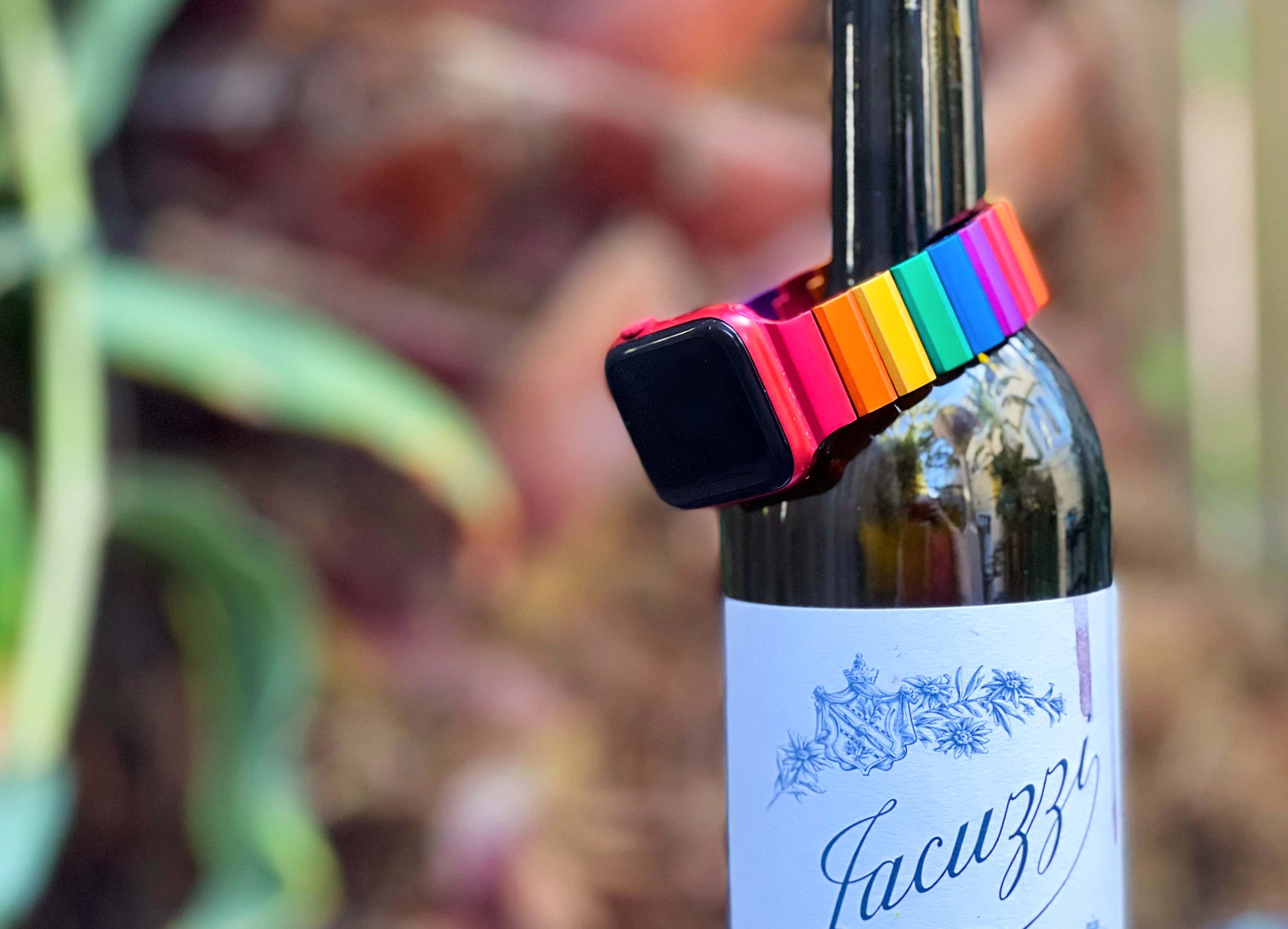
The vibrant colors on this aluminum Apple Watch band will take your breath away. Photo: Lewis Wallace/Cult of Mac
“Oooooooh!” my wife squealed when I pulled the Juuk Ligero Rainbow Apple Watch band out of the shipping carton. The brightly colored links in the aluminum bracelet definitely caught her eye.
Unfortunately for her, the band wouldn’t fit her smaller Apple Watch. So I got to try it.
The Rainbow Ligero looks like no other band you’ve seen. As with Juuk’s other metal Apple Watch bands, the Rainbow version’s striking looks provoke an immediate reaction. Its bold colors — red, orange, yellow, green, blue, purple — shimmer on the wrist. And now it’s back in the Cult of Mac Store.
★★★★☆
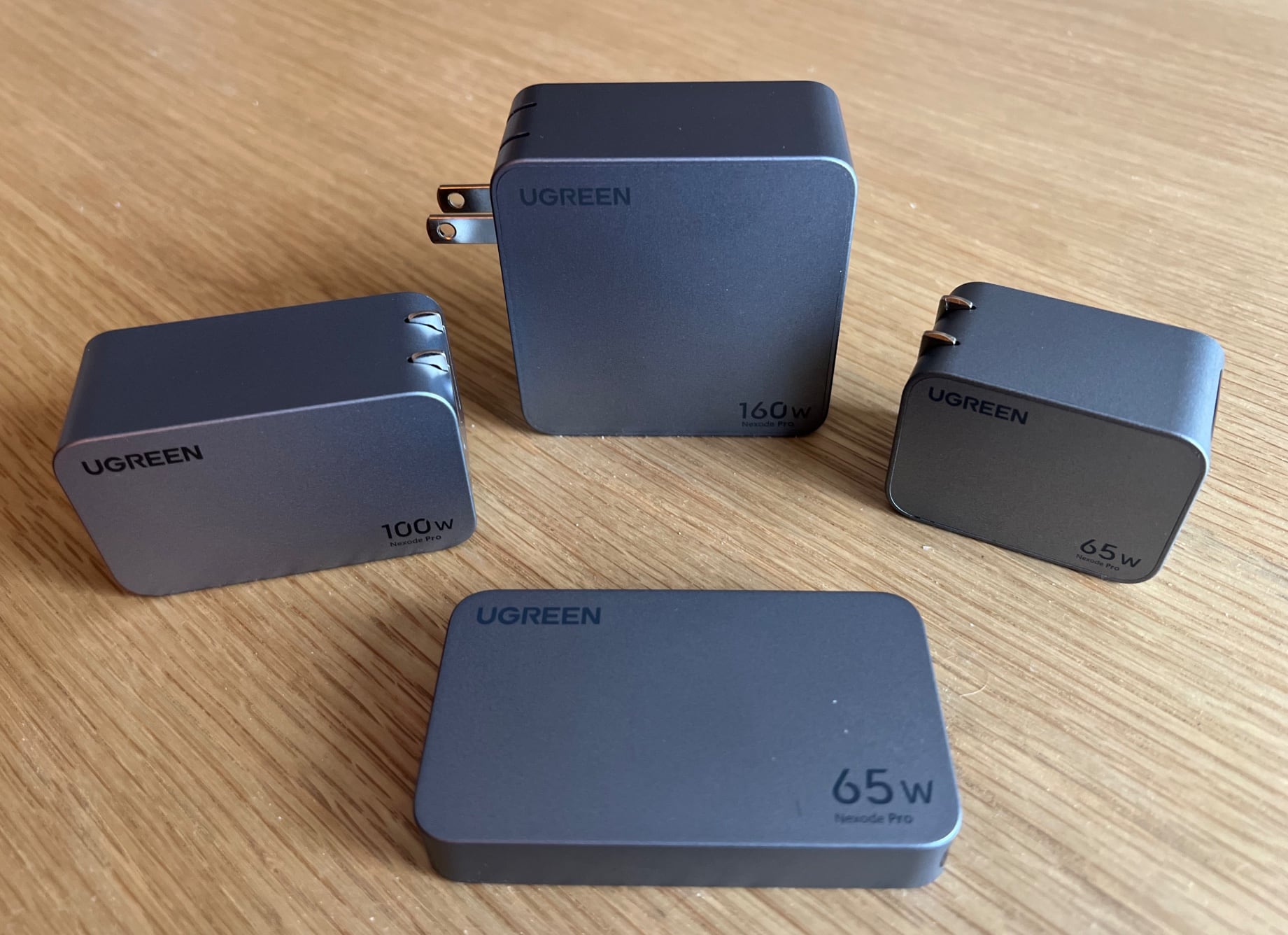
Ugreen's four potent Nexode Pro GaN chargers can cover most of your charging needs. Photo: David Snow/Cult of Mac
If you’re looking for newer, better charging options than the old adapters you have lying around the house, but without having to spend much, don’t sleep on Ugreen’s new Nexode Pro lineup of four gallium nitride (GaN) wall chargers.
Ugreen continues to go the way of GaN with these “GaNInfinity”-branded gadgets — more charging power in a smaller space with as many USB-C charging ports as possible (without leaving out USB-A ports entirely; there’s always one).
★★★★★
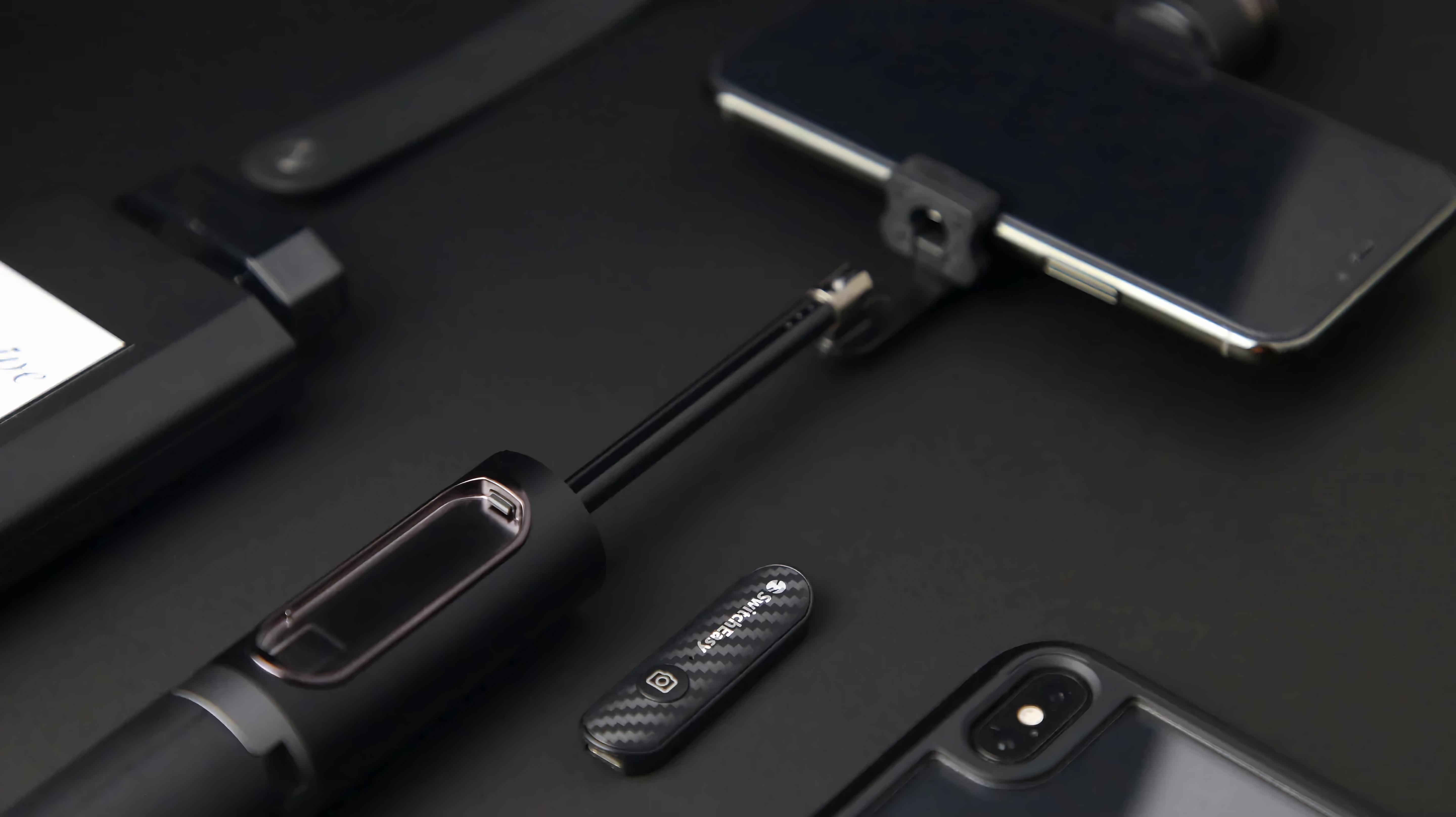
Take all kinds of pictures easier with phone — not just selfies. Photo: SwitchEasy
The SwitchEasy EasySelfie is a fantastically clever combination of three products — a selfie stick, a portable tripod and a camera remote — and it pulls off all three pretty well.
It’s cleverly designed and really well-made, and makes for a great mount for using Continuity Camera, among other things. If you’re looking for a portable and versatile way to mount your camera for all kinds of different things, the EasySelfie has you covered. Currently on sale with 20% off, making this $35.99 for a limited time.
★★★★☆
Is this just a foward-looking ending, or is this upcoming season 5? We shall see. Photo: Apple TV+
You can’t ask for much more than For All Mankind‘s season 4 finale “Perestroika” gives. It wraps up the season in heart-pounding and heartstring-tugging fashion Friday, bringing climax and resolution to the audience along with hope for the future of the space program — and maybe a season 5 of the show.
It’s a satisfying end to the conflict over Mars-based asteroid mining at the heart of the season. But the future development teased as the episode wraps up, which appears to beg a fifth season, could simply make a fitting end to the series (as we wait to see if Apple TV+ will renew it).