★★★★☆
This Fezibo standing desk gets the job done nicely -- and on the cheap. Photo: David Snow/Cult of Mac
When I moved to a new place recently, I decided to get serious about an expanded and ergonomically healthy computer setup — including a solid and surprisingly affordable electric standing desk from Fezibo.
Better-known standing desks often go for $600 or more, but my spacious, handsome and practical desk cost me just $261. And so far it’s reliable, with just a couple of small caveats.
A package tracking app with all the features you expect, and it costs nothing. Image: D. Griffin Jones/Cult of Mac
AfterShip Package Tracker is a free app that does exactly what it says in the name: It tracks your packages. You can see all your orders in one place, when they will arrive, and how close they are geographically to you. Push notifications are fast and alert you when your items are on their way.
Plus, unlike just about every other package-tracking app for iOS, AfterShip Package Tracker is totally free, with no in-app purchases.
★★★☆☆
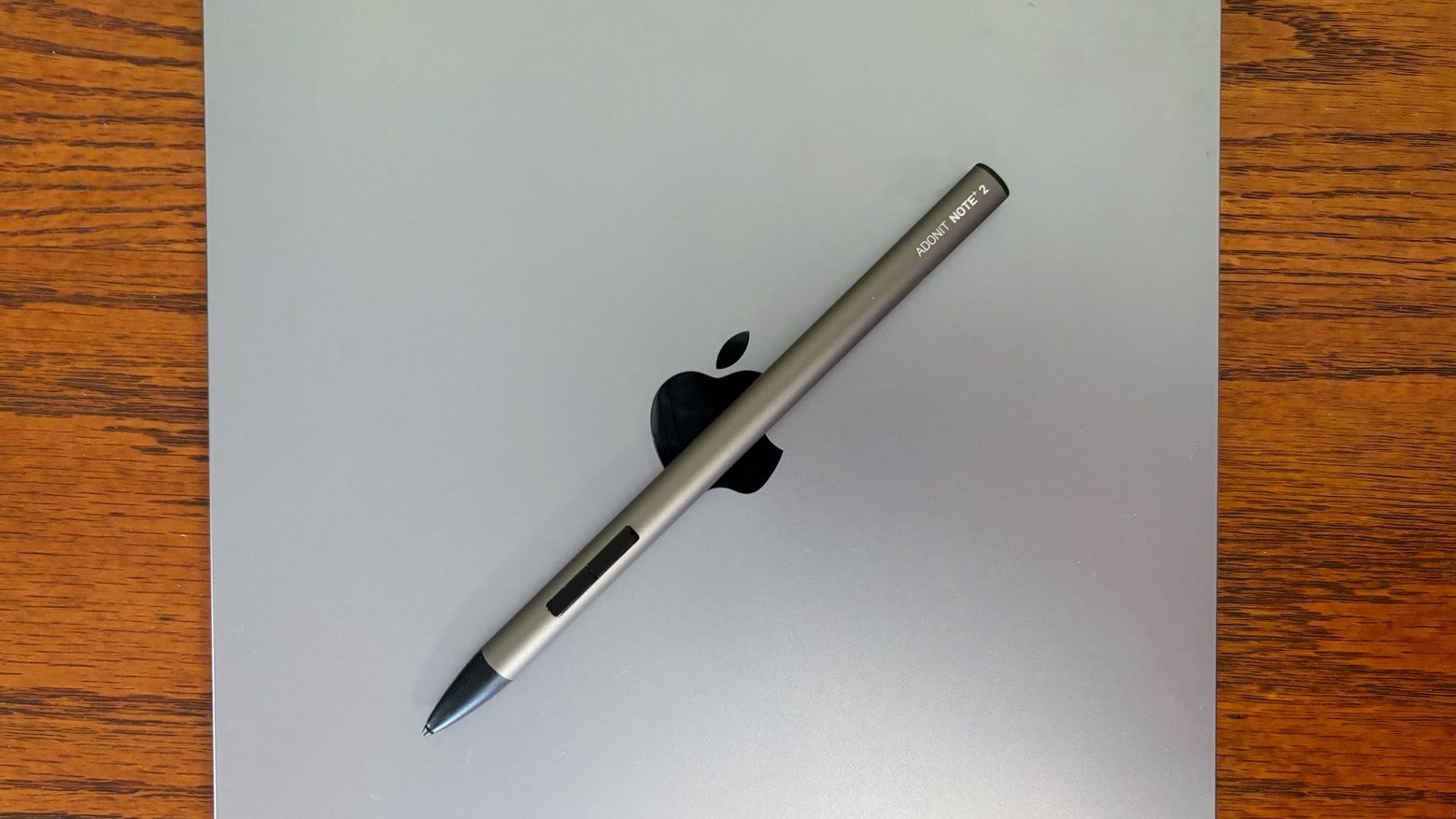
Adonit Note+ 2 is actually better than Apple Pencil 2 in a couple of ways. Photo: Ed Hardy/Cult of Mac
Adonit Note+ 2 is an iPad stylus with all the usual features as well as pressure sensitivity and a pair of programmable buttons. Plus there are writing tips in hard, medium and soft. These make it much better option for digital artists than typical styli. It actually goes head-to-head with Apple Pencil 2.
An iPad Pro is my primary computer, so I took the Note+ 2 for a hands-on test drive.
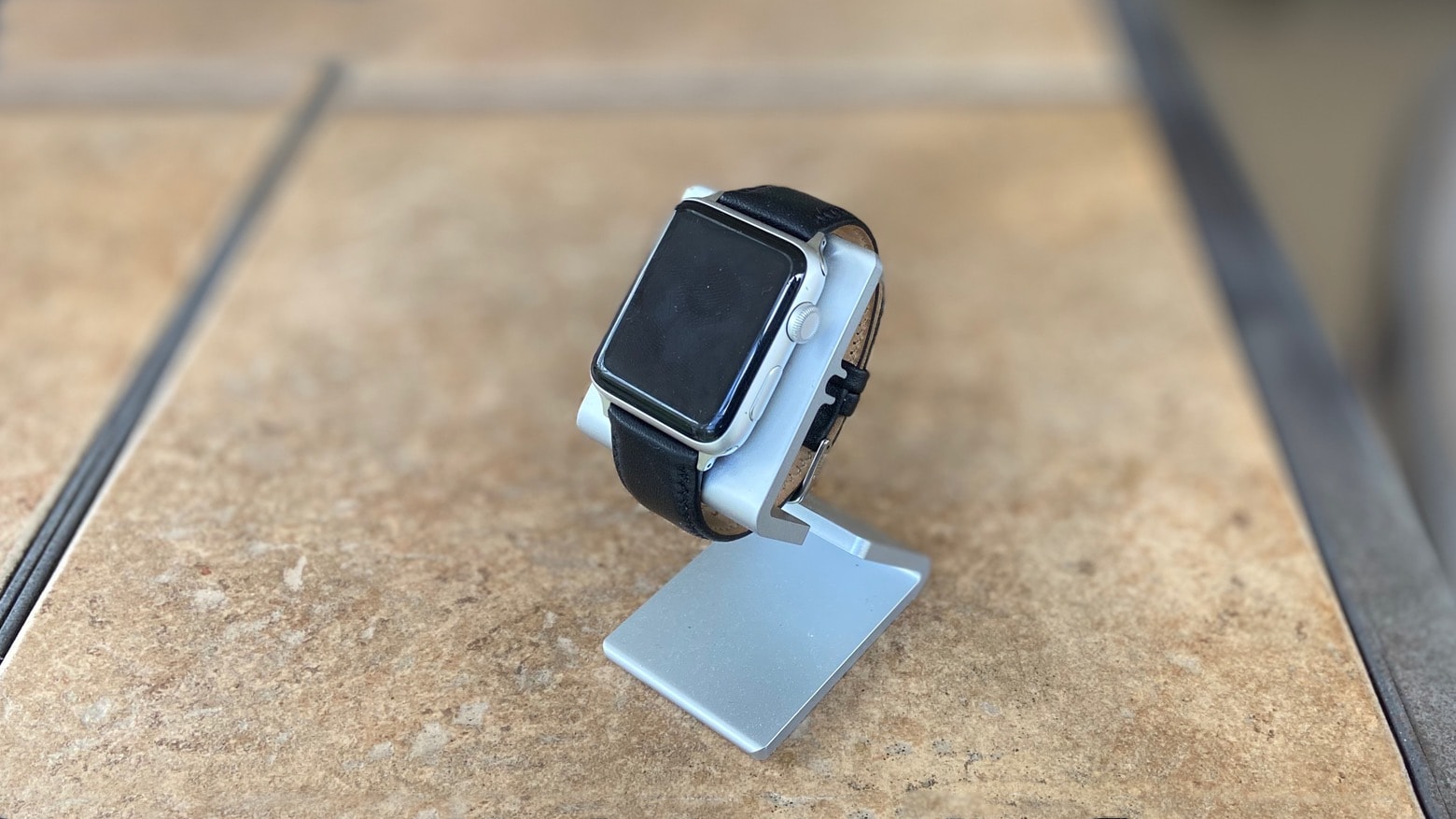
The HEDock holds an Apple Watch in portrait or landscape mode. Photo: Ed Hardy/Cult of Mac
Your Apple Watch can still be useful, even when you’re not wearing it. The HEDock holds the Watch up at a convenient angle while it’s charging.
This simple, very affordable accessory could be just what your desk or bedside table needs. And it’s on sale until the end of this year in the Cult of Mac Store for just $7.50.
★★★★☆
Napoleon (played by Joaquin Phoenix) leads the charge on a grim battlefield. But Ridley Scott's Napoleon isn't all about war. Photo: Apple TV+
Apple TV+ took its biggest gambles this year as a distributor of theatrical features with gargantuan budgets and run times to match, hoping that America will want to return to the epics of yesteryear in time for the holidays.
With Martin Scorsese’s heartbreaking Killers of the Flower Moon garnering headlines and climbing toward recouping its budget, here comes Ridley Scott’s Napoleon. The Apple Original biopic about the diminutive French emperor — in theaters now, and coming to Apple’s streaming service at some point in the future — proves Apple TV+ is a safe bet for good movies.
Coupling unfliniching violence with a keen sense of the absurd, it’s one of Scott’s finest films.
Gifting an iPhone for the holidays? Here's all you need to know. Image: Killian Bell/Cult of Mac
Which iPhone is the best to buy as a gift? We’ll walk you through some of the best choices below, along with great accessories for new iPhone owners, including tough cases and handy MagSafe chargers.
★★★☆☆
After enduring torture during a coup attempt, a battered and dazed Margo Madison is offered work at the Russian space agency. Photo: Apple TV+
Sure enough, last week’s hints of looming unrest blossom this week in a full-scale coup against Mikhail Gorbachev in alt-history drama series For All Mankind, season 4, episode 3, “The Bear Hug.” And who’s in the middle of it all? Why, the former head of NASA, of course — Margo Madison.
In the span of one episode — released Wednesday instead of Friday for the long Thanksgiving holiday weekend — she gets horribly tortured and finds herself in a big new space-agency job. But it ain’t NASA this time. I’d say you can’t make this stuff up, but someone did. Meanwhile, another coup unfolds at private space-exploration company Helios Aerospace.
Apple TV+ slipped out the third episode of Monarch: Legacy of Monsters a few days early so Godzilla could arrive in time for Thanksgiving. Here’s a quick recap that puts it in context not only with the earlier episodes and MonsterVerse movies but also events of the 20th century.
Read on if you’re ready for massive spoilers about the latest episode, plus some speculation about the show’s future.
Gifting AirPods for the holidays? Here's all you need to know. Image: Killian Bell/Cult of Mac
A gift that always goes down well with Apple fans, no matter the time of year, is a brand-new pair of AirPods. But it’s important to ensure you pick the right pair out of the four on offer if you really want to impress.
In our AirPods buying guide, we’ll help you choose between AirPods 2, AirPods 3, AirPods Pro, and AirPods Max — and highlight some of the best cases and charging accessories to go with them.
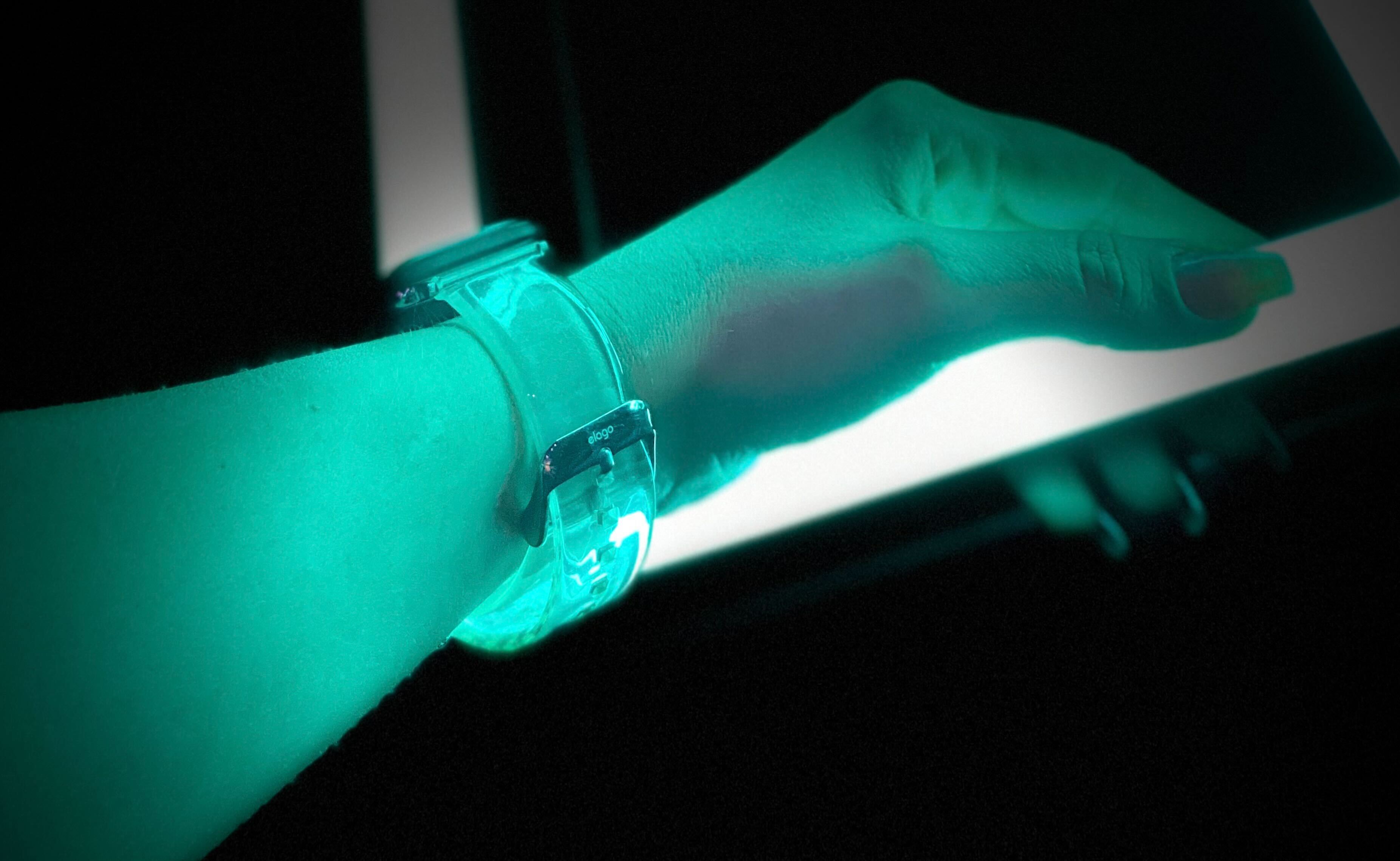
It's also a steal at under $13. Photo: Adel Neal/Cult of Mac
Almost everything is cooler when you can see right through it. Sadly, Apple stopped making transparent devices when it discontinued the iconic iMac G3. But for those craving that retro look, Elago offers a transparent Clear band for Apple Watch that looks absolutely terrific.
Made from a strong and lightweight thermoplastic, it’s incredibly comfortable to wear all day long. And it’s insanely affordable at less than $13. I’ve been wearing one for months now and it has easily become one of my favorite Apple Watch bands.
Bag yours from as little as $6. Image: Killian Bell/Cult of Mac
Apple’s decision to finally ditch Lightning in favor of USB-C on iPhone 15 means that you now have infinitely greater flexibility when it comes to connectivity. Whether you want to hook up storage drives, an external display, or even an Ethernet cable, you can do it all with USB-C.
But there is a catch. First, you’ll need a suitable USB-C hub or adapter that lets you connect all the peripherals you want to use through one port. Here are the best USB-C hubs you can buy today for iPhone 15.
This week’s Awesome Apps include Lego Bricktales, Speech to Text, Text to Speech and Vinegar. Photo: Midjourney
In this week’s Awesome Apps roundup, we have a way to play Legos without the mess, an app that’ll read aloud almost anything, 700 workouts on your Apple Watch, and the best Safari extension ever.
TL;DR: 'Monarch: Legacy of Monsters' is awesome. Photo: Apple TV+
Monarch: Legacy of Monsters stomped onto Apple TV+ on Friday, bringing the biggest star yet to the streaming service: Godzilla.
As a lifetime fan of kaiju films, I’m here to review the first two episodes, and also to remind viewers of MonsterVerse lore brought up in the new series. I even throw in some speculation on what’s coming in later episodes.
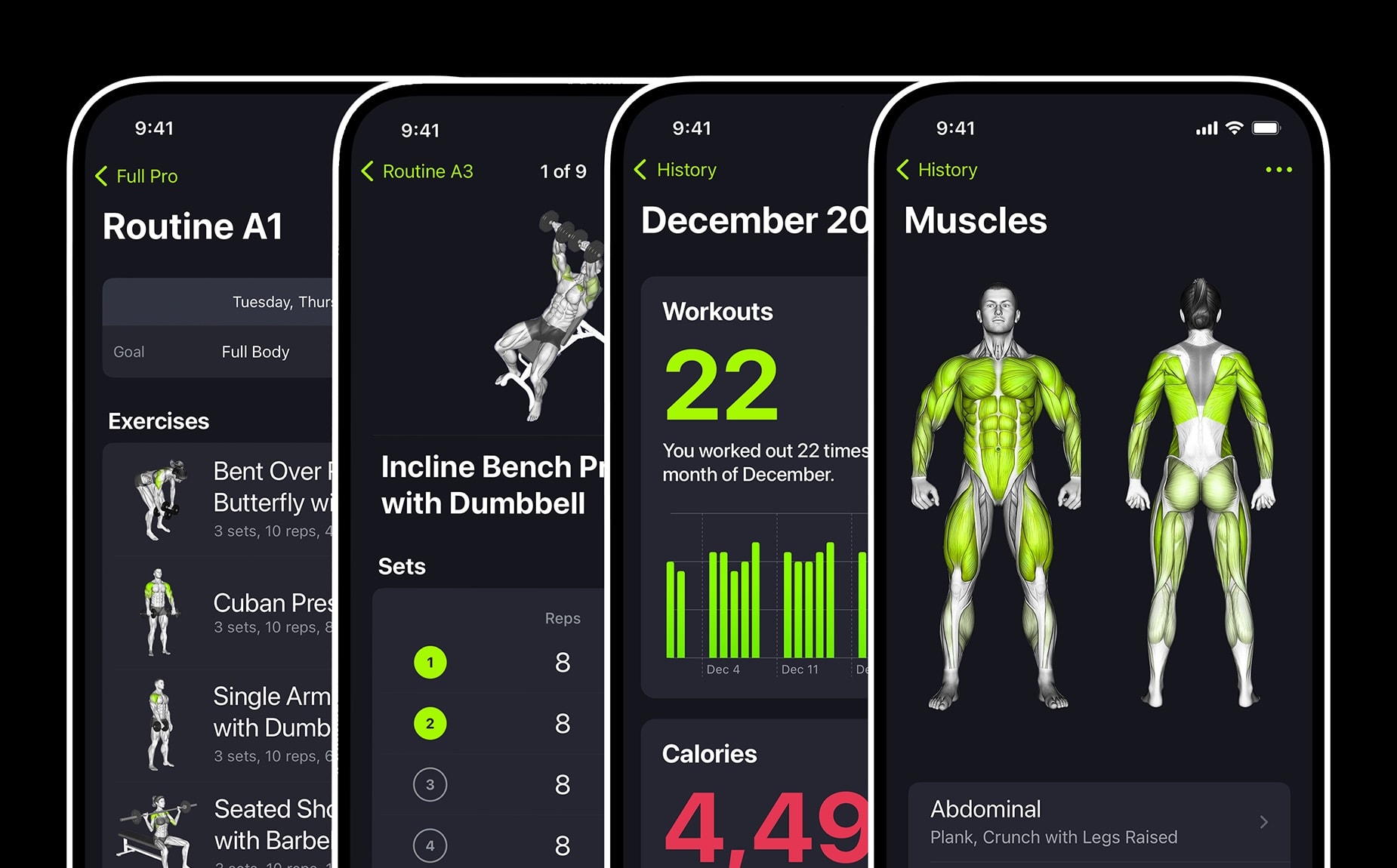
Time to get ripped with SmartGym 7 for Apple Watch. Or at least fit. Photo: SmartGym
The SmartGym app is already well-loved by Apple Watch users, and its recent update adds more than 70 new workouts and loads of convenient new functionality.
And it’s considered so good it’s currently up against two other finalist apps to win the App Store Award for Apple Watch App of the Year.
★★★☆☆
Miles Dale and his new Helios colleagues are psyched to work on Mars. But that doesn't last long. Photo: Apple TV+
Last week’s season four opener of Apple TV+ alt-history drama series For All Mankind went necessarily big to catch everyone up and start off with a bang. So it’s not surprising episode two establishes a more practical stride, focusing on the realities of life in a working Mars colony.
Turns out life sucks for the working man up there in more ways than just an alarming chance of fatality. Life in Happy Valley, Mars, also tells a deeply unfair tale of haves and have-nots, just like on Earth.
★★★★☆
The KYY K3-3 Portable Monitor is 4K and looks much better than you might expect given its price. Photo: Ed Hardy/Cult of Mac
The KYY K3-3 Portable Monitor adds a high-quality second screen to your Mac or iPad. Even some iPhones. It’s 15.6 inches and has a 4K resolution, so it’s designed for work and play wherever you go.
I tested the reasonably priced second screen in my home office and when working remotely to see how it stands up to real-world use. I like it more than I expected to.
Build you way through puzzles set in virtual exotic locations Lego Bricktales. Image: Thunderful Games
Lego Bricktales is a fun way to play with these bricks wherever you go. The game challenges players to build their way through puzzles in a variety of colorful environments.
There's a MagSafe wallet for everyone. Image: Killian Bell/Cult of Mac
One of the best ways to use MagSafe on iPhone is to make it carry your wallet. It means you don’t have to remember to pick up multiple items every time you leave the house, and it ensures that you always have access to credit and ID cards that you can’t carry virtually in the Apple Wallet app.
Now that we’ve had MagSafe for a few years, there are lots of great wallets to choose from. Here are six of the best that you can slap onto the back of your iPhone today.
Function101's rubbery magnetic Cable Blocks are my favorite cord management system. Photo: Leander Kahney/Cult of Mac
Almost every day, our robot vacuum tangles itself in charging cables, which the kids toss cavalierly across the floor. Snaking from behind the couch, the cords wait like baited fishing lines to ensnare our unsuspecting Roomba. It’s an unmitigated cable management disaster.
Luckily, we just got some Cable Blocks from Function101. Cable Blocks are rubbery little magnetic blocks that sit on your desk or nightstand and hold cables out of the way. It’s a simple and clever design.
Here’s why Cable Blocks are my favorite cable management system.
This week's awesome apps include a retro synthesizer, a solid VPN, a quick test for hard drives and a guide to Italian eateries. Image: Midjourney/Cult of Mac
In this week’s Awesome Apps roundup, we have a synthesizer app that brings back the sound of the ’80s, a solid VPN for safely surfing the Web, an app for testing external drives for recording high-res video, and a guide to the best eateries in Italy.
★★★☆☆
Graying XO Ed Baldwin (Joel Kinnaman) pilots a craft with a Soviet colleague in "For All Mankind" season 4. Photo: Apple TV+
Alternative-history space-race drama series For All Mankind returned to Apple TV+ Friday with a season 4 opener that handled two tough jobs pretty well — painfully looking back at past tragedies and peering ahead with trepidation to probable new ones. After all, space is dangerous and so are people.
In an episode called “Glasnost,” set 8 years after the end of season 3, For All Mankind sets its sites on asteroid wealth and a joint mission led by the United States and Russia to get it. And it doesn’t take long for people to start dying up there.
Retro-obsessed audio mavens: Don't miss this one. Photo: AudioKit
If you love the synth sounds of the ’80s, we have something for you. AudioKit Pro launched a brand-new hybrid synthesizer app for iPhone and iPad Wednesday for those who love the sounds of the 1980s, ’90s and early 2000s.
And while the developer said the synth app usually costs $19.99, right now you can get it for $3.99. And by the way, it’s currently rated #1 in Music on the App Store.
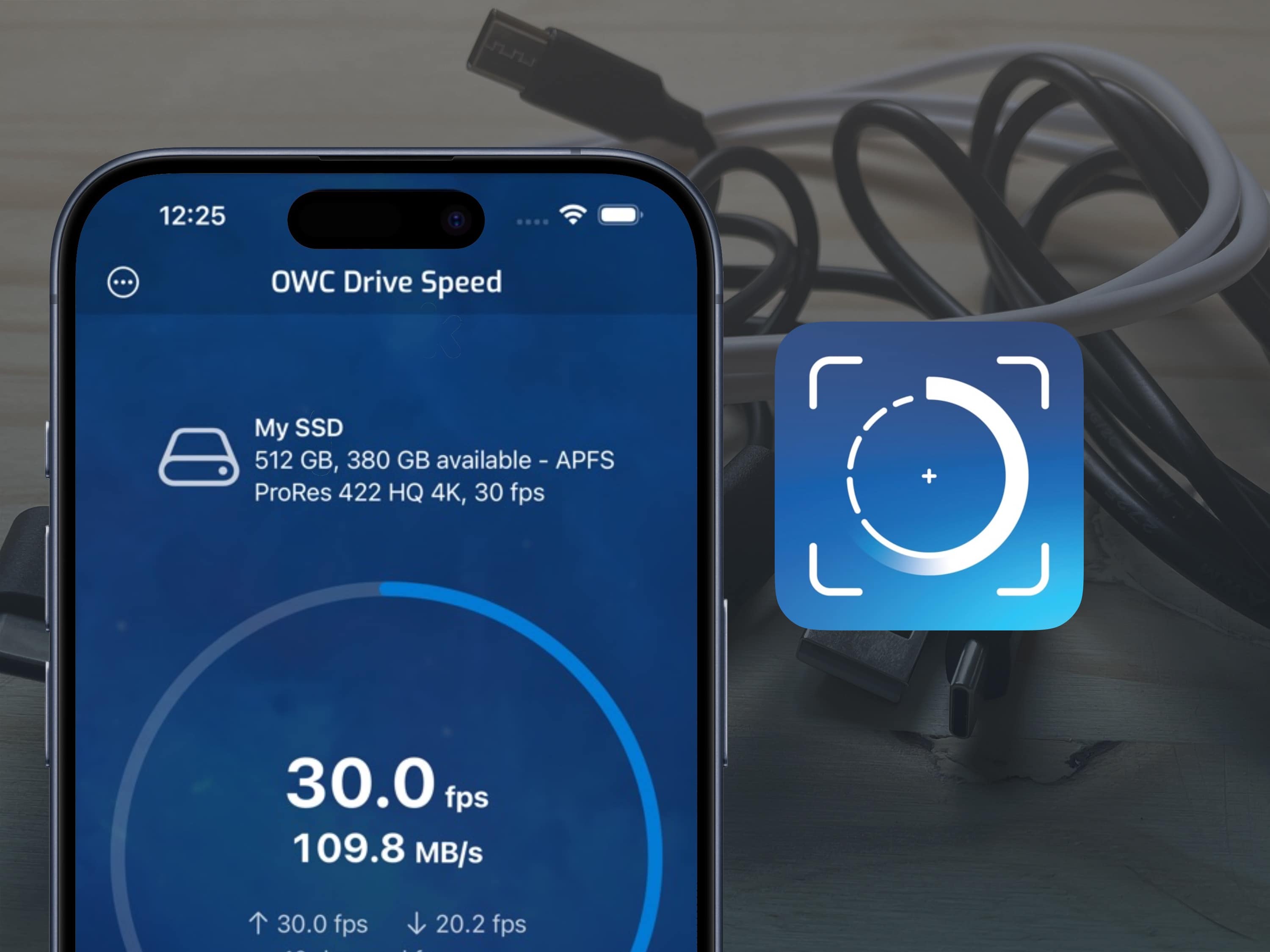
This simple tool could be a life-saver. Or, at least, a video-saver. Image: Other World Computing/D. Griffin Jones/Cult of Mac
iPhone 15 Pro and Pro Max can record ProRes video at 4K and 60 fps, but only if the handset is connected to an external drive that’s fast enough to handle it. To find out if your SSD is up to the job, there’s OWC Drive Speed.
This new app verifies transfer speeds between your iPhone and external drives. It displays the maximum frames per second a drive can handle. Because you don’t want to find out on the day of the shoot that the SSD you’re counting on is a dud.
The just-updated Osterie d'Italia app showcases Italy's most soulful slow-food restaurants. Photo: Lewis Wallace/Cult of Mac
The best Italian restaurant app just got better. Osterie d’Italia 2024, the latest app version of Slow Food Editore’s killer guide to Italy’s most authentic restaurants, now serves up its piping-hot recommendations in English for the first time.
Plus, a much-improved search functionality makes it easier than ever to find a great place to eat in Italy. And a new feature lets you store your notes and photos about particular restaurants in the cloud so you can access them in subsequent versions of the annually updated app.