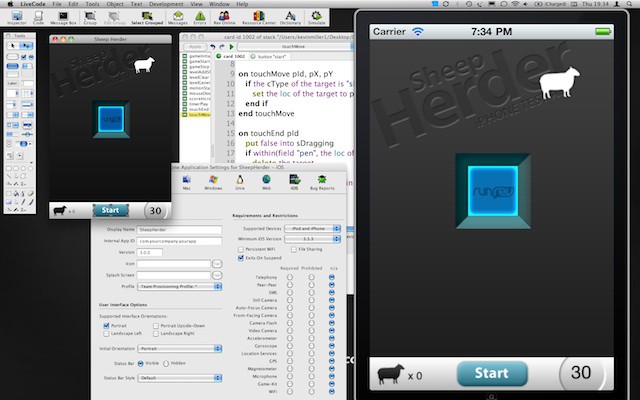
Self Control is a tiny little app for people who just don’t have any. Self control, that is.
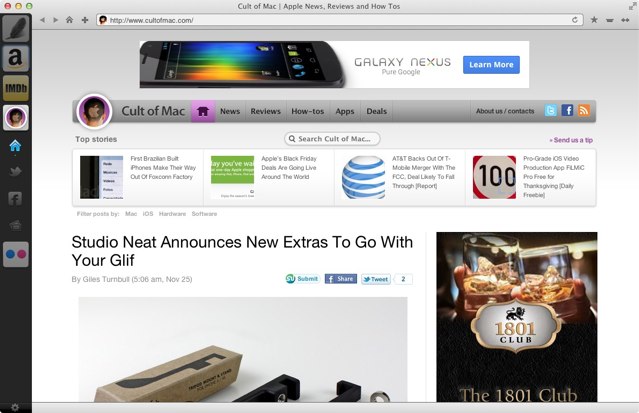
How To Ban Yourself From the Internet When You Need To Focus [50 Mac Essentials #41]
Self Control is a tiny little app for people who just don’t have any. Self control, that is.
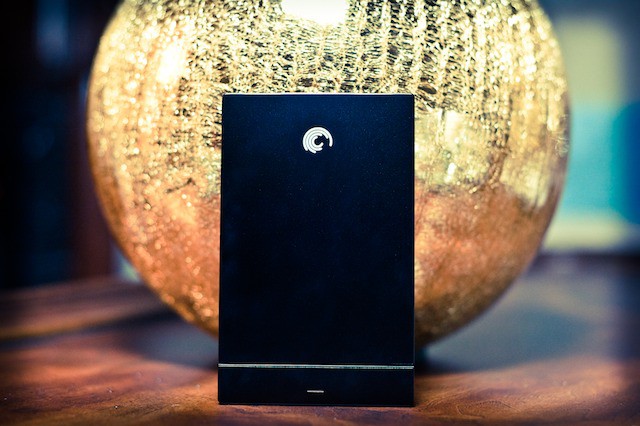
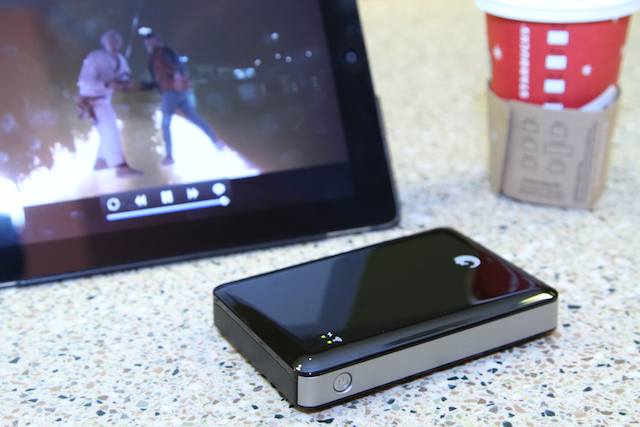
Iomega’s new Helium Portable Hard Drive is a compact little brick of data storage. Encased in a hard aluminum shell, the Helium Drive is perfect for Time Machine backups or supplementing the memory of a MacBook Air.
Whatever it’s used for, the data will always be safe, even if the drive is lost or stolen. The Helium has built-in hardware encryption, which means no one can ever peek at your files. That also makes it a good place to stash files you don’t want anyone to see…
There’re few materials that can match leather for wear resistance and luxuriousness; and if you’re using an iPad in a professional or fashion-forward setting, leather makes a great choice.
Problem is, leather cases tend not to be the most practical solutions: They’re generally portlier than their proletariat plastic counterparts, and they’re also generally don’t allow for mucking about with positioning much.
Ah, but the updated Sena Folio for iPad ($100) is different.
Airfoil is just one of a list of fantastic audio apps from indie developers Rogue Amoeba.
Smule’s MadPad is a crazy finger-tapping box of fun for your iThing, guaranteed to put a smile on your face. Once your kids get their hands on it, it will soon drive you insane, but never mind: it’s worth it.
Does your Mac’s desktop look like this? Or like this? If so, you need help. More to the point, you need Clean.
The Microsoft Explorer Touch mouse invites you to “explore” its unique, touch-sensitive scroll wheel. While the Explorer Touch doesn’t offer multitouch gestures like Apple’s Magic Mouse or Microsoft’s own, flagship Touch Mouse, the Explorer does sport an attractive form factor and quality build.
The Explorer Touch Mouse ($50) gives you a scrolling experience that’s unusual to say the least. It’s pretty cheap, and it’s portable.
The PowerSkin for iPhone 4 ($80) is a silicone case with a built-in rechargeable 2,000 mAh battery that claims to double your device’s battery life with patented “XPAL Power” battery technology. Like most battery cases, it uses a mini-USB port to charge and sync your iPhone simultaneously, and you can turn the case on and off when necessary. The four-LED battery indicator will let you know how much juice you have remaining at the touch of a button.
The problem with battery cases is that they’re so big. Wrapping one around the iPhone 4 turns it from slim-and-sleek into a thick brick of a phone; and if you wanted fat and ugly, heck, you would have bought an Android phone.
But the PhoneSuit Elite iPhone 4 battery case ($80) changes everything. It’s the first case I’ve really felt comfortable carrying around in a jeans pocket, and it’s powerful and fast to boot.
The school year has begun, and students everywhere are starting to hit the books. For the busy student, keeping track of one’s academic schedule is essential.
On the Mac, iPad and iPhone, iStudiez Pro is the best school planner available. The three apps sync with one another wirelessly to keep all of your assignments and info up to date on all of your devices.
Let’s face it: If you have an iPhone 4, you need a battery case. Unless all you’re doing with your iPhone is using it as a $600 mirror.
Luckily there’s no shortage of choice — so we’ve assembled a collection of promising candidates and put them through their paces, the results of which we’ll be revealing in the next few days.
First up is the XtremeMac InCharge Mobile ($80), selected from XtremeMac’s deep line of charging solutions (all of which have been given the “InCharge” moniker).
There’s a treat for photography fans this morning, with the launch of the British Journal of Photography‘s official iPad app.
Social networking, schnetworking, right? Yeah, I know. I am so overshared I feel like a sexted pic at an 8th grade dance sometimes.
But I could still use good ideas about what apps or games are worth my time. Enter Kinetik: a free app whose goal is to help you share the apps you love for your iPhone, iPod Touch or iPad and get suggestions from others about what is keeping them distracted during commute time or entertained during meetings.
Wait, what? You haven’t downloaded Contre Jour yet? Get thee to thine local Store of Apps and grab it, pronto. If you don’t yet own an iPhone or iPod, go out and buy one first, then get Contre Jour.
Bean is one of OS X’s little treasures. It’s a lightweight rich text editor that’s nimble, fast and offers just a teeny tiny bit more than Apple’s own TextEdit. And does all this for free.
Minimalist email client Sparrow continues to grow apace, thanks to some updates over the summer. We last looked at it back in March, but there’s a lot of new stuff since then.
Being an incurable germaphobe, the Chef Sleeve ($20) is a prescription for sanity when using my iPad in the kitchen. Yes, the plastic sleeves are meant to protect your tablet from culinary messes; but for me, it’s more about protecting the food from the tablet.
The iPad makes an almost perfect portable media player; big, bright screen, great interface and a speedy processor. Wahay. Problem is, it’s hard to jam a decent speaker, let alone two, into that svelte aluminum shell — the result is sound from anemic speaker with volume that won’t top a moderately loud tea party.
Luckily there’s no shortage of auxiliary speakers available, and Logitech’s Tablet Speaker for iPad ($50) is one of the simplest, least expensive and most portable.
One of the absolute worst aspects of my television-watching endeavors has been the confusing use of multiple remotes. I’ve tried universal remotes but there’s always some function I need from DVD remote or DVR that is missing on the universal remote. Stepping up to the plate, the Griffin Beacon ($80) erases the need for five different remotes by providing users with one of the best universal remotes on the market, and interfaces it though iOS.
The iPad’s screen apparently wasn’t designed to be sullied with anything other than human fingers. there’s an oft-refferred to quote from Steve Jobs saying as much: “If you see a stylus, they blew it,” referring to other touch-screen designs that rely on the stylus.
But we don’t always use Apple’s gadgets the way Apple intends. Most of the time, sure, we stick to the script, because the damn things are so well designed that any deviance ends up as a fool’s adventure. Using an iPad with a stylus, however, isn’t foolish. Whether or not you use one — to scrawl notes, draw, paint, as a way of circumventing long fingernails or just ’cause you like it that way — styli (or styluses, depending on your preference) are here to stay. Here’s a by-no-means-exhaustive showdown between a few picked off from the herd. All these styli are, of course, capacitive, which means they conduct bio-electricity from your hand, down the shaft and onto the screen.
In all the hubbub with HP killing the TouchPad and spinning off its PC division, one might forget that HP still has a strong connection with Apple: They’re the only printer manufacturer with printers that fully integrate prinitng from iOS, thanks to HP’s inclusion of AirPrint on many of its printers.
The HP Officejet 6500A Plus ($200), with its all-in-one features, automatic document feeder, wifi connectivity and removable duplexer for double-sided printing, is already an attractively spec’d printer. Toss in AirPrint capability and you’ve got a strong contender to fill any iDevice-toting home/small office manager’s priniting needs.
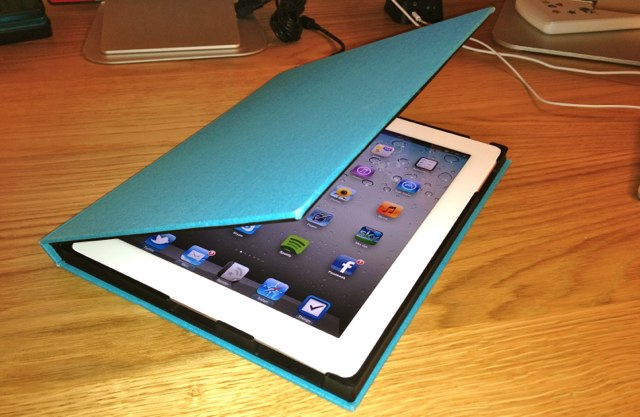
I’ve been yearning for someone to get this right ever since I wrapped my hands around an iPad 2: the perfect marriage of Smart Cover and back protection for the iPad. Damned if Griffin hasn’t just nailed it with their new IntelliCase ($60).
How many times have you been walking around you home or office using your iPad and it slips out of your hands? I did it a number of times with my first iPad — thankfully without causing too much damage — but with the HandStand 2 ($50) you can eliminate drops altogether.
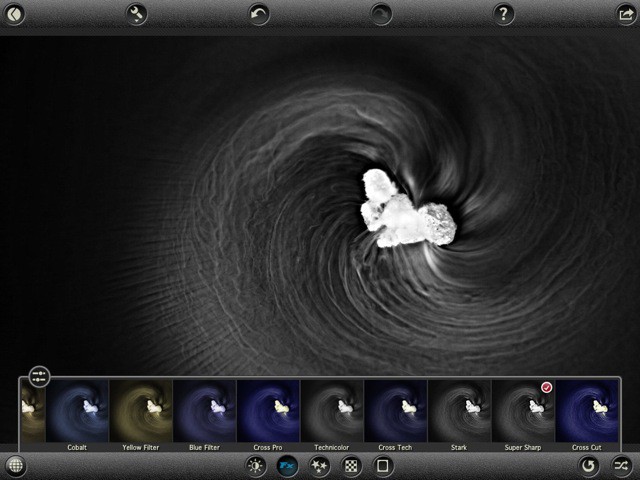
Composite is an excellent iPad 2 app that lets you “remix your surroundings”, painting with the world around you.