No doubt, leather requires some sacrifice. Those who want their iPads wrapped with animal hide usually have to make do with considerably more bulk, less usability or less money in the bank account — or, most often, all three. But Sena’s new Florence iPad 2 case ($70) is a surprising exception.
My original plan when downloading this app was to use it as the basis for a little light humor.
“Sorry readers, can’t write another word, my phone is telling me to go and kiss someone.” That sort of thing.
But after downloading it, I made a terrible mistake: I actually tried using it. It turns out When Should You Kiss is the worst thing I’ve seen on iOS for a long, long time.
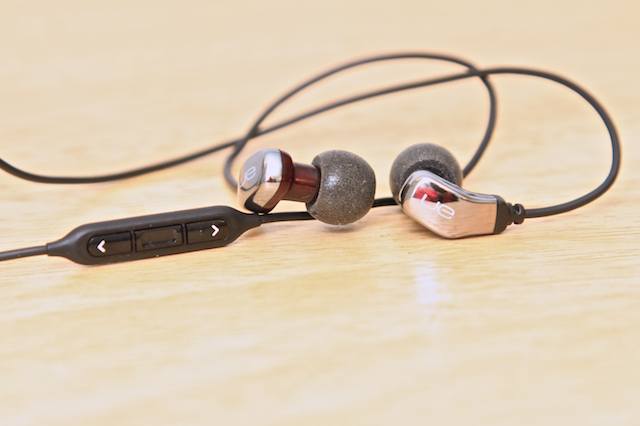
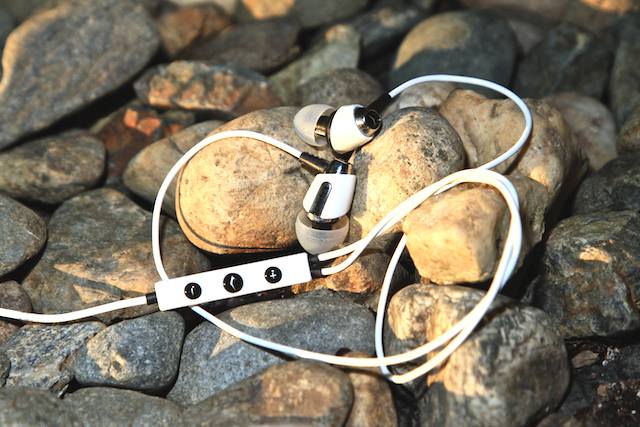
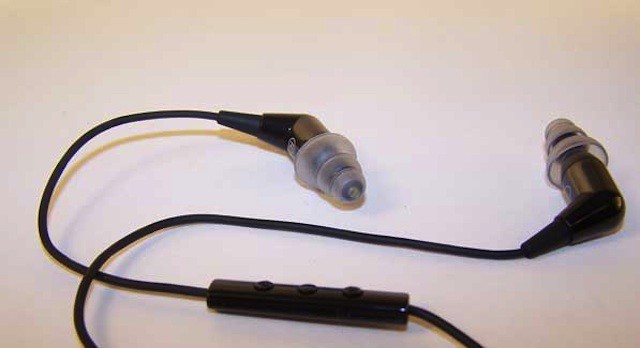
Almost all mic-equipped canalphones that can be had for about $100 use moving-coil drivers to produce sound, as is the case with all the previous IEMs in this review series. But the Ultimate Ears 600vi ($120) are different — this set employs a single tiny armature in each ear. Armatures generally allow for a more neutral sound with better definition than their moving-coil brethren, and that’s exactly the case with the 600vi. In fact, this set uses pretty much the same excellent drivers as in the now-discontinued, $180 SuperFi 5vi we reviewed early last year.
And yes, apart from the V-Moda Vibrato, the 600vi is $20 more than the other earphones in this review series — but we think the extra Jackson is worth it.
Maybe you’re not going to buy a pair of earphones based on the way they look; maybe you’d rather spend your moolah on a pair that came with exquisite performance. What if you could have both? In spades? Here you go: With their deep, bone-tingling bass and blue-blood looks and manners, the Klipsch Image S4i earphones ($100) is the Prince…of Spades.
Let me begin this review by saying, while I’ve found some love for certain models, I don’t really care for most canalphones: They’re uncomfortable, and while I love the idea of plugging a foreign object into my ear and having that object deliver magical sounds just like an owl delivers a Howler, I usually wind up being disappointed with either the sound or the fit. So, with that in mind, it was time to try the Etymotic mc3 ($100).
This set, with a three-button remote on the cable and four sets of super-sealing, deep-seating eartips (two flanged, two foam), was now tasked with being tested by me. May the Force, that I’ll probably have to use to shove them into my ears, be with them.
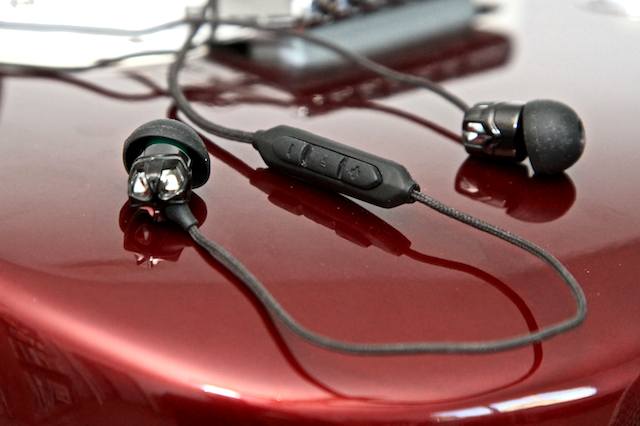
I always feel like I should be wearing diamond-studded sunglasses, walking around in a silk bathrobe or drinking Cristal from actual Bohemian crystal whenever I sink a pair of V-Moda’s babies into my ears. This doesn’t have anything neccessarily to do with how they sound, but rather because V-Moda has a knack for creating earphones with exotic looks and a luxurious feel to them that also appeal to the other senses. And so it goes with the V-Moda Vibrato Remote earphones ($130).
So you’ve got your new iPhone 4S, and now you want to talk to Siri (and maybe friends) and enjoy some tuneage. Step one: Donate those pathetic white buds that came with your iPhone to your favorite charity, if they’ll take ’em. Step two: Get yourself a snazzy pair of microphone-equipped canalphones — earphones that fit snugly in your ear. Why? Because a good set of canalphones are the best accessory ever made for an iPhone; they’ll create a seal that will block out ambient noise while enhancing sound coming from the earphones, especially bass — which means better conversations with friends (or Siri), and better music.
Around $100 seems to be the point at which there’s a big jump in quality; also, most in that range are now equipped with inline volume controls (in addition to the play/pause and track-skip controls like the ones on Apple’s stock buds).
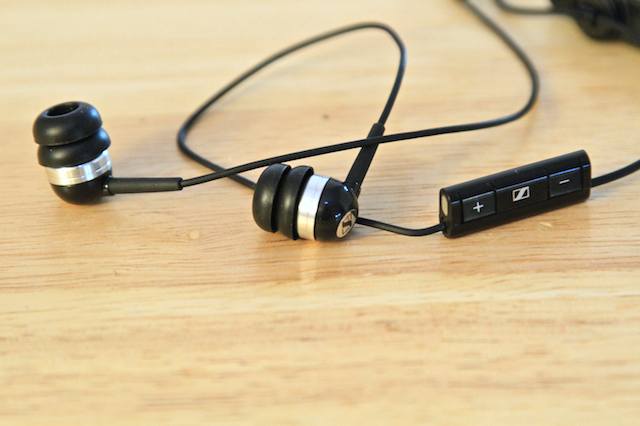
We’ve assembled an Apple Store’s worth of canalphones at that level, and we’ll be reviewing them over the next several days. Up first is Sennheiser’s MM 70 iP earphones ($100).
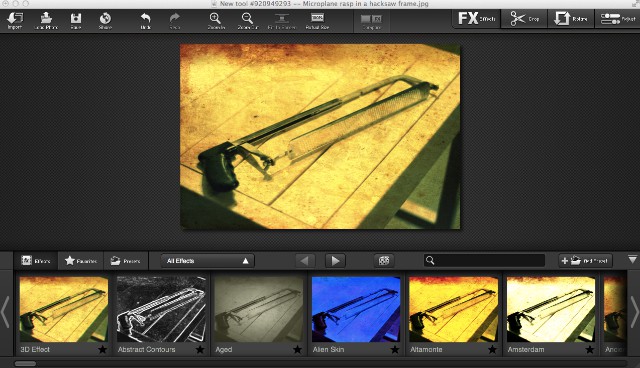
Every new Mac comes with iPhoto, which is getting better all the time. Still, it doesn’t have all of the features that are made for folks who are really into manipulating their photgraphs. Adobe’s Photoshop is often too much for the budding shooter (and cost prohibitive to boot), and image editors like Acorn – while simple to use and well-priced – don’t necessarily have the “feel” of iPhoto that many Mac users are used to.
This is where FX Photo Studio Pro by MacPhun ($40 in the Mac App Store) comes in.
The Guardian‘s new iPad app is a triumph. It’s an excellent daily newspaper in tablet form, designed to make the most of the tablet format without over-indulging in it.
I confess: when I first looked at Apple’s new Newsstand app when iOS5 was released last week, I felt nonplussed. There didn’t seem to be any content in the store that I’d want to subscribe to. I became one of the many people who tried to find ways to hide the Newsstand icon altogether.
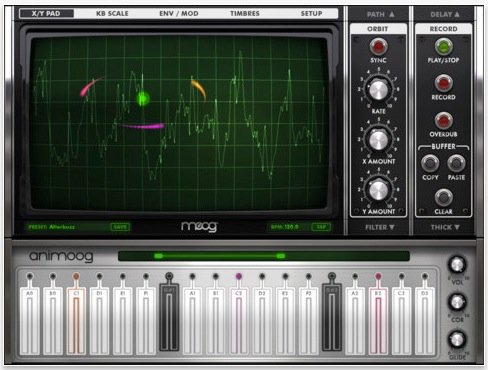
If you like your bleepy music with a healthy dose of retro, you might like to know that right now on the iOS Store you can grab a copy of the latest virtual synthesizer from electronic music pioneers Moog – for just 99 cents.
The big question about the iPhone 4S is whether it’s worth the upgrade.
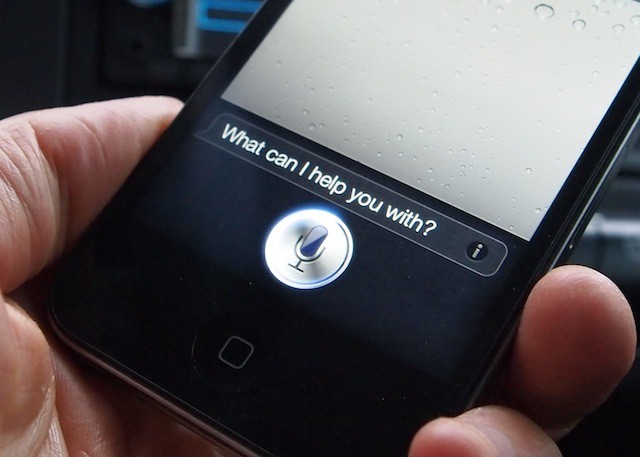
The answer is yes, and that’s because of Siri, the talking personal assistant.
Siri is unbelievable; a paradigm shift. It’s new way of interacting with computers that’s as big a breakthrough as the original Macintosh with its mouse, windows and icons. In fact, it’s bigger. It’s a much more natural way to interact with machines. It’s a glimpse of the future of computing.
Like the first Mac, it’s far from perfect. We’re at the very beginning of this revolution. But if you want to join the party, you need the 4S.
Apple released iOS 5 and iCloud this week and iOS 5 is the version of iOS designed to set your iPhone, iPad or iPod touch free with the help of iCloud. By free I mean that along with iCloud you no longer need to tie any of these devices to a computer. Now with the introduction of the free AirPort Utility app for iOS you could buy one of the three devices above and an Airport Extreme (or other Apple network appliance) to setup your own local area network to use with these devices.
Back in March, at the next to last Apple keynote he would ever attend, Steve Jobs coined the phrase “post-PC world.” The usual cynics tittered at the time, and perhaps are still tittering, but as he often was, Steve was right: day by day, the iPhone in our back pockets or the iPad in our messenger bags are the most important computers in our lives.
For iOS 5, Apple put their money where Steve’s mouth was. Apple was going to prove to everyone that the umbilical between iOS and a Mac or PC could be cut.
Apple’s strategy was simple. They would go through iOS, identify every feature that assumed or required a PC, and radically retool it so that it relied on the cloud instead. With iOS 5, Apple stores all of your data — your mail, your calendar, your address book, your photos, your music, your ebooks, even your Doodle Jump save games — in the iCloud. iTunes Match hurls your complete music collection onto Apple’s servers, available to download anywhere and anytime without pulling out your Apple Connector cable. Meanwhile, Wi-Fi Syncing makes sure that if your iPhone or iPad does need to talk to your PC, it can do so just by being plugged into a wall socket and within stone’s throw of your PC.
All of this would be ambitious enough, but Apple didn’t stop there. They added major new features to almost every core iOS app: Mail, Safari, Camera, Calendar and more. They integrated Twitter sharing into the core of the operating system. They made a serious play for the hearts of magazine publishers with Newsstand. They totally overhauled the way iOS handles notifications. They introduced over the air updates. And then they introduced their own new iOS device messaging system that threatens the bottom line of every wireless carrier’s extortionate, hopelessly overpriced SMS texting plans.
So now iOS 5 is here, and the question is: has Apple severed iOS’s innate tether to the PC, or will iOS 5 be remembered as a smaller interim step towards the post-PC world Steve so presciently envisioned?
We’ve been playing with iOS 5 for months. Here’s what we think: by gum, Apple’s done it.
It’s nice to know that when I get caught in the rain with my headphones on, I don’t have to anxiously hide them if I’m wearing the Monster iSport Immersion In-Ear Headphones ($180). Did your kid spill his Kool-Aid on them? They’re machine washable!
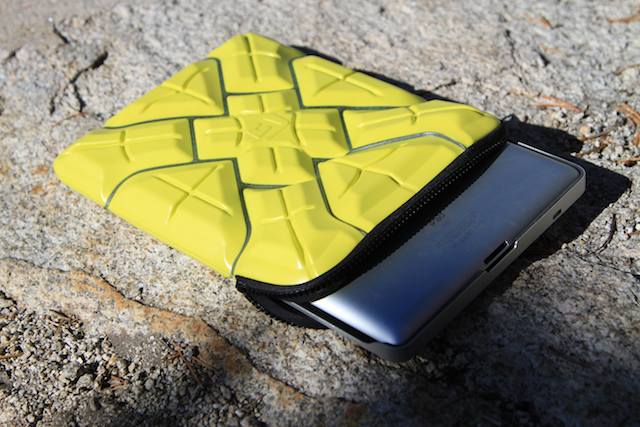
Is the G-Form Extreme Sleeve for iPad ($60) really and certifiably resistant to explosive munitions? Dunno. We don’t have access to C4, and our insurance company would probably refuse to cover us if we did. Also, we didn’t run over the Extreme Sleeve with an iPad in it or drop bowling balls on it, because we’re pretty sure these aren’t use-case scenarios most (or any) iPads would encounter.
What we did do, however, is run the little monster through rugged alpine and gritty urban environments, then compared it with other extreme-environment solutions for the iPad. Here’s how it did.
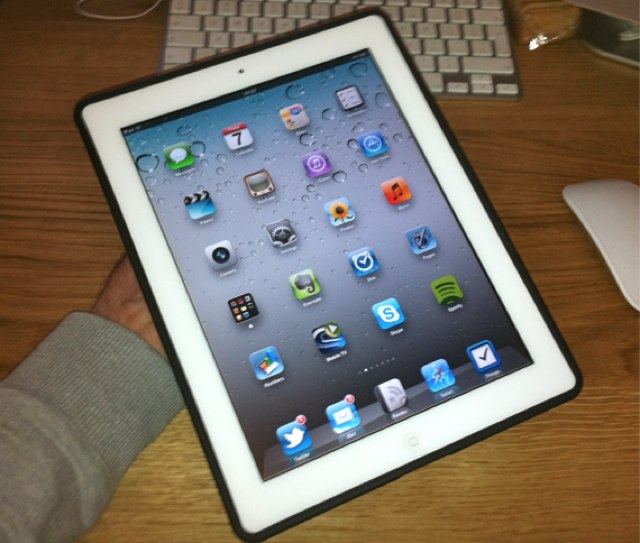
The Griffin AirStrap ($30) is another iPad 2 case that’s designed to help you maintain a secure grip on your precious tablet while you’re using it. It features a molded frame with contoured grips on each side, which are structured to protect the edges of your device.
On the back, there’s a neoprene safety strap under which you slip your hand to ensure you have a good grip on your iPad while you’re using. As you’d expect, the AirStrap also provides access to your device’s dock connector, speaker, headphone jack, volume rocker and mute switch, microphone, and the sleep/wake button.
Sometimes you just want to write something down. Some people would call this process “journaling,” or even “keeping a diary.” In reality, the whole concept of keeping a journal or diary is about recording memories and thoughts. It’s therapeutic. It’s comforting.
Day One by Bloom Built is a beautiful and simple app for journaling on the Mac, iPad, and iPhone. The app balances features with simplicity to bring you an excellent environment for writing on a daily basis.
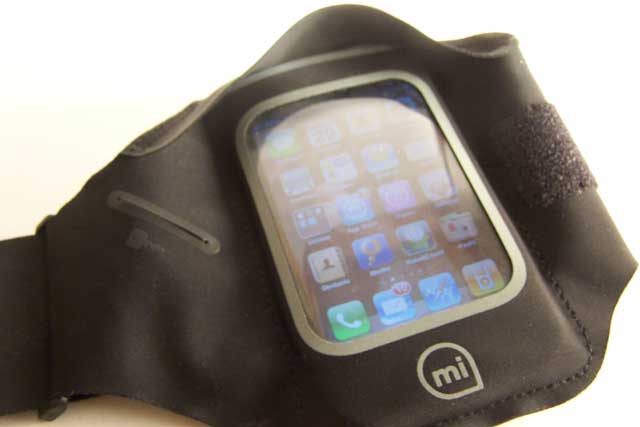
Griffin’s Sport Armband for iPhone ($30) — a product name that fills my head with visions of iPhones running around the track (“Go, go, little 3GS! You can do it! You’re not too old!”) — allows you to get up and go without worrying about your iPhone. It’s a decent attempt at making workout clothing for the iPhone, but just as with those just-a-bit-too-tight yoga pants, there are a few bulges that might cause a few sideways looks in the gym.
Your Mac comes with QuickTime Player, which does a great job of playing a lot of video content. Lovely.
But if you spend a lot of time doing stuff with video, you’ll know there are times when QuickTime lets you down. There are formats it just won’t play, even if you have Perian installed (which was number 4 in our list of 50 Mac Essentials).
When those moments arise, VLC will come to your aid.
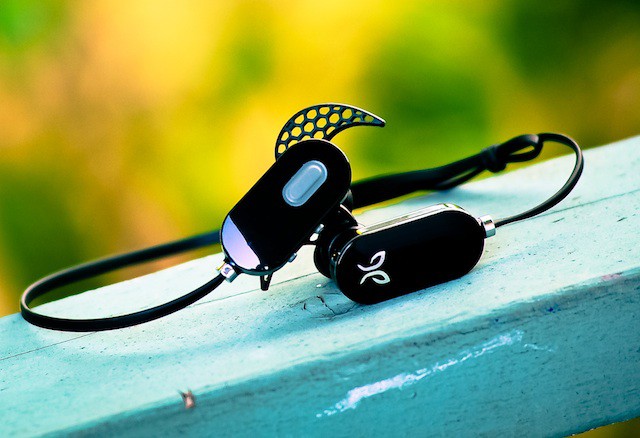
The JayBird Freedom JF3 ($99) Bluetooth wireless headphones are a successful attempt to build upon a paramount technological concept: take something good and make it great — or in this case, take a good pair of IEM headphones and ditch the cord. It’s like a musical bris without the rabbi — or the baby.
Some people can write prose with no apparent effort, seamlessly gliding from one paragraph to the next with nary a skip of a beat.
For the rest of us, an outliner can be an extremely useful tool for gathering, sorting and refining our thoughts: and OmniOutliner is one of the best outliners you can find.
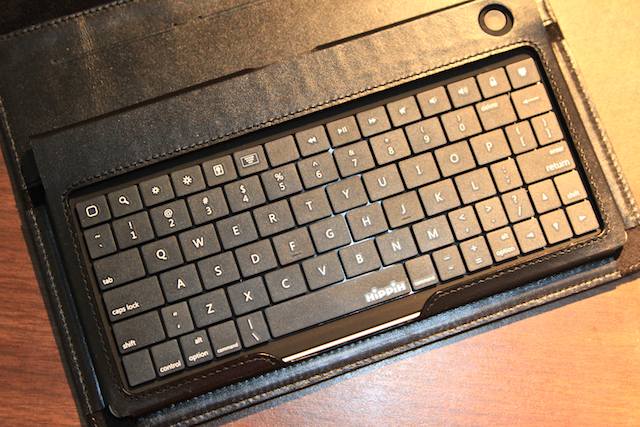
Seems like a formula for success: Take a fine, Napa leather iPad 2 case (like Sena’s Folio for iPad 2), add a compact Bluetooth keyboard and an executive touch or two, and the result is the Sena Keyboard Folio for iPad 2 ($150) — an executive-grade miniature office.
We had high expectations for the Keyboard Folio. Sena just upgraded the keyboard, ditching an error-prone, rubber keyboard for a hard-shell Hippih Expression keyboard — and we were the first publication to receive one for review.