Mobile menu toggle

Reviews - page 160

MacZot!’s The Mac Sale Has a Nice Package

By

post-20156-image-ead4f72d9e63c040f2664aa530204633-jpg

It’s App bundle season, and MacZot! has put together a nice software package that has a variety of apps  at a great price. The Mac Sale Bundle covers 10 apps for $49.99.

If you want legitimate rounded corner shadowed header images for your blog post, this App bundle has what you need. Want to play PC games on OS X? That’s bundled too. Let’s take a look at some of the super star apps in this pack, and maybe the MacZot! bundle will add a little strength to your Applications folder.

Review: 27-Inch iMac, The World’s Sexiest Desktop Just Got Sexier

By

post-20100-image-d73f09f02eb308eca6a72b0a575226a3-jpg

The sexiest all-in-one computer has long been the iMac, and last year’s 24-inch model was a beauty. But oh my Lord, the new 27-inch machine induces crazy lust. Look at the size of that screen!

I just returned from the Apple store with one. I went to buy the new Magic Mouse. They were out of stock, so I bought the new iMac instead — it comes with a Magic Mouse.

Crazy, I know. I just couldn’t help myself. We’ve already got a 24-inch model, but the 27-inch is so much… bigger.

Yeah, like 3-inches of extra screen makes a difference. But it does. The screen is simply HUGE. There’s no other word for it. If you’re sitting right in front of it, hunched over the keyboard, you have to physically MOVE YOUR HEAD to look from one corner to the other. You get motion sickness if there’s video playing, like being in the front seats of a movie theater.

Thanks to this big beautiful screen, the sexiest desktop in the world got a lot sexier. The question is though: is the screen too big?

Full review after the jump, including real-world benchmarks and tons of pics.

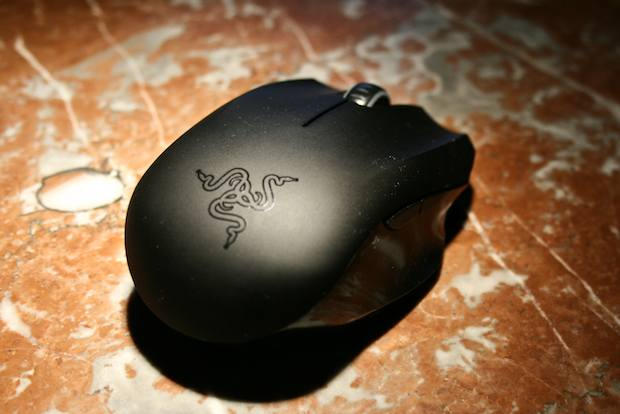
Review: I Want To Love The Magic Mouse, But I Can’t

By

P1040341

I’m a multitouch junkie. Everything I touch has to be multitouch, or it just ain’t right. I can no longer use a regular laptop trackpad — there’s no two-finger scrolling. It irritates me no end if I can’t point, scroll and double-click with my fingers.

How long will it take then, to get used to the Apple’s new Magic Mouse? So far, it’s been frustrating. It seems like the Magic Mouse would be perfectly natural to use, but it isn’t.

Cult of Mac Favorite: Orbit, SpringBoard Navigation The ‘Exposé’ Way for Jailbroken iPhone and iPod Touch

By

post-18924-image-ed0e3b3eba88232e40710fd6340f573d-jpg

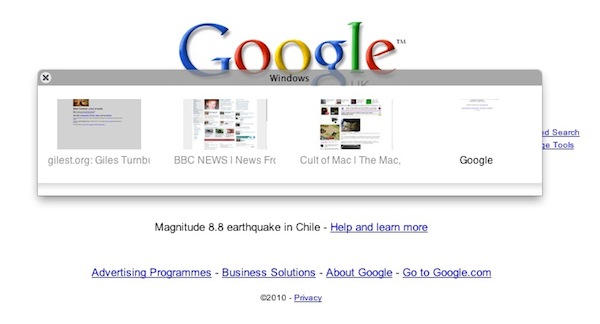
I recently came across orbit, which is one of the best navigation options available for the iPhone and iPod Touch. I have an iPhone that has over 100 applications and it’s definitely a pain to get to the applications on the last page. I can always put the useful applications on the first page but at this point, I have just stopped arranging them. This is when Orbit enters the scene. Instead of swiping across all these pages, it lets me jump to a particular page quickly using simple tile view, saving me a lot of time. That’s the reason it’s one of my favorites.

Review: The Osprey Flap Jack Courier Bag Makes Me Want To Run Around Naked (Except For The Bag)

By

Flap jack cover 58

OK, I’ll be the one to step up and admit it: Some of us here at Cult of Mac have a… little problem with bags. We’re bagaholics — and I’m the worst. I even have a bag to hold all my bags. So when I say that Osprey’s Flap Jack Courier is hands-down the best laptop bike bag I’ve ever slung over my back, it’s a big deal.

Hit the jump to find out what exactly makes this bag so stupefyingly fantastic.

Review: Sony’s Xplod Car Stereo Rocks Out With the iPhone

By

post-19445-image-4f8d4c93484df5dada816e5e36f3dc43-jpg

My beloved truck used to be behind the times. The factory-installed stereo had a cassette deck. Remember them? No iPod/iPhone connection and worse, no hands-free cellphone.

But now its got a shiny Sony Xplod aftermarket stereo, which features both iPod and Bluetooth connectivity.

There’s a lot of replacement stereos, but the Xplod has the easiest Bluetooth setup ever, and it always makes a seamless connection with my iPhone. It just works, every time, period. Now I’m always chatting it up in while I’m driving, and I love streaming music via Bluetooth. I should have got one years ago.

Full review after the jump.

Review: Iomega’s StorCenter Network Drive Is Great For Backups and Bittorrent

By

storcenter_ix2_3

You can never be rich enough or thin enough, and you can never have enough storage.

I’ve been playing with Iomega’s brand new StorCenter ix2-200, a 4TB network-attached storage/home server that totally kicks NAS!

Not only is it a nice big target for Time Machine backups, it’s also an iTunes server and a Bittorrent machine. It plays nice with the Mac, and is dead easy to set up and use.

Full review after the jump.

Review: Seagate Goes Supersonic With Its Gotta-Have-It 500GB FreeAgent Go Pro for Mac

By

freeagent go mac 43

One of the great things that comes with Apple steadily biting off and swallowing little mouthfuls of the PC market is that we get our very own gadgets. Like the regular stuff, but better — Apple-ized for our computing pleasure. Take the The FreeAgent Go Pro for Mac: a portable hard drive that looks as though it was designed by Apple’s own Jonny Ive.

Full review after the jump.

Review: Crumpler’s Considerable Embarrassment Laptop Bag Is Small But Spacious

By

P1030924

Is Crumpler’s oddly-named Considerable Embarrassment messenger/laptop bag an embarrassment? Hardly.

The bag has a quirky name — as do all of Crumpler’s products. I won’t even try to understand what it means. What I do know is that looks are deceiving. Meaning that it can hold a ton of stuff, despite it’s slim profile. It doesn’t look like it should.

Tesco Puts Spotlight On Its Supermarket Shelves

By

20091016-tesco.jpg

Back in July this year, I wrote a short scribble on my personal site listing a handful of ideas for iPhone apps.

The first was something I called “Supermarket Spotlight”, and it was described thus:

“Like Spotlight on your Mac, but for supermarkets in meatspace. You tell it that you’re in Tesco in Trowbridge, then start typing in the product you’re after. It tells you: ‘Aisle 12, section 2, top shelf, on the right if you’ve got your back to the cash tills.’ Either that, or it simply does the augmented reality thing and takes you there, beeping louder as you get closer, like a geiger counter.”

I never expected anyone to actually make it.

iPhone Weekly Digest: Fun Unit Conversion, Five-Finger Fillet, One-Thumb Shooting and More

By

Left: Amusing unit converter 5ft Monkey; right: Brave Man loses a finger.
Left: Amusing unit converter 5ft Monkey. Right: Brave Man loses a finger.

It’s Friday and it’s time for our weekly digest of tiny iPhone reviews, courtesy of iPhoneTiny.com, with some extra commentary exclusive to Cult of Mac.

Under review this week: AboutTime, Privately, Pro Football Live!, Hanoi Plus, Brave Man, 5ft Monkey, Orbital. As always, all id.gd links are to the relevant App Store page.

If These Ten Apps Don’t Convince You To Jailbreak Your iPhone, Nothing Will [Jailbreak Superguide]

By

iphone

Last week, we published The Complete Guide to Unlocking and Jailbreaking your iPhone and iPod Touch. Here’s a list of must have apps and tweaks that you’ve enabled by following our guide. Through Cydia, you can download and install each item below and add new functionality and usefulness to your iPhone. I give you the Top Ten Must Have iPhone Jailbreak Apps:

Review: HP’s Small, Sweet Photosmart A646 Can Print At Any Party… Or Bathroom

By

Photosmart A646 43

The digital camera has been around for thirty years, and the brilliant scientists who came up with the idea were just awarded a Nobel Prize earlier this month. That’s great, but I still like waving my photos around at parties and plastering them all over the walls of my bathroom.

Luckily, Hewlett-Packard’s petite new portable photo printer lets me print photos at any party or… any bathroom with a power outlet. It’s so simple to use, it’s practically idiot-proof. Plus it’s got Bluetooth, so I can even print from a BT-equipped cell phone. Just so long as that cell phone isn’t an iPhone.

More shenanigans after the jump.

Gallery: 20 All-Time Great iTunes Album Covers

By

takefive.jpg

Over 6 million songs in the iTunes Music Store. God knows how many albums that translates to, but we must be insane to try and pick 20 albums worth considering for their combination of music and artwork, right?

As long as we’ve got that straight on the front-end, then.

Herewith, a collection of 20 albums available on iTunes, loosely organized by release date (in reverse order) and presented with the thought they might make good additions to the much-ballyhooed iTunes LP upgrade hyped at Apple’s It’s Only Rock and Roll event in September.

No doubt readers may quibble with some (perhaps all!) of our selections; no doubt you’ll have suggestions of your own. Do let us know abut it in comments. All album links open in iTunes.

Review: Tweetie 2 is the Best iPhone App. Period.

By

post-18312-image-ef725dda92a345cfbfa8d8495dc027a2-jpg

In the world of iPhone apps, there are generally three categories of quality:

  • Crapware that you throw away a few minutes after downloading
  • Moderately useful software that you keep around but use a few times a week
  • Daily tools that become a key part of your iPhone experience

With the release of Loren Brichter’s much-anticipated Tweetie 2 for iPhone, however, I think it’s time to establish a new category: “iPhone software better than anything Apple.” In fact, I’m willing to go so far as to claim it is the single-best app ever written for the platform. It’s incredibly useful, smooth as butter, innovative in design and features, and just works as you expect that it would. It’s as if it sprung, fully formed, from the skull of the iPhone, as if to say, “This is how it should work.” Not only has Tweetie 2 raised the bar for mobile Twitter clients, it’s raised the bar for mobile software.

I’ve been playing with it non-stop since its release yesterday, so there’s a lot of ground to cover. I’m going to break this review into three major categories: Interface, Features, and Magic. Hit the jump to see it all. There’s so much to talk about!

iPhone Weekly Digest: the Return of Edge, the Bonkers Mr.AahH!!, a Great FTP App, and More!

By

Left: FTP On The Go; right: the wonderful Mr.AagH!!
Left: FTP On The Go; right: the wonderful Mr.AahH!!

It’s Friday and it’s time for our weekly digest of tiny iPhone reviews, courtesy of iPhoneTiny.com, with some extra commentary exclusive to Cult of Mac.

Under review this week: Edge by Mobigame, Concertimatic, Juiced, Formula 1 Live Racing Free, Dude, FTP On The Go, Mr.AahH!!, Pinch n Pop!, iSplume, Edge by Mobigame Lite. As always, all id.gd links are to the relevant App Store page.

Cult of Mac Favorite: HippoRemote

By

screenshot_9

What it is: HippoRemote is an incredibly powerful remote control application for iPhone that enables you to control any Mac application from across the room. Though optimized for media apps like Plex Media Server or Boxee, it can do just about anything — including launching Spotlight from the keyboard.

Why it’s cool: Because it finally puts every possible thing you could do on a Mac at your fingertips. It uses Mac OS X’s built-in Screen Sharing features to provide a very responsive multi-touch trackpad that moves around with you. It also offers a keyboard including F-keys and command keys that can be viewed in Portrait or in Landscape. It’s absolutely seamless. It also includes 23 application-specific suites of buttons, so you have video controls for iTunes or Plex movies, but audio controls when you’re just listening to a song. Other apps, most notably Rowmote Pro, offer identical functionality, but this one just feels more accurate — possibly because it uses VNC Screen Sharing instead of a third-party program. I’m actually writing this on my iPhone into my Mac right now, and there’s virtually no lag. Additionally, it’s worked without a hitch. Simply fuss free, and perfect for your living room Mac mini.

Where to get it: HippoRemote sells for $5 in the App Store.

Review: HP’s Photosmart All-In-One Is a Fanzine Publisher’s Wet Dream

By

HP_Photosmart_1

The best thing about going to the office is having access to the copier in the mail room. Sneak in at the weekend, roll off hundreds of color copies for your secret art project.

But HP has a fantastic home-office alternative: the Photosmart Premium Fax All-in-One Printer, Scanner, Fax, Copier. It does everything the industrial ones do, yet costs less than $200. A snap to set up and prints from the iPhone. It’s the best printer I’ve ever had. Weird, I know, but I really do love this baby.

Hit the jump for the full review.

iPhone Weekly Digest: New Games, Sporting Apps, and a Clock Detailing DARKNESS

By

Left: Bust-a-Move/Puzzle Bobble; right: ESPN ScoreCenter

It’s Friday Sunday and it’s time for our weekly digest of tiny iPhone reviews, courtesy of iPhoneTiny.com, with some extra commentary exclusive to Cult of Mac.

Under review this week: Diorama, Bust-a-Move/Puzzle Bobble, Darkness, Nag-O-Meter Deluxe, Glypha, Rugby Zone, Otakukous and EPSN ScoreCenter. As always, all id.gd links are to the relevant App Store page.

Review: Jabra’s Radical Halo Bluetooth Headset (Verdict: It’s Stuck in Purgatory)

By

HALO 37


I get all tingly when a manufacturer offers up a gadget with cool features and out-of-the-box design; but then it’s a huge bummer when the gadget’s features don’t live up to expectations. Worse is when those exotic features end up being a hindrance compared with tried-and-tested ones.

And that’s exactly the case with the Jabra BT650s HALO stereo Bluetooth headset.

Full review after the jump.

Review: Why Aadvark’s iPhone App Is Great For Questions and Answers

By

post-17776-image-b1a961a7b9d537593760c6254fb908cf-jpg

Have a question? Aardvark Mobile is a great iPhone app that will find a real person to answer it – usually within minutes. It is a wonderfully useful app and has the potential to be an iPhone mainstay for years to come.

Aardvark Mobile is the latest addition to Aardvark: a social question and answer service that emerged from its beta phase earlier this year. Before Aardvark Mobile, users could only communicate with Aardvark through IM or email. The upshot of this was that if you needed a question answered from your iPhone, you had to go through your email or instant messaging app. In most circumstances you were better off finding an answer on your own using Google – even on an iPhone 2G.

But now Aardvark Mobile makes using Aardvark with an iPhone a cinch. So easy in fact, it makes Googling questions from your iPhone seem cumbersome and antiquated.

Review: Three of Crumpler’s Laptop Bags and Totes (Verdict: Names Are Bizarre, But Bags Are Tough)

By

crumpler_barney_rustle_blanket

Three’s a crowd… unless the three in question are the latest bags from hip Australian bag maker Crumpler.

Branching out from its original line of messenger bags, Crumpler now offers, amongst others, the Salary Sacrifice (a laptop rucksack), the School Hymn (a laptop clutch case) and the Barney Rustle Blanket (a messenger bag). The names are weird, but the bags aren’t.

Hit the jump for full reviews of all three.

Review: StandHear iPhone Stand Worth The Price For Headphone Splitter

By

StandHear_2

The latest release into the already crowded market of iPod/iPhone holders is the StandHear Travel Stand & Headphone Splitter from Agent 18.

The compact, fold-out case allows you to support your iPod/iPhone at four different viewing angles, leaving your hands free to do whatever they might need to be doing whilst watching your favorite movie or reviewing por… er, important documents.