Mobile menu toggle

7 everyday tasks that Apple Watch makes easier

By

Apple Watch pros
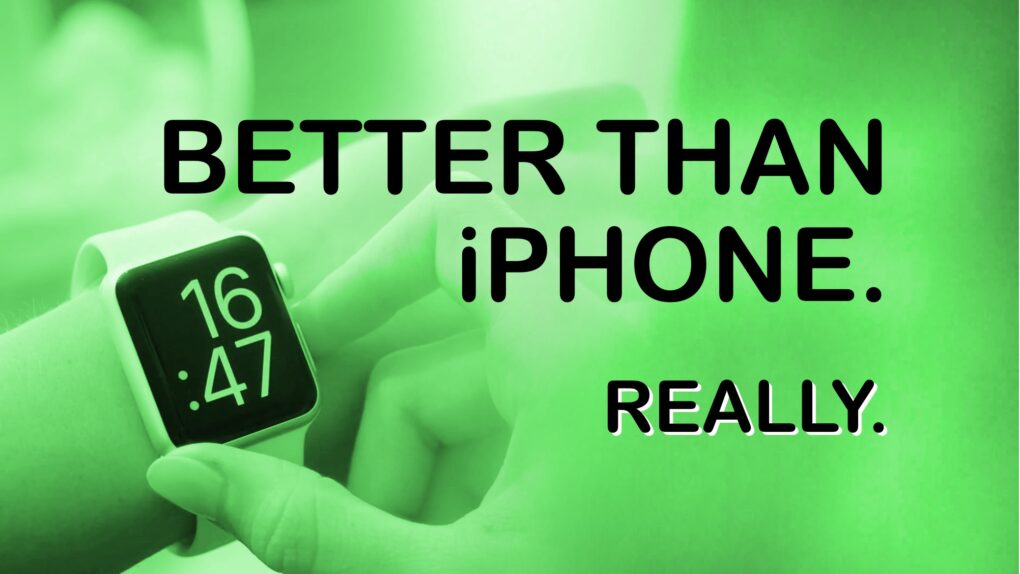
Sometimes, your Apple Watch really is better than your iPhone.
Image: Ed Hardy/Cult of Mac

It’s time to break the habit of doing everything on your iPhone while overlooking what’s often a better alternative. Consider the Apple Watch pros: It’s a very capable little computer, and it’s right there on your wrist. Odds are you aren‘t taking advantage of half of what it can do for you.

Here are the simple tasks I used to do on my iPhone that are now easier because I do them on my Apple Watch. And all without needing any third-party software. The only apps required come preinstalled on every Apple Watch.

Price drop: Play Street Fighter II, Zelda and 70,000 other games on this retro console

By

Product photo of the Kinhank Super Console X2 Pro retro gaming emulator and streaming console .
Get the Kinhank Super Consple X2 Pro on sale less than $90.
Photo: Cult of Mac Deals

The Kinhank Super Console X2 Pro is a retro-style gaming console preloaded with more than 70,000 classic games. It also lets you use your favorite streaming apps to watch videos. It’s great for any household — and a perfect gift for any gamer on your list.

This retro games and streaming console is on sale now for just $89.97 with free shipping. However, that deep discount won’t last much longer.

Apple Watch Move ring vs. Exercise ring: What’s the difference?

By

Don't get your Move and Exercise rings mixed up
Image: Graham Bower/Cult of Mac

Closing your three Apple Watch Activity rings can become such an obsession that it’s easy to forget why you’re doing it. But what does it really mean to close an Apple Watch ring? The Stand ring seems obvious. We all know we shouldn’t sit around on our asses all day. But how about the Move and Exercise rings, which sound so similar?

Actually, no. The Apple Watch’s Move and Exercise rings are very different, and understanding that difference is massively important if you want to achieve your fitness goals.

How to hard-lock your iPhone in a hurry

By

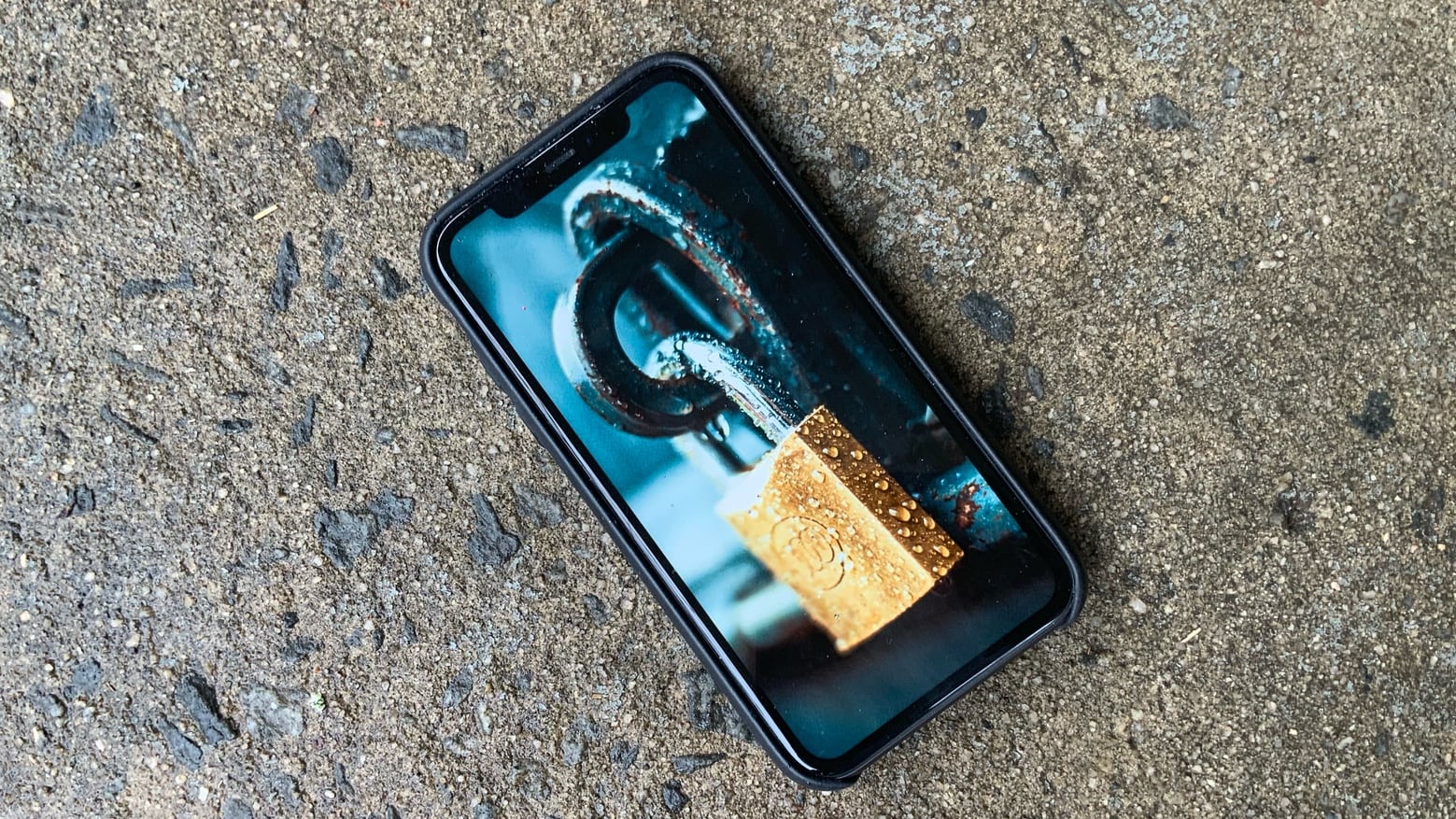
Know how to hard-lock your iPhone in a hurry.
Photo: Ed Hardy/Cult of Mac

If you find yourself in a situation where a police officer or federal agent — like a TSA person at the airport — requests or demands your iPhone, should you hand it over? Many folks say no, never. But if you do, at least know how to hard-lock it in a hurry before it leaves your hand. That will help protect your data on the device.

Killer Mac mini rig sports color-calibrated BenQ displays [Setups]

By

Mac mini setups
Lucky Mac mini! BenQ calibrates these 4K displays for accurate Mac color matching.
Photo: [email protected]

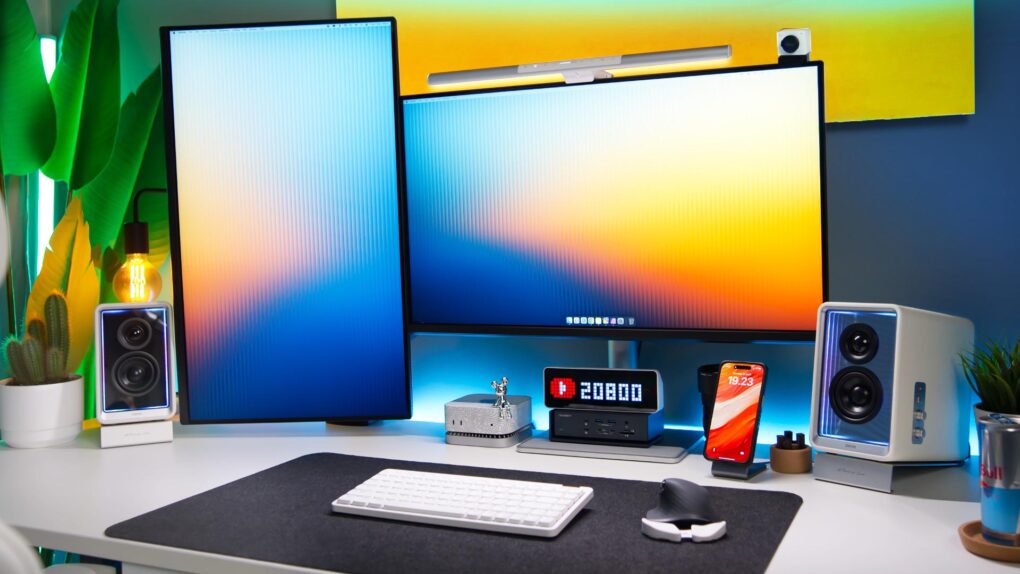
If you work with visual media in some way — like as a graphic designer or video editor — you know how important color accuracy on external monitors can be. Today’s M4 Pro Mac mini user relies on a pair of BenQ monitors specifically calibrated to match Mac colors. They’re actually made for MacBook Pro and MacBook Air, to reproduce the rich colors on the laptops’ Liquid Retina (Air) and Liquid Retina XDR (Pro) displays.

And that’s not all. The sleek and deceptively simple setup actually packs in a surprising amount of cool gear. See below.

Brilliant Alogic Clarity 5K Touch display conjures touchscreen magic [Review] ★★★★★

By

Alogic Clarity 5K Touch Monitor review★★★★★
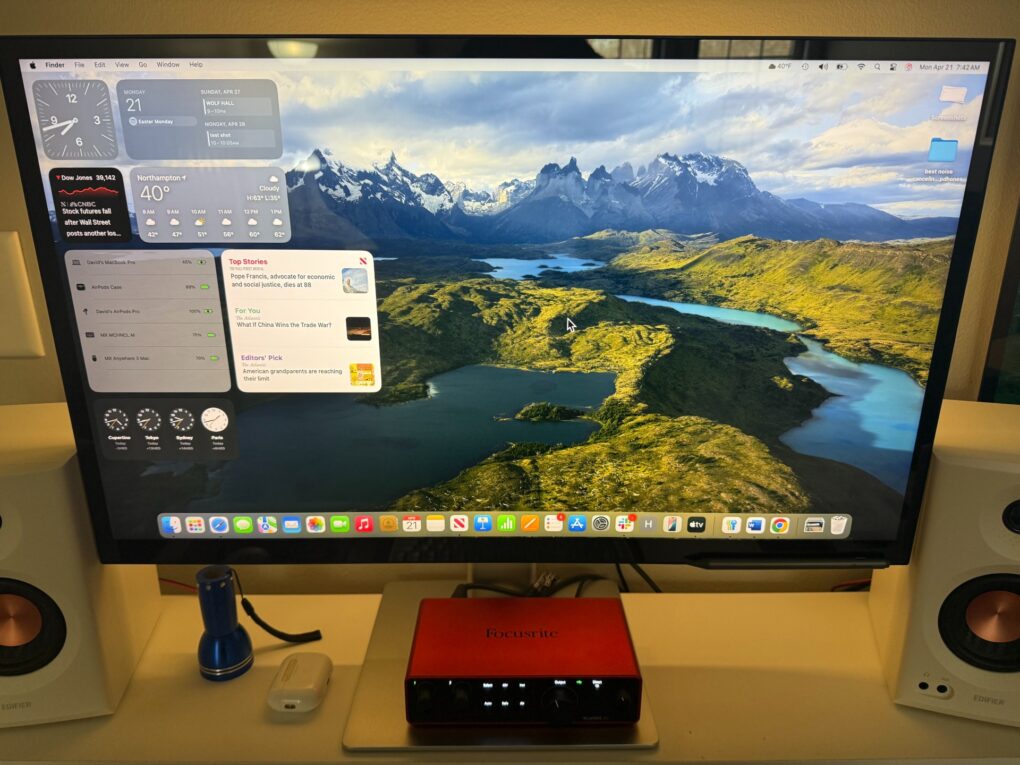
The display is bright enough (though less so than Studio Display) and incredibly crisp and clear with 5K resolution.
Photo: David Snow/Cult of Mac

The quest for an affordable Apple Studio Display alternative got going right after Apple launched its premium 5K monitor in 2022, but now Alogic takes a bold step in a completely new direction. As this Alogic Clarity 5K Touch Monitor review points out, it’s not just another 5K display trying to undercut Apple’s pricing. It’s a technological breakthrough that brings something the Studio Display simply doesn’t offer: a fully functional touchscreen interface for macOS.

Today in Apple history: Gizmodo tears down a lost iPhone 4 prototype

By

Gizmodo buys iPhone 4 prototype
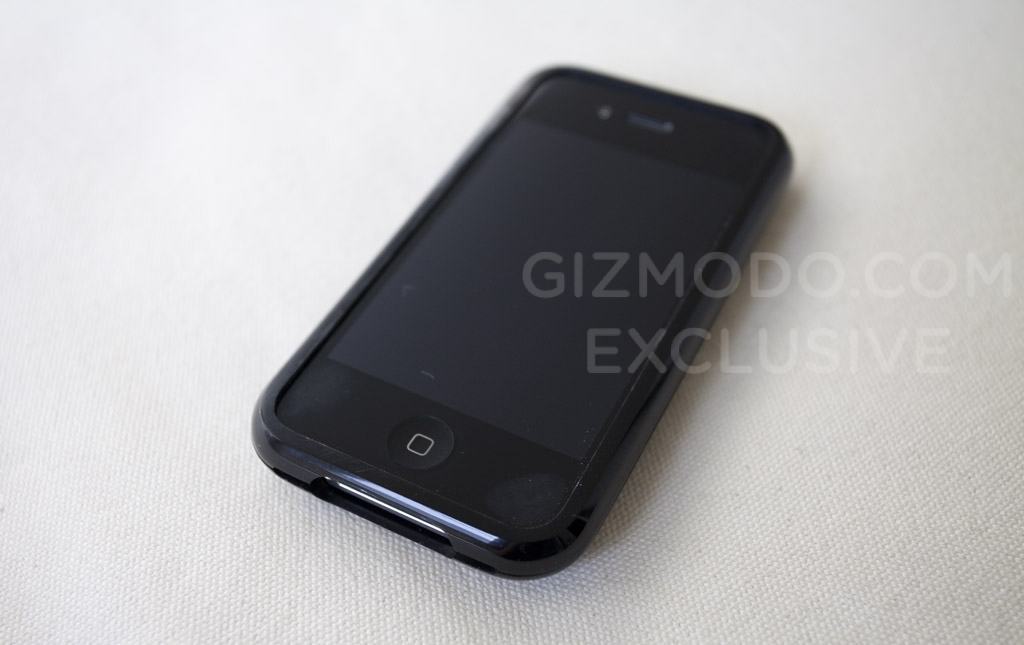
The iPhone 4 prototype bought by Gizmodo came disguised as an iPhone 3GS. But a teardown showed big differences inside.
Photo: Gizmodo

April 20: Today in Apple history: Gizmodo tears down lost iPhone 4 prototype April 20, 2010: A day after the most high-profile iPhone leak in history, tech news site Gizmodo dissects a prototype iPhone 4, then publishes the teardown — showing the world exactly what’s inside the soon-to-be-released device.

The iPhone 4 prototype, accidentally left in a bar by 27-year-old Apple software engineer Gray Powell, quickly becomes the biggest story in the tech world. And that’s where the trouble begins.

Ask one simple question to get the most out of your Apple Watch

By

Maximize your Apple Watch use
Make your Apple Watch useful for more than health tracking.
Image: Ed Hardy/Cult of Mac

Odds are, you’re not taking advantage of all the useful things your Apple Watch can do for you. That’s because we all tend to grab our iPhone, even when it’s not the best option. I started using my smartwatch much more after I began asking myself one simple question whenever I grab my iPhone: “Would this be easier on my Apple Watch?”

You should try it, too.

Today in Apple history: Newton boss departs as device struggles

By

The Newton MessagePad, an product line run by Gaston Bastiaens, looks gigantic next to an iPhone.
The Newton MessagePad did not become the immediate hit Apple desired.
Photo: Blake Patterson/Wikipedia CC

April 19 April 19, 1994: Gaston Bastiaens, the executive in charge of Apple’s revolutionary new Newton MessagePad product line, parts ways with the company.
“We can’t say whether he fell or was pushed,” says an Apple spokesman. Reports suggest that the departing Bastiaens, general manager of Apple’s personal interactive electronics division, is leaving due to his failure to make the Newton a financial success.

Sigma BF is an Apple-esque camera for the pure joy of photography [Review] ★★★★☆

By

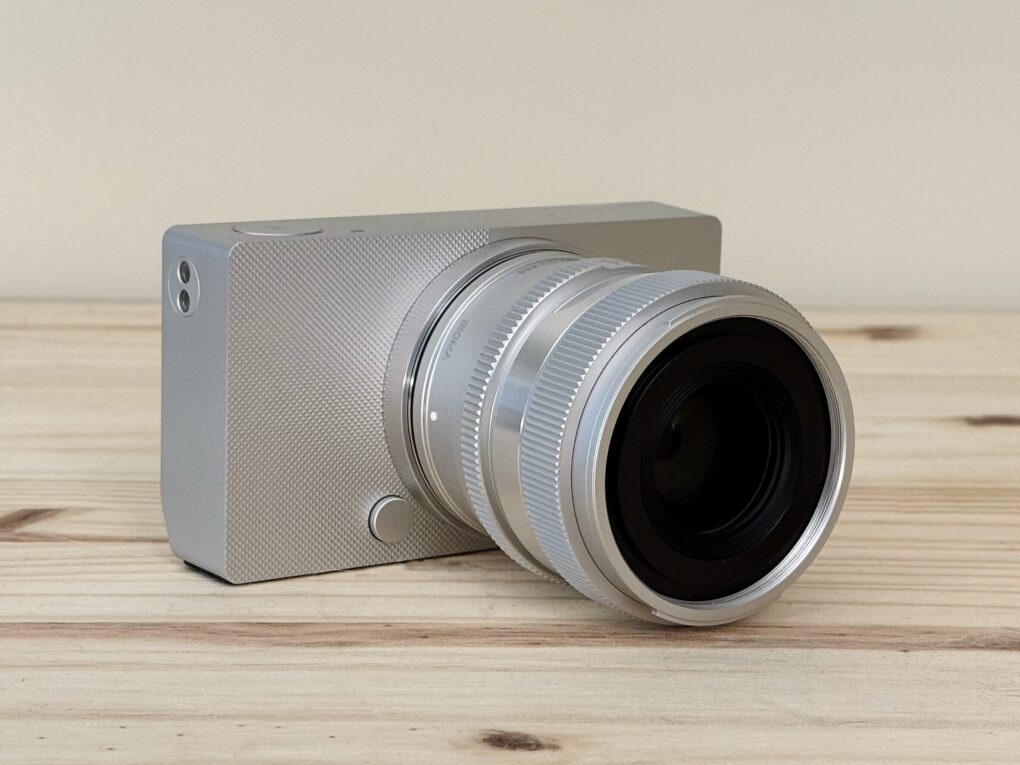
The Sigma BF, a simple aluminum full frame camera, sitting on a pine table★★★★☆
It’s a stunning camera.
Photo: D. Griffin Jones/Cult of Mac

The Sigma BF is a beautifully designed camera unlike any other. While testing it for this review, I found the full-frame camera to be as easy to pick up as a point-and-shoot. It’s a pleasure to use — a love letter to minimalism, precision and the pure joy of old-school photography.

With an aluminum unibody worthy of Jony Ive and a stripped-down interface that favors elegance over excess, this full-frame mirrorless marvel feels less like gear and more like art itself.

What it lacks in cutting-edge features, this gorgeous $1,999 camera more than makes up for with soul. And for Apple lovers, photo fans and design purists, that might be all that matters.

Keep reading for my in-depth Sigma BF review (and/or watch my video version).

New ending makes Mythic Quest‘s final cliffhanger disappear

By

Apple TV+ canceled Mythic Quest
Charlotte Nicdao and Rob McElhenney starred in Mythic Quest. While Apple TV+ canceled the show, season four will get a new ending.
Photo: Apple TV+

In a shock to dedicated fans, Apple TV+ canceled Mythic Quest after the show’s fourth season. The gaming-oriented workplace comedy concluded March 26 with an intended season finale, not a series finale. So Apple greenlit a redo of the last episode’s cliffhanger ending so it will actually end the whole show. Now it’s out.

Update: Attention, bereft Mythic Quest fans: The new season four ending is now streaming with a revamped episode 10, “Heaven and Hell.” It officially ends the show, typing up some loose ends and removing some cliffhangers. Reshooting a series ending is a rare thing in TV, so at least you have some closure. And if you haven’t checked out the spinoff anthology series Side Quest, there’s that, too.

GameBaby controller/case brings retro fun to iPhone [Review] ★★★★

By

GameBaby review★★★★
GameBaby can be your key to retro gaming fun.
Photo: Ed Hardy/Cult of Mac

GameBaby from Bitmo Lab is both an iPhone case and a game controller. Combined with the Delta retro game emulator, the accessory’s clever design allows you to play classic games on your phone with real buttons. And there’s nothing wrong with a new way to have fun.

For my GameBaby review, I tested it with my iPhone 16 Pro Max, and it’s the closest thing to a Game Boy I’ve played in much too long.

Plus, it’s available at a huge discount right now — 38% off. But the deal only lasts a few more days.

Mac mini user ditches Studio Display for ultra-wide OLED monitor [Setups]

By

ultra-wide monitor
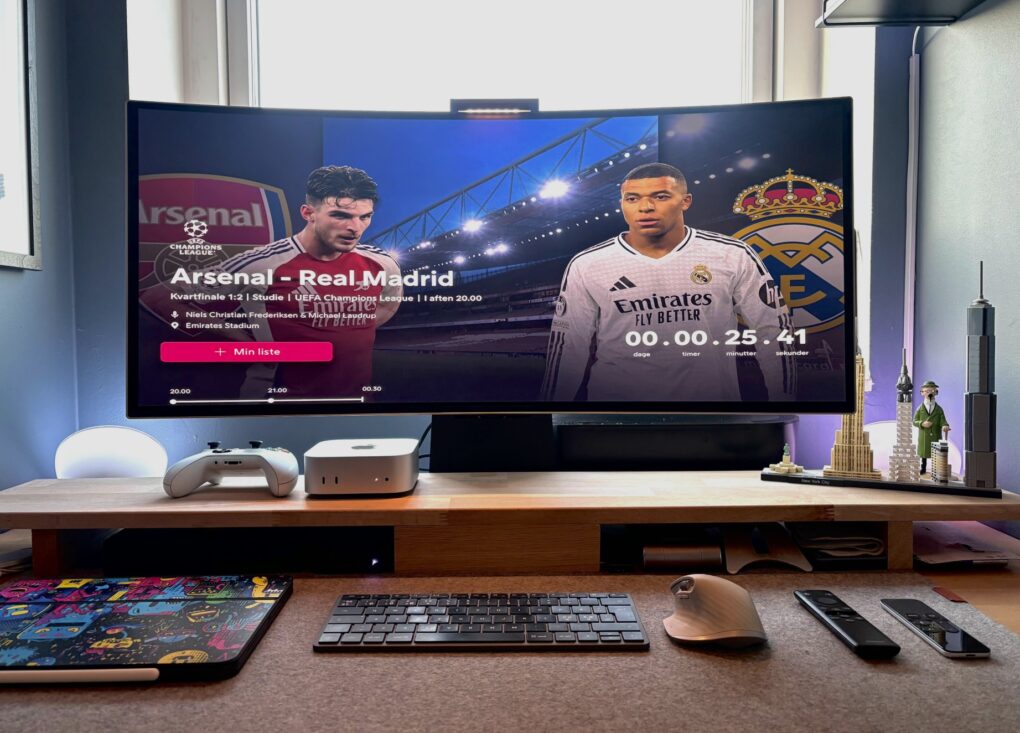
In a back-and-forth battle, Studio Display ultimately lost out to a Samsung G8 OLED ultra-wide monitor.
Photo: [email protected]

The turf war between standard displays and ultra-wide monitors continues — sometimes within one computer setup. Today’s M4 Mac mini user went back and forth multiple times before their Samsung ultra-wide OLED display retook the crown from their Studio Display, which is now “gone.” And that’s the case despite their acknowledgement that “Studio Display is the best monitor for Mac, no discussion.”

Keychron M5 vertical gaming mouse wants to save your wrists

By

Keychron M5 Wireless Ergonomic Mouse
Shown here in white, the M5 is fairly light, but it features a stable base.
Photo: Keychron

In an unusual move from Keychron blending ergonomic comfort with high-performance gaming specs, the keyboard specialist released its new M5 Wireless Ergonomic Mouse earlier this month. The device makes for an interesting peripheral launch because you don’t see a mouse mashing up professional ergonomic features and technical gaming capabilities every day.

Today in Apple history: Apple pays $15 million to promote Mission: Impossible

By

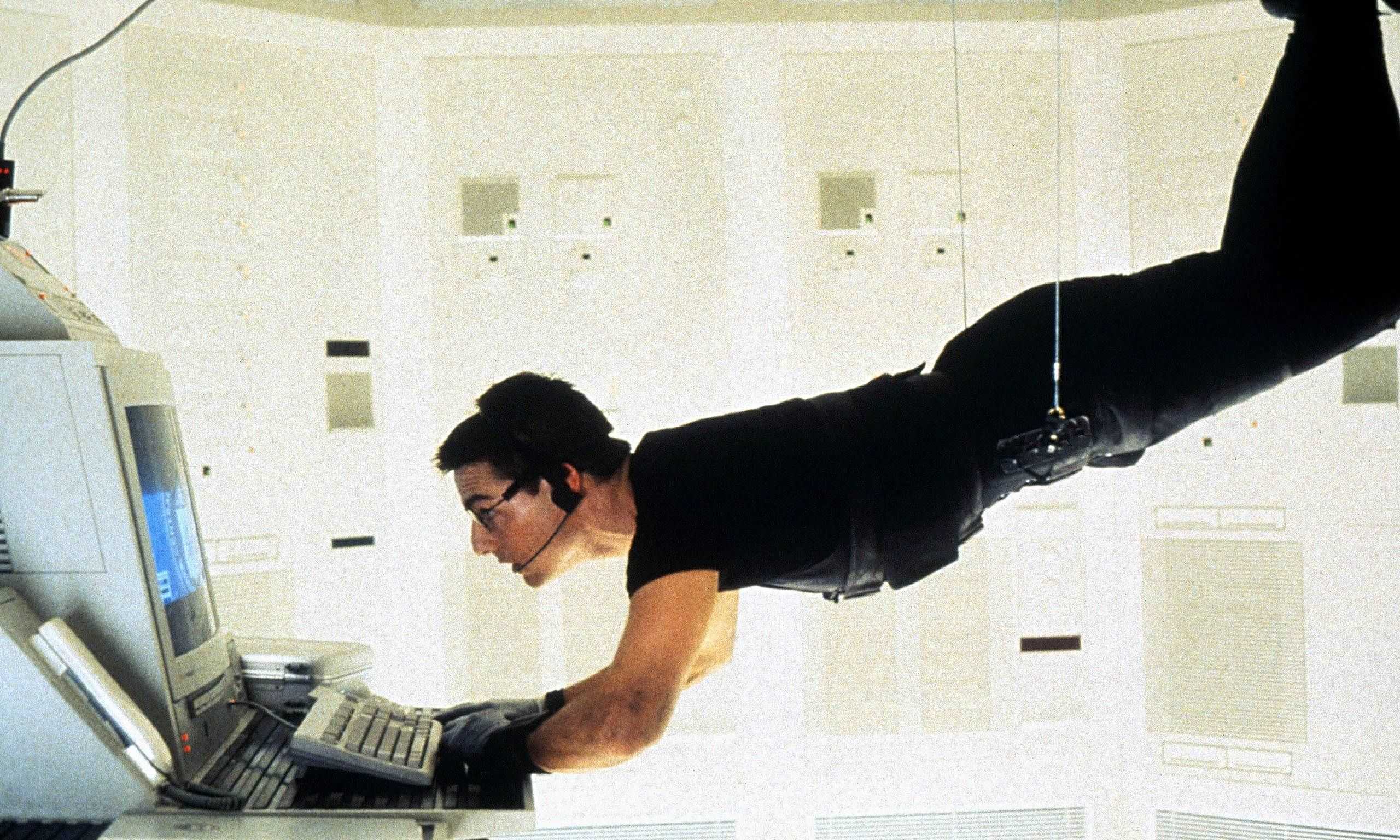
Sadly, Apple's Mission: Impossible deal doesn't quite work out as planned.
Sadly, it doesn't quite work out as planned.
Photo: Paramount

April 18: Today in Apple history: Apple pays $15 million for Mission: Impossible movie tie-in April 18, 1996: Apple unveils a massive $15 million promotional tie-in for the Mission: Impossible movie starring Tom Cruise.

Designed to promote the PowerBook, which Cruise uses in the spy flick, the marketing campaign comes at a particularly bad time. Attempting to climb back into the black after reporting its largest quarterly loss ever, Apple is in the middle of trying to perform its very own impossible mission. And that’s just the start of the problems.

Price drop: Punch up your pix with this powerful Mac photo editor

By

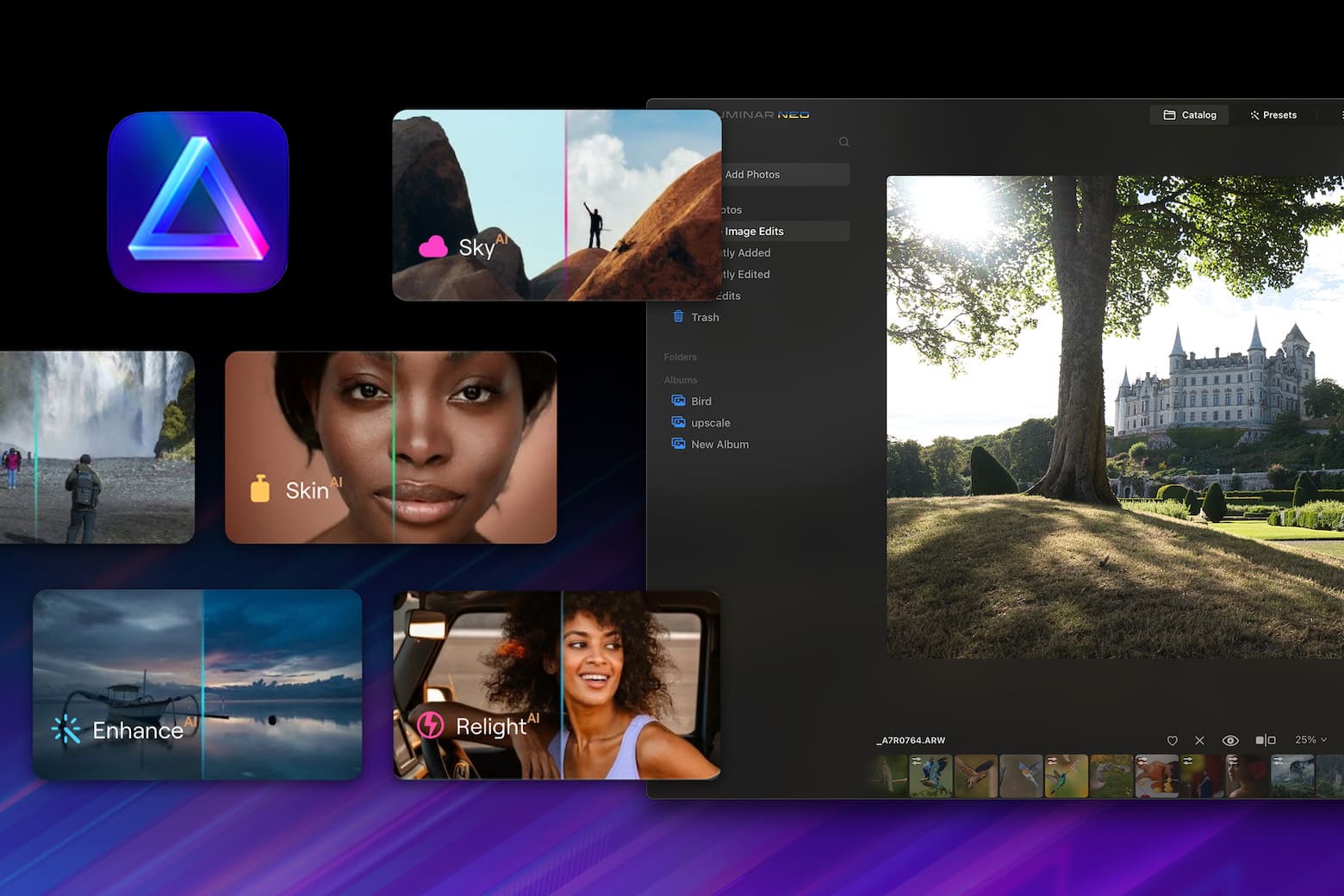
Get AI-powered photo editing with Luminar Neo plus a library of add-ons for under $150.
Get an AI-powered photo editor, filters and more for just $159.99.
Image: StackSocial

Getting just the right shot is exciting, but any professional photographer will tell you that post-production work separates decent vacation snapshots from magazine-worthy images. That requires powerful photo editing software. And photo apps don’t come much more highly recommended than Luminar Neo, which lets you utilize AI to make your images look amazing.

Now there’s a great opportunity for new users to get this versatile software (for Mac or PC), along with hundreds of dollars worth of add-ons and training. You can get the Award-Winning Luminar Neo Lifetime Bundle for just $89.99. That’s a tremendous discount off the retail price of $682.)

9 reasons you should ditch Spotify for Apple Music

By

Apple Music better than Spotify?
Could it be? Sure, I think so.
Image: D. Griffin Jones/Cult of Mac

Apple Music vs. Spotify: While Apple Music still lags behind Spotify when it comes to paying subscribers, in my opinion, Apple Music is the better service. It offers more advanced features like live lyrics, karaoke, lossless and spatial audio.

And for music aficionados, you can upload your own ripped recordings and MP3s. You have full control over your music library. Plus the Apple Music Classical app gives you a first-class experience learning and discovering classical music.

Here are the nine things keeping me on Apple Music — and why you should switch away from Spotify. You can also watch the video right here.

Take a whiff of these scented iPhone cases if you dare

By

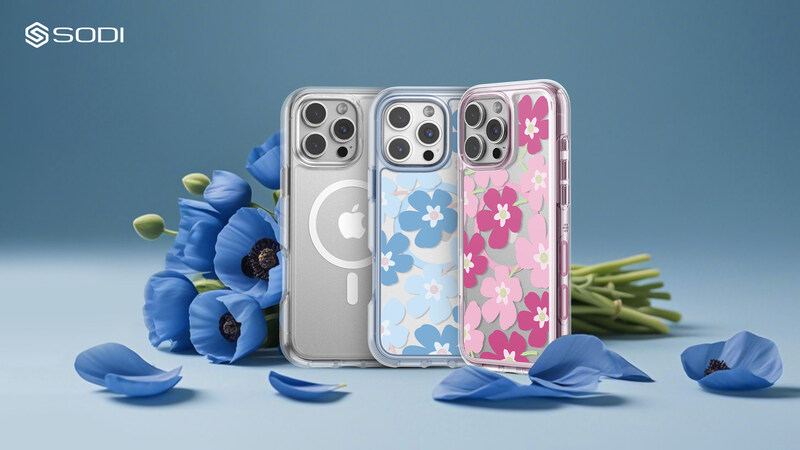
Sodi Aroma Scent Phone Case
It's a normal, protective iPhone case, but with odors.
Photo: Sodi

Into a market filled with standard iPhone cases, Apple accessories designer Sodi brings a sensory innovation — or maybe overload — that promises to transform how iPhone users interact with their devices. The Sodi Aroma Scent Phone Case, designed exclusively for iPhone 16 Pro and Pro Max models, launched Thursday on Kickstarter. It infuses fragrance technology with everyday smartphone use.

In other words, the cases make your iPhone smell … in a nice way, and very much on purpose.

Vision ‘Air’ headset could sport titanium parts and dark blue finish

By

Vision 'Air' headset sheds weight and cost
Leaker Kosutami posted this photo of a midnight blue connector for the upcoming headset.
Photo: [email protected]

Apple may soon release a lighter, thinner version of its Vision Pro headset that may go by the name of “Vision Air,” according to multiple leaks Wednesday and Thursday from a semi-reliable source. The new device would represent a significant redesign focused on weight reduction while potentially offering a more affordable alternative to the $3,500 Vision Pro. And it might come in a bluish-black color rather than Vision Pro’s silver.

Today in Apple history: Apple II brings color computing to the masses

By

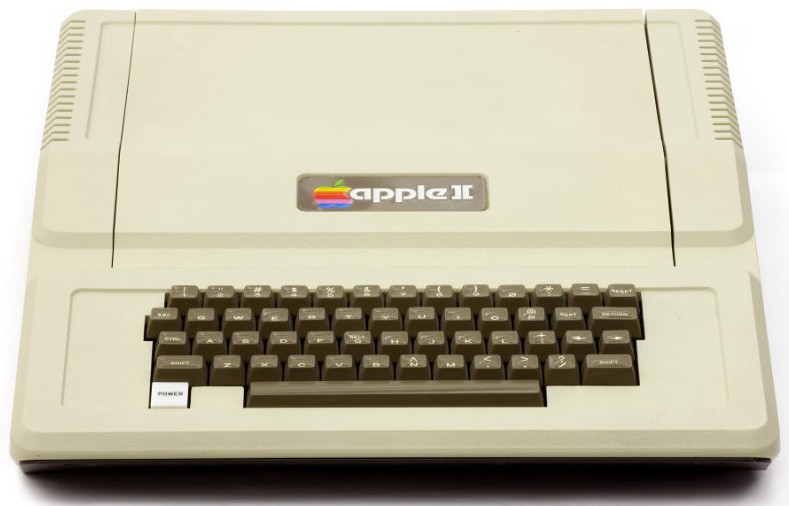
Apple II
The Apple II was groundbreaking for its day.
Photo: Computer History Museum

April 17: Today in Apple history: Apple II debuts at West Coast Computer Faire with color graphics April 17, 1977: The Apple II launch at the West Coast Computer Faire positions Apple at the forefront of the looming personal computer revolution.

The company’s first mass-market computer, the Apple II boasts an attractively machined case designed by Jerry Manock (who will later design the first Macintosh). It also packs a keyboard, BASIC compatibility and, most importantly, color graphics.

Fueled by some marketing savvy from Apple co-founder Steve Jobs, the Apple II launch makes quite a splash at the San Francisco Bay Area’s first personal computer convention.

These magnetic charging cables give you 6 feet of tangle-free bliss

By

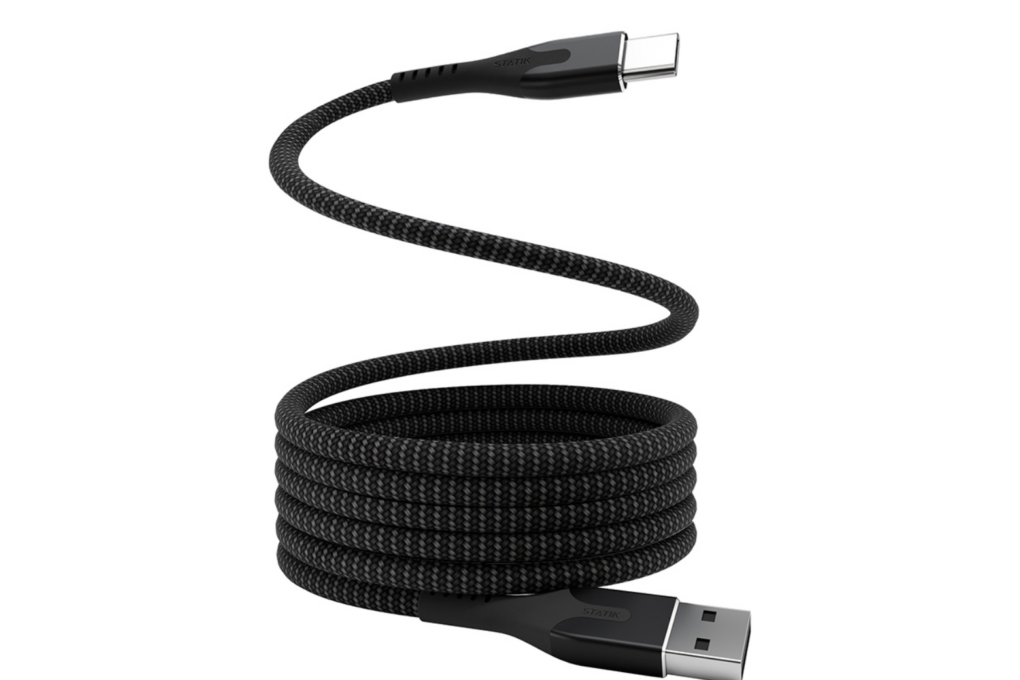
Product photo of a MagStack magnetic charging cable
Charge devices and transfer data with this innovative magnetic cable that coils up neatly.
Photo: Cult of Mac Deals

Statik’s MagStack magnetic charging cables put an end to unsightly desk spaghetti. They’ll also keep your desk drawer from looking like a horrifying snake pit.

Reinforced nylon makes these 6-foot USB-A to USB-C cables tough as nails. And whether they’re plugged in or stowed in a drawer, their magnetic construction keeps them neatly coiled and tangle-free.

You can grab a pair of MagStack cables for just $34.99 (a 23% discount). Or you can snag a four-pack and save even more.

ESR MagMouse clings to MacBook or iPad on the go [Review] ★★★★☆

By

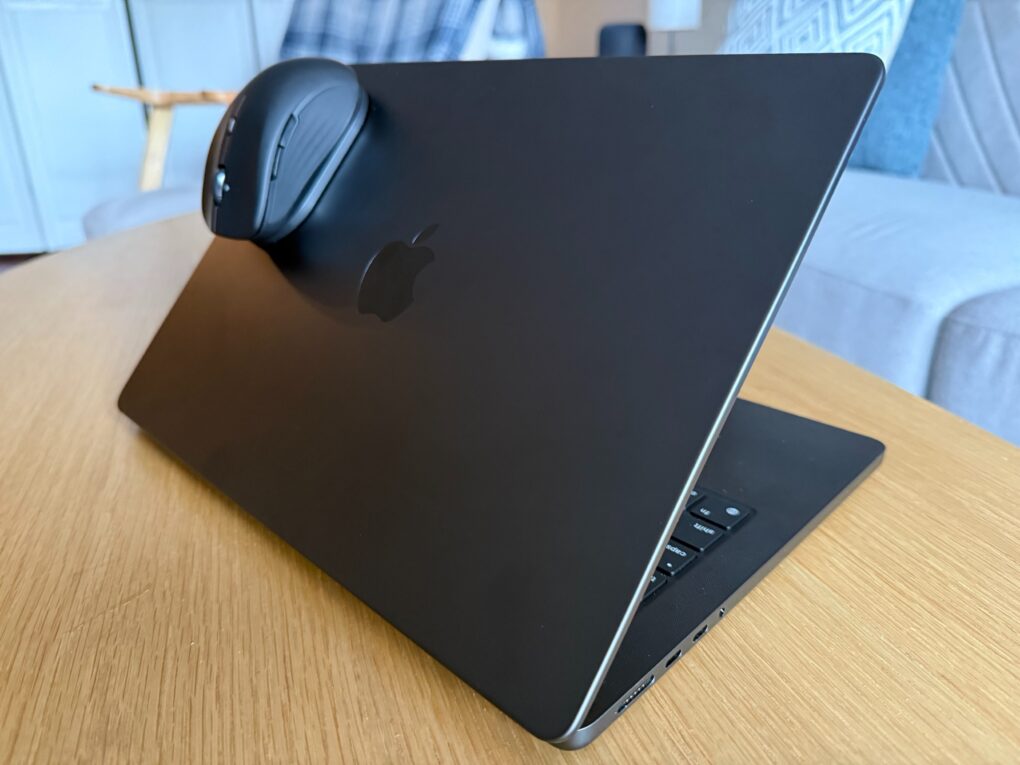
ESR MagMouse on MacBook Pro★★★★☆
ESR MagMouse clings firmly via magnets to the base stuck on a device with an adhesive.
Photo: David Snow/Cult of Mac

ESR bills its new MagMouse Wireless Mouse, unveiled at CES 2025 in January, as the world’s first magnetic mouse with built-in charging cable. The mouse attaches via adhesive base to a laptop or tablet so you can take it with you. And a handy little USB-C charging cable stows under the mouse. I put it through some paces for my ESR MagMouse review.

You can preorder the mouse now but it’s officially available Monday, April 28, via Kickstarter crowdfunding campaign. I happily tested it partly to see who it serves best. Not me, as it turns out — but plenty of others could find its unusual features quite useful.

How to use DeepL, the first alternative default translation app for iPhone

By

iPhone translation app
DeepL can replace the iPhone default translation app with a better alternative.
Photo: Ed Hardy/Cult of Mac

You can now set DeepL Translate as the default translation application on iPhones and iPads, replacing Apple’s own app. Powered by artificial neural networks, the machine-translation service supports a wider range of languages than Apple’s Translate app. And in our testing, it delivered slightly better translation as well.

DeepL Translate is the first third-party app that can serve as the iPhone’s default translation app … it beat Google Translate to the punch. The option works for iPhone users in the United States and the European Union.

Here’s how to set DeepL as the default on your iPhone or iPad.